Omnium Nommium
- By
Save and automatically switch Omnium Folio setups per specialization with a visual manager and built-in recommendations for every Retail specialization.
Overview
Description
Omnium Nommium
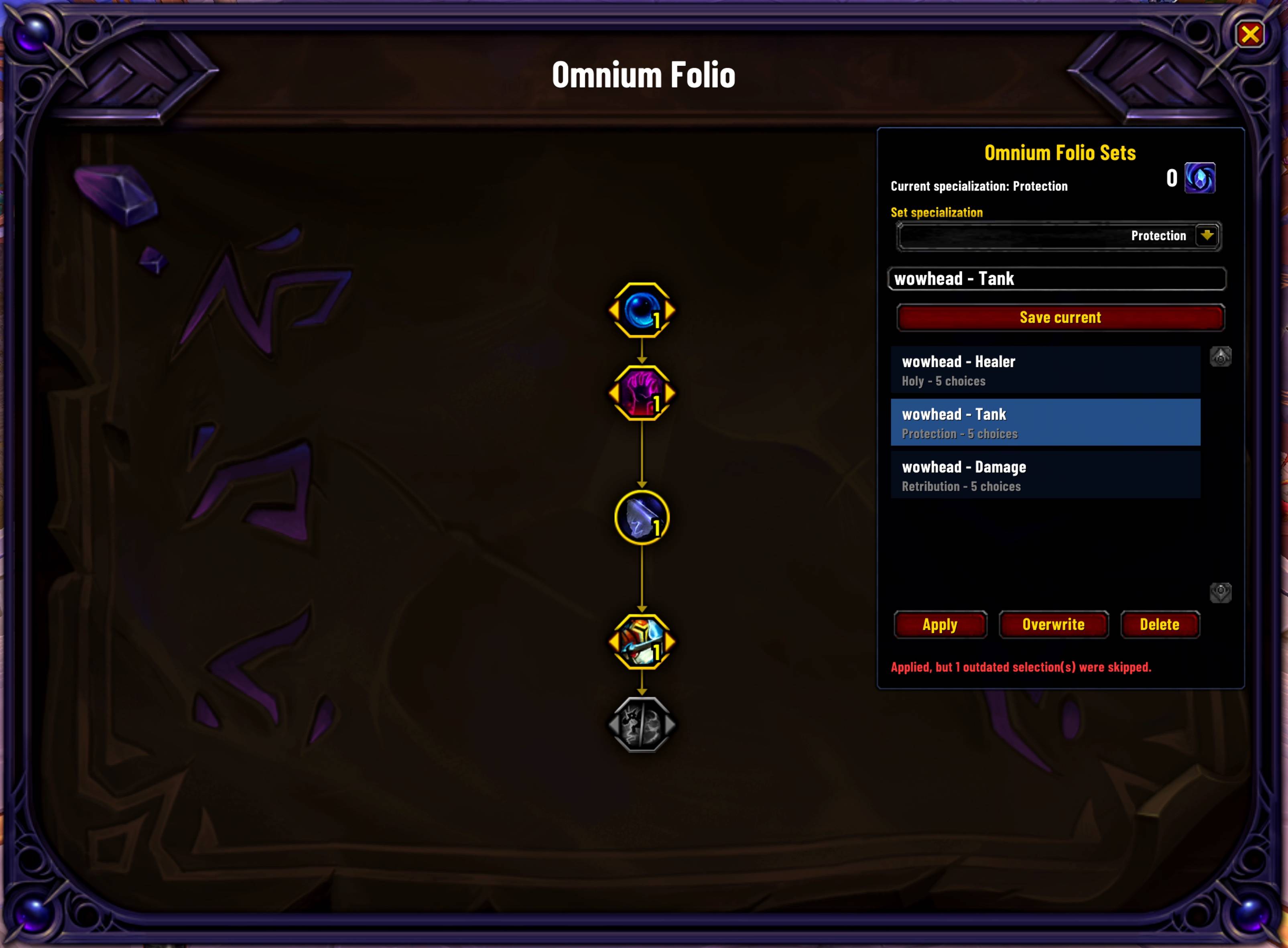
Omnium Nommium is a visual loadout manager for the Omnium Folio in World of Warcraft Retail. It lets you save different Folio configurations, assign them to specializations, and switch between them without using chat commands.
Main Features
- Save up to ten Omnium Folio sets per character.
- Assign every set to one of your character's specializations.
- Automatically apply the first matching set when logging in or changing specialization.
- Create, overwrite, apply, and delete sets through a visual interface.
- Access the manager directly from the Omnium Folio window, the AddOn Compartment, or the game's AddOn settings.
- Use built-in community recommendations for every Retail specialization.
- Receive automatically created defaults such as
Community - Tank,Community - Healer, andCommunity - Damage. - Keep custom sets independent from future recommendation updates.
- Use the addon without slash commands.
Community Recommendations
Omnium Nommium includes curated community recommendations for every Retail specialization.
A recommendation is automatically created for each specialization available to your character's class. The recommendation is placed first and therefore acts as the default set for that specialization.
Overwriting a community recommendation converts it into a normal custom set. Deleting it keeps it dismissed for that character.
Recommendations are bundled with each addon release. The addon does not retrieve recommendation data from external services while World of Warcraft is running.
How to Use
- Unlock the Omnium Folio on your character.
- Open the Omnium Folio from its regular in-game interface.
- Select a specialization for the set.
- Enter a name and select Save Current.
- Select any saved set and choose Apply, Overwrite, or Delete.
The first set assigned to a specialization is automatically used when switching to that specialization.
Important Notes
- Folio configurations can only be changed outside combat.
- Choices that are not yet unlocked are skipped until they become available.
- Sets are stored separately for each character.
- Built-in recommendations count toward the limit of ten sets per character.
- The addon targets the current World of Warcraft Retail client.
Logo provenance and rights
- Created by: Project-specific AI image generation for keeperxy; the exact generator was not retained in the repository
Omnium Nommium Team