OmniCC - GODMODE
- By
Advanced cooldown timers for spells, buffs, debuffs and nameplates with Arena, PvP and full Classic Era & TBC Classic support.
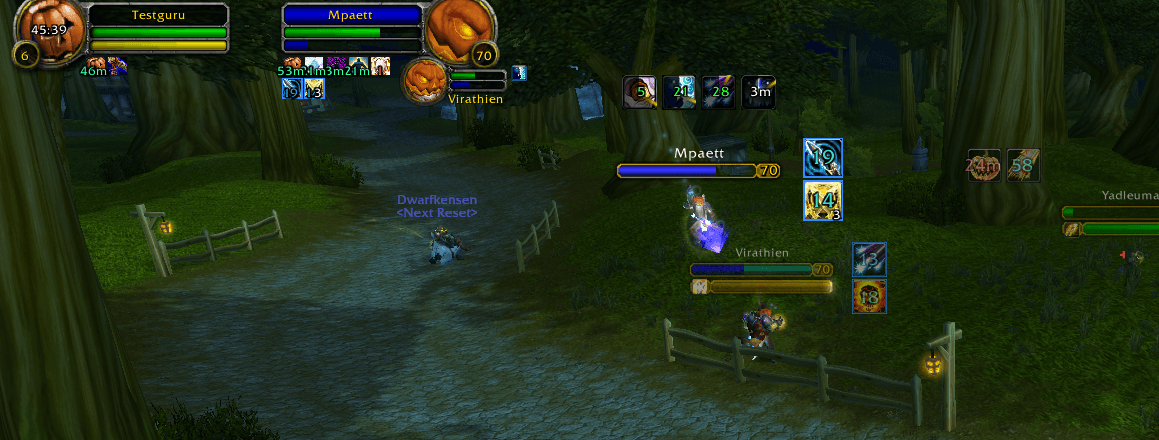
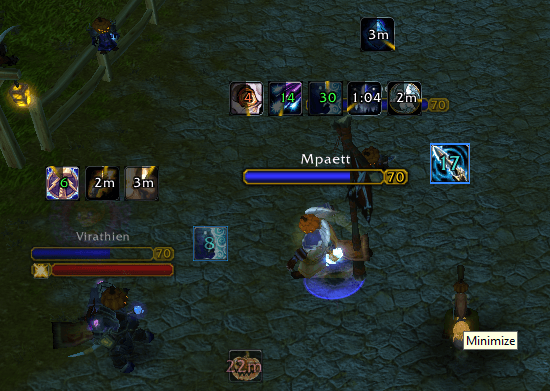
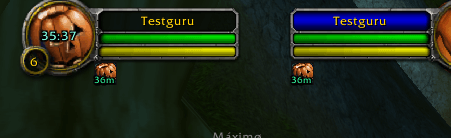
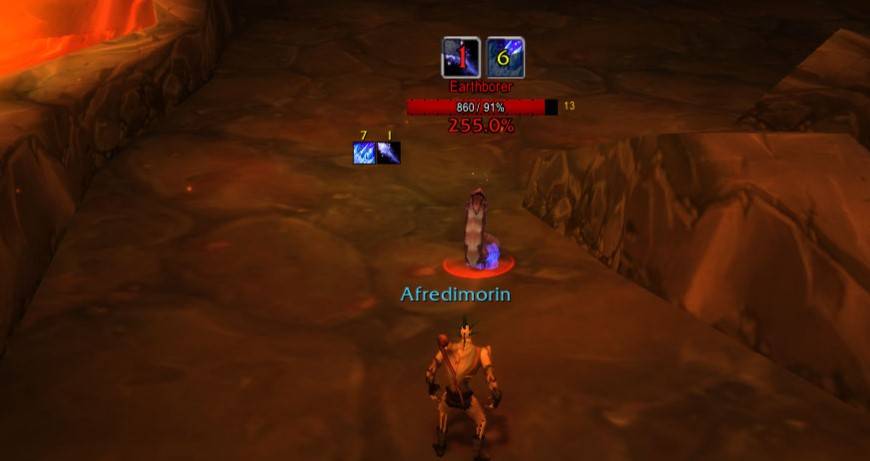
WoWScrnShot_080126_003942.jpg
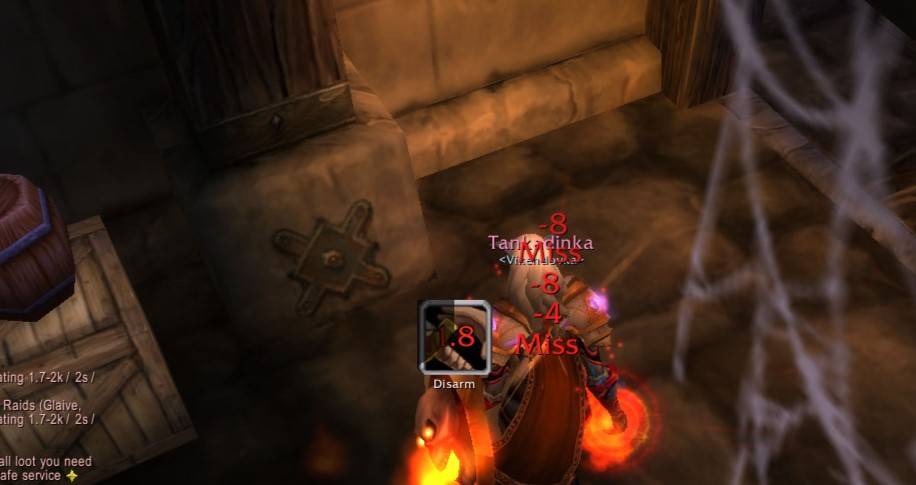
WoWScrnShot_080926_140440.jpg
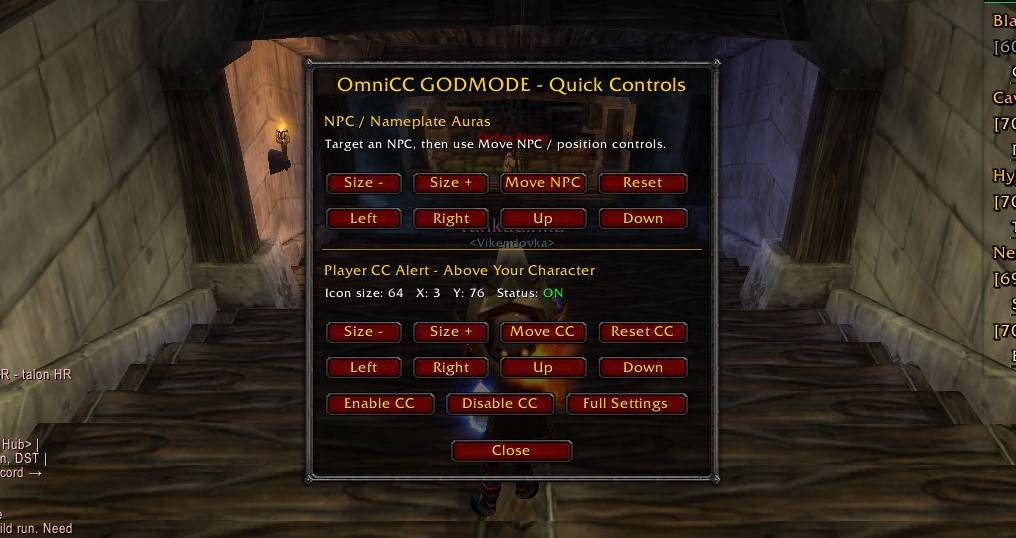
WoWScrnShot_080926_134903.jpg
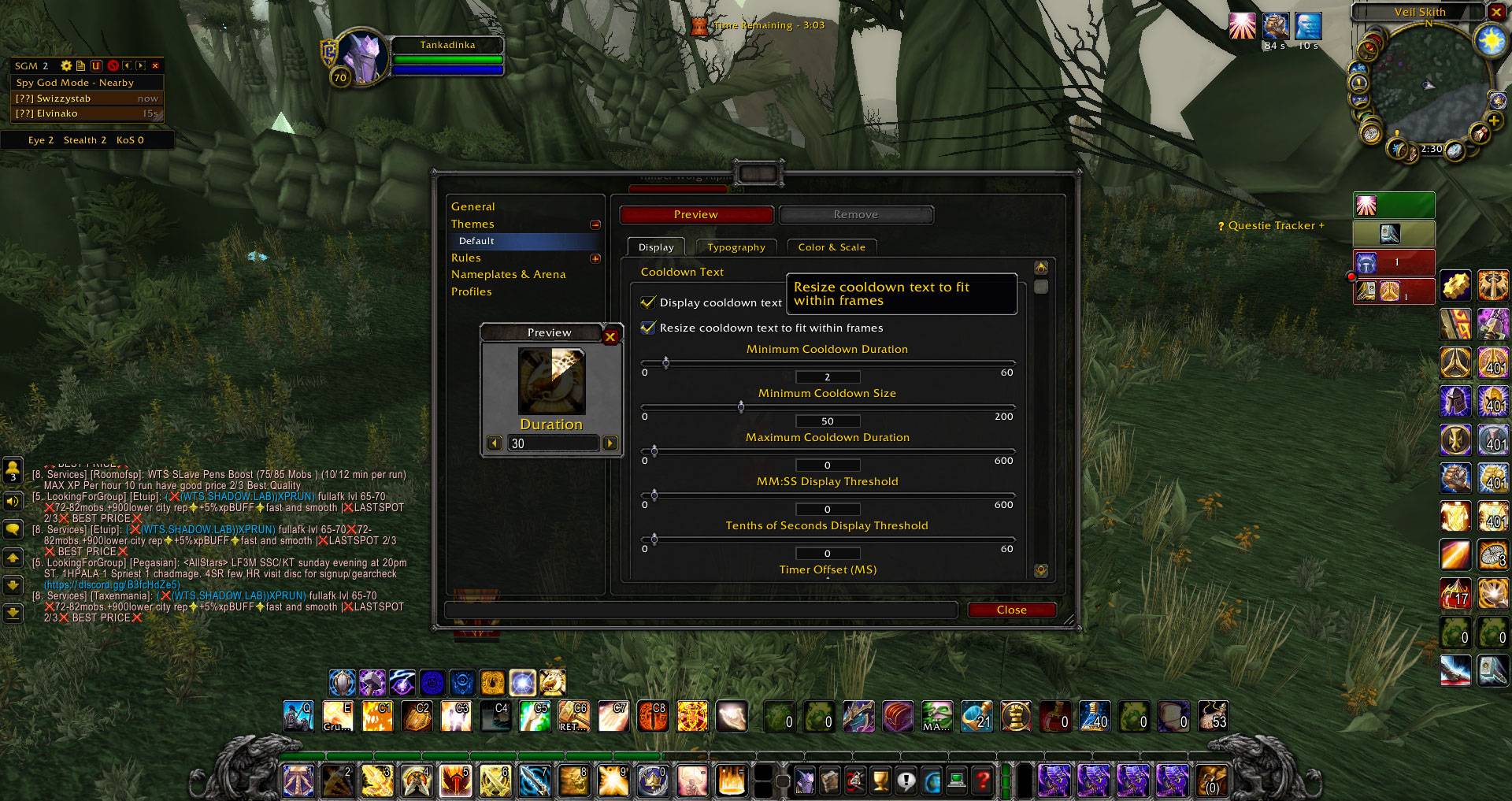
WoWScrnShot_080126_143007.jpg
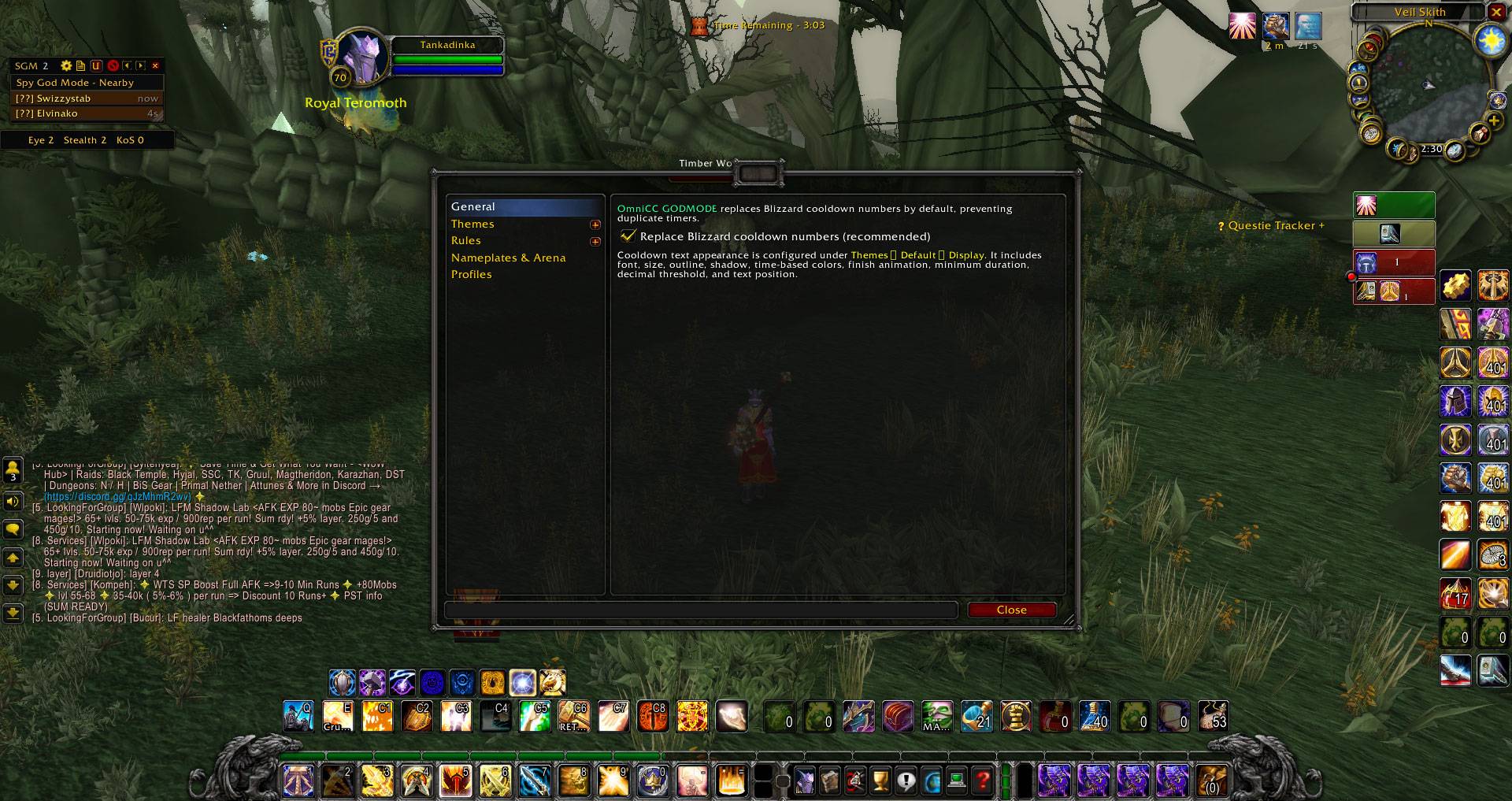
WoWScrnShot_080126_142956.jpg
WoWScrnShot_080126_003539.jpg
WoWScrnShot_080126_003724.jpg
WoWScrnShot_080126_003534.jpg
WoWScrnShot_080126_003727.jpg
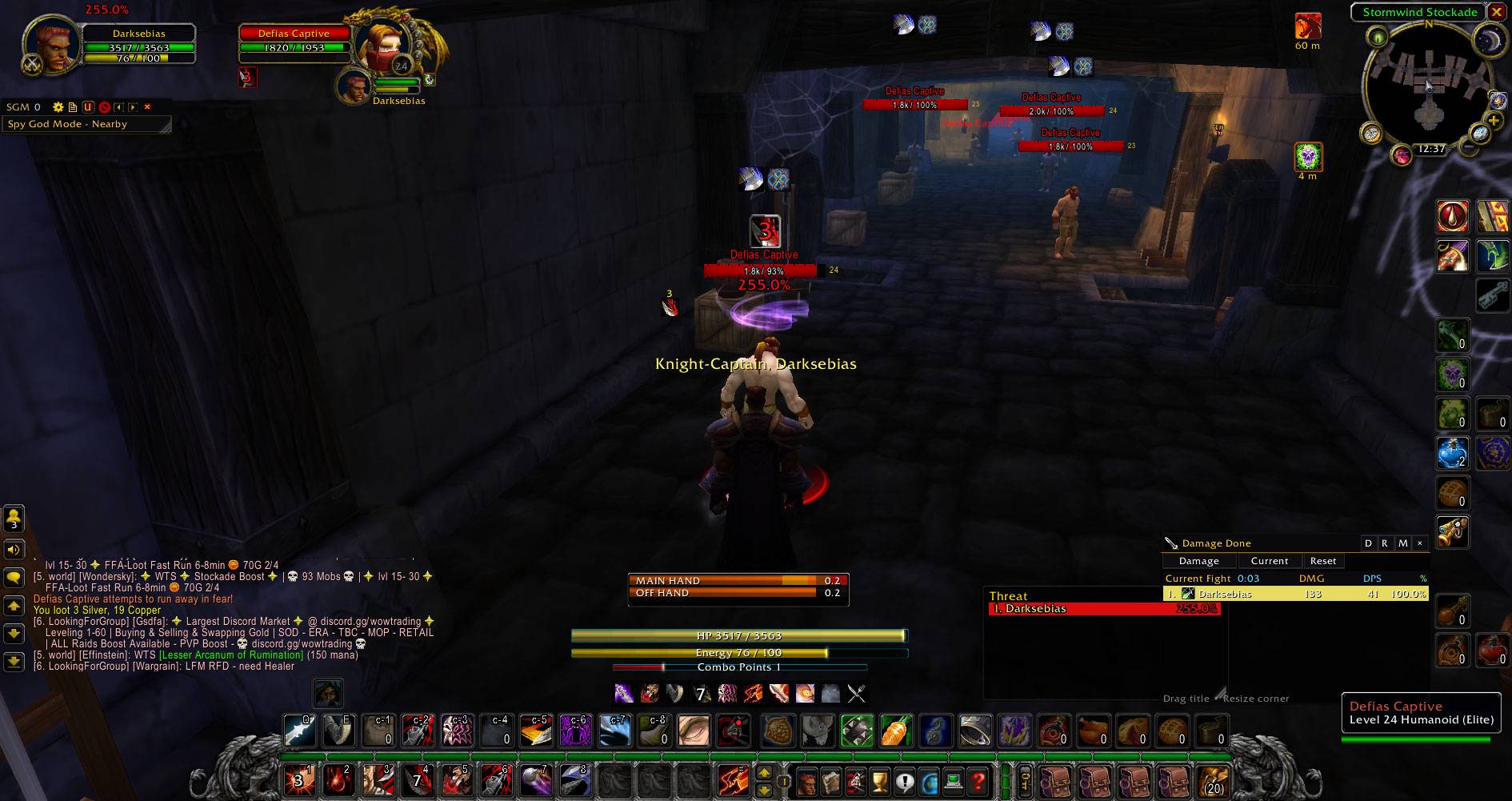
WoWScrnShot_080126_003742.jpg
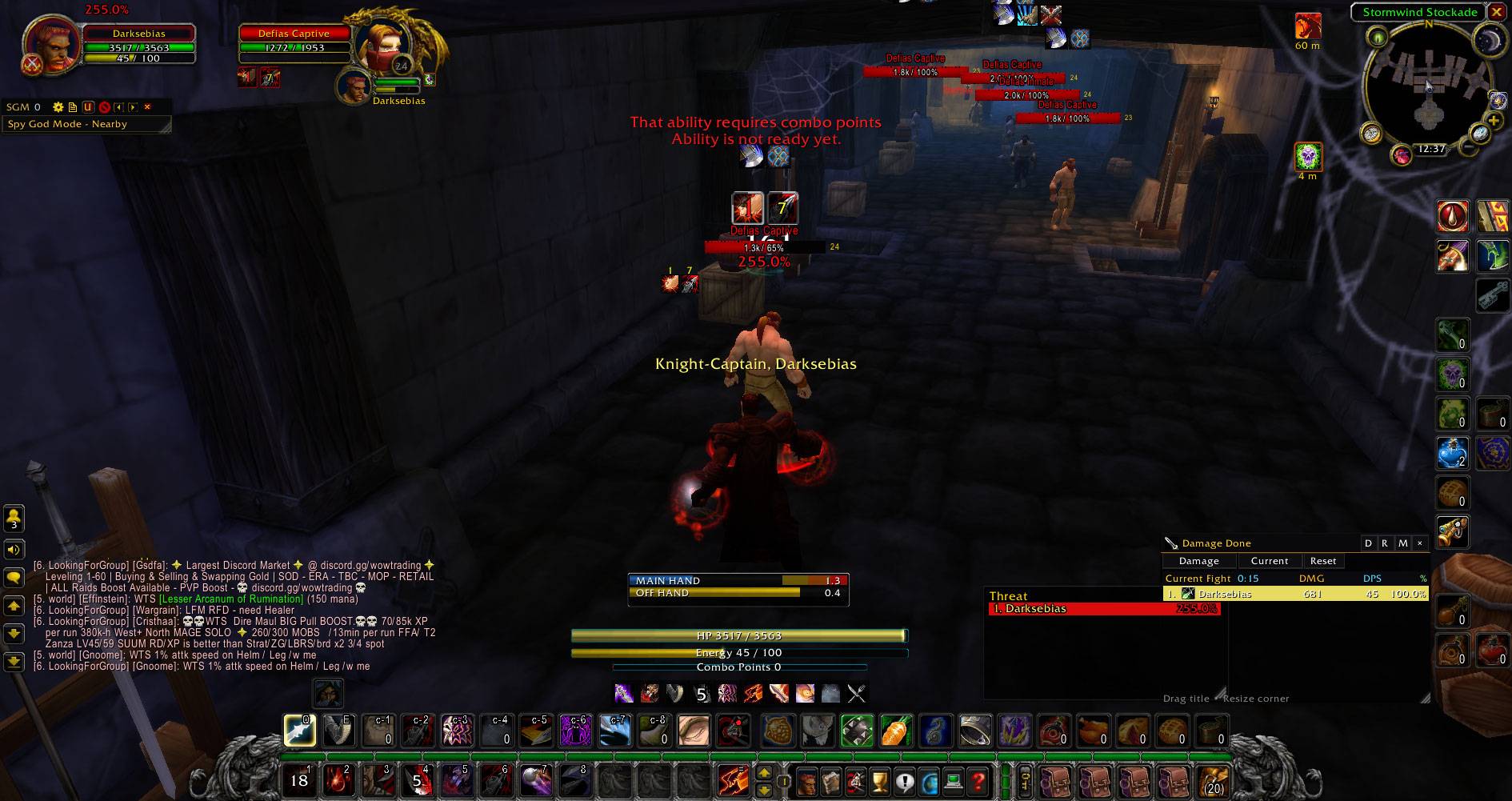
WoWScrnShot_080126_003754.jpg
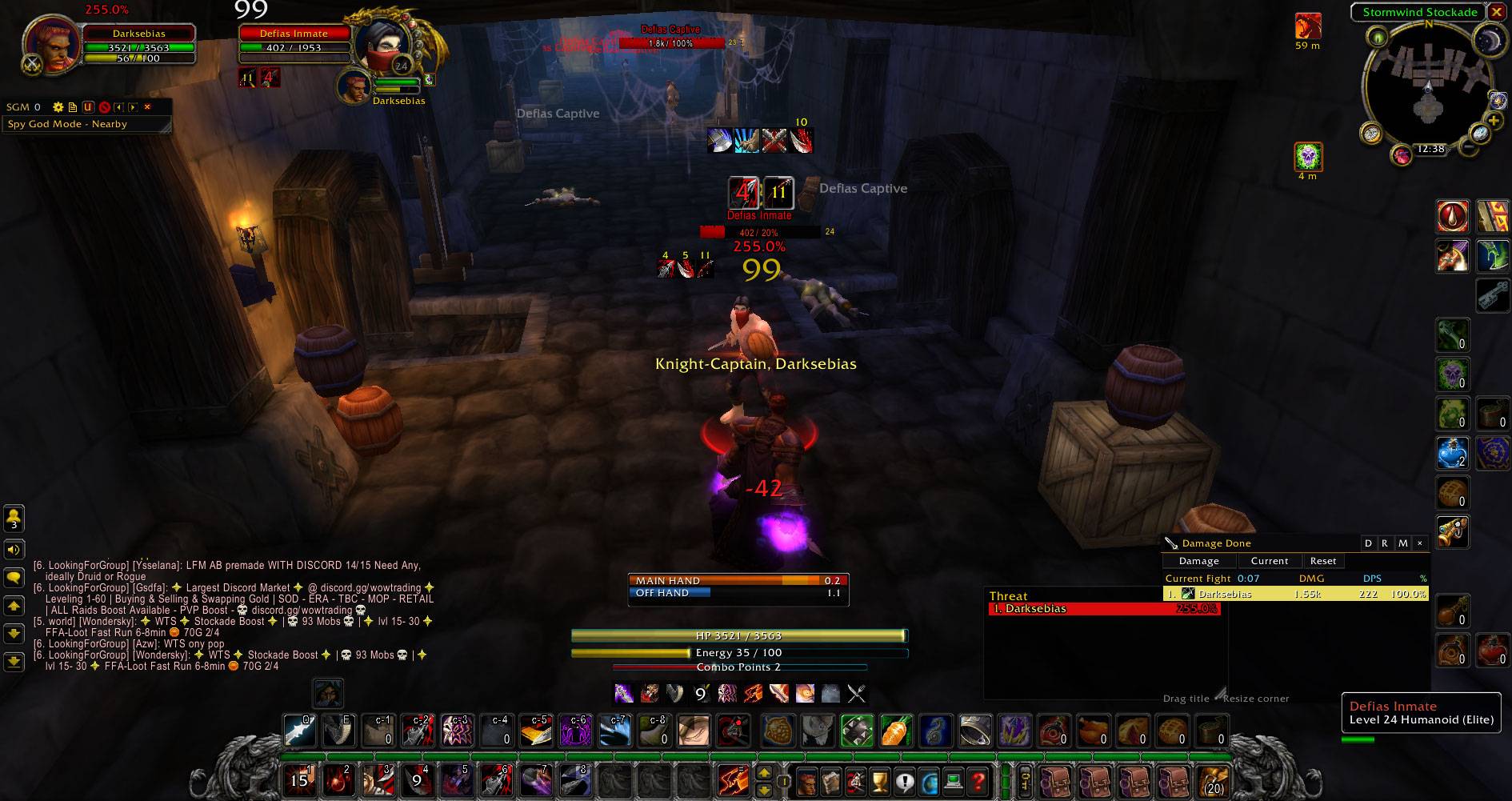
WoWScrnShot_080126_003821.jpg
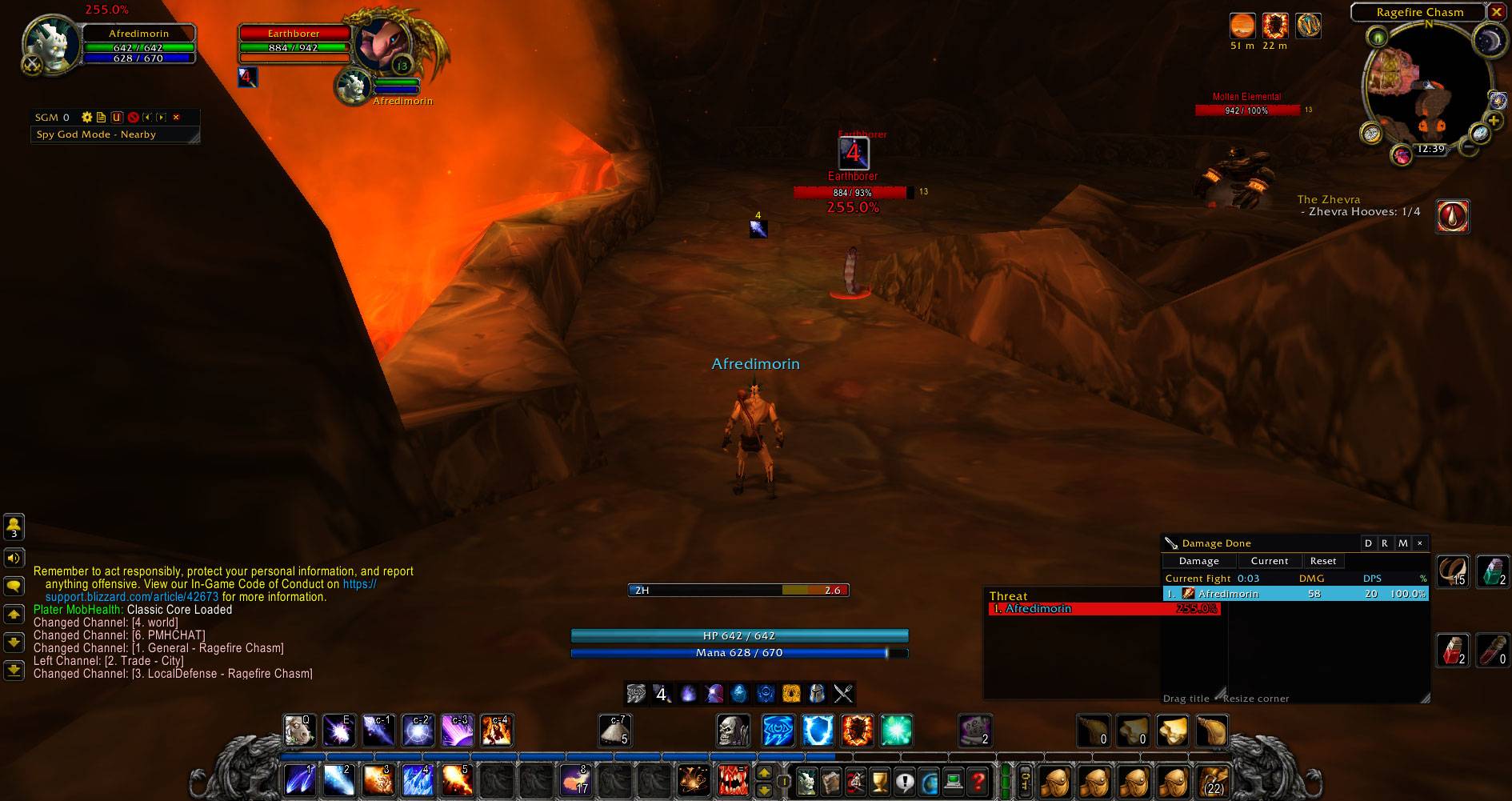
WoWScrnShot_080126_003939.jpg
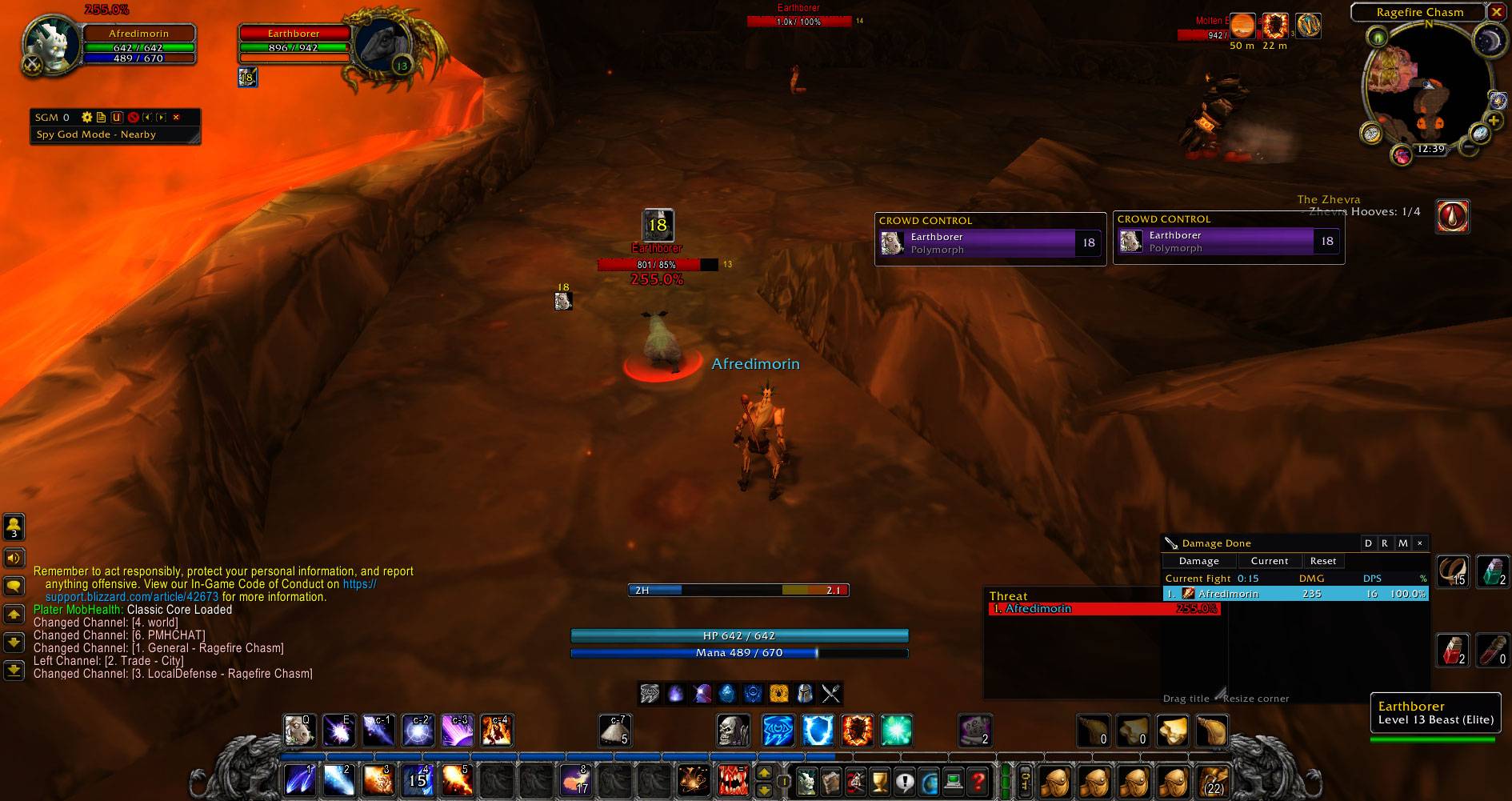
WoWScrnShot_080126_003951.jpg
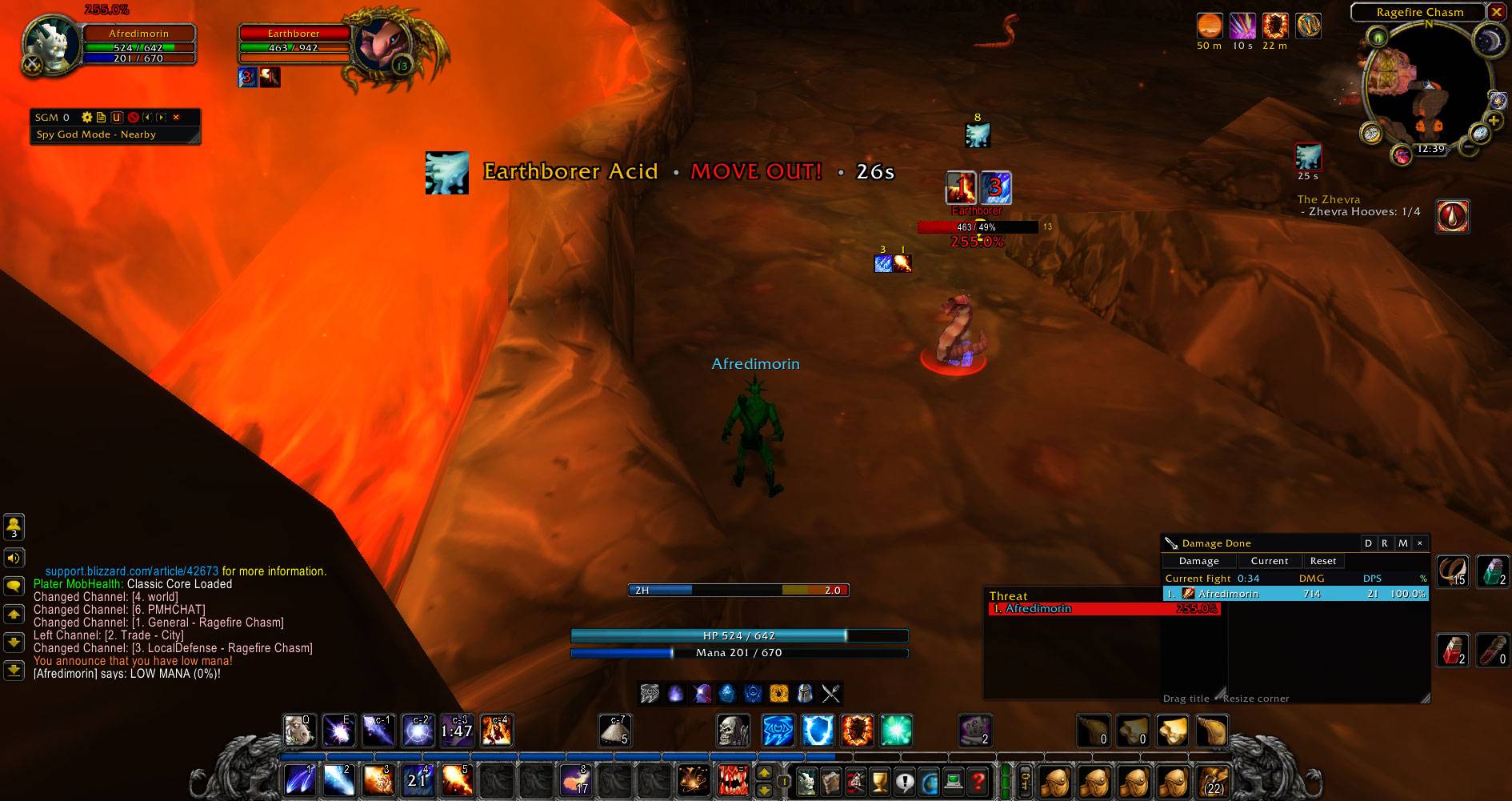
WoWScrnShot_080126_004010.jpg
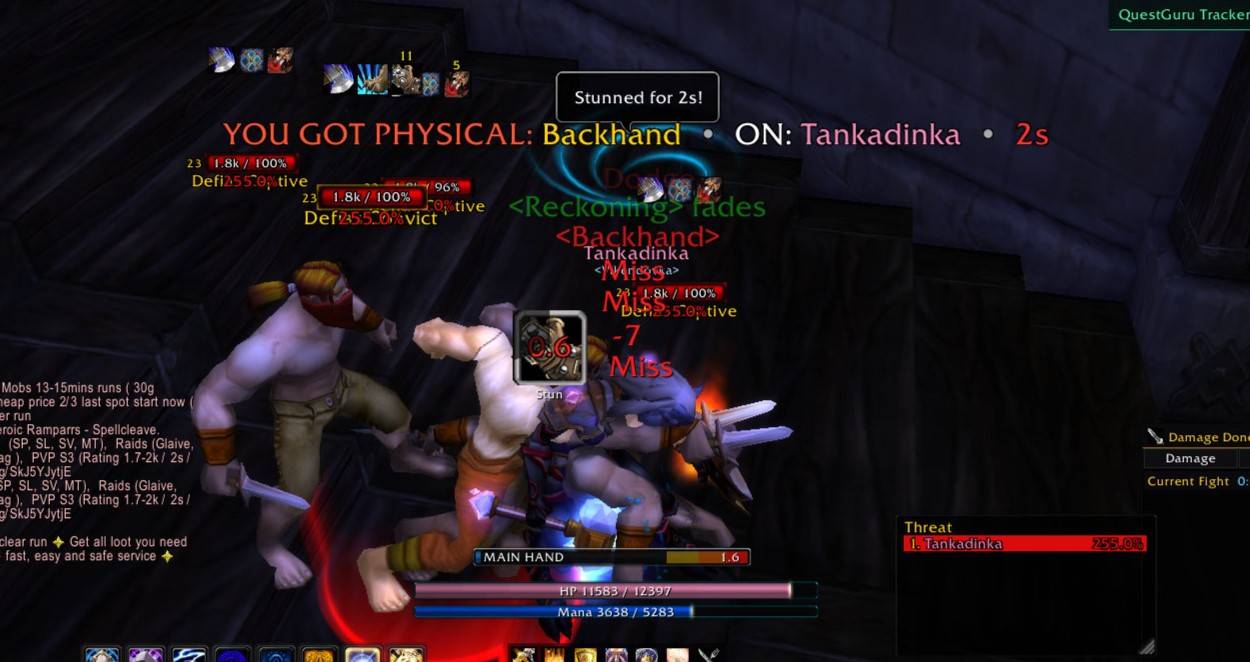
WoWScrnShot_080926_140436.jpg
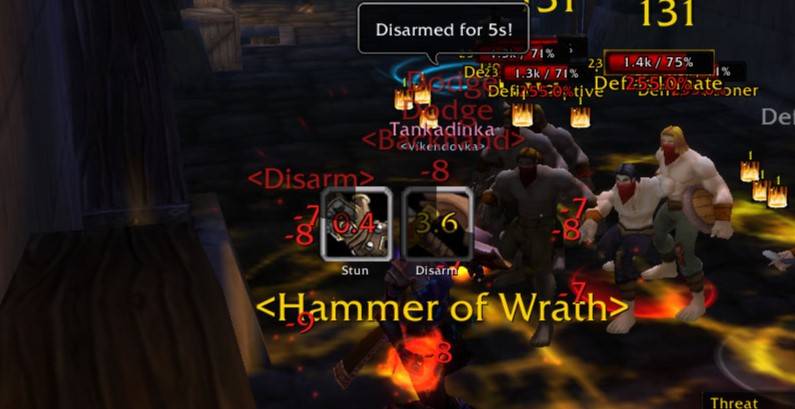
WoWScrnShot_080926_140448.jpg
Description
OmniCC GODMODE — Classic Era & TBC Classic
The Ultimate Cooldown, Buff, Debuff & Combat Awareness Addon
OmniCC GODMODE is an advanced, highly customizable cooldown and aura management addon for World of Warcraft, designed to give players complete control over how cooldowns, buffs, debuffs, crowd control effects, and combat information appear on their interface.
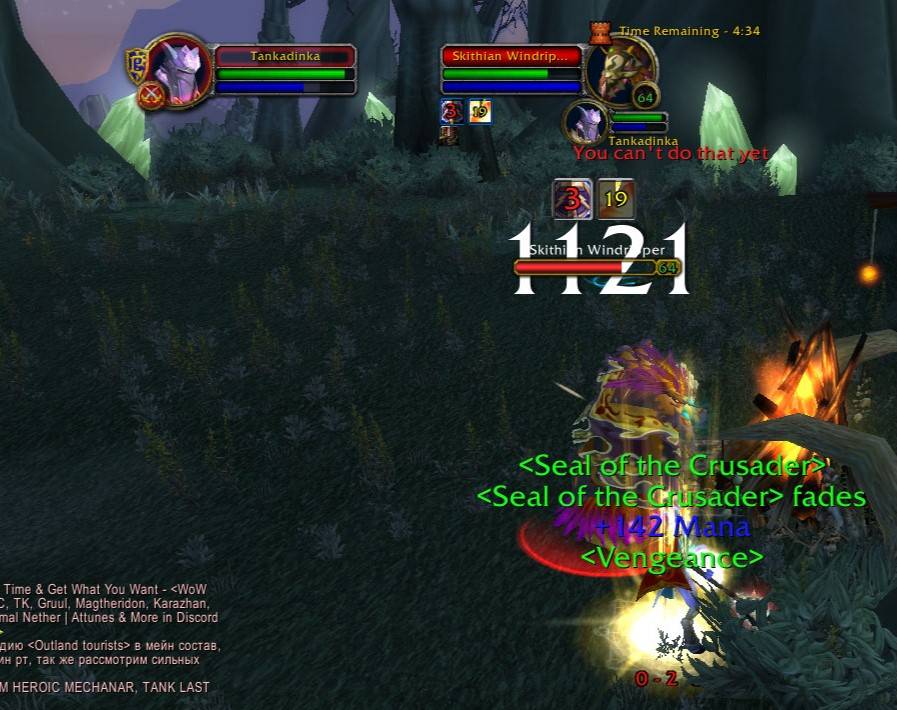
More than a traditional cooldown timer addon, GODMODE combines powerful cooldown customization, intelligent aura tracking, nameplate enhancements, player and target frame improvements, and combat awareness tools into one unified system.
With the major 1.3.4 update, Classic Era and TBC Classic have received extensive improvements, bringing their appearance, functionality, and customization much closer to our Forever and Midnight editions.
Whether you're raiding, running dungeons, leveling, or participating in PvP, OmniCC GODMODE helps you see the information that matters without unnecessary interface clutter.
Advanced Cooldown Text System
Take full control of how cooldown timers appear throughout your interface.
Features include:
-
Customizable cooldown text size, colors, fonts, and outlines.
-
Multiple cooldown rules for different buttons and frames.
-
Individual cooldown duration thresholds.
-
Custom timer positioning and appearance.
-
Support for action bars, buffs, debuffs, and other compatible cooldown frames.
-
Dynamic cooldown text formatting based on remaining duration.
-
Consistent timer styling across supported interface elements.
GODMODE Auto Fit
Automatically adjusts cooldown text to fit available icon space.
-
Helps prevent cooldown numbers from overflowing icons.
-
Customizable text size and appearance.
-
Unified cooldown styling across supported systems.
-
Automatically applies the GODMODE Auto Fit rule while enabled.
-
Restores previously selected cooldown rules when disabled.
Cooldowns Only Mode
Want to use GODMODE's cooldown text without its additional aura icons?
Cooldowns Only provides greater flexibility when combining GODMODE with compatible interface configurations.
-
Focuses on GODMODE cooldown text.
-
Reduces unwanted duplicate visual elements.
-
Supports persistent settings across UI reloads.
-
Includes a convenient reload confirmation countdown.
Advanced Nameplate Aura System
Transform ordinary nameplates into powerful combat-information displays.
Enemy NPC Nameplates
-
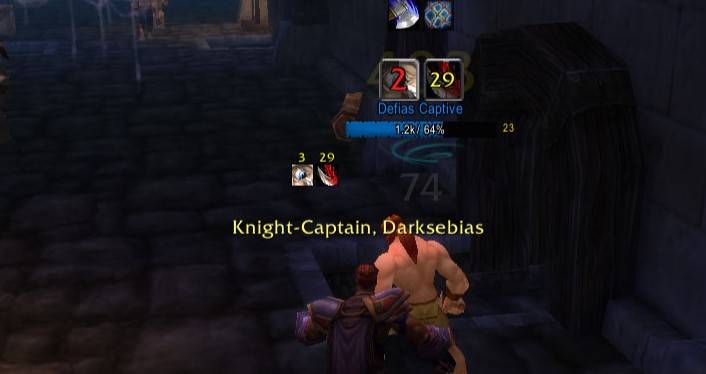
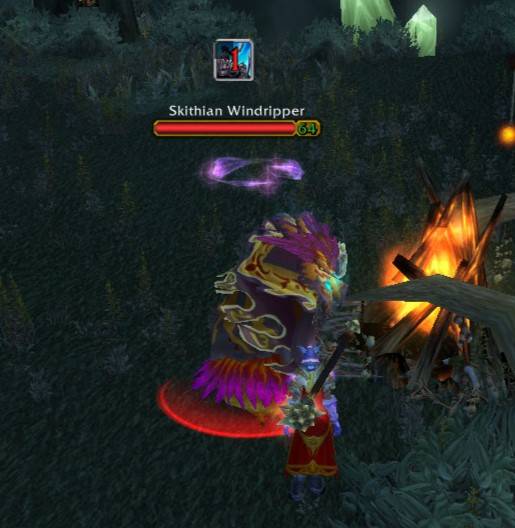
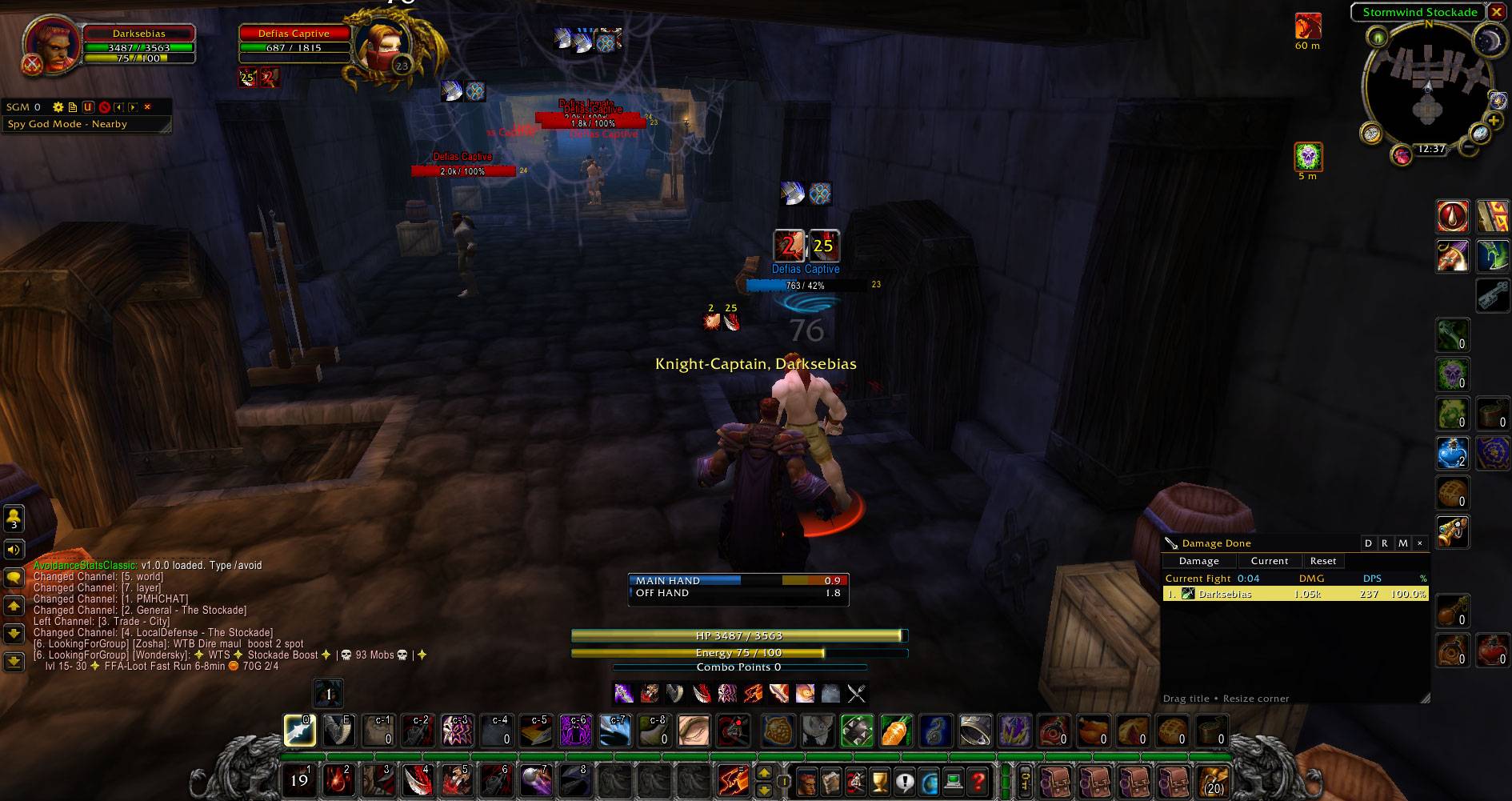
Display important buffs and debuffs directly on enemy nameplates.
-
Track active effects and remaining durations.
-
Customize aura icon size and cooldown text.
-
Position crowd control effects to the right or above nameplates.
-
Choose between Current Target Only and broader aura visibility.
-
Control aura visibility directly from the configuration menu.
-
Update supported settings live without requiring a UI reload.
Friendly Player Nameplates
Customize which helpful and harmful effects appear on friendly player nameplates.
-
Independent HoTs, Buffs, and Debuffs controls.
-
Track important healing-over-time effects.
-
Display useful buffs and harmful effects.
-
Customize aura visibility and positioning.
-
Enable or disable individual categories.
-
Optimized updates for improved performance.
Crowd Control Display
Keep important crowd control effects visible during combat.
-
Dedicated crowd control icon positioning.
-
Right-side or above-nameplate layouts.
-
Customizable icon sizing.
-
Remaining-duration timers.
-
Improved visibility of important control effects.
Player & Target Frame Buffs and Debuffs
Enhance your player and target frames with customizable aura displays.
Player Frame
-
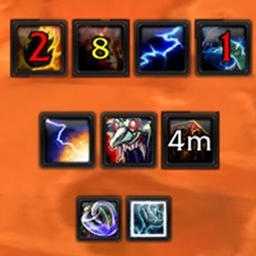
Display buffs and debuffs beneath the player frame.
-
Independent Buffs and Debuffs ON/OFF controls.
-
Customizable icon sizes and cooldown text.
-
Adjustable aura positioning and spacing.
-
Improved cooldown timer styling.
-
Live visibility updates.
Target Frame
-
Display target buffs and debuffs with GODMODE styling.
-
Independent visibility controls.
-
Customizable icon sizes and text positioning.
-
Improved integration with native unit frames.
-
Reduced unwanted duplicate aura displays.
-
Consistent appearance with the player frame.
Debuff Appearance
Customize how harmful effects are displayed.
-
Debuff border customization.
-
Dispel-type color indicators.
-
Crowd control category colors.
-
Adjustable icon and timer appearance.
-
Improved readability during combat.
Intelligent Player Portrait System
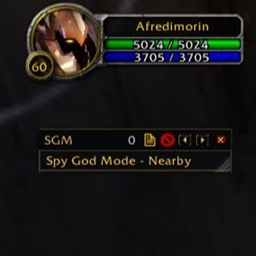
Turn your player portrait into a useful combat-information display.
-
Display selected important buffs and abilities on your portrait.
-
Prioritize timed combat effects over ordinary maintenance buffs.
-
Track remaining durations directly on the portrait.
-
Configure which categories of buffs are eligible.
-
Customize portrait buff visibility.
-
Support custom spell exclusions.
-
Prevent unwanted permanent effects from replacing important timed buffs.
-
Restore your normal portrait when the feature is disabled.
Player Crowd Control & HoT Tracker
Monitor important effects affecting your character.
Player Crowd Control Tracker
-
Track crowd control effects affecting your character.
-
Display important control durations.
-
Improve awareness during PvP and PvE encounters.
-
Customizable positioning and appearance.
Player HoT Tracker
-
Track healing-over-time effects affecting your character.
-
Display active HoTs and their remaining durations.
-
Enable or disable the tracker independently.
-
Customize tracker position and sizing.
-
Persistent settings across UI reloads.
Enemy Cooldown Tracking
Gain additional awareness of important enemy abilities.
-
Track supported enemy cooldown abilities.
-
Display cooldown information near supported unit frames and nameplates.
-
Improve awareness of important offensive and defensive abilities.
-
Support configurable cooldown alerts.
-
Provide useful information for PvP encounters.
Advanced Configuration & Customization
OmniCC GODMODE provides extensive configuration options to help you build the interface you want.
-
Dedicated configuration interface.
-
Individual module controls.
-
Custom cooldown text rules.
-
Buff and debuff appearance settings.
-
Nameplate aura customization.
-
Player and target frame options.
-
Portrait display controls.
-
Positioning, sizing, and visual adjustments.
-
Saved settings and persistent profiles.
-
Live updates for supported options.
Optimized for Performance
Performance is a major priority in OmniCC GODMODE.
The 1.3.4 update introduces significant improvements to the Classic Era and TBC Classic aura systems.
Key optimizations include:
-
Reduced unnecessary nameplate aura-container scanning.
-
Improved handling of newly visible nameplates.
-
Reduced repeated cooldown text styling operations.
-
Optimized aura update scheduling.
-
Improved nameplate caching and throttling.
-
Reduced unnecessary processing when many NPCs are visible.
-
Preserved individual aura icon styling without repeated full-container traversal.
These improvements are designed to provide a smoother experience during camera movement, combat, dungeons, raids, and crowded environments.
A Unified GODMODE Experience
With version 1.3.4, Classic Era and TBC Classic receive one of their largest updates yet.
The interface, aura styling, cooldown systems, and customization options have been extensively improved to provide an experience much closer to OmniCC GODMODE Forever and Midnight.
Our goal is simple:
One powerful GODMODE experience across every supported World of Warcraft version.
Supported World of Warcraft Versions
-
World of Warcraft Classic Era — 1.15.8 / 1.15.9
-
World of Warcraft TBC Classic — 2.5.5 / 2.5.6
Support Development
OmniCC GODMODE is continuously developed and improved.
If you enjoy the addon and would like to support future updates, bug fixes, compatibility improvements, and new features, donations are greatly appreciated.
PayPal
Revolut
Every donation helps support continued development and improvements across all GODMODE editions.
Thank you for supporting OmniCC GODMODE!
OmniCC - GODMODE Team
Owner