Oh, My Gold!
- By
Know where every coin goes: logs each gold change by source, session and daily balance, savings jars and your whole account's gold.
01_resumen.jpg
02_historial.jpg
03_huchas.jpg
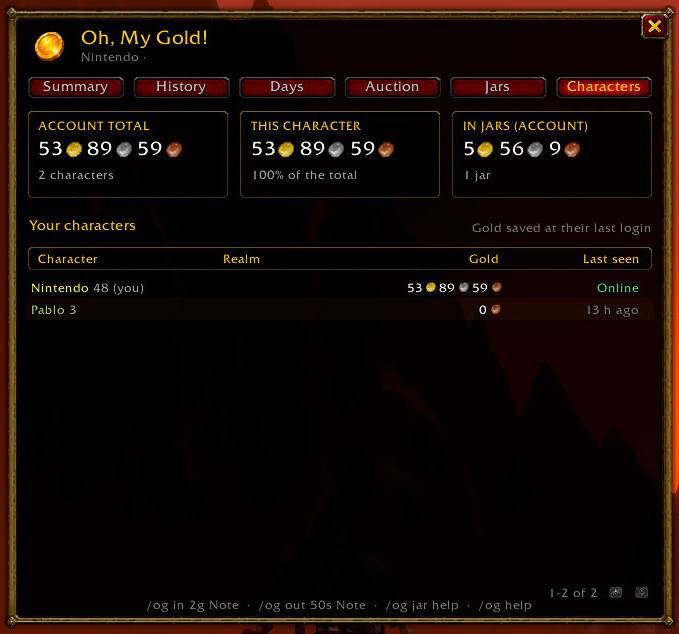
04_personajes.jpg
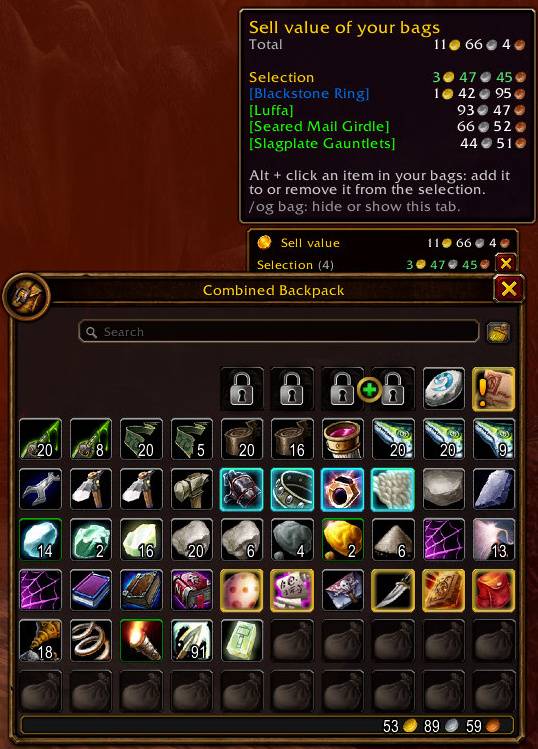
05_valor_bolsas.jpg
Description
Oh, My Gold!
Where did all my gold go? Oh, My Gold! answers that question for good. From the moment you log in, it quietly records every change in your gold and sorts it by where it came from or where it went: loot, quests, vendors, repairs, trainers, flights, mail, the auction house, trades and more. At a glance you see how much you've earned this session and today, what your auctions really made you, which character holds what, and how much your bags would sell for. Savings jars can even set aside a percentage of everything you earn for your next big purchase. Stop guessing and start planning your gold. It's light, needs no libraries, and speaks your language: it is translated into every language WoW can be played in.
Guide
The window. Open it with /og or the minimap button. It has six tabs:
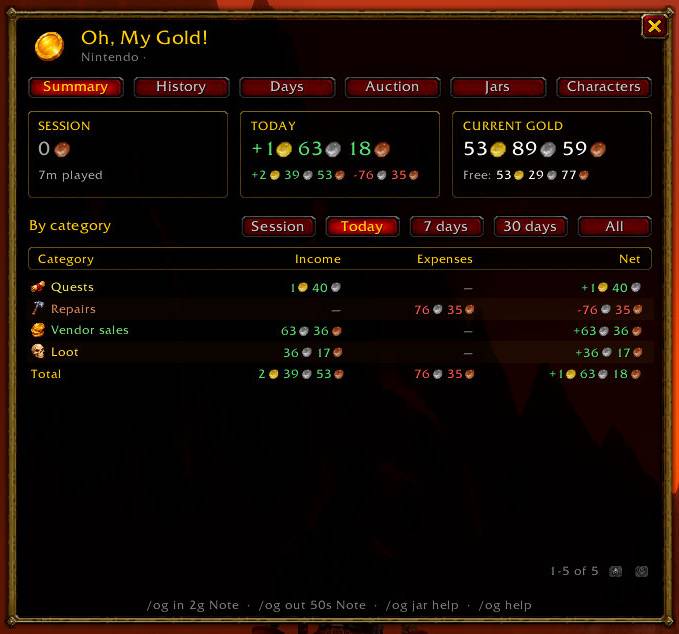
- Summary: session, today and current gold, with a breakdown by category for the session, today, 7 days, 30 days or all time.
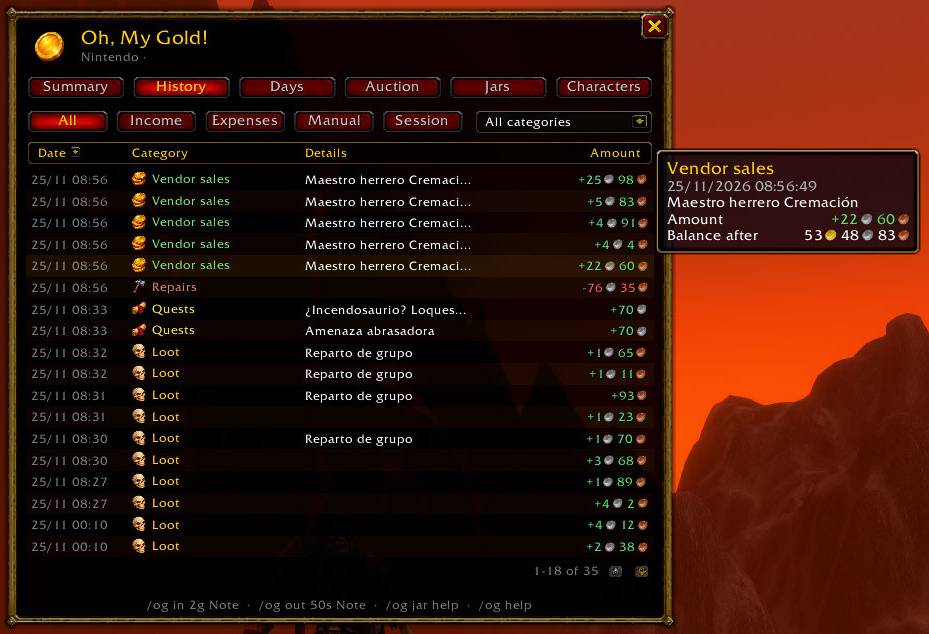
- History: every movement with its date, category, details and amount. Filter it by income, expenses, manual entries or this session, pick a category from the drop-down, and click a column header to sort by it.
- Days: the balance of each day. Hover a day to see its categories.
- Auction: Auction House income, expenses and profit, a breakdown by type (sales, buyouts, bids, returned bids, deposits) and your best-selling items, with the fee and deposit of each sale.
- Jars: your savings jars.
- Characters: the gold of every character on your account, its level and when you last played it.
The minimap button (the gold coin).
- Click opens or closes the window.
- Right-click opens the history.
- Shift + click opens the jars.
- Ctrl + click opens the characters.
- Drag moves the button. Its tooltip shows your gold, session, today and the gold of your other characters at a glance.
Your bags' sell value. When you open your bags, a small tab on top of them shows what everything inside would sell for at a vendor. Alt + click items to select them and see what just those would bring. The reagent bag counts too.
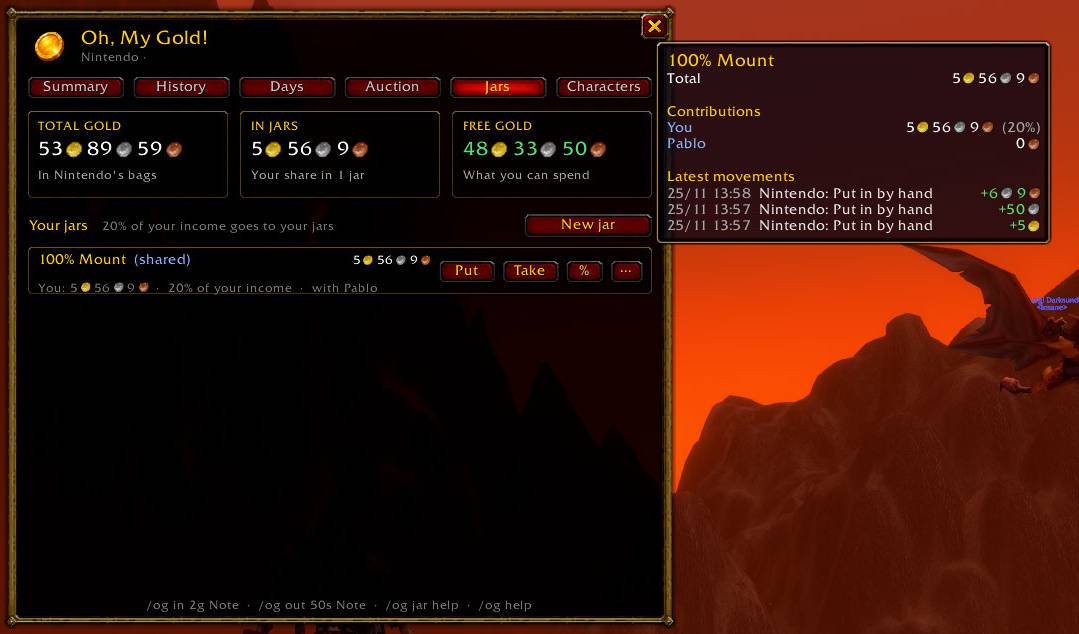
Savings jars. Jars split your gold virtually, without moving a single coin. Create one, put gold in or take it out, and set a goal. You can also send a percentage of every income to it automatically, and share a jar between your characters: each one puts in its own gold and chooses its own percentage.
| Command | What it does |
|---|---|
/og (or /ohgold) |
Open or close the window |
/og status |
Session and today's balance in the chat |
/og in 2g50s Note · /og out 75s Note |
Add a manual income or expense |
/og undo |
Remove the last manual entry |
/og cat Name |
Change the category of the last movement |
/og history · /og days |
Open those tabs |
/og ah |
Auction House income, expenses and profit |
/og chars |
Gold of all your characters (/og account writes it in the chat) |
/og forget Name |
Remove a character that no longer exists |
/og jar help |
All the commands for savings jars |
/og bag |
Show or hide the tab with your bags' sell value |
/og minimap |
Show or hide the minimap button |
/og reset confirm |
Delete this character's whole history |
The commands are translated too: type /og help to see them in your client's language. The English ones always work.
Part of the Oh, My! collection
Oh, My Gold! is one of the Oh, My! addons: small, focused tools for WoW Forever that share the same look (dark windows with a gold border, a painted minimap button) and stay out of your way until you need them. Each one works on its own, and together they cover the everyday life of your character.
- Oh, My Loot!: the perfect partner for Gold. It shows what you looted, sold, mailed or destroyed, while Gold shows how much gold it made you.
- Oh, My Gathering!: remembers every herb, ore vein, fishing spot, chest and treasure you find, and shows them on your map and minimap. More gathering, more gold.
- Oh, My Emotes!: your favourite emotes on a small panel, one click away, each with its own hand-painted illustration. For when you hit your savings goal and want to celebrate.
Oh, My Gold! Team