Oh, My Emotes!
- By
A stream deck for your emotes: up to 16 favourite buttons, 52 hand-painted emote icons and a minimap button with options.
01_panel_saludo.jpg
02_panel_gallina.jpg
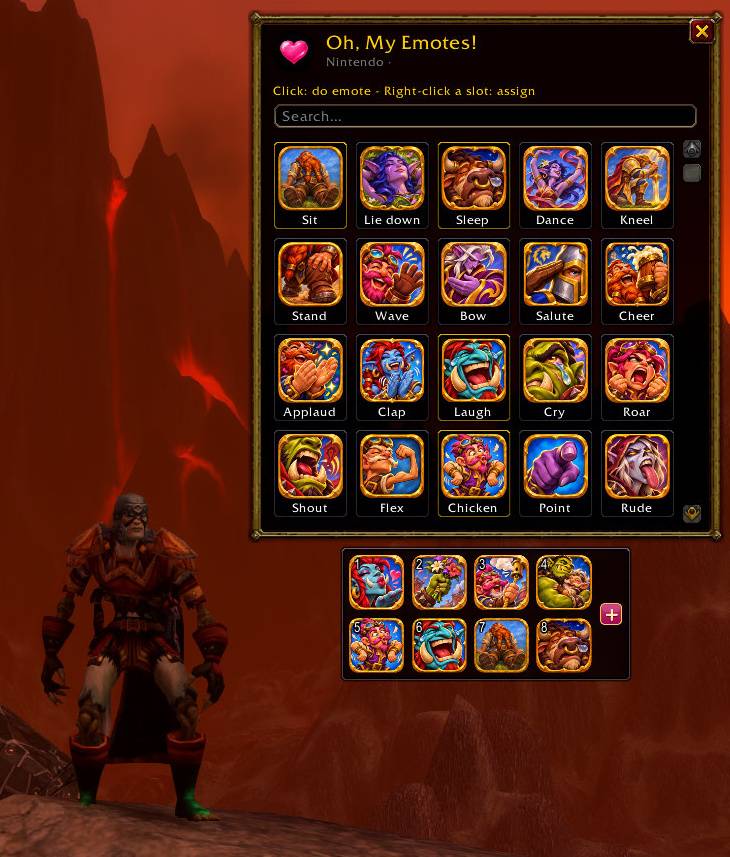
03_cajon_emotes.jpg
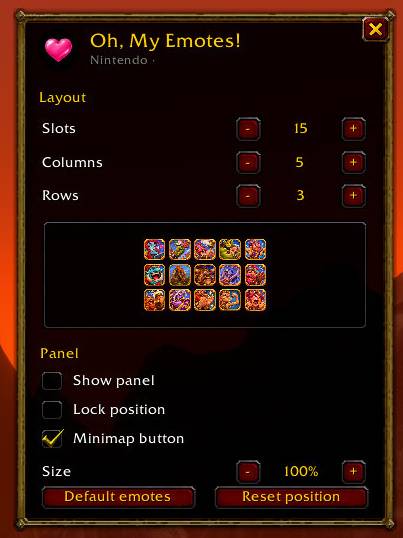
04_opciones.jpg
Description
Oh, My Emotes!
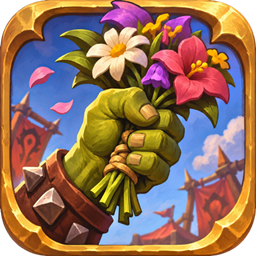
Your emotes, one click away. Stop typing /dance in the middle of a party or digging through the chat menu for the right reaction. Oh, My Emotes! puts your favourite emotes on a small, movable panel, like a stream deck for World of Warcraft. Every emote has its own hand-painted illustration, featuring the eight classic races of the Horde and the Alliance: a troll blowing a kiss, an orc holding out a bunch of flowers, a gnome flexing his tiny arm. Pick up to 16 emotes, arrange them in any rows and columns you like, bind them to keys, and let your character speak for you. It's light, needs no libraries, and speaks your language: it is translated into every language WoW can be played in.
Guide
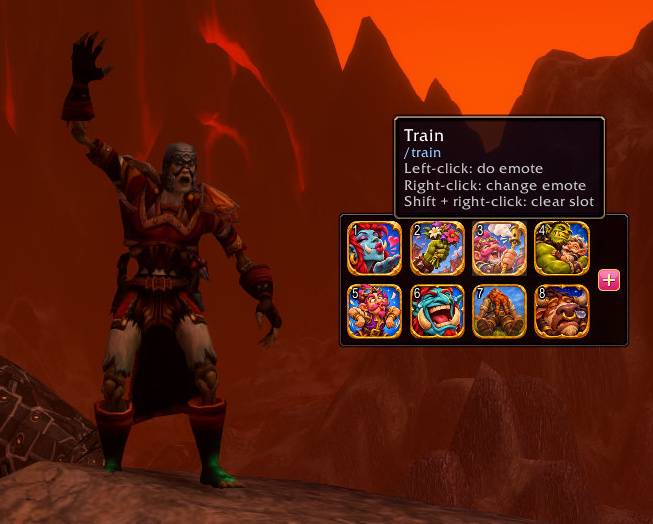
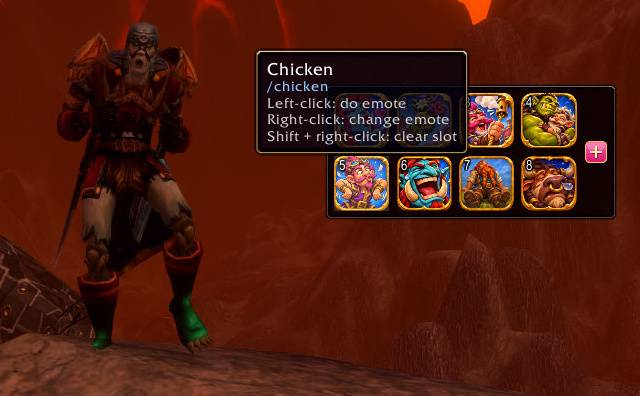
The panel. The panel shows 8 emotes by default, in two rows of four.
- Left-click a button to do the emote.
- Right-click a button to change it. The emote drawer opens; click any emote there and it goes into that slot. Right-click the slot again to cancel.
- Shift + right-click clears a slot.
- The pink + button opens or closes the drawer without assigning anything; from there you can also do any emote directly.
- Drag the panel by its background to move it.
The drawer. It holds all 52 emotes with their names and a search box that finds them by name or by slash command. Emotes already on your panel have a gold border.
The minimap button (the heart).
- Click it to open the options.
- Right-click it to show or hide the panel.
- Drag it to move it around the minimap.
Options.
- Layout: choose from 1 to 16 slots and how many columns and rows they use, with a live preview.
- Panel: show or hide the panel, lock its position, show or hide the minimap button, and set the panel's size.
- Buttons: Default emotes restores the default emotes, and Reset position puts the panel back in the center of the screen.
Key bindings. Every slot can have its own key under Options → Key Bindings → Oh, My Emotes!.
| Command | What it does |
|---|---|
/ome (or /ohmyemotes) |
Show or hide the panel |
/ome config |
Open the options |
/ome lock |
Lock or unlock the panel's position |
/ome scale 0.5-2 |
Change the panel's size |
/ome reset |
Move the panel back to the center |
/ome defaults |
Restore the default emotes and layout (8 slots, 4×2) |
/ome minimap |
Show or hide the minimap button |
Commands are also translated: in a Spanish, German, French… client they appear in your language (type /ome for the list), and the English ones always work.
Part of the Oh, My! collection
Oh, My Emotes! is one of the Oh, My! addons: small, focused tools for WoW Forever that share the same look (dark windows with a gold border, a painted minimap button) and stay out of your way until you need them. Each one works on its own, and together they cover the everyday life of your character.
- Oh, My Gold!: know exactly where your gold comes from and where it goes. Session and daily balances, every character's gold, and savings jars for that mount you're saving up for.
- Oh, My Loot!: a complete history of everything you loot, sell, mail or destroy, with its value. Never wonder again where that rare drop went.
- Oh, My Gathering!: remembers every herb, ore vein, fishing spot, chest and treasure you find, and shows them on your map and minimap with a gathering guide for each zone.
Oh, My Emotes! Team