OGIexp
- By
Watch your level number fill with your class color as you earn XP. Hover to see rested XP, XP per hour, and estimated time to your next level.
OGIExp-level-up.gif
Description
OGIExp ✦ Watch your level fill
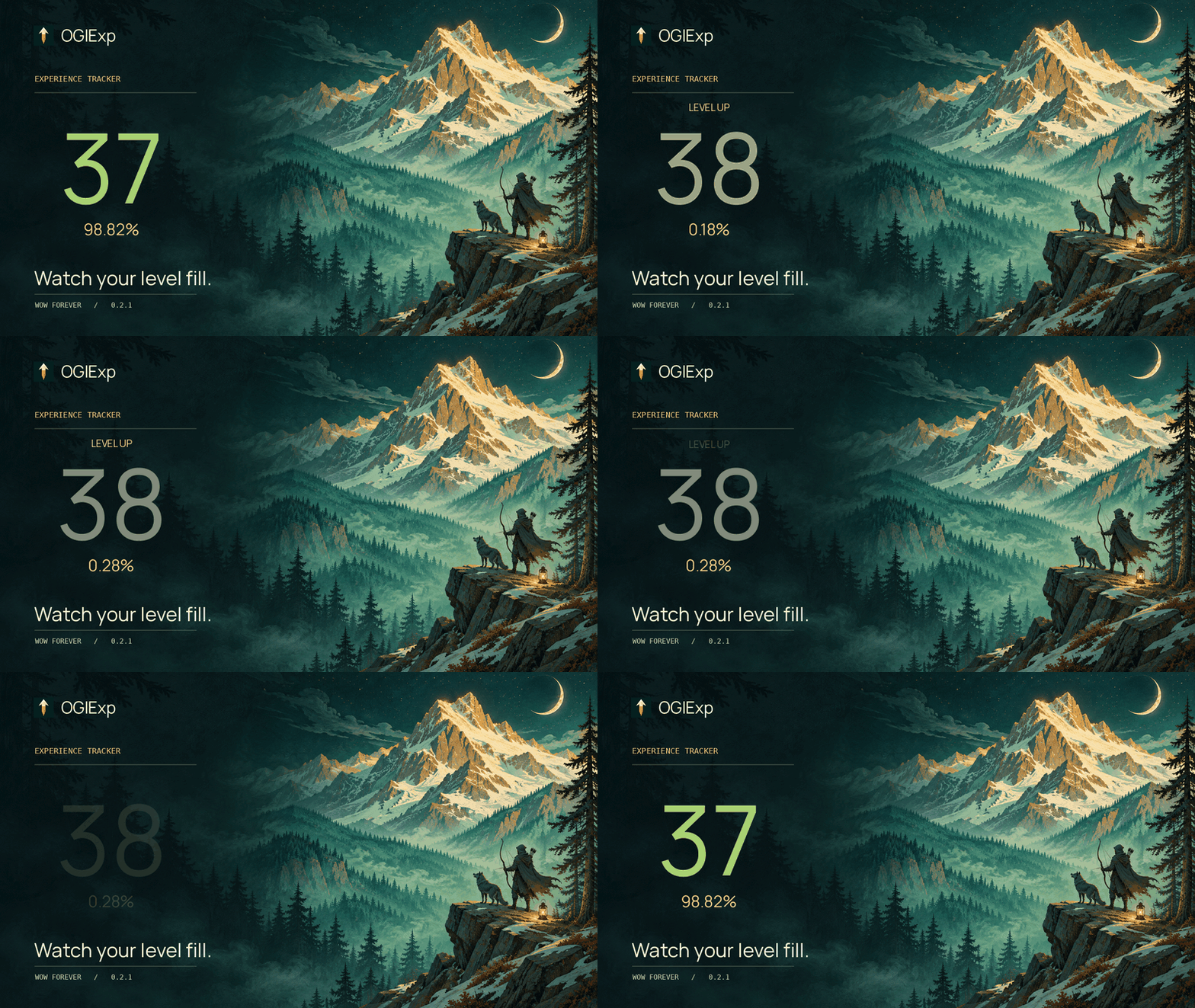
Picture a level 37 hunter, halfway to 38. The bottom half of the digits glows hunter green. Turn in a quest and the green climbs. When you ding, 37 fades into 38 with a flash of gold, and the climb begins again.
✨ Every gain shows
A floating +XP tells you what you just earned. Turn in several quests together and their rewards can roll into one total. Beneath your level, a small percentage shows your progress to two decimal places. A soft gold highlight means you still have rested XP to spend.
⏳ How far to the next ding?
Hover over your level to see XP remaining, your rested pool, and how much XP you’ve earned this session. After your first gain and 30 active seconds, you’ll also see XP per hour and an estimated time to your next level. AFK time is excluded.
🎨 Make room for the world
Alt-drag the number wherever it feels right. Pick from three fonts, size the digits and percentage separately, and choose when the display appears. Keep it visible, dim it between pulls, or let XP gains and mouseover bring it back. Each character remembers its own setup.
Prefer a quiet ding? Leave the chime off and turn down the particles. At max level, you can use the percentage line to follow your next reputation standing.
Try it in five seconds. Type /ogiexp demo to preview a level-up, or /ogiexp to open settings.
Made for WoW Forever 1.60.1 · English and Russian interface
OGIexp Team