OGIDamage
- By
Transform your combat with animated damage numbers, comic-style critical hits, customizable fonts, floating XP, and sleek minimalist layouts.
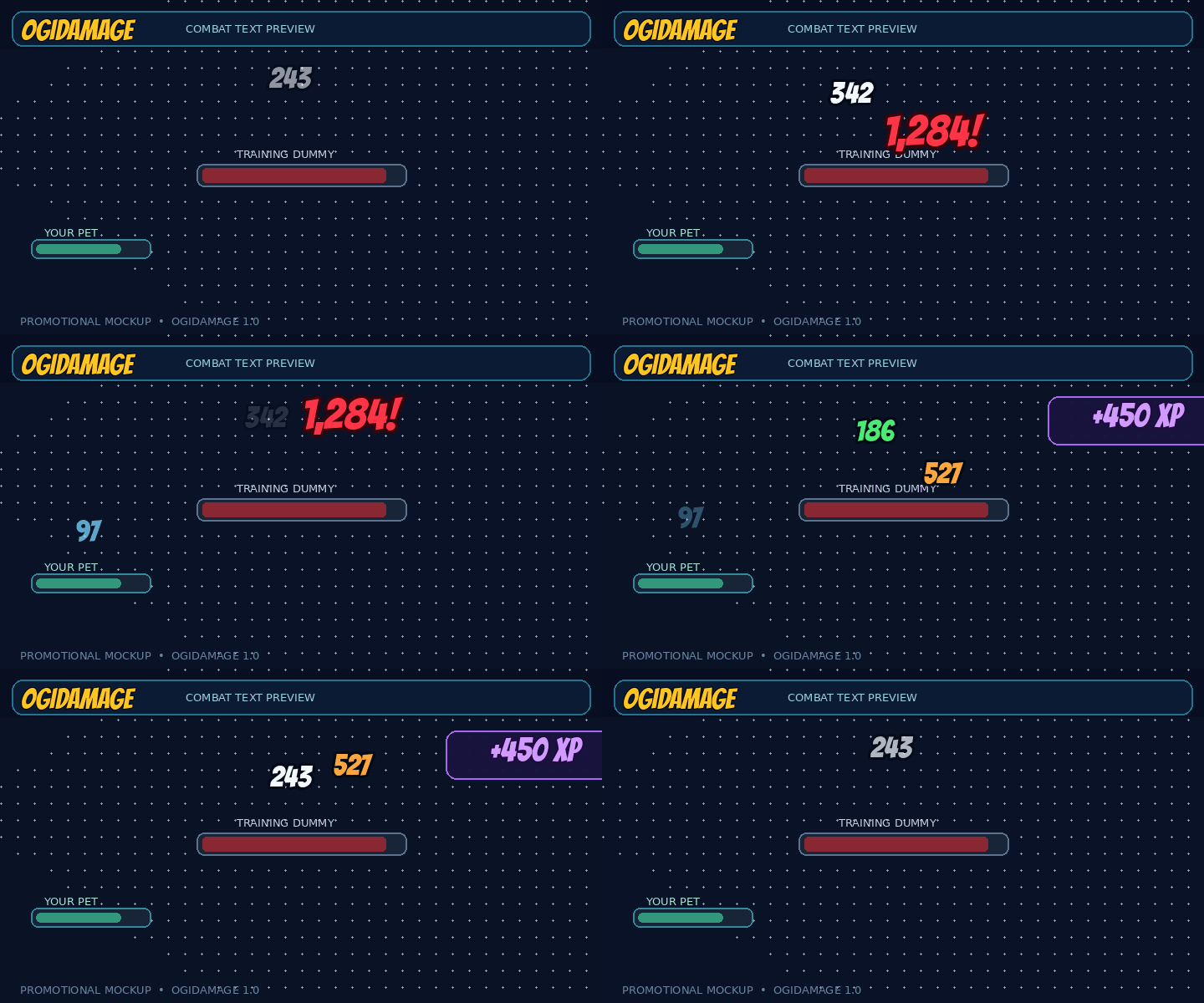
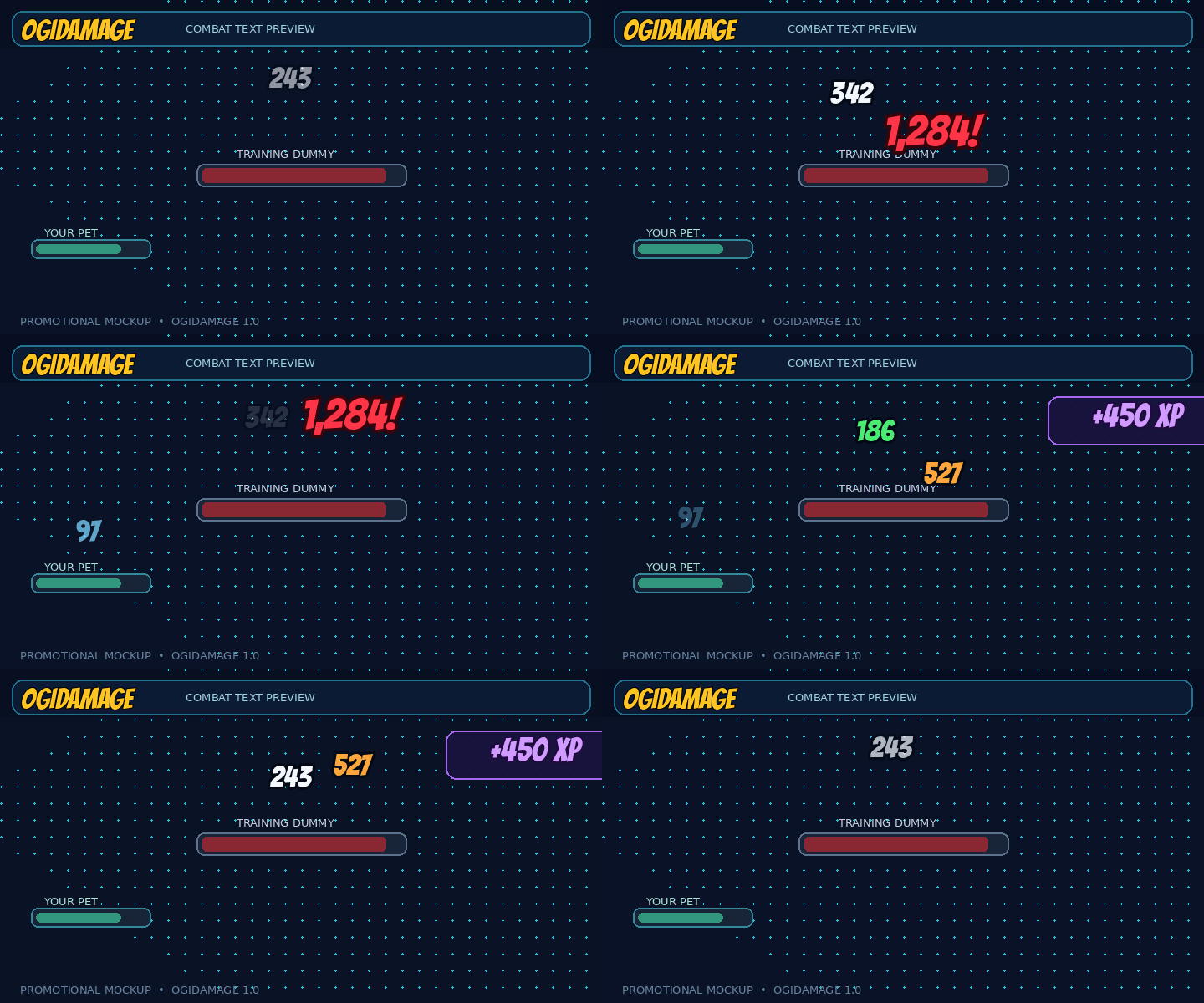
заванÑаженнÑ.gif
Description
⚡ OGIDamage — Combat Numbers Reimagined
Make Every Hit Feel Different.
OGIDamage is a customizable combat text addon designed for World of Warcraft: Forever.
Replace ordinary damage numbers with stylish animations, vibrant colors, dramatic critical hits, and beautiful comic-inspired typography.
Whether you prefer explosive arcade effects or a clean, minimalist interface, OGIDamage gives you control over how combat information appears on your screen.
⚔️ BEAUTIFUL COMBAT NUMBERS
Turn ordinary damage into a dynamic visual experience.
- Animated floating damage numbers
- Different visual styles for normal hits and critical strikes
- Customizable text size, fonts, and outlines
- Multiple animation patterns
- Adjustable positioning and spacing
- Optional combat outcome notifications
- Special effects for critical hits and damage-over-time abilities
Every hit gets its own personality.
🎨 DAMAGE SCHOOL COLORS
Instantly recognize different types of damage through a customizable color system.
| Damage Type | Default Color |
|---|---|
| Physical | ⚪ White |
| Fire | 🟠 Orange |
| Nature | 🟢 Green |
| Frost | 🔵 Blue |
| Arcane | 🟣 Purple |
| Shadow | 🟣 Dark Purple |
| Holy | 🟡 Yellow |
| Critical Hits | 🔴 Bright Red |
Critical hits receive special visual treatment to make powerful attacks stand out.
💥 MULTIPLE ANIMATION STYLES
Choose how your combat numbers move.
Rise — Numbers smoothly float upward.
Fountain — Damage numbers spread outward.
Arc — Curved movement with a dynamic trajectory.
Cascade — Staggered movement for rapid attacks.
Pop — Compact appearance with a quick fade.
Fall — Numbers descend from above.
Fine-tune spacing and positioning to suit your interface.
🐺 PET DAMAGE SUPPORT
Perfect for Hunters and other pet-based classes!
OGIDamage includes dedicated pet damage handling with:
- Pet damage identification
- Damage school coloring
- Critical hit effects
- Experimental positioning near your pet
- Integration with the main combat display
Keep track of your companion's contribution during combat.
✨ CUSTOM EXPERIENCE POPUPS
Leveling deserves better visual feedback.
OGIDamage includes its own animated experience notifications.
Features include:
- Stylish XP gain animations
- Multiple XP display themes
- Side-slide animations
- Customizable positioning
- Adjustable visual appearance
- Minimalist XP notifications
- Optional suppression of Blizzard's default XP text
Choose between expressive animated notifications and a compact experience feed.
📊 MINIMALIST DAMAGE MODE
Prefer a clean screen?
Enable the minimalist damage column!
Instead of large floating numbers, damage events appear in a compact vertical list.
- Small, readable damage numbers
- Vertical stacking
- Custom positioning
- Uses your selected combat font
- Compact visual presentation
Ideal for players who want combat information without excessive visual effects.
🔤 COMIC-INSPIRED FONTS
Give your interface a unique personality.
OGIDamage includes multiple font options, including custom bundled typefaces inspired by comic books and arcade games.
Choose between bold, expressive lettering and traditional readable fonts.
Customize:
- Font selection
- Text size
- Outlines
- Combat themes
- Visual effects
⚙️ FULLY CUSTOMIZABLE
Access the settings through:
/ogid
Or simply click the OGIDamage minimap button.
The settings interface is organized into five categories:
GENERAL
- Addon controls
- General appearance
- Minimap launcher
COMBAT
- Damage display
- Critical hits
- Special effects
- Pet damage
MOTION
- Animation patterns
- Movement behavior
- Spacing and positioning
EXPERIENCE
- XP notification styles
- Animation and positioning
- Minimalist XP mode
COLORS
- Damage school colors
- Custom visual palettes
🧪 LIVE PREVIEW & POSITIONING
Experiment with your settings using the built-in demonstration mode.
Preview damage numbers and animations without needing to enter combat.
Move supported display elements directly on your screen to create the perfect layout.
🖱️ MINIMAP BUTTON
Quick access to your favorite features.
- Left-click: Open settings
- Right-click: Open position demo
- Drag: Reposition the minimap button
The launcher can also be hidden through the settings.
📦 INSTALLATION
- Download OGIDamage.
- Extract the archive into your
Interface/AddOnsdirectory. - Make sure the folder is named
OGIDamage. - Enable the addon from the character selection screen.
- Enter the game and type
/ogid. - Customize your combat experience!
For floating damage on enemies, enable enemy nameplates.
⚠️ COMPATIBILITY NOTES
OGIDamage is developed specifically for World of Warcraft: Forever.
Some features depend on the combat information exposed by the game client.
- Pet positioning may vary depending on available nameplates.
- Certain combat events may have limited source identification.
- Suppressing Blizzard's default floating text may have additional visual side effects.
These limitations are related to the game's addon API.
❤️ CREATED BY OGI
OGIDamage is part of the growing OGI addon collection.
Built with a focus on:
⚡ Beautiful visuals
🎯 Clear combat information
🎨 Customization
🧩 Minimalist interface design
Your combat. Your style. Your damage.
OGIDamage Team