OAK LFG Sorter
- By
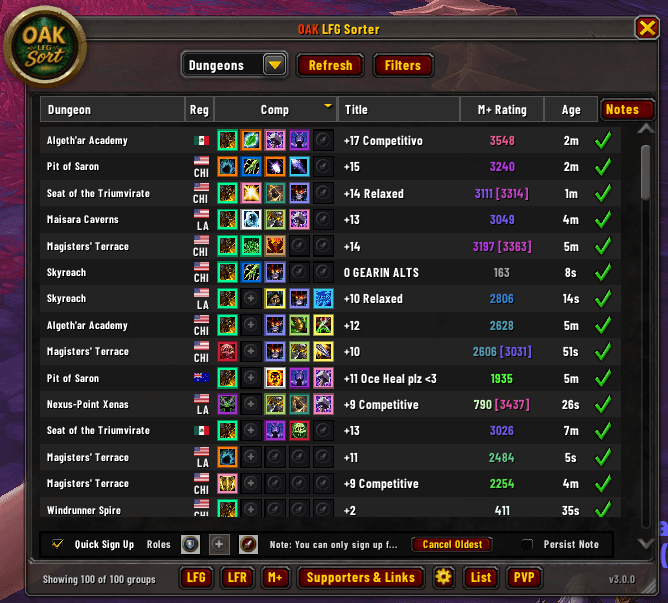
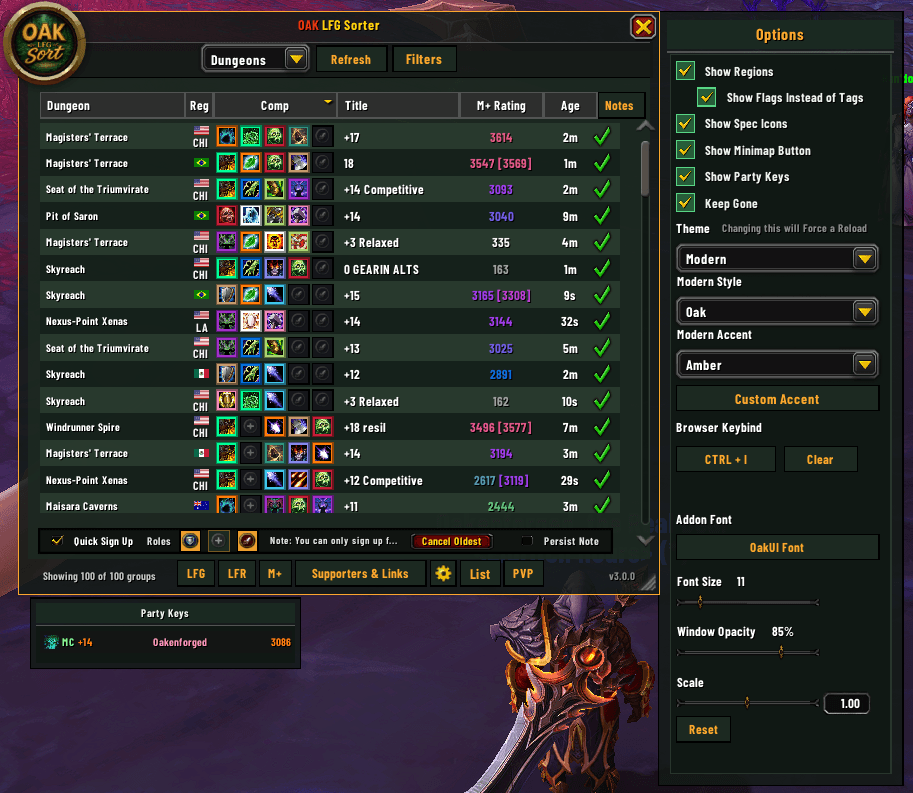
OAK’s definitive Group Finder upgrade. Take complete control of WoW’s Premade Groups with a sleek, custom browser experience built for high-end Mythic+, Raiding, and PvP. Designed to fit perfectly alongside OakUI.

Screenshot 2026-04-29 140736.png
Screenshot 2026-04-29 140754.png
Screenshot 2026-04-29 140849.png
Screenshot 2026-04-29 140950.png
Screenshot 2026-04-29 141532.png
Screenshot 2026-04-29 141620.png
Screenshot 2026-04-29 141724.png
Screenshot 2026-04-29 140754.png
Screenshot 2026-04-29 140825.png
Screenshot 2026-04-29 140849.png
Screenshot 2026-04-29 140920.png
Screenshot 2026-04-29 140950.png
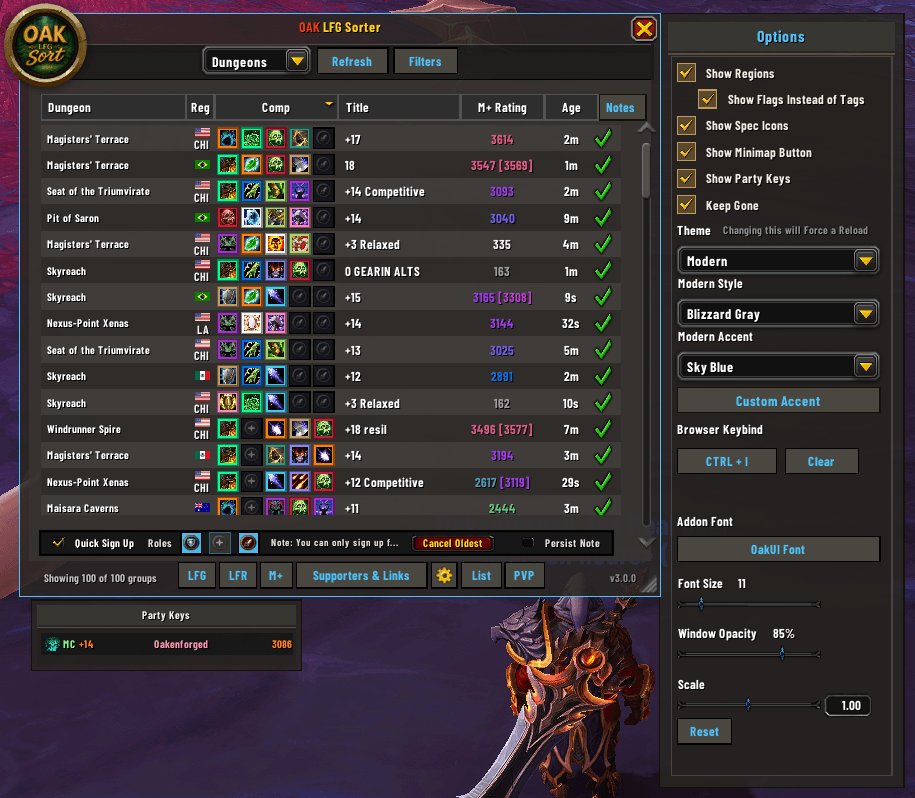
Screenshot 2026-04-29 141014.png
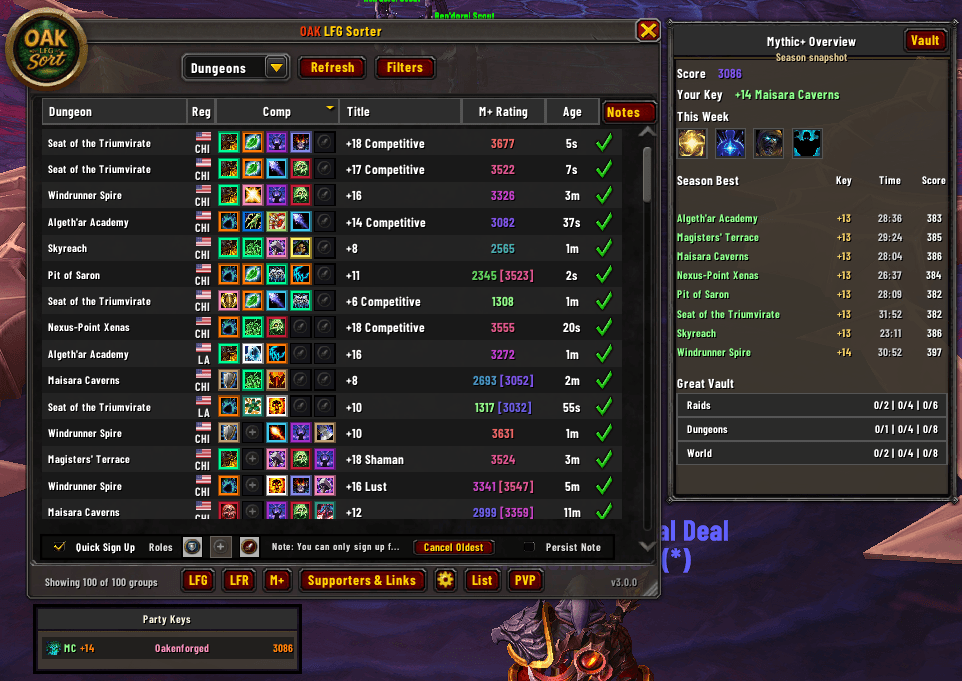
Screenshot 2026-04-29 141532.png
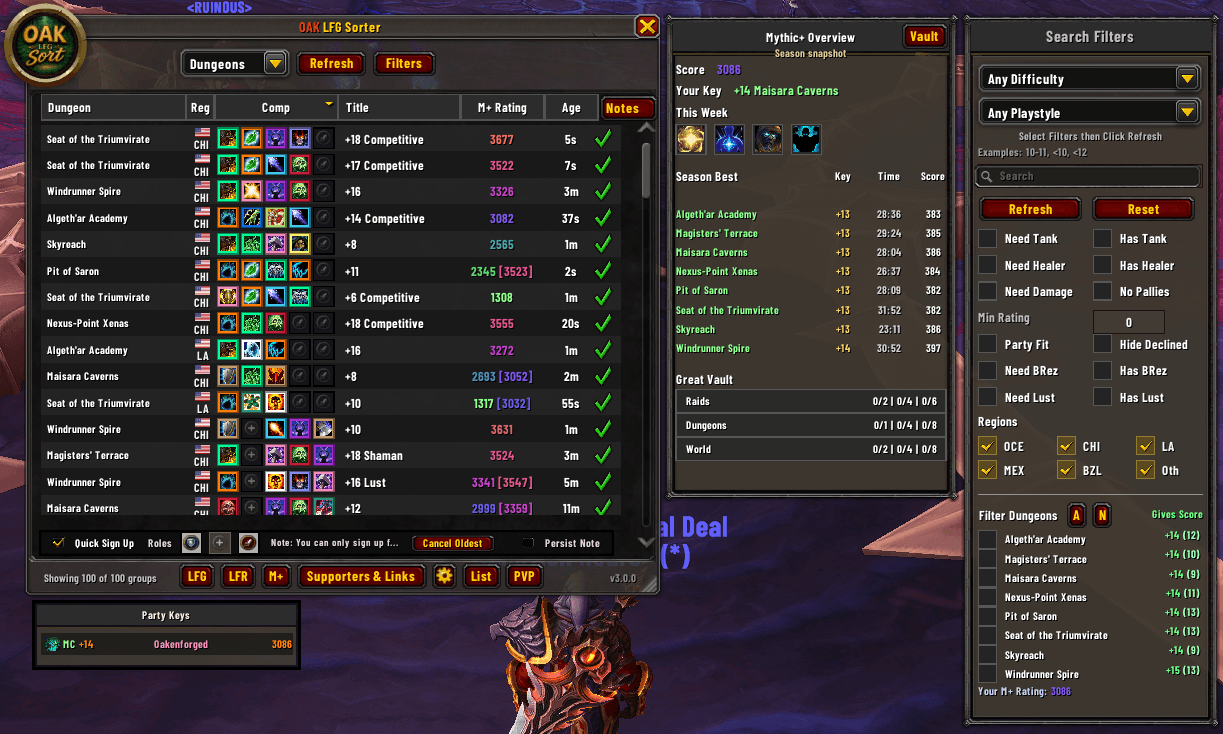
Screenshot 2026-04-29 141548.png
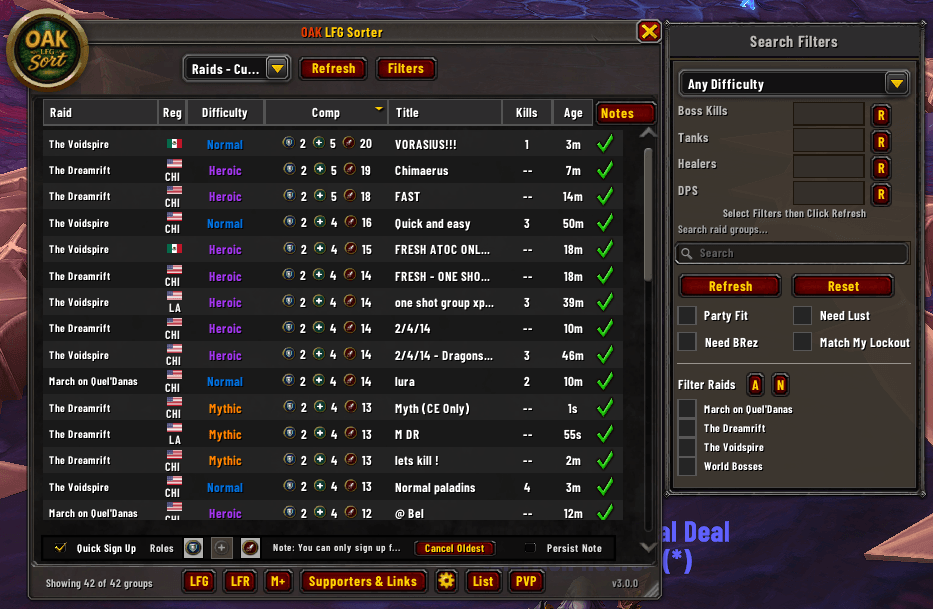
Screenshot 2026-04-29 141620.png
Screenshot 2026-04-29 141632.png
Screenshot 2026-04-29 141724.png
Screenshot 2026-04-29 141747.png
Description
OAK LFG Sorter v2.5
OAK's definitive Group Finder upgrade. Take complete control of WoW's Premade Groups with a sleek, high-performance UI built for high-end Mythic+, Raiding, and PvP. Designed to fit perfectly alongside OakUI.
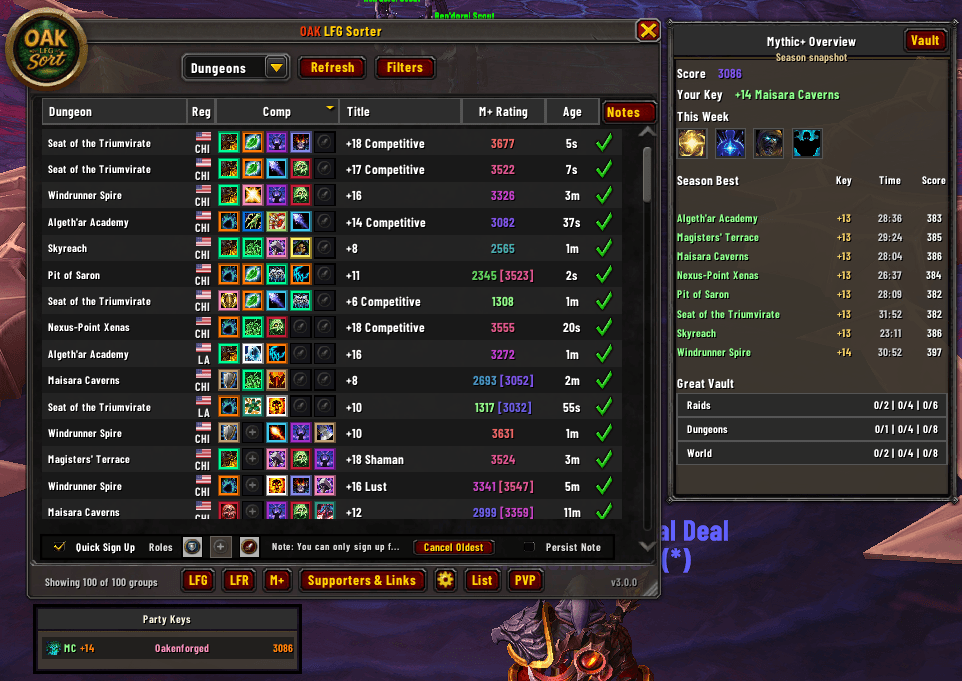
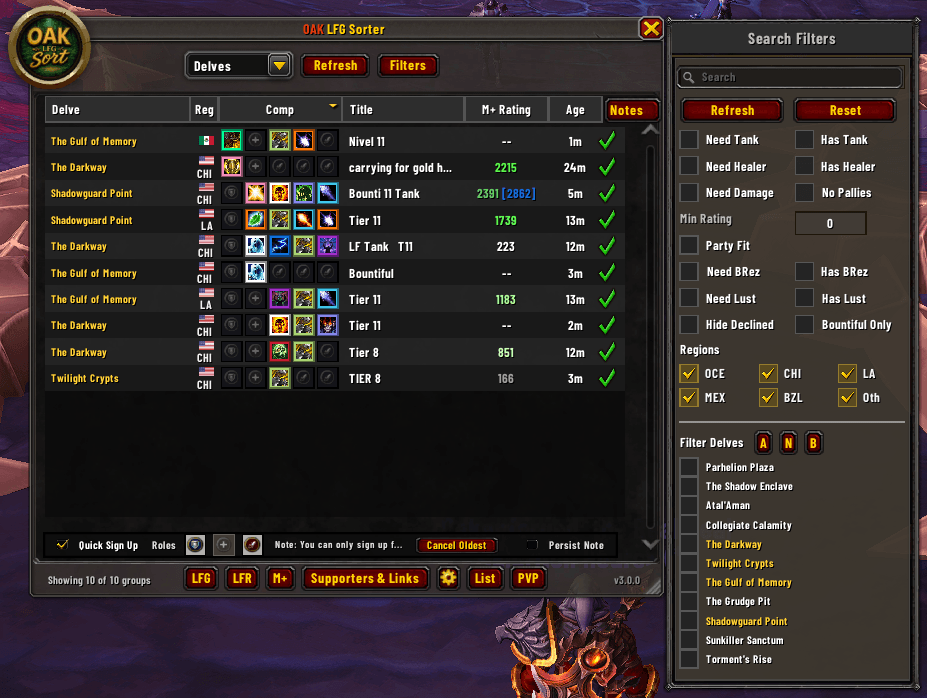
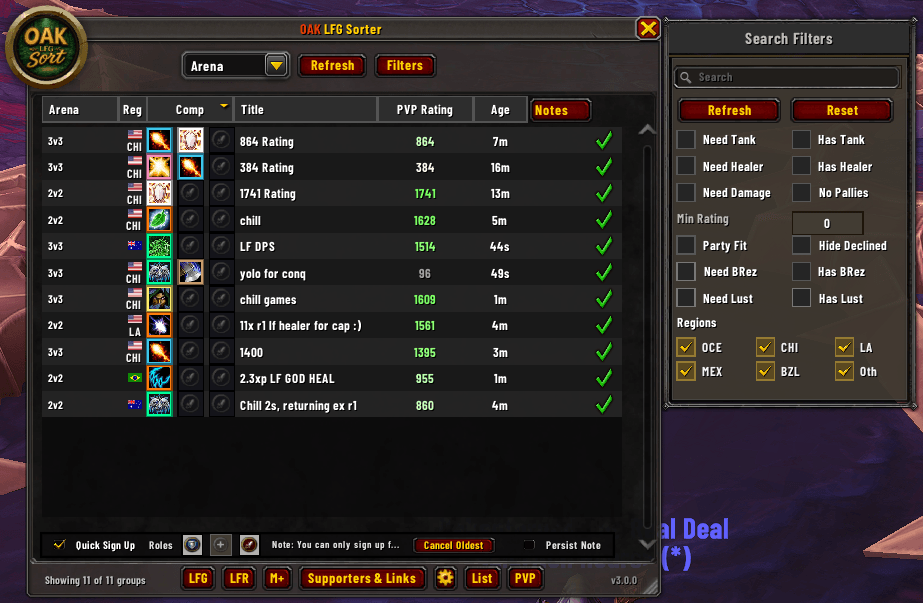
If you are tired of Blizzard's cramped, un-sortable default tools, OAK LFG Sorter completely transforms both sides of the Group Finder: Forming Groups and Finding Groups. It replaces cluttered default lists with a dedicated, fully scalable window packed with deep filtering, instant sorting, direct controls, and unparalleled context at a glance.

⚡ What's New Since v2.0 (v2.5.3 Highlights)
- (NEW!) Unified Single-Browser Architecture: We've completely rebuilt the backend! OAK LFG Sorter is no longer a "dual-browser" setup. It is now a single, seamless, and incredibly powerful browser that handles both searching for groups and listing your own keys.
- (NEW!) Massive Performance Improvements: Under-the-hood optimizations ensure lightning-fast sorting and UI responsiveness, whether you are scanning hundreds of active listings or managing dozens of applicants.
- (NEW!) Quality of Life Filters: Streamlined filtering with new quick presets. Instantly sort by Lust, Battle Rez, or specific armor types with single clicks.
🔍 The "Find Group" Browser
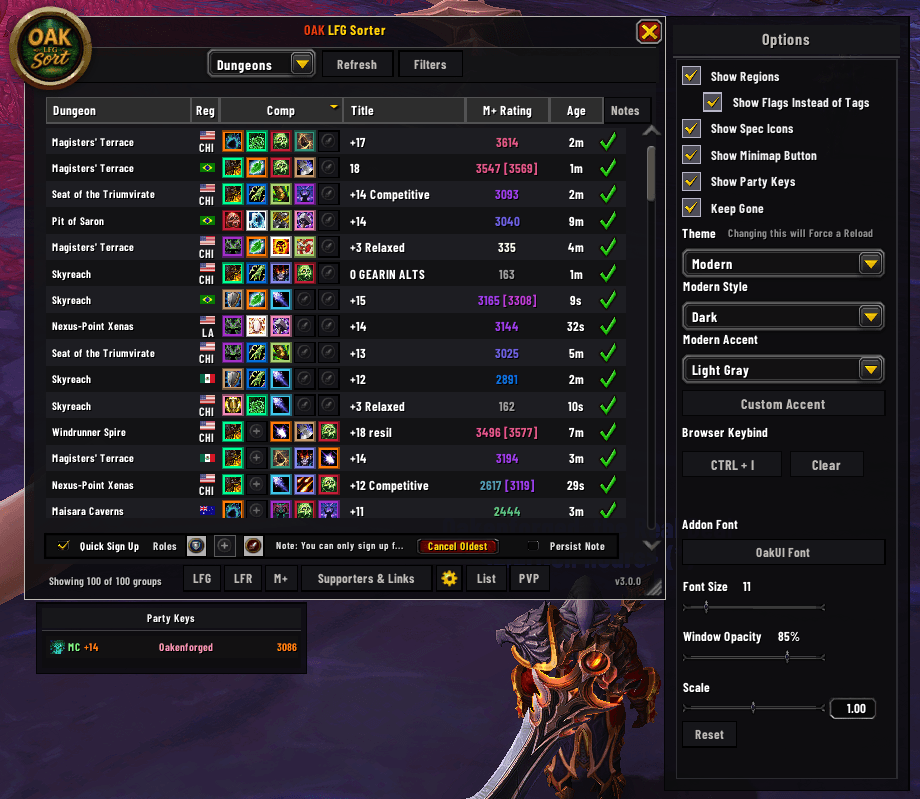
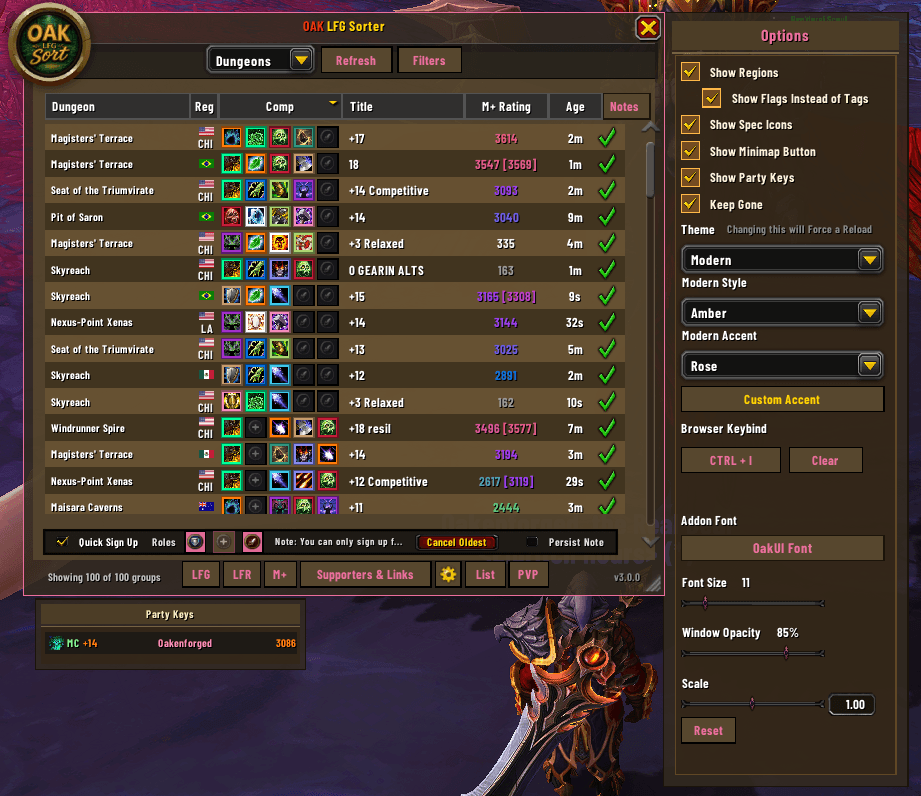
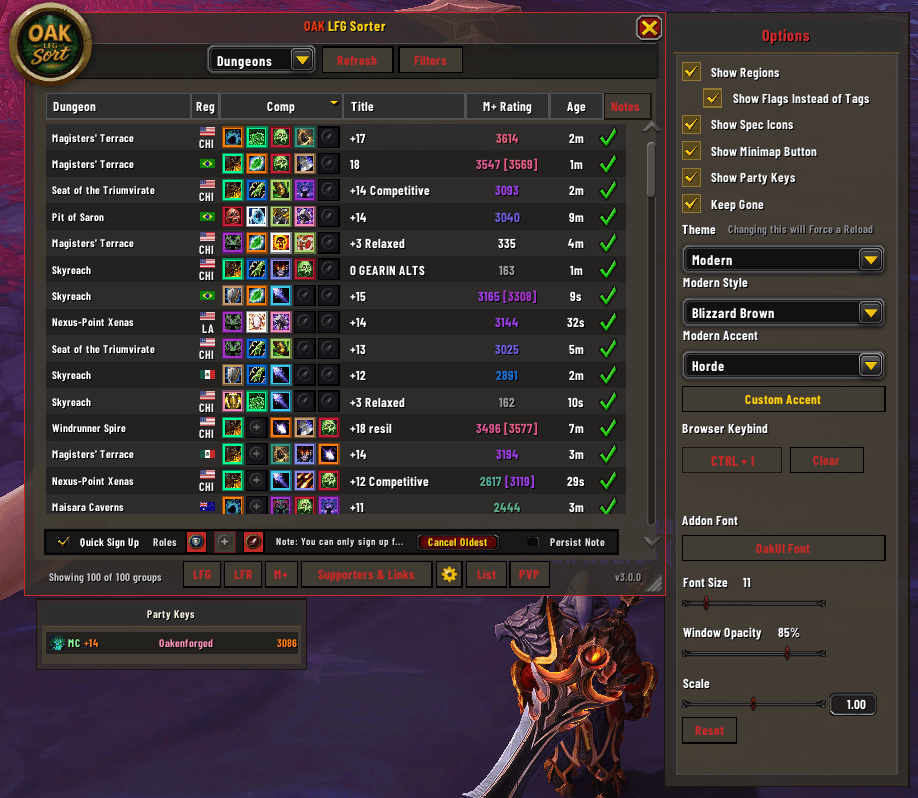
Stop digging through Blizzard's static listing view. We've introduced a massive, standalone browser for searching premade groups with actual sorting and filtering power.
- Sort Anything: Click to sort active listings by Dungeon, Composition, Title, Rating, Group Age, Difficulty, and more.
- Read Comps at a Glance: See exactly what roles a group is missing before you apply!
- Mythic+ Score Forecasting: Never wonder "Will this key give me score?" again. Analyzes your current standing and displays the exact lowest key level required for a dungeon to increase your overall score. Hover over the column to instantly see your estimated score gains (+1, +2, or +3).
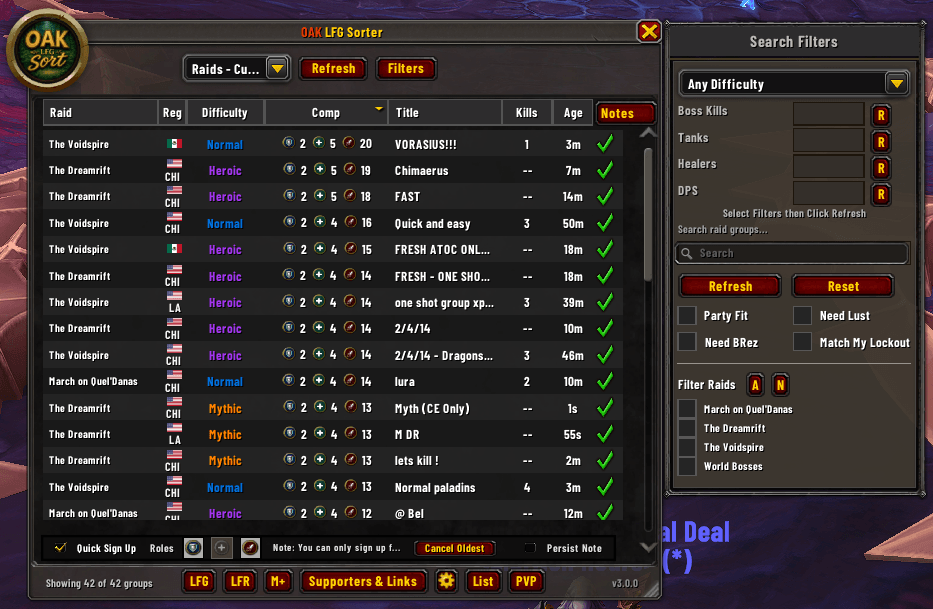
- Advanced Raid Browsing: Looking for a specific progression group? Use boss kill math expressions directly in your filters (e.g.,
<3or>1). Filter to match your current lockout, and quickly scan the raid list with color-coded difficulty text. - Region Tags (Ping Protection): Optional visible Region Tags automatically append to listings. Instantly spot NA, OCE, LATAM, or BR keys at a glance to avoid high-ping nightmare groups.
- Quick Sign-Up Workflow: Optional, fast sign-up process with built-in role selection.
🛡️ The Applicant Sorter (Forming Groups)
OAK LFG Sorter retains its legendary applicant management tools for when you are the one building the key.
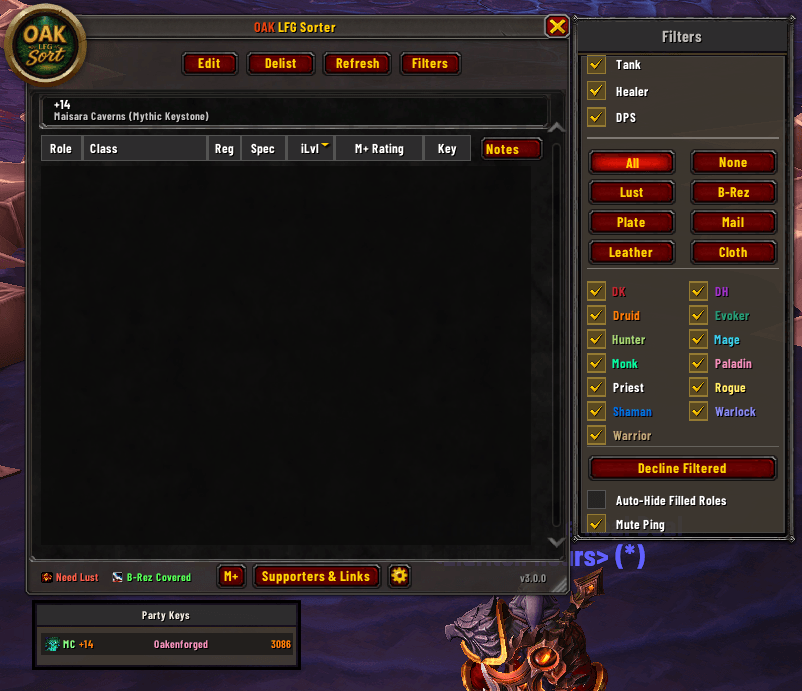
- Click-to-Sort Applicant Tracking: Instantly organize your LFG queue by Role, Class, Spec, Item Level, M+ Rating, Highest Key, or Note.
- Smart Group Logic: Applicants who sign up together stay tethered together in the UI, indented clearly beneath the group leader so you know exactly who comes as a package deal.
- Live Party Buff Checklist: A dynamic footer reads your current group composition and immediately alerts you if you are missing Bloodlust or a Battle Resurrection.
- Custom Crash-Proof Tooltips: Hover over any applicant for a gorgeous, custom-built tooltip that safely pulls native Blizzard data (Best for Dungeon, Best Run) and seamlessly injects their Raider.IO details.
- Lightning-Fast Execution: Double-click anywhere on an applicant's row to instantly send them an invite, or use the dedicated in-line buttons to invite/decline.
⚙️ Advanced Control & Options
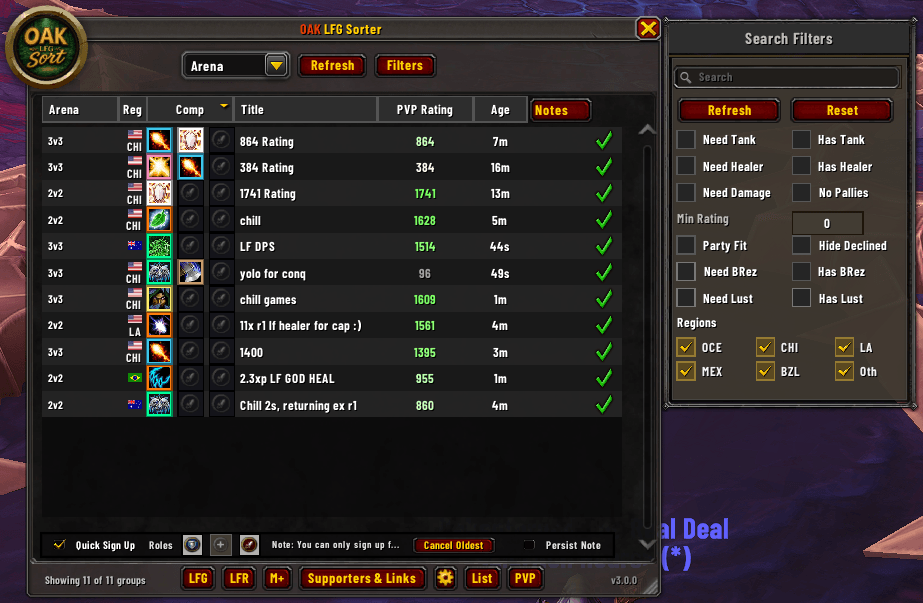
- Instant Quick-Filters: A sleek slide-out panel lets you instantly filter your queue.
- Auto-Open Integration: Inject a toggle directly into the default Blizzard Premade Groups pane. Turn on "Auto-Open Sorter" to have the UI pop up perfectly anchored beside the Blizzard frame.
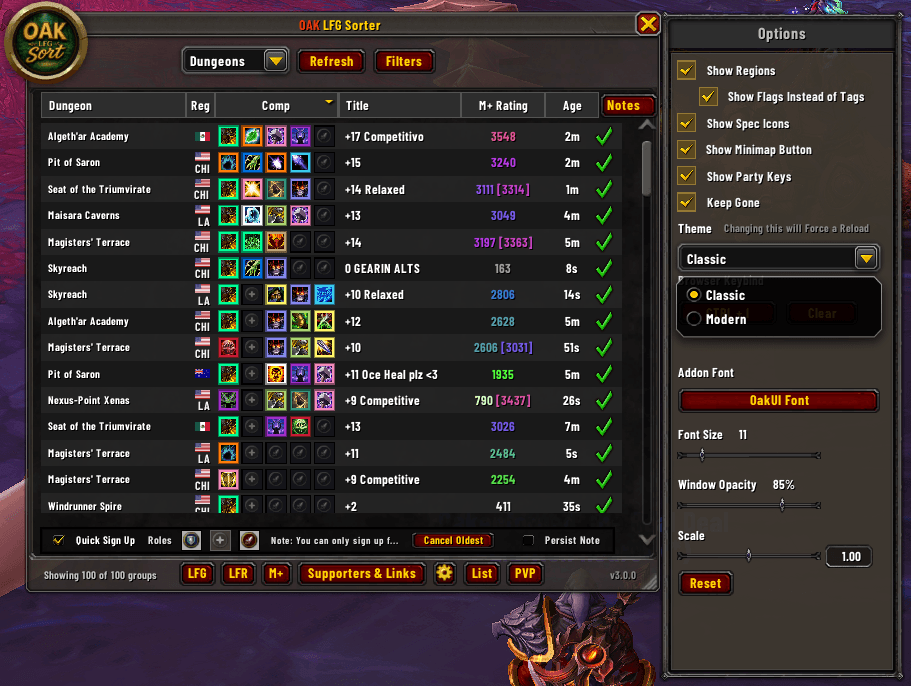
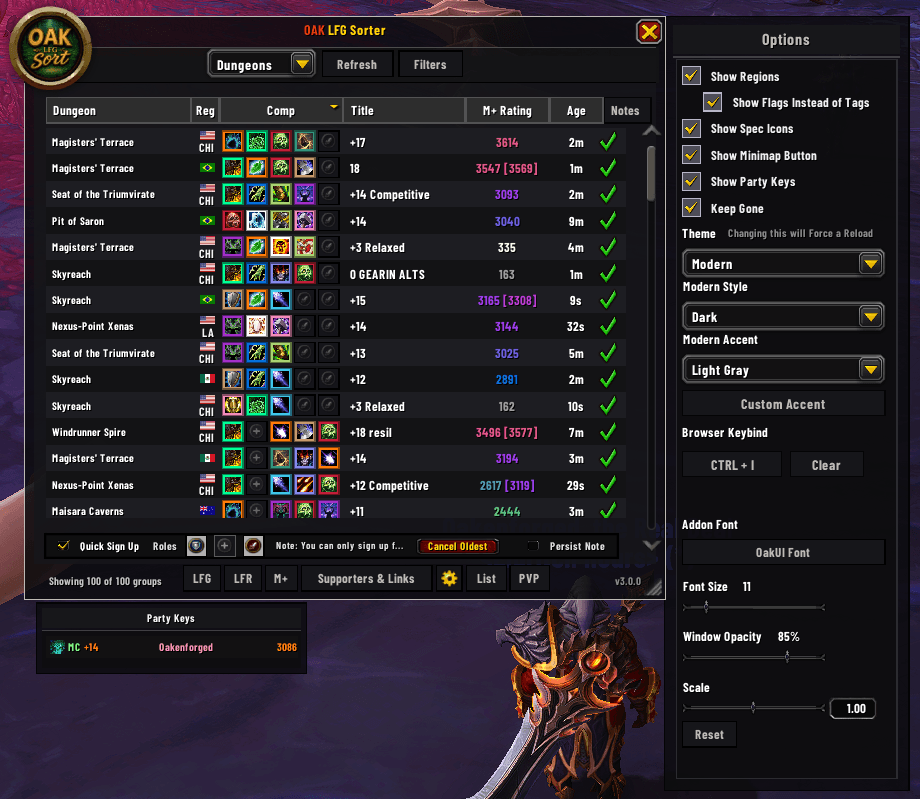
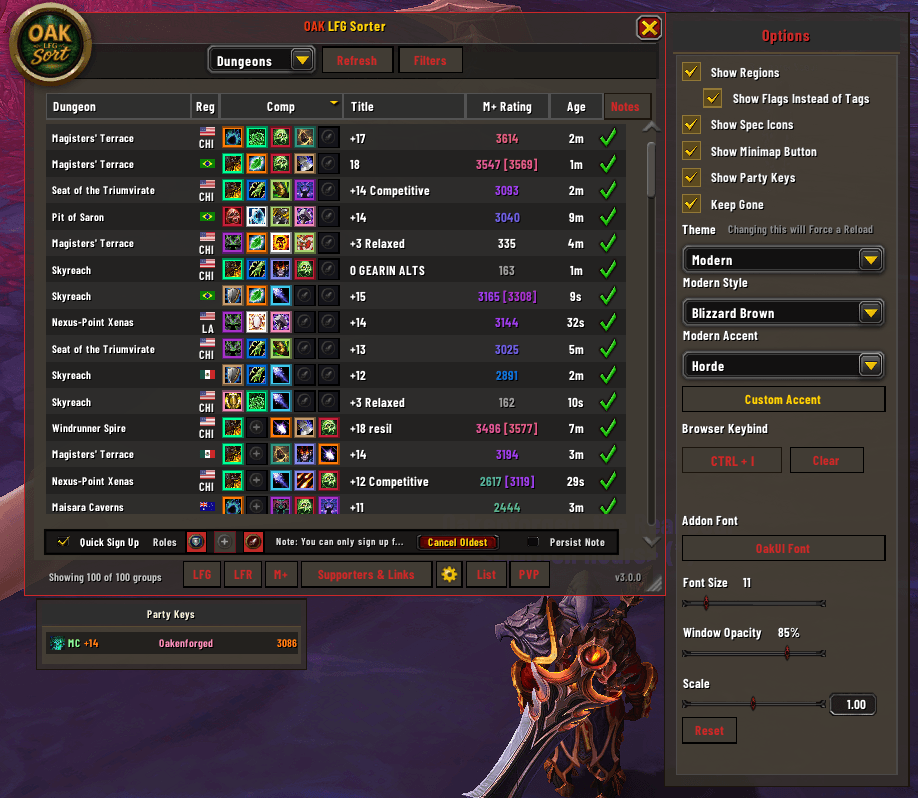
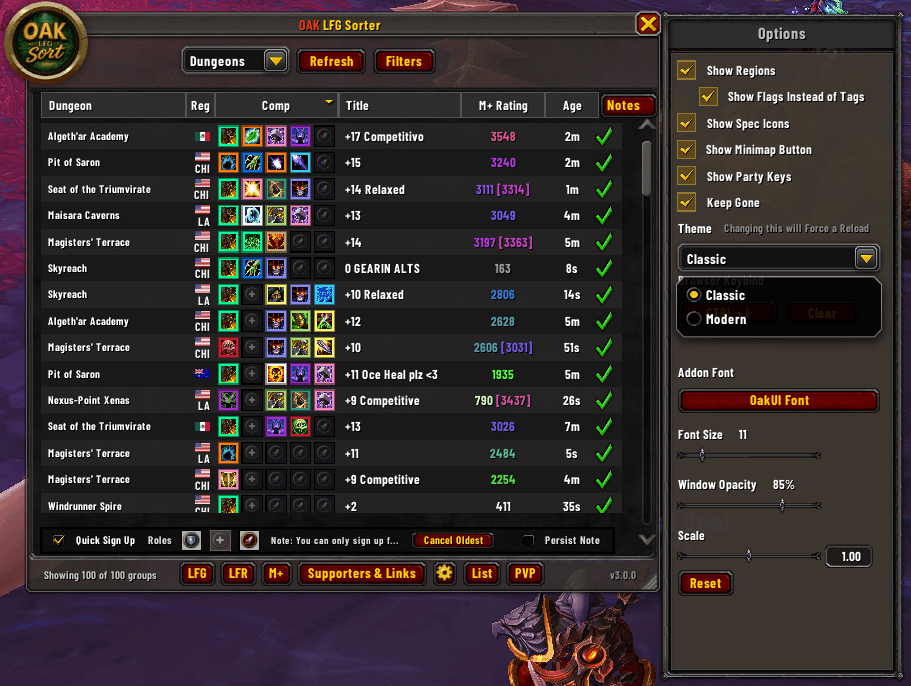
- Unified Options Panel: Customize your experience with a centralized settings menu featuring SharedMedia support for custom fonts, Window Scale, and Window Opacity.
- Themes & Accents: Customize your experience with pre-built themes and custom accent colors, adjust your font and font size, and even your window opacity.
📊 Deep Raider.IO Integration
(Note: Raider.IO is fully supported but optional. Oak Sorter gracefully falls back to Blizzard data if R.IO is not installed).
- Dynamic Score Coloring: Mythic+ ratings are beautifully color-coded using Raider.IO's percentile gradients.
- "Main Score" Detection: Did an applicant apply on an alt? If their main's Raider.IO score is higher, it displays directly next to their current score in brackets (e.g.,
2450 [3100]). - Smart Fallback Columns: If Blizzard hides M+ scores (such as during Raid listings), Oak Sorter seamlessly fetches their true M+ score and highest key from the database.
🔧 How to Use & Commands
Simply open Blizzard's Group Finder.
- Use the handy Minimap button to Manually toggles the Oak Sorter window or right click to open options.
/oaklfgor/lfg- Manually toggles the Oak Sorter window./oaklfg reset- Resets the window scale and snaps the frame back to its default position.
OAK LFG Sorter Team

Owner