Nyari Threat
- By
A small threat bar on enemy nameplates that shows who's about to turn on you.
1-damage.jpg
2-tank.jpg
Description
Nyari Threat
Nyari Threat puts a small threat bar on enemy nameplates. It fills as your threat on that enemy goes up, so you can see a mob about to turn on you before it does. It works with the game's own nameplates and threat numbers, and needs no other addons.
Features
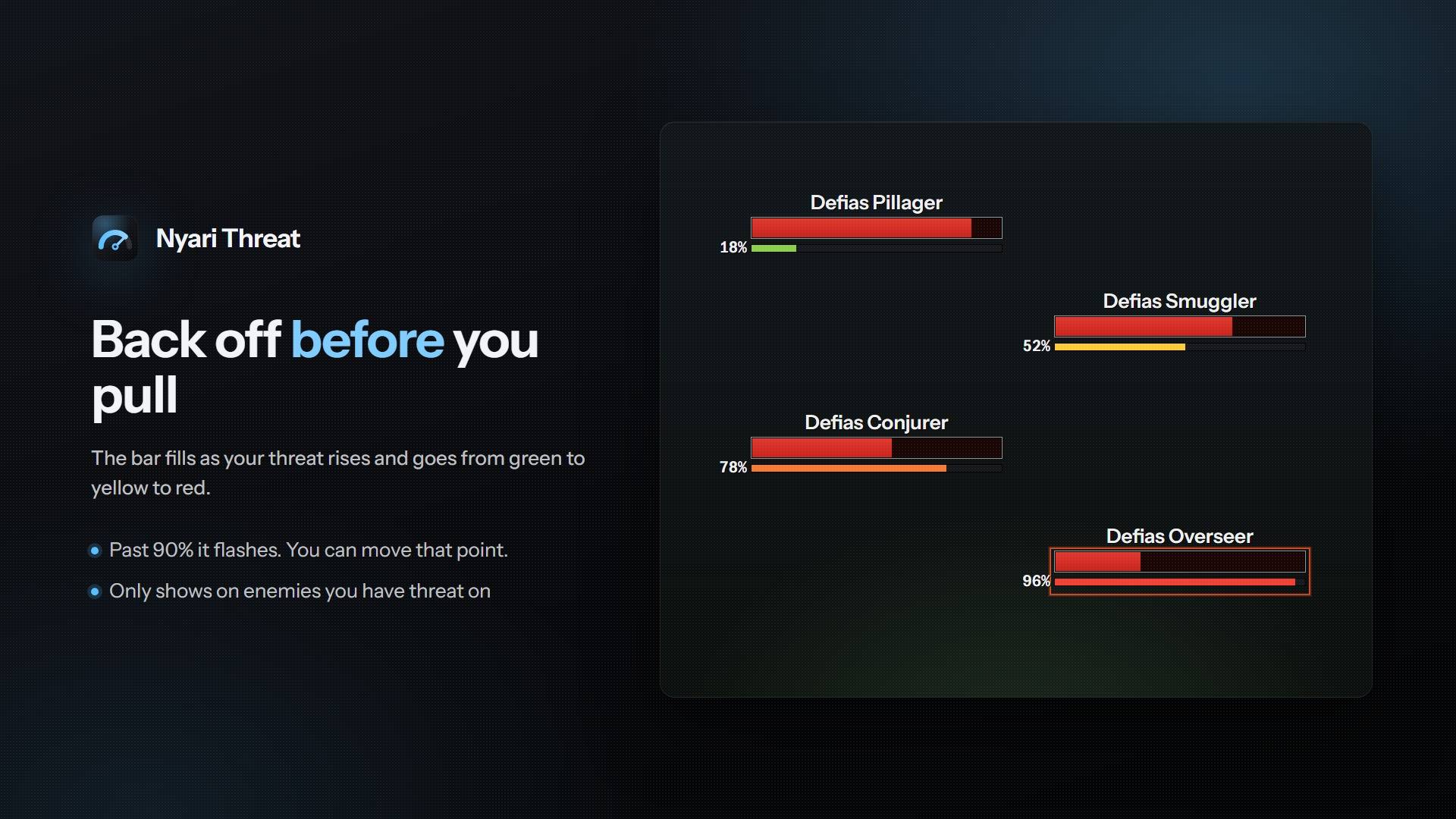
- Damage and healer colors. The bar goes from green through yellow to red as you get close to pulling aggro, and flashes past 90%. You can move that point or turn the flash off.
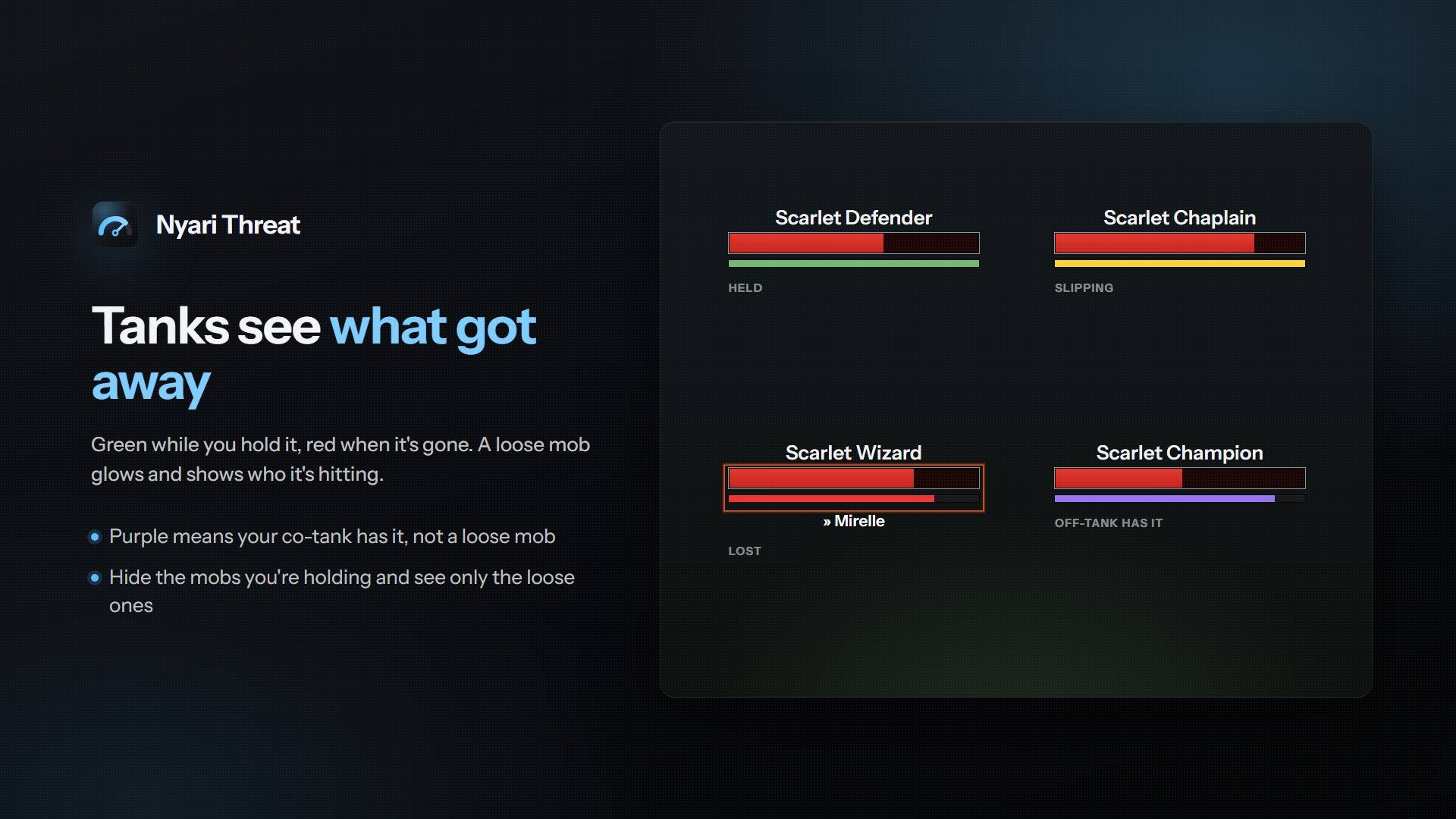
- Tank colors. Green while you hold aggro, then yellow to red as you lose it. On Auto, tank colors switch on in a group when you're in a tank spec.
- Off-tank color. If another tank in your group has the mob, the bar turns purple instead of red, so a taunt swap doesn't look like a loose mob.
- Glow. In a big pull, a mob past your flash point or one a tank has lost gets a soft glow around its nameplate.
- Who has aggro. Tanks see the name of the player a loose mob is hitting, in class color.
- Only loose mobs. Tanks can hide the bar on mobs they're holding, so only the ones that got away show anything.
- In combat. WoW Forever and Retail hide exact threat numbers from addons during combat. The bar still fills, changes color and flashes, in 10% steps. The warning sound and hiding the bar at low threat wait until the numbers come back.
- EllesmereUI and ElvUI nameplates. The bar follows their health bars. Both already color health by threat, so Nyari Threat skips its glow on them by default. You can also have it step aside completely.
- Adjustable. Position, gap, height, width, opacity, texture, percentage text, a warning sound, and what to do when another nameplate addon already shows threat.
- Performance. The bars redraw at most ten times a second, and outside the places you pick, the addon doesn't listen for threat at all.
Settings
Type /nt, use the minimap's addon menu, or open Settings > AddOns > Nyari Threat. If you have Nyari Chat too, the two share one settings window. /nt test puts sample bars on enemy nameplates so you can set the look outside combat, and /nt help lists every setting as a chat command.
The Nyari Threat Team