Nyari Forever UI
- By
01-settings.png
02-my-path.png
03-journal.png
07-chat.png
09-rings.png
06-training.png
Description
Nyari Forever UI
A modular collection of quality-of-life improvements for WoW Forever, designed to keep the familiar look and feel of the standard interface. Enable the features you want and leave the rest off.
Nyari Forever UI is intended for players using the standard WoW Forever interface. Compatibility with full UI overhaul addons isn’t guaranteed.
Every option is optional. Use it all, or use only a few features.
Release Notes, Updates, and providing Feedback can be found here: https://projectfeed.app/p/nyariforever
Included addons
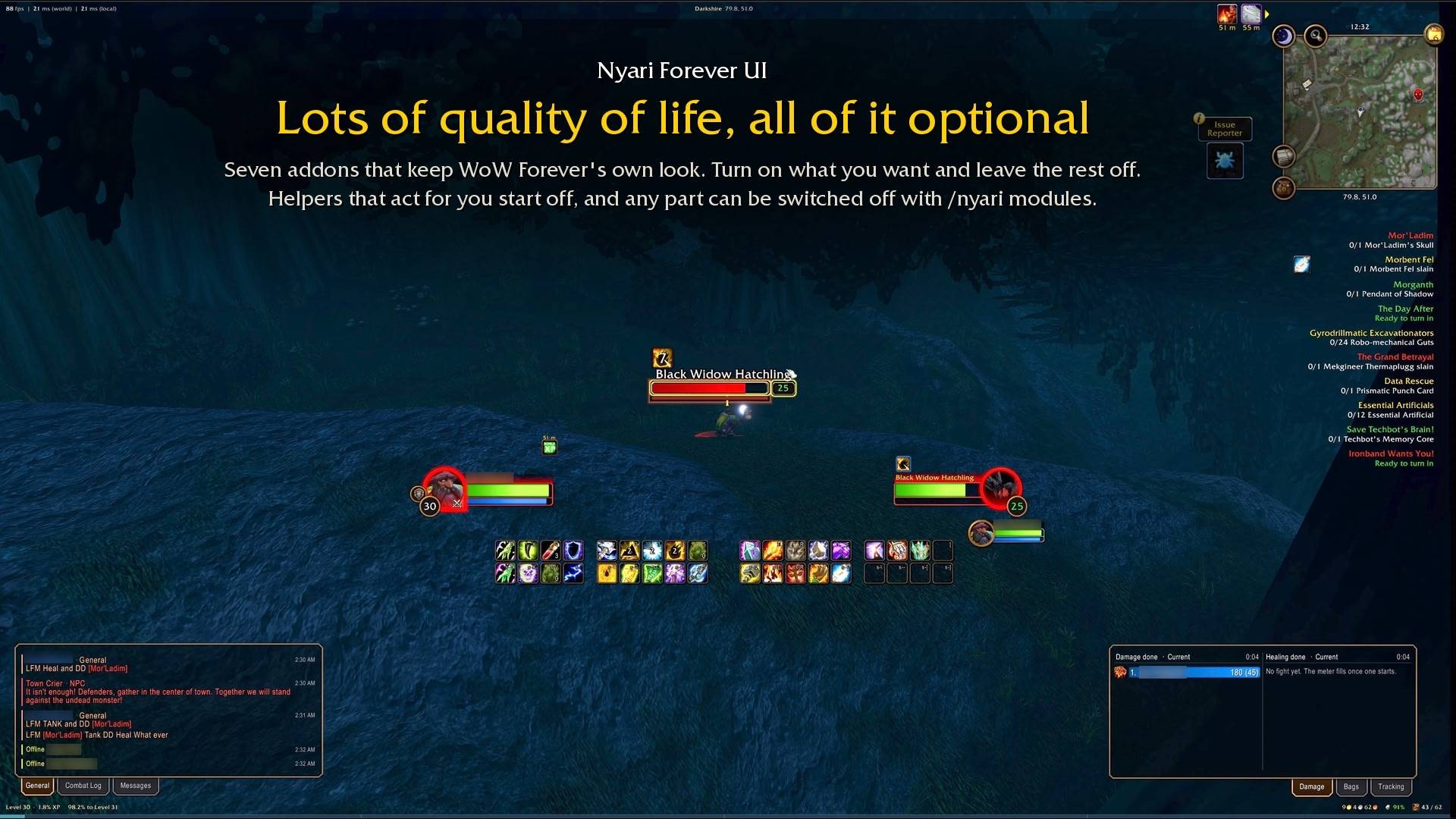
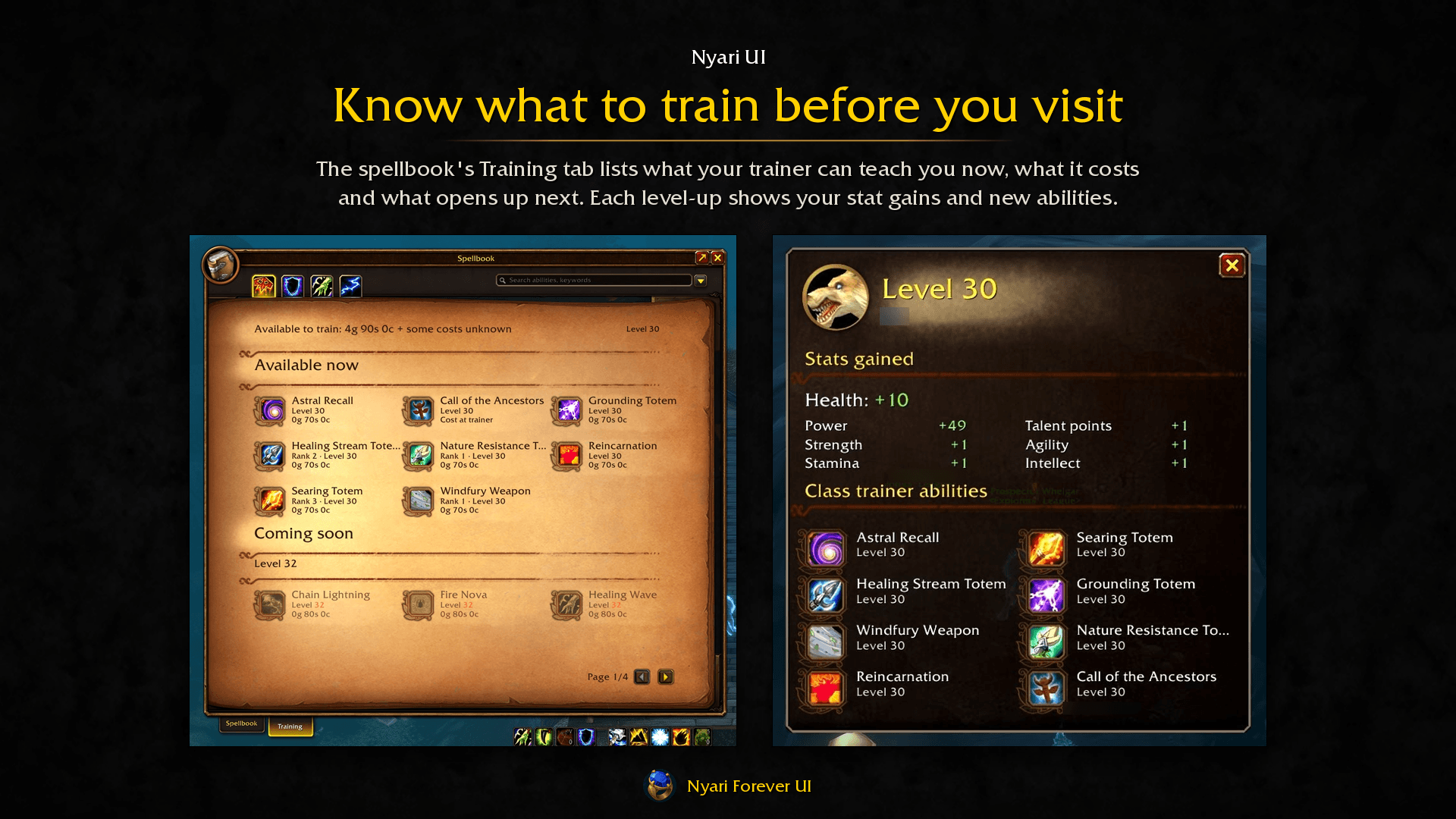
- Nyari UI adds information bars, experience bars and minimap controls. A Training tab in the spellbook shows what you can learn now and at upcoming levels. The world map can show zone level ranges and friends or guildmates who also use Nyari. Other features include hover casting on party and raid frames, a customizable quest list, and additional camera, combat text and graphics settings. Optional helpers handle repairs, junk selling, cutscene skipping, delete confirmations and quest acceptance or hand-ins. Helpers that act for you are off by default.
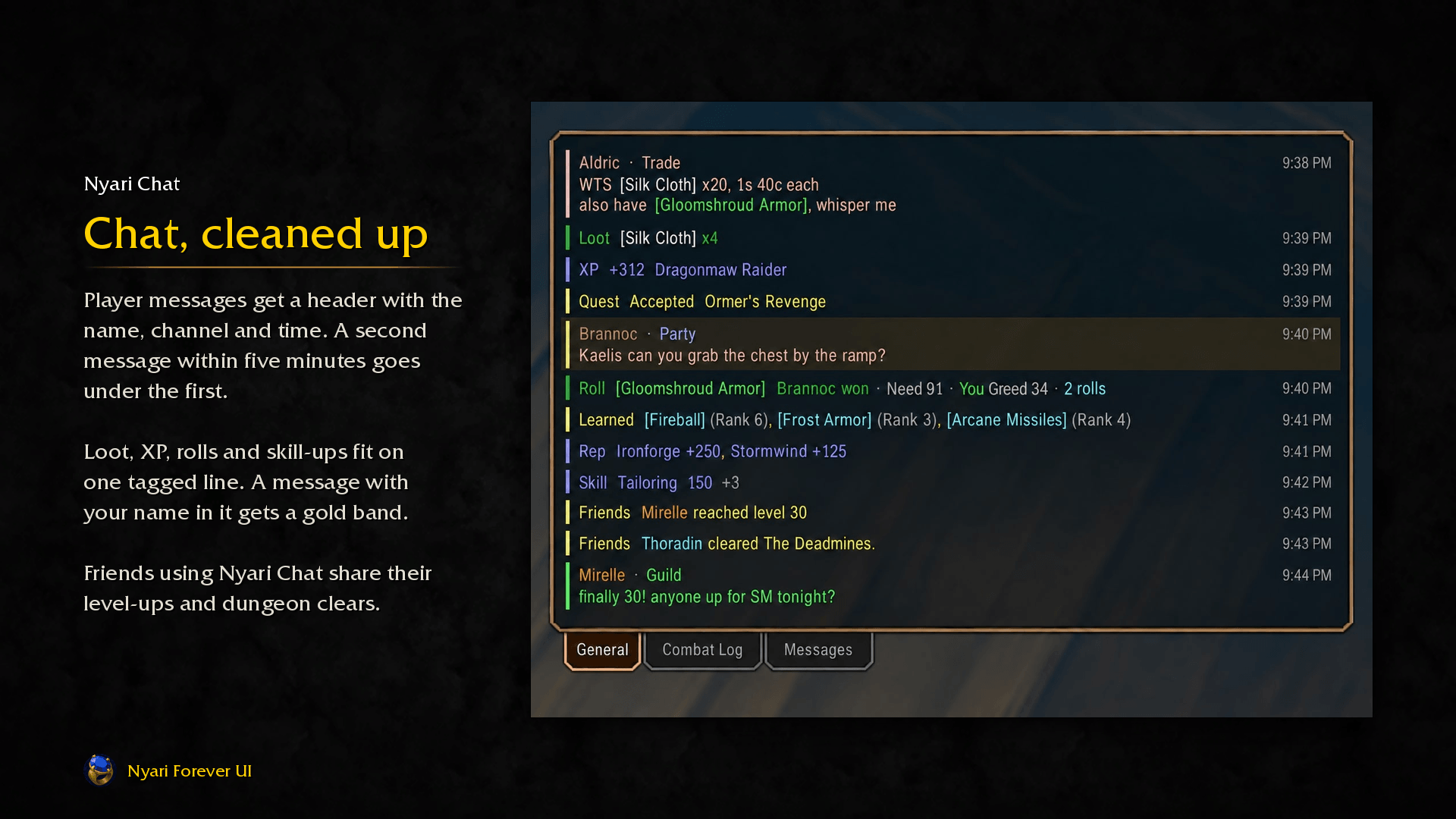
- Nyari Chat makes chat easier to follow with shorter game messages, spam filtering, name highlighting and history that persists between sessions. Organize whispers by player in a dedicated tab or window. Friends using Nyari Chat can also share level-ups, dungeon clears, rare and epic finds, and other milestones.
- Nyari Plates adds threat bars, markers and cast details to enemy nameplates, with the game’s nameplate settings brought together in one place.
- Nyari Prices shows recorded Auction House prices in item tooltips, compares Waylaid Crate supply costs, and estimates crafting costs, sale values and profit. Prices come from your Auction House scans and browsing, so their accuracy depends on how recently they were collected.
- Nyari Panels adds tabbed panels beside chat or in standalone windows for your bags, gold and XP graphs, and damage meters. It also tracks where your gold comes from and where it goes.
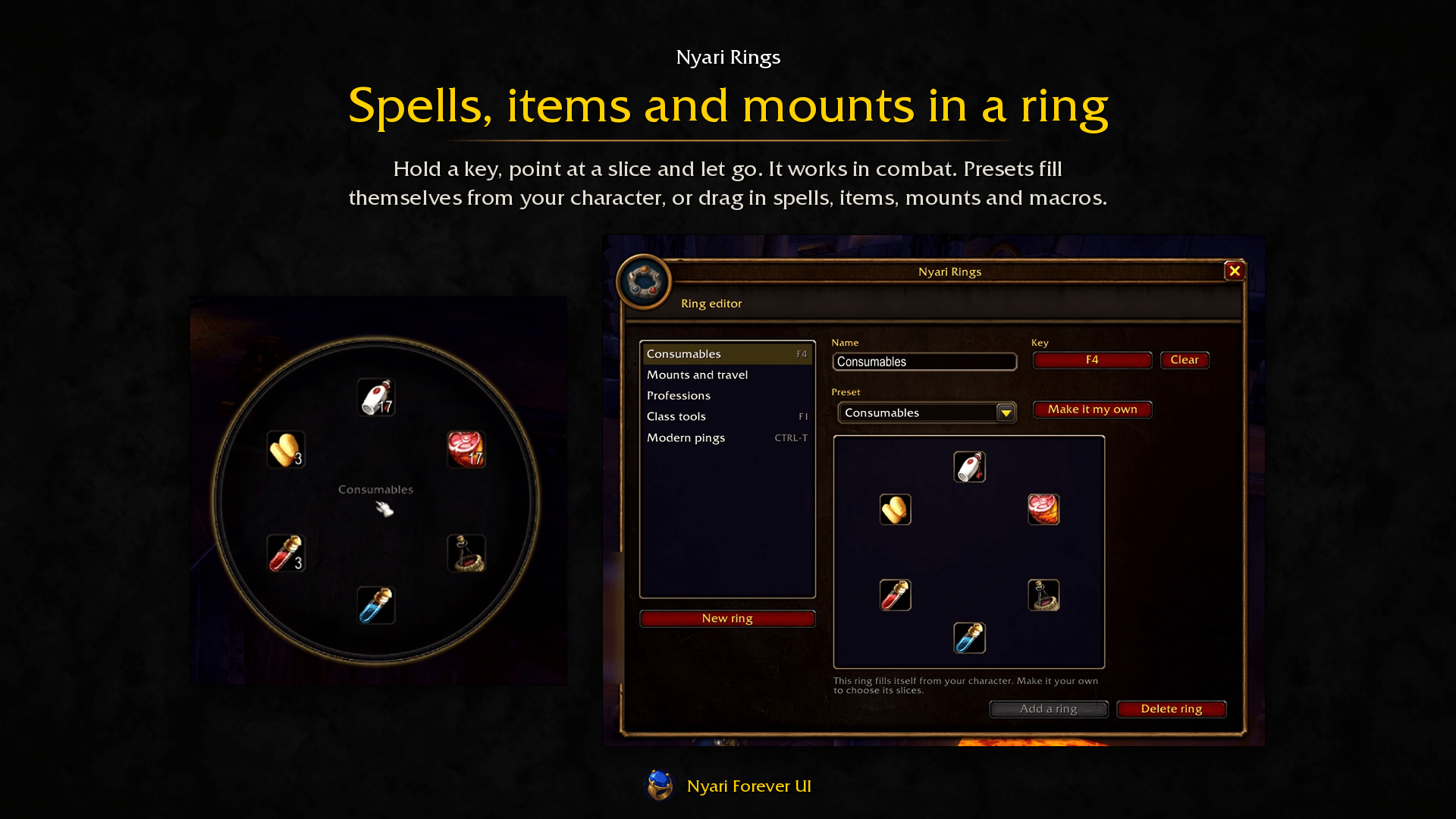
- Nyari Rings puts spells, items, mounts and macros in a radial menu around your mouse. Hold a key, point at a slice and release to use it, including in combat. Build your own rings by dragging actions onto them, or start with a preset.
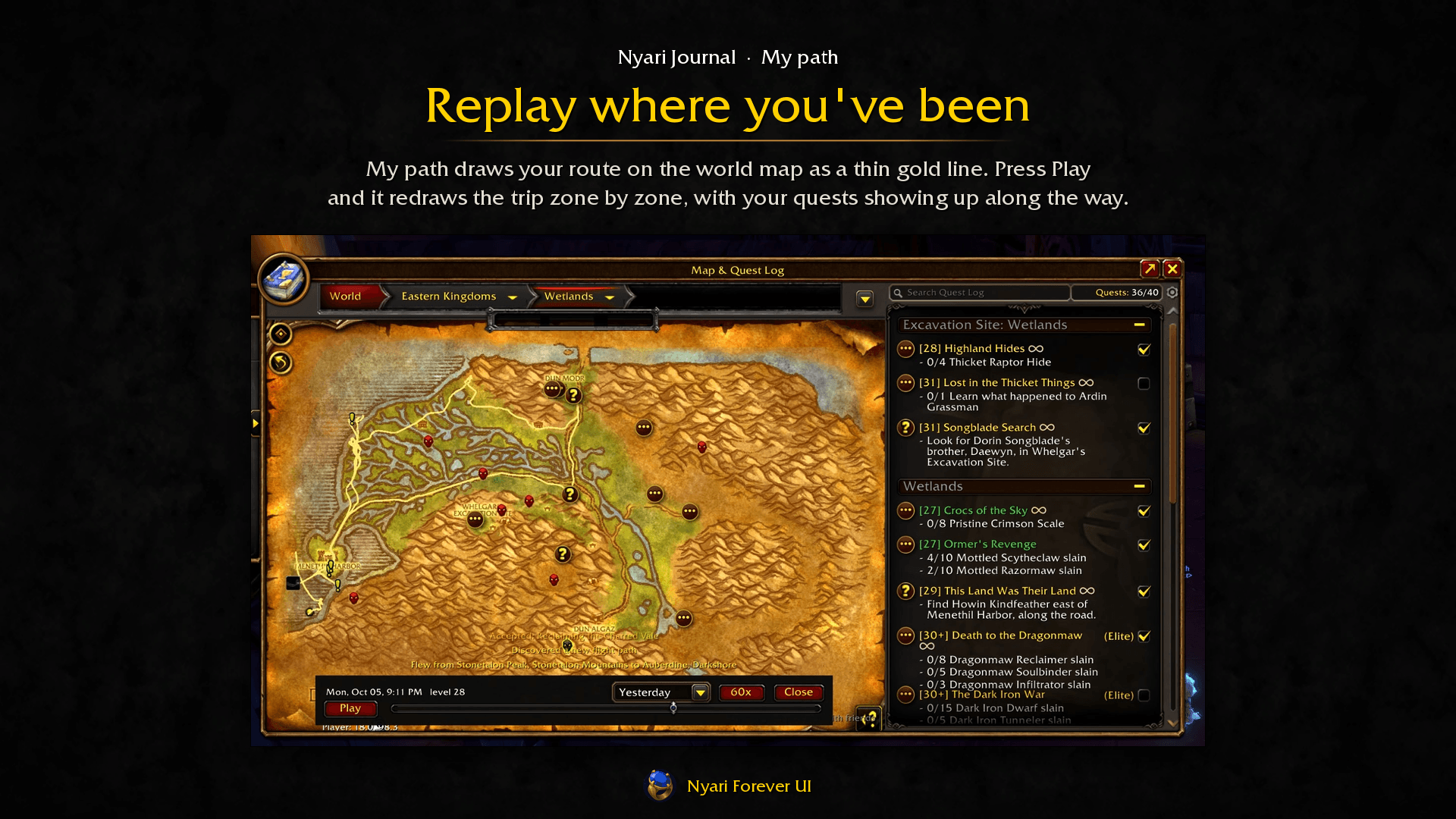
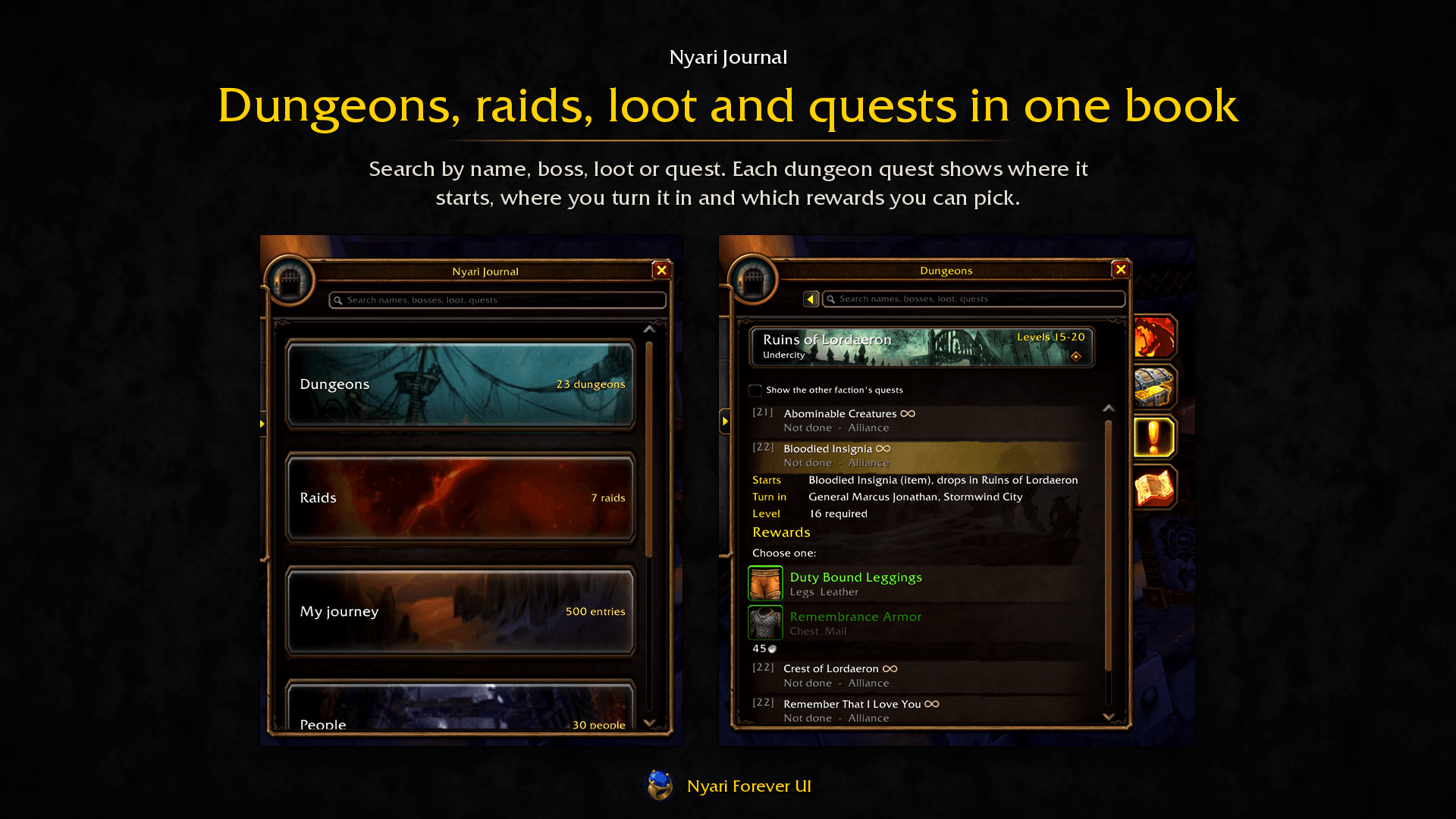
- Nyari Journal combines dungeon and raid bosses, loot, upgrades and quests, including known prerequisite quest chains. It learns from your discoveries as you play, with options to keep undiscovered content hidden.
- My journey records quests, levels and other milestones, while My path draws your travels on the world map
- People remembers players you’ve grouped with and keeps your notes and ratings private
- Statistics tracks activity and PvP, alongside gold and character figures recorded by Nyari Panels
- Campfire lets nearby Nyari players gather, share recent adventures, emote, roll dice and play a Sword, Spell and Shield minigame
Early days
Nyari Forever UI is in beta, with updates often arriving several times a week. Expect bugs, rough edges, and changes to settings or layouts as development continues. Some features still need in-game testing.
WoW Forever is also in beta. Trainer lists, dungeon quests, loot and level ranges draw on available game data, public references and discoveries made while playing. Some information may be incomplete or outdated. The journal labels uncertain entries and distinguishes Classic loot that hasn’t yet been seen in Forever.
Settings and modules
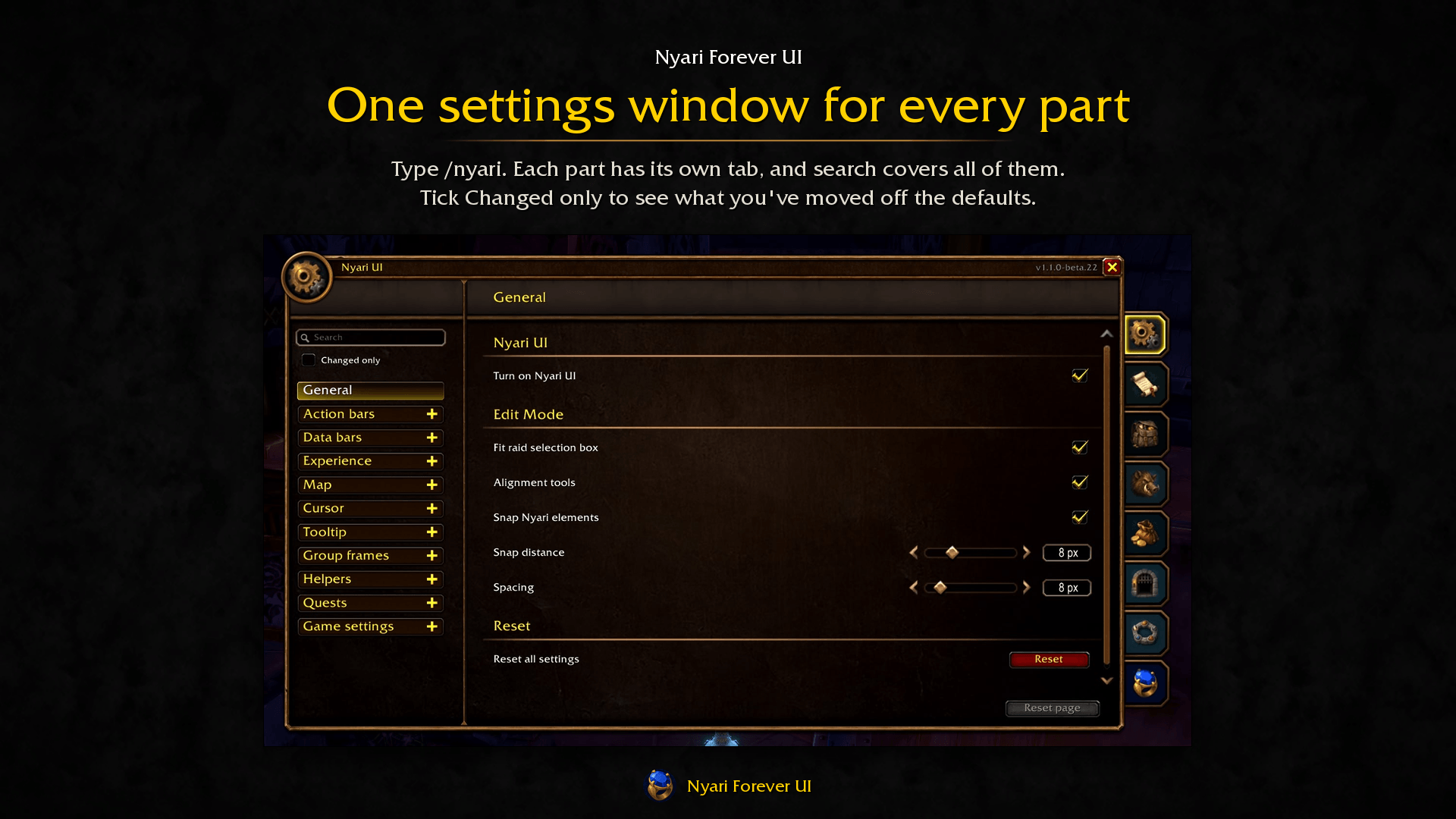
Type /nyari to open the shared settings window. Each enabled addon has its own tab.
Shortcuts:
- /nui — UI settings
- /nc — Chat settings
- /nplates — Plates settings
- /np — Prices settings
- /nb — Panels settings
- /nr — Rings settings
- /nj — Open the Journal
- /nj settings — Journal settings
Each module is a separate addon and requires the NyariForeverUI folder for shared functionality. Enable or disable modules in the character screen’s AddOns list, or through /nyari modules, then reload when prompted. Disabling a module preserves its settings.
Installing
For WoW Forever only. Install through CurseForge, or close the game and copy every addon folder from the packaged ZIP into:
World of Warcraft/classic_beta/Interface/AddOns/
The NyariForeverUI folder and individual addon folders should sit side by side inside AddOns.
Updating the current addons preserves their saved settings.
Reporting problems
Leave a comment on this page with the affected addon, its version, your WoW Forever build, and what you were doing when the issue occurred. Include any error text and steps to reproduce it.
Nyari Forever UI Team