Description
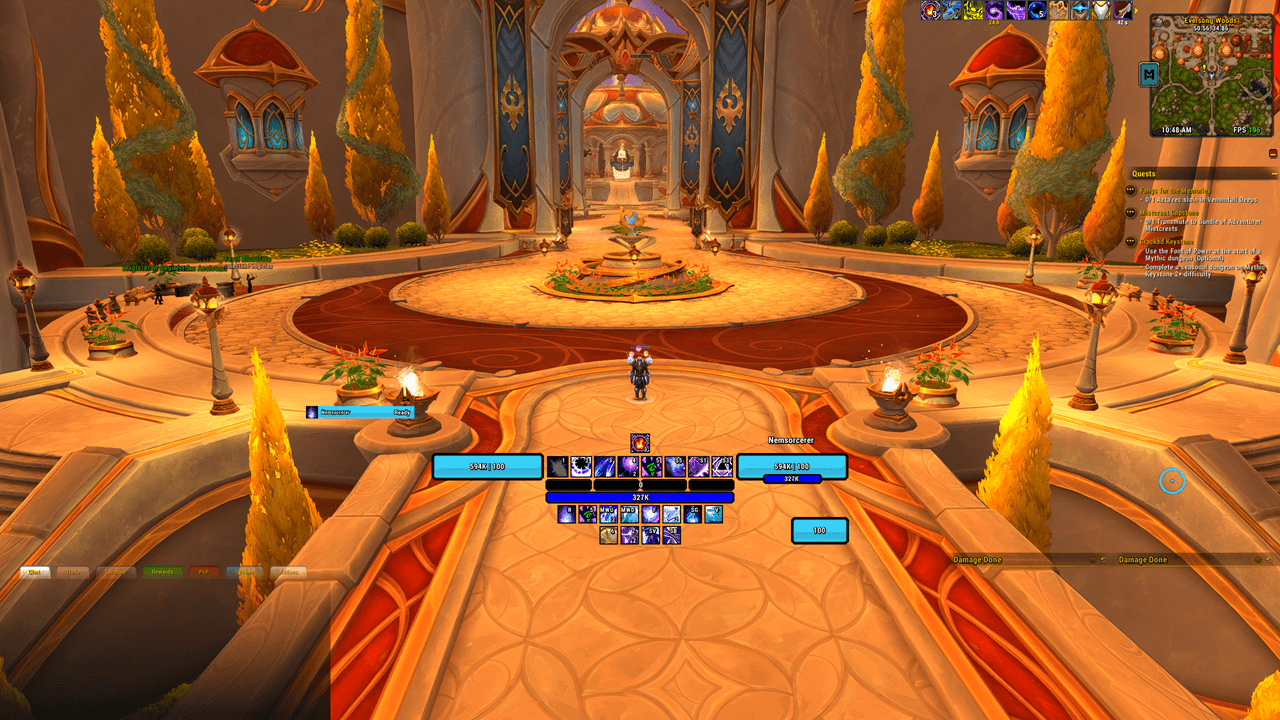
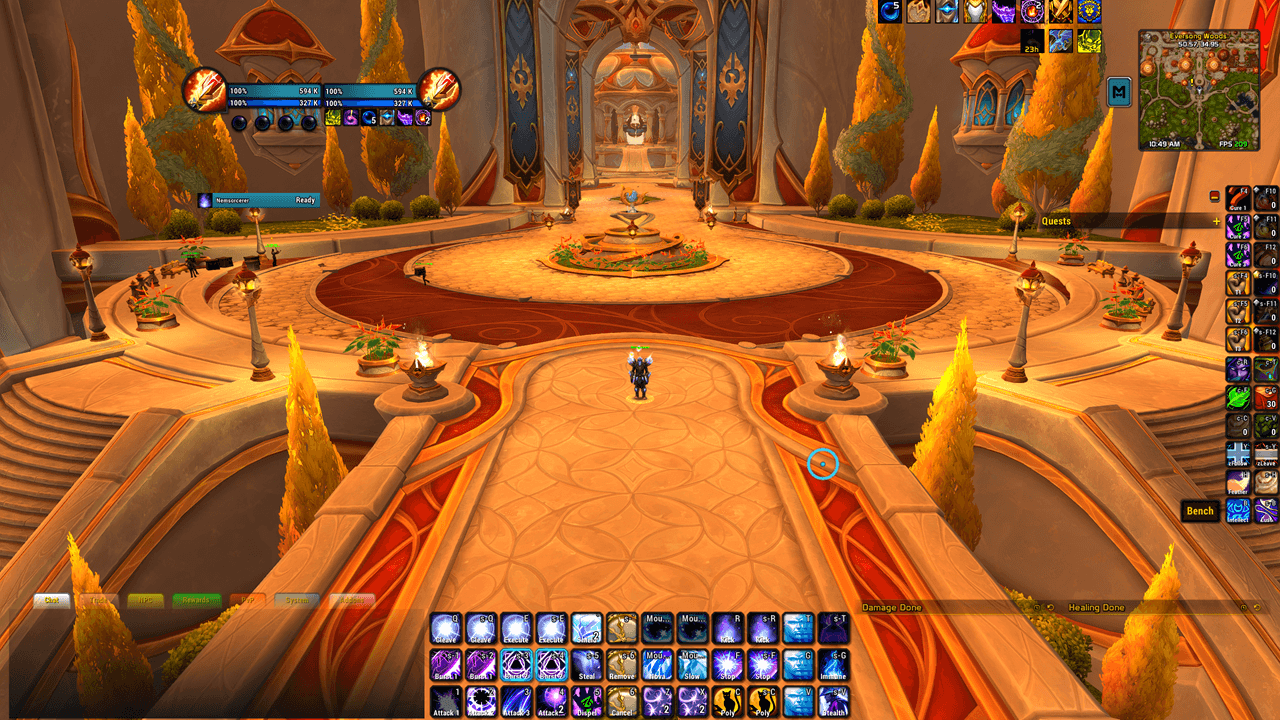
Tired of reconfiguring your UI every time you switch from PvE to PvP? Nem: UI Swap is a one-command master switch. Type /NemPvP or /NemPvE, confirm one reload, and your addons, profiles, CVars, and Edit Mode layout all flip at once.
Key Features
- One-command swap via
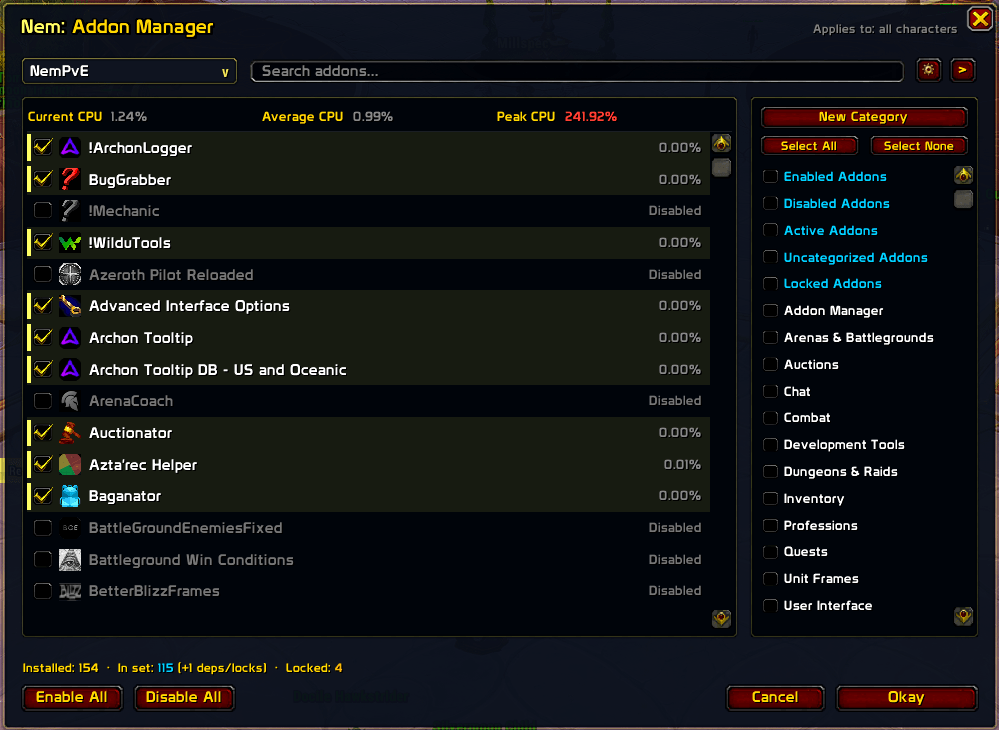
/NemPvE,/NemPvP, the minimap button, or the options panel - Built-in addon manager — press Escape, click AddOns, and build sets, categories, and locks without installing a second addon
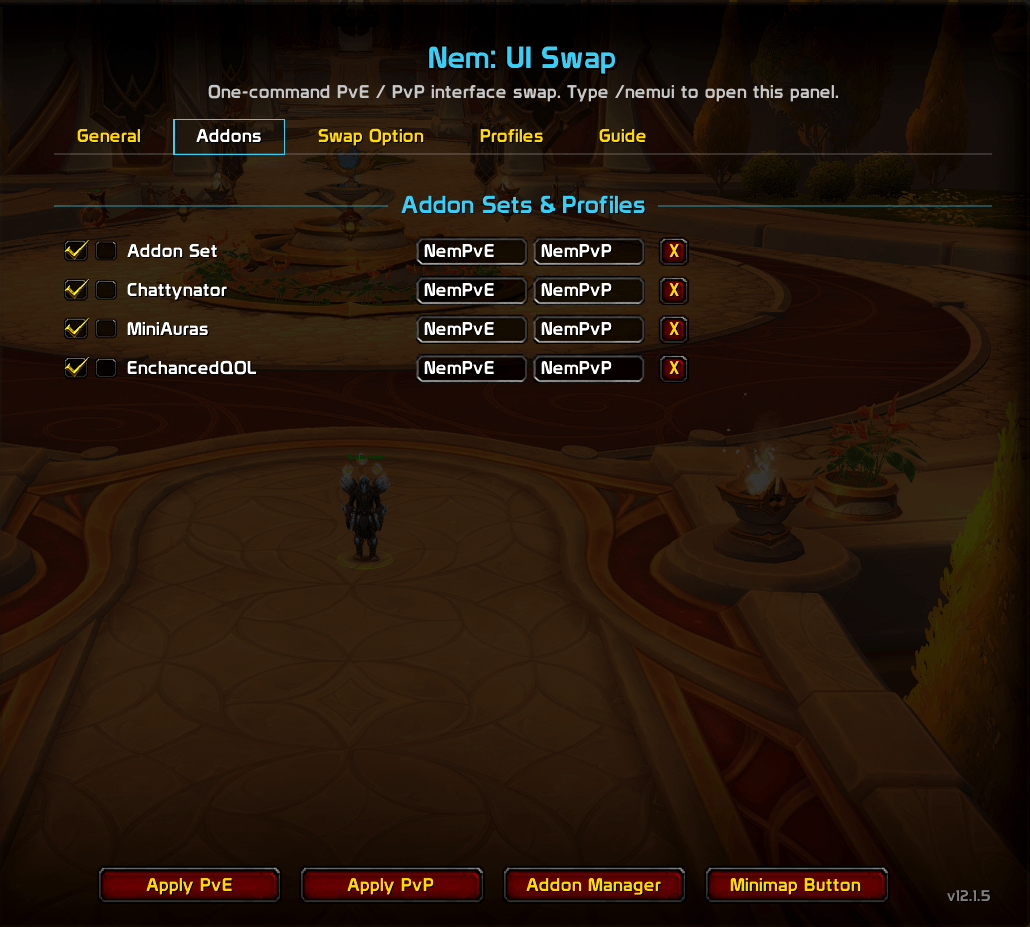
- Switches your addon set — pair an account-wide set to each mode and it loads on the swap's single reload
- Switches addon profiles — flips saved profiles for Chattynator, EnhanceQoL, MiniCC, and most AceDB addons; auto-detects each addon's character key so one entry works on every alt
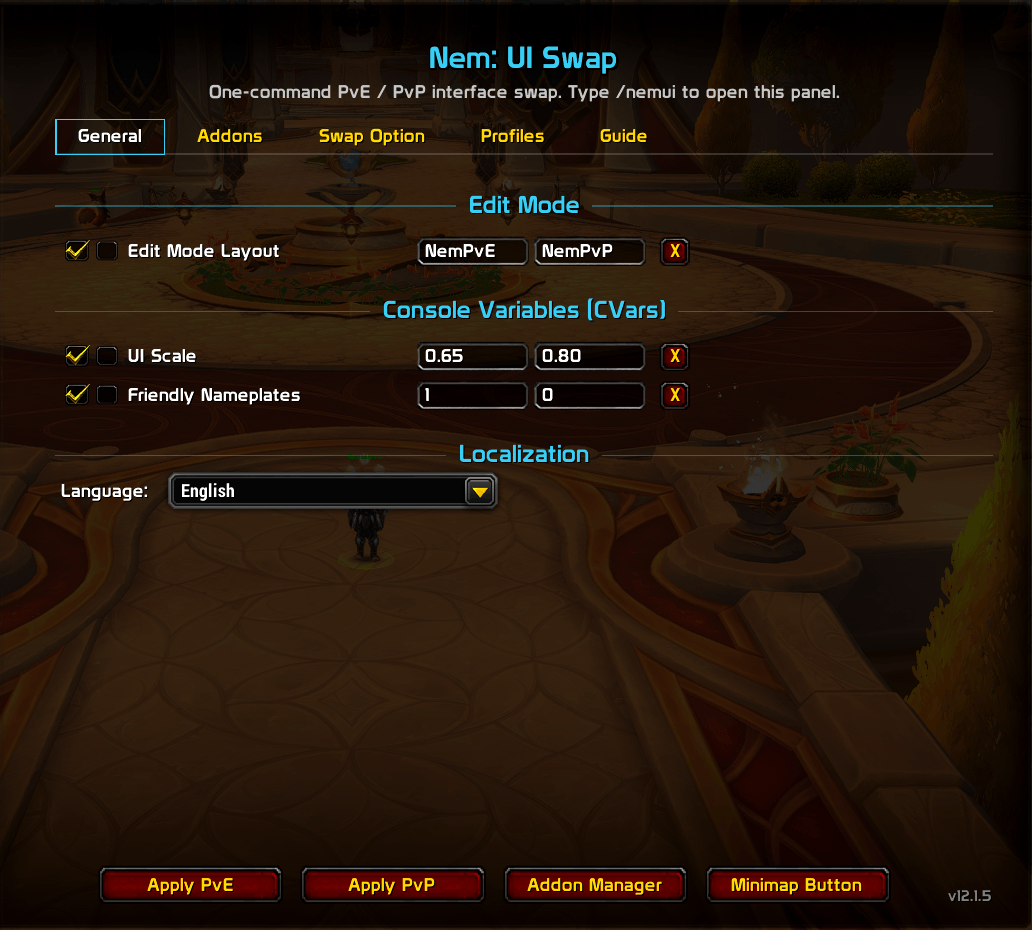
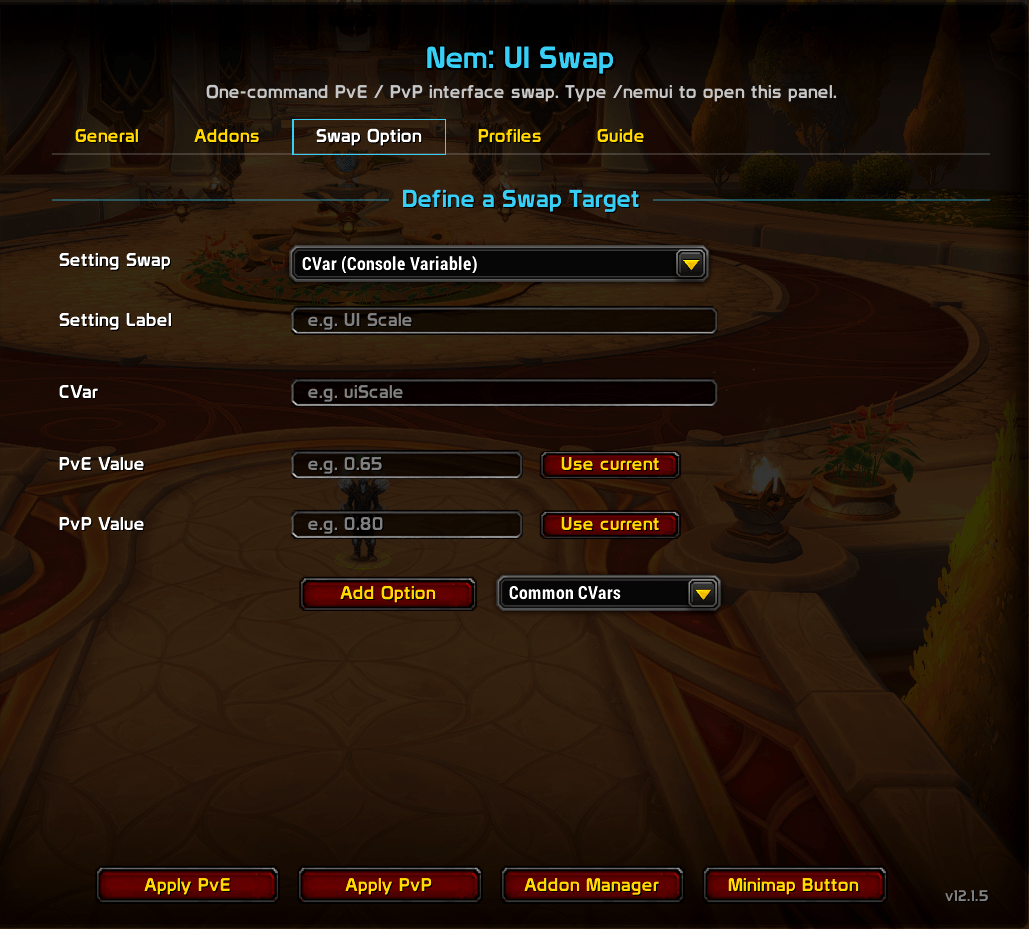
- Applies per-mode CVars — twenty curated presets (nameplates, camera, UI scale, and more) with plain-English tooltips and suggested values you can adjust
- Activates Edit Mode layouts — links your named Blizzard HUD arrangements to each mode
- Healer role overrides — give any swap target a separate value for your Healer spec; switching Healer ↔ DPS/Tank only prompts a reload if you've actually set one up
- Export & import your setup — mirror your full target list across alts as a shareable string, no re-entering every target by hand
- Undo a bad swap —
/nemswap restoreputs your pre-swap addon state back and reloads - Eleven languages — English, German, Spanish (Spain and Latin America), French, Italian, Korean, Portuguese (Brazil), Russian, and Chinese (Simplified and Traditional)
- Combat-safe — swaps triggered mid-fight queue and apply automatically when combat ends
- Taint-safe — built to survive the secret-value taint system in M+ and rated PvP
The Built-In Addon Manager
No external manager required. Press Escape and click AddOns to open it in place of Blizzard's list, type /nemaddons, or use the Addon Manager button in the options panel. Blizzard's own list stays intact — untick Escape menu AddOns button in the gear menu if you'd rather keep the default binding.
- Sets that pair with your modes — tick addons to build the active set, Load Set to match an existing one exactly, or Snapshot to capture what's running right now
- Locks — a locked addon stays enabled through every set and every mode
- Categories — your own categories in a sidebar alongside six automatic ones (Enabled, Disabled, Active, Uncategorized, Locked, Changing this session); stack them, combine with search, right-click to rename, delete, or bulk-toggle
- Search and detail — search by name, title, or author; every row shows the icon, load-on-demand badge, and dependency status, with missing dependencies named outright
- Safe commits — a live pending-change count, Save & Reload to commit, Cancel to discard
- CPU profiling — an optional per-addon CPU column, tinted so expensive addons stand out, plus a current/average/peak summary strip
- SimpleAddonManager compatible — existing sets, categories, and locks import automatically on first login without touching SimpleAddonManager's saved variables, and set strings export and import in both directions
The Four Swap Types
| Type | What it does |
|---|---|
| Addon set | Load one of your addon sets, committed by the swap's single reload |
| CVar | Any console variable — pick from 20 built-in presets or enter one by hand |
| Addon profile | Flip a saved-variable profile on any AceDB-based addon to its PvE or PvP value |
| Edit Mode layout | Activate a named Blizzard Edit Mode HUD arrangement |
Make the profiles and layouts in their own addon first. Nem: UI Swap switches between things that exist — it can't create them for you.
Older SimpleAddonManager and MiniCC swap targets keep working. SimpleAddonManager targets convert to native addon sets on their own.
Options Panel
Open with /nemui or Settings → AddOns → Nem: UI Swap. Five tabs: General (built-in swaps, plus the language override), Addons, Swap Option (add a new swap with type-aware form fields and pickers), Profiles (export your full target list to a string and import it on another character), and Guide (built-in quick-start). Apply PvE / Apply PvP, Addon Manager, and Minimap Button sit at the bottom of every tab — the active mode's button dims so you always know where you are.
Slash Commands
/NemPvE · /NemPvP · /nemui (open panel) · /nemaddons (open Addon Manager) · /nemswap toggle|status|restore|diag
Feedback and bug reports: Nem's Nexus