promotional bannermobile promotional banner

Nem: DPS Alerts

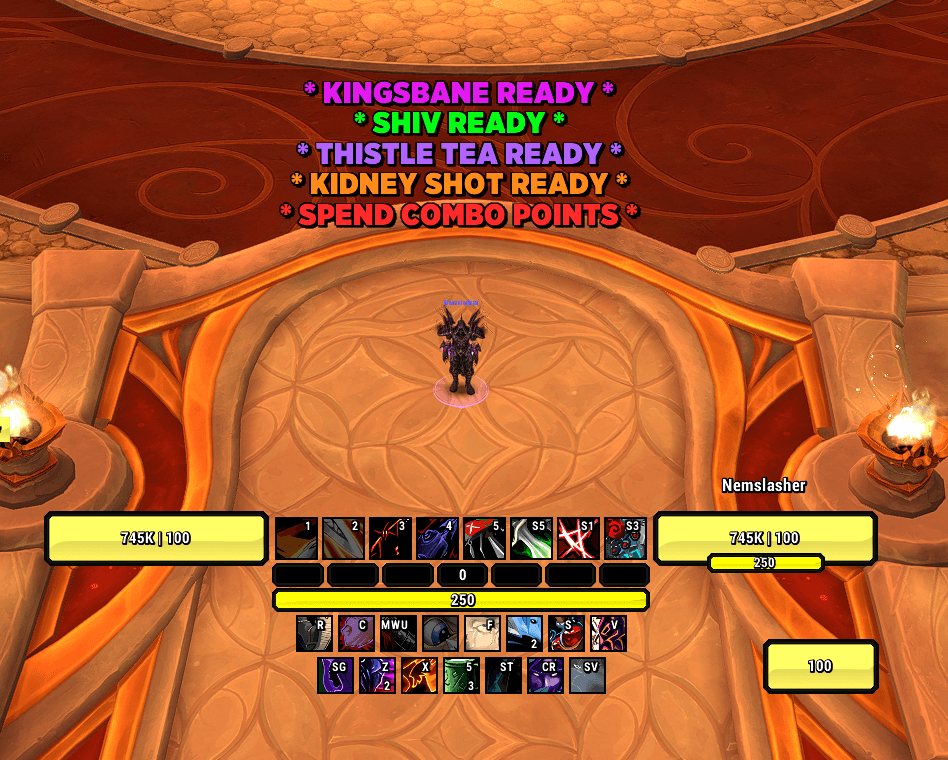
Keep your eyes on the fight. Clear on-screen reminders and spoken cues for cooldowns, full charges, and capped resources across 27 DPS specs. Customize each alert or show one at a time, with shareable profiles and 11 interface and voice languages.

Letting charges sit capped? Missing a cooldown while watching the fight? Nem: DPS Alerts brings the reminder to you with readable alert text and spoken cues for your current specialization.


Supported Specs

27 DPS specializations across all 13 classes, with alerts that switch automatically when you change spec.

Class Specializations
Death Knight Frost, Unholy
Demon Hunter Havoc, Devourer
Druid Balance, Feral
Evoker Devastation, Augmentation
Hunter Beast Mastery, Marksmanship, Survival
Mage Arcane, Fire, Frost
Monk Windwalker
Paladin Retribution
Priest Shadow
Rogue Assassination, Outlaw, Subtlety
Shaman Elemental, Enhancement
Warlock Affliction, Demonology, Destruction
Warrior Arms, Fury

Key Features

  • See and hear the reminder — movable alert text, optional animation, and spoken cues for individual abilities and resource prompts.
  • Cooldown, charge, and resource alerts — reminders for selected abilities when their cooldown finishes, their charges fill, or your resource reaches its cap. Cooldown and recharge tracking is limited to 60 seconds or less.
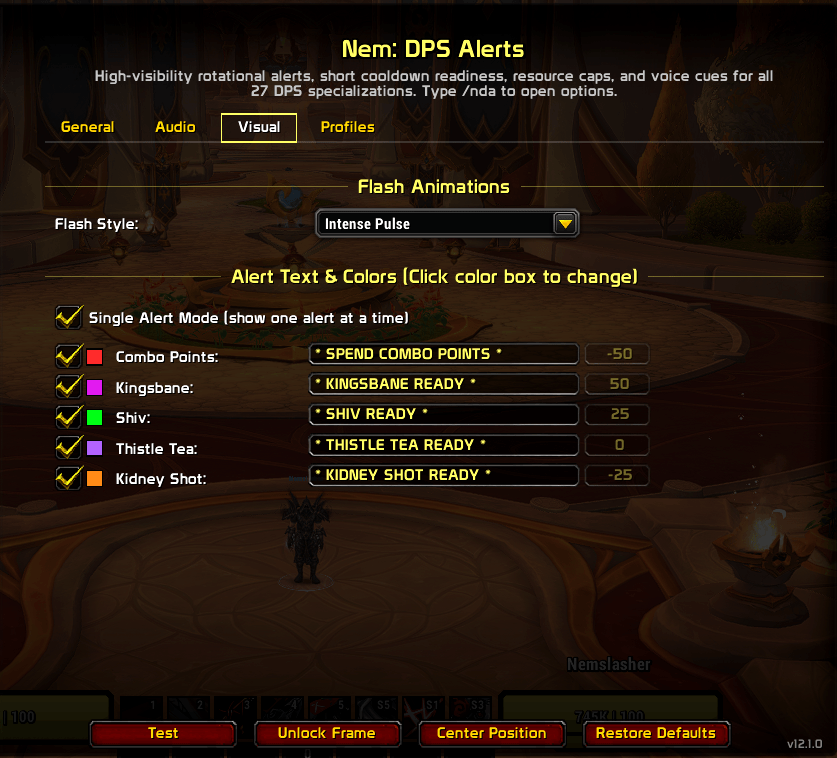
  • Single Alert Mode — display one eligible alert at a time in a shared position. Keep the current reminder visible until it clears, then show the next. Turn it off to display multiple alerts with their own vertical offsets.
  • Make each alert your own — change its wording, color, sound, and position, or disable it. Visual alerts and sounds have separate controls.
  • Managed voice playback — queued spoken cues with priority handling, so voice reminders do not all talk at once.
  • 11 interface and voice languages — English, German, Spanish (Spain and Mexico), French, Italian, Korean, Portuguese, Russian, Simplified Chinese, and Traditional Chinese. Follow your client language or choose one in settings.
  • Style it to fit your UI — bundled fonts, LibSharedMedia choices, adjustable text size and outline, plus static, fade, and pulse presentation.
  • Combat Only — enabled by default to keep gameplay reminders quiet outside combat.
  • Event-driven updates — checks respond to game events and known cooldown expiries. When the game cannot provide readable state, the affected alert stays hidden.
  • Shareable profiles — create, switch, copy, export, and import configurations, with separate alert settings for each spec.

Alerts at a Glance

Beast Mastery Hunter — Wild Thrash readiness, Barbed Shot and Kill Command charge caps, and Kill Shot availability.

Fire Mage — Fire Blast and Phoenix Flames charge caps, plus Meteor readiness.

Retribution Paladin — Spend Holy Power, Judgment charges, Divine Toll, and Execution Sentence.

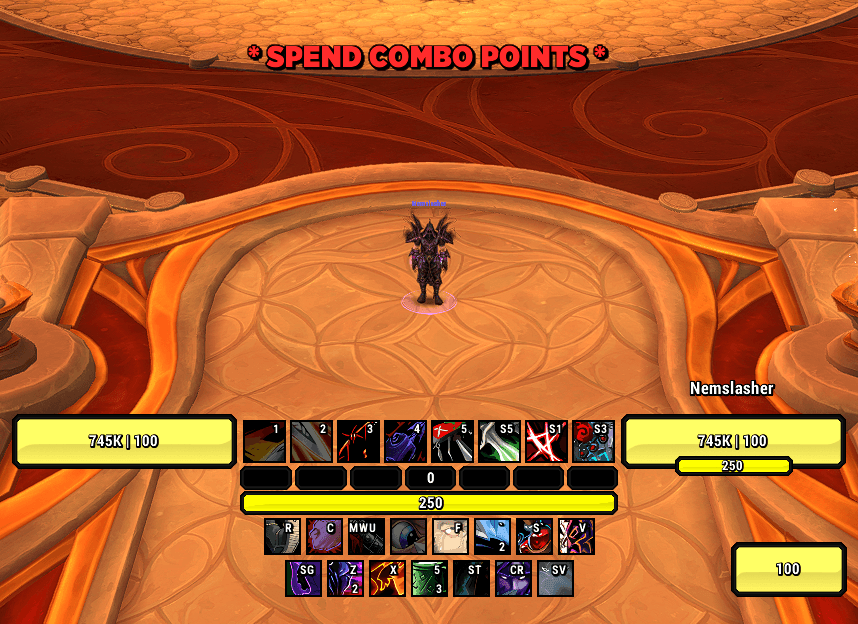
Assassination Rogue — Spend Combo Points, Kingsbane, Shiv charges, and Thistle Tea charges.

Destruction Warlock — Spend Soul Shards, Conflagrate charges, Soul Fire, and Cataclysm.

The available reminders depend on your spec and learned abilities. Choose the alerts you want to see and hear in the options panel.


Options Panel

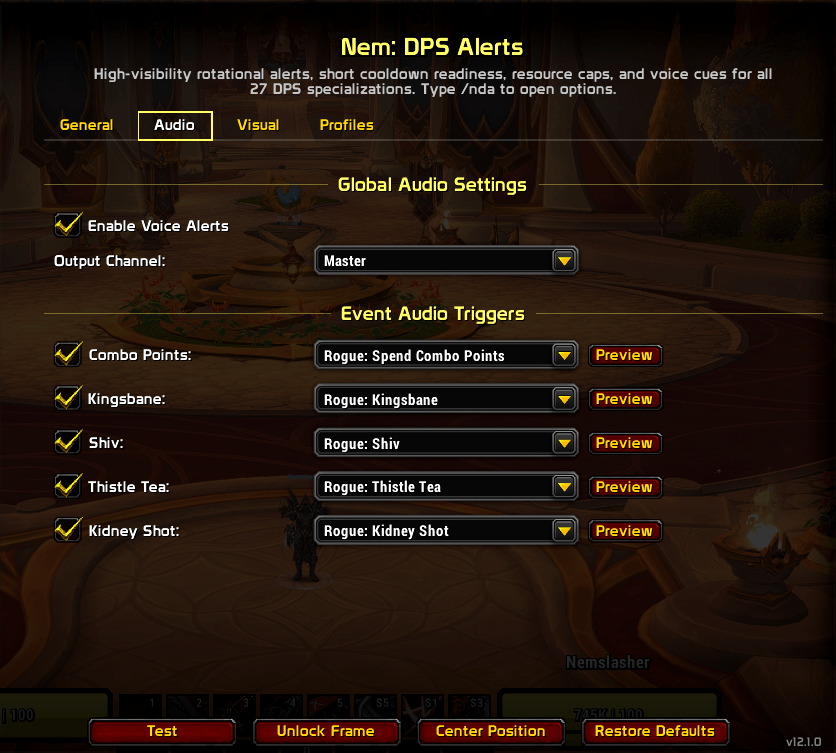
Open with /nda. Four tabs keep the controls together:

  • General — enable the addon, set Combat Only, and choose your font, text size, outline, and language.
  • Audio — choose the output channel and configure each alert's sound, with previews.
  • Visual — choose an animation style, toggle Single Alert Mode, and adjust individual alert text, colors, and vertical positions.
  • Profiles — manage and share complete configurations.

The bottom buttons provide Test, Unlock Frame, Center Position, and Restore Defaults. Test mode spreads the alerts out so you can preview each one, even when Single Alert Mode is enabled.


Slash Commands

/nda (open options) · /nda on|off|toggle · /nda test · /nda unlock|lock · /nda center · /nda status · /nda reset · /nda resettext · /nda debug · /nda version · /nda help

Aliases: /nemdps and /nemdpsalerts.


Feedback and bug reports: Nem's Nexus

The Nem: DPS Alerts Team

profile avatar
  • 2
    Followers
  • 4
    Projects
  • 62.2K
    Downloads

More from Nemreaper

  • Nem: Healer Alerts project image

    Nem: Healer Alerts

    Never miss the window again. Big, readable on-screen alerts and raid-frame glows the moment a HoT falls off, a cooldown comes back up, a proc lights up, or your coverage drops, with voice cues so you hear it without taking your eyes off the fight.

    • 30.2K
    • September 8, 2026
  • Nem: Pet Alerts project image

    Nem: Pet Alerts

    Never miss critical pet problems again. Big, readable on-screen alerts the moment your pet dies, vanishes, gets CC'd, drops low, sits on Passive, stops attacking — backed by voice packs so you also hear it without taking your eyes off your rotation.

    • 31.7K
    • September 8, 2026
  • Nem: UI Swap project image

    Nem: UI Swap

    Stop hand-swapping addons and settings every time you switch content. One command flips your whole UI between PvE and PvP — addon set, profiles, CVars, nameplates, Edit Mode layout — then does a single reload. Type /NemPvE or /NemPvP and you're set.

    • 202
    • August 21, 2026
  • Nem: Healer Alerts project image

    Nem: Healer Alerts

    Never miss the window again. Big, readable on-screen alerts and raid-frame glows the moment a HoT falls off, a cooldown comes back up, a proc lights up, or your coverage drops, with voice cues so you hear it without taking your eyes off the fight.

    • 30.2K
    • September 8, 2026
  • Nem: Pet Alerts project image

    Nem: Pet Alerts

    Never miss critical pet problems again. Big, readable on-screen alerts the moment your pet dies, vanishes, gets CC'd, drops low, sits on Passive, stops attacking — backed by voice packs so you also hear it without taking your eyes off your rotation.

    • 31.7K
    • September 8, 2026
  • Nem: UI Swap project image

    Nem: UI Swap

    Stop hand-swapping addons and settings every time you switch content. One command flips your whole UI between PvE and PvP — addon set, profiles, CVars, nameplates, Edit Mode layout — then does a single reload. Type /NemPvE or /NemPvP and you're set.

    • 202
    • August 21, 2026