NECBEX Wiki
- By
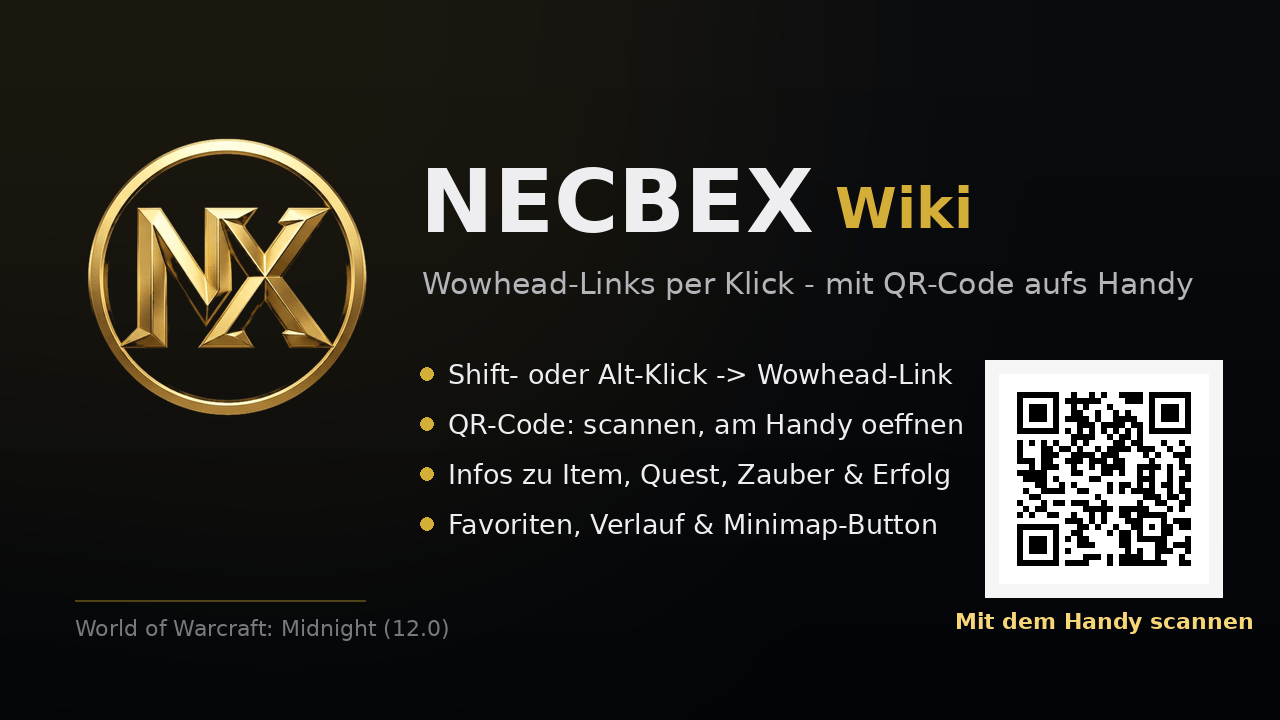
Click any item to instantly get its Wowhead link, complete with an in-game QR code to scan with your phone.
Screenshot 2026-06-20 220601.png
Screenshot 2026-06-20 220702.png

Screenshot 2026-06-20 220551.png
Screenshot 2026-06-20 220618.png
1
Description
SUMMARY (English, one line)
Click any item to instantly get its Wowhead link, complete with an in-game QR code to scan with your phone.
DESCRIPTION (English)
NECBEX Wiki turns anything in the game into a Wowhead link with one click, and shows it as a QR code right inside the game. Scan it with your phone and Wowhead opens on your device. No alt-tab, no typing.
Features
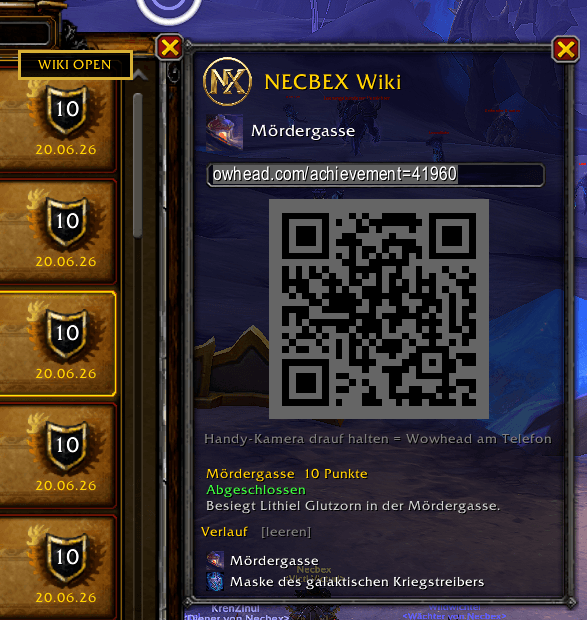
One-click links. Type /wiki and shift-click, or just Alt+click an item, spell, toy, transmog appearance, mount or pet. The popup shows the name, icon, a copy-ready URL and a QR code.
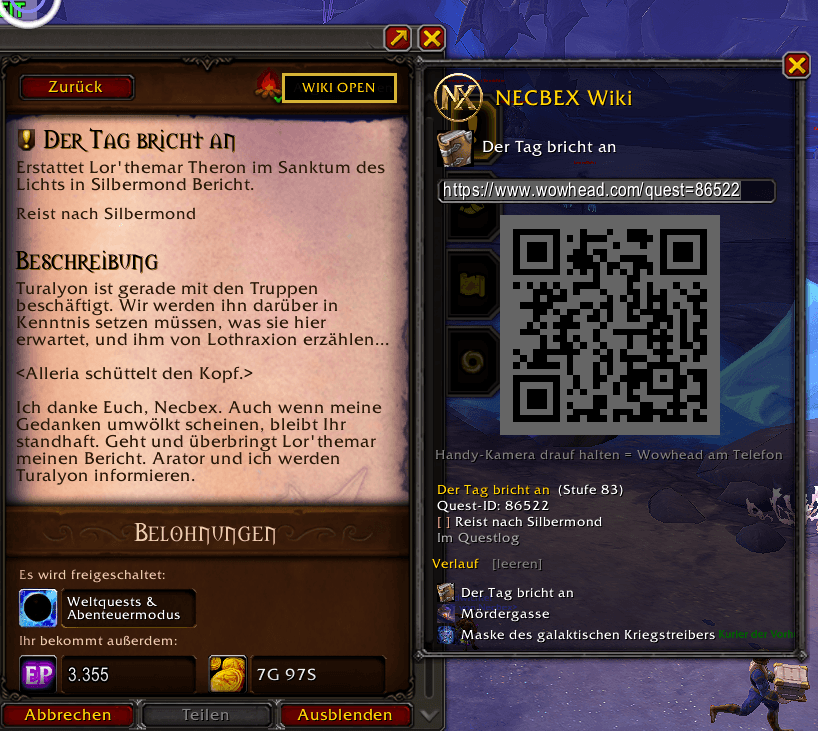
In-game QR code. Scan it with your phone to open Wowhead on mobile instantly.
WIKI OPEN buttons. A button is added right inside the quest window and the achievement window. Select a quest or achievement and click it to open the matching Wowhead page.
Game info in the popup. Quests show objective progress, items show item level and slot, spells show a short description, achievements show points, status and criteria.
Favorites and history. Your recent links are saved. Right-click an entry to pin it as a favorite.
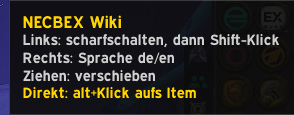
Minimap button. Left click to arm, right click to switch language, drag to move.
German and English. Toggle between de.wowhead.com and www.wowhead.com.
Supported sources: items, spells, enchants, talents, quests, achievements, currencies, NPCs, objects, mounts, pets and transmog. Unknown sources fall back to a Wowhead name search.
How to use
1. Type /wiki, then shift-click something, or just Alt+click it.
2. For quests or achievements, open the window, select the entry and click the WIKI OPEN button.
3. Hit Ctrl+C to copy the URL, or scan the QR code with your phone.
Commands
/wiki - arm, then shift-click
/wiki quest - look up the selected quest
/wiki erfolg - look up the selected achievement
/wiki last - reopen the last link
/wiki <name> - Wowhead search
/wiki key alt|ctrl|shift|off - modifier for direct open
/wiki de or /wiki en - language
/wiki minimap - toggle minimap button
/wiki clear - clear history
/wiki help - overview
Aliases: /wh and /wowhead
Note: Addons cannot open an external browser (Blizzard's Lua sandbox forbids it). That is why NECBEX Wiki gives you a copy-ready URL and a QR code, the fastest way to the Wowhead page on PC or phone.
ZUSAMMENFASSUNG (Deutsch, ein Satz)
Klick auf ein Item und du bekommst sofort den Wowhead-Link, samt QR-Code zum Scannen mit dem Handy.
BESCHREIBUNG (Deutsch)
NECBEX Wiki macht aus allem im Spiel mit einem Klick einen Wowhead-Link und zeigt ihn zusaetzlich als QR-Code direkt im Spiel. Mit dem Handy scannen und Wowhead oeffnet sich am Telefon. Kein Alt-Tab, kein Abtippen.
Funktionen
Links mit einem Klick. /wiki eingeben und Shift-Klick, oder einfach Alt+Klick auf Item, Zauber, Spielzeug, Transmog-Erscheinung, Reittier oder Begleiter. Das Popup zeigt Name, Icon, kopierfertige URL und QR-Code.
QR-Code im Spiel. Mit dem Handy scannen und Wowhead sofort am Telefon oeffnen.
WIKI-OPEN-Buttons. Direkt im Questfenster und im Erfolgsfenster sitzt ein Button. Quest oder Erfolg auswaehlen und anklicken, um die passende Wowhead-Seite zu oeffnen.
Spiel-Infos im Popup. Quests zeigen den Ziel-Fortschritt, Items die Gegenstandsstufe und den Slot, Zauber eine Kurzbeschreibung, Erfolge Punkte, Status und Kriterien.
Favoriten und Verlauf. Die letzten Links bleiben gespeichert. Rechtsklick auf einen Eintrag pinnt ihn als Favorit an.
Minimap-Button. Linksklick scharfschalten, Rechtsklick Sprache umschalten, Ziehen zum Verschieben.
Deutsch und Englisch. Schaltet zwischen de.wowhead.com und www.wowhead.com um.
Unterstuetzte Quellen: Items, Zauber, Verzauberungen, Talente, Quests, Erfolge, Waehrungen, NPCs, Objekte, Reittiere, Begleiter und Transmog. Unbekannte Quellen fallen auf eine Wowhead-Namenssuche zurueck.
Bedienung
1. /wiki eingeben, dann Shift-Klick auf etwas, oder einfach Alt+Klick.
2. Bei Quests oder Erfolgen das Fenster oeffnen, den Eintrag auswaehlen und den WIKI-OPEN-Button klicken.
3. Strg+C fuer die URL, oder den QR-Code mit dem Handy scannen.
Befehle
/wiki - scharfschalten, dann Shift-Klick
/wiki quest - ausgewaehlte Quest nachschlagen
/wiki erfolg - ausgewaehlten Erfolg nachschlagen
/wiki last - letzten Link erneut oeffnen
/wiki Name - Wowhead-Suche
/wiki key alt|ctrl|shift|off - Taste fuers Direkt-Oeffnen
/wiki de oder /wiki en - Sprache
/wiki minimap - Minimap-Button an oder aus
/wiki clear - Verlauf leeren
/wiki help - Uebersicht
Aliase: /wh und /wowhead
Hinweis: Ein Addon darf keinen externen Browser oeffnen (Blizzards Lua-Sandbox). Darum gibt es die kopierfertige URL und den QR-Code, den schnellsten Weg zur Wowhead-Seite am PC oder Handy.
NECBEX Wiki Team