MyLootTracking
- By
Track your loot wishlists across all your characters in WoW Classic Anniversary Edition — create BiS and farm lists, get real-time alerts when your items drop, and monitor your progress with a compact in-game tracker.
chat-link-item-tooltip.png
atlasloot-integration.png
my-loot-tracking.png
Description
MyLootTraking
Track your loot wishlists across all your characters in WoW Classic Anniversary Edition. Create BiS and farm lists, get real-time alerts when your items drop, and monitor your progress with a compact in-game tracker.
Two Types of Lists
BiS Lists (per character)
Create item wishlists for each character. Items are automatically marked as obtained when you loot them. Data is shared across all characters on your account.
Farm Lists
Track farmable items with a target quantity (e.g. Rugged Leather x20). The counter syncs with your bag contents in real-time.
Item Source Database
Built-in database of 3,977 items from 59 instances (Classic + TBC) with boss name, instance and difficulty indicator: (N) Normal / (H) Heroic.
Alerts
- Group drop — Orange popup + sound when a list item drops in your group
- Personal loot — Green popup + sound when you loot a list item
- Dungeon entry — Blue popup when you enter an instance with items to collect
Alerts display one at a time with a queue system. Positions are draggable and lockable.
Mini-Tracker
Compact always-visible overlay on the side of your screen:
- Items grouped by list with collapsible headers
- Farm lists show counters (5/20), BiS lists show source (Boss - Instance)
- Right-click items for quick actions (mark obtained, edit, delete)
- Adjustable transparency, scale and position
Main Window
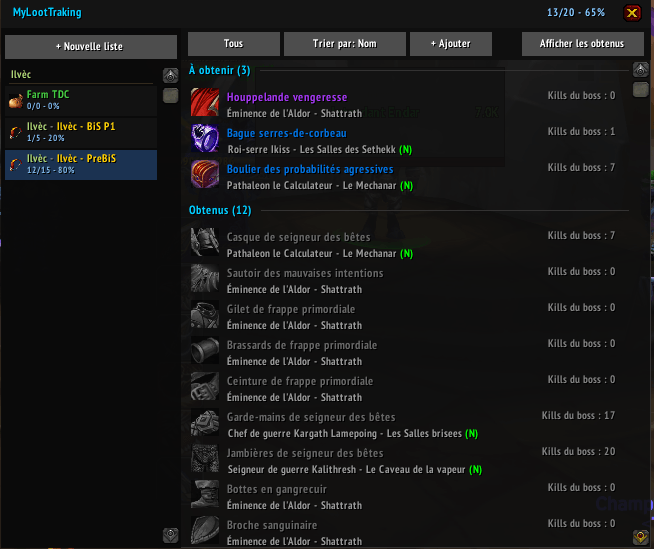
- Left panel: all your lists with progress bars
- Right panel: items with filters (by instance, character, source type) and sorting (name, source, status, instance, manual)
- Drag and drop to reorder items
- Personal notes and character assignment per item
Adding Items
- Command:
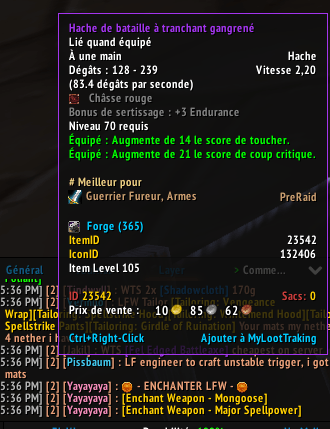
/mlt add 28795or/mlt add [item link] - Tooltip: Ctrl + Right-click on any item
- Search:
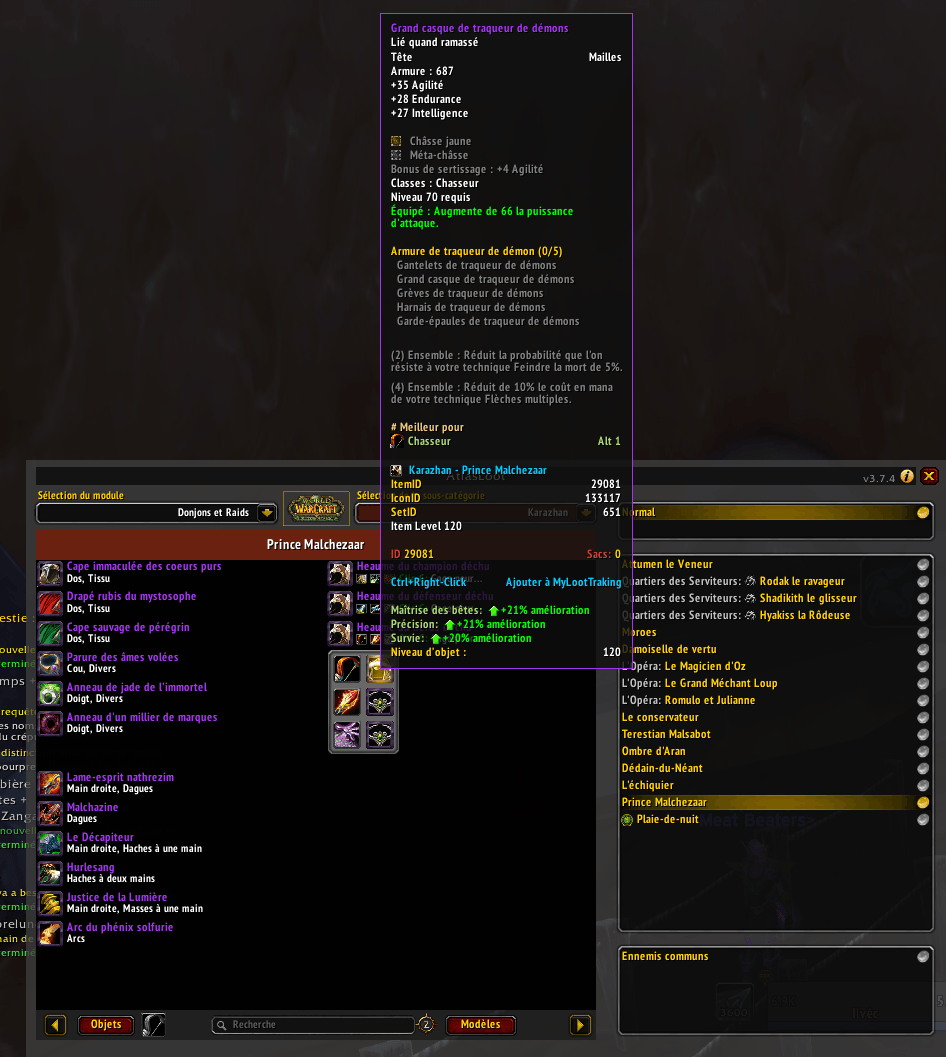
/mlt searchto browse the database by name or ID - AtlasLoot: "+" button on each item with full boss/instance context
Statistics
- Kill count per boss
- Run count per dungeon/raid
- Progress per list and overall
Slash Commands
/mlt— Show help/mlt add [itemID|link]— Add an item/mlt list— Open/close main window/mlt track— Toggle mini-tracker/mlt search [name]— Search items/mlt config— Open settings
Integrations
- AtlasLoot — "+" button on each item to add with context
- ElvUI — Compatible, respects ElvUI scale
- Blizzard Interface — Accessible via Interface > AddOns
Languages
English (complete), French (complete), German (partial), Spanish (partial)
MyLootTracking Team