AutoCombatLogClassic
- By
World of Warcraft Classic TBC Anniversary addon that automatically starts combat logging (/combatlog) when entering a TBC raid or heroic dungeon.
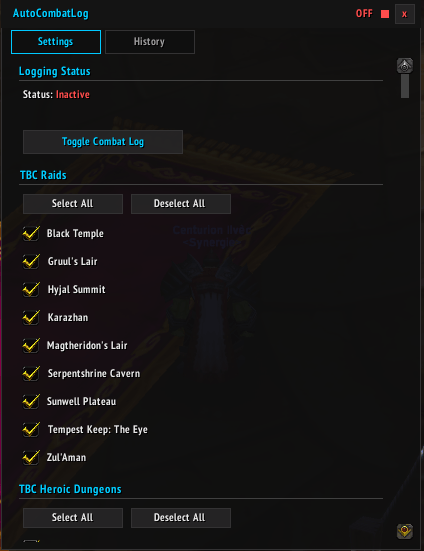
settings.png
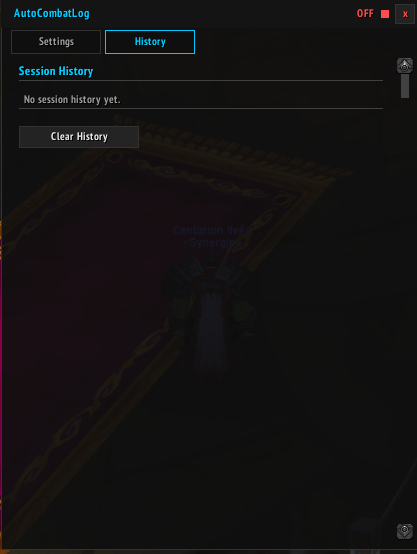
history.png
Description
AutoCombatLogClassic
Automatically starts combat logging when you enter a TBC raid or heroic dungeon. Never forget to /combatlog again!
Features
- Automatic start — Combat logging begins as soon as you enter a supported instance
- Auto-resume — Logging resumes seamlessly after a disconnect or reload
- Manual stop only — Logs are never stopped automatically, so you never lose data
- Minimap button — Quick toggle with active/inactive indicator and detailed tooltip
- Session history — Track your past sessions with date, instance, duration and status
- Upload reminder — Get a Warcraft Logs upload reminder when you stop logging
- Per-instance control — Enable or disable logging for each raid and dungeon individually
- Clean UI — Dark flat settings panel, ElvUI compatible
- Account-wide settings — Shared across all characters
Supported Instances
TBC Raids (enabled by default)
Karazhan, Gruul's Lair, Magtheridon's Lair, Serpentshrine Cavern, Tempest Keep: The Eye, Hyjal Summit, Black Temple, Zul'Aman, Sunwell Plateau
TBC Heroic Dungeons (disabled by default)
Hellfire Ramparts, The Blood Furnace, The Shattered Halls, The Slave Pens, The Underbog, The Steamvault, Mana-Tombs, Auchenai Crypts, Sethekk Halls, Shadow Labyrinth, Old Hillsbrad Foothills, The Black Morass, The Mechanar, The Botanica, The Arcatraz, Magisters' Terrace
Slash Commands
/acl— Show help/acl toggle— Toggle combat logging/acl start//acl stop— Manual start and stop/acl status— Show current status and duration/acl history— Show session history/acl settings— Open settings panel
Minimap Button
- Left click — Toggle combat logging
- Right click — Open settings
The AutoCombatLogClassic Team