Murloc Rolls Receiver
- By
A companion addon for Murloc Rolls that provides host discovery, a dedicated game window, contextual controls, and free-play participation through the MurlocRolls channel.
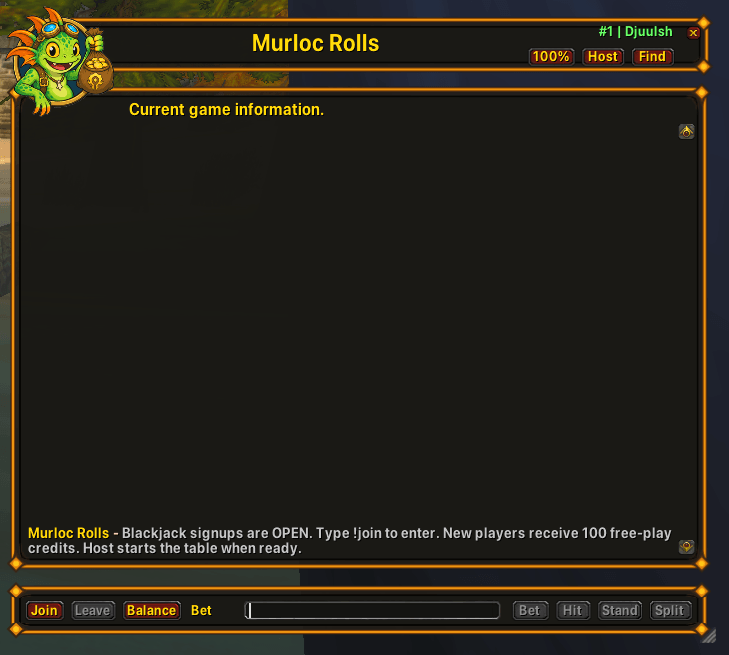
Layout of the receiver addon
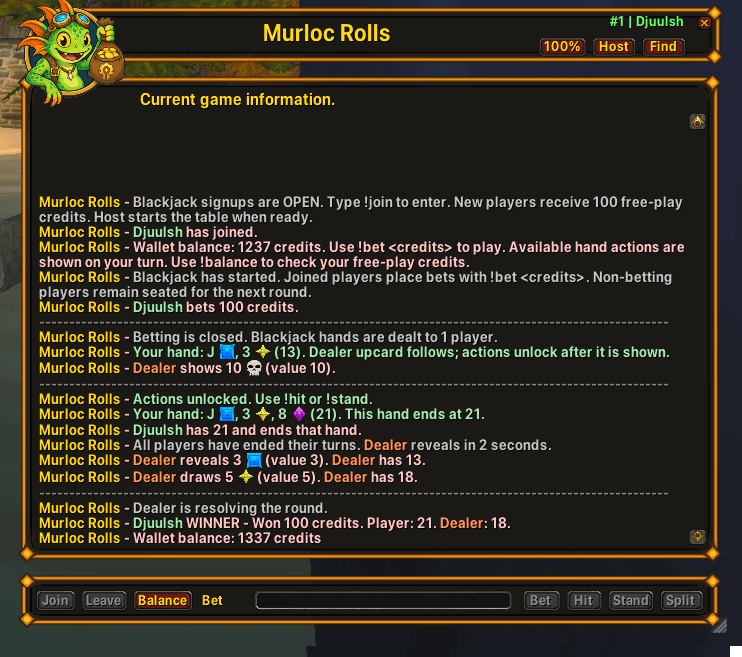
An overview of a blackjack round.
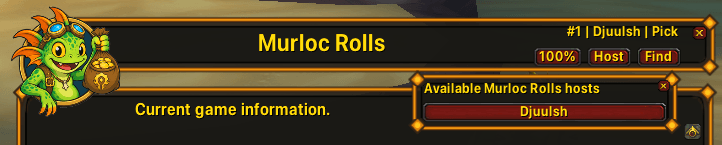
Finding an active host.
Description
Murloc Rolls Receiver
Murloc Rolls Receiver is the player companion addon for Murloc Rolls.
It lets players connect to an active Murloc Rolls host and participate through a dedicated game window without filling their normal chat tabs with game traffic.
Main Features
- Dedicated Murloc Rolls game window
- Automatic connection to the
MurlocRollschannel - Automatic host discovery
- Manual host selection
- Context-sensitive game controls
- Current game and turn information
- Colored player and dealer messages
- Warcraft raid-marker symbols
- Resizable interface
- UI scaling from 25% to 200%
- Movable minimap button
- Saved window position and size
- Hidden dedicated-channel traffic
- Free-play wallet with 100 starting credits
Supported Games
The receiver supports all Murloc Rolls game modes:
- DeathRoll
- High-Low
- Slot Machine
- Blackjack
- Goblin Auction
- Raid Boss
- Dungeon Dice
The available buttons automatically change according to the active game and its current state.
Contextual Controls
Depending on the active game, the receiver may provide buttons for:
- Join
- Leave
- Balance
- Roll
- Spin
- Bet
- Hit
- Stand
- Split
- Bid
- Pass
Buttons are enabled only when their command is currently valid.
For games requiring an amount, enter the number in the input field before pressing the relevant button.
Host Discovery
The receiver searches for active Murloc Rolls hosts using private addon communication.
Press Find to display a list of available hosts. Select a host name to connect to that specific table.
The receiver remembers the selected host and attempts to reconnect when necessary.
Both the host and receiver must:
- Use matching addon versions
- Be on the same realm and faction
- Be connected to the
MurlocRollschannel
Free-Play Credits
Games played through the dedicated MurlocRolls channel use free-play credits instead of in-game gold.
New players receive 100 starting credits when joining a dedicated table for the first time.
Free-play credits:
- Are shared between supported wallet games
- Are saved between sessions
- Cannot be withdrawn as in-game gold
- Can be checked with
!balance - Can be adjusted by the host through the administration panel
Blackjack Interface
The receiver presents Blackjack information in a readable turn-based format.
It displays:
- Player hands
- Dealer cards
- Card values
- Raid-marker suits
- Current turns
- Valid actions
- Split hands
- Win, loss, push, and Blackjack results
When it is your turn, your hand is highlighted in green. Other active players are displayed in blue, while dealer information uses an orange-red color.
Dungeon Dice Interface
Dungeon Dice room descriptions are presented with:
- Colored player names
- Readable story text
- Clear room results
- Hanging-indent line wrapping
- Spacing between room results and turn announcements
Slash Commands
Use the following receiver commands:
/mrr show- Show the receiver window/mrr hide- Hide the receiver window/mrr find- Search for active hosts/mrr scale <25-200>- Set the receiver UI scale
The minimap button can also show or hide the receiver. Right-click it to search for active hosts.
Installation
- Place the
MurlocRollsReceiverfolder inside your WoW AddOns directory. - Enable Murloc Rolls Receiver from the character-selection AddOns menu.
- Enter the game and use
/mrr show. - Press Find to locate an active host.
- Select the host and press Join.
The host must run the full Murloc Rolls addon.
Compatibility
Designed for World of Warcraft: The Burning Crusade Anniversary.
- Interface version:
2.5.6 - Addon version:
0.13.9
Murloc Rolls Receiver Team