MountCast — Smart Mount Groups, Pet Pairs & Mount Showcase
- By
Group your mounts to switch automatically by zone or outfit, pair them with your favorite pets and toys, and show off your collection with a Showcase player.
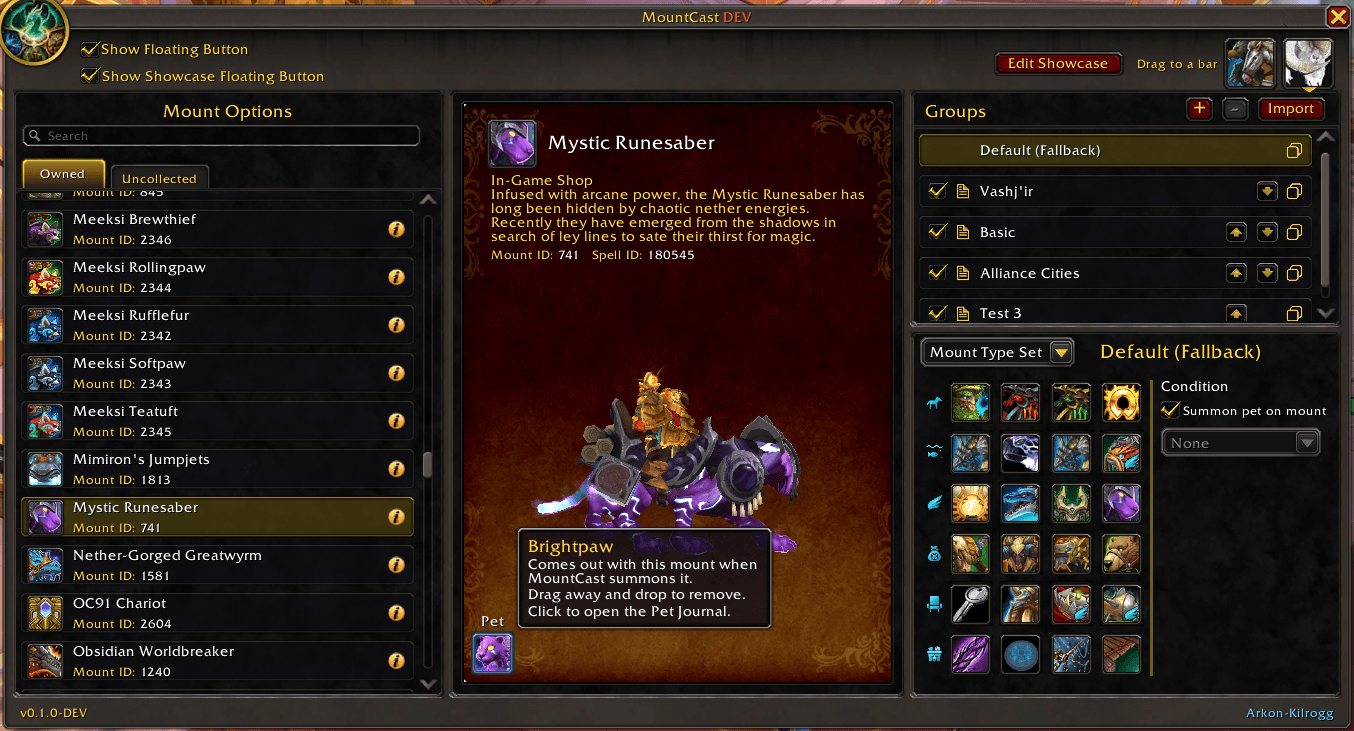
Set pet per mount. Make mount groups with conditions to change when conditions are met.
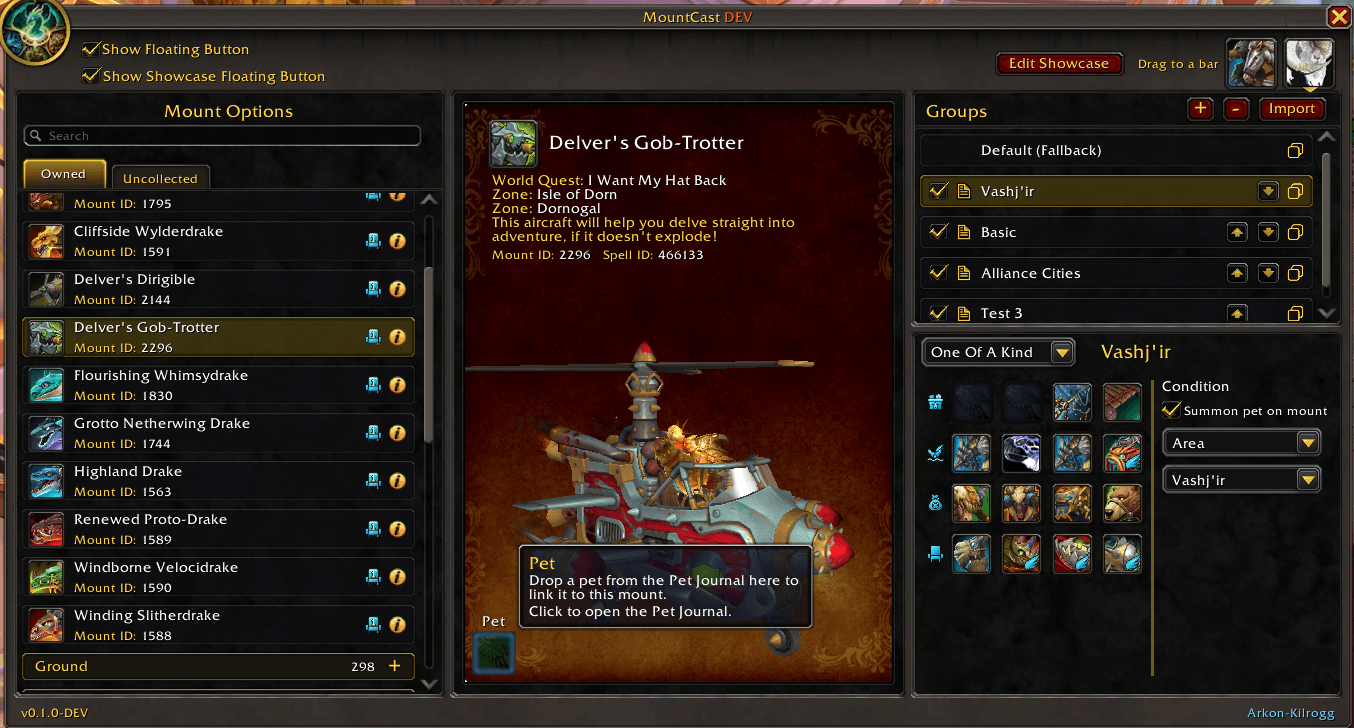
Deferent mount group styles
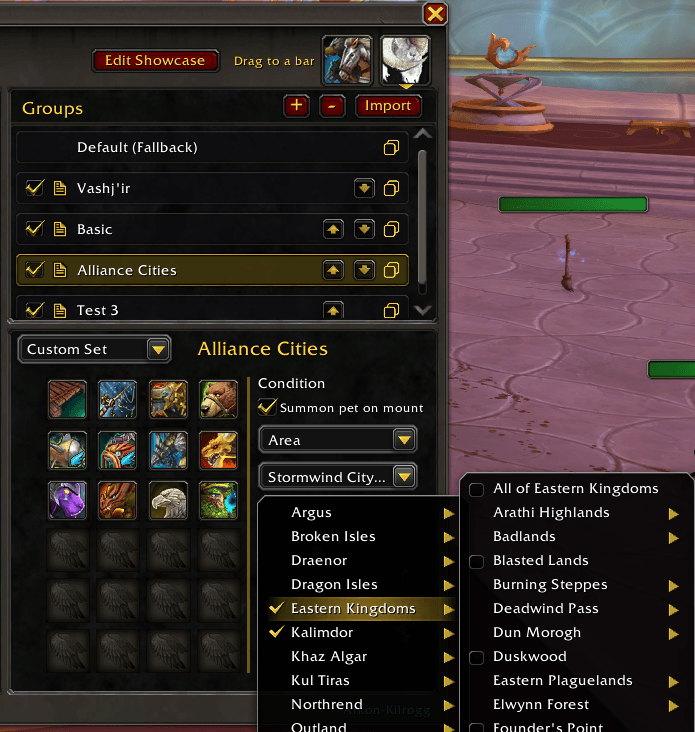
Set area conditions, like when visiting major cities, to use a set of mounts
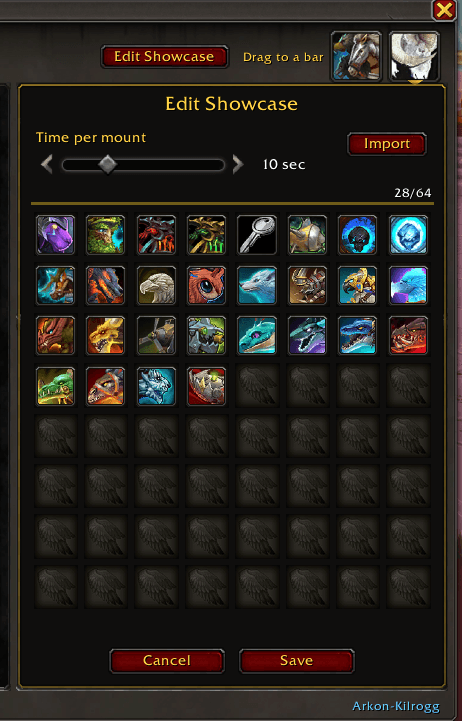
Setup the showcase mounts in order and the display time.
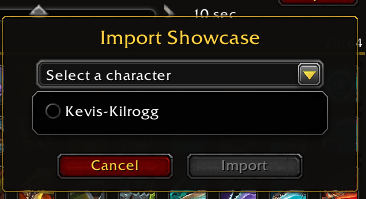
Import showcase from your other characters on the same account
Description
MountCast 0.1.0
Ride with style. Ride with friends. Show it off.
MountCast turns your mount collection into something you actually use — the right mount for every moment, your favorite pet by your side, and a stage to show it all off.
- Smart groups — group your mounts by zone, outfit or mood. Give a group conditions and MountCast switches to it automatically when they're met; one click then summons the right mount for where you are.
- Mount + pet pairs — link a favorite battle pet to any mount so they always ride together.
- Showcase player — line up your best mounts and play them like a playlist, rolling through your collection for everyone around you to see.
- Toys that fit the ride — keep the toys that make the ride more fun right beside your mounts: put a Magical Saucer under your pet or grab a fishing raft, all one click away.
Features
- Mount groups — build your own groups of mounts per character, with Copy, Import, Rename, Delete and an Active switch. A Default (Fallback) group always catches what the others don't.
- Three ways to fill a group:
- Mount Type Set — one row per kind: Ground, Aquatic, Flying, Vendor and Passenger. MountCast picks the right row for where you are.
- Custom Set — a free grid of mounts and toys.
- One Of A Kind — a single mount for the group.
- Conditions — a group can switch on by Transmogrify outfit or by one or more Areas. Groups with no condition always match.
- Floating button — one click summons the right mount from the active group; long-press to mount the group's last used mount. Size is adjustable in Settings.
- Action Bar Button — MountCast creates a macro you drag onto any action bar; one click summons the right mount from the active group, just like the floating button.
- MountCast menu — every group's mounts and toys, ready to click.
- Ride Along — the Ride Along group shows lit wings when your Skyriding Ride Along trait is on, and greyed-out wings when it's off. Click the wings to open the Skyriding traits.
- Pets per mount — link a battle pet to a mount and it comes out with the mount (and goes away when you dismount). Account-wide, on mounts summoned through MountCast.
- Toys — toys can be added to the toy slots alongside your mounts, and cast straight from the MountCast menu.
- Toys on your pet while mounted — use a toy like Magical Saucer or Chain Pet Leash on your pet while on a MountCast mount: the pet stays out and you're remounted after the cast.
- Mount-like toys — keep toys such as fishing rafts, or any toy you use often, in your groups' toy slots so they're one click away.
- Vendor and Passenger mounts — summon a vendor mount with its vendors, or as a passenger mount with the vendors ejected.
- Showcase — play a mounting routine to show off your mounts to other players. Line up the mounts you want to show, choose how long each one stays out (3–30 seconds), and press play — MountCast mounts each one in turn. It has its own button, Action Bar Button and menu. Per character, with Import from your other characters.
- Mount list — your whole collection grouped by kind, with faction icons, vendor and passenger seat badges, and mounts your character can't use marked. Drag mounts straight from the list (or the native Mount Journal) into groups.
- 3D preview — view any mount and its linked pet.
- Tooltips — most buttons and icons have a tooltip explaining what they do, so you can explore MountCast as you go.
- Settings page — floating button size, summon pet on mount, and more.
Commands
/mountcastor/mc— open the MountCast window/mc help— list every command
The window also opens from the minimap button and the addon compartment.
Notes
- Runs on WoW 12.1.0 (Midnight).
- Pets can't be summoned in combat (a game rule).
- Mounting from the native Mount Journal or action bars doesn't bring out linked pets. That's MountCast-only for now.
Also by ArkonForge
- TeleCast — every way your character can travel (hearthstones, toys, wormholes, mage teleports and portals, Hero's Path, class and racial teleports, housing) in one window and one click-to-cast menu. The perfect partner to MountCast: TeleCast gets you there, MountCast gets you moving.
- WarbandStandings — your whole warband's gold, reputations and currencies in one clean window, with per-character detail and rank-ladder progress.
Each addon works on its own — install the ones you like.
The MountCast — Smart Mount Groups, Pet Pairs & Mount Showcase Team