MogWhere - Find Transmog Appearance Sources and Vendors
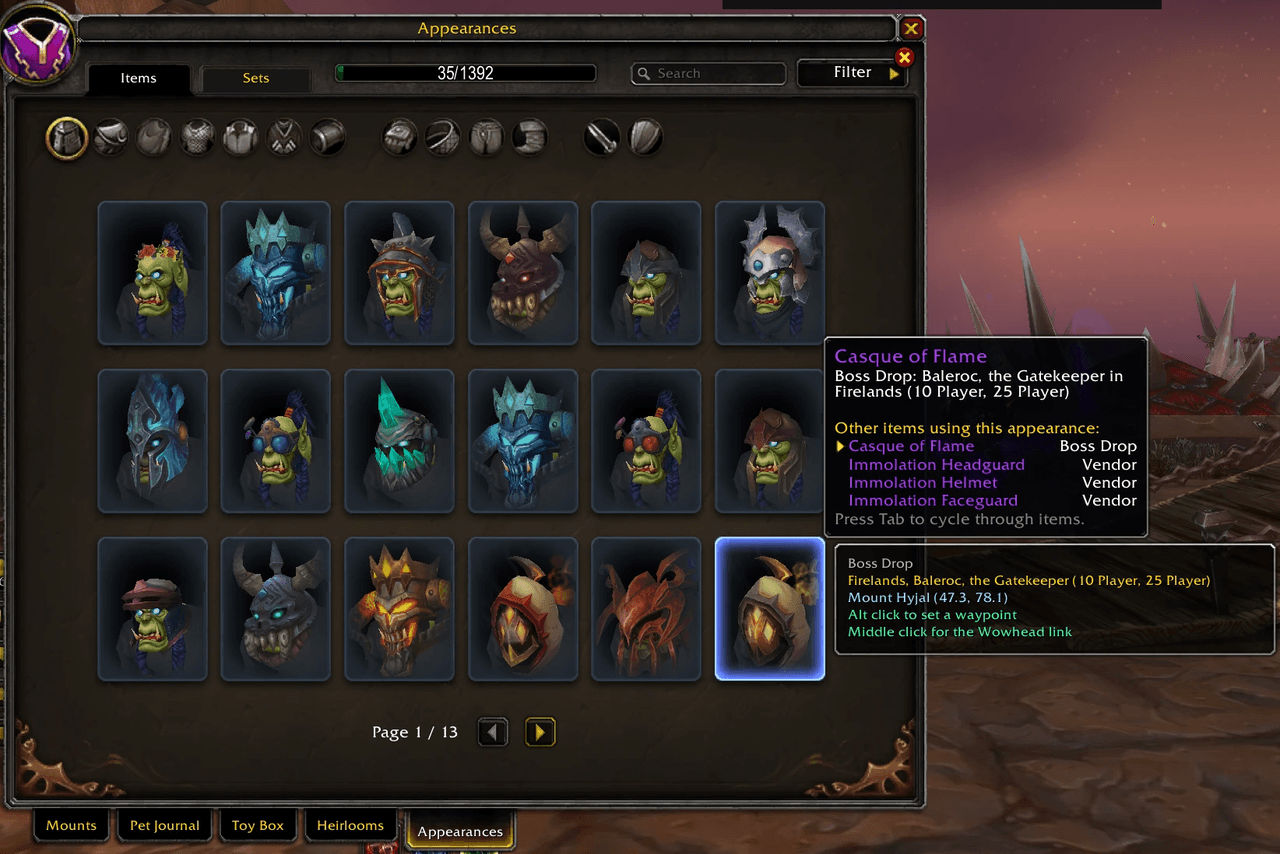
Tells you where a transmog appearance actually comes from: which vendor, what it costs, which reputation you need, and a waypoint to walk there. Right inside the Appearances tab.
overview.png
profession.png
quest-faction.png
reputation.png
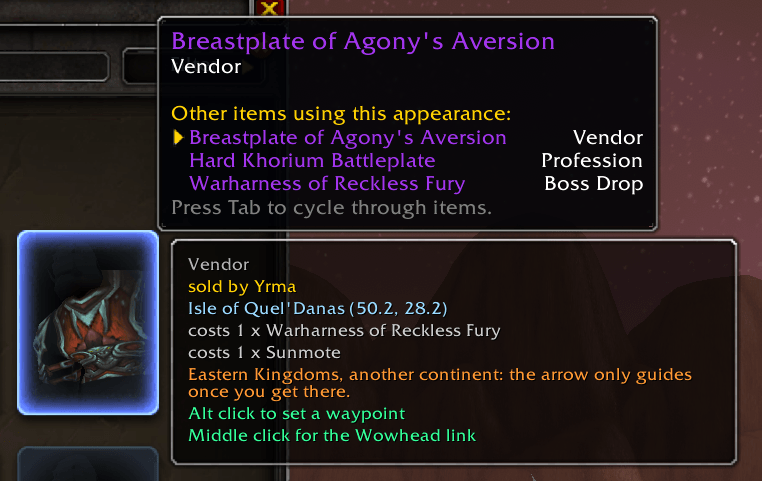
vendor.png
Description
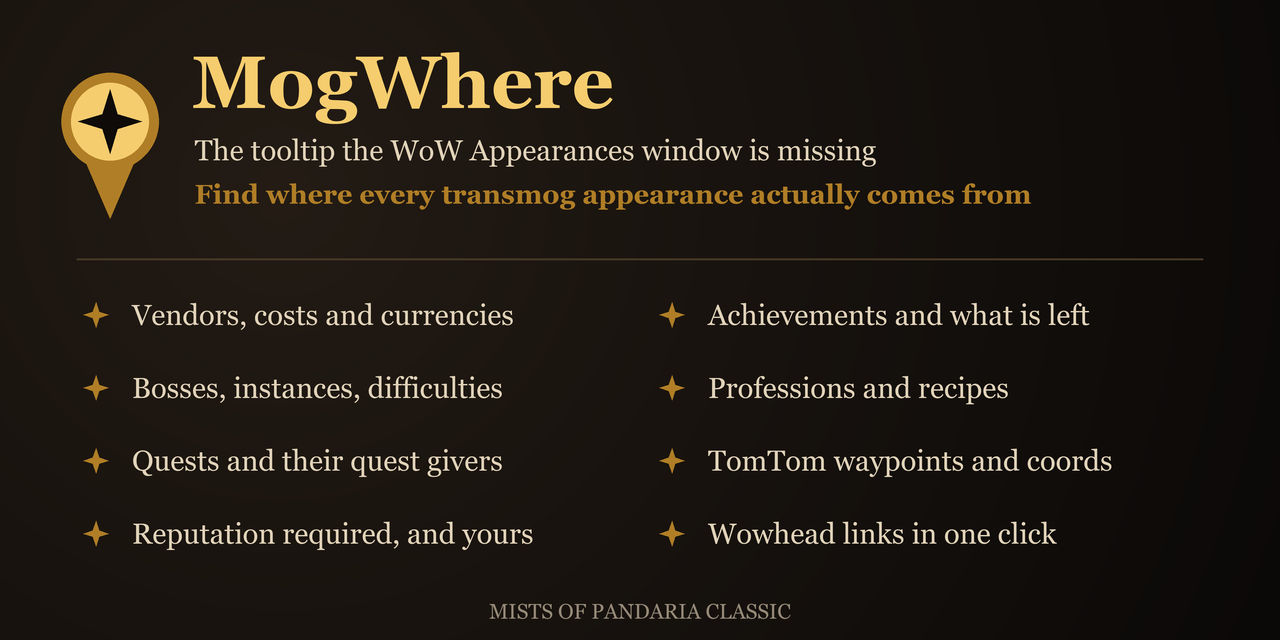
The Appearances tab gives you one word. "Vendor". "Quest". "Boss Drop". "Achievement". Then nothing.
Not which vendor, or what it charges. Not which quest, or who hands it out. Not which boss, in which instance, on which difficulty. Not which achievement, or how far along you already are. And never whether you have the reputation for any of it.
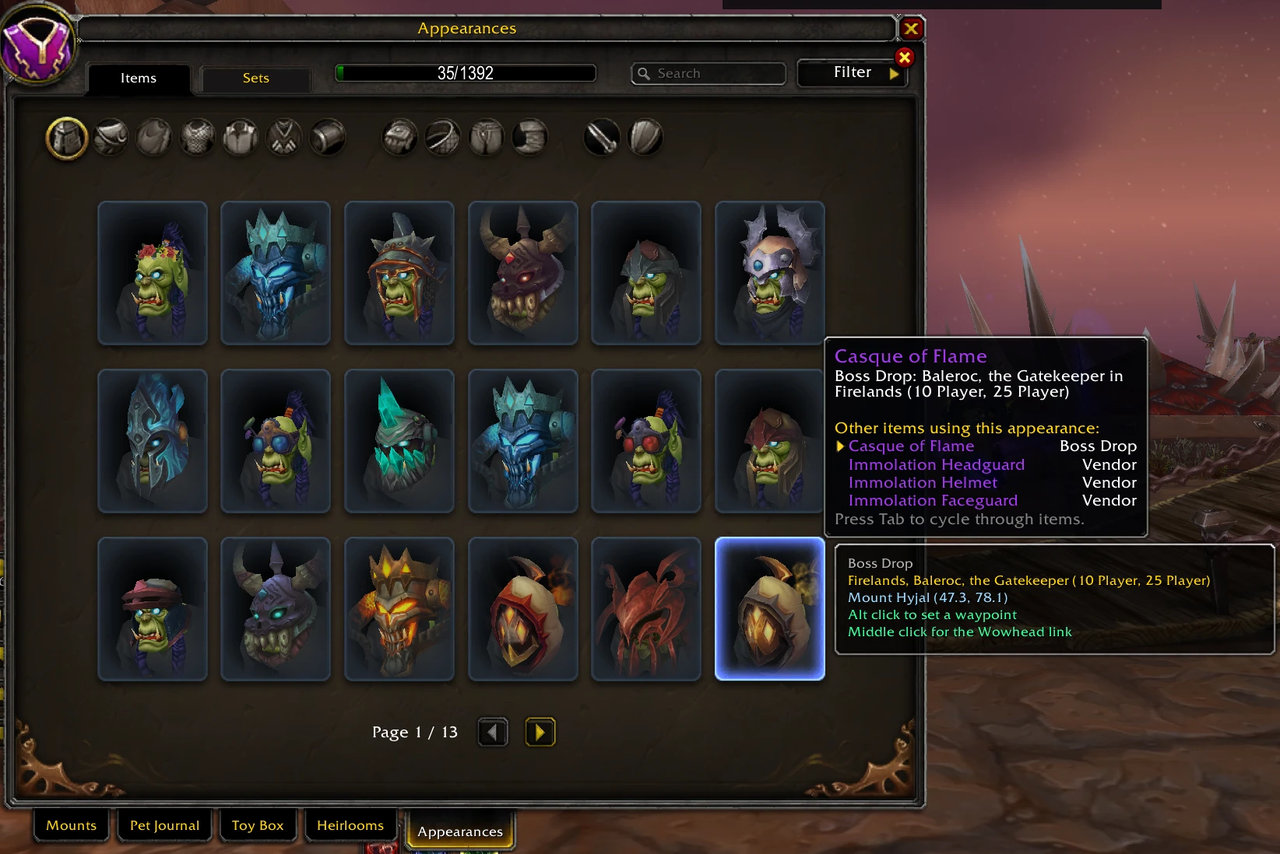
MogWhere answers all of that, in the wardrobe itself. Hover a tile and a panel appears next to it.
What you get
Boss drops - the instance, the boss, and every difficulty it can drop on.
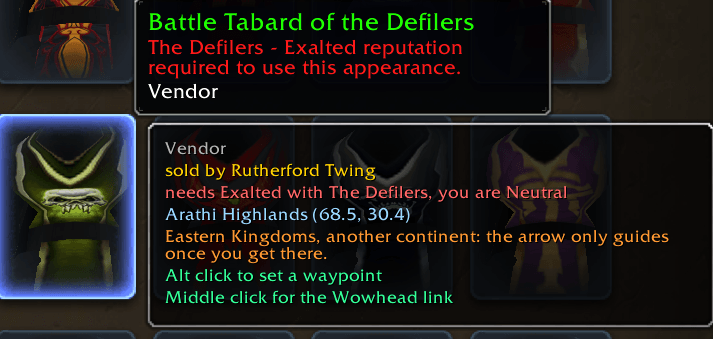
Vendors - the vendor's name, the zone, coordinates, and the price, whether that is gold, a currency, or another item.
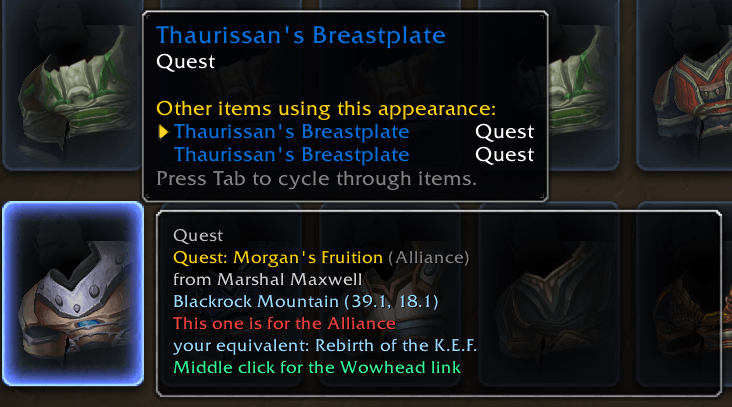
Quests - the quest title and the name of whoever hands it out.
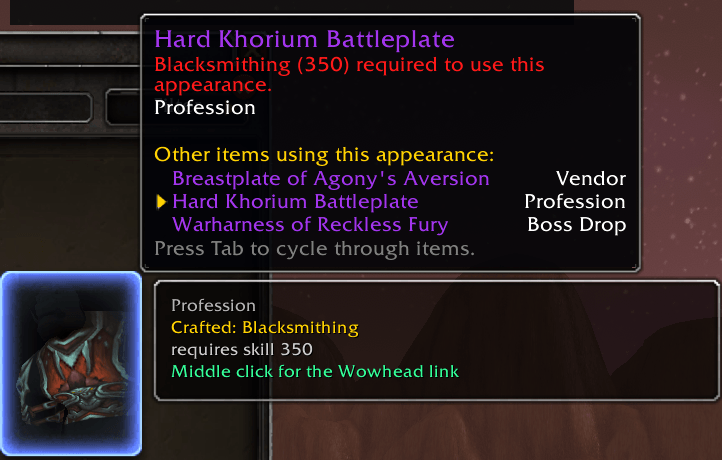
Professions - the recipe, the skill level it needs, and the creature that drops the recipe when it has to be looted rather than bought.
Achievements - the name, the description, and your own live progress, listing the criteria you are still missing rather than the ones you already have.
Reputation gates - both halves of the answer. "Needs Exalted with The Defilers, you are Neutral", turning green once you get there.
Factions, handled the way you actually think about them. An appearance sold by both a Horde and an Alliance quartermaster just shows yours. An appearance that exists as two separate faction quests shows the one you can do, and names the equivalent when you are looking at the other side's.
What you can do
- Alt click sets a TomTom waypoint on your own faction's source, titled with what you are going for rather than the city you are already standing in.
- Middle click gives you the Wowhead link for that exact item, on the right game version and in your own language.
- A star appears over whoever you are heading to, vendor or rare, and clears itself once you talk to them or kill them.
When the destination is on another continent, MogWhere says so before you click. TomTom cannot give a bearing across an ocean, and an arrow that silently does nothing looks like a broken addon.
Optional addons
MogWhere loads and works on its own. Two addons make it considerably better, and the panel tells you exactly what each one would add rather than leaving you to wonder why a line is missing.
- AllTheThings supplies vendors, quest givers, costs and coordinates. Without it, MogWhere still answers every boss drop, every achievement and every reputation gate from the game client alone.
- TomTom turns a location into an arrow you can follow. Without it, you still get the zone and the coordinates.
If either is installed but switched off, MogWhere offers to enable it and reload, instead of telling you to download something you already have.
Commands
/mw options- the options panel/mw nameplate- toggle the star on the target's nameplate/mw deps- which optional addons you are missing, with links/mw reset- clears harvested vendor data
Languages
Every name you see comes from your own game client: instances, bosses, difficulties, factions, quests, items and currencies are already in your language. The addon's own wording ships in English and French, and falls back to English for any locale not yet written.
Compatibility
Mists of Pandaria Classic.
Privacy
MogWhere records vendor inventories, coordinates and NPC names, which are facts about the game world. It records no character names, no gold, and nothing social.
My other addons
- Party Role Icons
- tank, healer and damage icons on the player and party portraits, retail style, including in groups you put together by hand.
- Timeless Question Autocomplete
- answers Senior Historian Evelyna's daily lore question for you, in any game language.
- Darkmoon Faire Buff
- automates Sayge's Darkmoon Faire buff dialogue.
- Hardcore Congrats
- congratulates Hardcore players reaching level 60, automatically.
- One Click Enchant - creates enchantment scrolls with a single click.
MogWhere - Find Transmog Appearance Sources and Vendors Team