MobKompass Retail
- By
Smart mob tooltips: is this mob worth it? Loot with drop rates and AH prices, profession materials, quest progress and gold per hour. Works alone or fused with MobLootGuide and Kürschner-Spots.
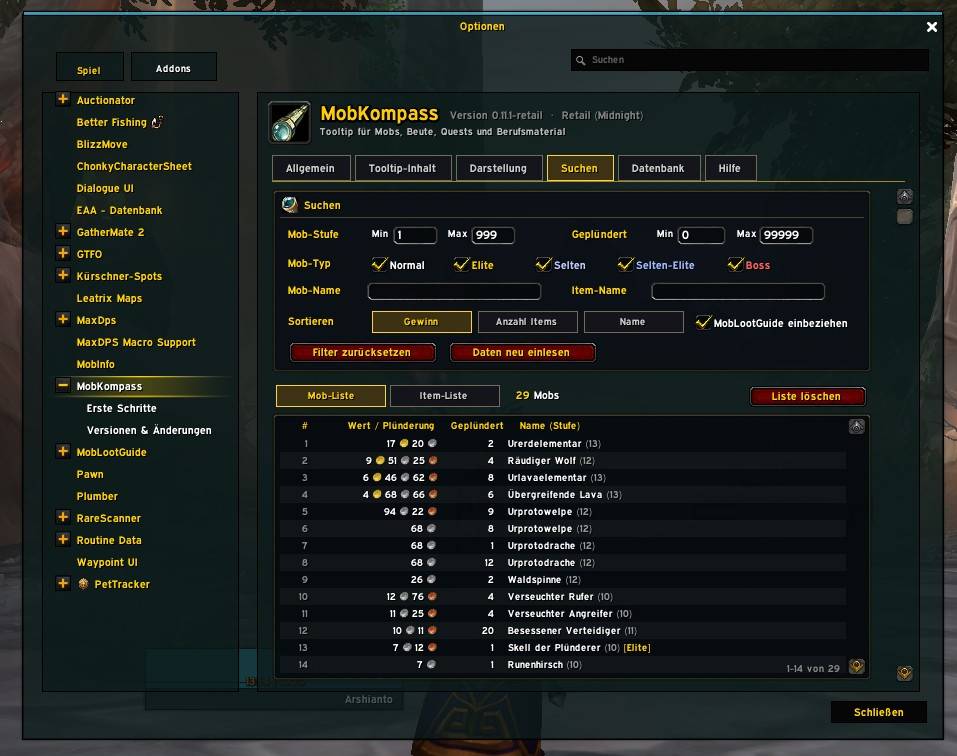
WoWScrnShot_111726_135313.jpg
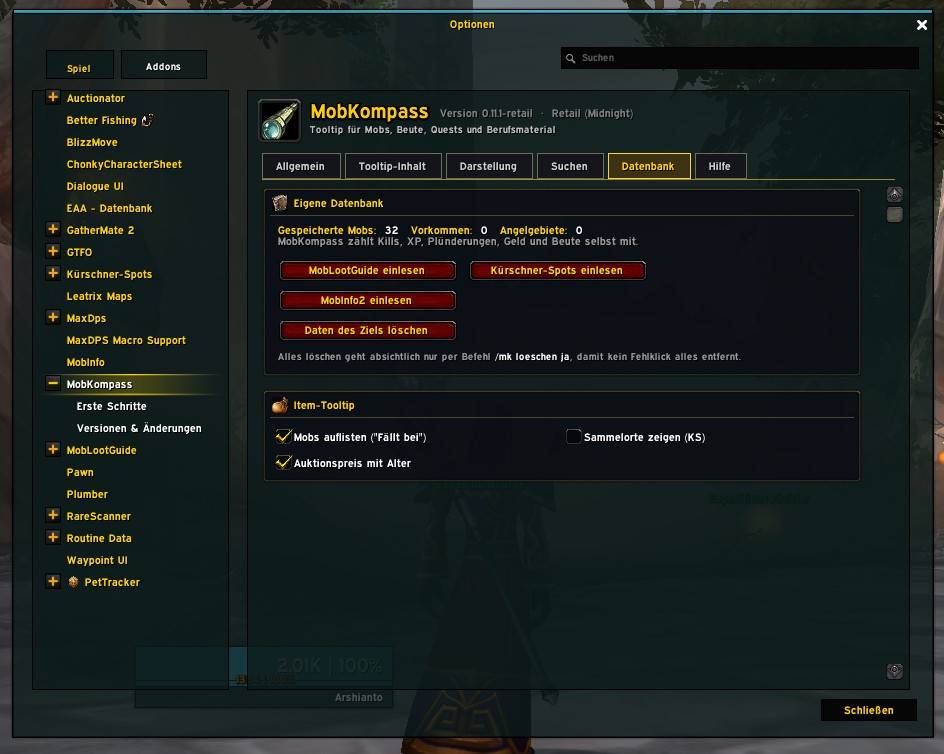
WoWScrnShot_111726_135316.jpg
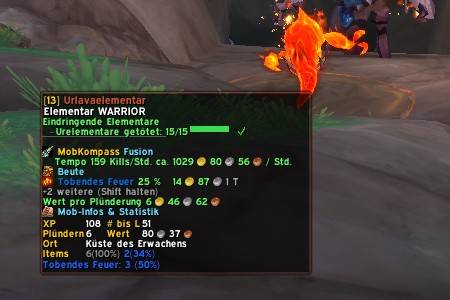
Description
English
MobKompass turns your tooltip into a compass for farming: hover over a mob and you instantly see whether it is worth your time, what it drops, what it is worth and how it fits your quests.
Note: MobKompass is currently available in German only. An English version may follow later.
What makes it special
- One clear verdict instead of a wall of numbers. The first line tells you "worth it", "okay" or "barely worth it", with the value per kill (coins, items and skinning) and your gold per hour, measured from your own kill pace.
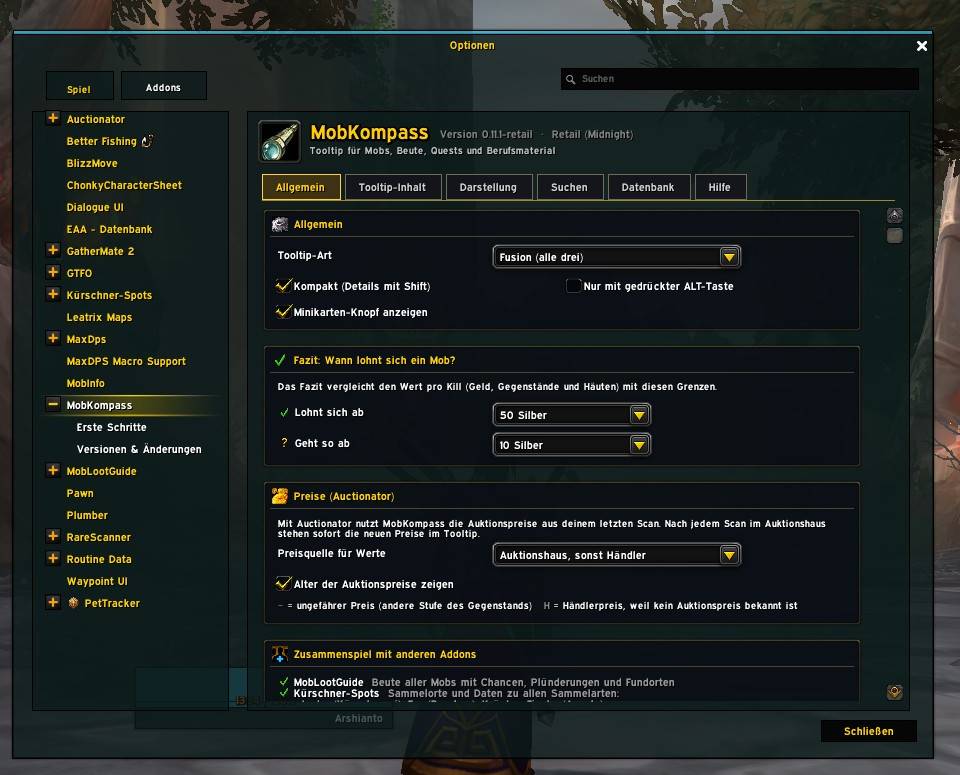
- The Fusion tooltip. With MobLootGuide and Kürschner-Spots installed, MobKompass merges all three into one tidy tooltip, so nothing is shown twice.
- Runs completely on its own. MobKompass keeps its own database: kills, loot, coins, XP, gathering, locations and kill pace. The partner addons are optional.
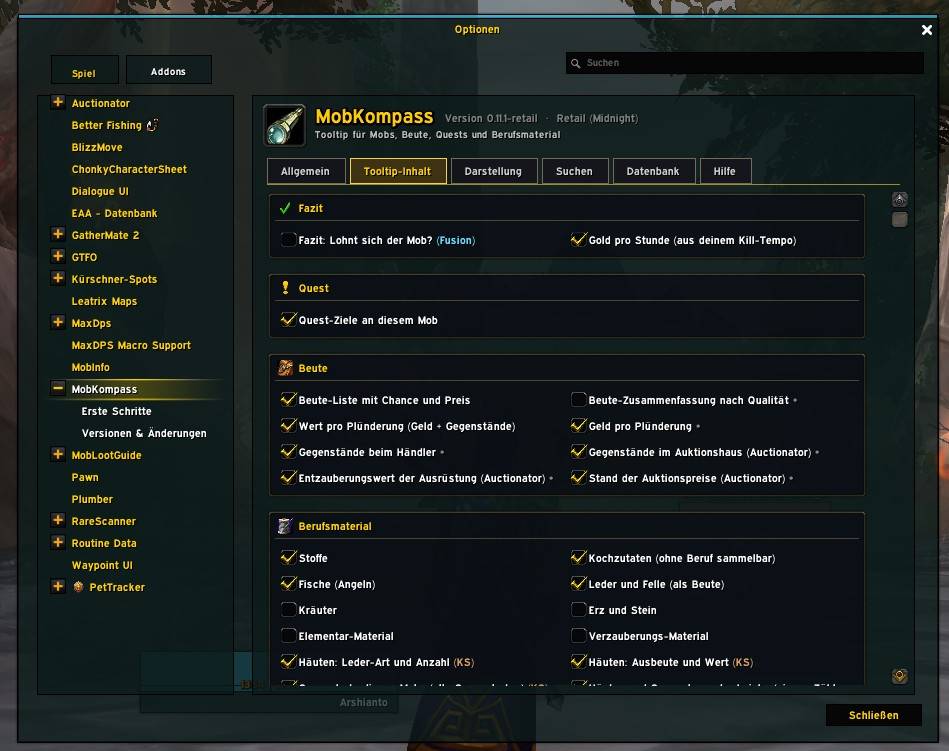
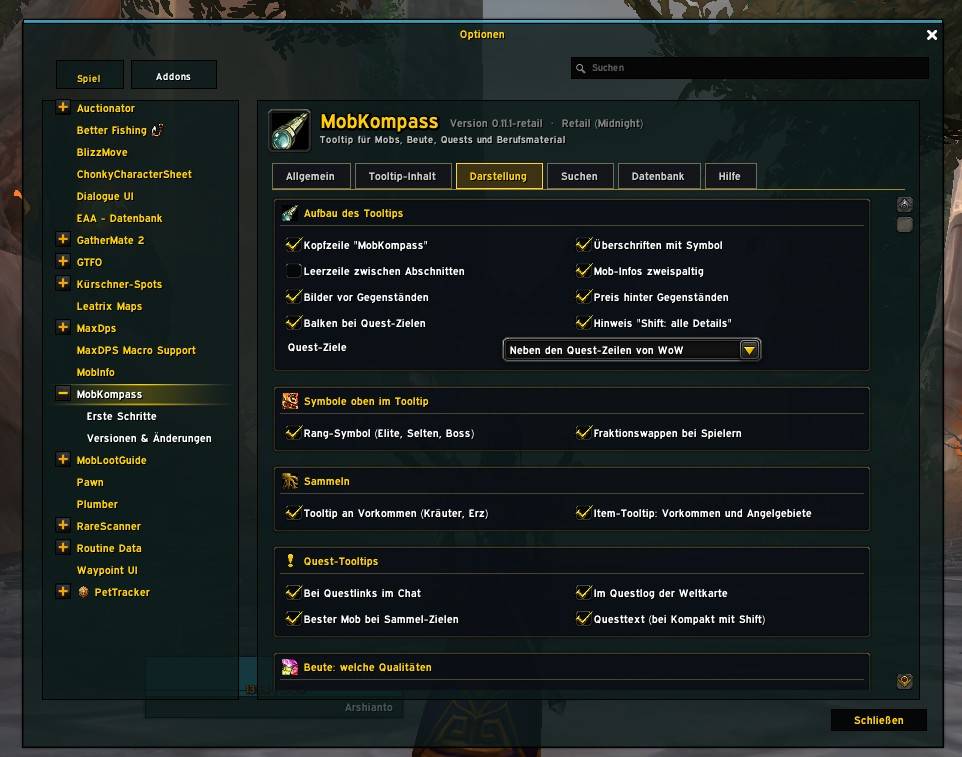
- Fully customisable. Every single line has its own checkbox. Compact mode shows only the essentials, hold Shift for all details.
In the mob tooltip
- Verdict with value per kill and gold per hour
- Loot list with drop chance, item icons and prices (Auctionator auction prices with their age, otherwise vendor price)
- Profession materials in their own section: cloth, cooking ingredients, fish, leather, herbs, ore, elemental and enchanting materials, each type can be turned on or off
- Gathering spots of the mob (with Kürschner-Spots), skinning yield and value
- Quest progress next to WoW's own quest line, with a progress bar and an estimate such as "about 7 kills"
- Rank icon (elite, rare, rare elite, boss) and the faction crest for players
- Mob info in two columns: health, class, XP, kills to next level, kills, loots, location and more
- Forever only: a combat section with damage taken, average health, resistances, immunities and a warning when your target flees
More tooltips
- Quest links and the world map quest log: level, tags, status, objectives as a checklist and the best mob for each collect objective
- Herb and ore nodes: how often you gathered them, what they drop, value per gather and your skill
- Item tooltip: which mobs drop it, from which nodes and fishing areas you got it, and where to gather it
Search tab
- Your whole database as a mob list and an item list
- Filters for level, loots, mob type, mob name and item name, sorted by profit, item count or name
- Click a mob to open it in MobLootGuide, right-click to show it on the world map, Ctrl+click to set a waypoint
Works together with
- MobLootGuide – loot and drop rates of all mobs, locations, waypoints
- Kürschner-Spots – gathering spots for skinning, mining, herbalism, fishing, cloth and cooking ingredients, gold per hour and respawn
- Auctionator – current auction prices, their age and disenchant values
- MobInfo2 – import your old database with one click
- EAA - Datenbank – MobKompass shares its own counted data (never copies from other addons)
- ElvUI – tooltip and minimap button fit the ElvUI look
All partners are optional. MobKompass also offers its own interface (MobKompassAPI) so other addons can read the verdict, value per kill and more.
Commands
/mk options · /mk start getting started · /mk neu versions · /mk status overview · /mk leistung memory and tooltip speed · /mk import mlg, ks or mi2 import data
Good to know
- MobKompass only displays information. It never plays, clicks or loots for you.
- Light on performance: answers are cached for a few seconds, and nothing runs in the background without a tooltip.
- Getting started guide and full version history are built into the options.
Deutsch
MobKompass macht deinen Tooltip zum Kompass fürs Farmen: Fahre mit der Maus über einen Mob und du siehst sofort, ob er sich lohnt, was er fallen lässt, was das wert ist und wie er zu deinen Quests passt.
Was MobKompass besonders macht
- Ein klares Fazit statt Zahlenwüste. Die erste Zeile sagt „Lohnt sich“, „Geht so“ oder „Lohnt kaum“, dazu der Wert pro Kill (Geld, Gegenstände und Häuten) und dein Gold pro Stunde, gemessen an deinem eigenen Kill-Tempo.
- Der Fusion-Tooltip. Sind MobLootGuide und Kürschner-Spots installiert, verschmilzt MobKompass alle drei zu einem aufgeräumten Tooltip, ohne dass etwas doppelt steht.
- Läuft komplett allein. MobKompass führt eine eigene Datenbank: Kills, Beute, Geld, XP, Sammeln, Orte und Kill-Tempo. Die Partner-Addons sind freiwillig.
- Alles einstellbar. Jede einzelne Zeile hat ihr eigenes Häkchen. Kompakt zeigt nur das Wichtigste, mit Shift siehst du alle Details.
Im Mob-Tooltip
- Fazit mit Wert pro Kill und Gold pro Stunde
- Beute-Liste mit Drop-Chance, Bildern und Preisen (Auktionspreise aus Auctionator samt Alter, sonst Händlerpreis)
- Berufsmaterial in einem eigenen Abschnitt: Stoffe, Kochzutaten, Fische, Leder, Kräuter, Erz, Elementar- und Verzauberungsmaterial, jede Art einzeln abschaltbar
- Sammelorte des Mobs (mit Kürschner-Spots), Ausbeute und Wert beim Häuten
- Quest-Fortschritt neben der Quest-Zeile von WoW, mit Balken und Schätzung wie „ca. 7 Kills“
- Rang-Symbol (Elite, Selten, Selten-Elite, Boss) und Fraktionswappen bei Spielern
- Mob-Infos zweispaltig: Leben, Klasse, XP, Kills bis Level, Getötet, Geplündert, Ort und mehr
- Nur in Forever: Abschnitt Kampf mit Schaden an dir, Ø Leben, Widerständen, Immunitäten und einer Warnung, wenn dein Ziel flieht
Weitere Tooltips
- Questlinks und Questlog der Weltkarte: Stufe, Tags, Status, Ziele als Checkliste und der beste Mob für jedes Sammel-Ziel
- Kräuter- und Erzvorkommen: wie oft geerntet, was sie abwerfen, Wert pro Ernte und dein Skill
- Item-Tooltip: welche Mobs den Gegenstand fallen lassen, aus welchen Vorkommen und Angelgebieten du ihn bekommen hast und wo man ihn sammeln kann
Reiter Suchen
- Deine ganze Datenbank als Mob-Liste und Item-Liste
- Filter für Stufe, Plünderungen, Mob-Typ, Mob-Name und Item-Name, sortiert nach Gewinn, Anzahl oder Name
- Klick öffnet den Mob in MobLootGuide, Rechtsklick zeigt ihn auf der Weltkarte, Strg+Klick setzt einen Wegpunkt
Arbeitet zusammen mit
- MobLootGuide – Beute und Drop-Chancen aller Mobs, Fundorte, Wegpunkte
- Kürschner-Spots – Sammelorte für Kürschnerei, Bergbau, Kräuterkunde, Angeln, Stoffe und Kochzutaten, Gold pro Stunde und Respawn
- Auctionator – aktuelle Auktionspreise, ihr Alter und Entzauberungswerte
- MobInfo2 – alte Datenbank mit einem Klick einlesen
- EAA - Datenbank – MobKompass gibt seine eigenen Zähldaten weiter (nie Kopien aus anderen Addons)
- ElvUI – Tooltip und Minikarten-Knopf passen sich dem ElvUI-Aussehen an
Alle Partner sind freiwillig. MobKompass bietet außerdem eine eigene Schnittstelle (MobKompassAPI), über die andere Addons Fazit, Wert pro Kill und mehr abfragen können.
Befehle
/mk Optionen · /mk start Erste Schritte · /mk neu Versionen · /mk status Überblick · /mk leistung Speicher und Tooltip-Tempo · /mk import mlg, ks oder mi2 Daten einlesen
Gut zu wissen
- MobKompass zeigt nur an. Es spielt, klickt oder plündert nie für dich.
- Schont die Leistung: Antworten werden ein paar Sekunden gemerkt, ohne Tooltip läuft im Hintergrund fast nichts.
- Erste Schritte und alle Versionen stehen direkt im Optionsmenü.
MobKompass Retail Team