MobLootGuide MoP
- By
Like AtlasLoot for the open world: see which regular mobs drop what in each zone, on a map with level brackets and real drop rates recorded while you play. For MoP Classic and WoW Forever.
WoWScrnShot_111526_233009.jpg
WoWScrnShot_111526_233013.jpg
WoWScrnShot_111526_233039.jpg
WoWScrnShot_111526_233048.jpg
WoWScrnShot_111526_233118.jpg
Description
English
MobLootGuide is a loot guide for the open world. Think of AtlasLoot, but instead of raid bosses it covers the regular mobs in every zone: where they are and what they drop.
Note: MobLootGuide is currently available in German only. An English version may follow later.
What it does
- Records your loot while you play. Every mob you loot is saved together with its drops, so you get real drop rates such as “12 of 40”. Skinning, mining, herbalism, fishing and pickpocketing are not counted.
- Imports your existing MobInfo2 data with one command (
/mlg import), so you don’t start from zero. - Only displays information. It never plays, clicks or loots for you.
The window (/mlg or the minimap button)
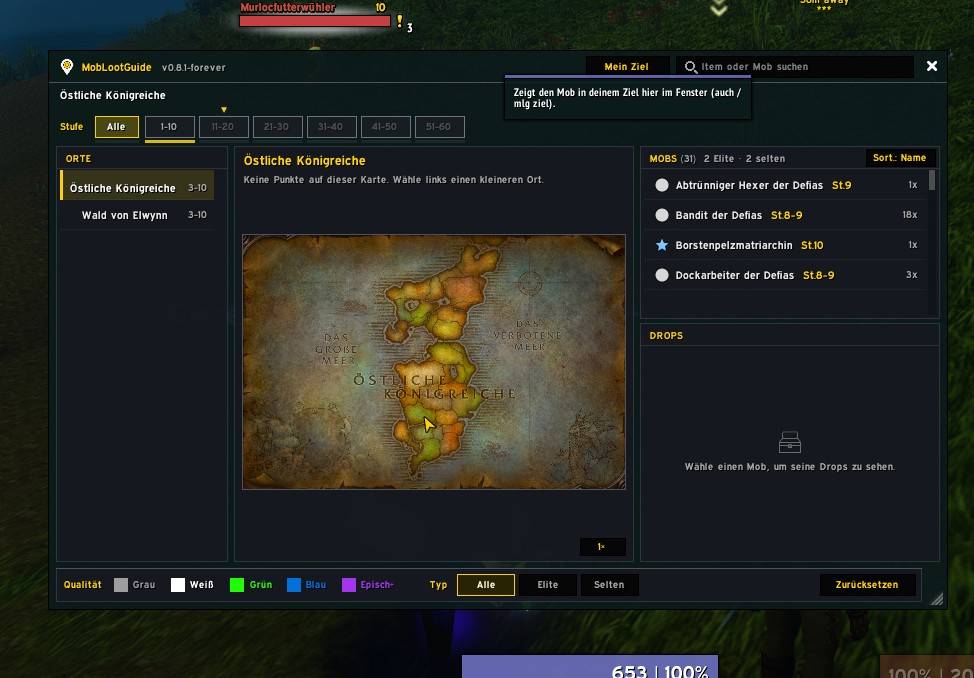
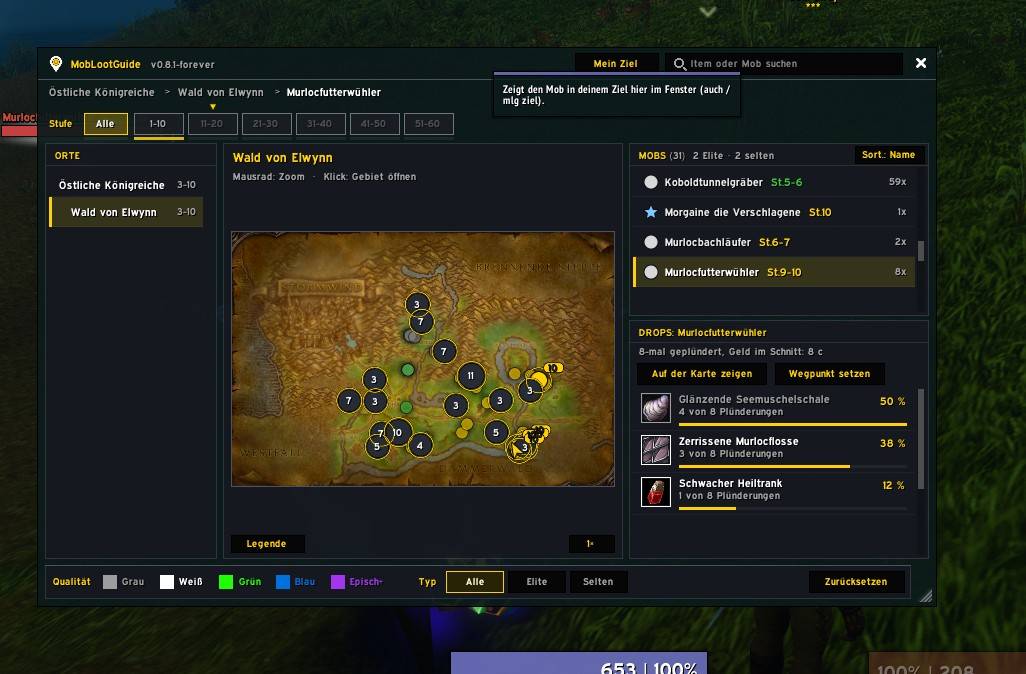
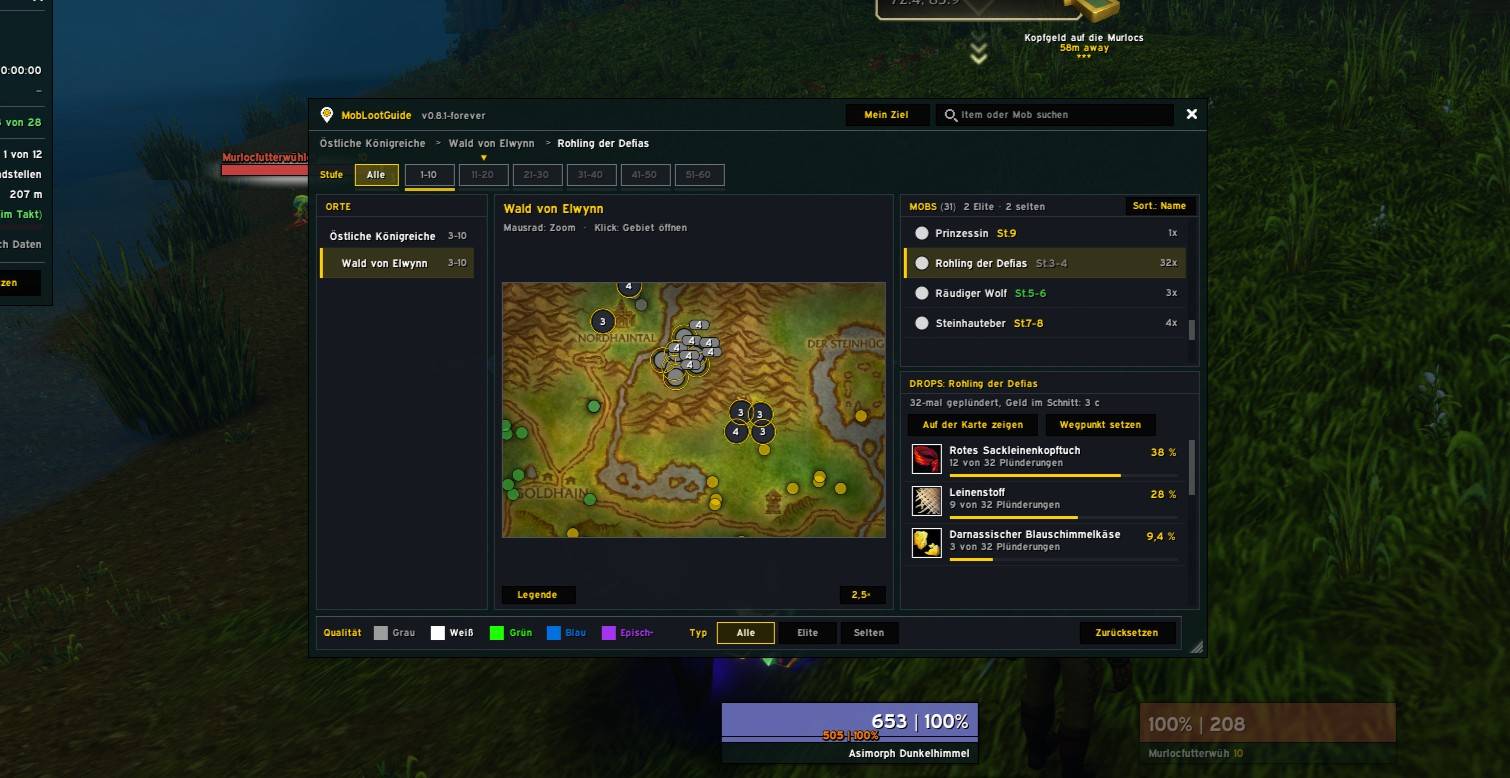
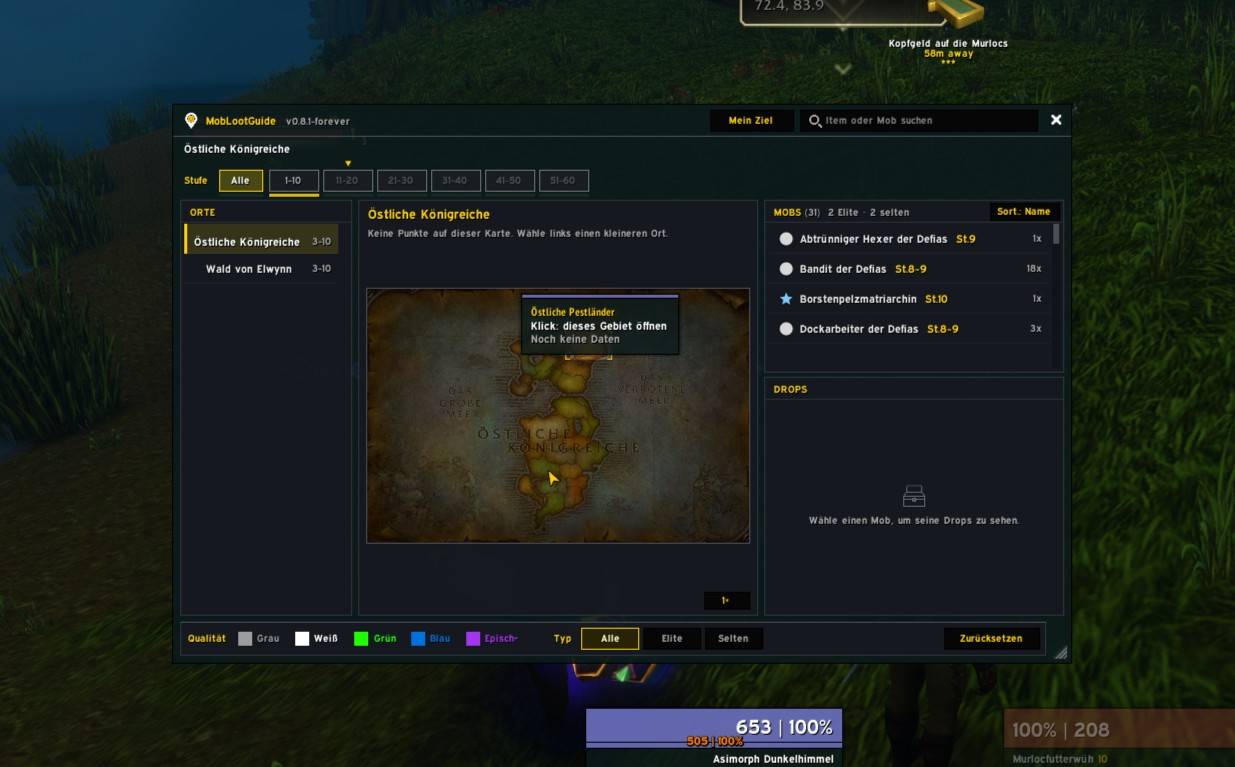
- Zones on the left, a zone map in the middle, mobs and their drops on the right.
- Level brackets in steps of 10 (MoP Classic: 1–90, Forever: 1–60) with a marker for your own level.
- Map pins in difficulty colours (grey, green, yellow, orange, red) with shapes for normal, elite, rare and boss. Nearby mobs are grouped, and you see your own position as an arrow.
- Explored areas look just like on your world map. Zoom, pan, and click a zone to open it.
- Search for items or mobs.
- Drops with quality borders and a small drop-rate bar.
More features
- Mob tooltip: hover over a mob to see its best drops.
- “Mein Ziel” (My Target):
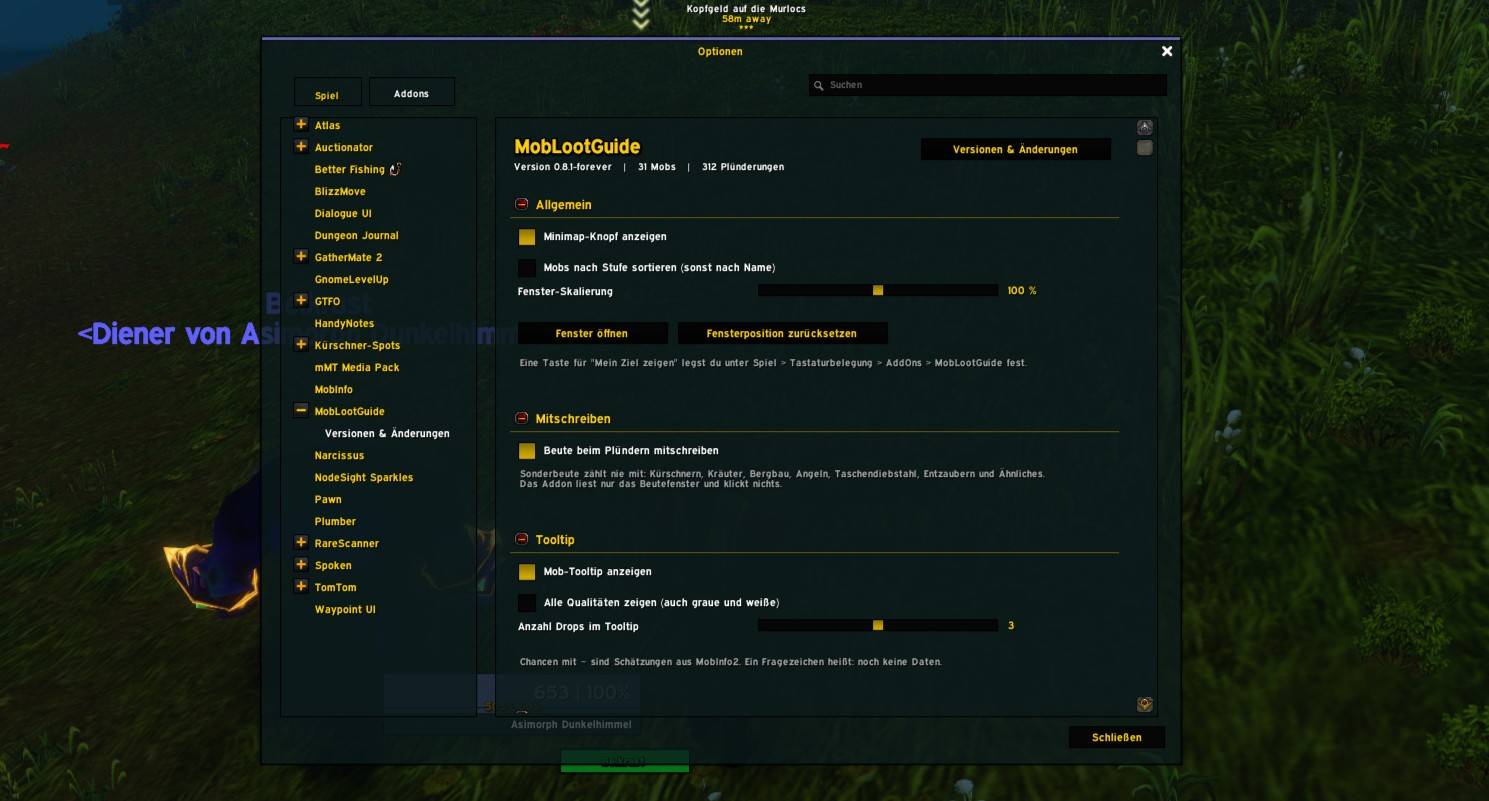
/mlg zieljumps straight to the mob you have targeted. - Options menu under Esc → Options → AddOns, plus a “Versionen & Änderungen” page with all updates (
/mlg neu).
Recommended addons (all optional)
- MobInfo2 – MobLootGuide can import its collected mob and loot data.
- Kürschner-Spots – works hand in hand with MobLootGuide: show mobs and item locations on the world map, set waypoints, and see skinning info right in MobLootGuide. Both addons share their data.
- TomTom – used by Kürschner-Spots for waypoints when you set them from MobLootGuide.
MobLootGuide works perfectly fine on its own. None of these addons are required.
Available for: MoP Classic and WoW Forever.
Deutsch
MobLootGuide ist ein Beute-Führer für die offene Welt. Wie AtlasLoot, nur statt Raid-Bossen für die ganz normalen Mobs in jedem Gebiet: wo sie stehen und was sie fallen lassen.
Hinweis: MobLootGuide gibt es im Moment nur auf Deutsch. Eine englische Fassung kann später folgen.
Was es macht
- Schreibt deine Beute beim Spielen mit. Jeder Mob, den du plünderst, wird mit seinen Drops gespeichert. So entstehen echte Drop-Chancen wie „12 von 40“. Kürschnern, Bergbau, Kräuterkunde, Angeln und Taschendiebstahl werden nicht mitgezählt.
- Übernimmt deine vorhandenen MobInfo2-Daten mit einem Befehl (
/mlg import), damit du nicht bei null anfängst. - Zeigt nur an. Es spielt, klickt oder plündert nie für dich.
Das Fenster (/mlg oder Minimap-Knopf)
- Gebiete links, eine Gebietskarte in der Mitte, Mobs und ihre Drops rechts.
- Stufen-Leiste in 10er-Schritten (MoP Classic: 1–90, Forever: 1–60) mit Markierung deiner eigenen Stufe.
- Kartenpunkte in Schwierigkeitsfarben (grau, grün, gelb, orange, rot), mit Formen für Normal, Elite, Selten und Boss. Dicht beieinander liegende Mobs werden zusammengefasst, und du siehst dich selbst als Pfeil.
- Erkundete Gebiete sehen aus wie auf deiner Weltkarte. Zoomen, verschieben und Gebiete anklicken.
- Suche nach Items oder Mobs.
- Drops mit Qualitätsrahmen und kleinem Balken für die Drop-Chance.
Weitere Funktionen
- Mob-Tooltip: Beim Überfahren eines Mobs siehst du seine besten Drops.
- „Mein Ziel“:
/mlg zielspringt direkt zu dem Mob, den du im Ziel hast. - Optionsmenü unter Esc → Optionen → AddOns und eine Seite „Versionen & Änderungen“ mit allen Updates (
/mlg neu).
Empfohlene Addons (alle freiwillig)
- MobInfo2 – MobLootGuide kann dessen gesammelte Mob- und Beutedaten übernehmen.
- Kürschner-Spots – arbeitet Hand in Hand mit MobLootGuide: Mobs und Fundorte von Items auf der Weltkarte zeigen, Wegpunkte setzen und Kürschner-Infos direkt in MobLootGuide sehen. Beide Addons teilen ihre Daten.
- TomTom – wird von Kürschner-Spots für Wegpunkte genutzt, wenn du sie aus MobLootGuide heraus setzt.
MobLootGuide funktioniert auch ganz allein. Keines dieser Addons ist Pflicht.
Erhältlich für: MoP Classic und WoW Forever.
MobLootGuide MoP Team