


Mateos Classic Frames
- By
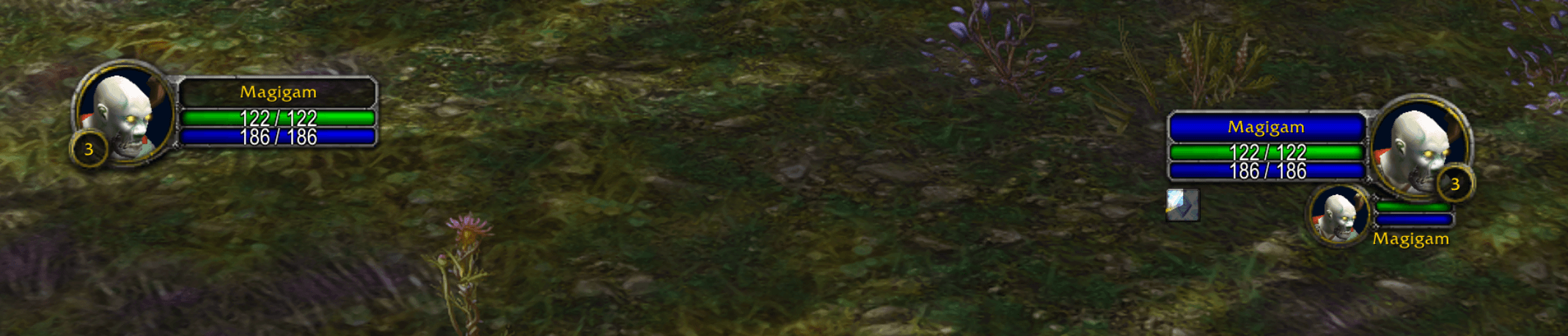
Moveable player frame, target frame, target-of-target, and focus frames + a cast bar in classic styling. Standard UI is hidden.
magigam-combat.png
magigam-ui Medium.png
mateos-classic-frames Medium.png
mateos-frames-config Medium.png
Description
Mateos Classic Frames
The original classic unit frames, for every class, as one standalone addon.
Built for World of Warcraft: Forever, which ships retail's unit frames and cast bar, and works on Classic Era today.
Frames
- Player: portrait, level, health and power, combat and resting glow, PvP, leader, master looter and raid group.
- Pet: happiness for hunter pets, the attack glow and debuffs.
- Target and focus: the elite, rare and rare-elite borders, the name strip in reaction colour, buffs and debuffs in the classic layout, combo points and threat percentage.
- Target of target and target of focus: with their debuffs.
- Totems: timers for shamans; right-click a totem to destroy it.
Cast bars
The classic cast bars for the player, pet, target and focus:
- yellow while casting, green while channelling
- a flash when a cast finishes, red for "Interrupted" or "Failed"
- a grey shield for casts that can't be interrupted
- optional spell icons and time left
Moving and sizing
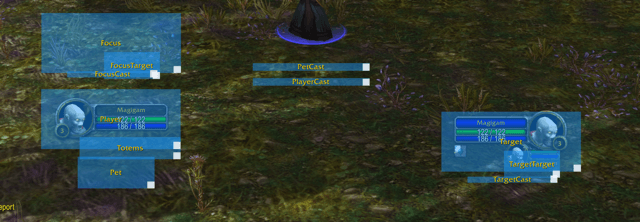
Type /mcf unlock. Every frame, cast bar and the totem row gets a box. Drag a box to move it, and the frame moves with it. Drag its white corner to resize. Type /mcf lock when you're done.
Settings
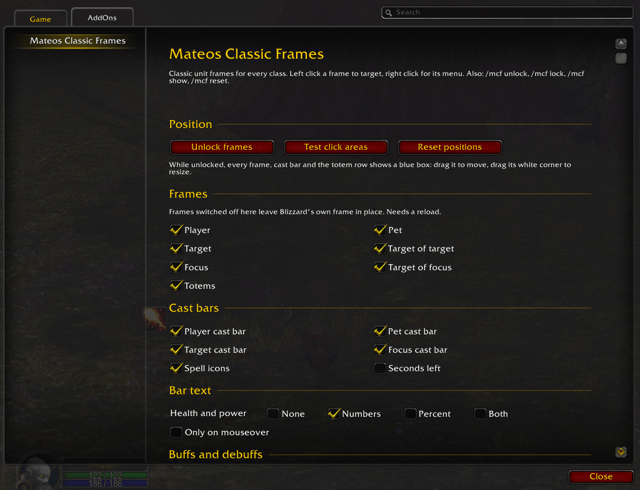
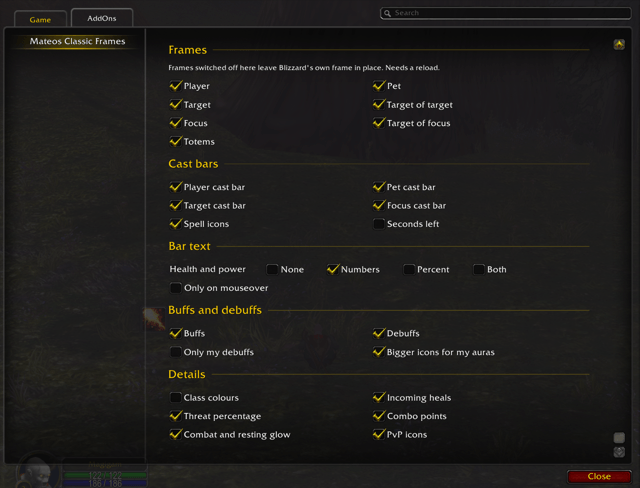
Type /mcf, or open Options → AddOns → Mateos Classic Frames:
- switch any frame or cast bar off; Blizzard's own comes back in its place
- health and power text: numbers, percent, both or none, optionally only on mouseover
- buffs, debuffs, only your own debuffs, bigger icons for your auras
- class-coloured health bars, incoming heals, threat, combo points, combat glow and PvP icons
Commands
| Command | What it does |
|---|---|
/mcf |
open the settings |
/mcf unlock / /mcf lock |
move and resize frames |
/mcf show |
show the click areas, to check what you click |
/mcf reset |
put every frame back in its starting spot |
Notes
- Only the Blizzard frames this addon replaces are hidden. Party and raid frames, the buff row and everything else stay as they are.
- The artwork is the game's own classic art, used from the game files; none of it is packaged with the addon.
- Frames can't be moved in combat. Unlocked boxes lock themselves when a fight starts.
The Mateos Classic Frames Team
