MapSketch
- By
Draw on the world map, see your lines on the minimap and share them with your group or raid.
✏️ Draw on the world map
- A small toolbar at the top center of the world map: pen on/off, 6 colors, line width, undo, clear and sync.
- Left-drag to draw, right-click a line to erase it.
- Lines keep the same width on screen no matter how far you zoom the map.
- Drawings are saved per map (zone, continent, city), and they stay after logout.
- The pen is always off when you open the map, so normal map clicks keep working.
🧭 On the minimap
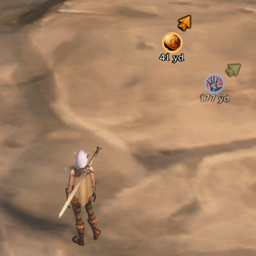
- Your drawings appear on the minimap at their real position in the world.
- Works with a rotating minimap, all zoom levels, indoors and outdoors, and with round and square minimaps.
- Line width on the minimap can be set separately (
/msketch mmwidth 1-8).
👥 Sync with group and raid
- Everything you draw is sent to your party or raid automatically, as long as they also have MapSketch installed.
- When you join a group, you get the others' drawings and they get yours.
- If you erase or clear your own lines, they are removed for the group too.
- Sync can be turned off at any time (button in the toolbar or
/msketch sync). - Lines are simplified before sending, so the addon messages stay small and within the server limits.
Commands
| Command | |
|---|---|
/msketch minimap |
Turn the minimap display on or off |
/msketch mmwidth <1-8> |
Line width on the minimap |
/msketch sync |
Turn group sync on or off |
/msketch resync |
Ask the group to send their drawings again |
/msketch clearothers |
Delete all drawings from other players |
/msketch clearall |
Delete all drawings |
Notes
- Interface in English and German (picked from your game language).
- Lines only show on the minimap where the map has world coordinates. That means no minimap lines in most dungeons and raids.
- "Clear" removes everything on the current map for you, but only your own lines for the group.
MapSketch Team