[ManaCode] Talents
- By
Talent builds for WoW 3.3.5a: planner for all ten classes, build library, inspect, compare, sharing and quick glyph swap.
tal2.jpg
tal4.jpg
Description
ManaCode Talents
Talent builds for World of Warcraft 3.3.5a: plan any class, keep a build library, inspect and compare players, swap glyphs. Work from the familiar Blizzard talent window or from one large window with everything in it.
Two ways to use it
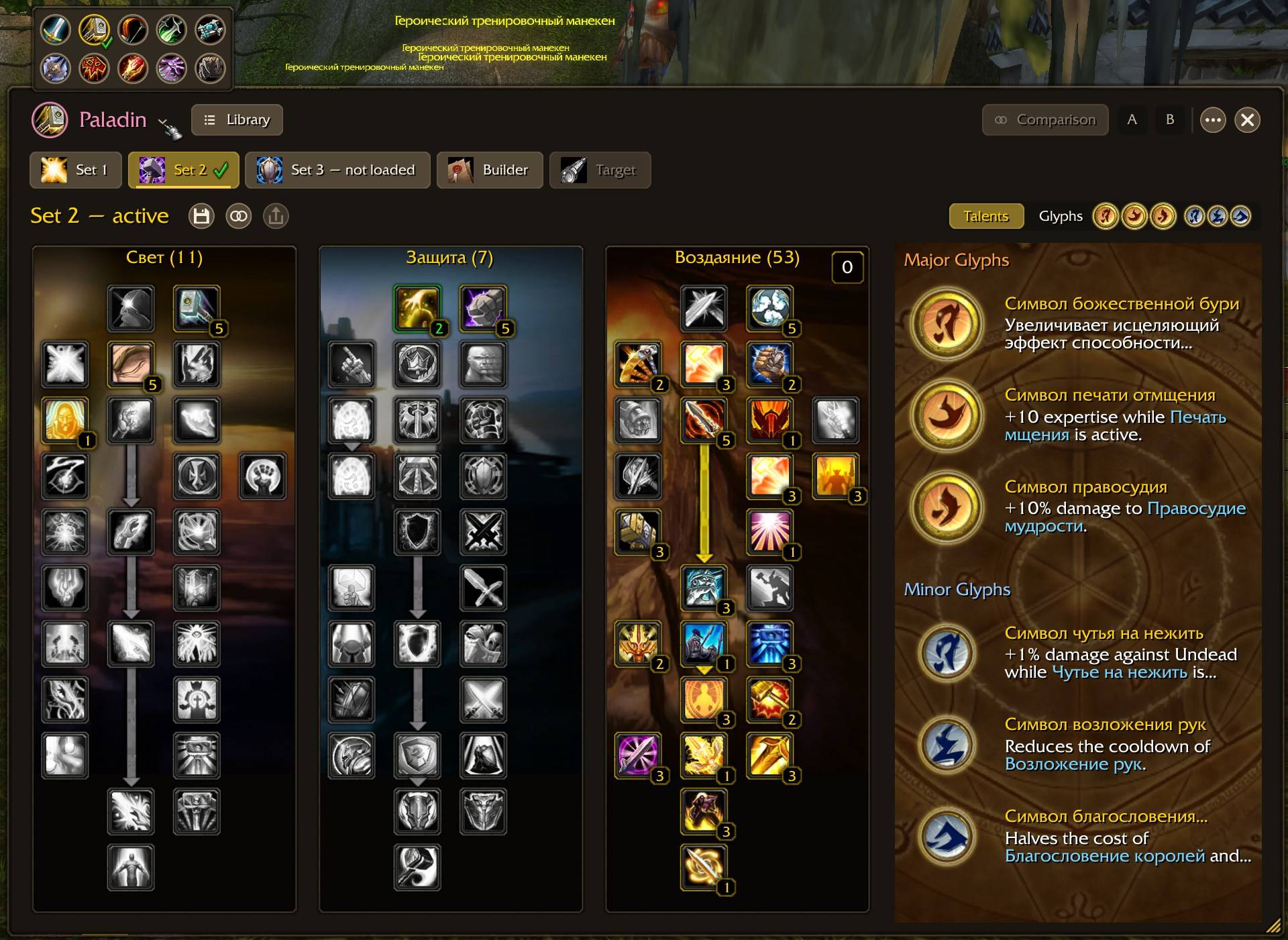
- The default window, stretched. N opens the usual Blizzard talent window. Drag its bottom-right corner to the right and the other two trees appear next to it, then the glyphs of the open set, all in the default look. Learning, talent sets and pet talents work exactly as before.
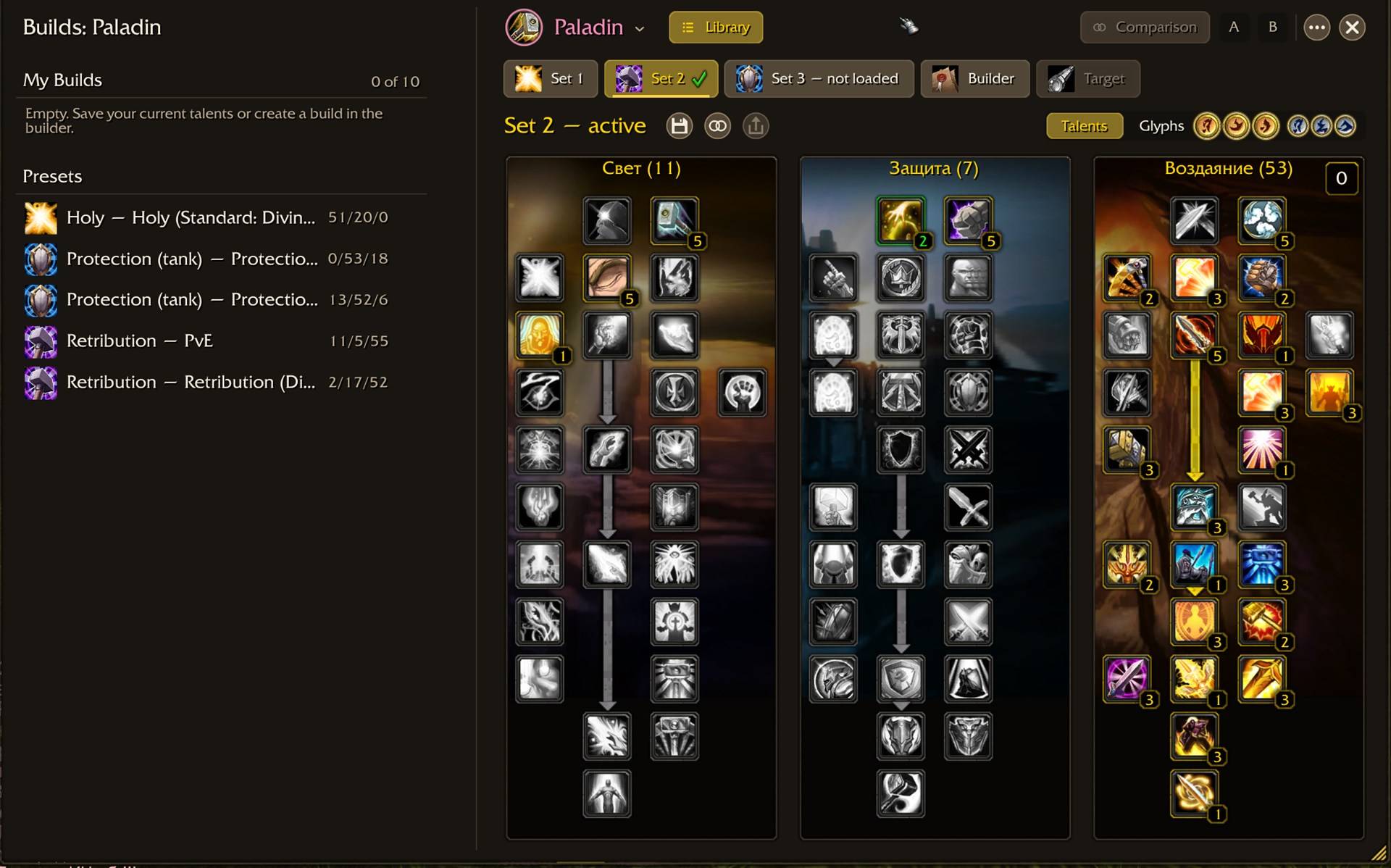
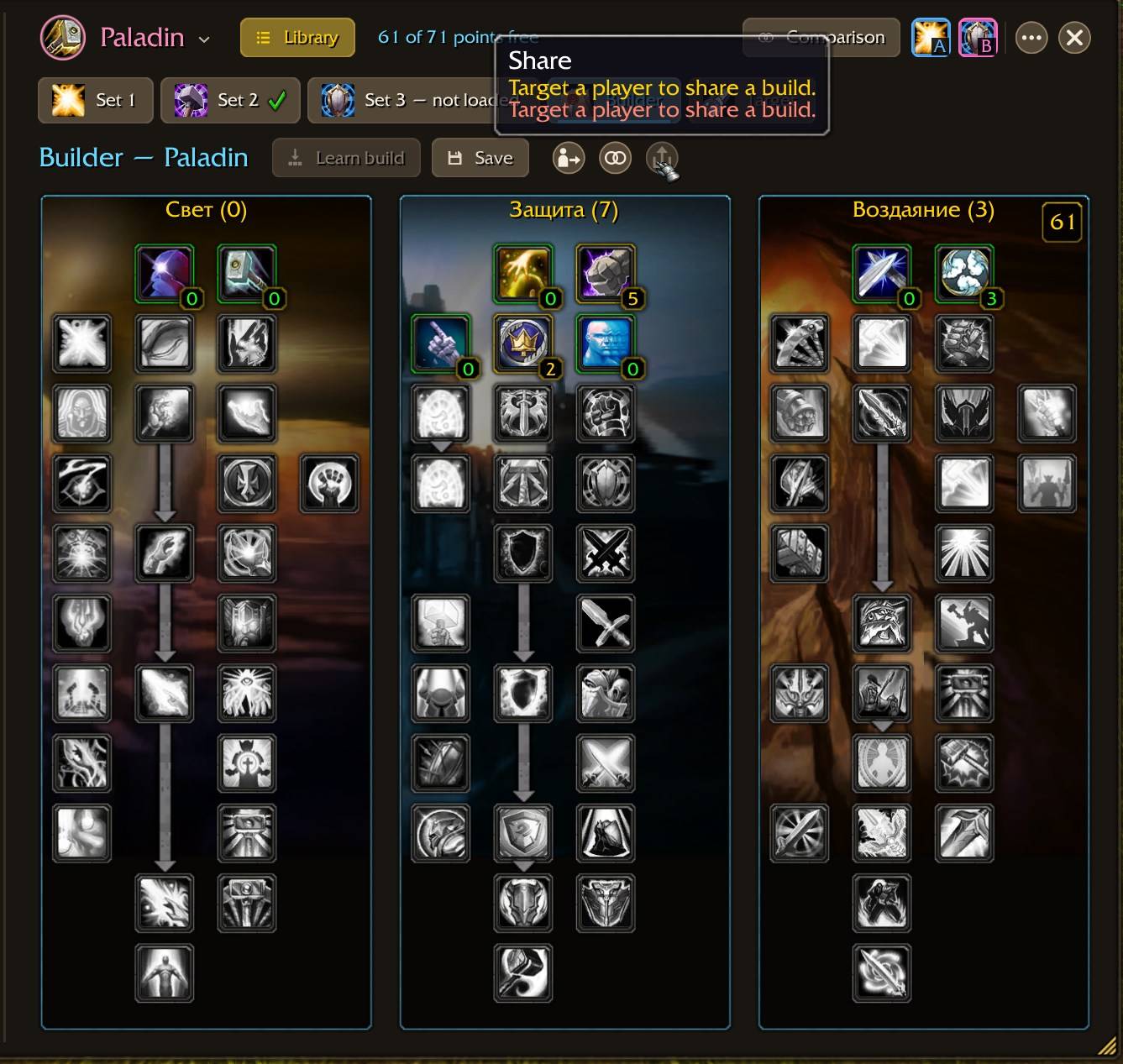
- The builds window. Click the Talent builds icon on the default window to switch to the large window: your two talent sets, Builder and Target as tabs, the build library on the left and a Talents | Glyphs switch. The ⋯ menu takes you back to the default window, opens pet talents and the settings.
Builds
- Builder for all ten classes. Left-click adds a rank, right-click removes it; your character does not change. Start from your current talents, from a build in the library or from scratch.
- Library. Preset PvE builds for every class and up to ten builds of your own per class. Select a build and its ranks appear as markers on your tree: green where you match it, yellow where points are missing, red where you went beyond it.
- Learn build. Your unspent points go into talent preview in one go, you confirm, and the addon checks the server's answer. Talents you already learned still need a trainer reset.
- Like the default window. Click a talent to preview or learn it, use Learn and Reset, activate the other set. While the set is switching, the cast progress is shown on the button itself.
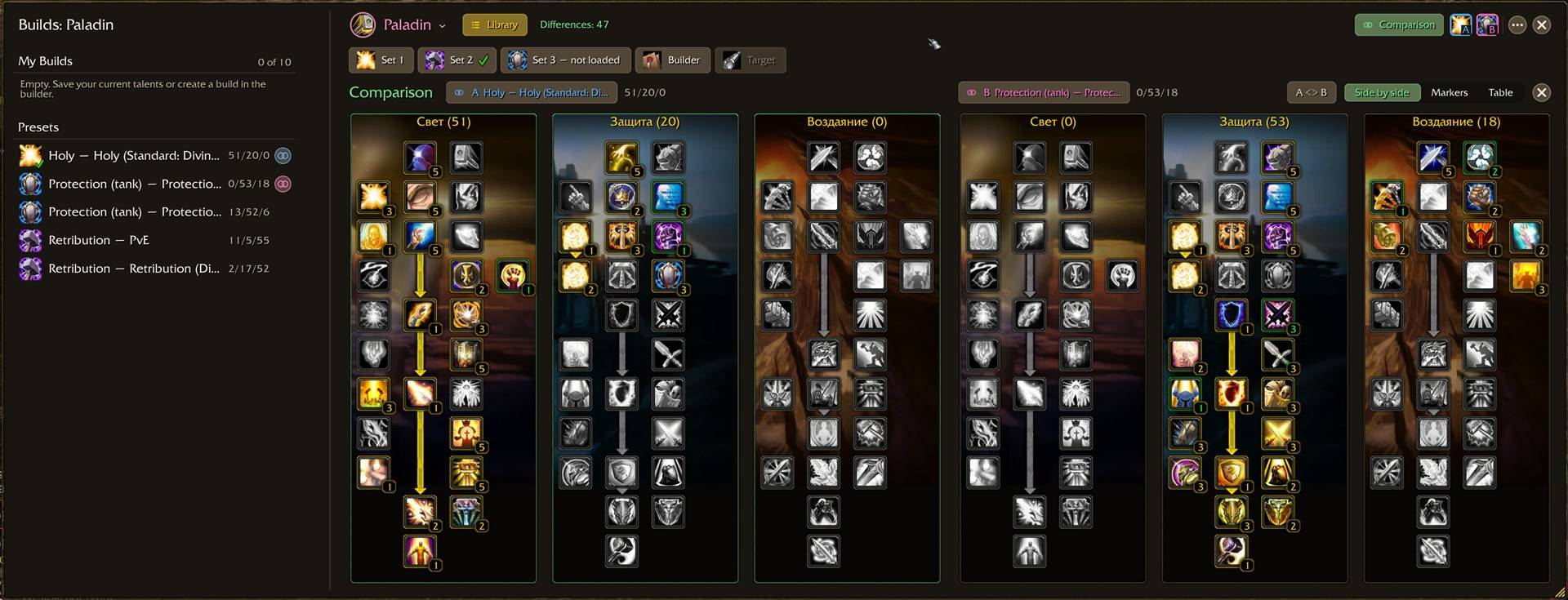
Compare
- Two slots, A and B. Add any build to the comparison: from the library, your talent set, the builder or your target.
- Three views. Side by side (the window widens and scales down on small screens), as markers on one tree, or as a table with only the differing talents or all taken ones. Swap A and B in one click; the header shows how many talents differ.
Target and sharing
- Target tab. Inspect the targeted player and see all three trees, their unspent points and both talent sets when the server sends them. Save their build, open it in the builder or compare it with yours in one click.
- Follow target (optional): while the window is open, a new player target is inspected automatically.
- All three trees button on the default inspect window opens the target in the builds window.
- Share a build with your target. You see whether they have the addon; they get a confirmation window, you get their answer in chat. Ranks are checked against the tree on arrival.
Glyphs
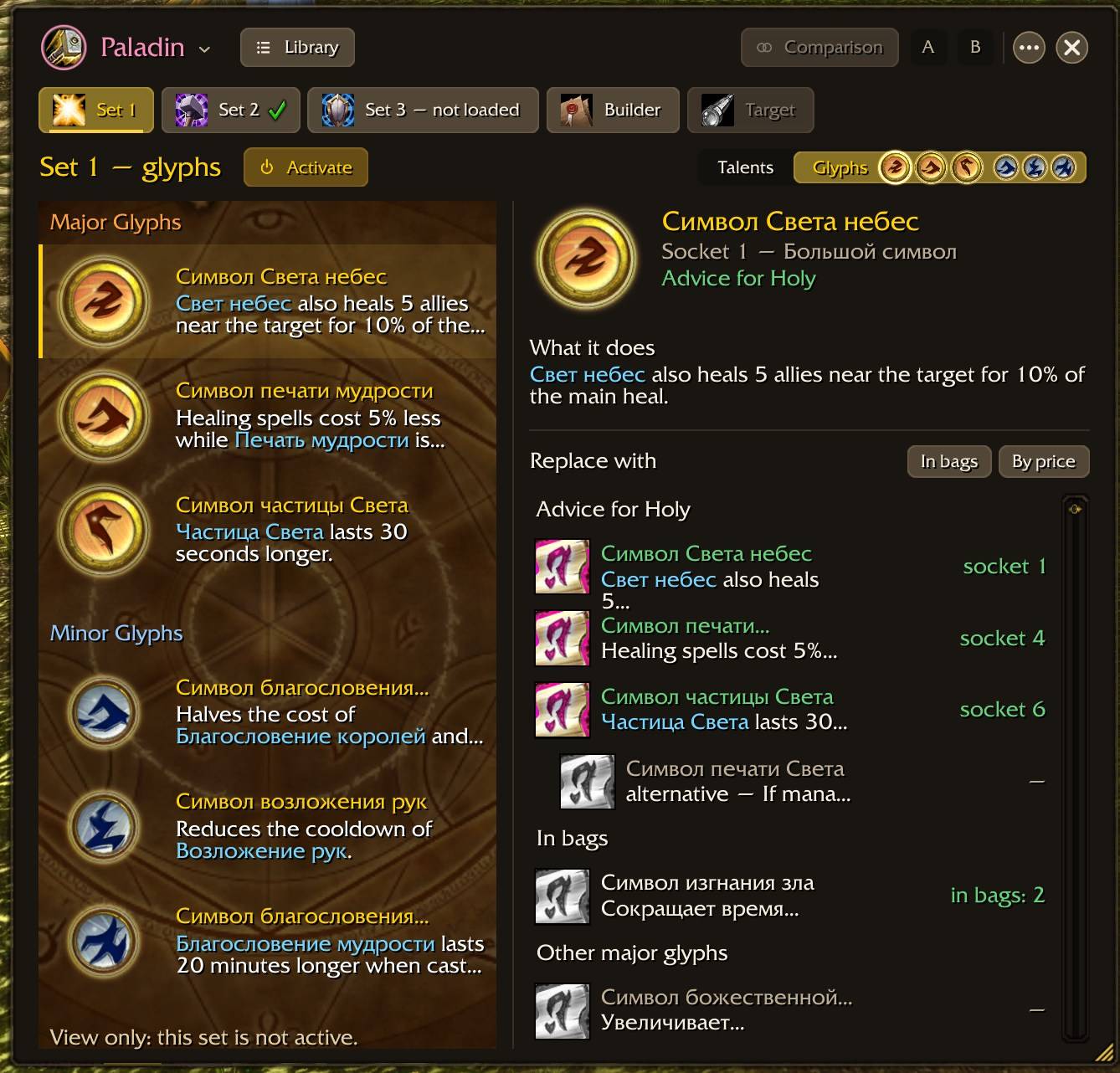
- Glyphs view. Major and minor sockets on the left. On the right, the selected socket, what its glyph does, and a list of glyphs of the same type: advice for your spec (six classes so far), glyphs in your bags, and the rest with auction prices. Click a glyph in your bags to put it on the cursor, then click the socket.
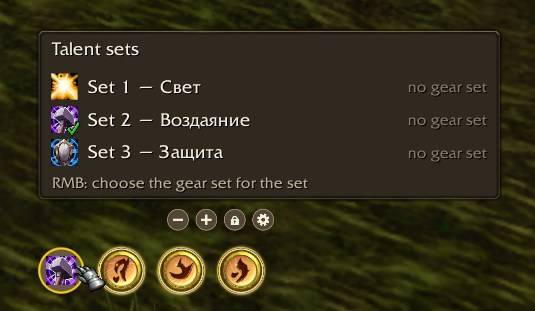
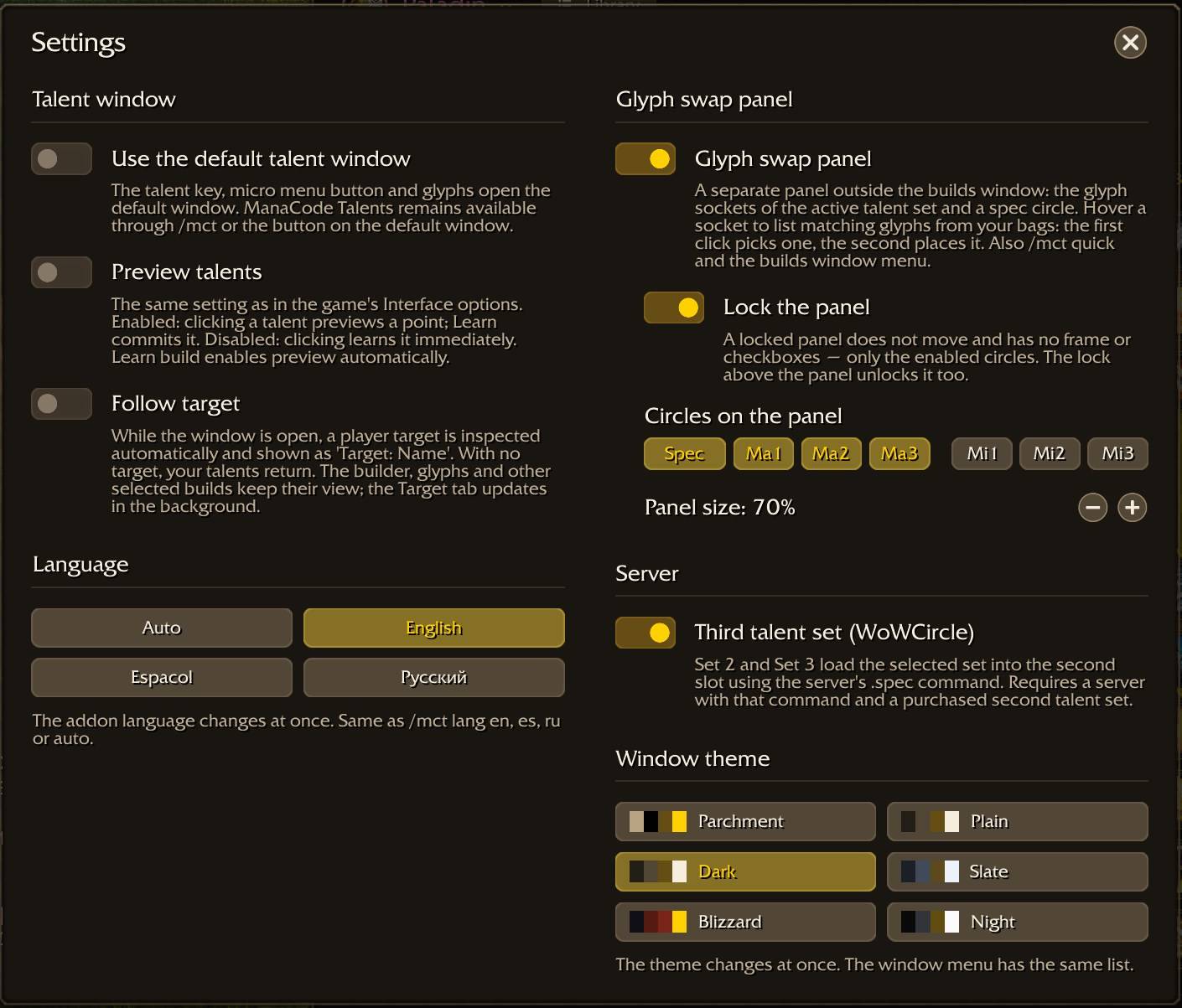
- Glyph swap panel. A small panel outside the window with the glyph sockets of your active set and a spec circle. Hover a socket, click a glyph from your bags, click again, and it is inscribed without opening any window. The spec circle switches talent sets and puts on the equipment set you bound to each. Lock it, resize it, choose which circles to show, or turn it off in the settings.
Look and settings
- Six themes: Parchment, Plain, Dark, Slate, Blizzard and Night. Pick one in the ⋯ menu, in the settings window or with
/mct theme. - Settings window: default window mode, talent preview, follow target, the glyph swap panel, theme and language. The same options are also under Interface → AddOns → ManaCode Talents.
- Readable tooltips: each action shows the mouse button it needs, and spell names in glyph texts are highlighted; hover them for the spell tooltip.
- Languages: English, Russian and Spanish. The addon follows your game client, or pick a language in the settings or with
/mct lang en,es,ruorauto.
Getting started
- Close the game and extract the
ManaCode_Talentsfolder intoInterface/AddOns. The fileManaCode_Talents.tocmust be directly inside that folder. - Enable the addon at character selection.
- Press your talent key (normally N) or type
/mct./mctalents,/htptand/htptalentsalso work./mct quickshows or hides the glyph swap panel.
Updating from an earlier version: restart the game rather than using /reload, because the new images load only at startup. Your saved builds and settings are kept.
Compatibility
For the original WoW 3.3.5a client (Interface 30300); not for Retail or the modern Wrath Classic client. No other addon is required. Auction prices are read from Auctionator when it is installed. Talent trees changed by a server may differ from the included builds.
Feedback
When reporting a problem, include the addon version, client language, class, the steps that lead to it and the full Lua error text. A screenshot helps a lot with layout issues.
[ManaCode] Talents Team