[ManaCode] Market Based Auction
- By
Auction prices and history, crafting batches with obtaining paths, material shopping, disenchanting, prospecting, milling, vendor trades and a trade ledger for the original WotLK 3.3.5a client. Russian and English; Auctionator optional.
Screenshot_50.png
Screenshot_49.png
Screenshot_48.png
Screenshot_47.png
Screenshot_46.png
Description
Market Based Auction Compare the price of a finished item with the cost of making it, buying its materials or processing raw materials. Market Based Auction brings these calculations into the Market tab at the auction house.
Built for the original WoW 3.3.5a client, build 12340 (Interface 30300). Russian and English follow the client language. Retail and Classic 3.4 are not supported. Auctionator is optional.
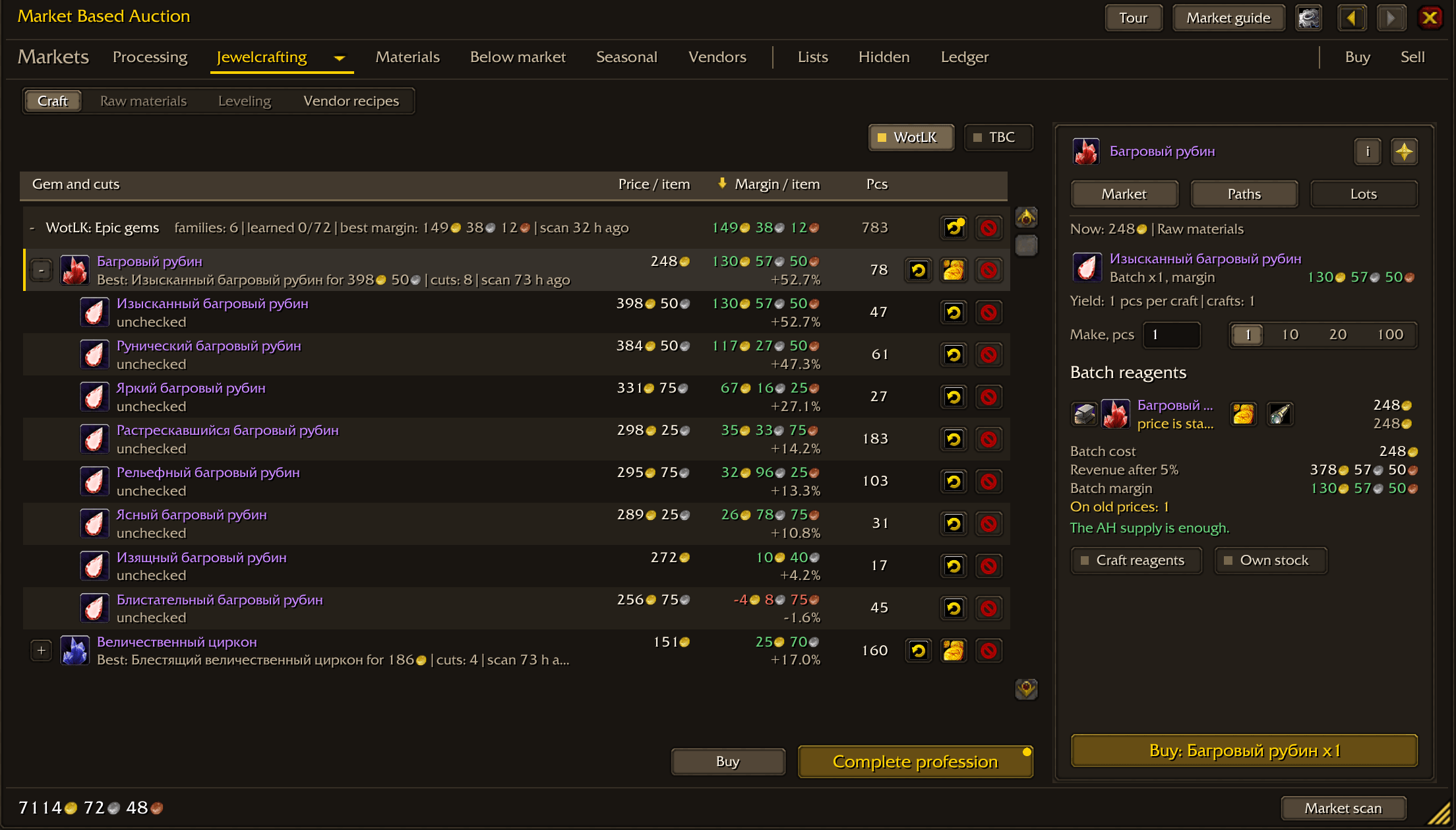
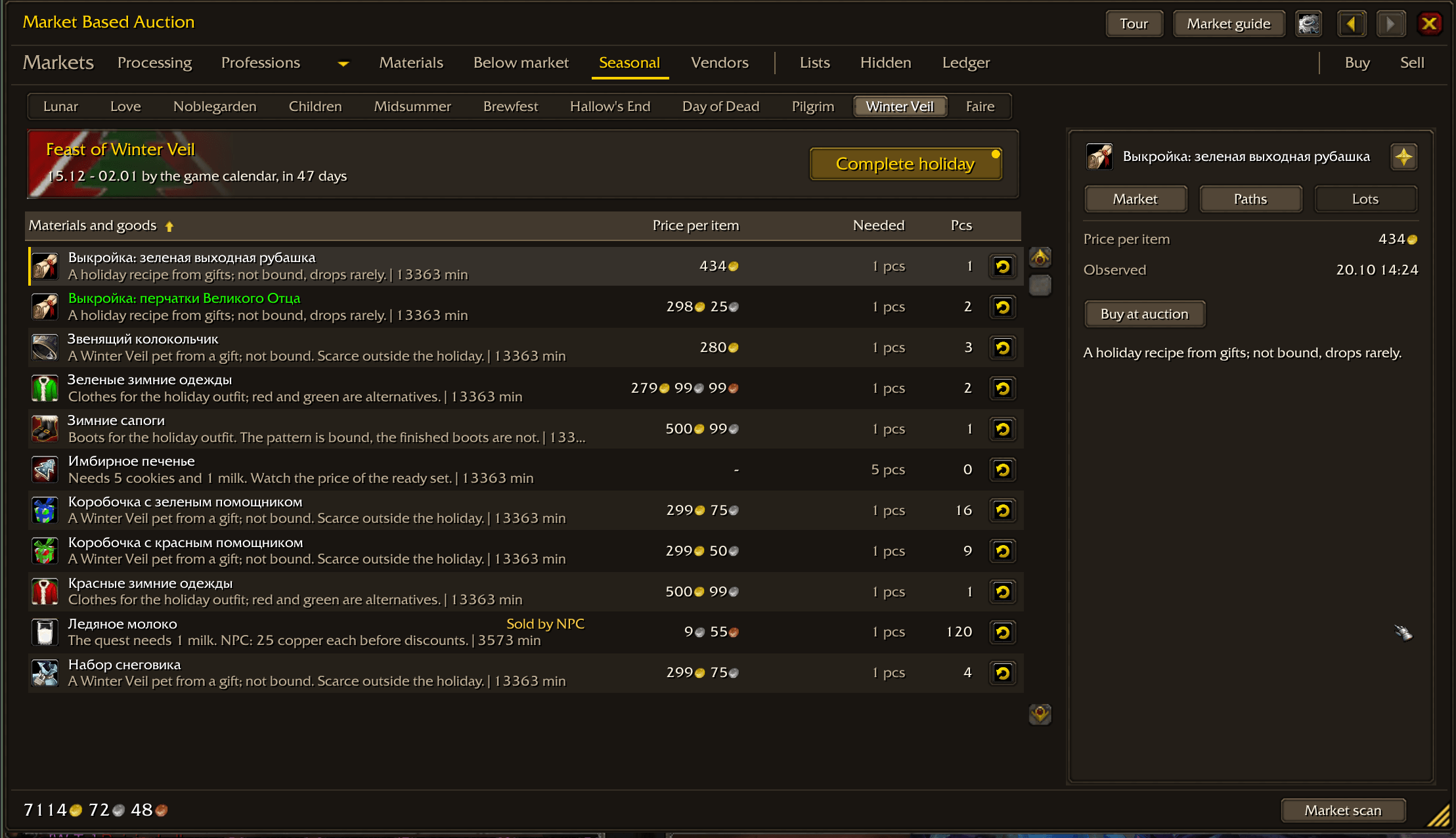
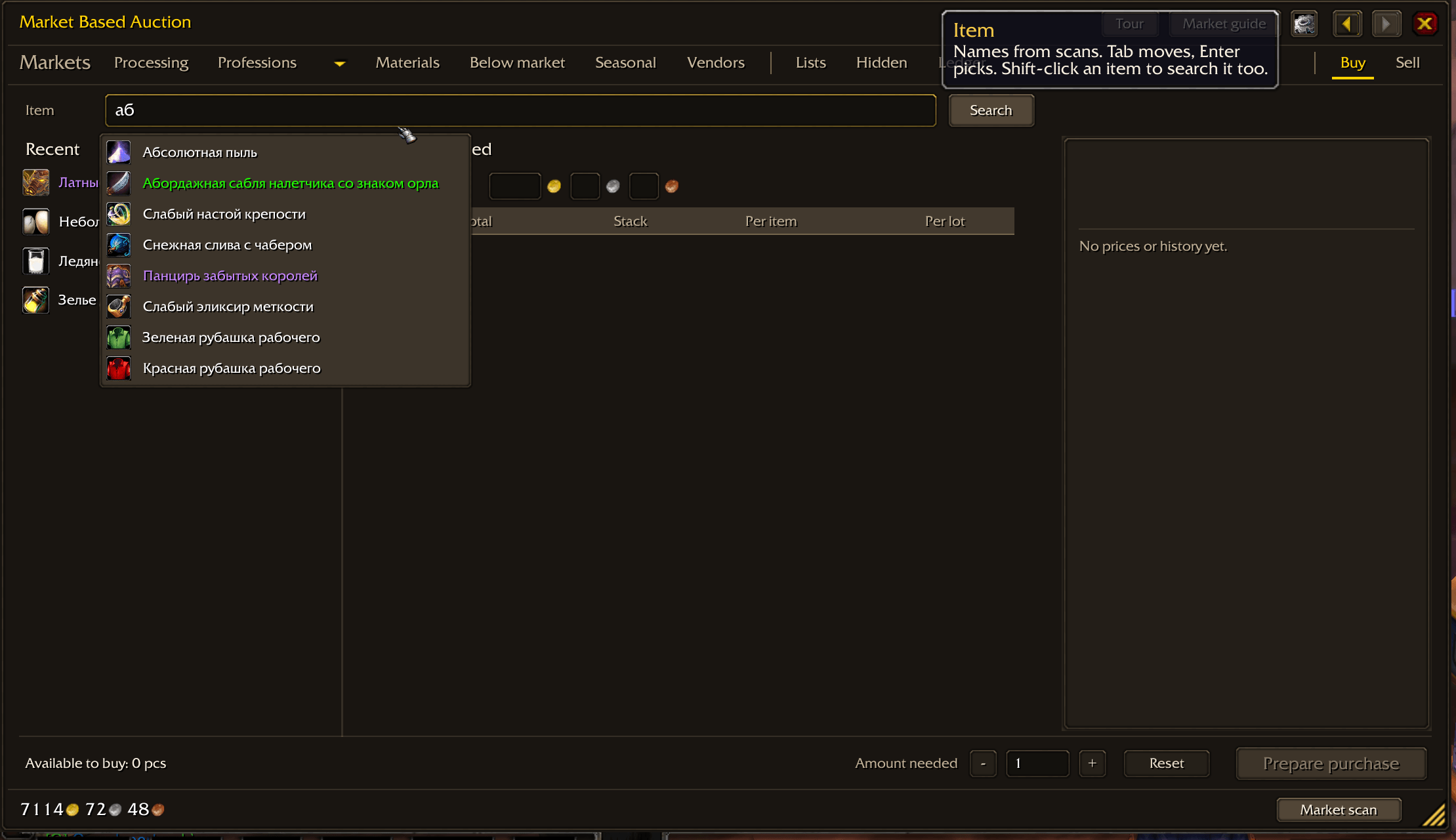
Prices and shopping Search by name or Shift-click an item, choose a quantity and compare plans using whole auction stacks. Set a maximum unit price to select offers strictly below that price. Your own auctions are excluded. Inspect saved offers by unit price, stack size and seller. View price and supply history for 1, 7 or 30 days. Track items, keep favourite recipes and browse seasonal selections. The Below Market section compares buyouts and short-duration bids with the latest full-market scan; it also finds offers below vendor value. Back and Forward arrows in the tab header return to earlier sections with their selection, scroll and batch settings, without new auction queries. Bind them to mouse buttons 4/5 or keys in the game's Key Bindings menu, section ManaCode. Professions and crafting batches Compare recipes from jewelcrafting, alchemy, enchanting, tailoring, blacksmithing, engineering, leatherworking, inscription, cooking, first aid and mining. The catalogs are curated selections, not every recipe in the game. Every recipe is tagged WotLK, TBC or Classic; chips above the list choose which expansions are shown, WotLK by default, and older recipes that still sell stay visible.
Choose a target output quantity. The batch panel starts with the product and the margin of the whole batch, rounds crafts up to the recipe's guaranteed yield, expands craftable reagents and shows surplus, existing stock, missing materials, costs and margin after the auction fee. The main button names the next reagent to buy. Your stock reduces new shopping expenses while retaining its value in the cost calculation. Random specialization procs are not counted as guaranteed output. Recipes with random output, such as Icy Prism and Darkmoon Card of the North, are valued by their expected outcomes.
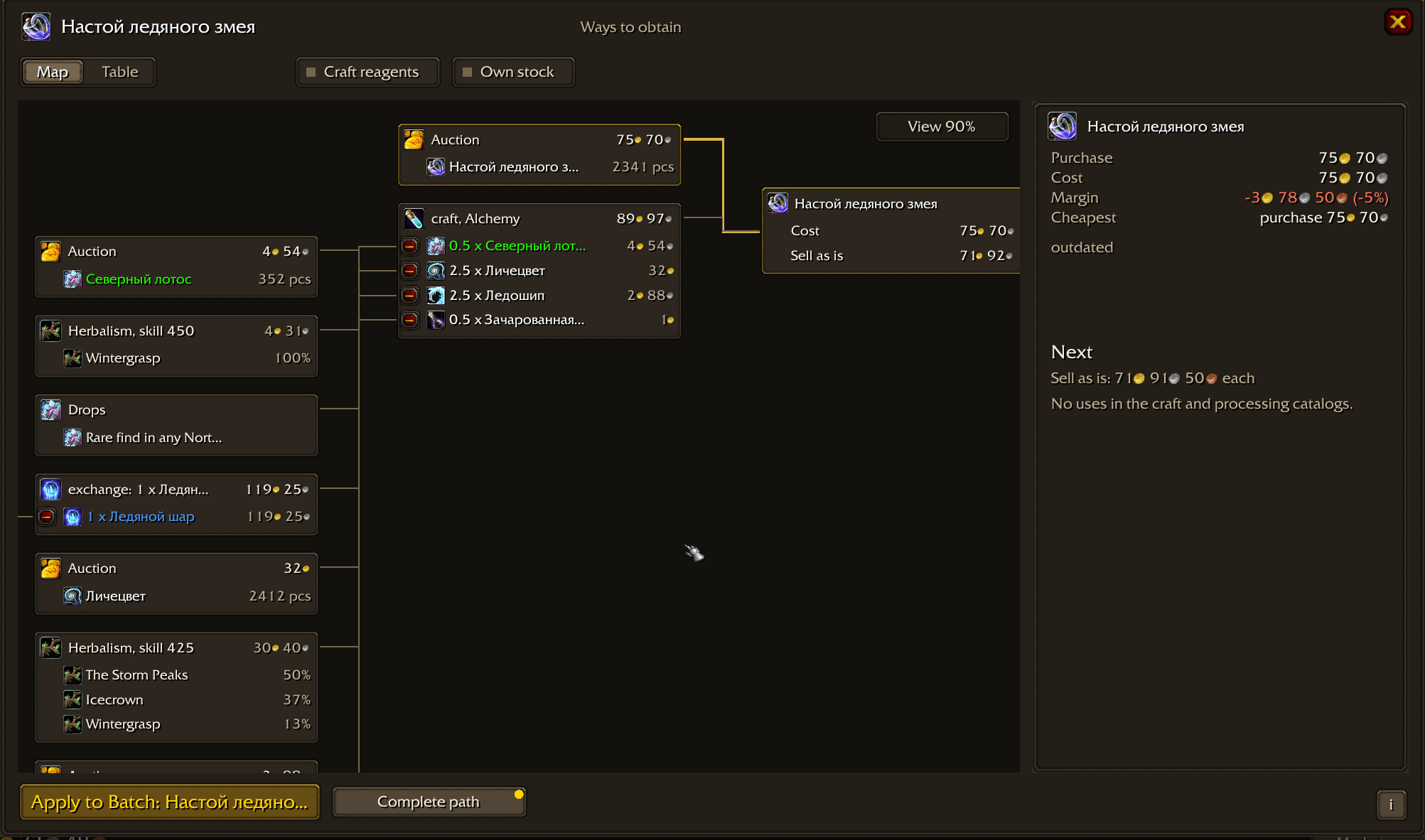
The Paths window shows every way to obtain an item — buy, craft with any profession, transmute, cut, prospect, mill or convert — as a scheme by level or a table of complete paths with cost, margin and limits: cooldowns, which of your characters know the recipe, low-chance outcomes and missing prices. A chosen path can be applied to the open crafting batch.
Gathering views cover ore, herbs, leather and fish. Materials show recipe uses, personal profession enhancements and observed stack sizes; a recipe, enhancement or processing use expands in place, and a separate arrow opens its section. Leveling plans for enchanting and alchemy, 1–450, include alternatives and a material shopping list; training fees are excluded and extra attempts must be allowed for explicitly.
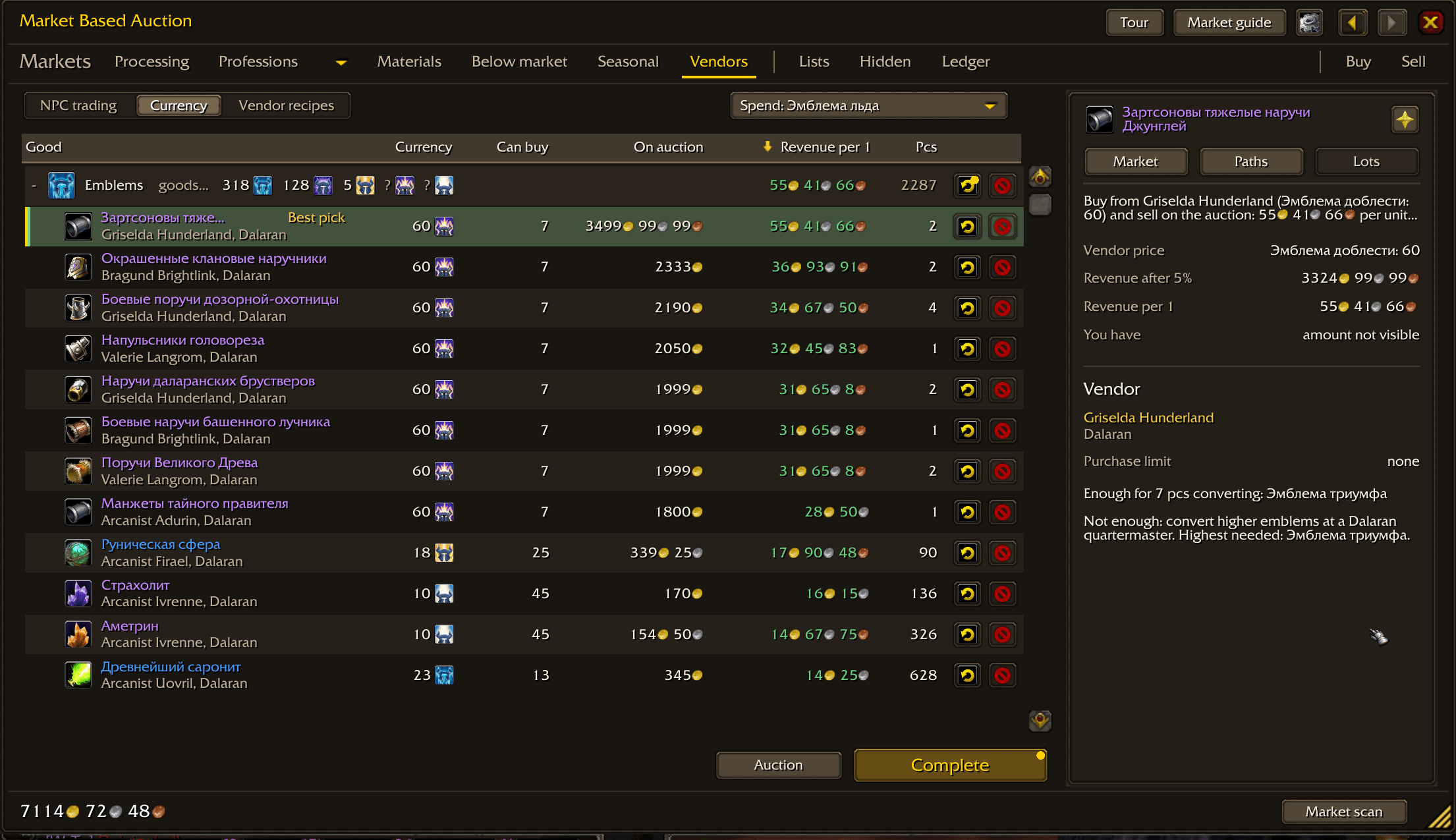
Vendors and currency Vendor trades: buy from an NPC and sell at the auction house — Frozen Orb trades with Frozo, vendor exchanges, pets and limited stock — with the margin after the auction fee. Currency: what emblems, honor, arena points, seals and tokens buy, the gold value of one unit by the best tradable item, and how much your character has. Vendor prices come from emulator data and are marked as not verified on your server. Processing Find equipment that can disenchant into a chosen dust, essence, shard or crystal. Compare the expected value of all modeled outcomes, auction fees and a deposit reserve. The main button follows the screen state: fill prices first, then buy by margin or unit price. In unit-price mode the scan stops at the price limit. Outcome cards switch the panel to the material itself, with a "Where next" block: selling as is and the three best uses. Compare prospecting ore and milling herbs in batches of five, either by raw material or desired gem/pigment. Compare selling, combining or splitting essences and elemental materials. Prepare purchases by margin or unit-price limit. Offers are searched again and checked before the player confirms them. Ledger and selling The ledger follows purchases, auction mail, disenchanting, prospecting, milling, crafting from tracked materials, posting and collecting sale proceeds. Catalog items are tracked automatically; other items can be tracked for resale. A cycle filter, separate batches, a journal across characters of the same account, an "Expected result" tile with its formula and actual-versus-modeled processing results help review the outcome. "Next step" lists the best recipes for the materials you received, with what you have and what to buy. Unconfirmed events can be corrected manually. Items obtained elsewhere can be added from bags with an explicit cost basis.
The Materials panel can post one stack per click with a chosen unit price, stack size and duration.
How scans work Start scans yourself. Price buttons share one rule: "Fill" searches stale and missing prices, Shift searches everything again, Ctrl only missing prices; the tooltip previews the number of searches. Server errors, AFK and closing the auction house can pause scanning. Continue with a player action. Whole-market scans can be long; the one-request full scan may be truncated by the server.
Prices describe observed offers, not completed sales. Disappearing auctions do not prove a sale. Profit and random processing yields are estimates, and server rules can differ. Purchases require player confirmation; the addon does not automatically buy or process items.
Install and open Close the game and extract the archive into Interface\AddOns. Check that ManaCode_AuctionScan\ManaCode_AuctionScan.toc sits directly inside that folder. Start the game and open the Market auction tab. Open your profession window once on each character to read known recipes. When updating from an earlier version, restart the game completely: new files were added, /reload is not enough.
There are no slash commands: everything is in the interface. Market scan sits in the footer of the Market tab; Stop appears during a scan. The settings window opens from the minimap button, the interface options (AddOns tab) or the gear in the header. It includes storage limits, request interval controls, the ledger and mail buttons. Tour and Market guide open directly from the header. If saved data is lost, settings open with Restore from copy and Accept as is.
Scans and the ledger are saved in AuctionScanDB on logout or /reload. Raw scans are kept for about 30 days and up to about 150 MiB; older ones are removed after the next scan, while the latest full-market scan of each realm and faction, the ledger and the disenchanting journal are kept. Back up your SavedVariables before changing installations.
Bug reports: GitHub issues or Discord. Include the addon version, client language, steps and the full Lua error, if any.
[ManaCode] Market Based Auction Team