ManaCode Vendor
- By
All merchant goods in one window: gear sets, search, filters, bulk buying, emblem exchange chains, Keep/Spare bag marks, junk selling and repairs.
01-window.jpg
02-sets.jpg
03-filter.jpg
04-exchange.jpg
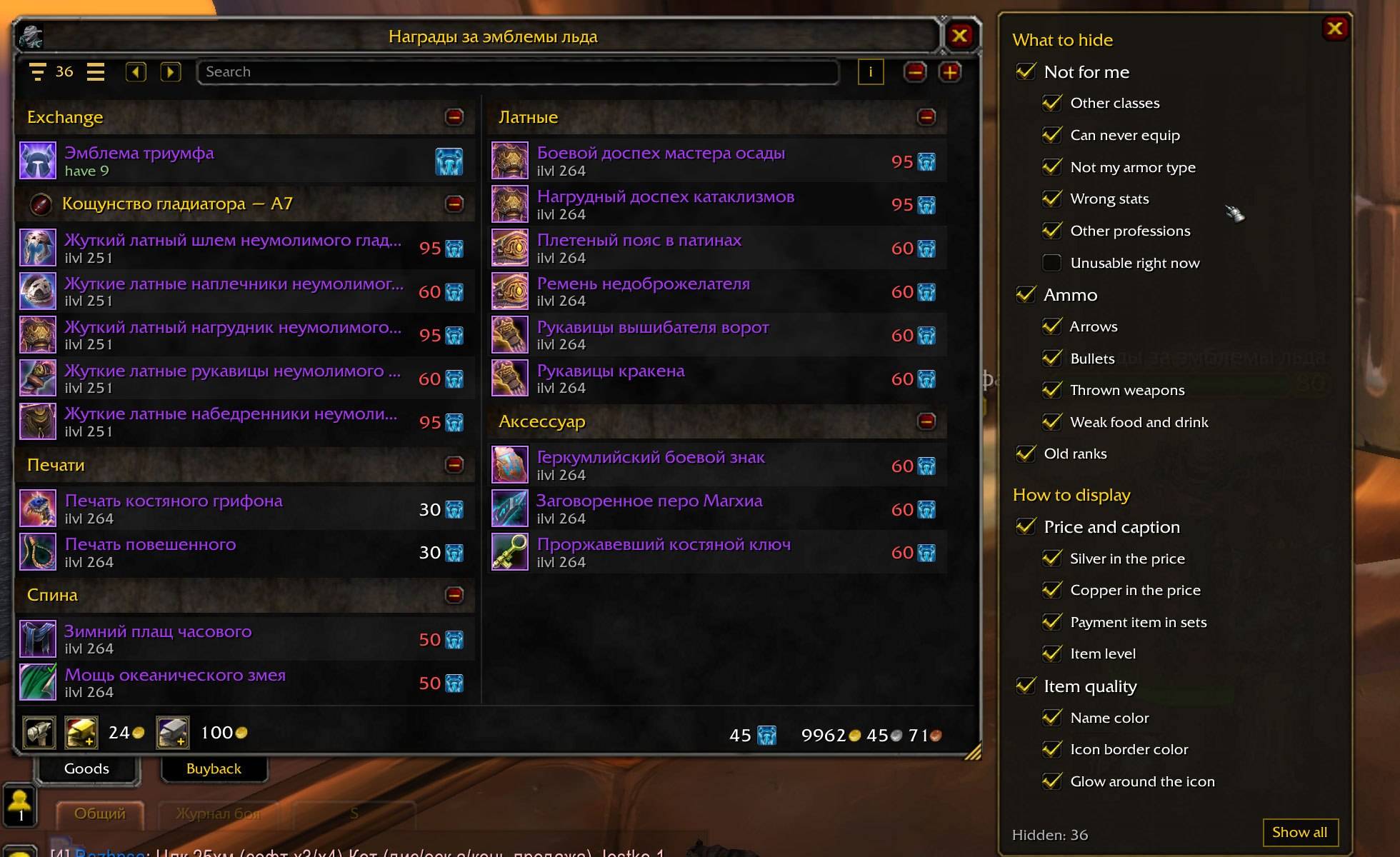
05-emblems.jpg
Description
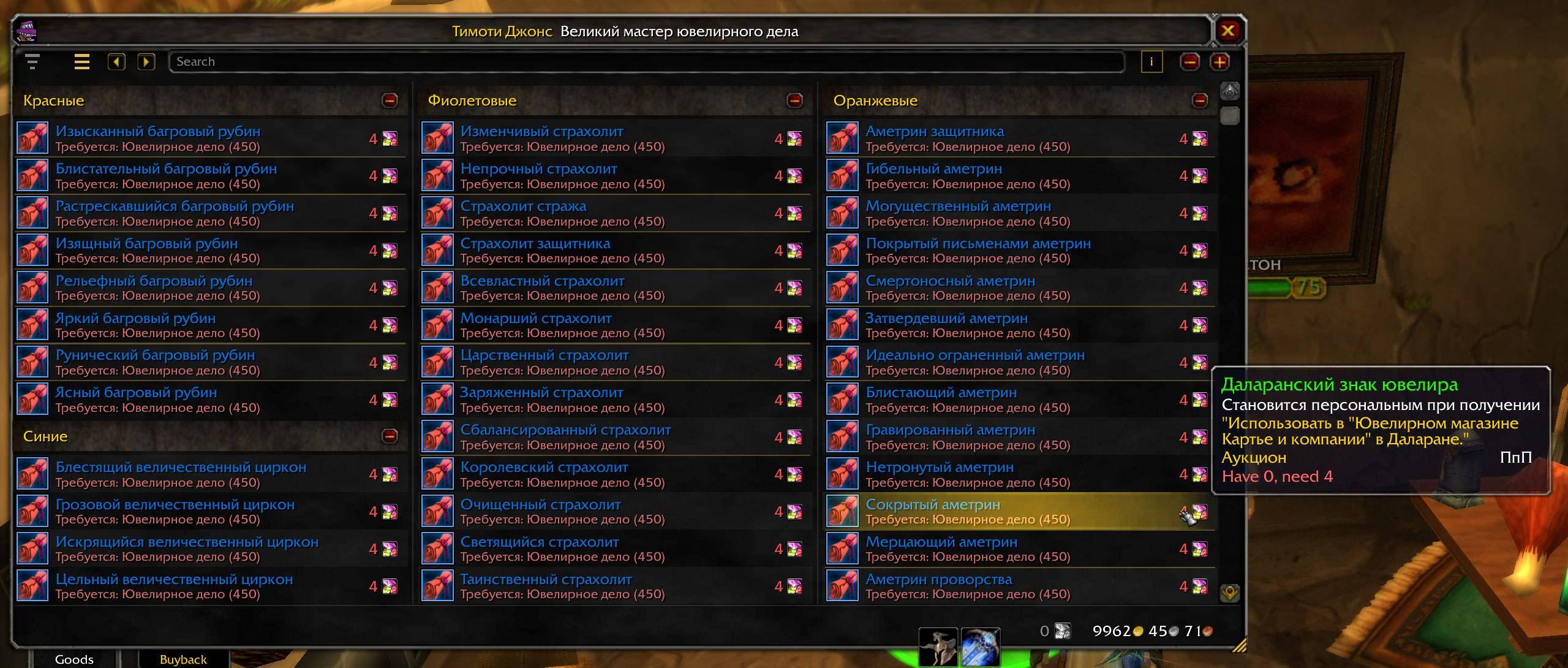
Every item the merchant sells, in one window.
ManaCode Vendor replaces pages of ten items with one scrollable list of the merchant’s entire stock. It opens automatically when you talk to a merchant.
Built for the original WoW 3.3.5a client, build 12340.
Find what you need
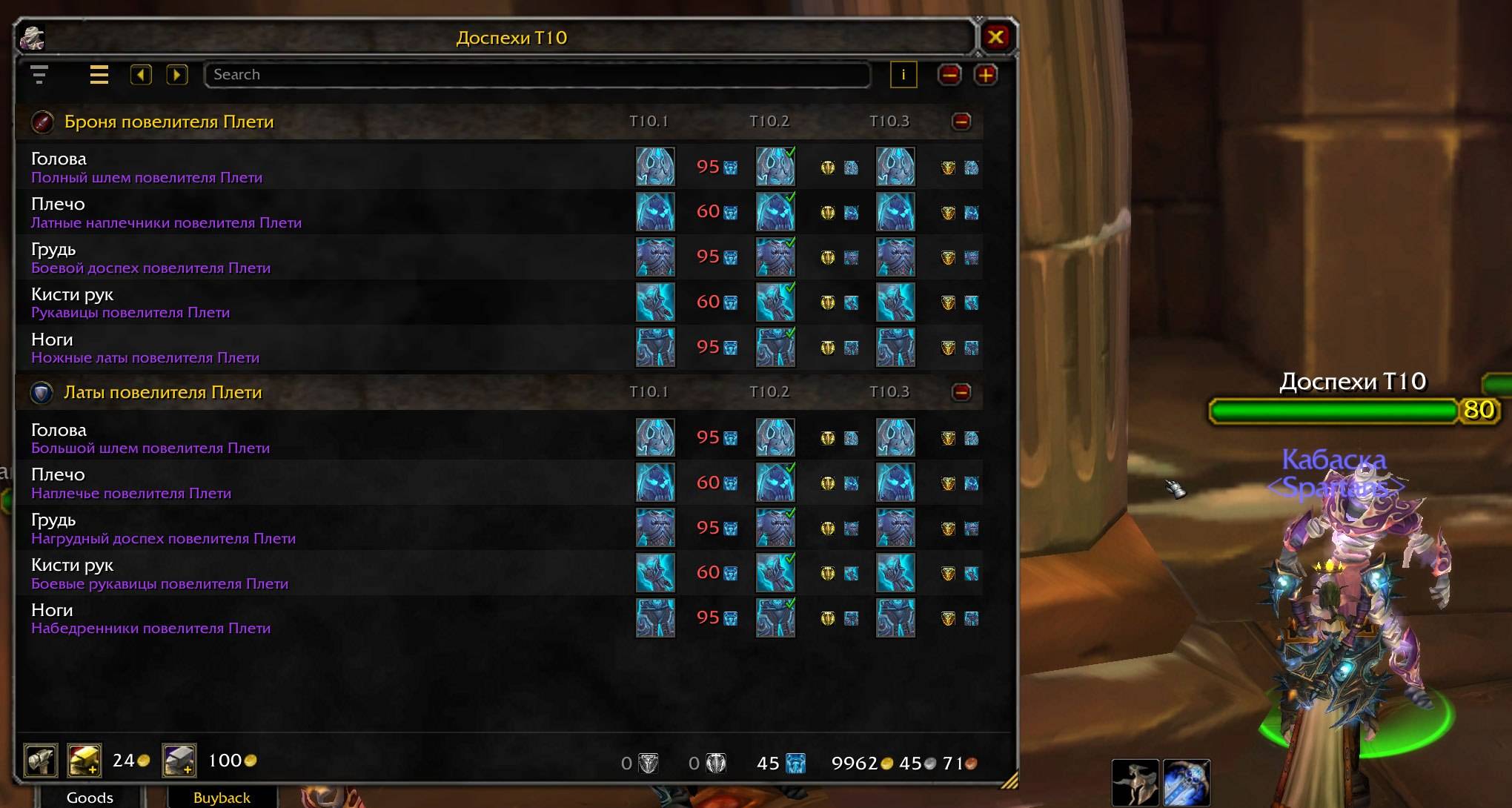
- Gear sets stay together: equipment slots in rows, upgrade tiers side by side, with short tier and arena season labels.
- Other goods are grouped by type, profession or reputation rank.
- Search by item name. On Russian clients, search also handles the wrong keyboard layout.
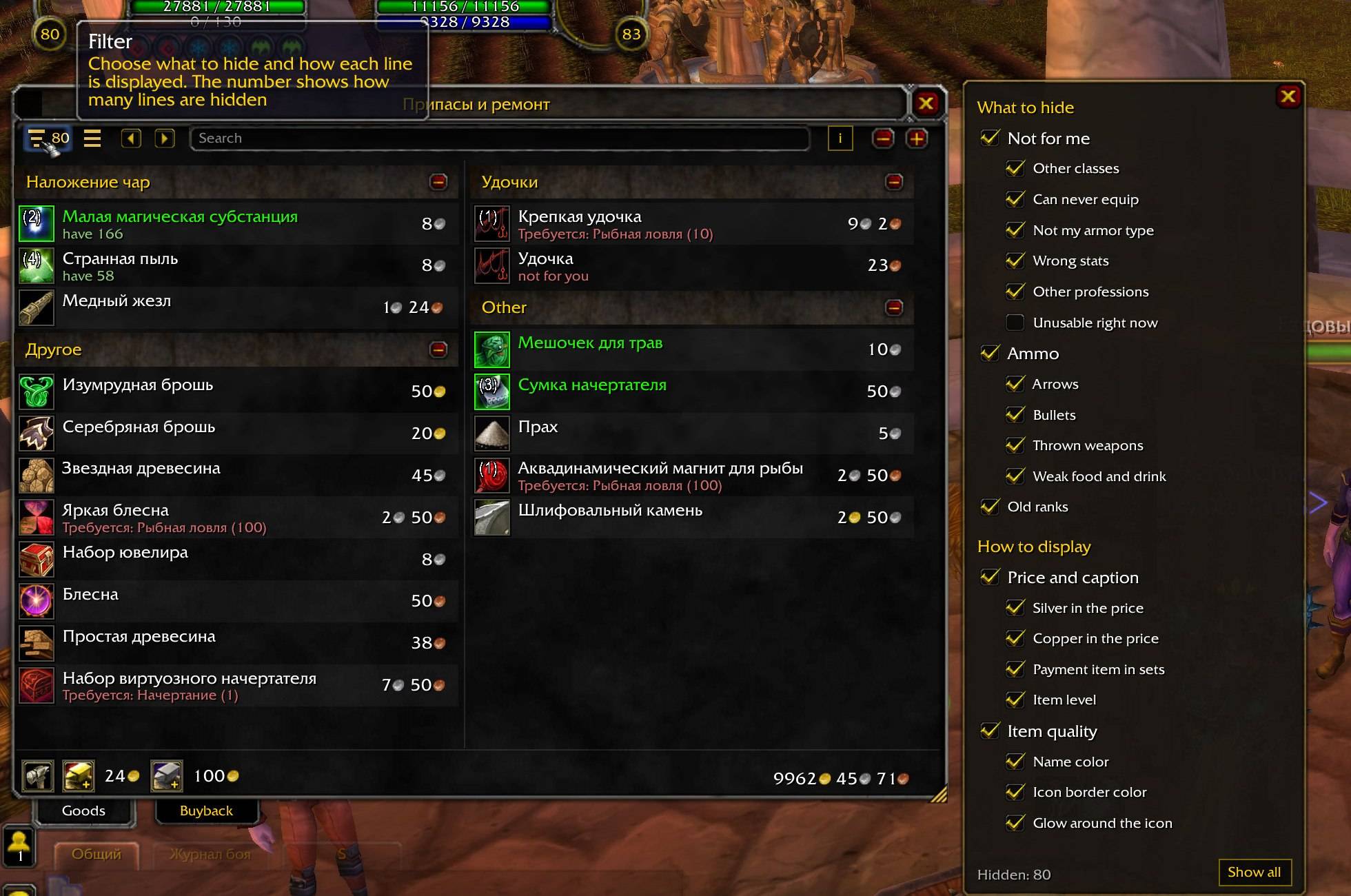
- Filters can hide unsuitable armor, other classes’ gear, unwanted stats, other professions’ reagents, old ranks, and low-level food and drinks.
- See what you already have in your bags and equipped slots, with bank information shown separately in tooltips.
Buy and exchange
- Buy in quantities of x5, x20 or x100, or enter a custom quantity. Review the total cost before confirming.
- Bulk purchase chips are omitted for gear, mounts and pets.
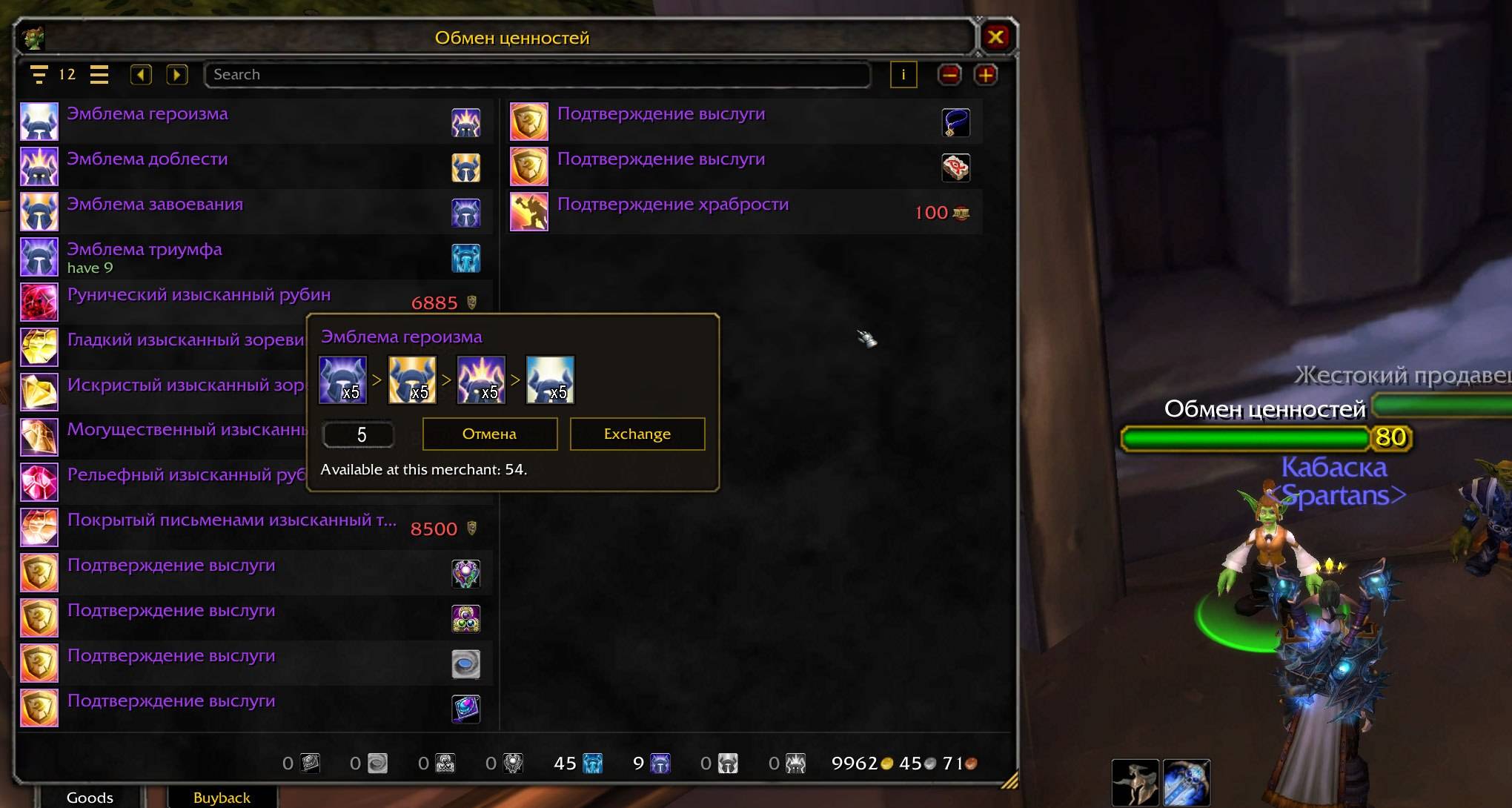
- Emblem exchange chains show the route to a currency or item, use intermediate emblems you already own, and exchange only the missing amount. Every required exchange must be available at the merchant you have open.
- Quartermaster tooltips show your current and required reputation standing.
Keep, sell and repair
- Alt+left-click a bag item to cycle through Keep, Spare and no mark. Supports stock bags and Bagnon.
- Marks apply to all copies of that item across your account.
- Junk selling includes gray items and Spare items of any quality, while excluding Keep items.
- Use the separate Buyback tab and repair with your own money or guild bank funds.
- Automatic repairs and junk selling are separate settings, both disabled by default.
- Refundable purchases retain the stock confirmation when right-clicked in a bag or dragged onto the merchant.
- Selling a useful reagent or quest item triggers a warning and a reminder to buy it back.
Reagents and professions
The “Used for” tooltip explains which spell or recipe needs a reagent, including recorded recipes from your other characters.
Open each character’s profession window after installation so Vendor can record their recipes. Hold Shift over an item to expand the profession list.
Appearance and settings
Choose tile or row layouts, two themes, window scale and size. Width adapts to the merchant’s stock; height and the column limit are saved per character.
Settings are available in Interface → AddOns or with /vendor options.
The interface supports English, Russian and Spanish (esES/esMX).
Installation
Extract the ManaCode_Vendor folder into Interface\AddOns.
Fully close and restart the game after installing or updating to version 0.1.6. This version adds files that /reload cannot load.
Classic 3.4 and Retail are not supported.
Feedback
Report issues through GitHub Issues or join Discord.
Please include your addon version, client language, merchant name, steps to reproduce, and any Lua error or screenshot.
ManaCode Vendor Team