Malitor's Disenchanting Box
- By
Malitor’s Disenchanting Box is a World of Warcraft addon that gives enchanters a focused, easy-to-use interface for finding and disenchanting eligible items in their bags.
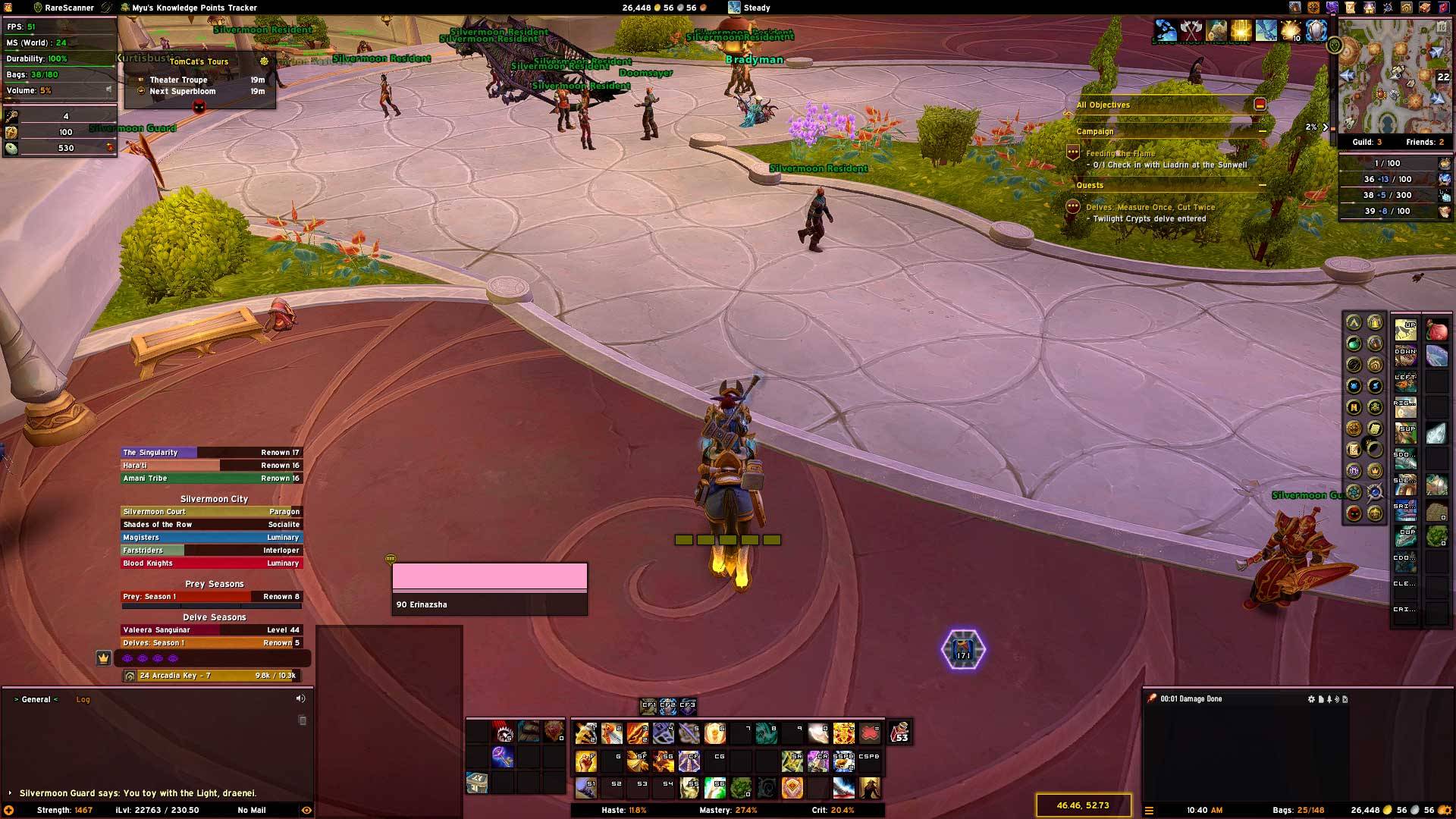
MDB_FullScreen.jpg
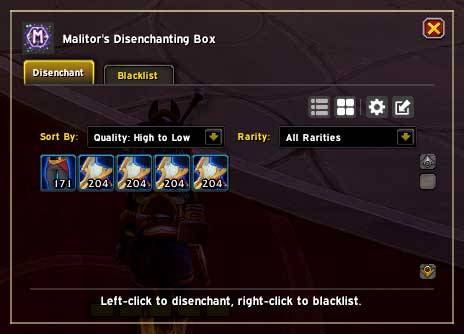
MDB_OptionsWindow01.jpg
MDB_OptionsWindow02.jpg
Description
Malitor's Disenchanting Box
Now supporting Mainline and Forever!
Malitor's Disenchanting Box gives enchanters a focused interface for finding eligible items and disenchanting them without digging through their bags. It includes multiple view modes, sorting, filtering, blacklist support, Compact Mode, and a polished visual presentation.
Basic Features
Multiple View Modes
Choose the layout that works best for you.
Grid View
A compact icon-based layout for quickly scanning items.
List View
A detailed row-based layout that displays item names and item levels.
Compact Mode
A small movable disenchant widget for quick access without keeping the full window open.
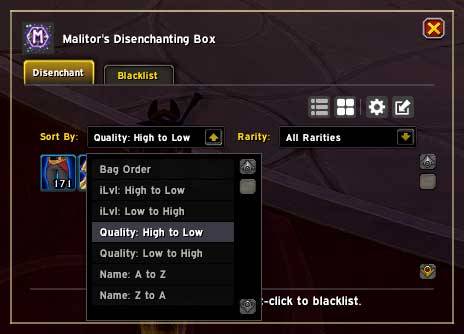
Sorting and Filtering
Control which items appear and how they are ordered.
- Normal bag order
- Item level, ascending or descending
- Item quality, ascending or descending
- Item name, ascending or descending
- Supported rarity filters
- Check All and Uncheck All rarity controls
Blacklist Support
Right-click an item to blacklist it and prevent it from appearing as a disenchanting option.
Compact Mode
Compact Mode is designed for fast, convenient disenchanting while using very little screen space.
It includes:
- Current disenchantable item display
- Item-quality border colors
- A movable toolbar
- Position locking
- A maximize button for returning to the main window
- A settings button
- A disenchant animation while an item is being processed
Settings and Controls
Convenience Options
You can configure:
- Minimap button visibility
- Minimap button position locking
- Compact Mode frame locking
- Addon settings and project links
- A keybinding to toggle the addon window
Slash Commands
Base Command
/maldeView Commands
/malde grid — Grid View
/malde buttons — Button View
/malde list — List View
/malde compact — Compact Mode
Designed for Enchanters
Malitor's Disenchanting Box keeps eligible items visible, organized, and easy to process. Whether you prefer a detailed list, a compact grid, or a lightweight Compact Mode widget, it is designed to make disenchanting faster and clearer.
Feedback & Suggestions
If you encounter bugs or have feature suggestions, please submit them through the CurseForge project page.
Malitor's Disenchanting Box Team