LookingforQuest LFQ
- By
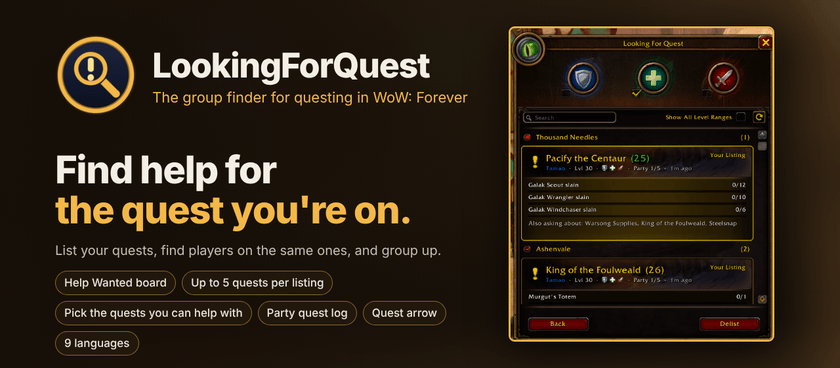
Stuck on an elite, an escort or a "kill 12 centaurs" camp? LookingForQuest lists the exact quest you need help with, so players on the same quest can sign up and join you, all in a window that looks and works like Blizzard's own Looking For Group.
LookingForQuest (LFQ): the group finder for questing in WoW: Forever
How it works
1. Ask for help: pick one of your quests, tick the roles you need, add a note if you like, and list it.
2. Others sign up: players see your quest on their Help Wanted board and sign up with their roles and progress.
3. You invite: you hear the Group Finder sound, review the sign-ups, and invite who you want.
4. Group up and go: the quest arrow and map pins lead everyone to the right place.
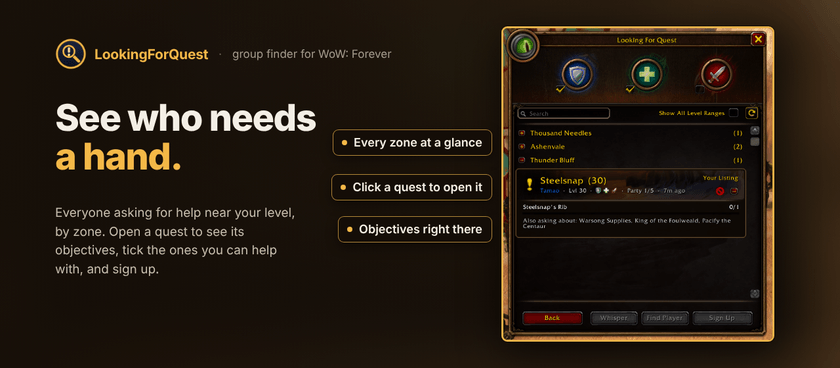
See who needs a hand
Highlights
Sign-ups like the real thing: roles, an optional note and your progress. Leaders get a pop-up, then Invite, Decline or Whisper.
- Party quest log: everyone's quests side by side: who has them, who's ready, who's missing them. Share or Request Share in one click.
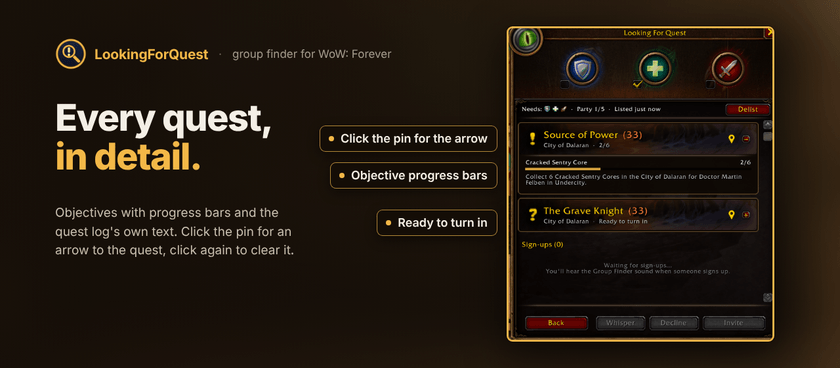
- Quest arrow: click the pin on a quest for an arrow to its objectives. Click again to clear it.
- Find Player: walk straight to someone asking for help, shown on your map and minimap.
- The Group Finder eye: rests when idle, looks around while you're listed, glows when someone signs up.
- Nothing in chat: LFQ uses hidden addon messages, so no chat channel ever fills up.
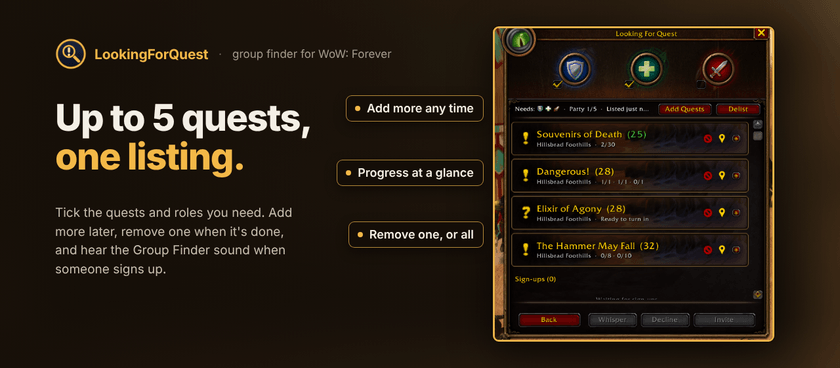
Up to 5 quests per listing: add more or remove one any time,
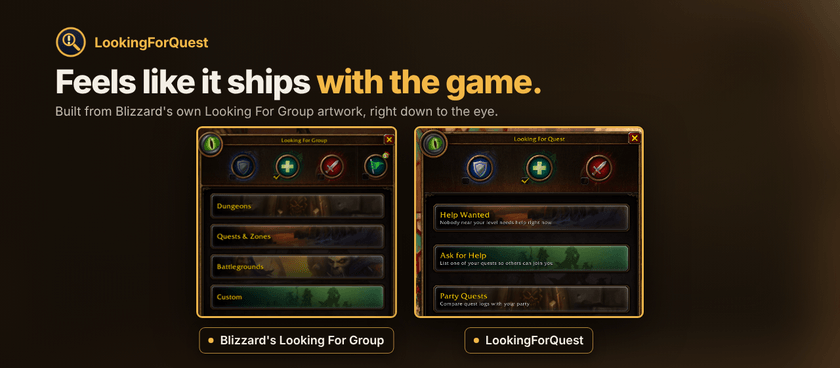
Feels like it ships with the game
Speaks your language
English, Deutsch, Français, Español (España y México), Português (Brasil), Русский, 한국어 and 繁體中文. LFQ follows your game client's language automatically and uses Blizzard's own words for buttons and roles.

Commands
`/lfq` opens LookingForQuest · `/lfq help wanted` · `/lfq ask` · `/lfq party` · `/lfq options` · `/lfq help`
You can also open it from the minimap eye (right-click for Options) or the AddOns menu on the minimap.
Options
- Play a sound when someone signs up
- Show a pop-up when someone signs up
- Show the minimap button
- Show players asking for help on the world map
- Show players asking for help on the minimap
- Made for WoW: Forever.
- LFQ finds other LFQ players. The more people who install it, the more useful it gets for everyone, so tell your guild and friends.
- Your location is only shared while you're listed. Other LFQ players can see roughly where you are so they can come help. It stops as soon as you delist, your party is full, or your quests leave your log. Browsing and signing up never share your location.
- Party quest logs stay in your party. They're only sent to the people in your group, never to anyone else.
- Listings come down on their own when your party is full or all your listed quests leave your log.
- License: All Rights Reserved. Feedback, bug reports and translation fixes are welcome on the project page.
LookingforQuest LFQ Team