LibHelpTour
- By
Embeddable WoW library for guided help tours that point at an addon's controls step by step.
Description
Point. Explain. Guide.
Embeddable WoW library for guided help tours that point at an addon's controls step by step.
Features
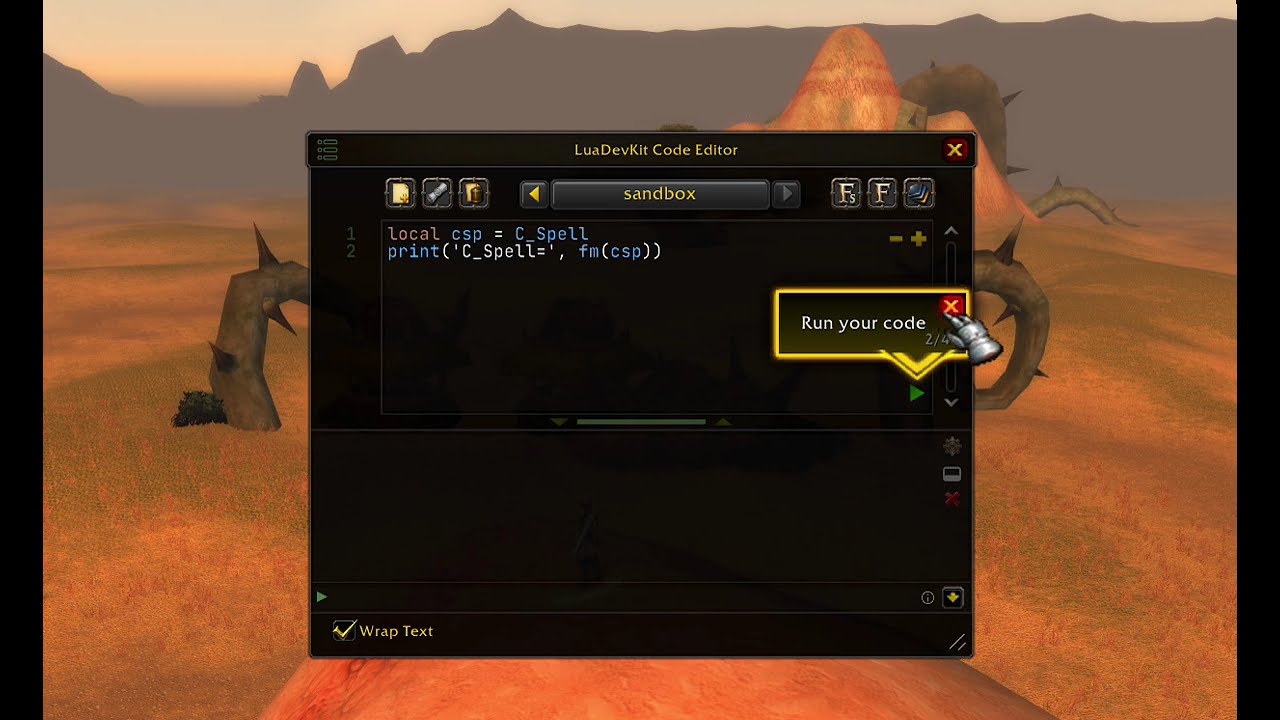
- Glowing tips with an arrow that point at your controls, one step at a time, with a step counter and a close button.
- Remembers which steps each user has seen, in your addon's own saved variables.
- Feature tours: a tour added in a later release shows only to users who installed before it, not to new users.
- One tour per session, so users are never flooded with tips.
- Safe to embed in many addons at once: no XML templates and no global names besides
LibStub. - Works on Retail and Classic clients.
Embedding
Add LibHelpTour as an external in your pkgmeta.yaml:
externals:
  ThirdParty/Libs/LibHelpTour:
    url: https://github.com/kapresoft/wow-addon-LibHelpTour
    tag: latest
Then load it from your TOC or XML, after LibStub:
<Script file="ThirdParty\Libs\LibStub\LibStub.lua"/>
<Include file="ThirdParty\Libs\LibHelpTour\LibHelpTour.xml"/>
Usage
1. Define your tours
Each tour belongs to a target, usually a dialog, named by targetId. Each step points at a control inside that target.
local Tours = {
  {
    id = 'welcome',
    targetId = 'MainDialog',
    steps = {
      {
        key = 'OptionsMenu',
        textKey = 'Options::HelpTip',
        anchor = function(dialog) return dialog.OptionsButton end,
      },
      {
        key = 'RunButton',
        textKey = 'Run::HelpTip',
        anchor = function(dialog) return dialog.RunButton end,
      },
    },
  },
  {
    id = 'history',
    targetId = 'MainDialog',
    since = 1, -- feature tour: only users who installed before it see it
    steps = {
      {
        key = 'HistoryButton',
        textKey = 'History::HelpTip',
        anchor = function(dialog) return dialog.HistoryButton end,
      },
    },
  },
}textKeyis passed to yourtextfunction (see below), so it can be a locale key. With AceLocale, each locale file gives it the text:
  L['Options::HelpTip'] = 'Settings, themes and more'  -- enUS.lua
  L['Options::HelpTip'] = 'Réglages, thèmes et plus'   -- frFR.lua
Without localization, put the text itself in textKey and use text = function(textKey) return textKey end.
keyis saved once the user has seen the step, so keep it stable and unique across all your tours.anchoris called each time the step shows. A step whose anchor isnilor hidden is skipped.sincemarks a feature tour. Give each new feature tour the next number (1, 2, 3, …). Leave it out for tours everyone should see, such as a welcome tour.
2. Create a controller
Create one controller per addon. It reads and writes your saved data through the functions you pass, and only calls them when a tour shows, so your database can be set up later (e.g. in OnInitialize).
local L = LibStub('AceLocale-3.0'):GetLocale('MyAddon')

local HelpTour = LibStub('LibHelpTour-1.0'):New({
  tours = Tours,
  dismissed = function() return db.global.helpTipsDismissed end,
  getBaseline = function() return db.global.tourBaseline end,
  setBaseline = function(baseline) db.global.tourBaseline = baseline end,
  text = function(textKey) return L[textKey] end,
})| Setting | Required | Description |
|---|---|---|
tours |
yes | Your tour list. |
dismissed |
yes | Returns the saved table of seen step keys, e.g. {} by default. |
getBaseline / setBaseline |
yes | Read and write the saved feature-tour baseline, a number. It's saved on the first show, so new users skip existing feature tours. |
text |
yes | Turns a step's textKey into the text shown, e.g. a locale lookup. |
tipParent |
no | function(target) returning the tip's parent frame. Defaults to the target itself. |
tipStrata |
no | The tip's frame strata, e.g. 'FULLSCREEN_DIALOG' when the tip is parented to UIParent. |
3. Call it from your target
function MainDialogMixin:OnShow()
  HelpTour:OnTargetShown('MainDialog', self)
end

function MainDialogMixin:OnRunClick()
  -- Doing what a step points at counts as seeing it
  HelpTour:CompleteStep('RunButton')
end
OnTargetShown(targetId, target)shows the next unseen step, or hides the tip when there is none. The controller creates the tip itself the first time.CompleteStep(key)marks a step as seen. If that step is on screen, the tip moves on to the next one. Closing the tip does the same.OnTargetHidden(target)hides the tip when its target goes away. It's only needed when the tip isn't the target's child (atipParentsuch asUIParent), or when the target is an AceGUI widget that gets released.
License
Donations
If LibHelpTour has made your addon development easier, consider supporting its development:
About
- About the Author (Tony Lagnada)
- My AddOn Portfolio Can Be Found Here Curse Forge/Kapresoft
LibHelpTour Team

Owner