LibAceGUIWidgets
- By
LibAceGUIWidgets is a shared AceGUI-3.0 widget and styling library. It registers reusable, drop-in AceGUI widget types and helpers so addons share one consistent look instead of each rebuilding the same frames.
LibAceGUIWidgets
LibAceGUIWidgets is a shared AceGUI-3.0 widget and styling library — the common UI toolkit behind the TOG suite of addons. It registers reusable, drop-in AceGUI widget types and helpers so addons share one consistent look instead of each rebuilding the same frames.
This is a library, not a standalone addon. It has no window of its own — you only need it because another addon lists it as a dependency, which CurseForge installs automatically. Embeddable via LibStub. Its one setting is /lagw debug, which shows or hides its messages for addon authors (off unless an addon turns it on).
What it provides
- ClearFrame — a movable, resizable main window with a themed title bar, saved size/position, and a bottom status bar (status text, Close button, info “i” tooltip, and an optional settings gear).
- GroupFrame — a lightweight borderless container.
- TLabel — a label + icon widget with tooltip support.
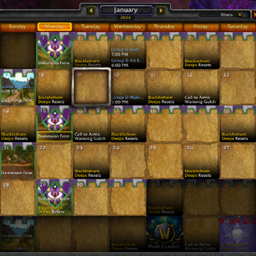
- DatePicker — a date field with a calendar icon and a month popup (previous/next, click a day, Today, Clear); typing a date works too. An addon can fence it to a date range, make the date required so it can never be emptied, choose which day the week starts on, and tell it whose “today” to use — the realm’s, not your computer’s.
- RowList — a virtualized scrolling data list (value-aware sortable headers, alt-row banding, class-color columns, stateful action icons, per-column header tooltips, row-hover callbacks, slim scrollbar, icon columns that draw a per-row picture such as a gold or grey coin while still sorting, and blanks that stay at the bottom either way). Sorting is stable, so identical rows keep the order they were given and two players looking at the same shared data see the same list; a column can sort on a different value than it displays, and can own its own cell tooltip separate from the row’s. An addon can scroll the list to a given entry and put a lasting selection highlight on it that stays with that entry through scrolling and re-sorting. A single cell can answer its own click — so one column reads as a link while every other click on it still does what the row does — and a column can strike through its text for rows that are done, won or expired, so they stay visible instead of vanishing. A list can also change its columns while it is open, for tables whose columns come from your data (one per raid, per season, per category). Click a column’s header for a filter menu — sort either way, then tick the values you want to see, with the choices in each column narrowing to what the other columns still show, grouped where it helps (a zone under its continent) and searchable — and a search box finds text anywhere in the list. Columns can size themselves to their widest entry, right-align numbers, and open high-to-low on the first click. Item, spell and player links in a list can be hovered and clicked like links in chat. Addons also get +/- tree rows for parents with children under them, tick-box columns, text that shortens to fit its column (“Ann, Bob +3”), clickable cells with their own tooltip, and rows that are read-only for players who may look but not change. A list can also light the row under your pointer, show group headings with indented rows under them, let you drag rows into a new order, go back to its original order on a third header click, search by words (including text a column does not show), reopen where you left it scrolled, show a button only on the rows it applies to, and size itself to its rows. An addon can also ask which cell on screen shows a given entry, to place a popup beside it.
- Menus & scrolling — an anchored dropdown menu with cascading submenus and multi-select (check-marked rows that stay open and update live), placement control, click-outside to close, drawn above the window — plus a slim-scrollbar scroll box for content that overflows. Entries can also be headings, greyed out or spacers, carry their own tooltip, and individually decide whether clicking them closes the menu. The menu is shared by every addon on the library, so an addon can ask to close it only if it is the one that opened it. A long menu stops at what fits on your screen and tells you how many more there are, rather than running off the bottom. A menu, or a dropdown box, can carry its own search box, so a list of several hundred choices opens on the few that matter and narrows as you type. A choice whose action fails still closes the menu, and the error still reaches your error display.
- Form helpers — a labelled dropdown box, a prompt/confirm dialog, a checkbox bound straight to a setting, and a search box (with a tokenised any-field matcher), which also comes as a ready-made AceGUI widget that drops straight into an addon’s row of filters, and a filter-strip layout that lines a row of controls up for you — every caption on one line, every control centred on one line under them, the same gap between each, wrapping onto a second row when the window is narrow, and no empty caption line over a row that has no captions — the pickers and inputs consumers were each hand-rolling. The dialog answers Enter and Escape even with nothing to type in, can show a single OK button, tells the addon when it opens and closes so a modal count always balances, and can be withdrawn by the addon that put it up — only ever its own prompt, never another addon’s. It can also take a window look — title bar, close X and inset — to match an addon’s other windows. There is also a small form prompt for the two or three things an officer has to type — labelled fields, an error line that appears without the window closing, OK and Cancel, rows that pick from a list, show an item you can hover (with the addon’s own hover and click, such as hold-to-compare, if it has them) or are a tick-box, a small grey note under any field, a paragraph of text that can change each time it opens, and a hint line at the top; it can open beside the row or button that opened it — and a button that explains why it is greyed out, so a control you cannot press says what would make it pressable instead of just sitting there dead, which also comes as a whole row of buttons with a status line at its right end. Any text box with a length limit can show a live “n / max” character counter that turns red at the limit. A form prompt’s labels can be renamed while it runs, for a language switch without a reload.
- Copy boxes — the game will not let an addon put text on your clipboard, so a link or an error line is shown selected in a box, ready for Ctrl+C, with a copy icon drawn in the same style as the search box’s magnifying glass. The box cannot be typed over by accident: a stray key puts the text back. It comes as a popup or as a field inside a window.
- Click bindings you set by doing them — a setting where you hold Alt, Ctrl and/or Shift and click to choose what a click does, such as “Alt + Left Click”, with a Default button. A plain click on its own is refused, because it would fire on every ordinary click.
- Toggle chips — small on/off pill buttons for a row of filters (Dungeon, Raid, Quest…), lit in the addon’s colour when on and grey when off. An addon can build a whole row of them from its saved settings in one call, and each click saves itself. They can also be the on/off switches on an addon’s options page.
- A tab strip that scrolls — a row of tabs that an addon adds and removes while it runs, such as one tab per item up for roll. When there are more tabs than fit, < and > arrows appear at the ends to scroll through them one at a time. A long name is shortened on its tab and shown in full when you hover it.
- A button in a window’s top corner — an addon can put a labelled button in the top-right corner of its window, such as a switch between a new and a classic layout, and it works on both kinds of window the library supports. It goes away cleanly when the window closes.
- Expandable list — a scrolling datasheet of collapsible
label + valuegroups; a +/- toggle opens each to its indented child rows, any number of levels deep. A line can have its own click, its own tooltip and its own colour, and the values can line up in one column at every depth. Pooled rows, persistent expand state — for EP breakdowns, statsheets, and any drill-down tree. - Version & update helpers — a one-call version resolver for a status-bar / about line (the TOC version with the packager’s git-tag prefix stripped) and a one-call VersionCheck-1.0 hook-up (the “a guildmate is running a newer build” nudge) — so every suite addon wires these the same way instead of hand-rolling them.
- Resize framework — drag grips, minimum and maximum bounds, a live re-layout callback while the drag is happening, and saved size, for any window — not just the library’s own frame types.
- Window memory — one call gives a window a saved position and size that survives close, reopen and reload, with a floor a saved size can never fall below. The floor follows the size slider live on every kind of window, and a window it had to grow is saved at the grown size. When the window closes it lets go, so the game’s reused frame does not carry that floor into the next addon’s window.
- Window docking — a window can attach itself to the edge of another one, follow it as it moves, stay put on screen when that window closes, re-attach when it opens again, and undock when you drag it away. When the window it is attached to closes for good, it lets go, so it never follows that window’s reused frame into another addon.
- Bottom-row icons — the little cluster of icons beside a window’s Close button (settings, help, share, stop), laid out to one set of numbers so every window in the suite puts them in the same place at the same size. Each carries its own tooltip, read at the moment you hover so an icon can say “nothing to stop” when there is nothing to stop.
- Selected-tab highlight — a soft accent band behind the selected tab’s label and a fainter one on mouse-over, because the stock AceGUI tab only greys out when chosen.
- Button cooldowns — a rate-limited button counts itself down in its own caption, dims, and refuses the click until it is ready. The time left comes from the clock, so a loading screen cannot leave it stuck.
- Breathe and Flash — the suite’s shared attention-getting fade, one effect with one set of numbers, plus a flash that stops by itself and a glow around the edge of the screen.
- Symbol font — a bundled font (DejaVu Sans) and named symbols (arrows, check, cross, warning, ≤, ≥, ±, bullet, star, play, refresh) for labels the game’s fonts cannot draw.
- One size slider, for the visually impaired — an addon can offer a single size setting from 80% to 200%, and everything the library draws grows with it together: text, icons and row heights in every list, menu, dialog, window bar, label and date picker. Windows keep the size you dragged them to and are only nudged bigger when their enlarged rows would no longer fit. The setting belongs to the addon that offers it, per client, and is never sent to anyone else.
- Window settings — one window’s own scale, its background see-through, named size presets (a resizable one remembers the size it was closed at), a saved window brought back onto a smaller screen, and Escape that closes the newest popup before the window, one at a time even in combat and even for a prompt over a window’s form; plus a toolbar / side panel / detail panel layout, a quantity box with −, + and MAX, and a combat-safe button that casts or uses something.
- Mistakes that speak up, to the people who can fix them — a few addon-side mistakes that used to fail silently are now caught: a list given no room to draw its rows, two list columns sharing a name, and two addons picking different theme colours are each kept in a record an addon’s own tests can check is empty; and a window given two ways to remember its position is refused the second one. Each prints one line saying what went wrong and how to fix it — only in debug mode, so players never see them.
/lagw debugturns that on or off (/lagw debug on,off, orresetto let addons decide), and it is remembered when the library is installed as its own addon. - Clean hand-back of reused frames — the game reuses the frames addons build windows in, so anything an addon adds to one through the library (scripts, extra frames, tooltips) is taken off again when it closes and never turns up in the next addon’s window.
- Polite redraws — an addon can check whether you have one of its menus open or are typing in one of its boxes, and wait until you are done before redrawing.
- Plus brand/style tokens and small helpers (branded labels, auto-flipping tooltips that can be made wider for long help, popups placed under the thing that opened them, floating panels that close on a click outside, resize bounds, the accent colour as numbers).
The widgets are addon-agnostic: each consumer supplies its own accent color, class-color table, tooltip owner and, if it offers one, its size setting, so the library owns structure and styling while your addon keeps its identity. It composes with LibLocaleOverride for localized tab and dropdown fonts.
Requirements
- Ace3 (for AceGUI-3.0) — required.
- VersionCheck-1.0 — optional; only the update-reminder helper uses it, and the library works fine without it.
Recent Updates
v0.5.0 — a row of buttons with a status line, a live character counter, toggle chips on an options page, and Escape that closes one thing at a time
New
- A row of buttons with a status line. An addon can lay out a row of buttons that each explain themselves on hover, with a status line at the right end of the same row. A greyed-out button says why in red at the bottom of its tooltip. A long status line is cut short rather than running over the buttons. Asked for by Ultimate Guild Roster.
- A live character counter. A text box with a length limit can show “12 / 255” as you type, turning red at the limit. The library’s search box can show one too. Asked for by Ultimate Guild Roster.
- Toggle chips on an options page. An addon’s settings page can draw its on/off switches as the library’s toggle chips, with each switch’s description as its tooltip. Asked for by Ultimate Guild Roster.
- A form’s labels can change language without a reload. An addon can rename the labels on the library’s small form prompt while it runs. Asked for by Ultimate Guild Roster.
Changed
- Error reports from an addon’s code point at that code. When something an addon hands the library (a menu callback, a cooldown listener, a resize callback) hits an error, the error display now shows where in that addon it went wrong, instead of only where the library called it.
Fixed
- One Escape in combat closed a prompt and the window behind it. A yes/no prompt shown inside a window took the whole window with it on a single Escape, and a prompt over a window’s form took the form and what you had typed. Now each Escape closes one thing: the prompt, then the form, then the window. Found reviewing Ultimate Guild Roster.
- A very short list drew its scrollbar upside down. A one-row list had no room for both scroll arrows; they now hide until the list is tall enough. Reported by TOGProfessionMaster.
- A countdown button kept updating after its tab was rebuilt. Rebuilding a tab, as a language switch does, left the old button’s countdown running until a reload. Reported by Ultimate Guild Roster.
- One countdown that hit an error stopped the others. Each now runs on its own, and the error still reaches your error display.
- Help text was missing over a large text box. A tooltip attached to a multi-line text box showed nothing over its typing area. It now shows.
v0.4.0 — tooltips above menus, an expandable list that fills its width and lines up its numbers, and prompts that look like windows
New
- An expandable list can line its numbers up in one column. Every count, at every level of the tree, sits in the same column at the same width, so the numbers read straight down under a heading instead of drifting to the window’s right edge. Long names are shortened before they reach the column. Asked for by TOGProfessionMaster, for its Guild tab.
- A prompt can look like the addon’s other windows. An addon can show its yes/no or text prompt with a title bar, a close X and an inset, the same look as the game’s standard addon windows, instead of the older dialog border. The X closes it exactly like Cancel. Other addons’ prompts are not affected. Asked for by ClassicCalendar, so its delete confirmation matches its other popups.
Changed
- Under the hood. The offline test suite is at 1067 checks.
Fixed
- A menu choice’s tooltip drew behind the menu. Hovering a choice in a library menu showed its tooltip underneath the menu itself, so the part that overlapped could not be read. Tooltips now draw on top of the menu, its submenus, the date picker and the library’s other floating panels. Reported by ClassicCalendar.
- An expandable list could draw every name as “..”. When a list was placed before its window had finished sizing, its rows were stuck at a sliver of width and every label was cut down to two dots. Rows now always fill the list’s width, whatever order the window sizes in. Reported by TOGProfessionMaster.
v0.3.1 — a window that keeps up while you drag its edge, and docking that follows the title bar
Changed
- A window re-fits its contents while you resize it, without doing the work twice. While you drag a corner or side of a library window, the window now checks on every frame that its tabs, lists and scroll areas have been fitted to its new size, and fits them only if that has not already happened. The window still remembers its size the same way. Asked for by Dibs.
- Under the hood. The offline test suite is at 1054 checks, and every line of the library’s code is exercised by it.
Fixed
- A docked library window ignored being moved by its title bar. Dragging it away from the window it was docked to did not undock it, and dropping it at the edge did not dock it again. Both now work. Reported by PersonalShopper.
- A closed docked window could hand its docking to another addon’s window. The game reuses window frames between addons, and a docked window that closed for good stayed docked, so another addon’s window built in the same frame could snap onto the docked spot. A window now lets go of its dock when it closes for good.
v0.3.0 — toggle chips, a tab strip that scrolls, a button in the window’s top corner, and a tidier row of filters
New
- Toggle chips. Small on/off buttons for filters, lit in the addon’s colour when on and grey when off, that sit in a row of filters with the other controls. An addon can build a whole row from its saved settings, and each click is saved straight away. Asked for by Grouper.
- A tab strip that scrolls. A row of tabs an addon can add to and remove from while it runs. When there are more tabs than fit, < and > arrows appear to scroll through them; a long name is shortened on its tab and shown in full on hover. Asked for by Dibs, for one tab per item up for roll.
- A button in the top-right corner of a window. A labelled button an addon can place in its window’s top corner, with its own tooltip, on either kind of window the library supports. Asked for by Grouper, for a button that switches between its new window and its classic one.
Changed
- A row of filters without labels no longer has an empty gap above it. A second row of controls with no labels used to sit under a blank label line; it now sits directly under the first row, so the filter area is a little shorter.
- Under the hood. The offline test suite is at 1049 checks, and every line of the library’s code is exercised by it.
Fixed
- The library showed as out of date on Whitemane. It was missing that client from its list of supported versions, while addons that need it there were current. It now lists it.
v0.2.9 — quiet by default, a /lagw switch, compare-on-hover in forms, and a menu that closes on a failed choice
New
/lagw debug. Turns the library’s messages for addon authors on or off./lagw debug onandoffwin over whatever an addon chose,/lagw debugon its own switches it, and/lagw debug resetlets the addons decide again. It tells you which way it is set, and remembers it when the library is installed as its own addon.- An item in a small form window can keep its addon’s own hover and click. An addon that shows the comparison tooltip while you hold the compare key, or uses its own chat-link click, now keeps that on the item line of the library’s form window. Asked for by TOGProfessionMaster, whose bank request window had lost hold-to-compare.
Changed
- Messages meant for addon authors no longer appear in your chat. Lines such as “RowList has 1 row(s) but is showing none” describe a mistake in an addon’s code that a player cannot fix, and one turned up in chat between guild messages. They now appear only in debug mode. Addons’ own tests still see every one.
- Under the hood. The offline test suite is at 1011 checks.
Fixed
- A menu stayed open when the choice you clicked failed. If the action behind a menu choice hit an error, the menu stayed on screen and anything waiting for it to close kept waiting. It now closes, and the error still goes to your error display. Found by TOGProfessionMaster’s tests.
Older versions (v0.2.8 and earlier) and full developer notes are in the library's CHANGELOG.md (ships with the library).
For addon authors
Everything below is for people building against the library. If you are a player, you can stop at Requirements — there is nothing here to configure.
local W = LibStub("LibAceGUIWidgets-1.0", true)   -- silent: nil if not installed
if not W then return end

local minor = LibStub.minors["LibAceGUIWidgets-1.0"] or 0
if minor >= 25 then rl:SetSort("when", true) end  -- open the list already sorted

-- MINOR 26: give any frame the grips, bounds, live callbacks and size persistence
if W.MakeResizable then
    local h = W:MakeResizable(myWindow, {
        minW = 400, minH = 200, maxW = 1200, maxH = 900,
        grips  = "SE S E",            -- a SET of grips, not one corner; `false` for none
        status = MyDB.window,         -- width/height/left/top, written when a drag ends
        onResize     = function(f, w, ht) list:Refresh() end,  -- LIVE, once per draw
        onResizeStop = function(f, w, ht) rebuildSomethingSlow() end,
    })
    h:SetEnabled(false)               -- a locked window: grips hidden, drags refused
end

-- MINOR 27: a row click tells you WHICH button and hands you the row frame to anchor to
if minor >= 27 then
    opts.onRowClick = function(entry, idx, rl, button, rowFrame)
        if button == "RightButton" then
            W:OpenMenu(rowFrame, { { text = "Whisper", onClick = function() whisper(entry.name) end } })
        end
    end
end

-- MINOR 28: a date picker, window memory, the shared breath, and a font that draws symbols
if AceGUI:GetWidgetVersion("LAGW-DatePicker") then
    local since = AceGUI:Create("LAGW-DatePicker")
    since:SetLabel("Since")
    since:SetCallback("OnValueChanged", function(widget, event, ts)   -- ts = local midnight, or nil
        filter.since = ts; refresh()
    end)
end
if W.PersistWindow then
    W:PersistWindow(window, MyDB.char.windows.mailbox, {   -- YOUR table; the library keeps no copy
        width = 560, height = 480, minWidth = 420, minHeight = 300,
    })
end
if W.Breathe then W:Breathe(urgentLine) end                -- 1 -> 0.35 -> 1, eased, looping
if W.StopBreathing then W:StopBreathing(urgentLine) end    -- Stop + alpha 1
if W.SymbolFont then                                       -- a font that CAN draw arrows / checks / warnings
    statusLine:SetFontObject(W.SymbolFont)
    statusLine:SetText((W:Symbol("check") or "[OK]") .. " Synced")
end

-- MINOR 30: the picker knows its range and whose "today" it is; menus get titles, disabled
-- rows, per-row tooltips and a per-row close; lists sort stably; two new controls.
if minor >= 30 then
    when:SetRange(lastYear, nextYear)        -- outside days disabled, month paging clamps
    when:SetTodayFunc(function()             -- the SERVER's day, not the box's
        local t = C_DateAndTime.GetCurrentCalendarTime(); return t.year, t.month, t.monthDay
    end)
    when:SetRequired(true)                   -- no Clear; an emptied field reverts
    when:SetFirstWeekday(2)                  -- 1 = Sunday (default) .. 7 = Saturday

    W:OpenMenu(anchor, {
        { text = "Ranks", isTitle = true },                          -- a heading, inert
        { text = "Officer", checked = isOfficer, onClick = toggle }, -- keeps the menu open
        { text = "", disabled = true },                              -- a spacer
        { text = "Re-process", keepOpen = false, onClick = run,      -- ... but THIS one closes it
          tooltipTitle = "Re-process", tooltipText = "Applies the filter again." },
    }, { keepOpen = true })

    local _, token = W:ShowDialog(parent, { prompt = "Delete?", hasEdit = false, cancelText = false,
        onShow = function(d) CalendarFrame_PushModal(d) end,   -- balanced: onHide runs once,
        onHide = function(d) CalendarFrame_PopModal(d) end,    -- however it closes
        onAccept = doDelete })                                 -- Enter accepts, Escape cancels
    W:CloseDialog(token)          -- dismiss YOUR prompt; a no-op if the shared frame moved on

    rl = W.RowList:New(parent, {                               -- ties keep SetData order now
        tiebreak = function(a, b) return a.id < b.id end,      -- ... and this decides them first
        columns = { { key = "received", sortValue = function(e) return e.sortKey end,
                      onCellEnter = function(entry, idx, list, cellFrame) showSourceTip(entry, cellFrame) end,
                      onCellLeave = function() GameTooltip:Hide() end } },
    })

    local cb = W:CreateCheckbox(panel, { label = "Show world buffs", tipTitle = "World buffs",
        get = function() return db.show end, set = function(on) db.show = on end })
    W:DockWindow(myWindow, { to = CalendarFrame, point = "TOPLEFT", relPoint = "TOPRIGHT",
        y = -16, snapDistance = 40, status = db.window })      -- docked by default; drag to undock
end

-- MINOR 31: jump to a row and mark it; close only YOUR menu; a floor that is a function of the scale
if minor >= 31 then
    rl:ScrollToEntry(function(q) return q.id == questId end)   -- top row where the clamp allows
    rl:SetSelected(function(q) return q.id == questId end)     -- a lasting accent highlight, by entry
    local picked = rl:GetSelected()

    if not W:CloseMenuFor(nameBox, otherBox) then end          -- false: the open menu is not yours

    W:PersistWindow(window, db.window, {                       -- the floor follows the slider live,
        minWidth = function(s) return 784 * math.max(1, s) / s end,   -- on EVERY window kind; and a
        minHeight = 400,                                       -- part-fixed-art floor as a function
    })
end

-- MINOR 33: the bottom-row icons, a button that says why it is greyed, the officer form, live columns
if minor >= 33 then
    local icons = W:DressBottomRow(window, {
        { key = "gear", texture = "Interface\\Icons\\Trade_Engineering", texCoord = { 0.08, 0.92, 0.08, 0.92 },
          tipTitle = "Settings", tipBody = "Open the options.", onClick = openOptions },
    })
    -- ... and W:UndressBottomRow(window) when it closes: AceGUI pools the frame
    local btn = W:CreateExplainedButton(panel, { text = "Award", tipTitle = "Award",
        tipBody = "Give the points.", onClick = award })
    btn._lagwReason = "Only officers can award points."    -- drawn in red under the body when greyed
    rl:SetColumns(columnsFor(raids))                       -- a live re-column; identical sets are a no-op
    assert(#W:Diagnostics() == 0)                          -- in YOUR spec: nothing this library reported
end

-- MINOR 34: a RowList that filters, searches, sizes itself, takes links and lets go of its parent
if minor >= 34 then
    rl = W.RowList:New(host.content, {
        hyperlinks   = true,                               -- |H links hover and click like chat
        headerMenu   = true,                               -- every header opens the column menu
        externalSort = true, onSortChanged = function(key, desc, list) resortTree(key, desc) end,
        tooltipOwner = MyTooltipOwner,                     -- this list only; lib.config is session-wide
        columns = {
            { key = "open", expander = true, width = 16, onToggle = function(e, open) expand(e, open) end },
            { key = "name", header = "Name" },
            { key = "zone", header = "Zone", autoFit = true, minWidth = 60, filterable = true,
              filterGroup = function(e) return e.continent end },
            { key = "mem",  header = "Memory", width = 60, align = "RIGHT", sortDescDefault = true,
              gapBefore = 8 },
            { key = "rank", header = "Rank", width = 50, button = true,
              onClick = function(e) editRank(e) end, cellTip = function(e) return e.rankNote end },
        },
    })
    rl:SetSearch(searchBox:GetText())                      -- nil or "" clears
    host:SetCallback("OnRelease", function() rl:Detach() end)   -- AceGUI reuses host's frame
    -- entry._readonly = true greys that row's checkbox and button cells
end

-- MINOR 35: the search box as an AceGUI widget; a released persisted window is forgotten
if AceGUI:GetWidgetVersion("LAGW-SearchBox") then
    local box = AceGUI:Create("LAGW-SearchBox")
    box:SetPlaceholder("Quest or zone")                    -- nil restores "Search"
    box:SetCallback("OnTextChanged", function(widget, event, text) rl:SetSearch(text) end)
    box:SetText(db.query)                                  -- silent: a redraw cannot loop
    strip:AddChild(box)
end
if W.NewStrip then                                         -- captions on one line, controls on one
    local strip = W:NewStrip()                             -- line, one gap; wraps when narrow
    window:AddChild(strip)
    W:StripAdd(strip, searchBox)                           -- controls go in UNLABELLED
    W:StripAdd(strip, zoneDropdown, "Zone")                -- the caption, over its control
    W:FitCheckBox(forMe); W:StripAdd(strip, forMe)
    local rowWidth = W:StripRowWidth(strip)                -- the real row, for your window floor
end
if W.ForgetWindow then W:ForgetWindow(window) end          -- stop persisting an open window;
                                                           -- Release already does this for you

-- MINOR 36: pool-safe additions, window settings, two-stage Escape, a stepper, a secure button, a dock
if minor >= 36 then
    W:WidgetFrameScripts(widget, { OnMouseDown = onDown }) -- raw scripts, put back on Release
    W:AttachWidgetTooltip(widget, "Title", "Body")         -- no HookScript left on the pooled frame
    W:OnWidgetRelease(widget, "mine", function(w) cleanUp(w) end)

    W:SetWindowScale(window, db.scale)                     -- 0.5 - 1.5, keeps the window's own anchors
    W:SetWindowOpacity(window, db.alpha)                   -- backdrops only; stock again on Release
    W:SetWindowProfile(window, "compact", { width = 420, height = 300, resizable = false })
                                                           -- after PersistWindow; locked turns resizing off;
                                                           -- a resizable one saves its size on Release too
    W:ClampWindow(window)                                  -- back onto the screen (PersistWindow does it)
    W:EscapeLayer(window, { popup, dialog })               -- Escape: newest popup first, then the window
    W:AttachRawFrames(widget, myIcon)                      -- hidden, unanchored, back to UIParent on Release

    W:ShowTooltip(anchor, "Help", longText, { minWidth = 320 })   -- a wider floor, put back on hide
    W:AnchorPopup(popup, row, { gap = 2 })                 -- under the row, or over it near the bottom
    W:Flash(icon, { times = 3 }); W:FlashScreen()          -- stops by itself; an edge glow in the accent
    if not (W:IsMenuOpenFor(window) or W:IsInputFocusedIn(window)) then redraw()
    else W:OnMenuClosed(window, redraw) end                -- one-shot, per owner

    local st = W:CreateStepper(panel, { min = 1, max = function() return canMake() end,
        step = 1, maxButton = true, onValueChanged = function(v) db.qty = v end })
    st:Refresh()                                           -- on BAG_UPDATE; never wipes what is typed

    local b = W:CreateSecureActionButton(myOwnFrame, { text = "Craft" })   -- nil in combat
    b:SetAction({ type = "macro", macrotext = "/cast Tailoring" })        -- queued in combat

    local dock = W:NewDockLayout(tabGroup, { top = 28, right = 220, bottom = "auto" })
    rl = W.RowList:New(dock.center, { hoverHighlight = true, sortCycle = "three",
        reorderable = true, onReorder = function(from, to) move(from, to); rl:SetData(data) end,
        isHeader = function(e) return e.isGroup and e.title end, indentStep = 12,   -- or e._header / e._indent
        searchText = function(e) return e.statText end,    -- the search reads it; words in any order
        fitContent = { maxRows = 12 },                     -- the parent's height follows the rows
        onScroll = function(list, offset) db.scroll = offset end,
        columns = { { key = "src", button = true, width = 40, show = function(e) return e.inBank end,
                      text = function(e) return "[Bank]" end, tip = function(e) return "Bank", age(e) end },
                    { key = "icon", icon = function(e) return e.texture end, width = 18, iconTexCoord = true },
                    { key = "who", format = function(v, e, width, measure) return fit(v, width, measure) end } } })
    rl:SetScrollOffset(db.scroll or 0)                     -- reopen where the player left it

    W:CreateExpandableList(panel, {}):SetData(tree)        -- children may carry children, any depth
    W:CreateFormDialog({ rows = { { label = "Reagent", kind = "dropdown", items = listReagents },
                                  { label = "Item", kind = "item", link = itemLink } } })
end

-- MINOR 37: a tick-box row, per-row notes and a body paragraph in the form prompt; the cell a list
-- shows an entry in
if minor >= 37 then
    local f = W:CreateFormDialog({ name = "MyAdjust", title = "Adjust", rows = {
        { label = "Amount", numeric = true, note = "Negative to deduct." },
        { label = "Clear balances of characters who left the guild", kind = "check", value = false,
          onChanged = function(on, dialog) db.clearLeavers = on end },
    } })
    f:SetNote(1, isMasterLooter and "Awarded to the whole raid." or nil)   -- nil: no line, no gap
    f:SetBody(absenceSummary())                           -- a paragraph over the rows; height follows
    local clear = f.fields[2]:GetValue()                  -- a boolean; SetValue(bool) is silent

    local cell = rl:CellFrameFor(function(e) return e.id == id end, "source")
    if cell then W:AnchorPopup(popup, cell) end           -- the overlay on an onCell* column, else the
                                                          -- cell; nil when scrolled off or not in view
end

-- MINOR 38: a read-only copy box (popup or inline), a click binding captured by doing it, and a dock
-- that lets go
if W.ShowCopyBox then
    local dialog, token = W:ShowCopyBox(inviteUrl)        -- selected, focused, read-only; W:CloseDialog(token)
end
if (AceGUI:GetWidgetVersion("LAGW-CopyField") or 0) >= 2 then
    local field = AceGUI:Create("LAGW-CopyField")         -- the same box inside a window
    field:SetLabel("Discord"); field:SetText(inviteUrl); field:SetFullWidth(true)
    group:AddChild(field)
end
if W.IsClickBinding then
    local cb = AceGUI:Create("LAGW-ClickBinding")         -- click to arm, then click holding the modifiers
    cb:SetLabel("Open 'Where to get it'")
    cb:SetDefault("ALT-LeftButton")                       -- adds a Default button
    cb:SetValue(db.whereClick)                            -- silent; "ALT-", "CTRL-", "SHIFT-" then the button
    cb:SetCallback("OnValueChanged", function(_, _, binding) db.whereClick = binding end)
    if W:IsClickBinding(db.whereClick, button) then open() end   -- exact modifiers; nil button = modifiers only
end
if W.UndockWindow then
    W:UndockWindow(myWindow)                              -- pinned where it is; status.docked kept
end                                                       -- a released AceGUI target lets go by itself

-- MINOR 39: chat diagnostics only in debug; the item row takes your own hover and click
if W.IsDebug then
    W:Configure{ debug = function() return MyDB.profile.debug end }   -- read at each report
    -- the player's /lagw debug on|off wins over this both ways; /lagw debug reset hands it back
    W:CreateFormDialog({ rows = { { label = "Item", kind = "item", link = itemLink,
        onEnter = function(btn, link) MyItemLink.SetItem(btn, link) end,   -- hold-to-compare
        onLeave = function(btn) MyItemLink.EndHover(btn) end,
        onClick = function(btn, link, mouseButton) MyItemLink.Click(link) end } } })
end

-- MINOR 40: toggle chips, a scrolling tab strip, and a captionless strip row with no caption band
if W.AddChips then
    local chips = W:AddChips(strip, { "dungeon", "raid" }, { dungeon = "Dungeon", raid = "Raid" },
        db.profile.filters.types, function(key, value, chip) refresh() end)   -- the click writes the table
    chips.raid:SetValue(false)                            -- silent, as CheckBox:SetValue is
end
if AceGUI:GetWidgetVersion("LAGW-TabStrip") then
    local tabs = AceGUI:Create("LAGW-TabStrip")           -- the strip only: you draw what a tab shows
    tabs:SetFullWidth(true)
    tabs:SetCallback("OnTabSelected", function(widget, event, itemID) showRolls(itemID) end)
    tabs:AddTab(itemID, itemName)                         -- a value already there is re-labelled
    tabs:SelectTab(itemID)                                -- silent; scrolls it into view
end
if W.AttachHeaderButton then                              -- top-right, sized to its label
    W:AttachHeaderButton(classicWindow, "New UI", function(btn, mouse) switchToNew() end,
        "New window", "Go back to the new layout.")      -- a stock AceGUI Frame
end
if win.SetHeaderButton then win:SetHeaderButton("Classic UI", switchToClassic) end   -- a ClearFrame
-- text = nil hides it; Release takes it down, so the pooled frame never carries it on

-- MINOR 42: an expandable list's values in one column, and a prompt with a window look
if minor >= 42 then
    W:CreateExpandableList(panel, { valueColumn = { offset = 180, width = 60, justify = "RIGHT" } })
end
if W.DIALOG_STYLES and W.DIALOG_STYLES.window then
    W:ShowDialog(parent, { style = "window", title = "Delete Event", prompt = "Delete this event?",
        hasEdit = false, onAccept = doDelete })           -- the X closes it like Cancel
end
- Embed by dependency, never by copying. The widget types register with AceGUI under shared names, and AceGUI resolves a duplicate registration as “keep whichever version is not lower” — so two copies at the same version are decided by load order, which neither addon controls. This library registers its three original types at version 33 (since MINOR 41) for exactly that reason, and a test pins it. The three are raised together: the last time one moved alone, the other two sat tied with a competing copy for an unknown length of time and nothing said so. The date picker is
LAGW-DatePicker, the search boxLAGW-SearchBox, and the newer typesLAGW-Stepper,LAGW-CopyField,LAGW-ClickBinding,LAGW-ChipandLAGW-TabStrip— prefixed, because none has a legacy name to preserve or a competing copy to out-version. LAGW-SearchBoxkeeps AceGUI’s EditBox contract (MINOR 35).SetTextfires nothing. The player’s typing and the clear-X fireOnTextChanged(widget, event, text); the clear-X fires from its ownOnClick, because the template empties the box programmatically. AlsoGetText,SetPlaceholder,SetMaxLetters,SetDisabled,SetFocus/ClearFocus/HasFocus, andOnEnter/OnLeave/OnEnterPressed(text). It is released empty, and its 24px height follows the UI scale.LAGW-Stripwants its controls unlabelled (MINOR 35). AceGUI’s labelled EditBox and Dropdown put their boxes at different depths inside different-height frames, which is exactly what Flow cannot line up. Add each control bare and pass its caption toW:StripAdd, which makes a goldTLabelof it, placed over the control at the control’s width. A hidden control takes no space, so callDoLayoutafter hiding or showing one. The gap (W.STRIP_GAP, 8), the row gap and the caption line follow the UI scale. A row is at least 26px and grows to its tallest control. A row where no control has a caption reserves no caption line (MINOR 40). Captions live in the group’suserdata, which AceGUI empties on release.- Releasing a
PersistWindowwindow forgets it (MINOR 35). AceGUI pools the widget and its frame for every addon, soReleasenow drops the persist record and its scale listener and restores the resize bounds from before the firstPersistWindow.W:ForgetWindow(widget)does the same without a release. AClearFrame’s own resize handle is restored, not destroyed, because the pooled frame would otherwise have no grips. - The date picker’s value is a day, and
SetValueis silent. It hands youtime()of local midnight on the chosen day, ornilfor “no limit”, and snaps whatever you pass toSetValueto the same — so a range filter compares like with like.SetValuefires nothing, as AceGUI’sEditBox:SetTextfires nothing; every user action firesOnValueChanged, and only when the value changed. A click in the field opens the calendar and never closes it (a second click is the caret being placed); the arrow toggles. Its popup is one shared frame onUIParentat TOOLTIP strata (the menus’ reason: a popup parented into your window inherits its clipping), re-owned per widget and closed on Escape, click-outside, the owner hiding, release and disable. The pure arithmetic is public asW.DatePicker—parse,format,midnight,snap,grid— so you can drop your own date parser. - MINOR 30 changed one call’s MEANING, and it is the reason this is 0.2.0. A second
W:MakeResizableon a frame that already has a handle now merges: options you pass replace, options you omit keep their value, andonResize = falseremoves a callback. Before, the omitted ones were reset — soW:MakeResizable(clearFrame, { onResize = fn }), the obvious way to add a live callback, silently nil-ed ClearFrame’s own size persistence and reset its 400x200 minimum, with nothing to see until a reload. Gate withminor >= 30; on an older copy setW:GetResizeHandle(w).onResize = fninstead, which is safe everywhere. - The date picker’s four new settings are per widget and reset when it returns to AceGUI’s pool (
SetRange,SetTodayFunc,SetRequired,SetFirstWeekday; widget Version 3, gate withAceGUI:GetWidgetVersion("LAGW-DatePicker") >= 3).SetValueis deliberately not range-checked — the range governs what a user can pick, and a stored date must still load — but a required picker handedniltakes today, pulled into the range. The pure arithmetic gainedinRange,clampMonth,today(fn)and a week-start argument ongrid. - Menu rows take
isTitle,disabled,tooltipTitle/tooltipTextand a per-rowkeepOpenthat overrides the menu’s in either direction. All of it is re-applied on every render because menu rows are pooled — a row that was a heading last time comes back an ordinary choice. W:ShowDialoggainedcancelText = false,onShow/onHide, and Enter/Escape without an edit box.onHideruns exactly once however the dialog closes — OK, Cancel, Escape, or a laterShowDialogreplacing it — so aPushModal/PopModalpair always balances. The keyboard half is installed only for a dialog shown out of combat: passing other keys through needsSetPropagateKeyboardInput, which insecure code may not call in combat, and a frame that takes the keyboard without it stops the player moving. Escape still closes it in combat, throughUISpecialFrames. It also returns a token as its second value, andW:CloseDialog(token)closes only that prompt. One dialog frame is shared by every addon in the session, sodialog:Hide()is not a safe way to dismiss your own — by then the frame may be showing somebody else’s question, and hiding it would run theironHide. A token whose prompt has already closed, or been replaced, matches nothing and is a no-op.parent, by contrast, is re-applied on every call, so the dialog is never stuck inside an earlier caller’s window — and what that costs is that the prompt inherits the parent’s visibility: parented into a window, it goes off screen with that window and comes back with it, still open — the window hiding is not a close, soonHidedoes not run and the token still matches (MINOR 33). For a confirm about that window that is the feature; for anything that should outlive it, passUIParent.- The menu stack is shared the same way, and
W:CloseMenuFor(anchor, ...)is the ownership-aware close (MINOR 31).W:CloseMenu()closes whatever is open, whoever opened it; opening yours already closed theirs, so that looks harmless until a menu is opened after yours went away and your own close path (Escape in a search field) fires.CloseMenuForcloses the stack only if one of the anchors you name owns it and returns whether it did. Gate withif W.CloseMenuFor then. - RowList can jump to an entry and mark one (MINOR 31).
rl:ScrollToEntry(entry | predicate)scrolls so the entry is the top visible row and returns whether it was found, in the order the rows are drawn; “top” holds only where the clamp allows — the list never scrolls past its end, so an entry on the last page comes into view lower down, where the scrollbar would leave it.rl:SetSelected(entry | predicate | nil)puts one persistent accent-tinted highlight on a row by entry identity and returns the entry; it follows through pooling, scroll and a re-sort, hides off-page, andSetDatadrops it unless the same entry is still present — an equal-looking row in a rebuilt model is a stranger. There is no click-to-select built in: whether a click selects is your rule, so callSetSelectedfrom youronRowClick. - RowList sorting is stable, and a column can own a hover. Ties keep
SetDataorder;Newtakestiebreak(a, b)(an identity order, not flipped by the sort arrow) and a column takessortValue(entry)so a display string can sort on a real key.col.onCellEnter/onCellLeavelay a mouse-enabled overlay over just that cell (a text cell is a FontString and cannot take the mouse); the entry is resolved when the pointer arrives, never captured when the pooled row was built, and a click on the overlay is forwarded toonRowClickwith the row frame so right-click menus still work over that column. W:CreateCheckboxshows whatget()says, not what it was clicked to.{ label, tipTitle, tipBody, get, set, size, font }onUICheckButtonTemplateat the 26x26 options size, following the UI scale. It re-readsget()when built, every time it is shown, and oncb:Refresh(); a click hands the new state tosetand then re-reads, so a setter that refuses a change is seen refusing rather than leaving a tick the database disagrees with. You position it;cb.labelis the FontString.W:DockWindowis standalone, not an option onPersistWindow.{ to, point, relPoint, x, y, snapDistance, status }, and it deliberately did not become aPersistWindowflag:PersistWindowowns an AceGUI window’s position through its status table, and a rawCreateFramewindow is not that — two owners of one position would fight. One window uses one of them, and since MINOR 32 that is enforced: the second of the two calls on one window returnsniland, in debug (MINOR 39), prints one line naming the call to drop. It hooksOnShowandOnDragStopwithHookScript, so set your own scripts before calling it or a laterSetScriptreplaces the hook and docking silently stops;h:Apply(),h:Moved(),h:SetDockEnabled(bool)andh:IsDocked()are the manual route.- The resize framework lives in
LibAceGUIWidgets-Resize.luaas of MINOR 30 — it was in the core file before, and nothing about it changed but its address. This matters only if you embed individual files rather than the folder: the TOC loads it immediately after the core file, and without it the firstClearFrameyou build raises rather than quietly producing a window that cannot be resized. Embedding the folder, as intended, needs no action. - The floating-panel plumbing is public.
W:CreateFloatingFrame(opts)builds the panel this suite floats above a window with (UIParent, TOOLTIP strata, the shared backdrop, an opaque fill, an optional global name that also lists it for Escape);W:OwnFloating(frame, { isOver, close })closes it on a click outside, listening only while shown;W:RegisterSpecialFrame(name)adds a name to the Escape list once. The menus, the date popup and the dialog are the three callers. W:PersistWindowkeeps no copy of your coordinates. Your table goes straight toSetStatusTable, so AceGUI’s own drag and resize writes land in your save, and clearingtop/leftand callingApplyStatusrecenters. A saved size underminWidth/minHeightis raised in the table before it is applied — AceGUI applies a status table as-is, and a window narrower than its floor cannot be dragged wider. Give one floor and the frame’s other bound is kept, not reset. Aniltable applies the defaults to a fresh table and returns it; a widget withoutSetStatusTablegetsnilback. The floor follows the UI scale live on every window kind as of MINOR 31 — before, only aClearFramedid (its resize handle carries the listener) and an AceGUIFramekept its draw-time floor and size until a reload — and the saved size is raised with the frame, so the window a scale change grew is the one restored next open.minWidth/minHeightmay be afunction(scale)returning a scale-1.0 value, re-evaluated on every change: the form for a floor that is partly fixed art (stock template chrome, your own pixel insets), which a whole multiply puts under its content below 1.0. A pre-divided number is right only at the scale it was computed at, and re-callingPersistWindowfrom your own scale listener would race the library’s; the function form has no race.- The symbol font works on FontStrings you own, and only those.
W.SymbolFont/W.SymbolFontSmallare font objects on the bundled DejaVu Sans;W:SymbolFontPath()is the path for your ownSetFont;W:Symbol(name)returns the character ornil, soW:Symbol("check") or "[OK]"degrades on an older copy. A GameTooltip line carries the tooltip’s own font andSetFonton it sticks to that line slot for every later tooltip; chat frames have one font for every line. Keep ASCII in both, or draw the text on your own FontStrings. Do not bundle a font per addon — the suite’s fonts live here, once. W:Breatheis idempotent and its defaults are the fleet’s numbers. One animation group per region, reused and re-parameterised on every call — a pooled frame reacquired never grows a second one. Put it on a Frame if your specs need to drive it offline; the harness model’s textures and font strings cannot animate, and the helper returnsnilrather than raising for a region that cannot.W:Diagnostics()is the record of what this library reported (MINOR 33). Three faults in your code are reported rather than raised: a RowList with rows and no room to draw them (passonEmptyRender(rl, count)to handle it yourself), two columns sharing akey, and two addons setting different accents. Each appends an entry here, because no test can assert on a chat line. Build your windows in a spec andassert.equal(0, #W:Diagnostics());W:ClearDiagnostics()empties it. The chat line is debug-only as of MINOR 39:W:Configure{ debug = true }ordebug = function() ... end(read at each report) turns it on,W:IsDebug()answers, and the player’s/lagw debug on|off|reset(W:SetDebug) overrides every addon’s setting and is saved inLibAceGUIWidgetsDB. The record is kept either way.- Smaller helpers worth knowing. Your own fonts and frames can follow the size slider through
W:ScaledFont,W:ScaledSize,W:SetScaledSizeandW:OnScaleChanged. Named cooldowns run without a button:StartCooldown,StopCooldown,OnCooldown,CooldownRemaining,OnCooldownTick.W:TriggerVersionCheck()re-runs the update check on demand.W:ClickBindingTextturns a binding into “Alt + Left Click” andW:ParseClickBindingsplits it.W:ToggleMenuopens a menu or closes it if it is already open for that anchor, andW:CreateMenuInfowrapsUIDropDownMenu_CreateInfo. An expandable list hasSetAllExpanded(open); a RowList hasColumnWidth/CellWidth,ClearFiltersandClampOffset, and its filter menu’s Select all / Clear all act on every value, drawn or not. The date picker’s popup isW:DatePickerPopup();IsBreathing,StopFlash,DropEscapeLayer,GetWindowProfile,GetWindowOpacityandGetWindowScaleread back or undo what their partners set;W:DetachHeaderButtontakes a header button down early. Never parentCreateSecureActionButtoninto a pooled AceGUI frame. The README has the full signature of each. - Feature-gate on
LibStub.minors["LibAceGUIWidgets-1.0"]. Additions are made so an older embedded copy degrades quietly rather than erroring, so a plainif W.SomeHelper thenis enough for most helpers. The number matters when behaviour changed rather than appeared. - Theming is yours, structure is the library’s.
W:Configure{ accent, classColors, tooltipOwner }— the library never reaches into your addon for state. The accent defaults to the suite orange (ffFF8000, since MINOR 36), so a suite addon need not set it.lib.configis one table for every addon in the session, so a hook set there reaches every other addon’s widgets too. For a RowList, passrefontHook,classDisplayandtooltipOwnertoRowList:Newinstead (MINOR 34); they override the global ones for that list only. - Every tooltip here hands the anchor back when the pointer leaves (MINOR 34).
W:HideTooltip(frame)hides and then callsGameTooltip_SetDefaultAnchor, so the next addon toShow()without aSetOwneris not drawn at our frame. It does nothing if a different frame has taken the tooltip since. Use it in your ownOnLeavefor anything you anchored withW:AnchorTooltipor drew withW:ShowTooltip(anchor, title, body). - RowList in MINOR 34, the parts that are not obvious from the example. A
filterableheader opens the column menu instead of sorting; a plain header still sorts on click unless you passheaderMenu. Filter values are what the cell shows, escape-stripped, and the menu draws only as many as fit on screen (W:MenuCapacity()), with Select all / Clear all covering the rest. Anexpanderreports the new value toonToggleand does not writeentry[key]— you rebuild the data and callSetData— while a checkbox column with anonTogglestill writes it for you (without one, the box is display-only).col.justifyapplies tobuttoncells only; usecol.alignfor a text cell, because honouringjustifythere would move every consumer’s columns that already pass it.hyperlinksmakes the rows take the mouse, which is why it is opt-in. CallRefresh()after changing the data in place: it rebuilds the sorted and filtered view. onResizeis the reason to useMakeResizablerather than hand-rollingStartSizing. The client only reports a resize when the drag ends, so a window whose contents must re-lay-out during the drag has nothing to hook. It fires live, throttled to at most one call per frame draw — un-throttled means a full re-render per mouse pixel, which is why “just hook OnSizeChanged” is not the answer. CallingMakeResizabletwice on one frame is idempotent: same handle back, reconfigured, never a second set of grips. If the window is also movable, its mover must writeleft/topinto the same status table — this never sees a move.onRowClickreceives the mouse button and the row frame as of MINOR 27.onRowClick(entry, idx, rl, button, rowFrame)— both were already in hand at the call site and were discarded, so a right-click menu meant callingGetMouseButtonClicked()yourself and stashing the row frame fromonRowEnter, trusting that OnEnter always precedes OnMouseDown on the same row. Additive: a handler that takes onlyentryis unchanged. On an older copybuttonisniland a right-click branch silently never fires, so gate on the number.W:EnableVersionCheckkeeps looking after a miss as of MINOR 27, and before that it did not. The lookup cached a miss as permanent: the first consumer to call it before VersionCheck-1.0 had loaded froze the answer for every consumer for the rest of the session, silently. The resolution is still lazy — call it from your ownADDON_LOADED— and only a hit is cached now. Nothing to change on your side; a bug fix has no symbol to feature-detect, so>= 27is the signal if you need to depend on it.W:AttachTooltipis idempotent as of MINOR 26, and that changed behaviour. It used to install a freshHookScriptpair per call, so re-attaching to refresh a tooltip’s wording stacked one handler per refresh and the first call’s stale text still drew. The text now lives on the frame and a later call updates it. It also takes only strings and numbers as text: anything else draws no line rather than raisingbad argument #1 to 'SetText'inside yourOnEnter, where the traceback names the library and not your call site.- Three RowList contracts that used to fail confusingly and are now absorbed or enforced: a conditional entry in
actions(cond and action or nil) is compacted away rather than dropping an icon or raising mid-draw; at most one column may omitwidthand a second is now a construction-time error naming it; and the sort is stable as of MINOR 30 — rows whose sort cells tie keep the order you handed toSetData, andNewtakes atiebreak(a, b)for data that can reach different clients in different orders. Before MINOR 30 exactly-equal cells could land in any order. - An offline test suite ships with the source (not in the packaged addon):
lua Tests/wowapi/run.lua, no game client and no build step. 1067 checks, and every executable line of every shipped file is reached (lua Tests/wowapi/coverage.luafails below 100%). It is built on the shared WoWAPITesting harness, so a consumer can write specs against this library’s real files. As of MINOR 26 it asserts real geometry — grip rects, and that every RowList header column sits over its own cells to the pixel — as of MINOR 27 it asserts the## Interfacelist against Ace3’s, so this library can never again claim fewer clients than the toolkit it requires, and as of MINOR 28 it builds the date picker through real AceGUI and clicks its way through the calendar. - Consumers request, this library authors. Do not add a widget or helper by editing this library from your own repo — a shared library changed from inside whichever consumer happened to be open is a change to every consumer, decided by accident. Ask (the Discord below is the channel), stage whatever unblocks you inside your own addon, and it gets implemented, spec’d and versioned here — the four additions in v0.1.11 all arrived that way, from one consumer, in one afternoon.
Full developer notes for every release are in CHANGELOG.md, and the README.md carries the complete API tour.
Credits
Pimptasty — author. Widget code extracted and decoupled from FastGuildInvite.
Community
Bug reports, feature requests, or questions: Join the Discord.
LibAceGUIWidgets Team

Owner