Where Is My Gold
- By
Gold tracker that logs every copper you gain and spend (vendors, repairs, flights, training, mail, auction house, trades, loot, quests and more), with a gold gained and lost status page. For WoW Forever and WoW Classic
1-status.png
2-vendors.png
3-ledger.png
4-sold-items.png
5-characters.png
Description
Where Is My Gold?
Find out where your gold goes. Every copper you gain or spend is written down: what it was for, who it was with, where and when. With a gold gained and lost status page. For World of Warcraft: Forever and WoW Classic (Classic Era, TBC Anniversary, Mists of Pandaria Classic and Titan).
🧭 Introduction
You had 300 gold this morning and now you have 180. Where did it go?
Where Is My Gold? keeps a ledger of your gold, to the copper. Every repair, flight, vendor purchase, skill you learned, auction house deposit, stamp, trade and quest reward ends up in it, with the item, the vendor or player, the zone and the time. The status page adds it all up: what you gained, what you spent and where it went, for this session, today, this week, this month or since you installed it.
| Game | Version |
|---|---|
| World of Warcraft: Forever | 1.60.1 |
| WoW Classic Era | 1.15.9 |
| WoW Classic Anniversary (The Burning Crusade) | 2.5.6 |
| Mists of Pandaria Classic | 5.5.4 |
✨ Features
- 🪙 Every copper: every change of your gold is recorded, also the ones it can't explain (those are listed as "Other", with a hint like "after the mailbox"). Gold that changed while the addon wasn't running is listed as "While logged out", so the ledger always adds up to the gold you have
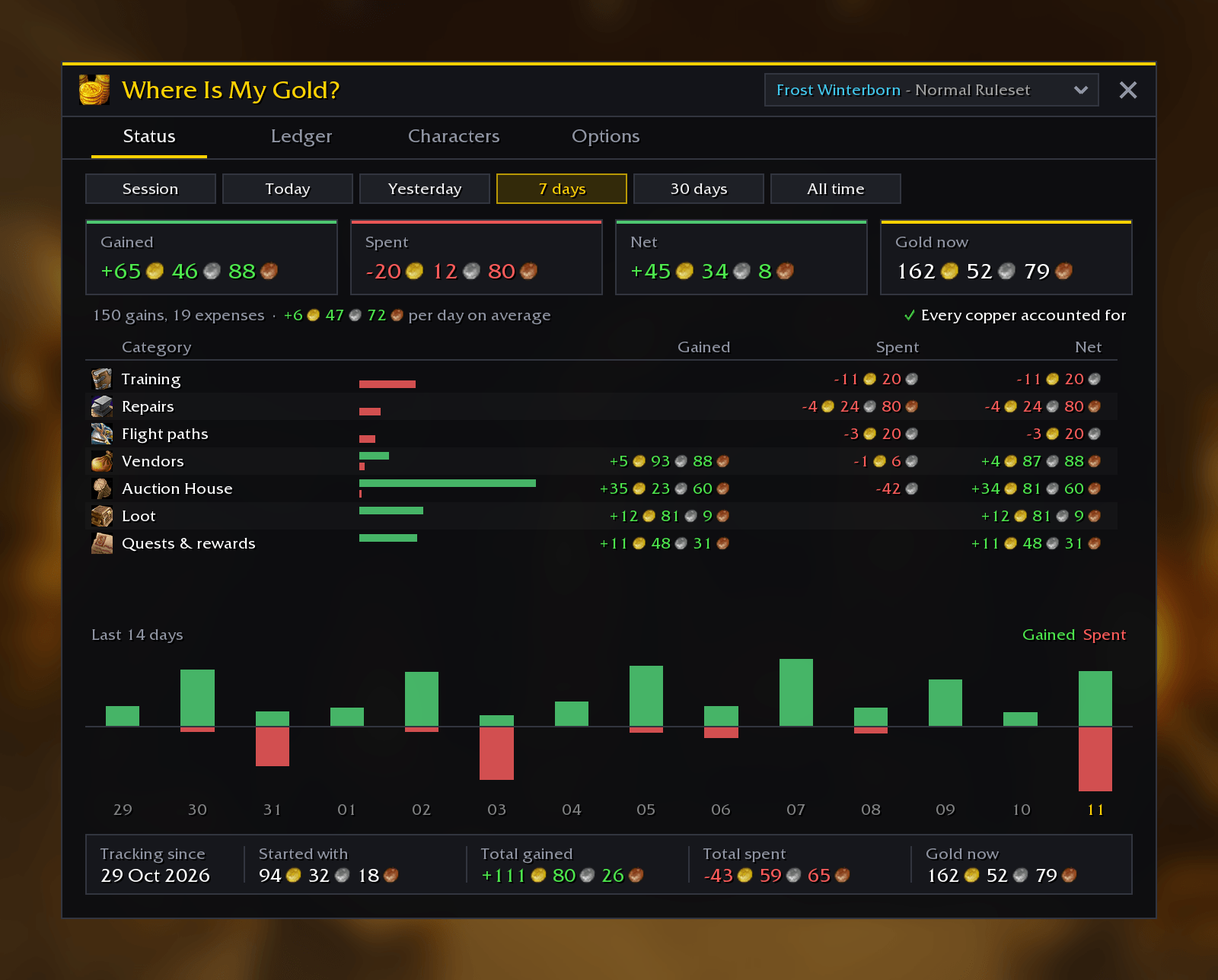
- 📊 Status page: gained, spent and net for this session, today, yesterday, 7 days, 30 days or all time, your gold now, gold per hour, and a chart of the last 14 days
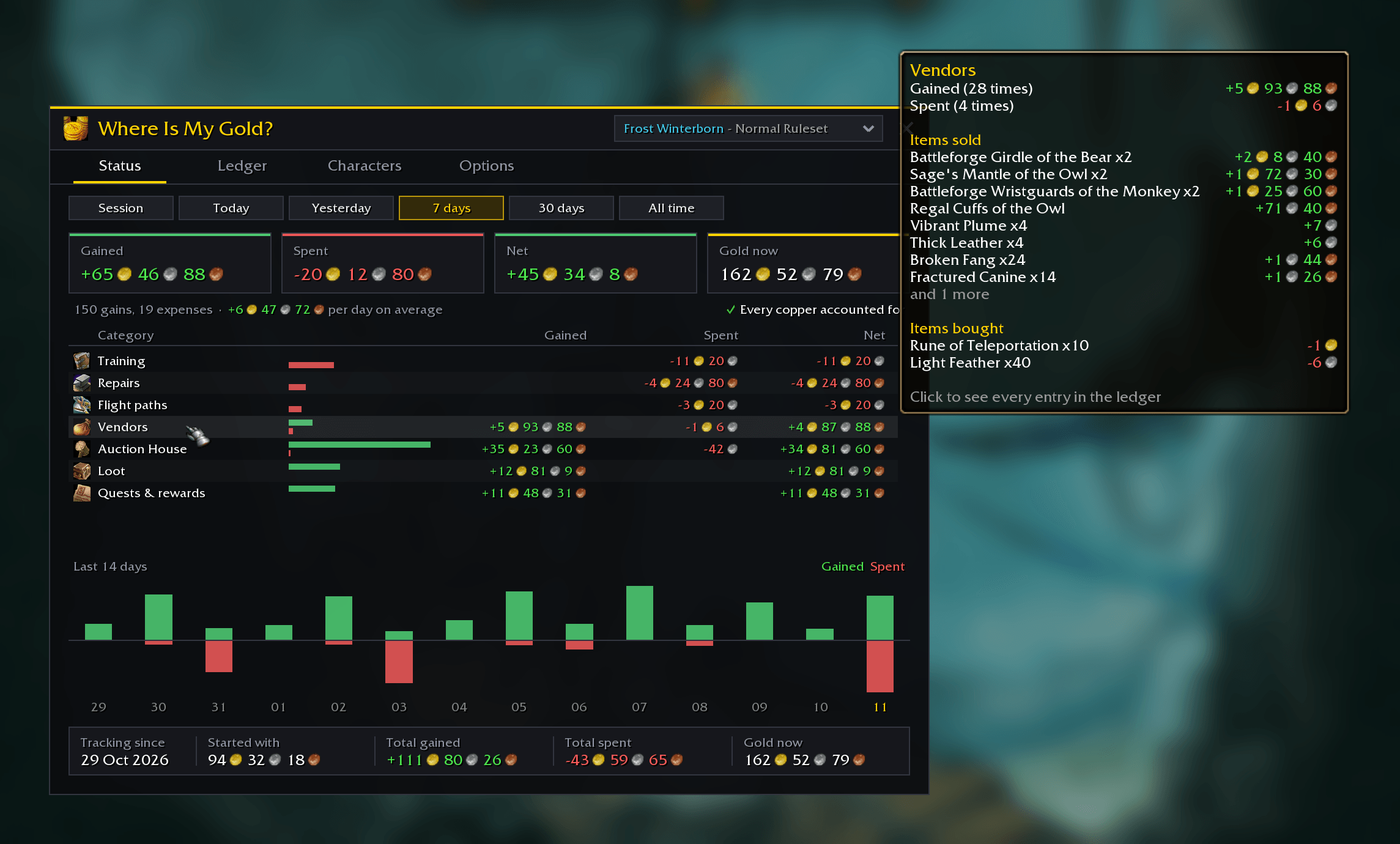
- 🗂️ Where it went: every category with what you gained and spent in it, biggest expense first. Click one to see its entries
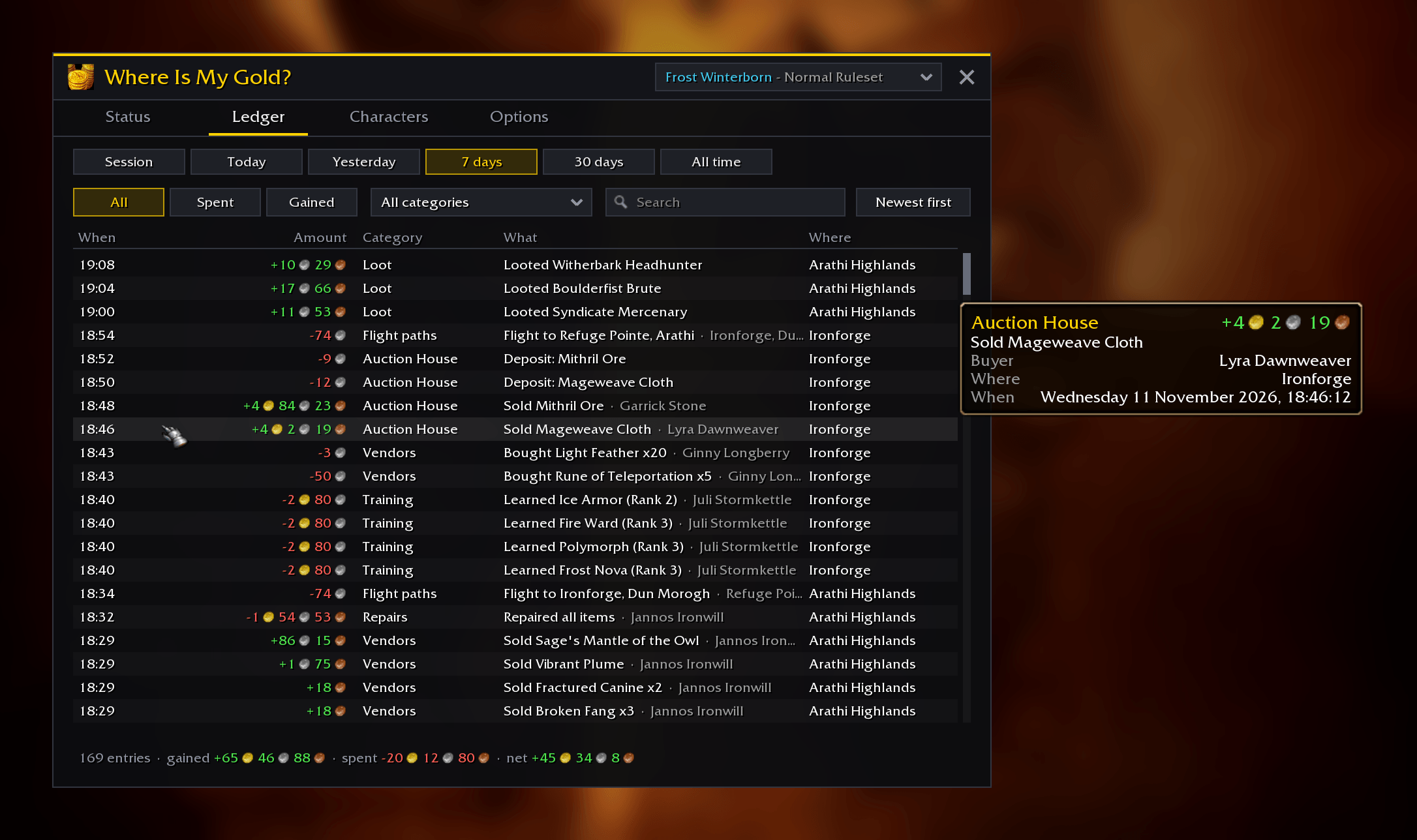
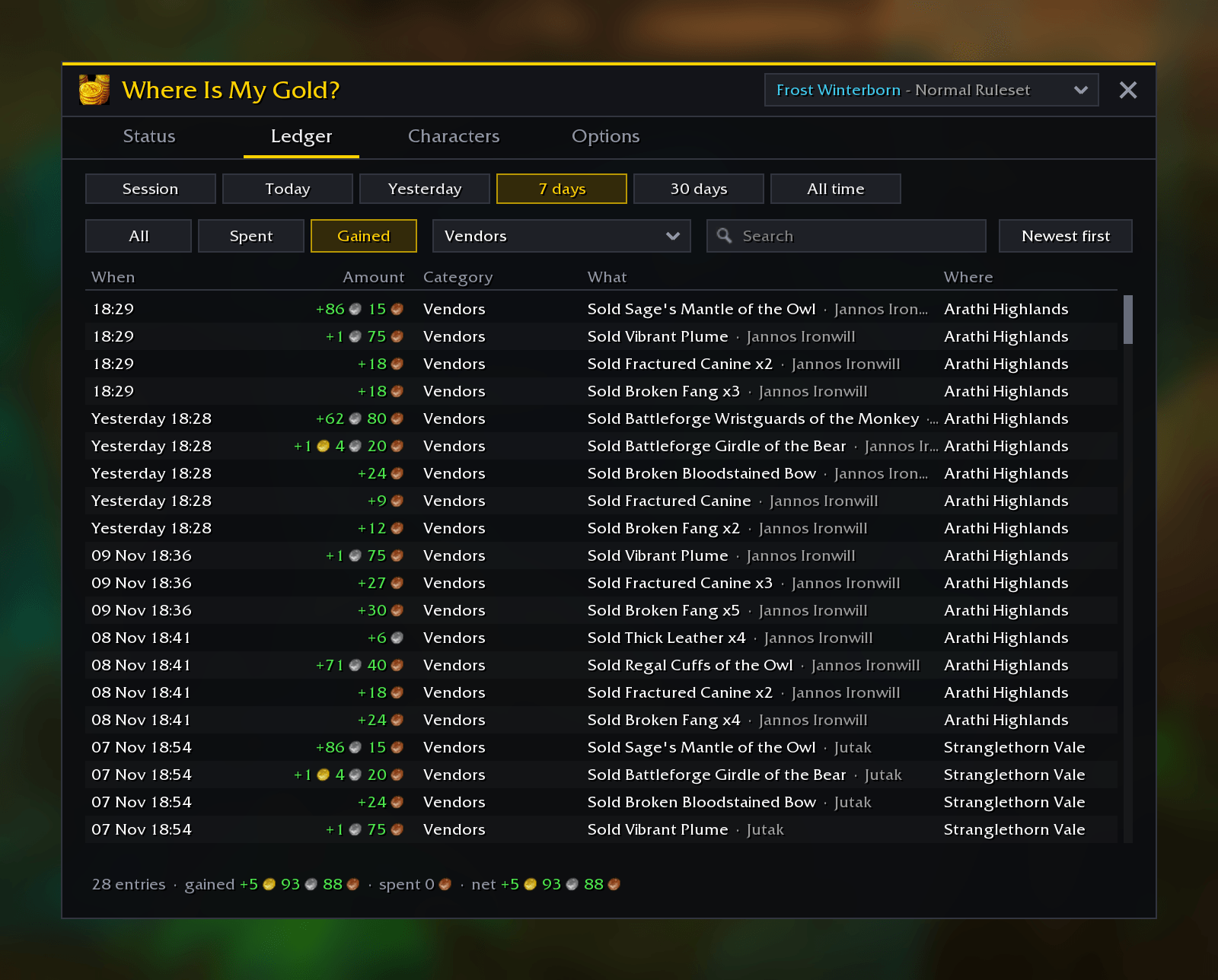
- 📜 Ledger: every entry with its time, amount, category, what it was for, who it was with and where. Search it, show only what you spent or gained, or sort the biggest first. Hover an entry for the details and the item's tooltip
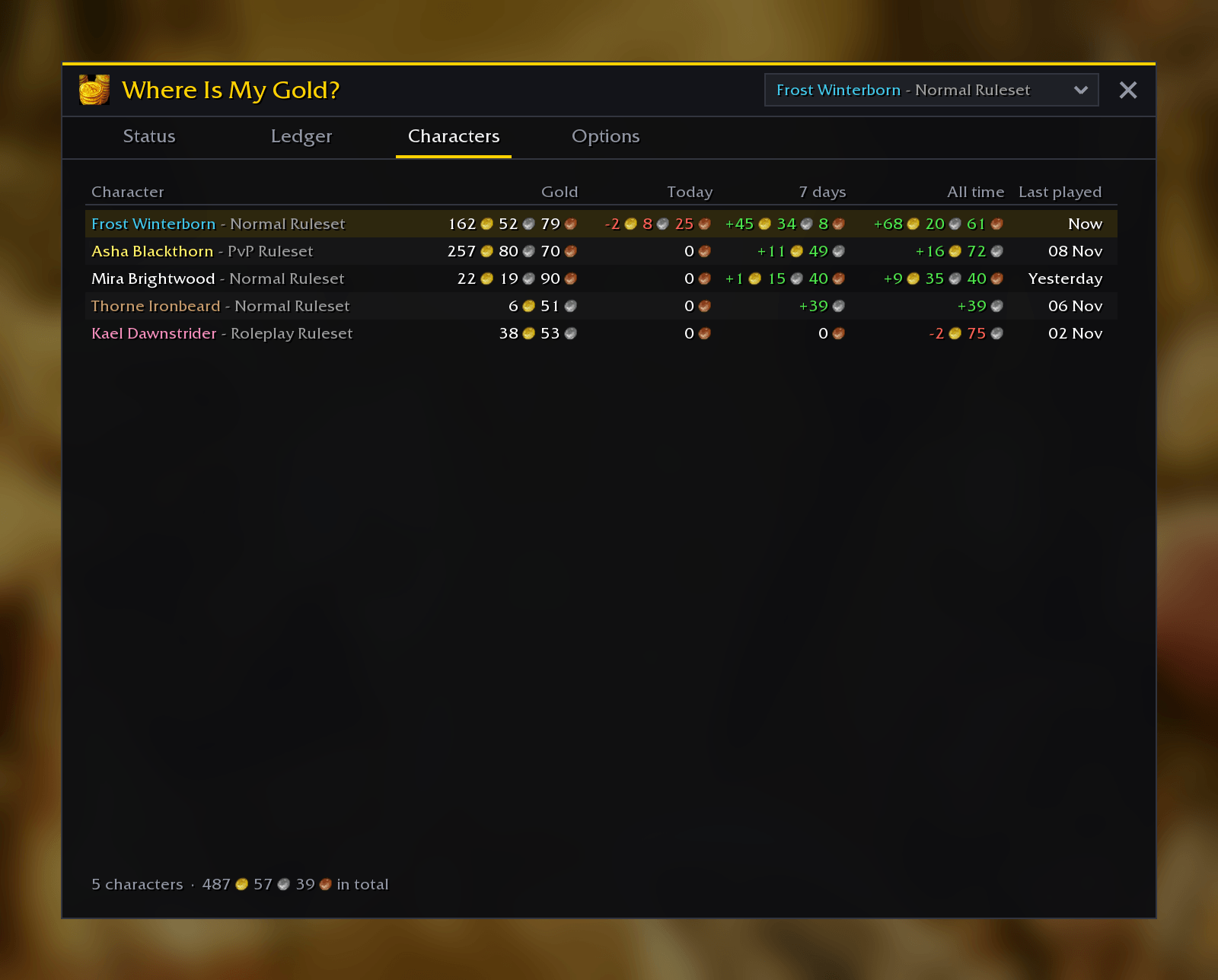
- 👥 All your characters: compare their gold, today's and this week's results, or look at all of them together
- 🔍 Knows what you paid for:
- Vendors: purchases (item and amount), sales, buybacks, refunds and Sell All Junk
- Repairs: everything at once or one item with the repair cursor (guild bank repairs cost you nothing, so they aren't counted)
- Training, talent resets, flight paths (from where to where)
- Mail: gold you sent, postage, cash on delivery, gold you took out of the mailbox
- Auction House: purchases, bids, deposits (per stack), cancel fees, sales and outbid refunds that come by mail. Both the classic and the modern Auction House
- Trades: who you paid or who paid you, and for which items or which enchant
- Loot (with the mob's name), shares of group loot, fishing, lockboxes and pickpocketing
- Quest rewards and quests that cost gold, dungeon rewards
- Guild bank and warband bank deposits and withdrawals, bank slots and tabs
- Barber shop, transmogrification, reforging, stable slots, guild charters and tabard designs, Black Market bids, WoW Tokens, crafting orders and NPC services that ask "this costs gold, are you sure?" (teleports, for example)
- 🗺️ Minimap button (with a summary on mouse-over), the addon compartment on WoW Forever, and a data broker for Titan Panel, ChocolateBar and friends
- 💬 Optional: a chat line for every expense or gain
- 🪶 Light: one entry is one line of text, and the totals are kept as you go, so years of history stay small and the window opens instantly
🚀 How to Use
- Download the addon. If you're not using an addon manager, place the
WhereIsMyGoldfolder in the AddOns folder of your game:- WoW Forever:
World of Warcraft/_forever_/Interface/AddOns - Classic Era:
World of Warcraft/_classic_era_/Interface/AddOns - Anniversary:
World of Warcraft/_anniversary_/Interface/AddOns - Mists of Pandaria Classic:
World of Warcraft/_classic_/Interface/AddOns
- WoW Forever:
- Log in and play. Everything is recorded from that moment on.
- Open the status page with the minimap button or
/wimg.
| Command | What it does |
|---|---|
/wimg |
Open or close the window |
/wimg ledger |
Open the ledger |
/wimg chars |
Compare your characters |
/wimg options |
Open the options |
/wimg minimap |
Show or hide the minimap button |
❓ Good to know
- Tracking starts when you install the addon: the gold you have then is the starting point.
- The ledger is shared by all characters of your account on one version of the game (every version of WoW keeps its own addon data).
- "Other" means the gold changed but nothing said why. These are rare; the hint next to them tells you what happened just before.
- Right-click a character in the Characters tab to delete its history, or start the character you're playing over in the options.
Thanks for checking out the addon.
Where Is My Gold Team

Owner