KP_MacTol
- By
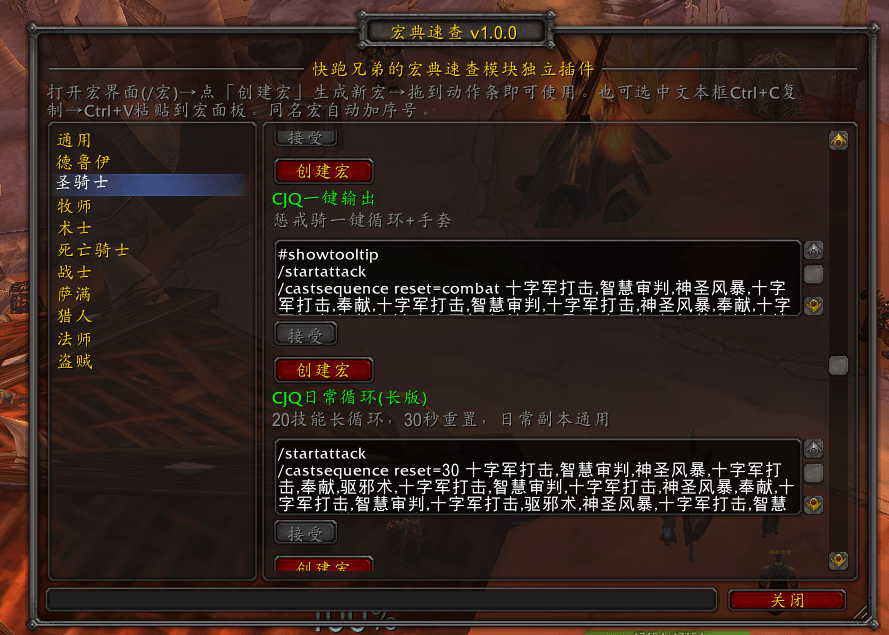
A macro quick-reference tool featuring a vast collection of battle-tested professional macros, covering basic macros for all classes and exclusive macros for each talent specialization, supporting one-click to the in-game macro command panel.
ScreenShot_2026-08-02_204030_334.png
Description
KP_MacTol (Macro Quick Reference) | Independent plugin module for Kuaipao Brothers' Macro Quick Reference
Author: KuaipaoNO1
Applicable to: World of Warcraft classic_titan
Feature Introduction
KP_MacTol is a team quick reference tool, featuring a large number of combat-tested class macros, covering basic macros for all classes and exclusive macros for each talent specialization. It supports direct generation to the in- macro command panel with a single click, eliminating the need for manual copy-pasting.
Class Coverage: General, Druid, Paladin, Priest, Warlock, Death, Warrior, Shaman, Hunter, Mage, Rogue
How to Use
1. Open the panel: Type /kpmt in the chat box, or click the minimap icon2. Browse macros: Expand the corresponding class on the left to view basic and talent macros
3. Create a macro: Click the "Create Macro" button below the macro to automatically it in the in-game macro list
4. Drag to action bar: Open the macro interface (/macro), and drag the generated macro to the action bar to use it
. Manual copy: You can also select the macro text box, Ctrl C to copy, and then Ctrl V to paste into the macro panel
Features
• Lazy loading Only preloads general macros and the current class; other classes are loaded on demand when first expanded, resulting in almost zero performance consumption
• Combat queue: Macros created during combat are automatically and generated in bulk after combat, ensuring no interference with fighting
• Intelligent processing: Macros exceeding 255 characters are automatically truncated; macros with the same name automatically have serial added to prevent conflicts
• Minimap icon: Left-click to toggle the panel
Command:
/kpmt Open Macro Quick Reference
The KP_MacTol Team