KP_AuraWatch
- By
This addon is an independent buff monitoring module separated from KP_RaidCD, specifically designed to monitor the icon display of raid buffs combat buffs.
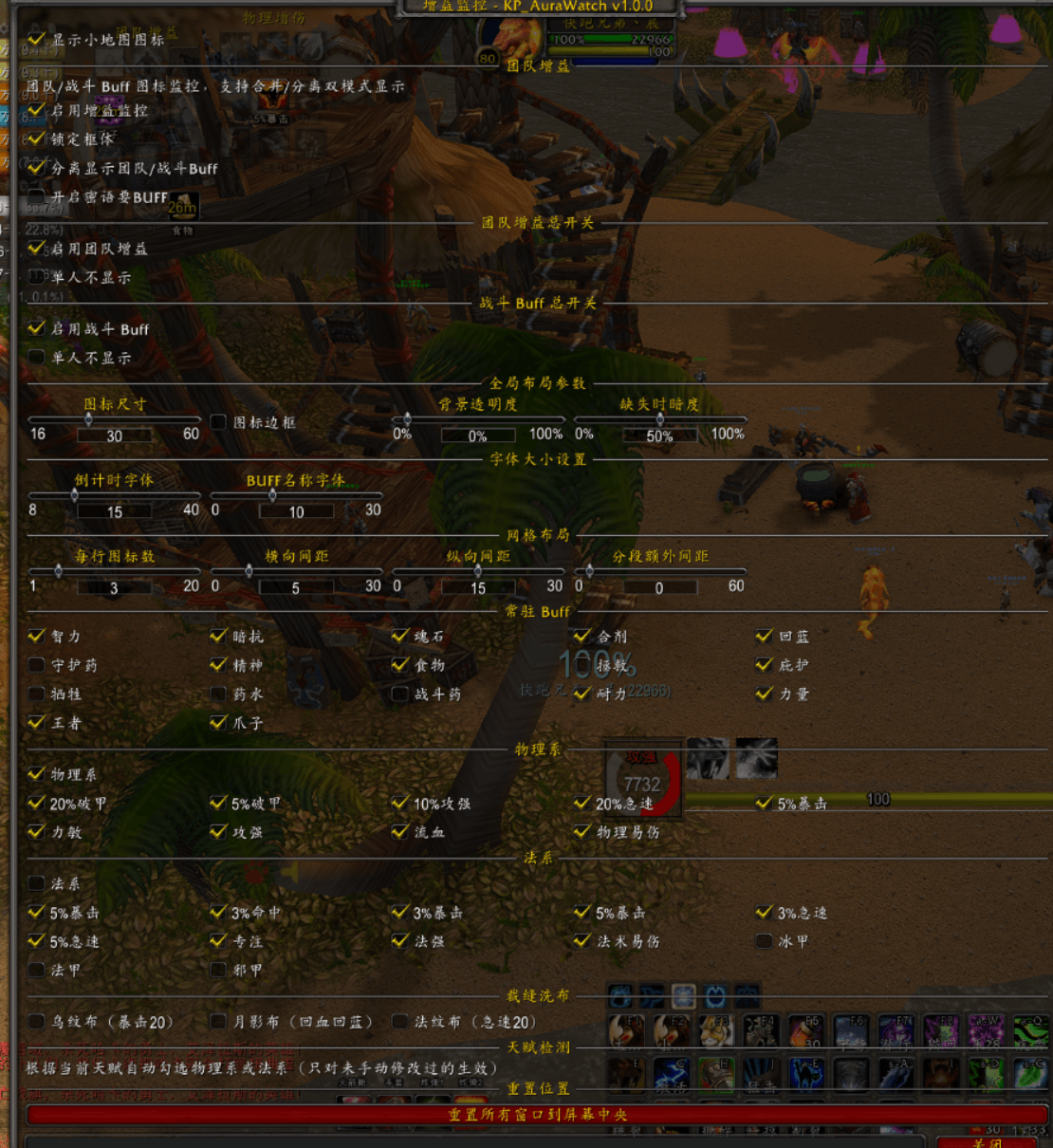
ScreenShot_2026-08-14_170149_513.png
Description
KP_AuraWatch
Author: KuaiPaoNO1
Compatible with World of Warcraft Titan Reborn client (classic_titan)
This addon is an independent buff monitoring module separated from KP_RaidCD, specifically designed to monitor the icon display of raid buffs combat buffs.
I. Features
1. Raid Buff Monitoring
Monitors permanent buffs such as Stamina, Spirit, Shadow Resistance, Claw, Intellect, King's Blessing Strength, Protection, Mana Regeneration, Salvation, Sacrifice, Soulstone, Flasks, Battle Potions, Guardian Potions, Potions, Food, Righteous Fury, etc. a master toggle for raid buffs to enable/disable all raid buffs with one click; supports hiding when solo and only displaying in groups or raids; supports whispering for buffs—leftclick a missing or expiring icon to automatically whisper the corresponding class provider. It remembers the last provider, has cooldown control, and automatically clears memory upon leaving the group.
2. Buff Monitoring (Physical / Caster)
Automatically distinguishes between physical and caster classes based on talent, monitoring various combat buffs and debuffs such as damage increase, haste, critical strike armor penetration, and vulnerability.
Physical includes: 20% Armor Penetration, 5% Armor Penetration, 10% Attack Power, 20% H, 5% Critical Strike, Strength/Agility, Attack Power, Bleed, Physical Vulnerability.
Caster includes: 5% Critical Strike, 3%, 3% Critical Strike, 3% Haste, 5% Haste, Concentration, Spell Power, Spell Vulnerability, Ice Armor, Mage Armor, Shadow Armor
Supports a master toggle for combat buffs to enable/disable all combat buffs with one click. Supports automatic talent detection; it will automatically re-detect and check the corresponding class upon, talent change, or clicking reset position, and manually modified settings will not be overwritten.
3. Tailoring Cloth Enchant Monitoring
Supports independent toggles and displays for three cloth buffs: Darkweave (20 Crit), Mooncloth (Heal/Mana Regen), and Spellweave (20 Haste), and supports one-click cloth enchanting by clicking the.
4. Display Modes
Supports both merged and separate modes. Raid and combat buffs can be merged into a single window or separated into two independent windows. Passive or permanent auras duration (such as Leader of the Pack) will remain permanently displayed, with only the countdown text cleared. Font sizes for countdown numbers and buff names can be adjusted separately. The grid layout allows of icons per row, horizontal spacing, vertical spacing, and extra segment spacing. Icon appearance can be adjusted for size, border, background transparency, and dimness when missing.
. Usage
Type /KPAW to open or close the settings panel.
Minimap icon: Left-click to open the settings panel, right-click to lock or the frame.
If the buff monitoring window is dragged off-screen, you can click "Reset Position" in the settings panel to reset all windows to the center of the screen
KP_AuraWatch Team