
Key Herald – M+ Key Announcer & Rating Tracker
- By
A clean popup when you join a Mythic+ group: dungeon, key level, zone, leader, plus every member's role, spec, item level, rating and best run. Also a !keys responder, per-character run history and an M+ rating calculator.
Description
Key Herald — M+ Key Announcer & Statistics
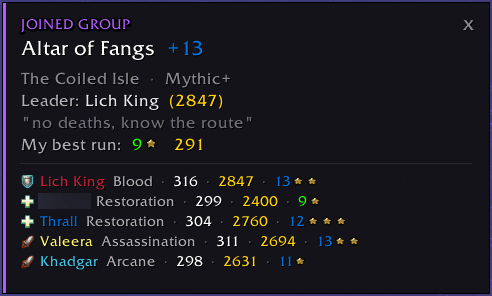
Never fumble around asking "which dungeon and key is this again?" — the moment you join a Mythic+ group, Key Herald shows you a clean popup with the dungeon, the keystone level, the group, and everyone's item level, spec and score.
On top of that it keeps a full history of your runs and comes with a keystone rating calculator.
Features
📋 Join popup As soon as you accept an invite or join a Mythic+ (or raid) group from the group finder, a popup shows the dungeon, the keystone level, the zone, the group leader and their rating, and the listing note — no more squinting at the LFG tool.
👥 Group at a glance Every member is listed with their role icon (tank / healer / DPS), spec, item level, M+ rating and their best run for this dungeon.
⭐ Your best run The popup also shows your highest completed key for the dungeon this season, its timing tier and the score it gave you.
🌀 One-click teleport If you've unlocked the dungeon's Mythic+ teleport, a button on the popup takes you straight there.
🙋 !keys auto-reply Someone types !keys in group chat? Key Herald posts your keystone for you.
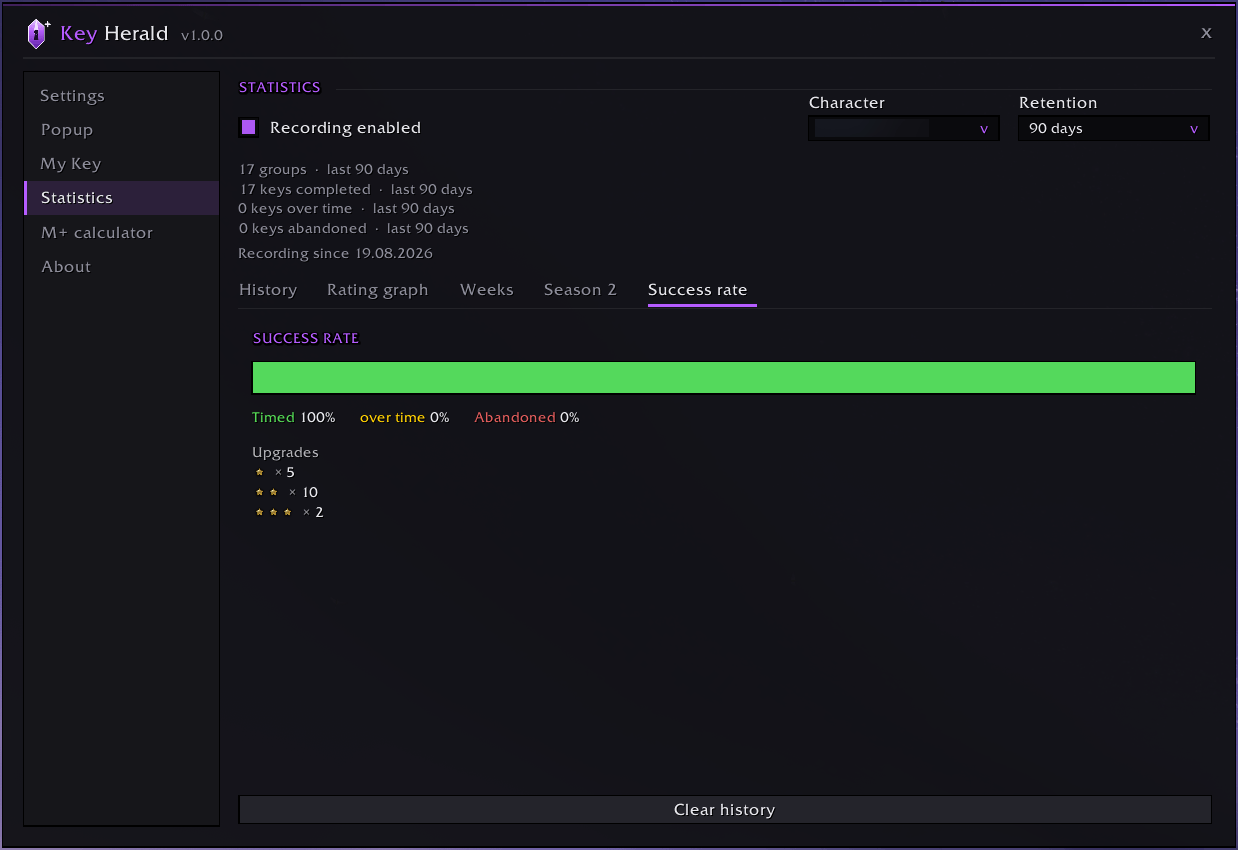
🗂️ Statistics — per character Every group you join and how the run turned out is logged automatically. A character filter lets you view a single character or everything combined. Sub-tabs:
- History — every run: date, key, level, your M+ rating, and the result (timing stars + points). Delete individual entries with one click.
- Rating graph — your M+ rating over time.
- Weeks — a breakdown per weekly reset: keys run, timed, over time, abandoned, average item level and points.
- Season 2 — every run this season with level, timing, points, duration and item level.
- Success rate — a timed / over-time / abandoned bar plus your ⭐ / ⭐⭐ / ⭐⭐⭐ upgrade counts.
You choose how long entries are kept (14 days to unlimited).
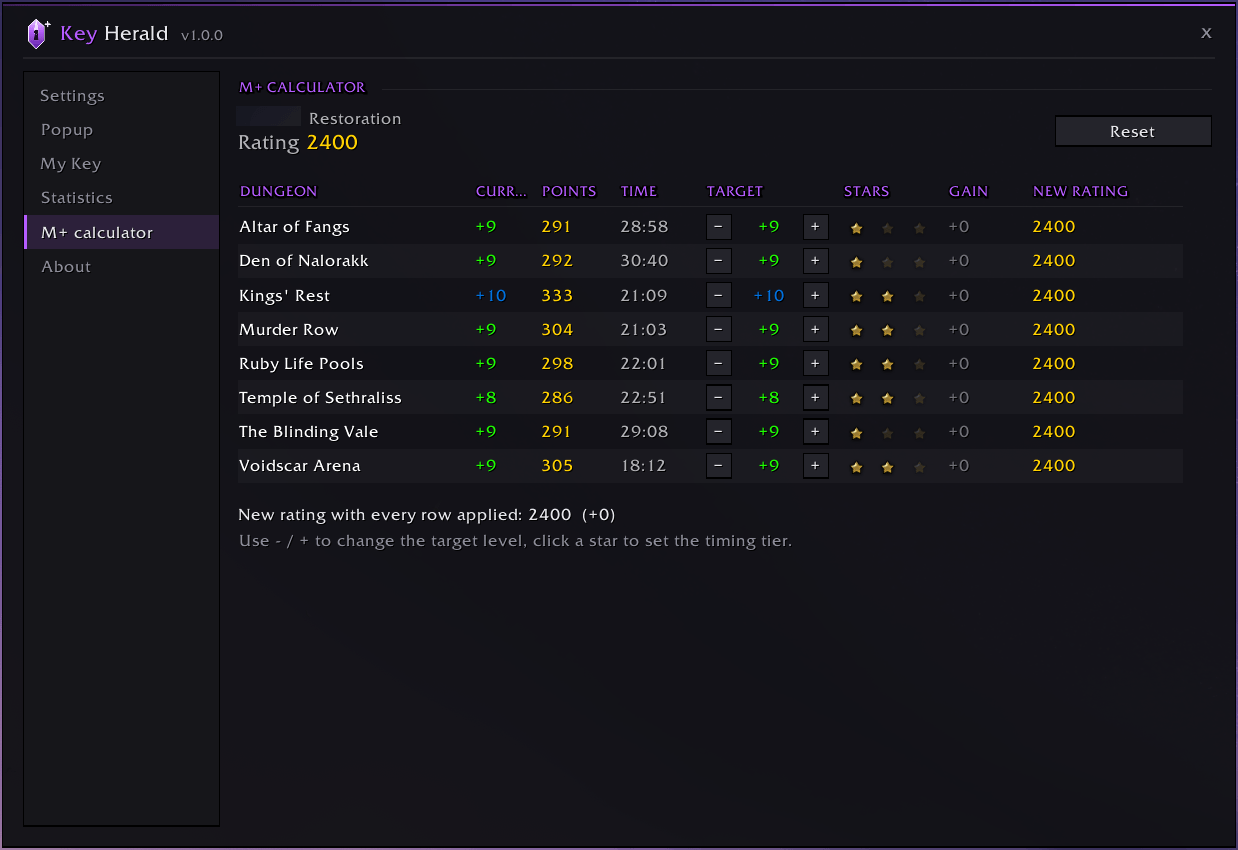
🧮 M+ calculator A table of all eight season dungeons showing your current best level, score and time. Set a target level and timing for any dungeon and instantly see the rating gain and your resulting new score.
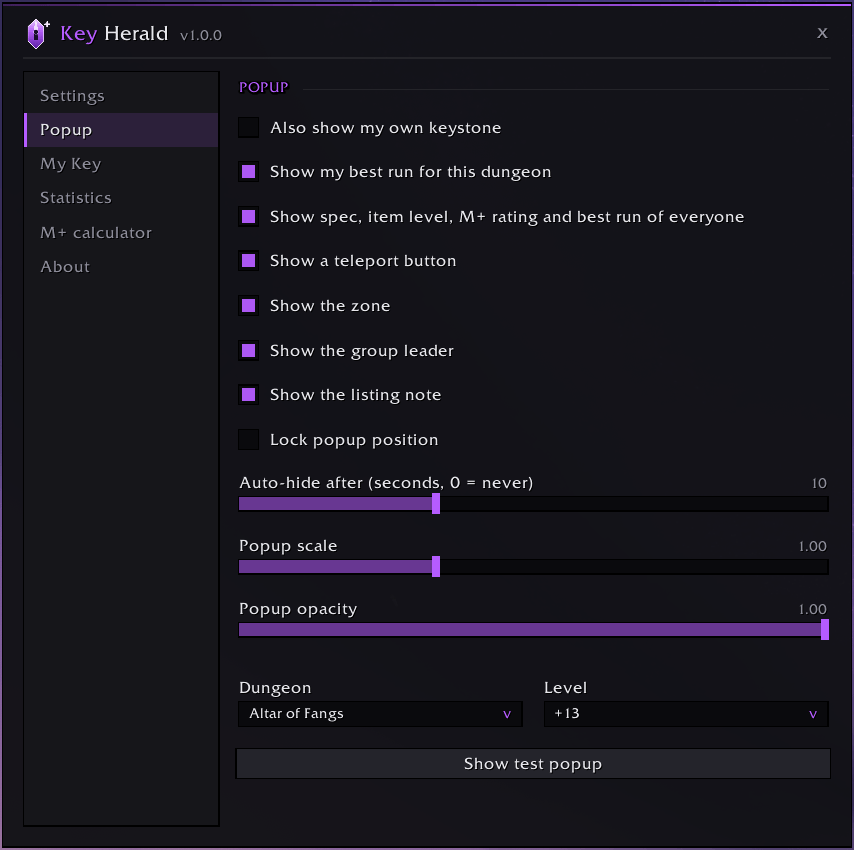
🎨 Fully customizable Pick which lines appear in the popup, how long it stays on screen, its scale and background opacity, and the addon's highlight colour — all from the in-game panel.
🌍 Six languages English, German, French, Spanish, Italian and Russian — auto-detected from your client.
Settings
Open the settings panel with /kh or the minimap button.
Found a bug or have a feature request? Reach out via GitHub or Discord, or leave a comment on CurseForge — feedback is always welcome!
Key Herald – M+ Key Announcer & Rating Tracker Team


![Titan Panel [Weapon Skills] project image](https://media.forgecdn.net/avatars/thumbnails/1645/676/256/256/639051049491826967.png)