Jump Statistics
- By
Counts your jumps, celebrates milestones in group chat and shows jump statistics with charts across all your characters.
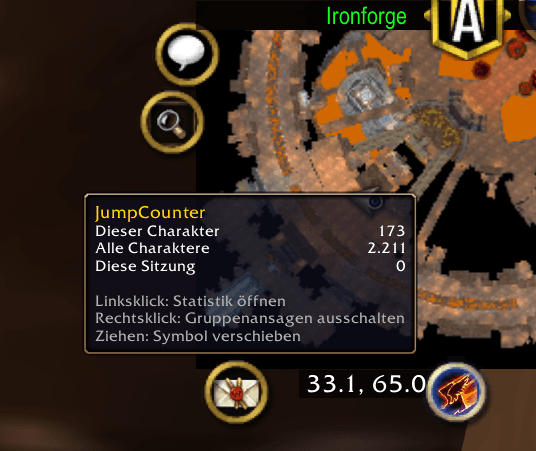
jumpcounter-tooltip.png
jumpcounter-milestone.png
Description
A World of Warcraft addon that counts how often you jump, celebrates milestones and shows when you jumped the most.
- Counts every real jump of every character on your account
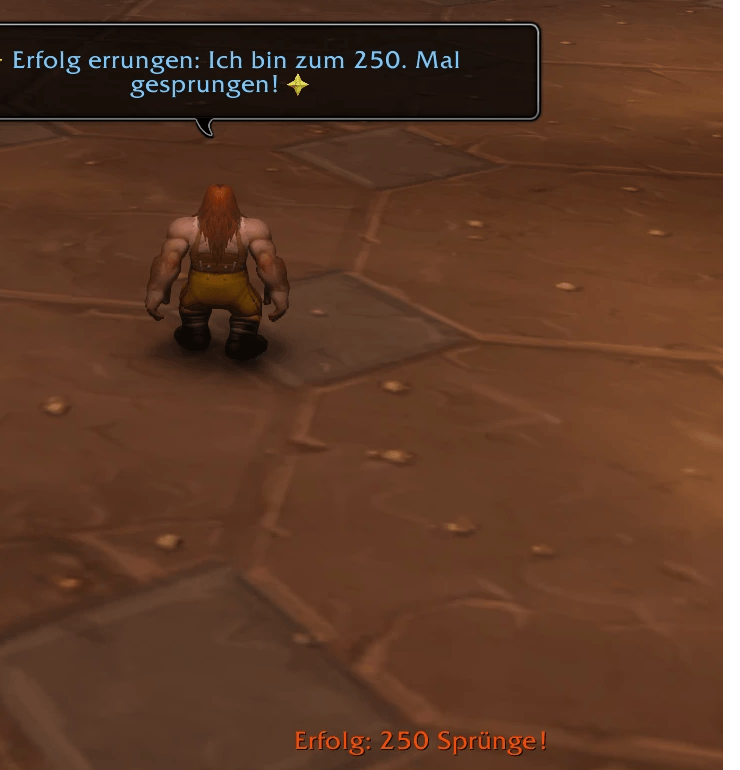
- Announces milestones (10, 25, 50, 100, 250, 500, 1,000, 2,500, …) in party or raid chat
- Minimap icon with a statistics window: bar chart by hour, day, week, month or year, plus time-of-day and weekday distributions
- View all characters combined or any single character
- Available in all WoW client languages
Game version: WoW Forever only. Classic Era and other versions are not supported.
What counts as a jump
A jump is counted when you press the jump key and your character actually leaves the ground shortly after. Not counted:
- pressing jump again while already in the air,
- pressing jump on a mount that is standing still (the mount only rears up),
- swimming, flying, taxi flights, being stunned, feared or dead,
- key presses that don't lift you off the ground (e.g. while rooted).
Milestones
Milestones follow the pattern 10, 25, 50, 100, 250, 500, 1,000, 2,500, 5,000, …
- Character milestones are posted to raid chat, or party chat when you're in a party. When you're not in a group, they're only shown in your own chat.
- Account milestones (all characters combined) are only shown in your own chat, never posted to the group.
Both also show a raid-warning style message on screen and play the level-up sound. Group announcements can be turned off with a right-click on the minimap icon or /jumps announce.
Statistics window
Left-click the minimap icon or type /jumps.
| Control | Action |
|---|---|
| View buttons | Hours, days, weeks, months, years, time of day (0–23 h, all days combined), weekday |
| Character button | Show all characters combined or a single character |
| Arrows | Page back/forward in time, Current jumps back to now |
| Mouse wheel | Show more or fewer bars (e.g. 7 to 90 days) |
| Shift + mouse wheel | Scroll the time range bar by bar |
| Hover a bar | Exact count; with all characters selected, a breakdown per character |
Below the chart you see the jumps in the visible range, the average per hour/day/…, the peak, and the totals for the selection, the current character and the current session.
Minimap icon
| Action | Effect |
|---|---|
| Left-click | Open/close the statistics window |
| Right-click | Toggle milestone announcements in group chat |
| Drag | Move the icon around the minimap |
| Hover | Jumps of this character, all characters and this session (updates live) |
The icon is a regular LibDBIcon button, so minimap button managers like SexyMap can show, hide or collect it. Jump Statistics is also a LibDataBroker data source: LDB displays such as Titan Panel or ChocolateBar can show your jump count. The required libraries are embedded; no other addons are needed.
Slash commands
| Command | Effect |
|---|---|
/jumps |
Open/close the statistics window (also /jumpstats, /sprung) |
/jumps stats |
Print your numbers to chat |
/jumps minimap |
Show/hide the minimap icon |
/jumps announce |
Toggle milestone announcements in group chat |
/jumps delete Name-Realm |
Delete a character's data (your current character is reset instead) |
Languages
English, German, French, Spanish (EU and Latin America), Italian, Brazilian Portuguese, Russian, Korean, Simplified and Traditional Chinese. The language follows your WoW client. Number and date formats are localized too.
Data
Jumps are stored per character and per hour in the account-wide SavedVariable JumpStatisticsDB, which is what makes the cross-character statistics possible.
License
MIT, see LICENSE.
The libraries in the Libs folder (LibStub, CallbackHandler-1.0, LibDataBroker-1.1, LibDBIcon-1.0) are third-party code under their own licenses.
Source code and issues
Jump Statistics Team