Hyperspawn (Gold Farming)
- By
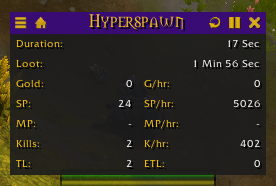
Hyperspawn Plus enhances farming sessions in WoW with real-time stats, loot tracking, and session management. Features include GPH/KPH monitoring, automatic loot handling, TSM integration, and customizable settings for optimized gameplay.
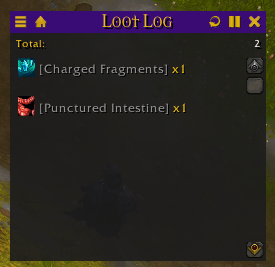
Displays all items looted, sorted by quantity. Mousing over the item will display its tooltip (will display TSM information if enabled).
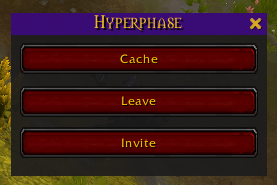
Once its own addon, Hyperphase is now integrated with Hyperspawn allowing you to quickly hop between different phases to farm enemies that don't typically Hyperspawn.
Description
Hyperspawn:
A powerful World of Warcraft addon designed to enhance your farming sessions by providing real-time statistics, loot tracking, and a suite of tools to manage your in-game activities efficiently. The addon features customizable settings, session tracking, Hyperphase for quick phase farming, and integration with TradeSkillMaster (TSM) for accurate market value assessments. Whether you are farming mobs for loot or phase farming, Hyperspawn helps you keep track of everything in one place.
Key Features:
- Session Tracking: Start and stop farming sessions with a single click. Track your kills, gold earned, items looted, and more.
- Real-time Statistics: Monitor kills per hour (KPH), gold per hour (GPH), and other valuable metrics while farming.
- Loot Tracking: Automatically logs and displays loot obtained during your session, along with item quantities and estimated market values using TSM.
- Multi-Tab Interface: Switch between different views such as Hyperspawn, Loot Log, Statistics, and Settings for an organized experience.
- Automatic Features: Enable automatic selling of gray items, fast unit loading, priority loot interactions, and more through the settings.
- Integration with TSM: Pulls market data from TradeSkillMaster to calculate accurate market prices for looted items.
- Custom Alerts: Receive alerts when specific items or mounts are summoned.
- Advanced Looting: Automate and prioritize loot interactions to streamline the farming process.
Commands:
Slash Commands:
/hyperspawnor/hs: Toggles the visibility of the Hyperspawn Plus interface.
Tab Switching:
- Switch to Hyperspawn: Focus on Hyperspawn statistics and metrics.
- Switch to Loot Log: View detailed logs of all looted items during your session.
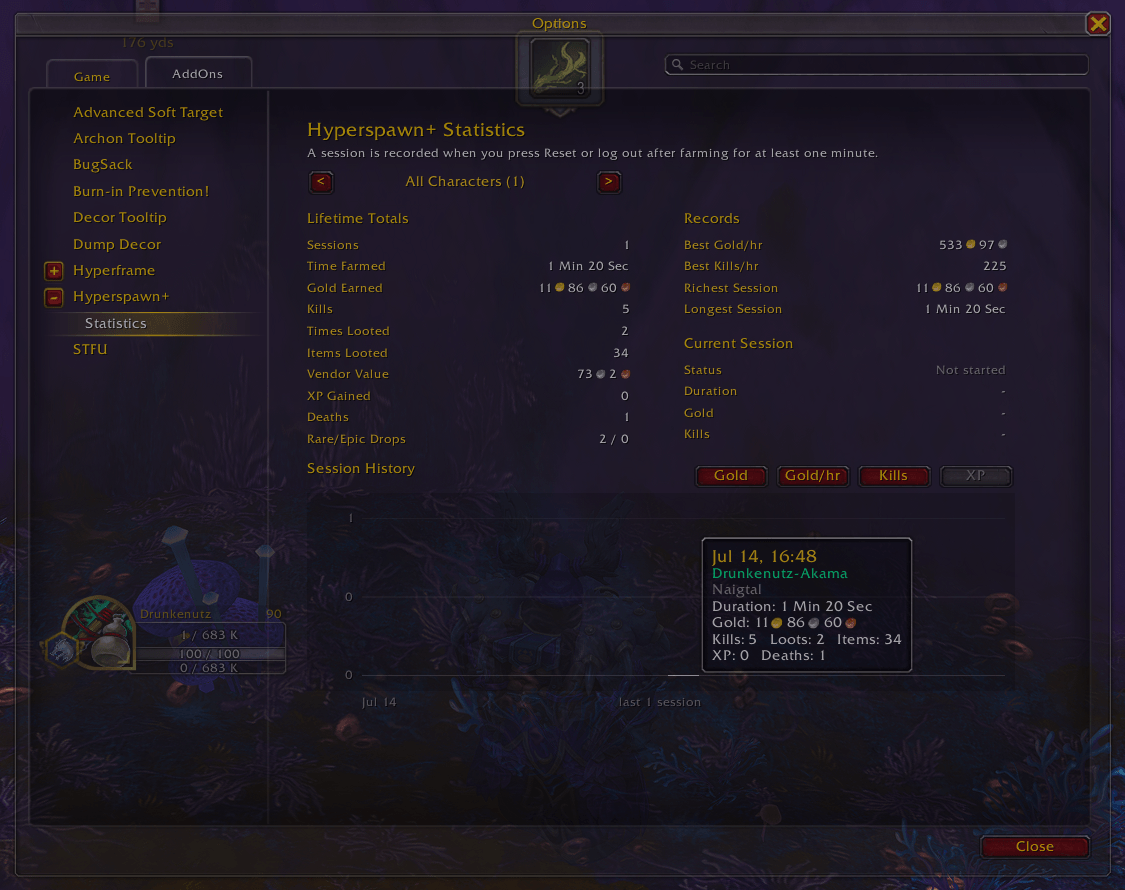
- Switch to Statistics: Analyze overall session statistics including GPH, KPH, and more.
- Switch to Hyperphase: Allows you to quickly farm multiple phases for mobs that don't frequently Hyperspawn.
- Switch to Settings: Adjust various addon settings such as announcements, fast unit loading, and priority loot.
Hyperphase:
- Cache Group Members: Cache current group members for easy re-inviting later.
- Invite Cached Members: Quickly invite cached group members with one click.
- Leave Group: Disband your group with a single click.
Settings and Customization:
- Disable Announcements: When enabled, this setting will suppress emote announcements such as 'Player has summoned a [Grand Expedition Yak].' from appearing in chat.
- Priority Loot: When enabled, this setting will display the interact icon for low-priority actions, such as looting.
- Nameplate Enhancements: When enabled, this setting makes enemy nameplates more prominent at a distance, making it easier to target and pull all enemies.
- Auto Start/Resume Session: When enabled, this setting will automatically start a gold farming session when entering combat.
- Pause Session While Hidden: When enabled, this prevents a gold farming session from automatically starting when the addon is hidden and pauses any active session while hidden.
- Enable Loot Sound: When enabled, this setting will play the loot notification sound.
- Auto Sell Grays: When enabled, this setting will automatically sell all gray items upon opening the merchant frame.
- Auto Accept Party Invite: When enabled, this setting will automatically accept incoming group invitations.
Discord:
Hyperspawn (Gold Farming) Team

Owner