Ivrit
- By
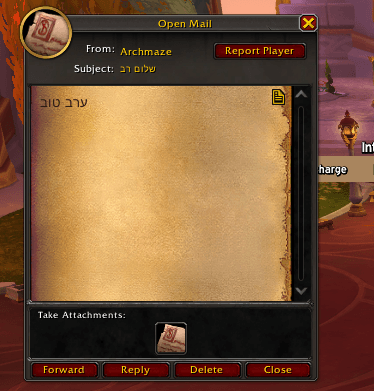
Hebrew in WoW: a font with Hebrew letters, and Hebrew shown right to left in chat, bubbles, mail, notes and tooltips.
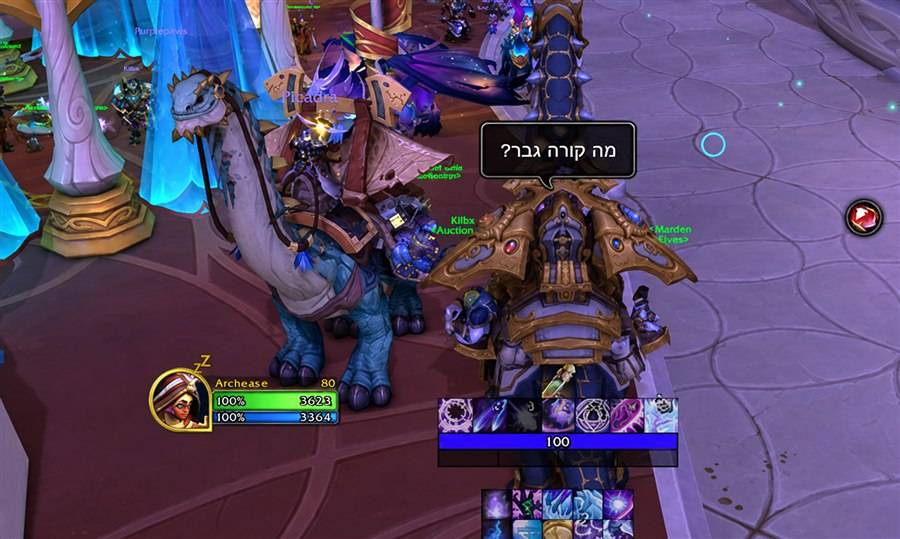
Screenshot 2026-10-08 184912-enhanced-small.jpg
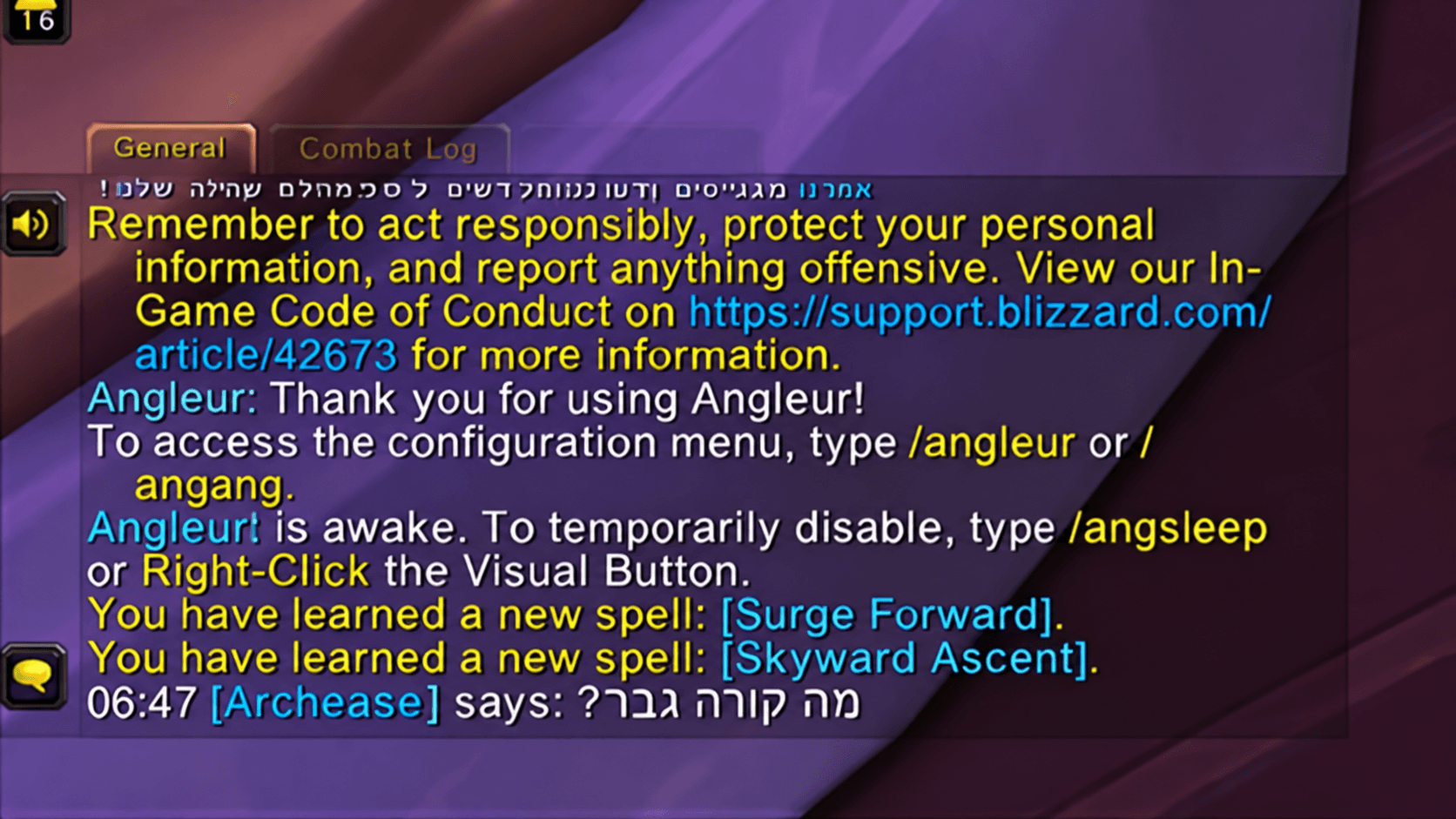
Screenshot 2026-10-08 184934-enhanced.png
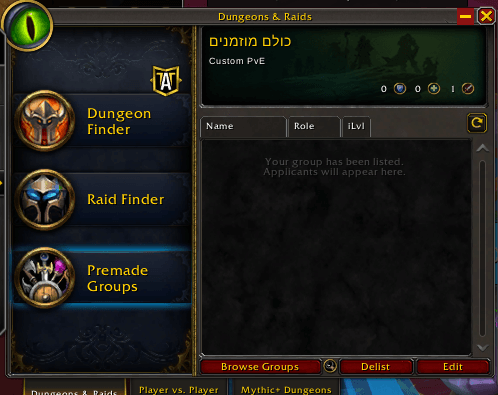
Screenshot 2026-10-08 184755.png
Screenshot 2026-10-08 185728.png
Description
Hebrew in World of Warcraft
WoW's fonts have no Hebrew letters, and the game draws all text left to right, so Hebrew shows as boxes, or backwards. Ivrit fixes both.
A font with Hebrew
- Arimo (looks like Arial), narrowed by default to the width of the game's own chat font. It has English and Russian letters too, so mixed text matches.
- Chat skins with their own font setting can use it: it's listed as Ivrit Arimo Narrow and Ivrit Arimo.
Right to left, done properly
- Hebrew reads right to left, while English words, numbers, item links, colors and raid markers inside it stay the right way round.
- Long messages wrap with the first line on top.
Everywhere Hebrew shows up
- Chat, the guild chat history in the Guild & Communities window, and chat bubbles over characters' heads.
- Mail, guild and friend notes, the guild message of the day, tooltips and other addons' windows.
- Typing: input boxes can only show text left to right, so while you type Hebrew, Ivrit shows it the right way round right in the box.
Group finder listings
Ivrit users see each other's Hebrew listing titles and comments right to left.
Retail and Classic
Works on Retail, Mists of Pandaria Classic, TBC Anniversary, WoW Forever and Classic Era.
How to use
- Add Hebrew in Windows keyboard settings and switch with Alt+Shift in game.
- Hebrew is fixed wherever it shows up. Type /ivrit for settings (width, per-area switches, debug log).
Good to know
- Players without Ivrit see Hebrew as boxes: their fonts have no Hebrew letters.
- Instances: Ivrit automatically fixes sent Hebrew inside dungeons, raids and delves so chat bubbles read right (outside combat and chat lockdown). During active boss fights, Mythic+ keys or PvP, the game still blocks addons from changing chat.
- Group listings read right to left between Ivrit users on the same or connected realms while the poster is online.
- After an update, a What's New window shows what changed.
This addon was made with AI.
Feedback, suggestions, and bug reports are welcome in the comments or by sending me a message on Discord.
Ivrit Team