ItemStatsViewer
- By
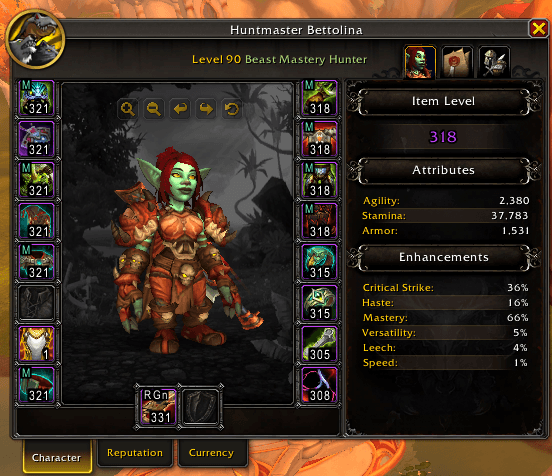
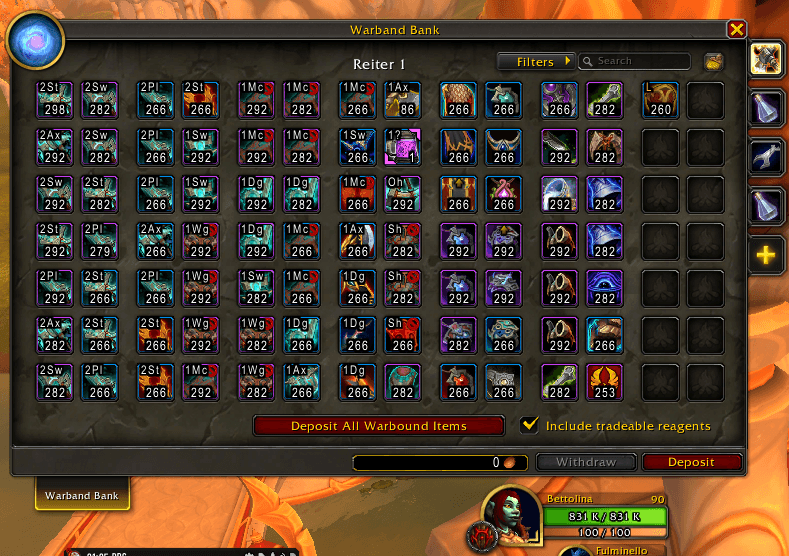
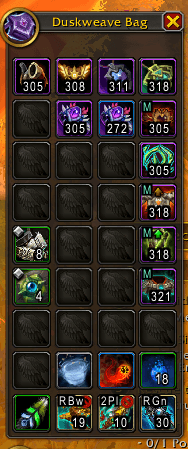
Armor type, weapon type and item level drawn right on item icons, with the gear your class cannot use grayed out.
options.png
s1.png
s3.png
s2.png
Description
ItemStatsViewer writes what you need to know about a piece of gear on its icon, so you do not have to hover every item in your bags.
On the item icons of the default interface (bags, bank, loot, vendors and the other places the game draws item buttons) it adds:
- Item level, in the bottom right corner of gear icons.
- Type tag, in the top left corner: the armor type (
Ccloth,Lleather,Mmail,Pplate, each with its own color) or the weapon type (2Axtwo-handed axe,1Swone-handed sword,Bwbow,Ststaff...). - Gray out: armor lighter than what your class wears is dimmed, and gear your character cannot use at all gets a red X.
Armor tags go only on the slots that have an armor type: cloaks, rings, necks, trinkets, shirts and tabards keep just their item level.
Commands
| Command | What it does |
|---|---|
/itemstatsviewer |
Lists the commands |
/itemstatsviewer ilvl |
Item level on / off |
/itemstatsviewer tag |
Type tag on / off |
/itemstatsviewer gray |
Gray out and red X on / off |
Each switch prints what is on. After a change, reopen your bags to refresh the icons.
Options
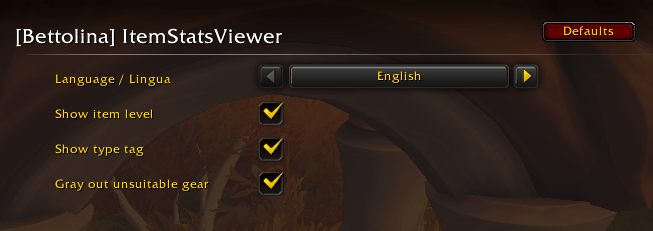
In Options > AddOns > [Bettolina] ItemStatsViewer:
- Show item level, Show type tag, Gray out unsuitable gear: the same switches as the commands.
- Language / Lingua: the addon's own messages and options in English (default) or Italian.
ItemStatsViewer never matches words: it reads the item data and only the digits of the item level, so it works with any game client language.
Lightweight
No libraries, no dependencies. It draws only when the game draws an item button, and keeps its labels in its own table: nothing is written into the game's frames.
Part of the Bettolina suite
ItemStatsViewer is one of a small set of independent addons by Dockinoke, all with the Bettolina_ folder prefix. Each one stands alone: install only the ones you want. For the item level of other players, in their tooltip, see SpyItemLevel.
Feedback and bug reports: please use the comments on this page.
ItemStatsViewer Team