Item Lock Forever
- By
Lock and unlock items to prevent vendor selling, disenchanting, and destruction of protected items and equipped gear
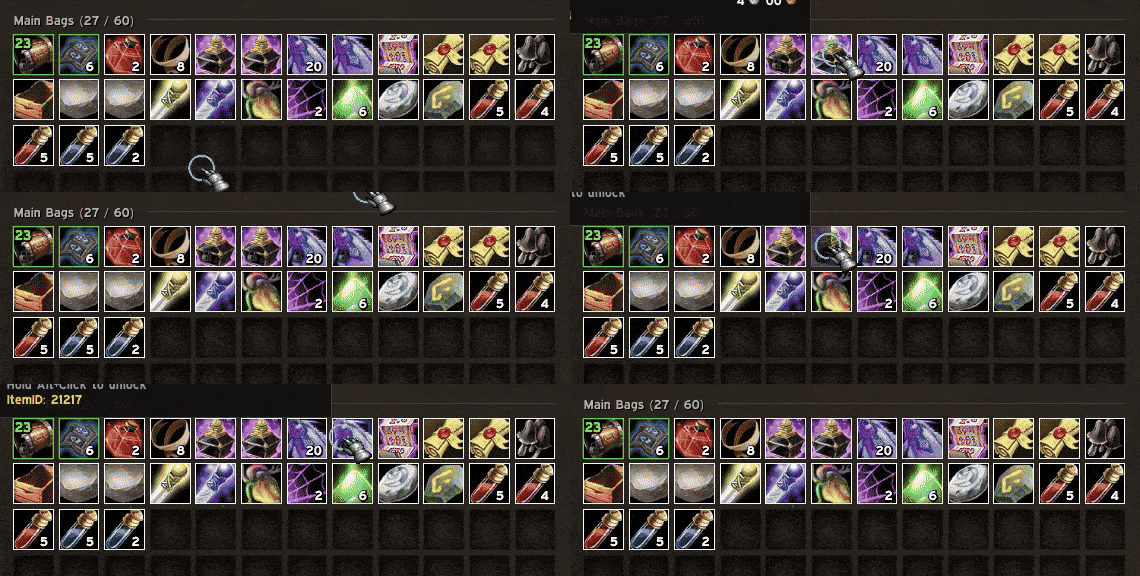
Screen_Recording_2026_10_18_110724_V1.gif
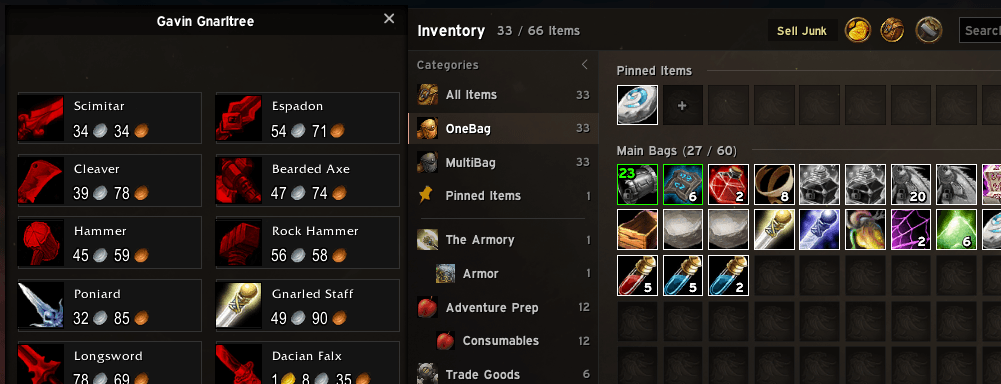
Screenshot 2026-10-18 110823.png
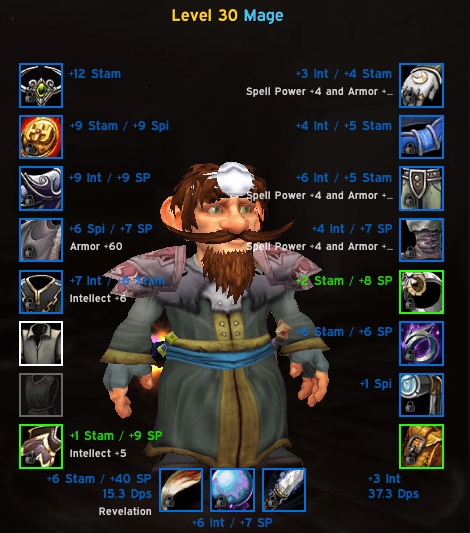
Screenshot 2026-10-18 110611.png

Screenshot 2026-10-18 110839.png

Screenshot 2026-10-18 110853.png
Description
ItemLockForever stops you from selling, destroying or disenchanting the items you want to keep. Alt+Click an item to lock it, Alt+Click it again to unlock it. That's it.
Made for World of Warcraft: Forever. There's nothing to set up, and it works with the default bags and with bag addons built on Blizzard's item buttons, such as EllesmereUI.
Features
- Alt+Click to lock — in your bags, the bank or the character window. A padlock marks locked items, and their tooltip says they're locked. You can pick another click, or use a key binding instead.
- Can't be sold — at a vendor, locked items are held with the game's own item lock (they show greyed out), so right-clicking or dragging them does nothing. If something still sells one, like the Sell All Junk button, it's bought back straight away.
- Can't be destroyed — dropping a locked item outside your bags puts it back in its slot instead of asking to destroy it.
- Can't be disenchanted — while Disenchant waits for you to pick an item, locked items are held too, so clicking one does nothing. Enchants, poisons and other spells still work on locked items.
- Tells you why — trying any of that on a locked item shows red error text and plays an error sound you can choose (or turn off).
- Gear is locked as that exact item — a second copy of the same sword stays sellable, and the lock follows the item if you mail it to an alt.
- Stacks are locked one at a time — locked items keep their lock when stacks merge or split, and when you sort your bags.
- Every stack at once — in EllesmereUI Bags' All Items view, where one button stands for all your stacks of an item, Alt+Click locks or unlocks every stack, including stacks you pick up later.
- Hold to unlock (optional) — unlocking takes holding the click for a second, so a stray click can't unlock anything.
Commands and options
| Command | What it does |
|---|---|
/ilf |
Open the options (/itemlock works too) |
/ilf debug |
Show what the addon does at vendors, for bug reports |
In Esc > Options > AddOns > ItemLockForever:
- The click that locks items: Alt + Left Click (default), Alt + Right Click, Ctrl + Alt + Right Click, Ctrl + Right Click, or off
- Hold to unlock
- A key binding that locks or unlocks the item under the mouse (also under Key Bindings)
- The lock, unlock and error sounds, or none
- The padlock's corner and size
Good to know
- While a vendor window is open, or Disenchant waits for a target, locked items can't be used, equipped or moved either. Unlock an item (or leave the vendor) to use it.
- The buy-back can only reach the vendor's buyback list, which holds your last 12 sales.
- Locks protect against selling, destroying and disenchanting. Mailing and trading still work, and addons that delete items themselves (without the game's destroy dialog) aren't stopped.
- At the Auction House the click is left to Auctionator, which uses Alt+Click to pick items to post. The key binding still works there.
Privacy
Your locks and settings are stored on your computer, in WoW's saved variables. ItemLockForever sends nothing anywhere. /ilf debug prints only item IDs and counts, so it's safe to share.
Feedback
Bugs and ideas are welcome: open an issue on GitHub or leave a comment here.
ItemLockForever is open source under the MIT license. It isn't affiliated with Blizzard Entertainment or EllesmereUI.
Item Lock Forever Team