


Improved Forever
- By
Quality-of-life tweaks for playing WoW Forever with a gamepad: wheels, touchpad, vibration, auction, destroy, item library and quest tracker.
wheels.jpeg
consumables.jpeg
touchpad.jpeg
vibration.jpeg
Description
Quality-of-life tweaks for playing WoW Forever with a gamepad. Everything is set up and used from the controller: no keyboard step needed.
Formerly Improved Controller. This is the core: every module needs it. Each feature is its own module and its own CurseForge project: install the ones you want (the CurseForge app brings the core along).
Upgrading from 0.3.0? The core no longer contains the modules: add the ones you use from the list below.
| Module | What it does |
|---|---|
| Improved Forever (this one) | The core: button glyphs, bindings, the configuration panel. Required. |
| Improved Forever: Controller | Bag clean-up, touchpad corners, every press on one drawing of the controller. |
| Improved Forever: Wheel | Wheels on R3 combos, the recent action slot. Needs Controller. |
| Improved Forever: Vibration | Vibration on game events and spell casts. |
| Improved Forever: Gather | Names beside the minimap's gathering dots, alerts. |
| Improved Forever: Map | The peek map. |
| Improved Forever: Auction | The controller auction window, prices over time, tasks. |
| Improved Forever: Destroy | Destroy junk from the bags or the loot window. |
| Improved Forever: Library | Everything about an item. |
| Improved Forever: Quest Tracker | Sort options for the quest tracker (zone, level, title, distance, completed) and an objective complete sound. Formerly Improved Quest Tracker. |
Features
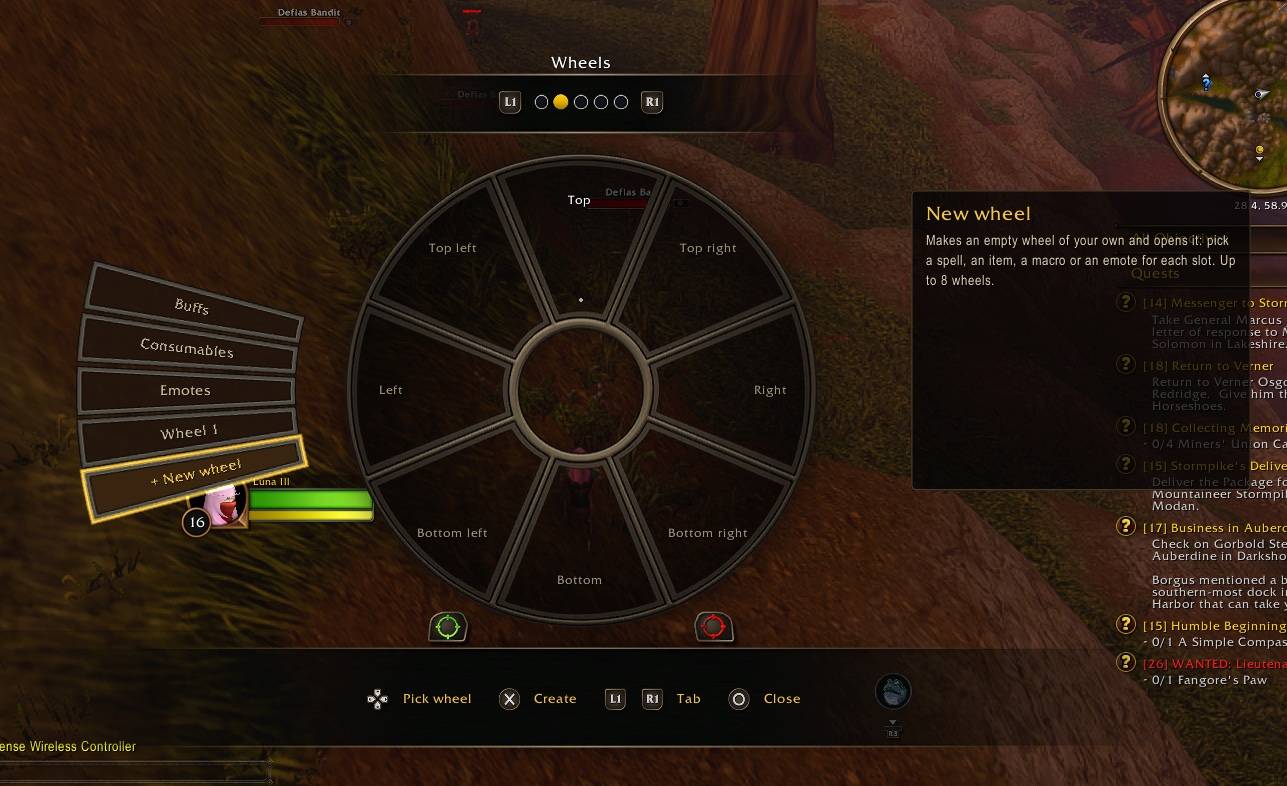
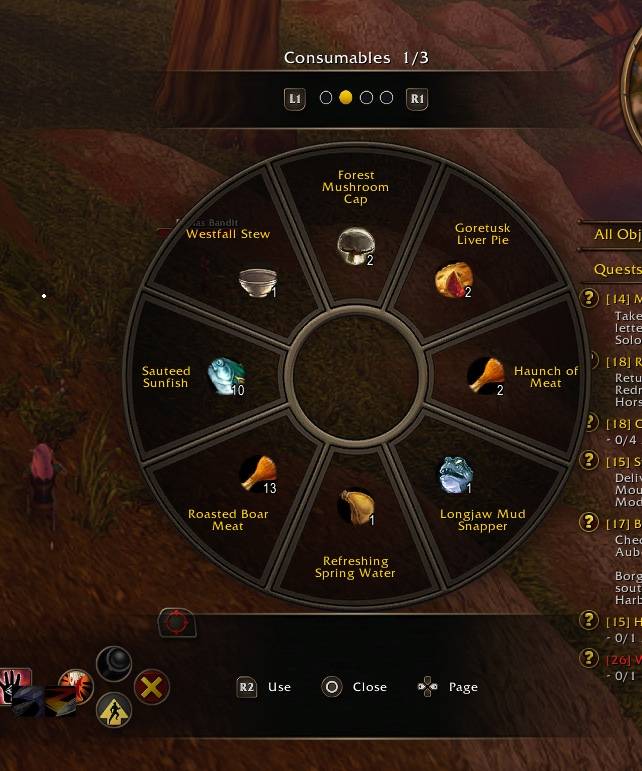
- Wheels on R3 combos, laid out like the game's radial menu: spells, items, emotes, consumables (paged by category), several wheels per combo. Aim with the right stick.
- Recent action slot on R3, placed in Edit Mode.
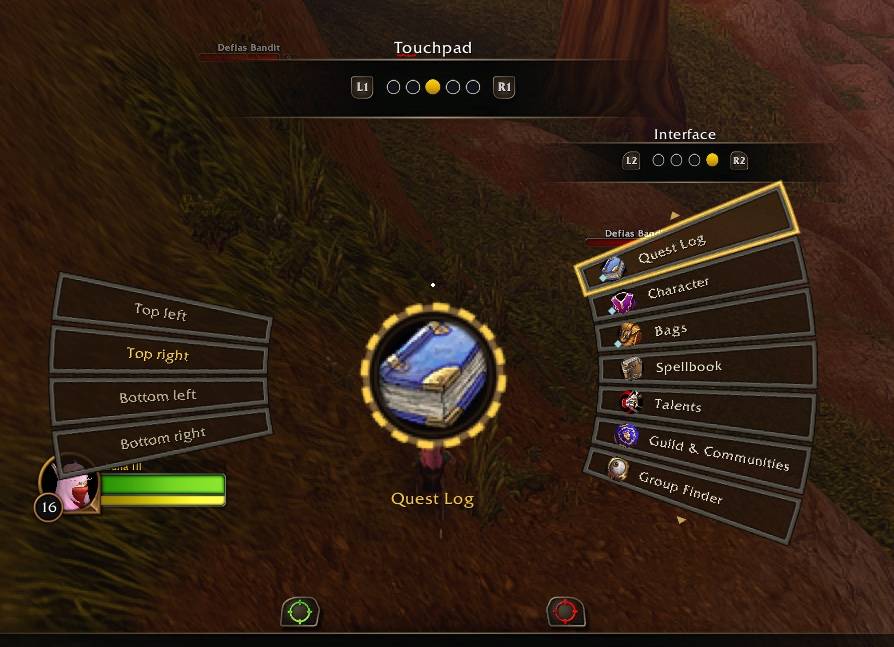
- Touchpad corner actions.
- Button overrides for L3 click and double-click.
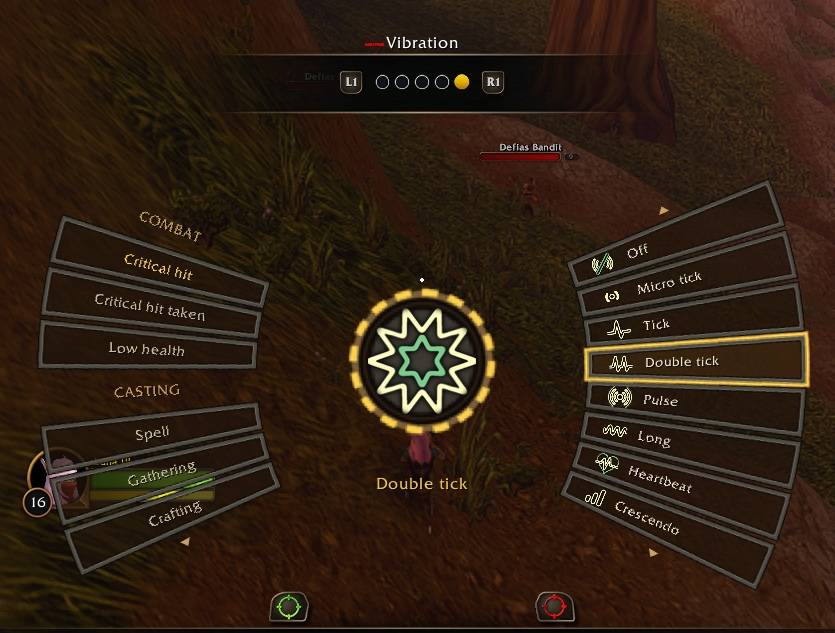
- Vibration on game events and spell casts, with per-action patterns.
- Destroy junk from the controller (with no junk, white items too: gear, food and trade goods, unusable, low level and cheapest first); from the loot window when the bags are full, it destroys junk and loots in its place.
- Library: hold R3 on an item (bags, loot window, auction house) for everything about it: what drops it, who sells it, the recipes that make or use it, its quests and auction prices.
- Quest Tracker sorting and an objective complete sound.
Double-tap Menu (or /if) to open the configuration: a tab per loaded module down the right (L1 / R1, or the right stick), the module's sections down the left (the left stick, or L2 / R2), its settings in the middle.
Upgrading from Improved Controller
Remove the old AddOns/ImprovedController/ folder. Settings start fresh.
Source and issues
github.com/markgravity/ImprovedForever
Support
Improved Forever is free and always will be. If it makes your game better and you'd like to say thanks, you can buy me a coffee on Ko-fi or PayPal.
Credits
The Library's drop, vendor and quest data comes from QuestieDB by the Questie team; creatures' display ids from cMaNGOS classic-db (GPL-3.0).
Parts of the code are adapted from Easy Controller - Forever by moust4ki (MIT).
Improved Forever Team

