


Holo UI Forever
- By
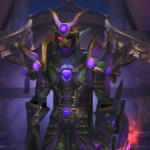
A holographic sci-fi interface for World of Warcraft: Forever, made for keyboard and gamepad
What's new
First release: HoloUI for World of Warcraft: Forever (Interface 16001), with a gamepad layout.
From HoloUI
- The holographic combat HUD (3D health screens, character hologram, spell ring, power and defense cards, cast bars, alerts), unit frames, damage meter, comm-link dialogues, notifications, compass, minimap radar, death / AFK screens and the cyan skin for the game's whole interface.
- Left out because Forever does not have them: boss timers and warnings (no encounter timeline) and the skyriding HUD.
Forever classes
- The nine classes and their spell ranks: the defense card takes the rank you know (Divine Shield, Ice Block, Evasion, Shield Wall, Barkskin, Deterrence...), the power card the big cooldowns (Bestial Wrath, Arcane Power, Adrenaline Rush, Recklessness...).
- Combo points of rogues and cat-form druids on the resource arcs, read on your target.
- The spell ring is filled from your action bars (fighting spells only) when the game's Cooldown Manager lists few spells; racials and general spells (Shadowmeld...) are left out.
Swing timer
- The game's swing timer bars, switched on and placed right under your cast bar, in combat only, dressed like the HUD. By class: main and off hand for warriors and rogues, main hand for paladins, shamans and druids, ranged for hunters and the wand of mages, priests and warlocks.
Gamepad layout
- With the gamepad interface on, HoloUI uses its own Edit Mode layout, "HoloUI Gamepad": the cross bar at the bottom centre, everything else where HoloUI puts it. Back on the keyboard, the keyboard layout comes back.
- The cross bar is dressed like the HUD and shows only with a target or in combat (and while a trigger opens it, or the bar editor is up). Faded, it still works. Option: Options > AddOns > HoloUI > Game interface.
- Dialogues and quests with the controller: A takes the highlighted option, X / Y the 2nd / 3rd, the D-pad moves the highlight and picks the reward, B says goodbye or declines, LB / RB scroll the text. Your controller's own button icons are shown.
- The installer, the reload prompt and HoloUI's dialogs take the controller (A confirm, B back, X skip). The game's own dialogs are left to the game's controller support.
- The game's button legend fades out while the combat HUD is up.
Other
- Damage meter rows readable over their bars (light text, the class colour on an edge strip).
- The red X that clears a window's filter is dressed cyan too.
- Edit Mode's window, its settings dialog and the game's help tips (the glowing boxes with an arrow) in the holographic style.
- New combat sounds, more holographic: a lower radar lock-on for the target lock, a dark power swell when combat starts and a soft glass chime when it ends.
- A new character on an account where HoloUI is installed gets HoloUI's layout and interface scale on its first login (the installer is once per account).
- The gryphon / wyvern end caps of the game's main action bar are hidden (in Forever they are Edit Mode pieces of their own and floated beside the bar and in a corner).
All Relations
- All Relations
- Embedded Library
- Optional Dependency
- Required Dependency
- Tool
- Incompatible
- Include
