Hearthkeeper
- By
Your characters' mail, gold, gathering, items and what to do next in one place: mailbox helper, Sent Log, Money Ledger, gathering map and routes, item needs, progression and fishing. A Coin & Hearth addon.
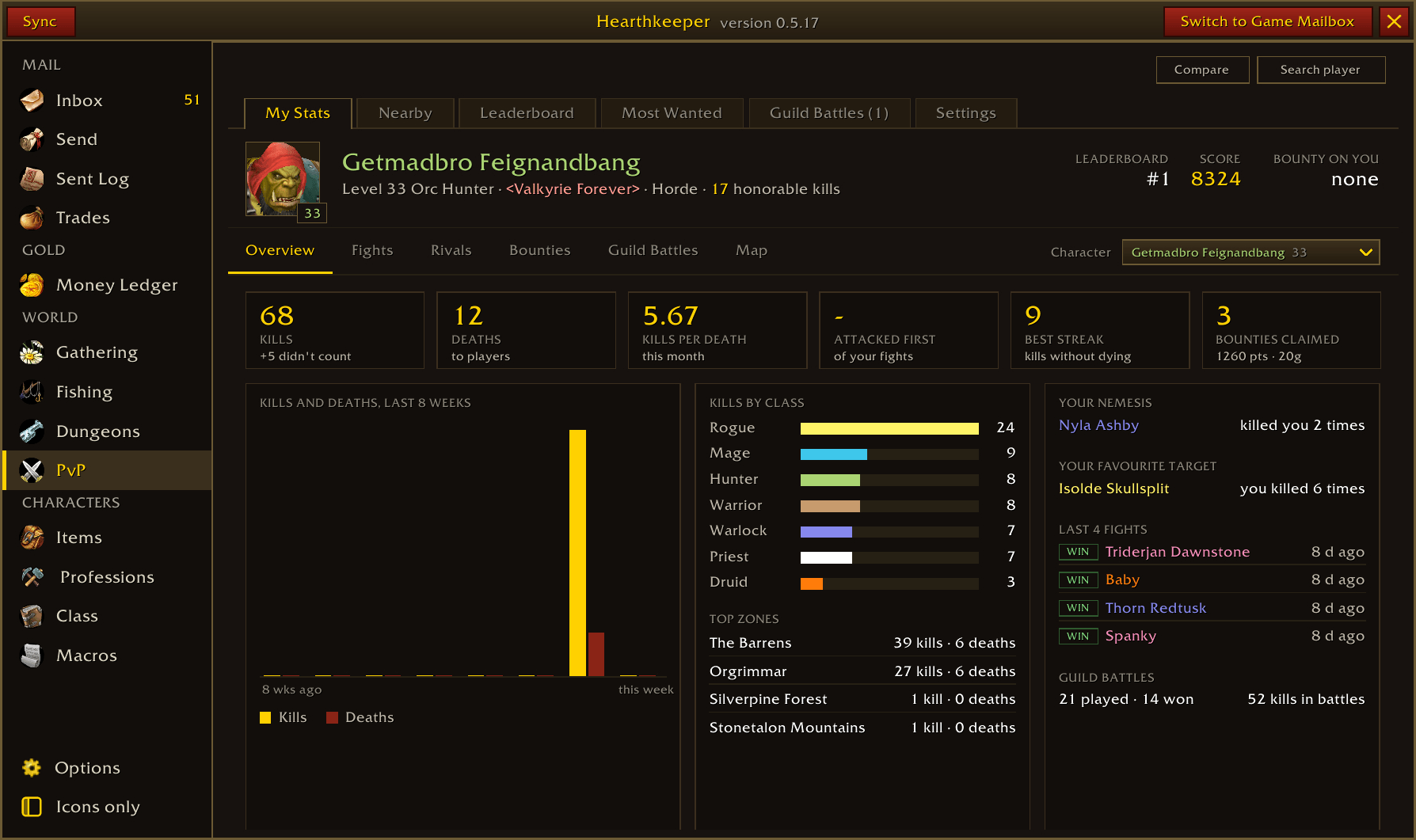
Description
Hearthkeeper
One window for your whole roster: the mail, the gold, the farming, the items and what each character should do next.
You've got a bank alt, three crafters and a main, and somewhere on one of them is the stack of Copper Ore you need. Hearthkeeper remembers what every character holds, earns, sends and gathers, and shows it the moment you need it. No more logging out to check, no more guessing where the gold went, and no more alt-tabbing to look up a quest.
Works on Retail and WoW Forever. The more of your characters log in with it, the more it can tell you.
Why Players Keep It Installed
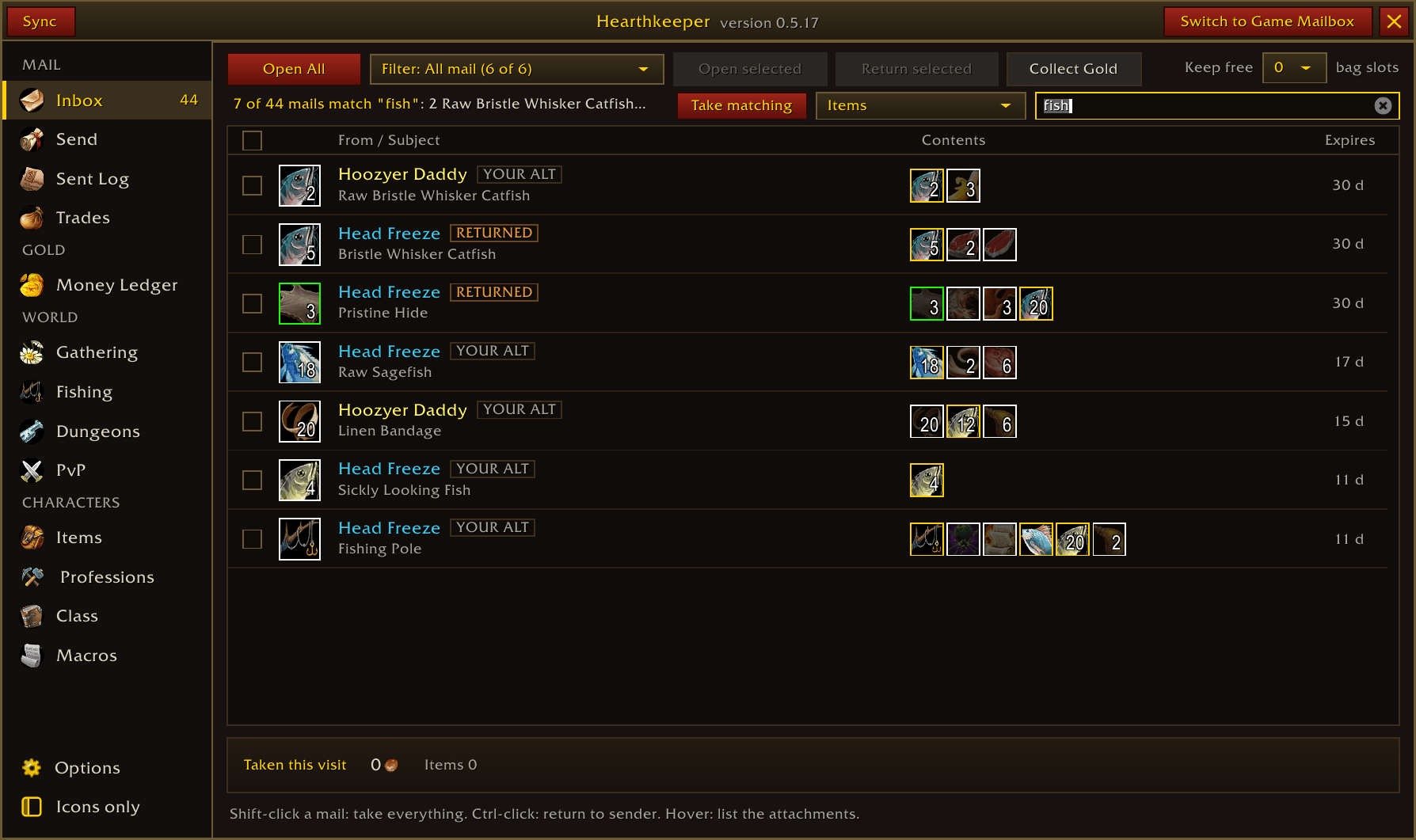
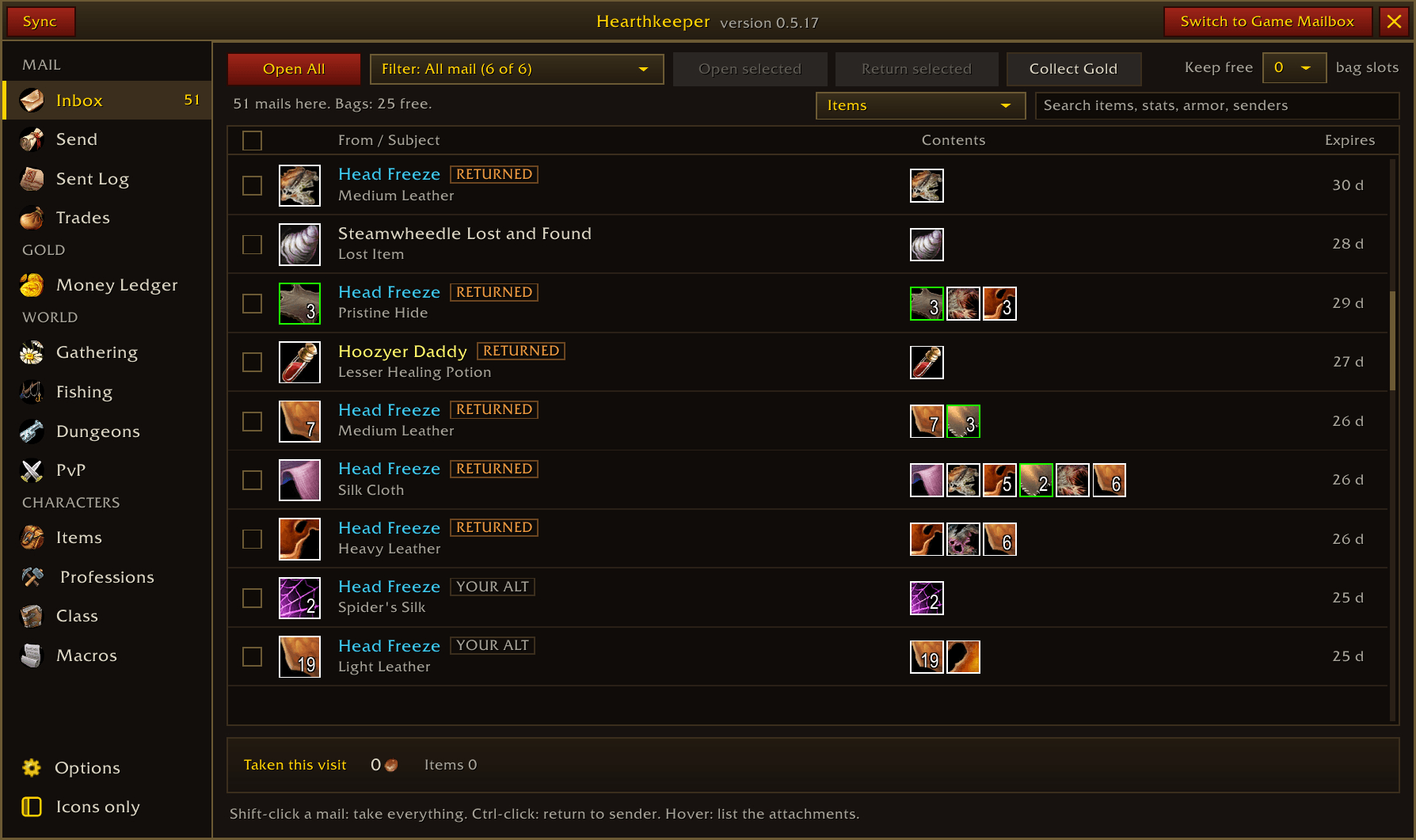
- A full mailbox cleared in one click, every item and every coin, Auction House mail included
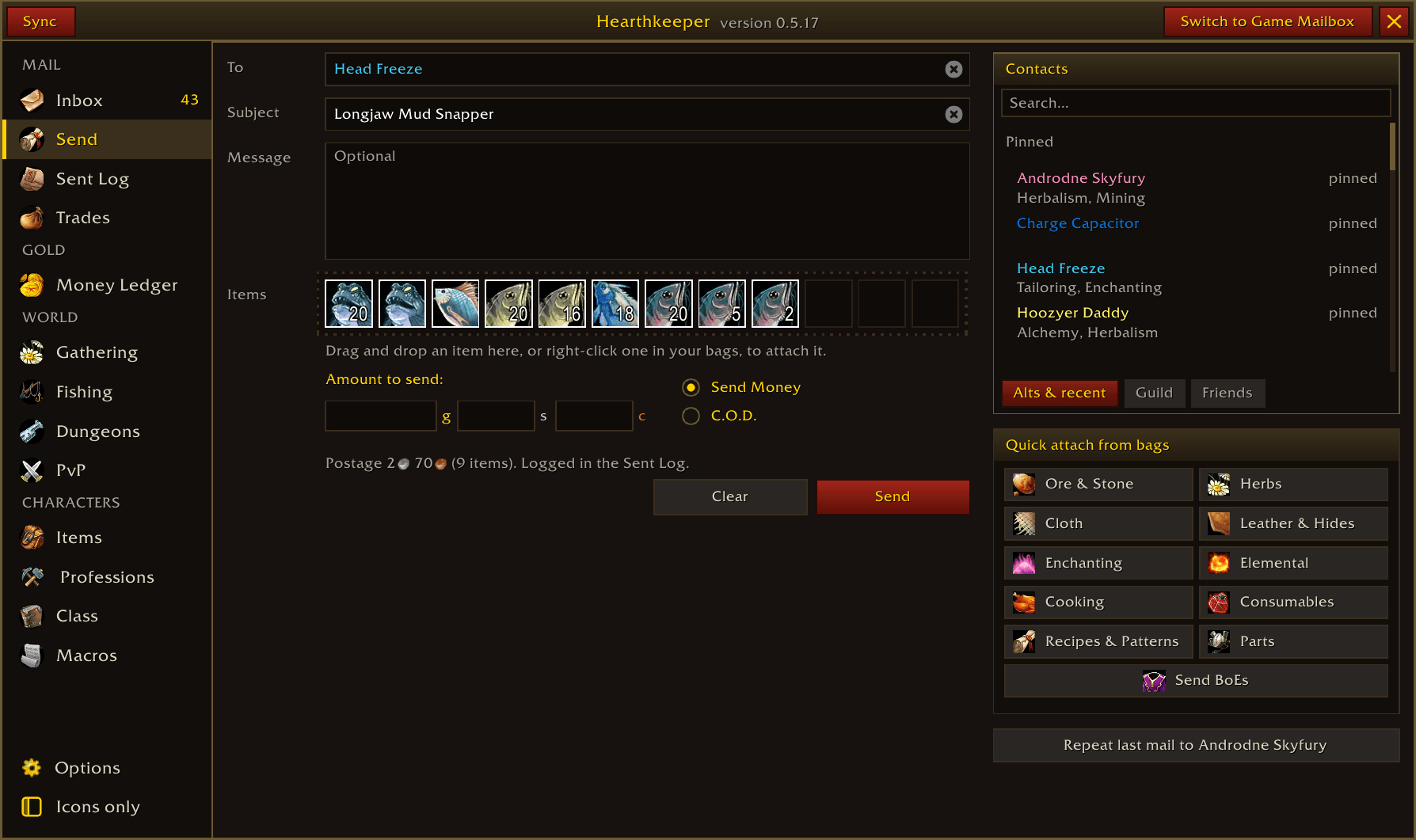
- Every alt one click away when you send mail, in class colour, with level and professions, even while they're offline
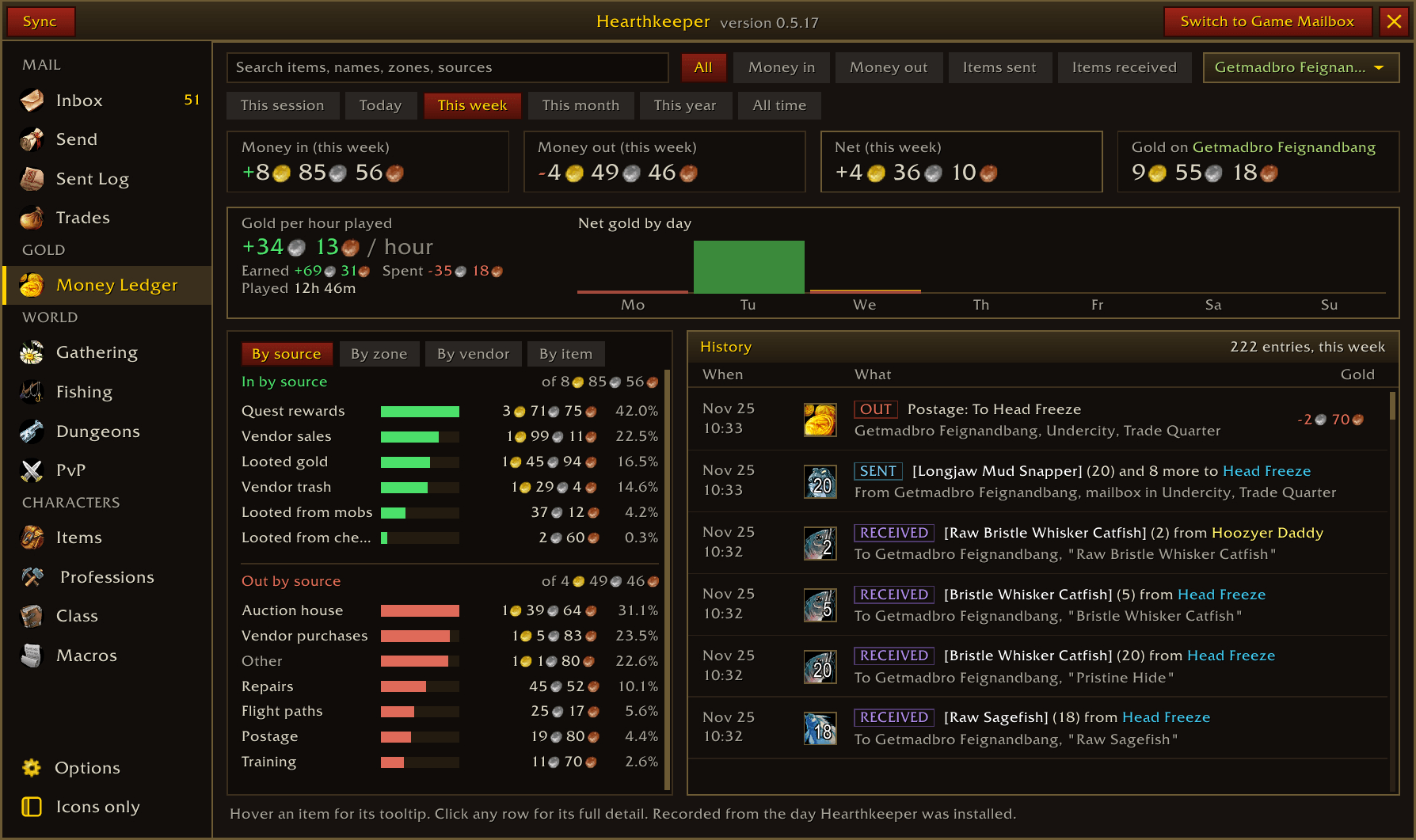
- The answer to "where did my gold go?", broken down by source, zone, vendor and item, with gold per hour you actually play
- Real gold-per-hour numbers for your farms, on a map of every node you've gathered
- Any item on any character, found in a second: bags, bank, gear, mail, auctions, the Warband Bank and guild banks
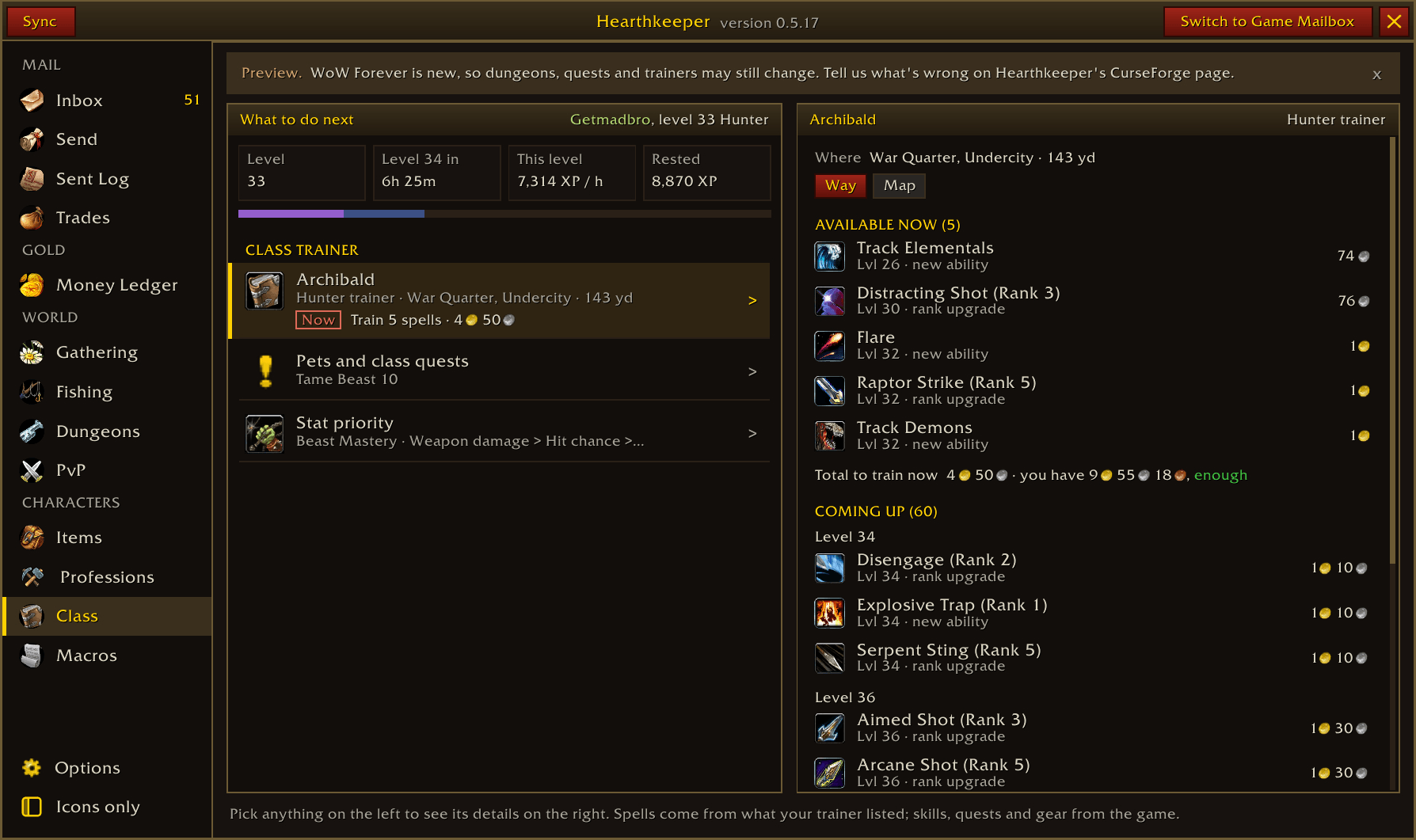
- What to do next for the character you're on: dungeons for your level, spells to train, your stat priority and ready-made macros
New in 0.5.17
- One layout: the sidebar is now Hearthkeeper's only layout, with round icons and a cleaner header
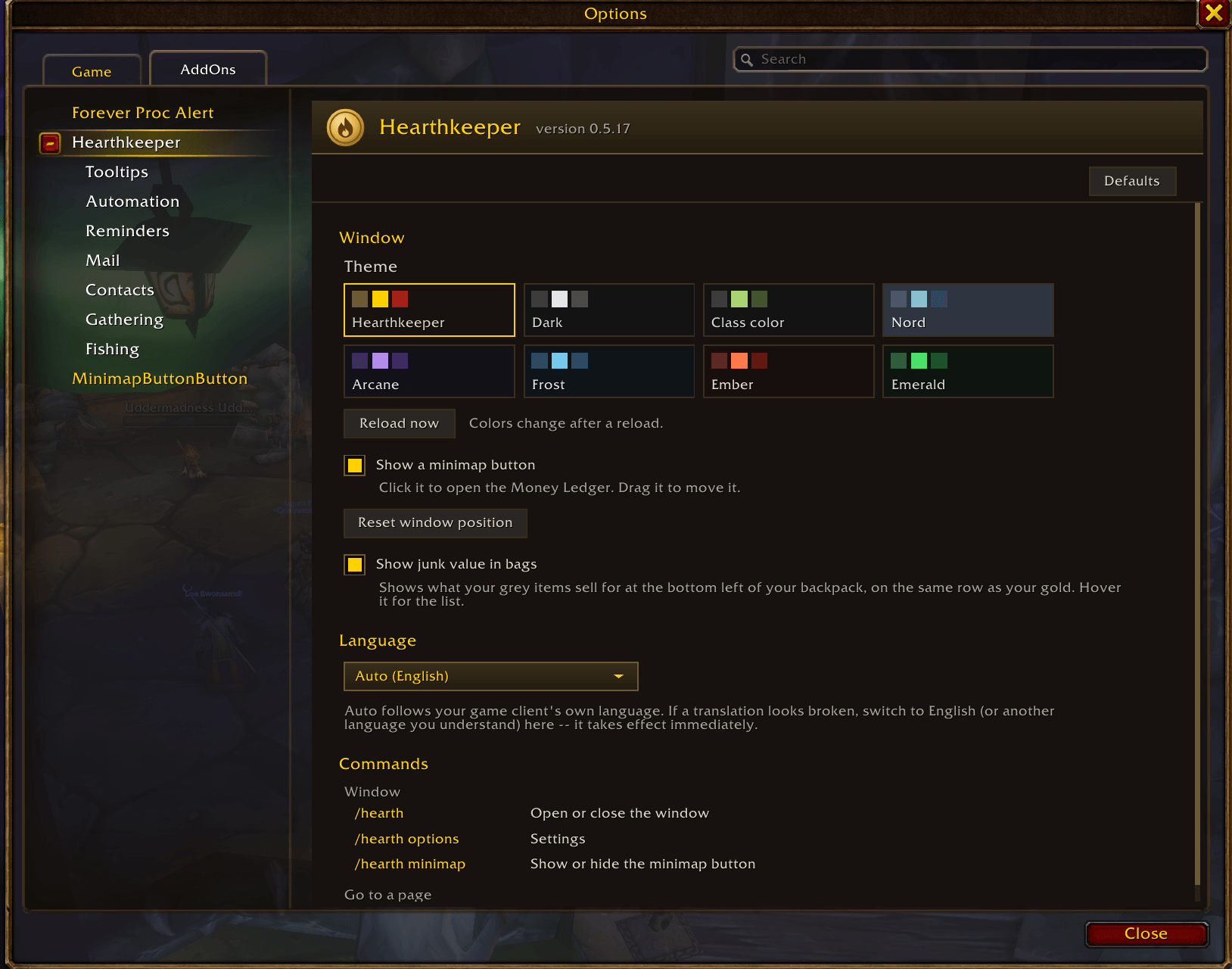
- Themes: Hearthkeeper, Dark, Class color, Nord, Arcane, Frost, Ember and Emerald, all readable to the WCAG AA contrast level
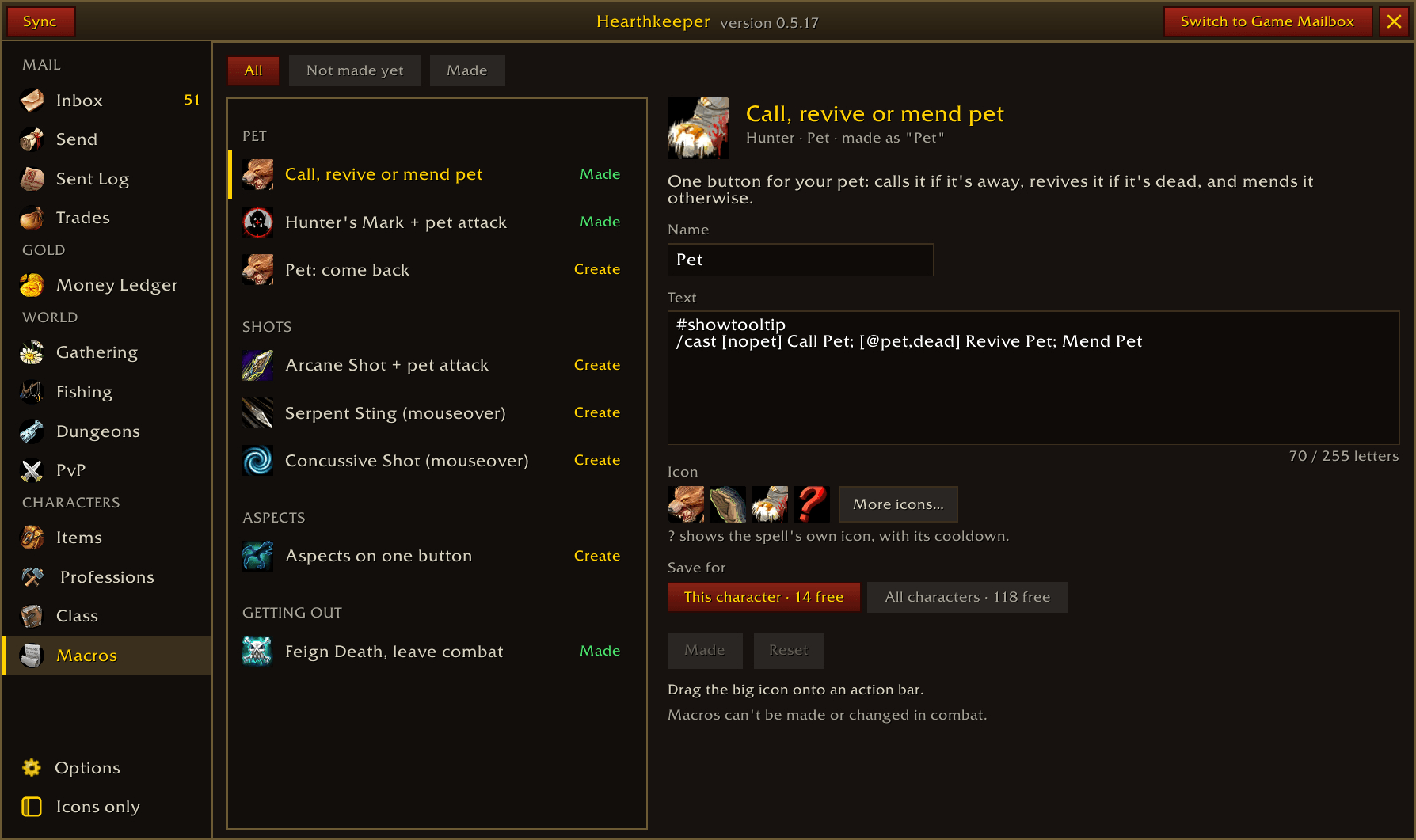
- Macros page: ready-made macros for every class, made in one click, with their name, text and icon yours to change
- Stat priority on the Class page for every class and spec
- Recipe tooltips: which of your characters already know a recipe, can learn it, or need more skill
- Gear tooltips: which of your other characters the item is an upgrade for
- Buff reminders before Well Fed or your Cozy Sleeping Bag runs out, and when you're near a campfire
- Settings in the game's AddOns list, with their own Tooltips, Automation and Reminders sections
- Gathering filters: pick Ore and Herb (or any mix) at once
Inbox
- Open All clears every item and every bit of gold in one click, with a filter for Auction House mail
- Search by item name, stat, armor type or sender, then take only the items that match, from every mail at once
- Filter by category (ore, herbs, cloth and the rest), stat or armor type
Send
- Contacts for every alt and guildmate, with class colour, level and professions, even while they're offline
- Quick attach by category, each button always in the same spot: ore and stone, herbs, cloth, leather and hides, enchanting, elemental, cooking (fish included), consumables, recipes and patterns, and parts, plus gems and inscription on Retail, and Send BoEs for every Bind on Equip or Warbound piece of gear
- Part stacks combined before they're attached, so mail uses as few slots and as little postage as possible
- Cash on delivery, checked before you waste postage
- Use Hearthkeeper's window or the game's own mailbox, and switch any time
Sent Log and Trades
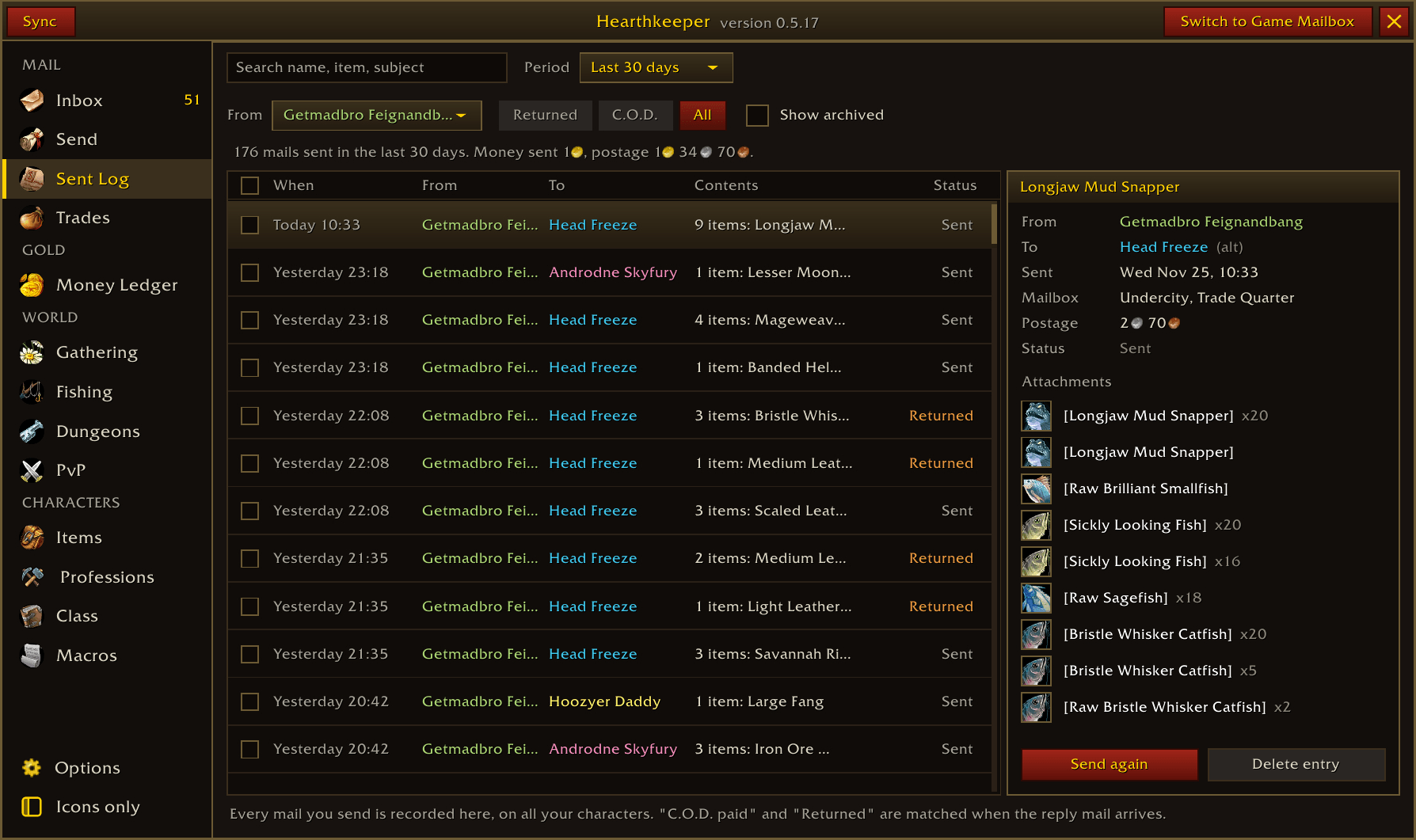
- Every mail you've sent, searchable by name, item or subject, filtered by character, date and status
- Archive, delete or export to CSV, or archive old mail automatically
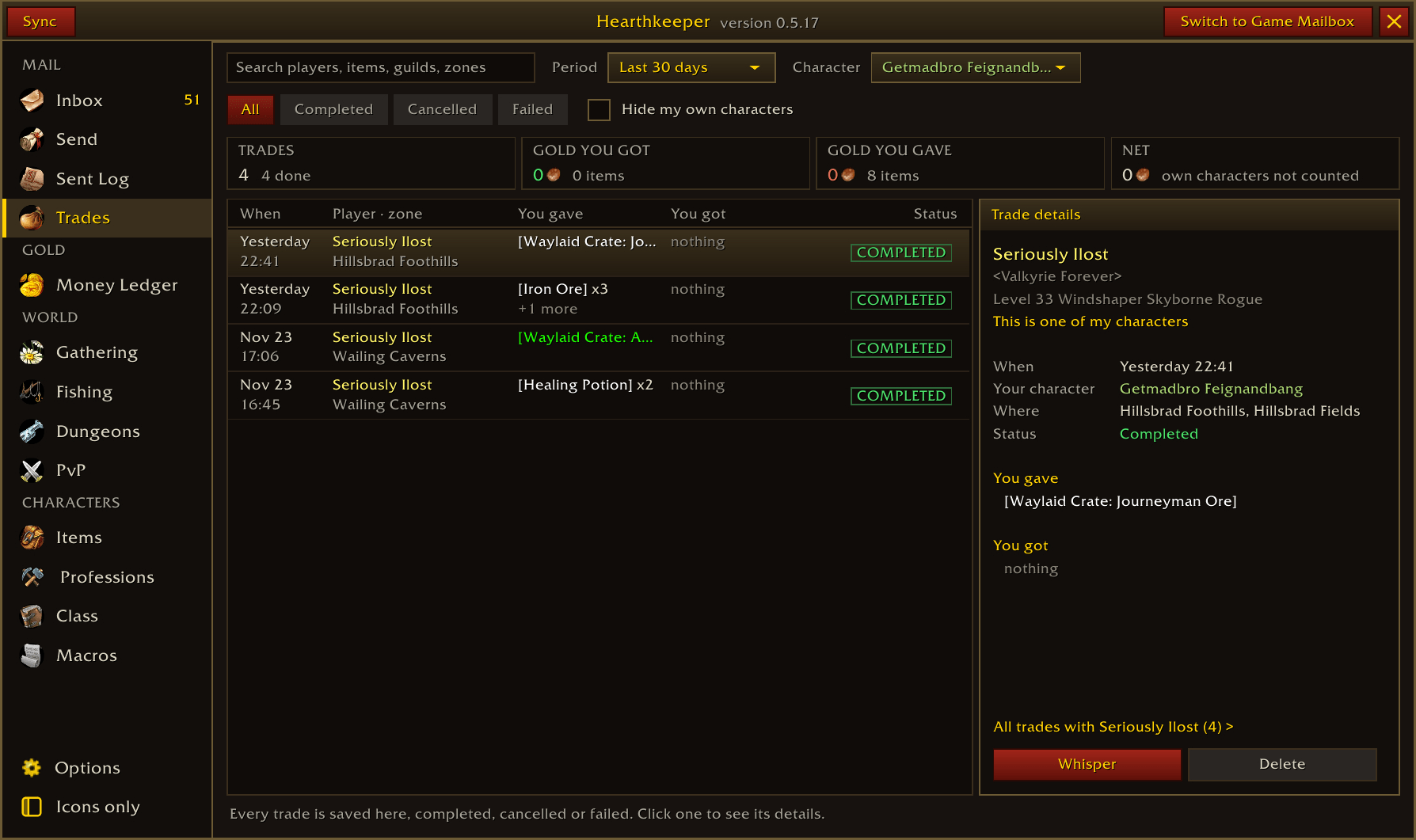
- Every trade with another player: who, when, and what changed hands
Gold
Money Ledger
- Every coin in and out by source, zone, vendor or item, for this session, today, this week, this month, this year or all time
- Gold per hour played, with net gold as bars by hour, day or month
- Vendors in detail: what you bought, sold, bought back and repaired, item by item
- Gold moved between your own characters, or the Warband Bank, kept out of your income and spending
- Gold on all your characters at a glance, your other WoW account's included
World
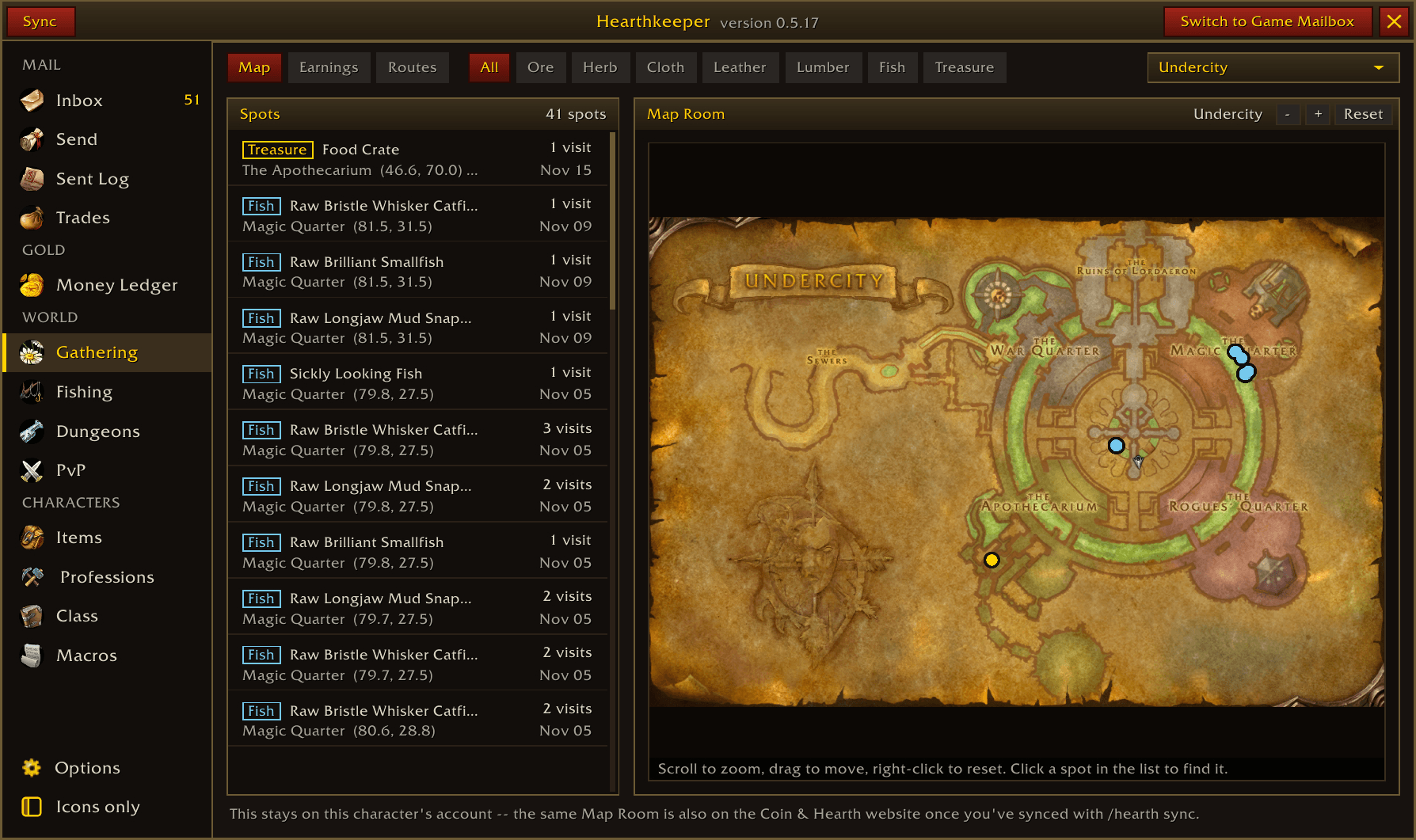
Gathering
- A map of every ore, herb, lumber, leather, cloth, fish and treasure spot you gather, on the real zone map
- Show one kind or any mix of them, such as Ore and Herb together
- Gold per hour by zone, counting what you gathered, or your other loot and gold too
- Prices from TradeSkillMaster or Auctionator, or a small Auction House bar that checks prices only when you click
- Routes: record a farm, name it and run it again with Hearthkeeper's own arrow, or TomTom
Fishing
- One key, or a double right-click, to cast, apply a lure and reel in
- Sound turned up and music muted while your line is out, so you hear the splash
- Your fishing gear on and off with one click
- Your skill with every bonus on its own line: pole, lure, hat and buffs
- A Fishing Log of every catch, and a Collection with where each fish is caught
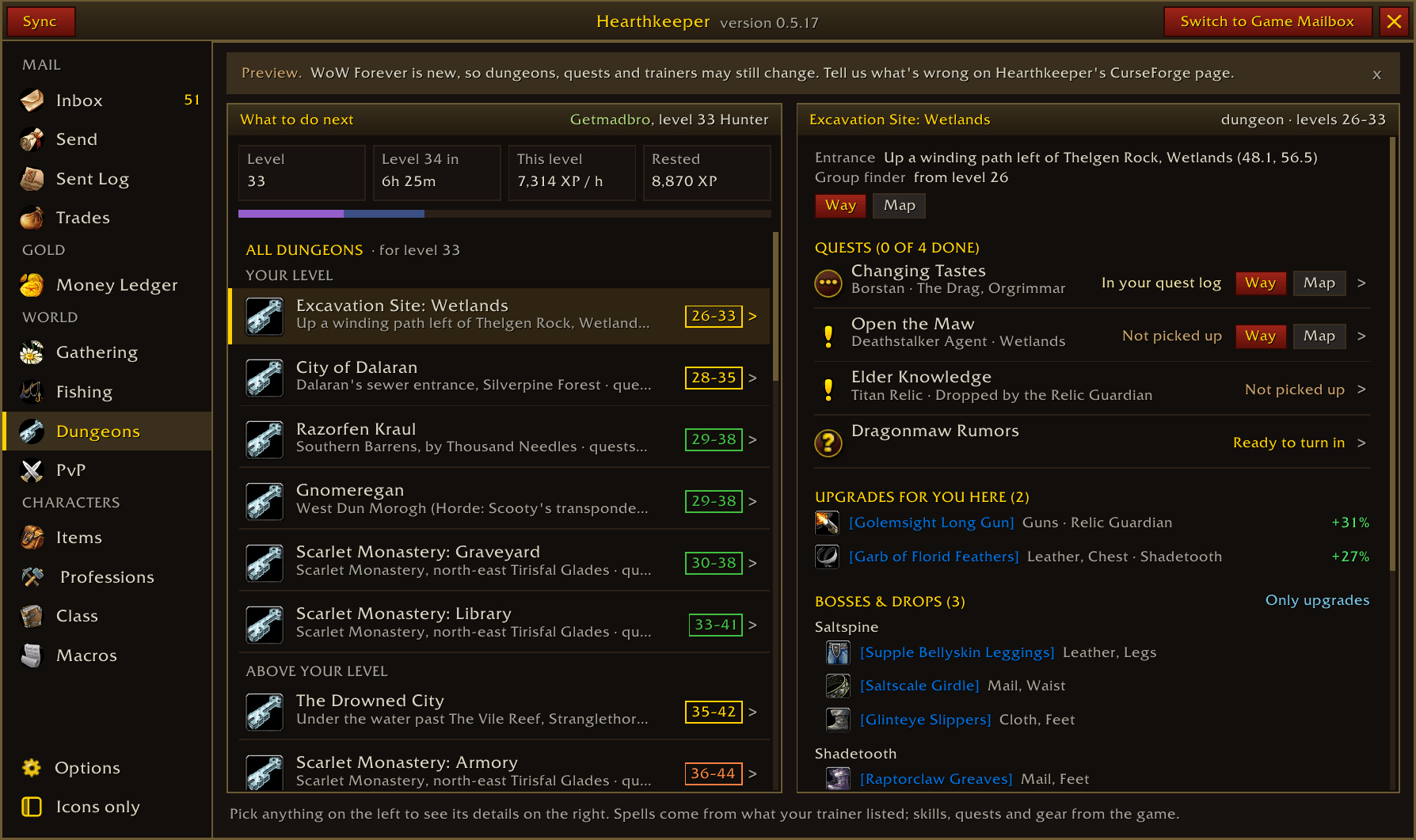
Dungeons
- Every dungeon, at any level: the ones for your level first, then the ones coming up, then the ones you've outgrown
- Each one's entrance, every quest and its details, and gear upgrades you've seen drop there
Characters
Items
- Find any item across every character, and see who holds it in its tooltip
- Gold and currencies for every character
- Needs: what a character needs, which alt can fill it, sent in one click and counted down as you send it
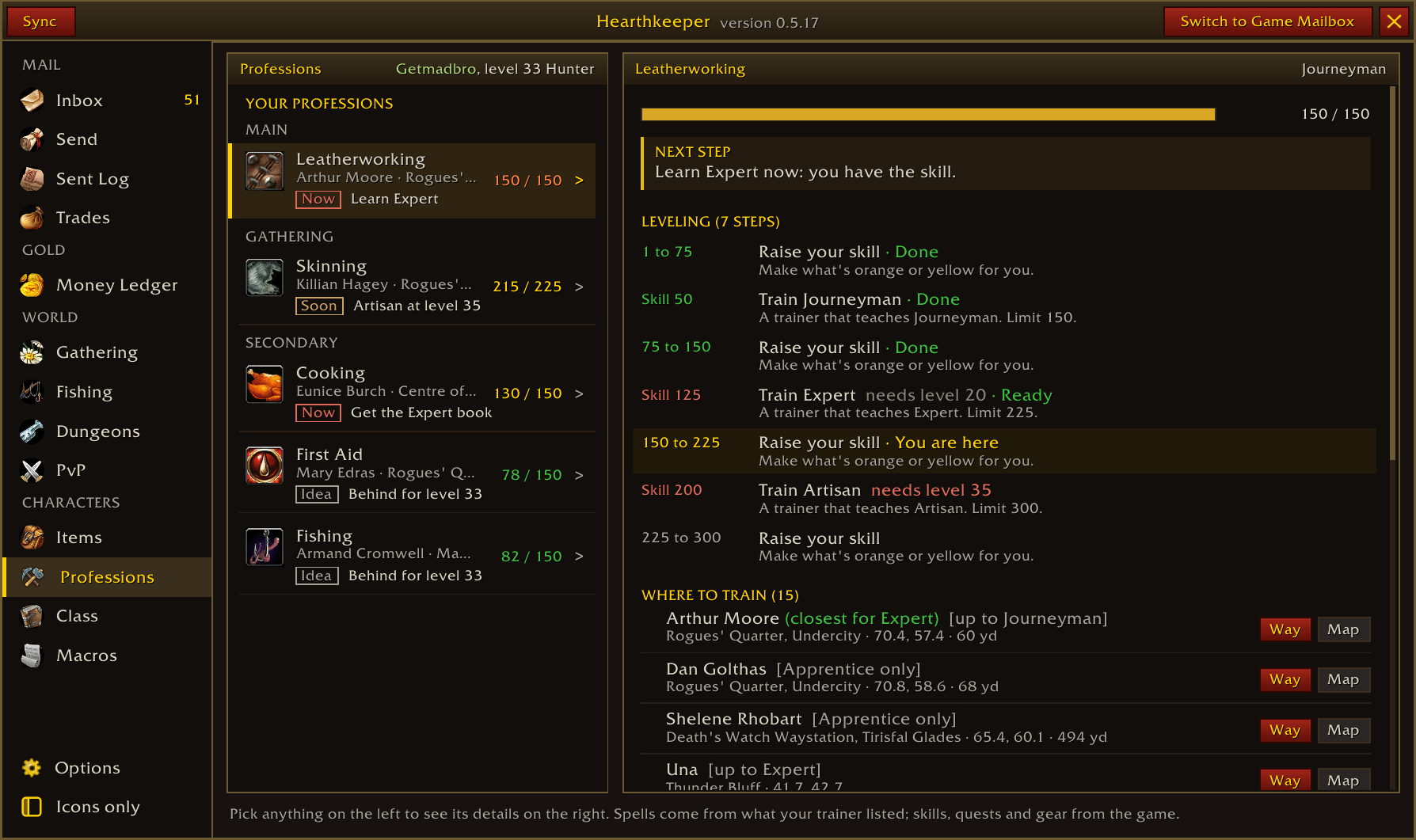
Professions
- Your skill, where every bonus comes from, the next step and the steps to the top
- The closest trainer who can teach your next rank
- Recipe tooltips list which of your characters know it, can learn it, or need more skill
Class
- Your class spells with no trainer visit: what you can learn now and what it costs, and what's coming at each level
- Stat priority for your spec, read from your talents, with why each stat matters and its caps
- Portal trainers for mages, pets for hunters, demons for warlocks and class quests for every class that has them
Macros
- Ready-made macros for every class: see what each does and its text before you make it
- Made in one click, for this character or all of them, then dragged onto an action bar
- Change the name, text and icon before or after; Reset puts back Hearthkeeper's version
Options
- Themes, language and the minimap button in General
- Tooltips: choose what Hearthkeeper adds to item tooltips, one switch each
- Automation: open your bags at the mailbox, auto repair and auto sell junk
- Reminders: Well Fed, Cozy Sleeping Bag and campfire, at 1, 2 or 3 minutes, on screen and/or with a sound
- Mail, Contacts, Gathering and Fishing settings, each in its own section of the game's AddOns list
Two WoW Accounts?
- Needs, gathering spots, earnings, routes, your Money Ledger, Sent Log, items and recipes on all your WoW accounts with the Coin & Hearth Sync app for Windows
- Needs update live while both accounts are online
- Characters on your other account show in Contacts, in class colour, and count as yours everywhere
Your Language
Every page, down to the smallest tooltip, in English, German, French, Spanish and Brazilian Portuguese. Hearthkeeper follows your game's language, or you can pick one for the addon alone in Options. Quest text and the Dungeons and Class guide text are in English until the game shows a quest to one of your characters.
If something reads oddly in your language, please report it.
Get Started in a Minute
- Install Hearthkeeper and log in
- Open a mailbox and click Open All
- Use Send to mail any alt or guildmate without typing a name
- Gather as usual, then open Gathering to see your spots and what they're worth
- Open Dungeons and Class to see what to do next
- Type /hearth to open the window any time
Slash Commands
| Command | Description |
|---|---|
/hearth |
Open or close the window |
/hearth options |
Open settings |
/hearth minimap |
Show or hide the minimap button |
/hearth log |
Open the Sent Log |
/hearth ledger |
Open the Money Ledger |
/hearth needs |
Open Needs |
/hearth routes |
Open your gathering routes |
/hearth progression |
Open the Class page |
/hearth record |
Start or stop recording a gathering route |
/hearth fishing |
Open the Fishing Log (/hearth fishing help lists every fishing command) |
/hearth linked |
Show what came over from your other WoW account |
/hearth game |
Use the game's own mailbox |
/hearth addon |
Use Hearthkeeper's mailbox |
/hearthkeeper works everywhere /hearth does.
Formerly Lazy Peons Mail
Hearthkeeper used to be called Lazy Peons Mail. It outgrew the mailbox, so it got a name that fits. /lazymail is gone; use /hearth.
More from Coin & Hearth
- Notchwork: your gear's upgrade track, right in the item tooltip
Bug reports and feature requests are always welcome.
Hearthkeeper Team