Notchwork
- By
Your gear’s upgrade track, right in the item tooltip: rank, item levels gained, what’s left, and what to do next. A Coin & Hearth addon.
upgrade-panel-all-states.png
Notchwork in-game.png
Notchwork in-game-hero.png
Description
Notchwork
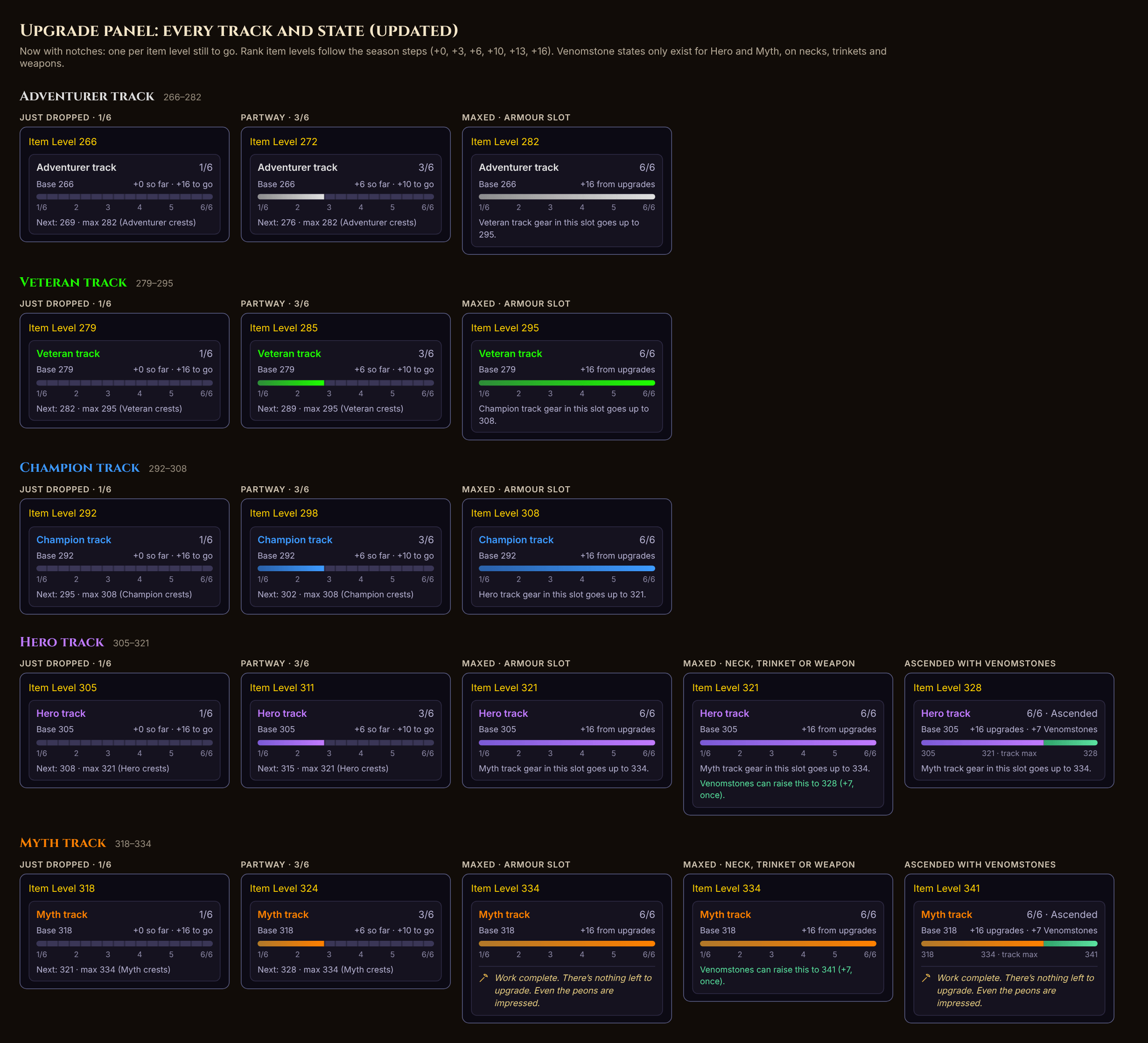
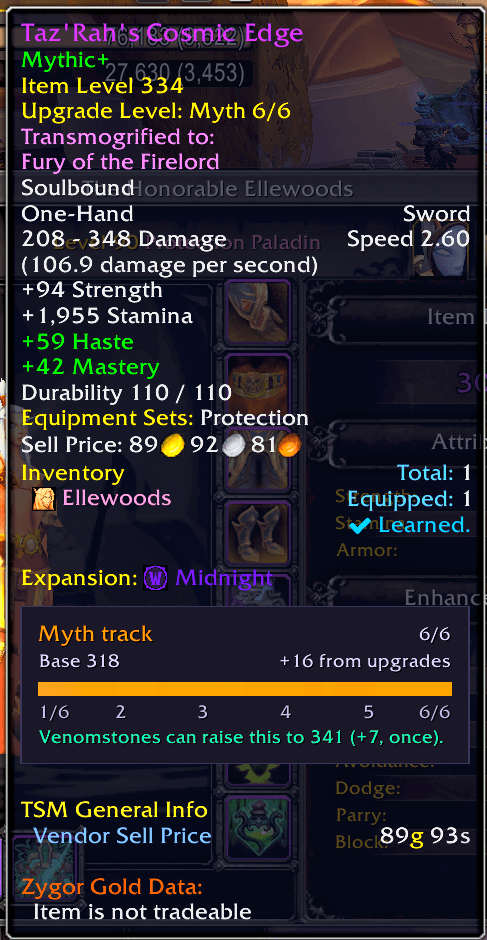
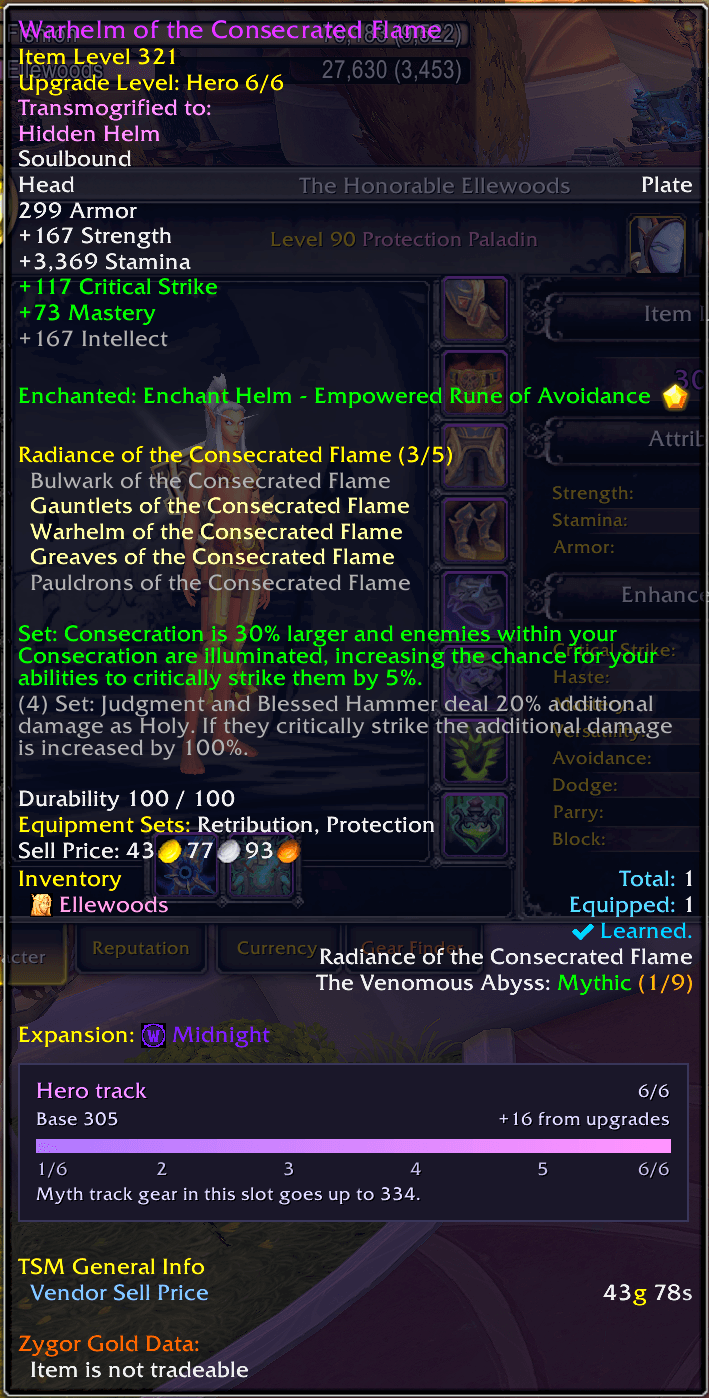
Every upgrade, one notch at a time. Hover any piece of gear and see exactly where it stands on its upgrade track, what it has gained, and what's still left to earn.
A Coin & Hearth addon. Built for Midnight Season 2, lightweight, and friendly with your other tooltip addons.
Features
At a glance
- Track and rank in the track's own colour, from Adventurer to Myth
- Base item level, item levels gained so far, and item levels still to go
- A progress bar where every item level still to go is one notch, so you can count what's left
What to do next
- The item level of the next rank and the track's maximum, with the crests it takes
- When a piece is maxed, how high the next track goes in that slot
- On fully upgraded Hero and Myth necks, trinkets and weapons, how far Ascendant Venomstones can take it
- Ascended items show the upgrade and Venomstones parts side by side
When there's nothing left
- Truly finished gear gets a small pick-axe and the crew's seal of approval
How It Works
Notchwork adds one small panel to the bottom of item tooltips for gear on an upgrade track. It reads the game's own upgrade data, never translated text, so it works whatever language your client is in.
It only adds its own panel, using the game's standard way of adding to tooltips, and never changes lines from other addons. There are no timers and nothing runs in the background: it only does any work when you hover an item.
Getting Started
- Install and log in. The panel appears in item tooltips straight away
- Hover any piece of gear on an upgrade track
- Use
/notchwork offto hide it, and/notchwork onto bring it back
Slash Commands
| Command | Description |
|---|---|
/notchwork |
Show the version and whether the panel is on |
/notchwork on |
Show the upgrade panel in item tooltips |
/notchwork off |
Hide the upgrade panel |
/notchwork debug |
Turn error messages on or off, for bug reports |
More from Coin & Hearth
- Lazy Peons Mail: a mailbox helper with contacts for your alts and guild, a Sent Log and a Money Ledger
Bug reports and feature requests welcome.
Notchwork Team