Forever Proc Alert
- By
Hear it, see it, know which one. Proc alerts for every class on WoW Forever, from Windfury to Martyrdom. A Coin & Hearth addon.
Banner
Your procs, your way
Description
Forever Proc Alert
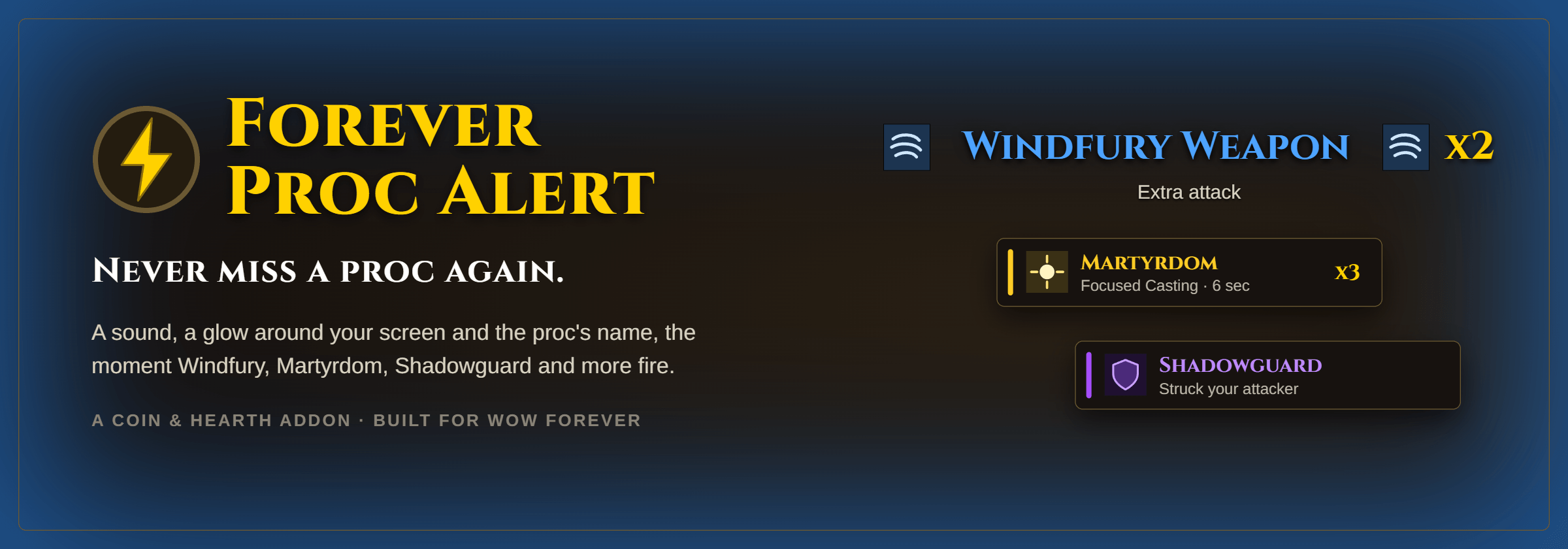
Never miss a proc again. When Windfury, Clearcasting, Missile Barrage, Mongoose Bite or any of 50+ procs fires, you hear it, the edges of your screen flash in its colour, Blizzard's glowing proc art lights up around your character, and its name pops up on screen.
A Coin & Hearth addon. Built for WoW Forever, lightweight, and set up in one small window.
Checked on WoW Forever
Checked in game so far: Windfury Weapon, Martyrdom, Shadowguard, Seal of Command, Quick Shots, Mongoose Bite, and every mage proc (Clearcasting, Missile Barrage, Heating Up, Fingers of Frost, Arcane Blast). The rest are marked in the addon until they're confirmed. If a proc doesn't fire when it should, please report it with the lines from /fpa debug and /fpa watch.
In combat on WoW Forever
WoW Forever hides your buffs from addons during a fight, so Forever Proc Alert finds procs in two ways:
- Full alerts in combat (sound, flash, art, name): procs that change one of your spells or show in your Combat Log. An ability lights up (Mongoose Bite, Overpower, Revenge, Execute), a spell costs nothing (Clearcasting, Missile Barrage), casts faster or instantly (Heating Up, Shadow Trance, Maelstrom Weapon), or a hit shows in your Combat Log (Windfury, Shadowguard, Fiery Weapon).
- Shown by the game, no sound in combat: procs that are only a buff (marked † below). The addon hands the game the proc's art, edge glow and name, and the game shows them while the buff is up, with the time left. Out of combat these play their sound as usual.
Features
Hear it, see it
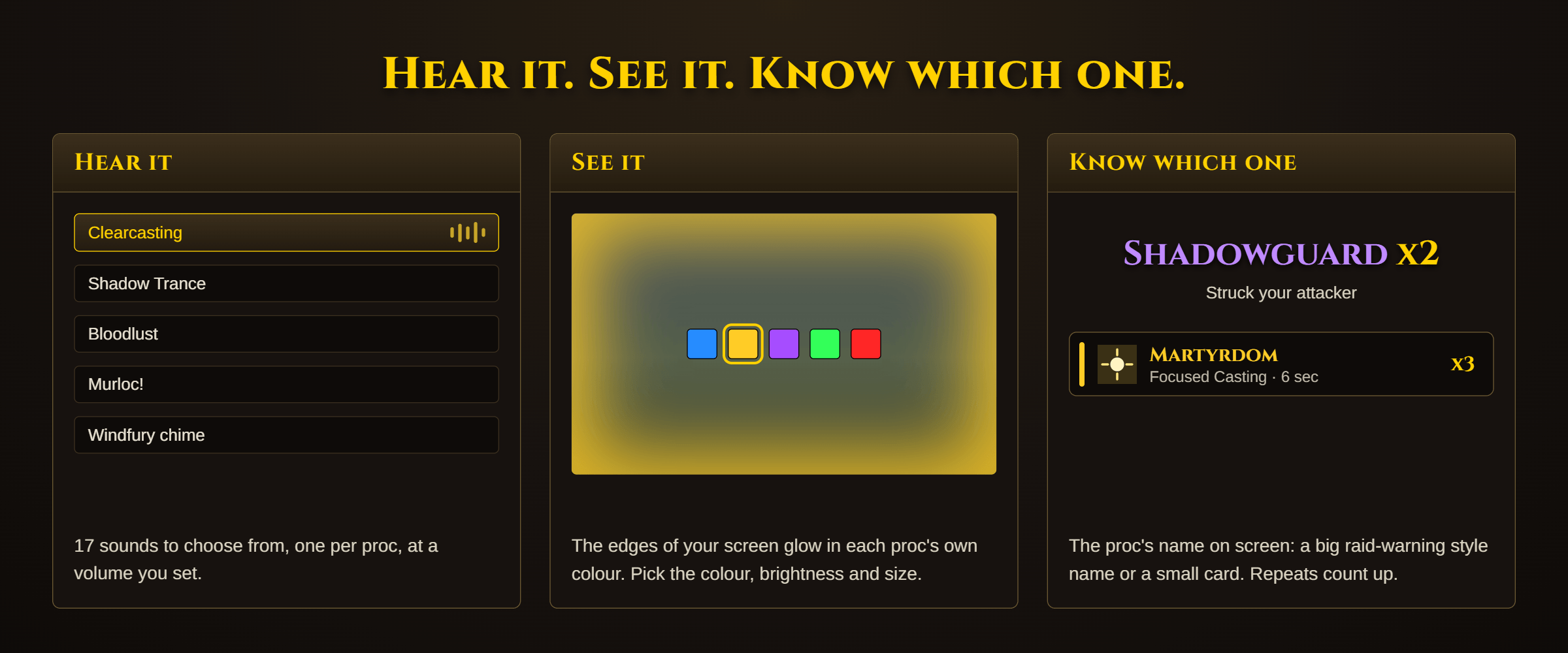
- A sound you pick for each proc, from 17 choices: Clearcasting, Shadow Trance, Bloodlust, Thunder Clap, Murloc!, a troll gong and a Windfury chime made for the addon
- A glow around the edges of your screen in each proc's own colour, so you know which one fired without looking
- The proc's name on screen as a small Card or a Big name like a raid warning, with a short note such as "Focused Casting · 6 sec"
- Procs that fire again right away count up as x2, x3 instead of piling up
- Several procs at once sit side by side: their art spreads outward and up to 3 names stack
- Blizzard's own glowing proc art around your character, with a gentle pulse: Maelstrom Weapon for Windfury, Surge of Light for Martyrdom, Nightfall for Shadow Trance and more, or pick from 47 designs
Your procs, your way
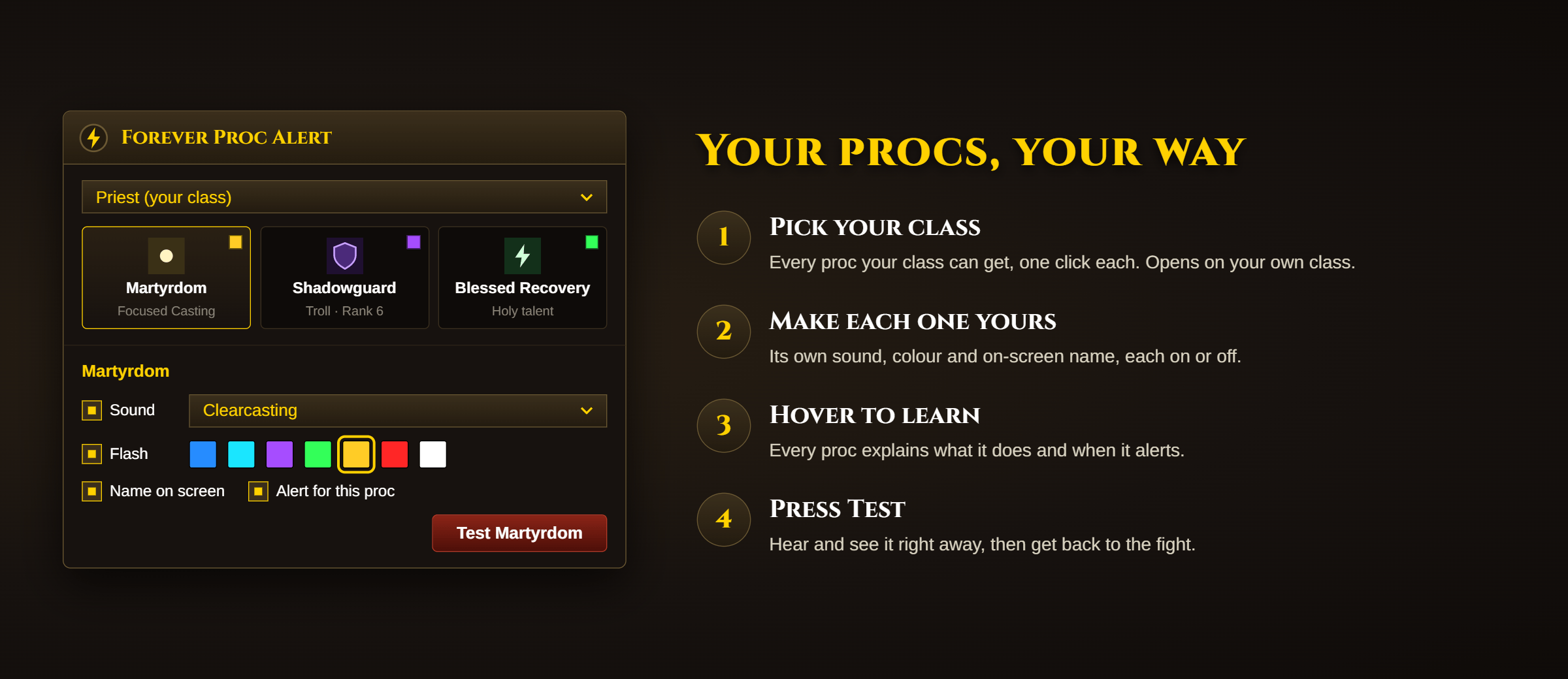
- Pick your class from the drop-down and see every proc it can get; it opens on your own class
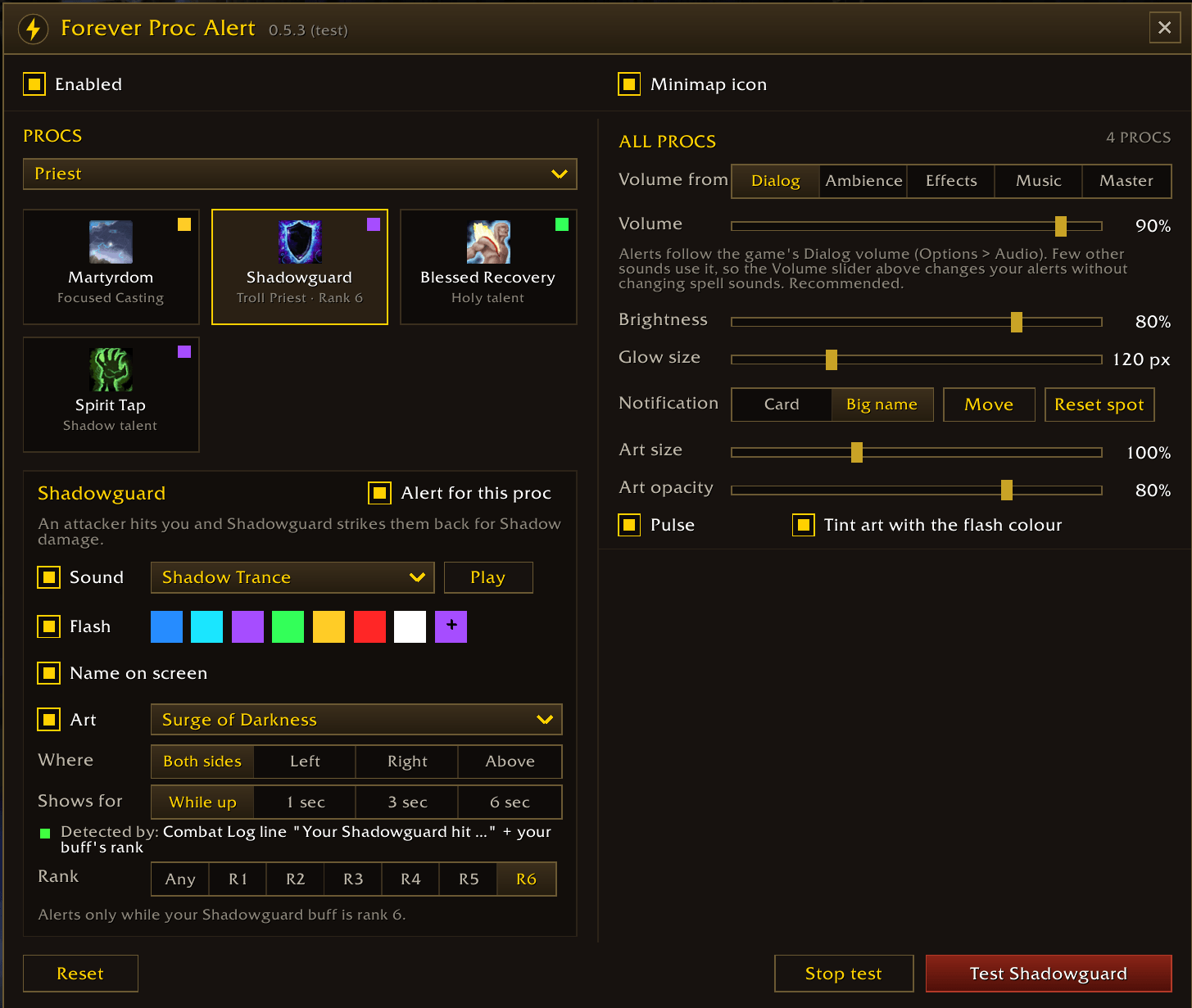
- Turn each proc on or off, and its sound, flash and name on screen each on or off
- Seven colours one click away, or any colour you like
- Shadowguard alerts for any rank, or only the rank you choose
- Alerts follow one of the game's volume channels (Dialog by default), so you can turn them down without touching your spell sounds
- Flash brightness and glow size to taste
- Move the on-screen name anywhere you like
- Show the proc art on both sides, left, right or above you, while the buff is up or for a few seconds, at the size and opacity you like
- Press Test to try it, or Test all to see every proc of a class together: the window fades out of the way so you see the whole alert
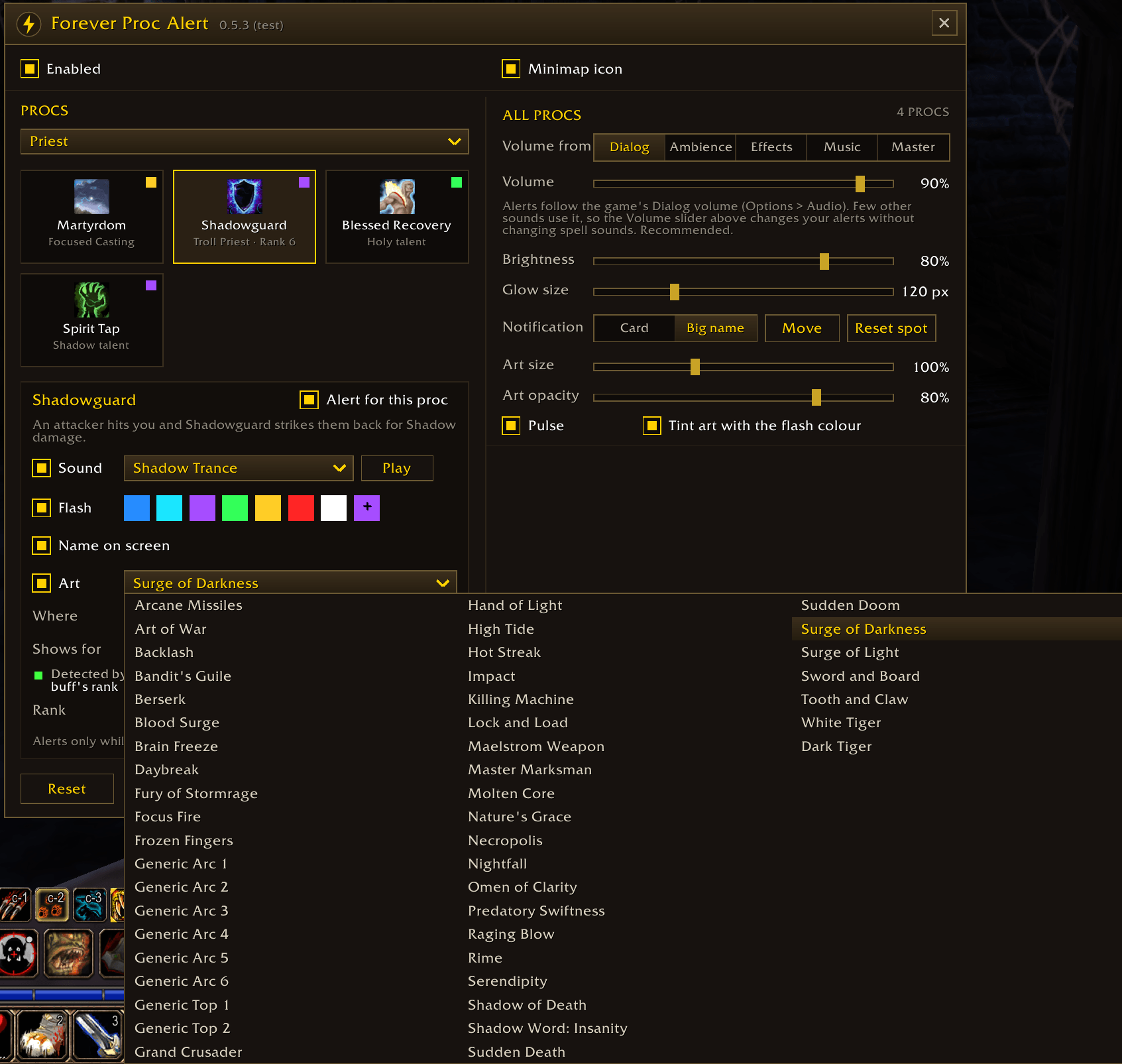
Every proc explained
- Hover a proc to see what it is, when the addon alerts, and the sound and colour it uses
Procs
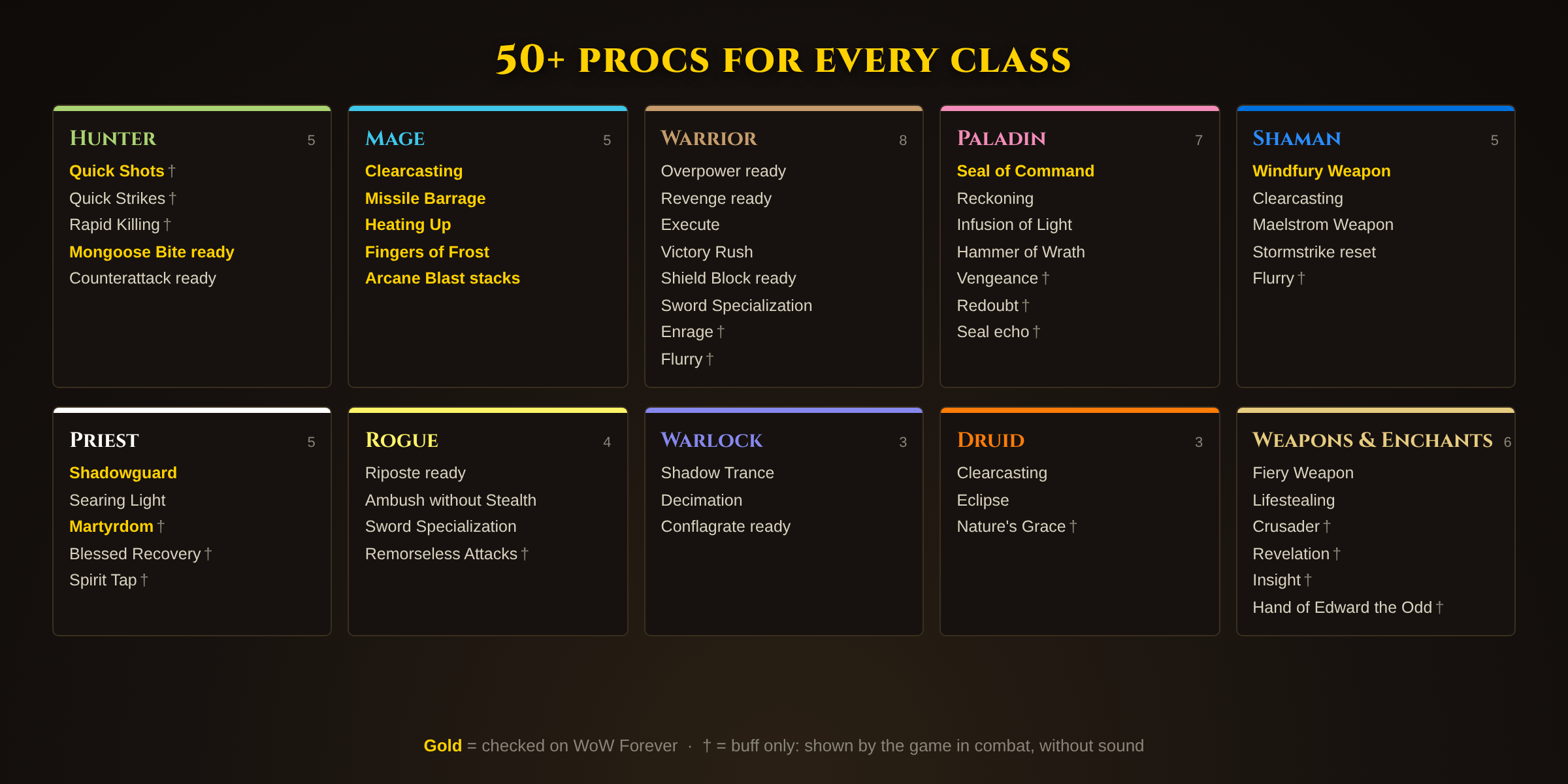
| Class | Procs |
|---|---|
| Hunter | Quick Shots†, Quick Strikes†, Rapid Killing†, Mongoose Bite ready, Counterattack ready |
| Mage | Clearcasting (Arcane Concentration), Missile Barrage, Heating Up, Fingers of Frost, Arcane Blast stacks |
| Warrior | Overpower ready, Revenge ready, Execute, Victory Rush, Shield Block ready, Sword Specialization, Enrage†, Flurry† |
| Paladin | Seal of Command, Reckoning, Infusion of Light, Hammer of Wrath, Vengeance†, Redoubt†, Seal echo† |
| Shaman | Windfury Weapon, Clearcasting (Elemental Focus), Maelstrom Weapon, Stormstrike reset, Flurry† |
| Priest | Shadowguard (Troll), Searing Light, Martyrdom (Focused Casting)†, Blessed Recovery†, Spirit Tap† |
| Rogue | Riposte ready, Ambush without Stealth, Sword Specialization, Remorseless Attacks† |
| Warlock | Shadow Trance (Nightfall), Decimation, Conflagrate ready |
| Druid | Clearcasting (Omen of Clarity), Eclipse, Nature's Grace† |
| Weapons & Enchants (every class) | Fiery Weapon, Lifestealing, Crusader†, Revelation†, Insight†, Hand of Edward the Odd† |
† Only a buff: shown by the game in combat with no sound; sound out of combat.
How It Works
Forever Proc Alert watches what a proc changes: an ability becoming usable, a spell's cost or cast time, your Combat Log, or (out of combat) the buff itself. Windfury also has a backup that spots two quick white hits in a row. For buff-only procs in combat, the game itself shows the alert.
It never casts, clicks or presses anything for you: it only plays a sound and shows you what happened. There are no timers running in the background.
Getting Started
- Install and log in
- Click the gold bolt on your minimap, or type
/fpa - Pick a proc, choose its sound, colour and art, and press Test
Slash Commands
| Command | Description |
|---|---|
/fpa |
Open or close the settings window |
/fpa test |
Play the alert for your first proc |
/fpa on |
Turn alerts on |
/fpa off |
Turn alerts off |
/fpa minimap |
Show or hide the minimap button |
/fpa status |
Show your procs, how often they fired this session, and your Shadowguard rank |
/fpa watch |
Show what each spell-based proc reads right now |
/fpa frames |
Show the alerts the game shows for buff-only procs |
/fpa gameshow |
Turn those game-shown alerts off or on |
/fpa debug |
Print what the addon sees, for bug reports |
Minimap Button
- Left-click: settings
- Right-click: turn alerts on or off
- Shift-click: test alert
- Drag: move the button around the minimap
More from Coin & Hearth
- Hearthkeeper: your characters' mail, gold, gathering, items and what to do next, in one window
- Forever World PvP Tracker: world PvP for WoW Forever, with bounties and guild battles
- Notchwork: your gear's upgrade track, right in the item tooltip
Bug reports and feature requests welcome.
Forever Proc Alert Team