HeadsUp
- By
Build your own "press this now" icons for any class: procs, resources, cooldowns, effects and sounds.
001.png
002.png
003.png
004.png
005.png
Description
HeadsUp
Never miss the moment to press the right button.
In a fight it is easy to stare at one spot and miss what matters. HeadsUp puts a clear icon on your screen at the exact moment you should act: Death Strike is ready and your health is low, Killing Machine lights up Obliterate, you finally have the runes or the Holy Power you were waiting for. When an ability lights up, it can also play a sound.
It is built for the Midnight rules, works for every class and specialization, and you make the icons yourself in a simple four-step window. No scripts, no strings to copy.
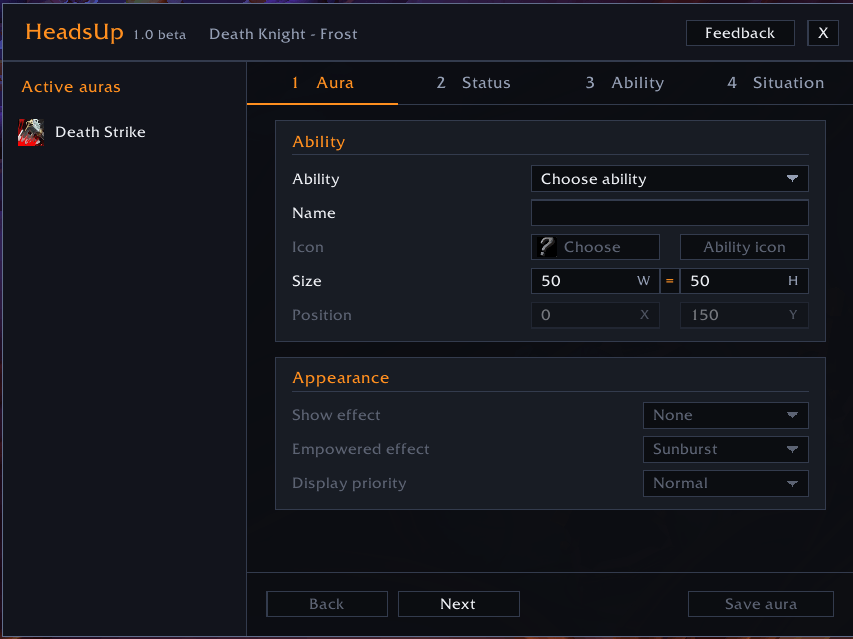
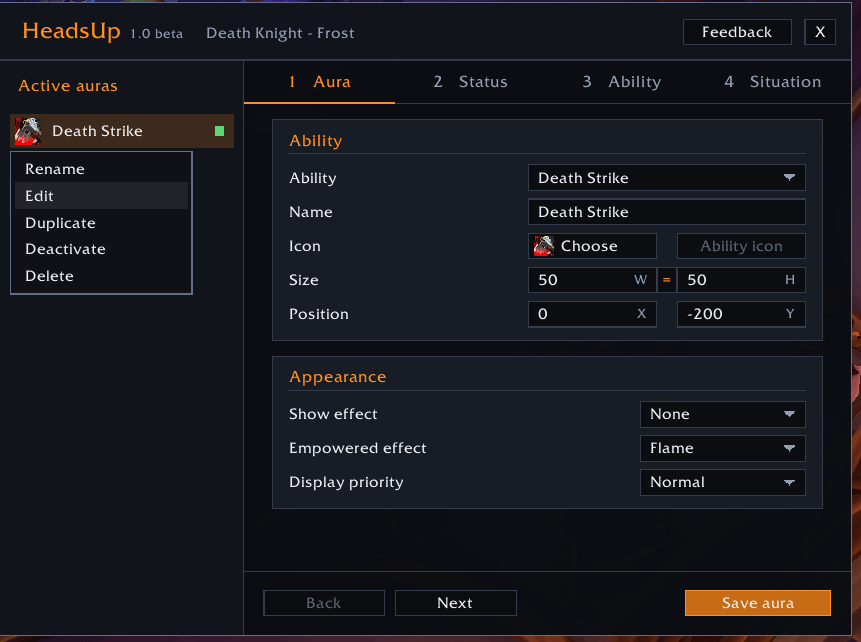
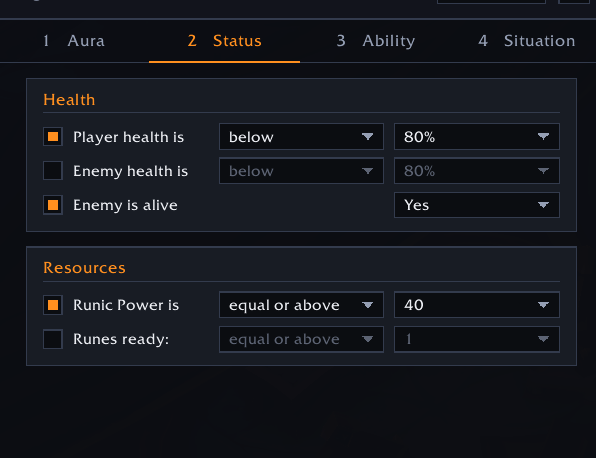
Make your own icons in four steps
- Aura: choose an ability, give it a name, pick its picture, size and place on the screen, and choose how it looks.
- Status: your health, the enemy's health, whether the enemy is alive, and your resources.
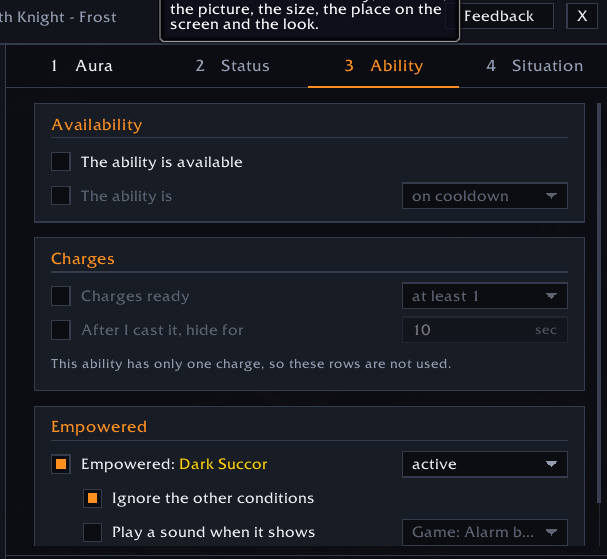
- Ability: whether it is available, its cooldown and charges, and whether it is empowered.
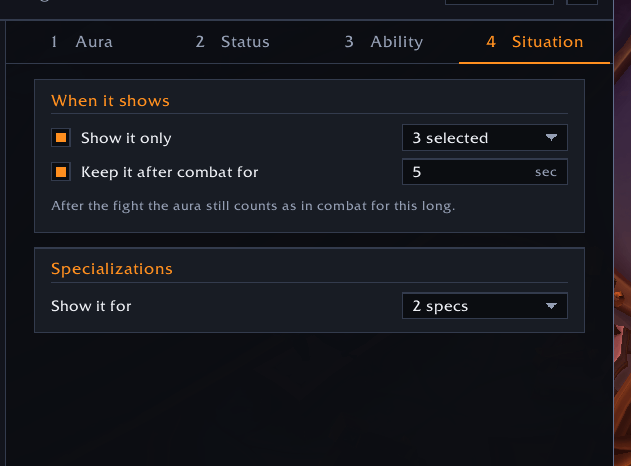
- Situation: only in combat, out of combat, mounted, in a vehicle, and for which specializations.
The icon shows only when all your conditions are true. Hover over any option for a short explanation.
What it can do
Smart conditions
- Your health and the enemy's health, with below, equal or below, equal, equal or above, above.
- Resources that match your class: Runic Power and Runes, Mana and Holy Power, Rage, Energy, Combo Points, Soul Shards, Chi, Essence and more.
- Available: the ability can be used right now (not on cooldown, and you have enough resource).
- Cooldown and charges, and a hide time after you cast the ability.
- Empowered abilities: HeadsUp knows which abilities can light up (proc glows) for every class. Choose "ignore the other conditions" and the icon shows whenever the ability lights up, whatever else is true.
Make it impossible to miss
- Three eye-catching effects for empowered abilities: Sunburst, Flame and Burst, plus a glow or pulse for any icon.
- A sound the moment an ability lights up: six sounds of our own and eight of the game, in three volumes.
Yours, exactly the way you want
- Any icon from the game, any size (width and height, linked or separate).
- Place it exactly: drag it with the mouse, or type the X and Y position (it never leaves your screen).
- Display priority when icons overlap, and keep an icon on screen for a few seconds after combat.
- Many auras, tidy list: deactivate the ones you do not need now without deleting them, duplicate any aura, and activate them again later.
- A button on the minimap opens and closes the window.
Getting started
- Type
/headsup, or click the HeadsUp button on the minimap. - Choose an ability, set a condition or two, press Save aura.
- Drag the icon where you want it.
Good to know
Since patch 12.0 the game hides some values from add-ons during combat (your health, your main resource, cooldowns). HeadsUp is built for that: it shows icons for those conditions without ever reading the hidden values. Because of the same rule, the sound works only where the game lets an add-on know what is happening, which includes abilities lighting up, your second resource (runes, Holy Power, combo points...) and the enemy being alive. We would rather tell you than promise what the game does not allow.
Beta
HeadsUp is in beta (1.0 beta). It was built and tested on a Death Knight; other classes should work, but they are not tested yet. Your feedback is very important to us. Tell us what problem you ran into, what you need, or which ability did not work well, so we can make it better: use the Send feedback button in the window, or leave a comment on this page.
World of Warcraft is a trademark of Blizzard Entertainment, Inc. This add-on is not connected to Blizzard Entertainment.
HeadsUp Team