GuildCraftSync
- By
GuildCraftSync is a World of Warcraft TBC Anniversary & Forever guild addon that automatically shares, tracks, and browses all professions and recipes within your guild. Easily see who can craft what, including live online status and whisper features!
wishlist.png
search.png
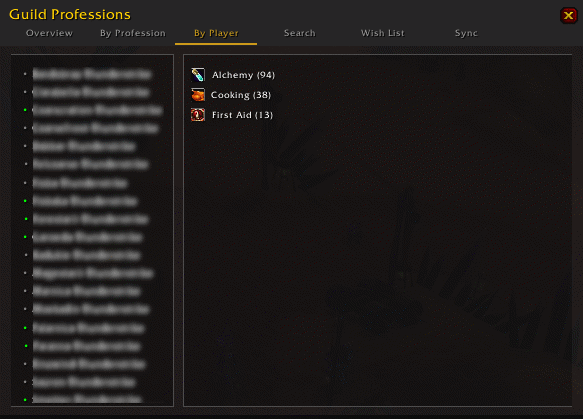
byplayer.png
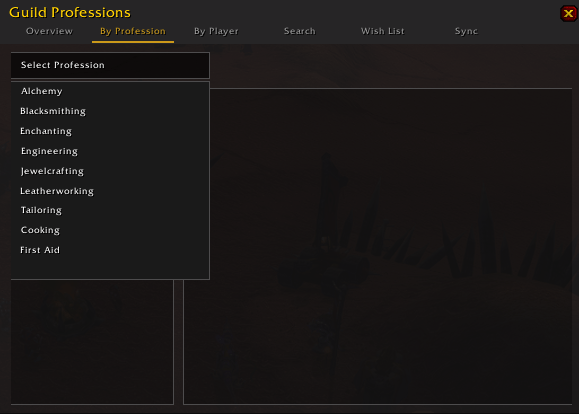
byprofessions.png
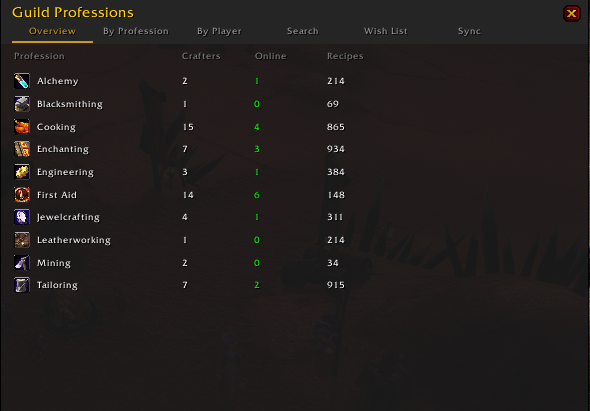
overview.png
Description
Guild Crafting Sync – TBC Anniversary Classic Edition & Forever
Guild Crafting Sync is the central hub for professions within your guild for World of Warcraft Classic (TBC Anniversary, SoD, HC & Era). It seamlessly synchronizes all professions, recipes, and wish lists between guild members, so you never have to ask: "Who can craft [Spellpower to Bracer]?" again.
🚀 TBC Anniversary Ready Fully optimized for the The Burning Crusade Anniversary servers. Coordinate your Jewelcrafting and Blacksmithing specializations and manage your Wish List for those crucial Primal Nether items and raid crafts.
✨ Key Features
Automatic Guild-Sync: Shares your full recipe list with other addon users in the guild as soon as you open your profession window. No manual entry required.
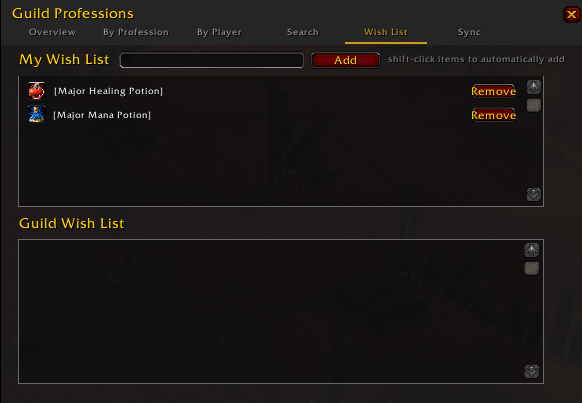
Interactive Wish List (New!): * Keep a personal list of items you want to have crafted or found.
Shift-Click Integration: Add items instantly to your Wish List by Shift + Clicking any item link in chat or your recipe book while the UI is open.
Guild Overview: See at a glance what your guildmates are looking for, so you know exactly who needs that rare drop you just found.
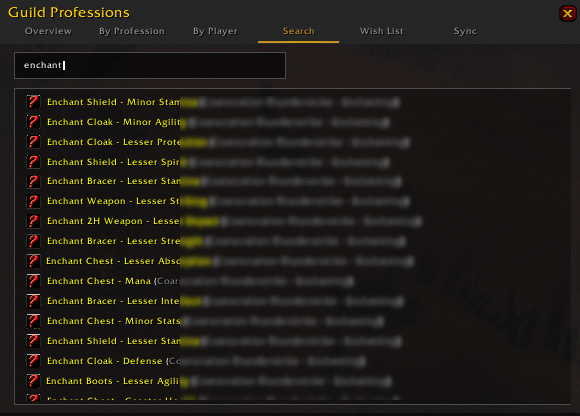
Powerful Professions Browser (/gcs): * Lightning-fast search by item name or recipe.
Filter by specific professions (Alchemy, Blacksmithing, etc.).

See immediately who can craft the recipe and if they are currently online.
Live Status Information: View name, class (color-coded), level, zone, and guild rank of all available crafters in one clear overview.
Interactive UI: * Click-to-Whisper: Click a name to immediately send a message to the crafter.
Smart Tooltips: See at a glance how many guild members can craft an item with the "+X more" indicator.
Anti-Spam Guild Requests: If someone types #itemlink in guild chat, the addon automatically responds if you have the recipe, but prevents "spam floods" by ensuring only one person answers.
Minimap Support: Quick access via a handy icon (fully compatible with MinimapButtonBag and other collection addons).
🛠 How It Works
The addon runs quietly in the background and requires minimal configuration:
-
Scan: Open your profession window (e.g., Blacksmithing). The addon automatically scans all your recipes.
-
Fill your Wish List: Open the browser with
/gcs, go to the Wish List tab, andShift + Clickitems in your chat or inventory to add them. -
Search & Find: Use the search bar to see who in the guild can craft the items you need.
-
Sync: The addon syncs your Wish List and recipes automatically. You can also click the "Force Sync Check" button in the Sync tab for a manual update.
⏳ Roadmap (Coming Soon)
Material Tracker: Automatically calculate the total materials needed for your entire Wish List.
Crafter Notifications: Get an alert when a guild member learns a recipe that is currently on your Wish List.
❓ Frequently Asked Questions (FAQ)
Q: How do I quickly add items to my Wish List? A: Open the /gcs window and select the Wish List tab. While this window is active, you can Shift + Click any item link in the game to add it directly to your list.
Q: Why can't I see a guildmate's Wish List? A: Both players must have the addon installed. Data is exchanged when both players are online at the same time. If a list appears empty, try pressing "Force Sync Check" in the Sync tab.
Q: Does this work with alts? A: Yes! The addon remembers the data for all your characters. Guild members can see what your alts can craft, even if you are currently playing on your main.
GuildCraftSync Team