Guild Paragon
- By
Guild Paragon is a modern Retail guild management addon with roster tools, member profiles, alt/main tagging, nicknames, join dates, activity logs, guild sync, recruitment tools, officer workflows, and guild health insights.
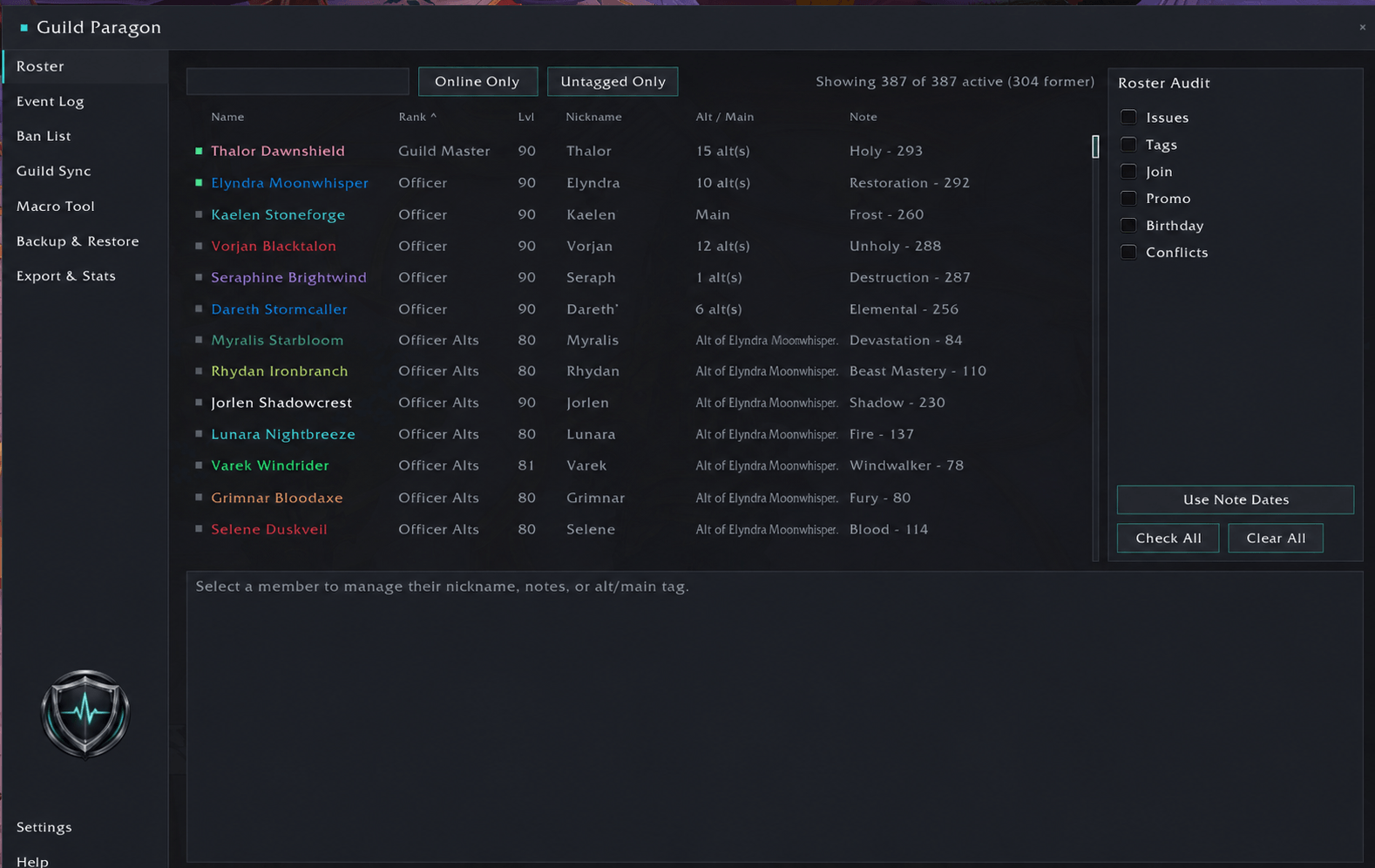
roster.png
eventlog.png
banlist.png
Recruitment.png
guildsync.png
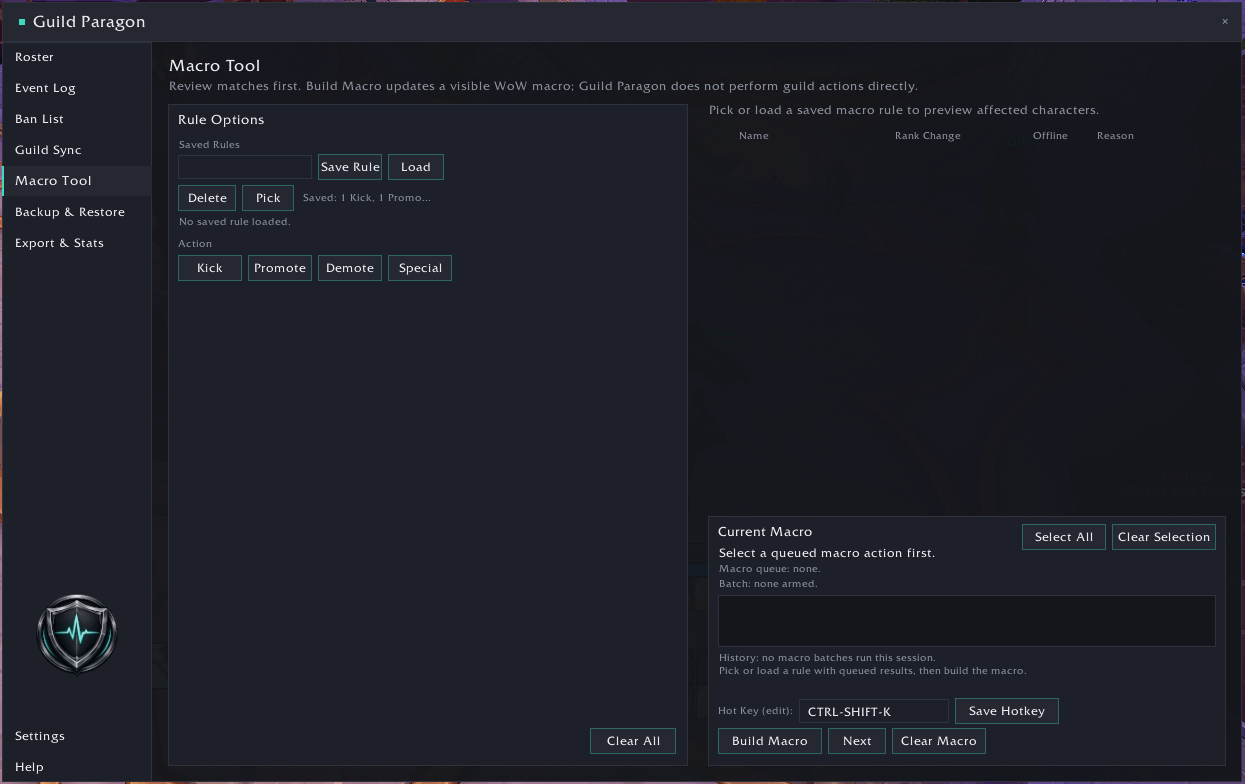
macrotool.png
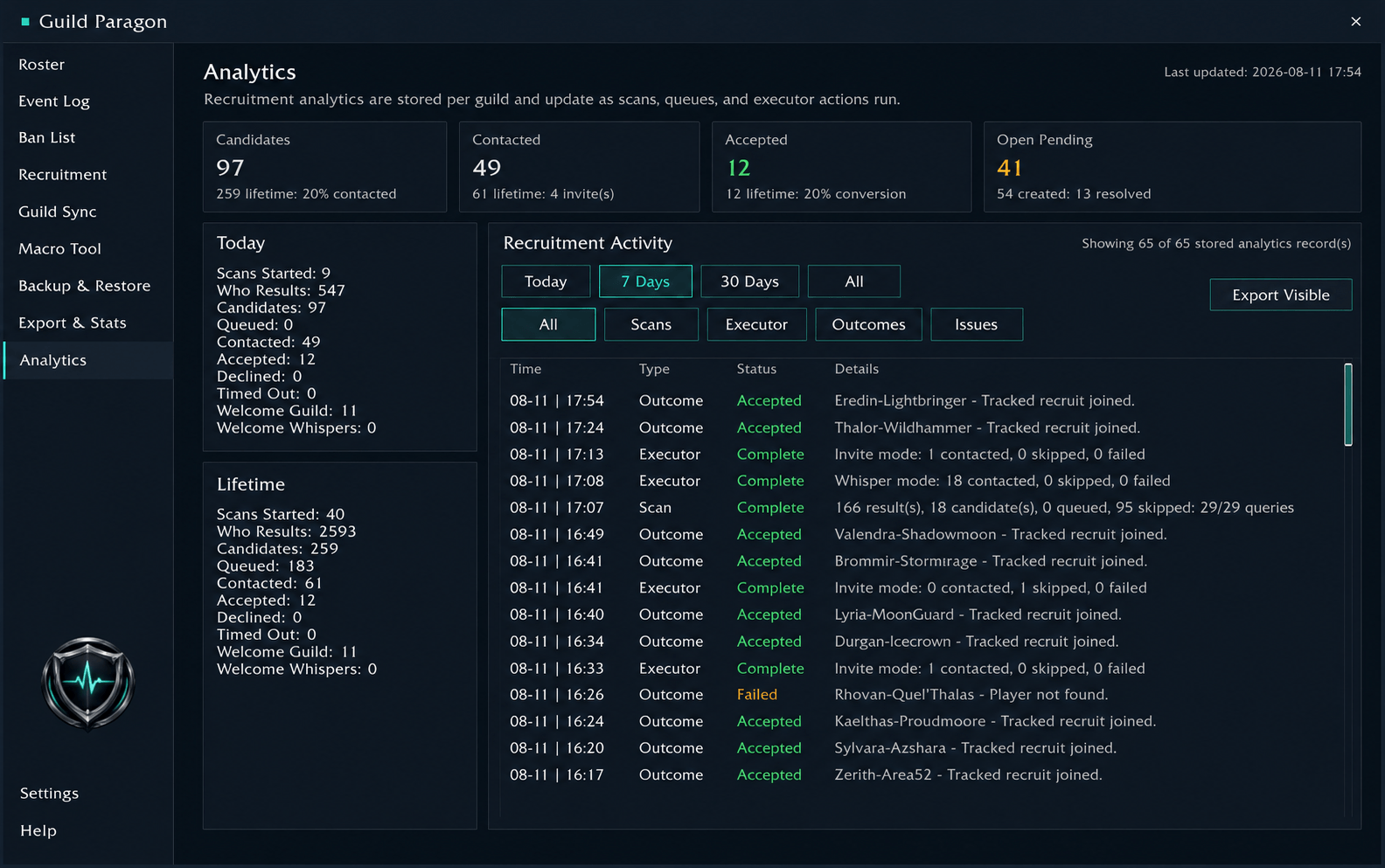
Recruit Analytics.png
Description
Guild Paragon
Guild Paragon is a modern guild management addon for Retail World of Warcraft, built to make keeping track of your guild easier without turning everything into an officer-only tool.
It brings together roster management, alt and main tagging, nicknames, guild history, recruitment, syncing and officer tools in one place.
Guild Paragon isn't just for officers either. Regular guild members can browse the roster, view linked characters and manage their own safe profile information, while officer-only information and actions remain restricted to the appropriate ranks.
✨ Features
Guild Paragon gives you a much more useful view of your guild than the standard WoW roster.
You can:
- Search and browse your guild roster.
- Keep track of shared guild nicknames, private personal aliases, birthdays, join dates, mains and alts.
- See recent guild history including joins, leaves, rank changes and other activity.
- Add custom Guild Paragon notes without replacing Blizzard guild notes.
- Use optional chat hints to make it easier to recognise who is speaking when someone is on an alt.
- Sync shared Guild Paragon data with other guild members running the addon.
- Review Guild Health pages for attention items, recruitment, housing, upcoming birthdays and guild anniversaries.
- Use recruitment, logging, backup and guild management tools if you have the required guild permissions.
👥 For Guild Members
You don't need to be an officer to make use of Guild Paragon.
Guild members can:
- Browse the guild roster and member profiles.
- View mains, alts and linked characters.
- Add or update their nickname, private alias and birthday.
- View member-facing Guild Health pages such as Recruitment, Housing and Upcoming Dates when guild permissions allow.
- Quickly move between linked-character profiles.
- Enable chat hints showing nicknames, mains and alts.
- Open Guild Paragon from the minimap button, Addon Compartment or
/gp. - Access the in-game Help section.
Officer information remains hidden where appropriate.
🛡️ For Officers
Officers get access to the wider set of guild management tools.
These include:
- Guild Paragon custom notes and officer-only custom notes.
- Custom labels such as Trial, Casual Raider or Serious Raider.
- Roster filtering and searching by those labels.
- Main and alt tagging, including explicit main markers and tools for cleaning up untagged characters.
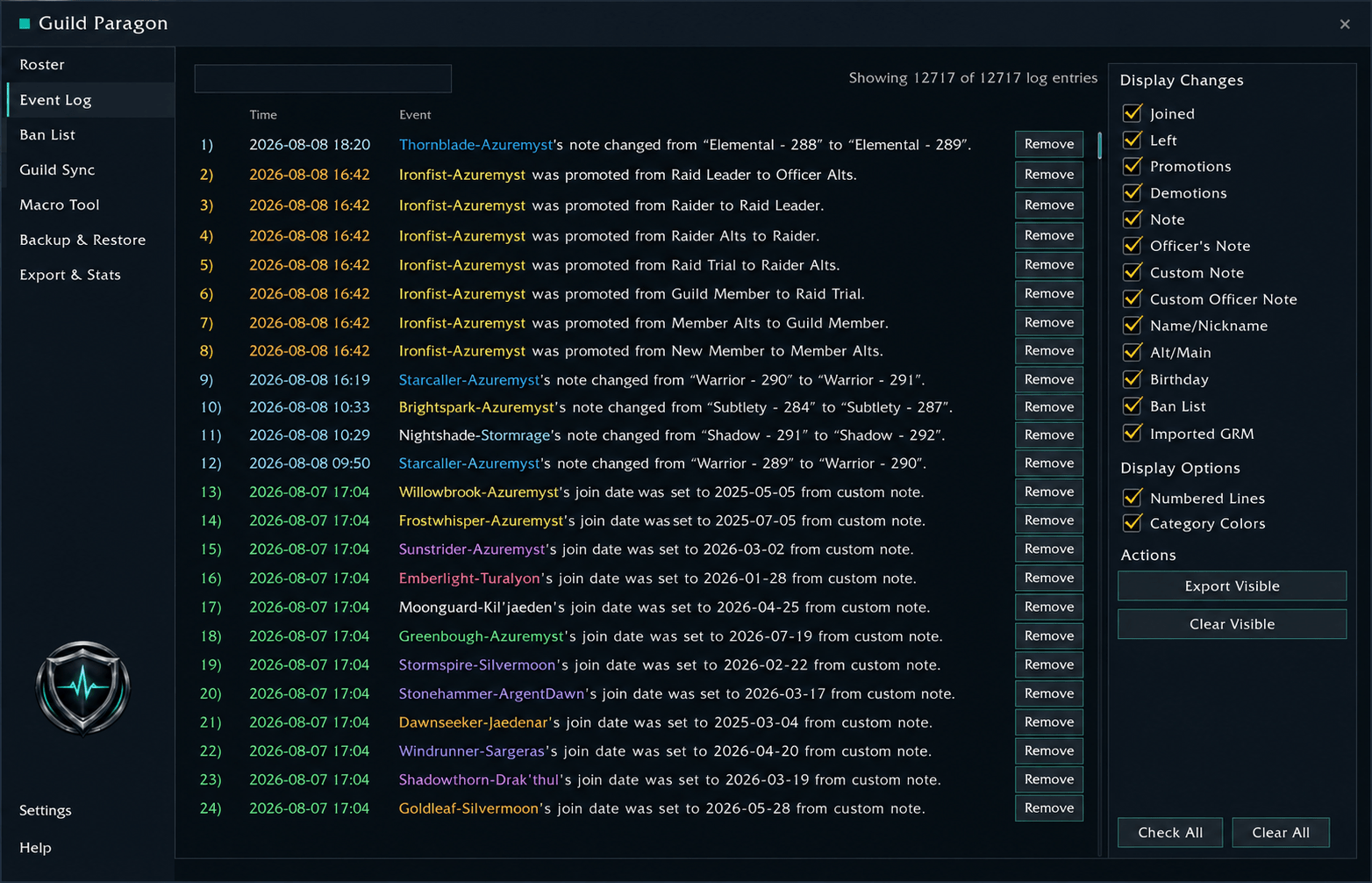
- A searchable Event Log covering joins, leaves, rank changes, notes, birthdays, alt changes, nicknames, level-ups, inactive members returning and ban warnings.
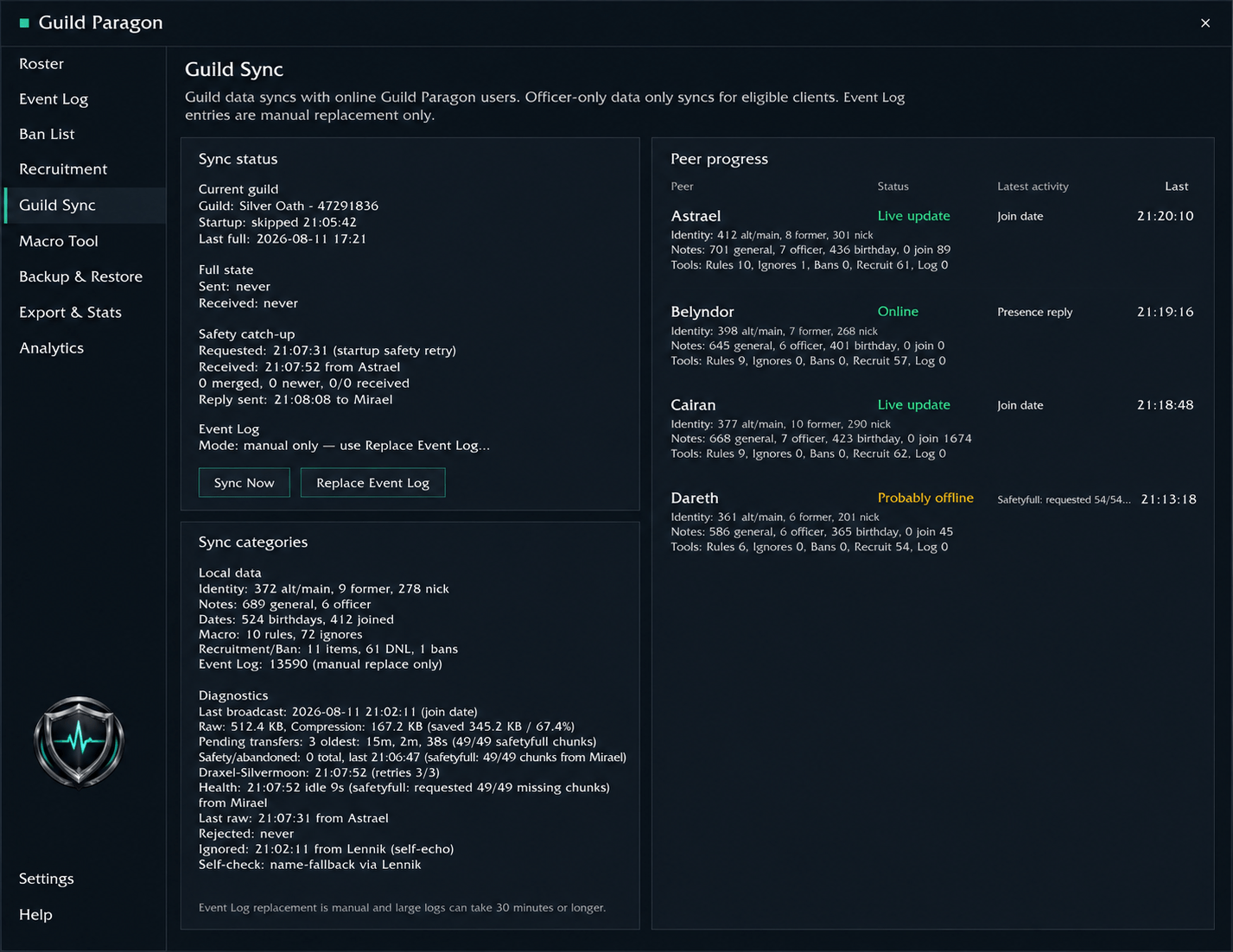
- Guild Sync for sharing supported roster, profile, recruitment, macro and ban information between officers.
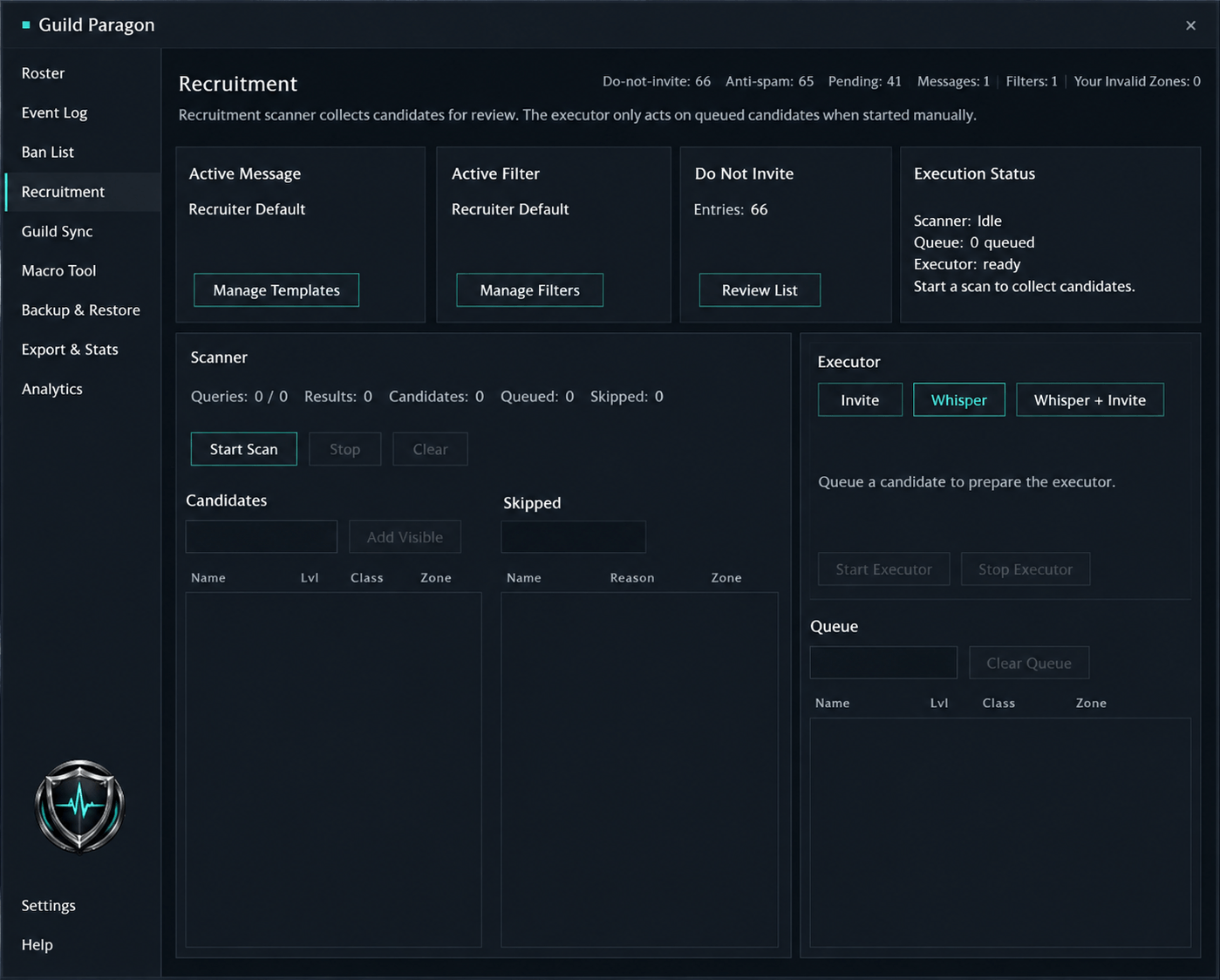
- Recruitment scanning, queues, whispers, invites, follow-ups and recruitment statistics.
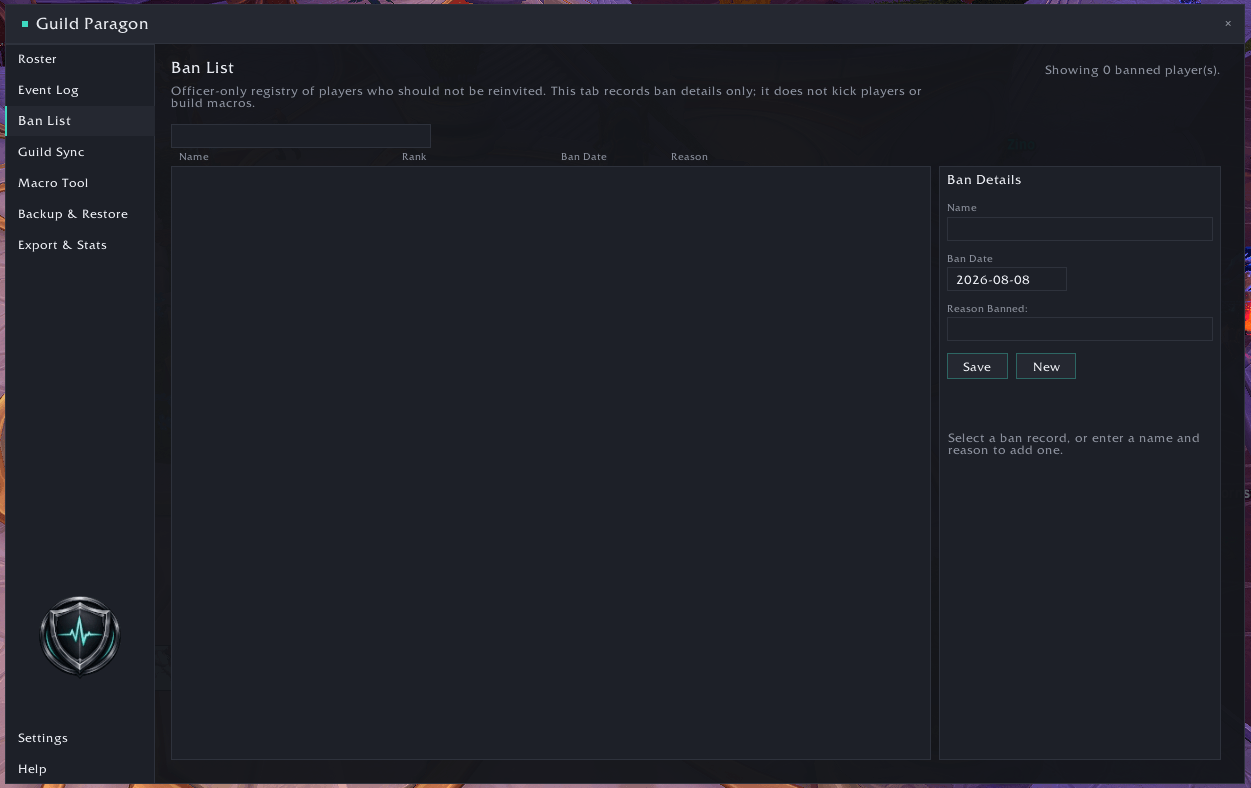
- A Ban List and Recruitment Do Not Invite list.
- Macro Tool support for actions such as kicks, promotions, demotions and alt-rank alignment.
- Manual, automatic and pre-restore backups through Settings > Backup & Restore, with Guild Master controls for destructive restore actions.
- Roster, Guild Health and Event Log exports in TSV format.
✅ Designed With Guild Safety in Mind
Guild Paragon works within Blizzard's Retail addon restrictions rather than trying to automate protected guild actions.
That means:
- Officer-only sections are hidden from members who shouldn't have access to them.
- Officer-sensitive information isn't displayed or synced to non-officers.
- Recruitment actions remain manual, throttled and easy to stop.
- Backups remain local and are not sent through Guild Sync.
- Guild actions created by the Macro Tool are normal visible WoW macros that the officer presses themselves.
- Destructive actions require confirmation.
- Protected actions, combat restrictions and unavailable Blizzard API information are handled conservatively.
The aim is to make guild administration easier without taking control away from the player.
🧭 Main Sections
| Section | What it's for |
|---|---|
| Roster | Guild members, profiles, notes, nicknames, aliases, birthdays, mains, alts, labels and roster actions |
| Guild Health | Overview, attention items, recruitment health, housing, upcoming dates and exports |
| Event Log | Searchable guild history with filters, exports and cleanup tools |
| Recruitment | Scanning, filters, templates, queues, follow-ups and recruitment statistics |
| Ban List | Ban records, Do Not Invite entries, spam protection and rejoin warnings |
| Guild Sync | Sync status, peer progress, shared data categories and manual Event Log replacement |
| Macro Tool | Builds visible WoW macros for supported officer guild actions |
| Settings | UI options, chat hints, roster settings, Guild Health, Backup & Restore, logging, sync and recruitment |
| Help | Commands, explanations and addon information |
💬 Slash Commands
| Command | What it does |
|---|---|
/gp |
Open or close Guild Paragon |
/guildparagon |
Alias for /gp |
/gp scan |
Request a roster scan |
/gp roster |
Print a compact roster summary |
/gp log [count] |
Show recent Event Log entries |
/gp perf |
Show performance diagnostics |
/gp minimap |
Toggle the minimap button |
/gp fulllog |
Request a manual full Event Log replacement |
There are also additional maintenance and import commands listed in the in-game Help section. Some of these are only available to officers or the Guild Master.
📥 Importing From GRM
Having used Guild Roster Manager for over eight years, adding an import option felt like a sensible way to make moving to Guild Paragon easier. Supported GRM data can be imported where it is available, helping existing users bring their guild information across without starting from scratch.
This can include:
- Current and former guild members
- Main and alt relationships
- Nicknames
- Custom notes
- Birthdays
- Ban List entries
- Guild history/log information
The Guild Master will perform a dry-run first to see what will be imported before making any changes.
📦 Installation
CurseForge
The easiest way to install Guild Paragon is through the CurseForge app.
You can also download the latest release manually from CurseForge.
Manual Installation
Download the latest Guild Paragon
.zip.Extract it into:
World of Warcraft/_retail_/Interface/AddOns/Make sure the addon folder is called:
GuildParagonRestart World of Warcraft if it is already running.
🧩 Compatibility
- Game: Retail World of Warcraft
- Era: The War Within / Midnight-ready
- Dependencies: None required — the libraries Guild Paragon uses are included with the addon.
💬 Support
If you've found a bug, have a feature suggestion, want to see upcoming changes or would like access to beta builds, you're welcome to join the official Discord:
Earthenmist - Addon Hub
📜 License
All Rights Reserved.
❤️ Credits
Author: Earthenmist
Guild Paragon is developed, tested and maintained by Earthenmist. AI-assisted development tools are used where helpful for coding, debugging and documentation, but the direction, decisions and final implementation remain human-led.
The Guild Paragon Team