GudaBiS
- By
Best-in-slot gear for every phase next to your character panel. Checks what you own, supports custom lists and alerts you when your BiS drops.
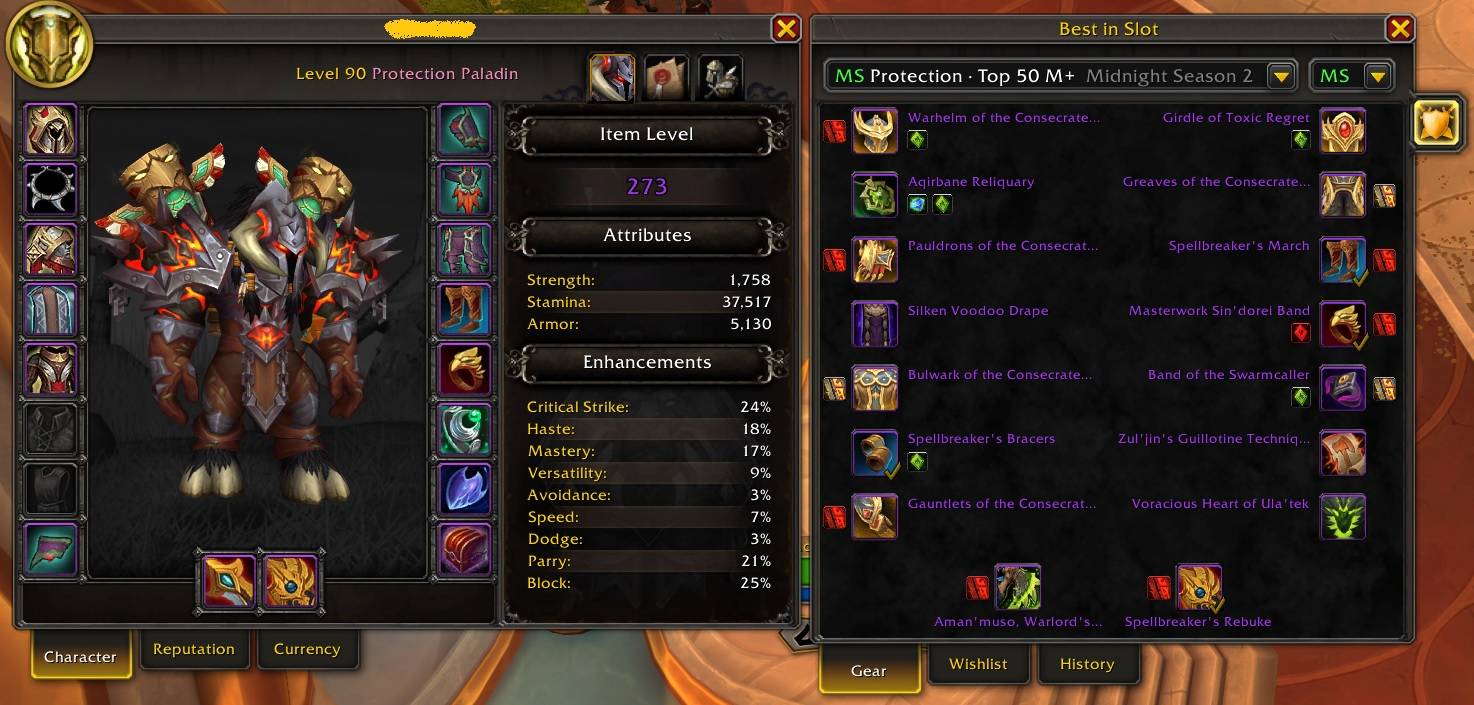
Items with Yellow Checkmark mean we have those items but with lover ItemLevel
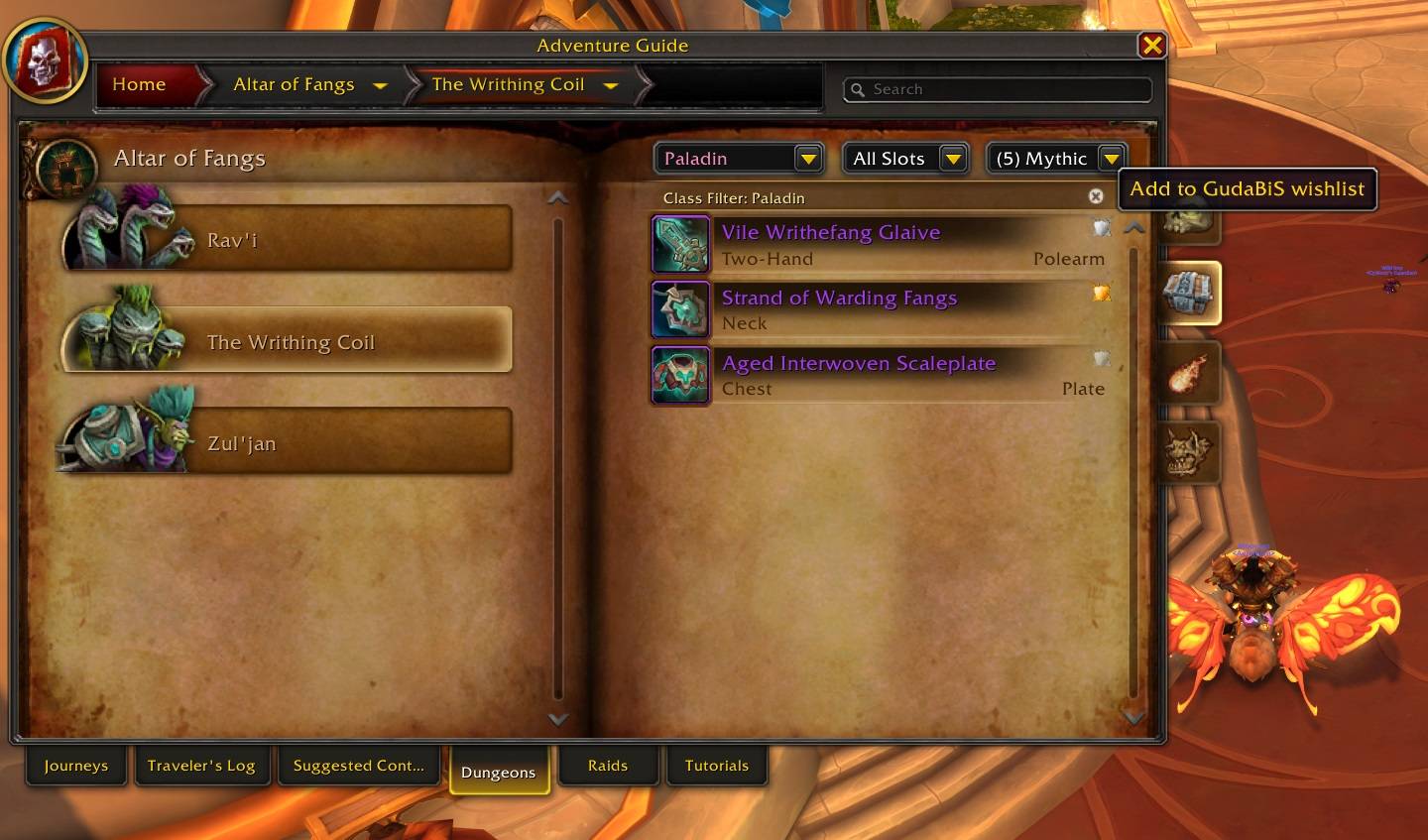
Add Item to wishlist
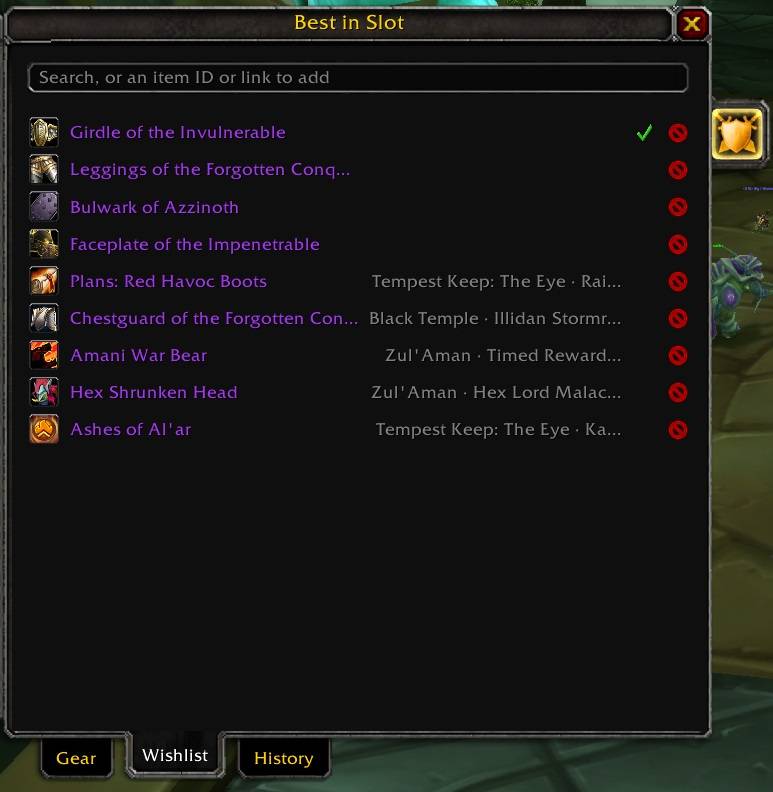
GudaBis Wishlist - items that were added from AtlasLoot, DungeonJournal or Retail Advanture Guide
Description
GudaBiS
GudaBiS shows the best gear for your class and spec in a small panel next to your character window. You can see at a glance what you already have, what you still need, and where it drops. When one of your items drops in a group, GudaBiS tells you right away.
It works on Retail and TBC Anniversary. Classic Era is on the way.
Where the lists come from
- TBC Anniversary: best-in-slot lists for every class and spec, for every phase from pre-raid to the last tier, including resistance sets. Each list shows who wrote the guide it comes from.
- Retail: one list per spec, built from what the top 50 Mythic+ players of that spec actually wear this season. The tooltip tells you how many of them use each item, for example "Worn by 38 of the top 50 players".
What the checkmarks mean
- Green checkmark: you have this item. It can be equipped, in your bags or in your bank.
- Grey checkmark: one of your other characters has it.
- No checkmark: you don't have it yet.
On Retail the same item can drop at many item levels, so having it is not always enough:
- Yellow checkmark: you have the item, but at a lower item level than the top players wear it. Hover the slot to see both numbers, for example "Item level 259, top players 331".
- Green checkmark: your copy is at the top players' item level or higher. You are done with this slot.
Wishlist
The wishlist is for items you want that are not on your best-in-slot list: a trinket for another spec, a mount, a pattern, anything.
- Click the small GudaBiS shield next to an item in AtlasLoot, in the Dungeon Journal addon, or in the Adventure Guide on Retail. The shield turns from grey to full colour, and the item is on your wishlist.
- GudaBiS remembers where the item drops, like "Karazhan · Moroes", and shows it in the Wishlist tab.
- You can also open the Wishlist tab and shift-click any item, drag an item onto it, or type an item ID.
- Every item on your wishlist says "On your GudaBiS wishlist" in its tooltip, wherever you see it.
- Each character has its own wishlist. Once you have the item it gets a green checkmark, and you can remove it with the X.
Loot alerts
When you are in a group and one of your items drops, GudaBiS lets you know:
- A glowing label on the roll window says what it is: Your BiS, an alternative, or an off-spec item. It works on Blizzard's roll window and on Gargul and RCLootCouncil windows.
- When the loot master links the item in chat, a small window says "Your BiS dropped!". If they call for rolls, a second window shows MS (1-100) and OS (1-99) buttons with a countdown.
- Wishlist items alert the same way, in pink: "Your wishlist item dropped!". If an item is on both your list and your wishlist, it shows as your BiS.
- On Retail, an item you already have alerts again only when the dropped copy has a higher item level, for example "Your BiS upgrade 320 -> 334 dropped!".
More
- Click a slot to see the alternatives in order.
- Make your own lists with your own items, enchants and gems. On TBC you can also start a list from a Wowhead gear planner link.
- Choose a main spec and an off spec list for each talent setup.
- Warnings for a missing enchant, a different enchant on Retail, and empty or wrong gems.
- Loot history for your last 5 raids and 5 dungeons: what dropped and who got it.
- Optional auto-roll, off by default: Need or /roll 1-100 for main spec items, Greed or /roll 1-99 for off spec items. It never rolls for wishlist items or items you already have, and it pauses when Gargul is loaded.
- Settings in Esc, Options, AddOns, and a minimap button.

Commands
/gbisopens or closes the panel/gbis wishlistopens your wishlist/gbis historyopens your loot history/gbis testshows the loot alerts with one of your BiS items/gbis test wishshows the loot alerts with your newest wishlist item/gbis optionsopens the settings/gbis helplists all commands
GudaBiS Team