GudaChat
- By
GudaChat replaces the default World of Warcraft chat frame with a clean, minimalistic UI featuring emoji support, chat history, copyable links, class-colored names, and fully customizable settings.



A clean, minimalistic chat replacement for World of Warcraft. GudaChat strips away the clutter of Blizzard's default chat frame and replaces it with a modern, streamlined interface, while keeping all the functionality you need.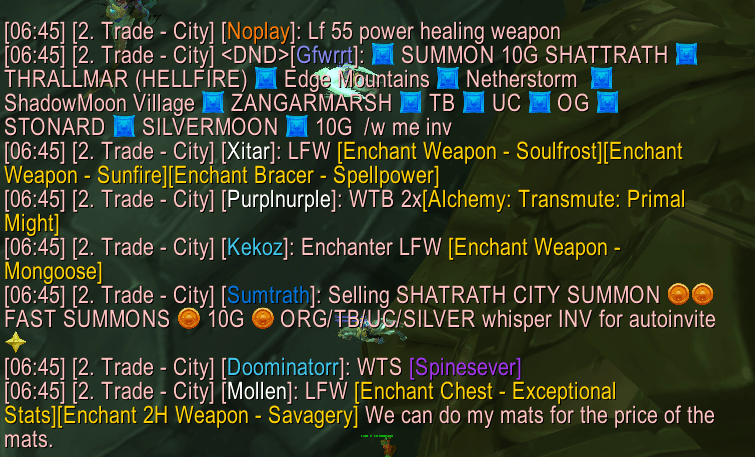
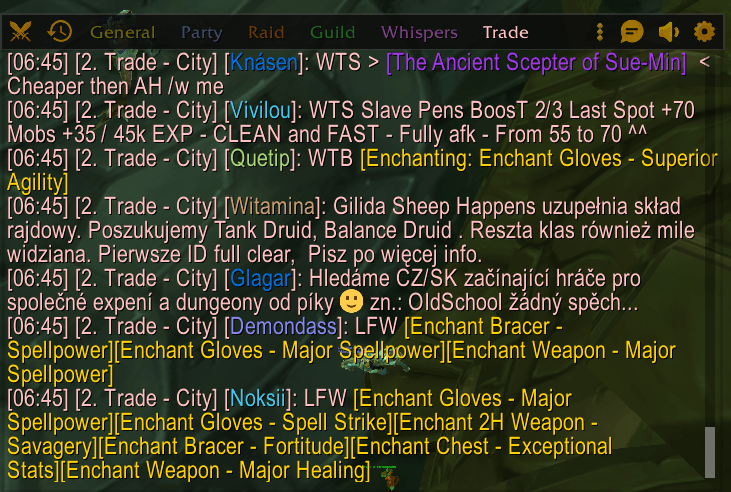
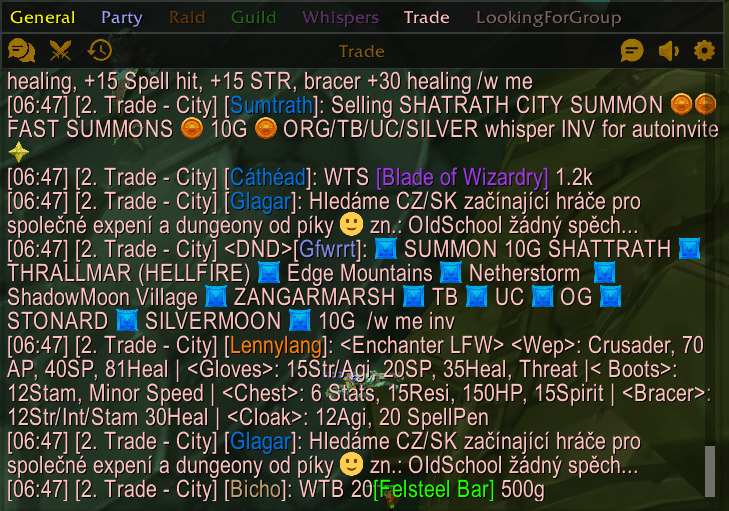
New in 2.0
- Themes — Blizzard, Modern Dark and Classic. Switch instantly, no reload needed.
- New settings window — six clear pages with a live chat preview.
- Whisper icon and quick reply — see who whispered you and answer without leaving what you are doing.
- Whisper ring — bind one key: tap it to answer the last whisper, hold it to pick a person.
- Hide chat text when not in use — a fully clean screen until you need the chat.
- WoW: Forever support, plus many fixes and a faster, lighter chat.
Features
Themes
Pick the look you like in Settings > Appearance. Every theme switches instantly, without a reload.
- Blizzard (default) — the game's own gold text, dialog frames and tooltip style
- Modern Dark — flat dark panels with rounded corners and an accent colour (your class colour by default, or any colour you choose)
- Classic — the original GudaChat look

Hover-Reveal Header Bar
A compact header bar appears on hover with quick-access icons for tab switching, combat log, whispers, chat type selection, channels, history, and settings. Stays out of your way until you need it.
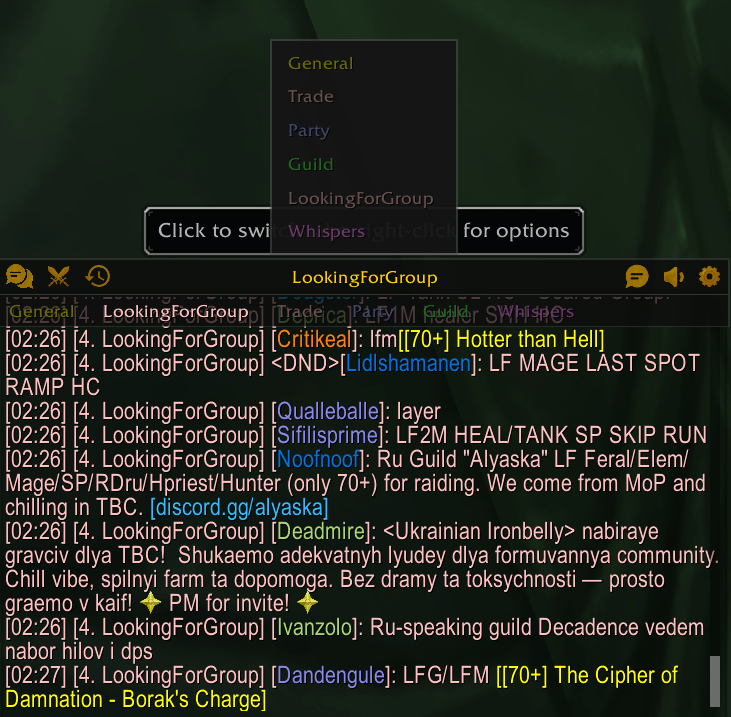
Whisper Icon and Quick Reply
A small whisper icon shows how many people sent you unread whispers. Hover it to see who whispered you and their last message. Click a name to answer in a small reply box, or click the icon to answer the latest person. Turn it off in Settings > Tabs & Alerts if you don't need it.

The reply box shows your last messages with that person. Press Enter to send, Shift+Enter to send and keep it open, or Esc to close it. Drag it anywhere you like; it remembers the spot.

Whisper Ring
Bind the Whisper ring key in Key Bindings > GudaChat. Tap the key to reply to the latest whisper at your mouse. Hold it to open a ring of the people who whispered you, move toward one, and let go to reply to them.
Hide Chat Text When Not in Use
Optional: the chat text fades out together with the header when your mouse leaves the chat. It comes back when you hover, when you type, and for a few seconds when a new message arrives.
Emoji Support
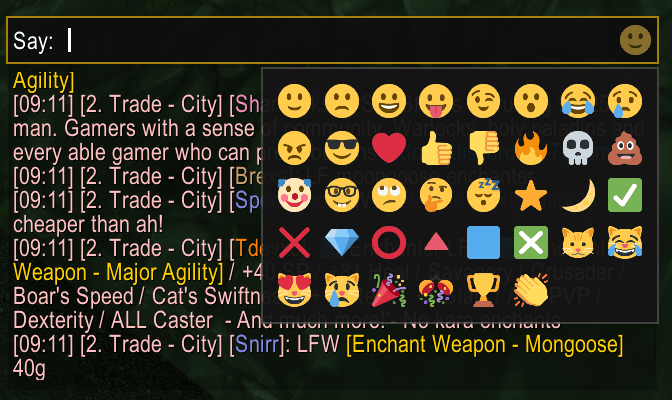
Over 30 built-in emojis that render inline in chat messages. Type shortcuts like :) :fire: :skull: or use the emoji picker button in the input bar. Adjustable emoji size.
Chat History
Messages persist across sessions and reloads, saved for each character. Browse, search, and filter history by channel. Copy entire conversations to clipboard with one click. Separate Loot and Addon logs, each with its own size limit.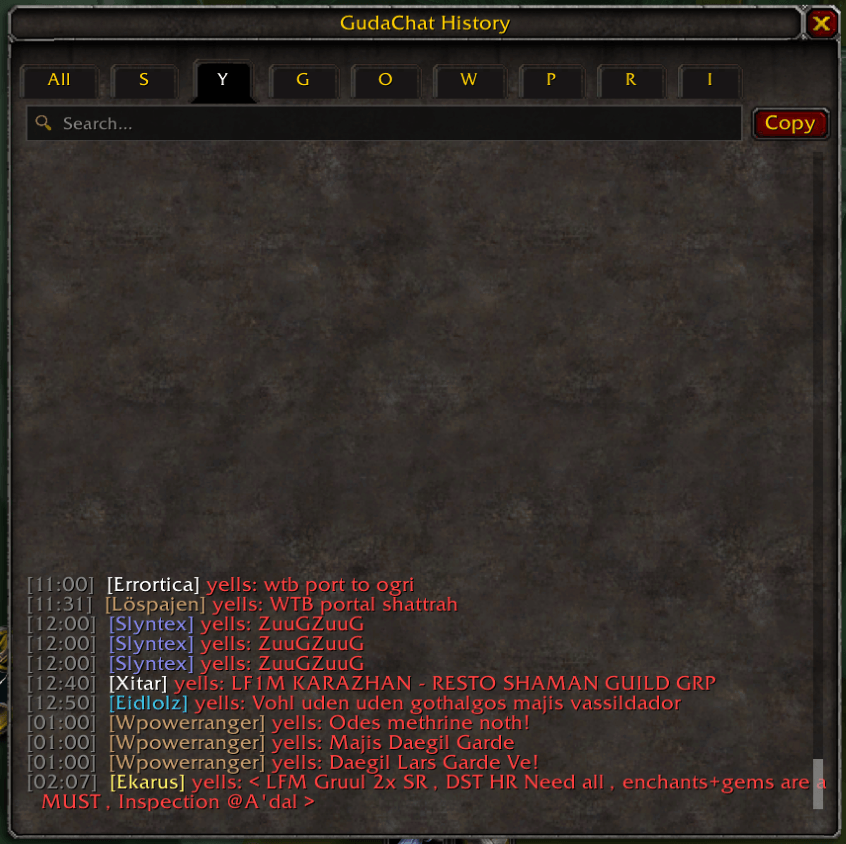
Copyable Links
URLs in chat are automatically highlighted and clickable. Click any link to open a copy popup — no more manually retyping URLs.
Class-Colored Names & Player Levels
Player names are colored by class. Optional level indicators show difficulty-colored level brackets next to each player's name. Your own name is highlighted when someone mentions you, with an optional sound.
Dedicated Whisper Tab
Enable a separate whisper tab to keep private messages organized. Incoming whispers trigger a blinking notification on the header icon.
Combat Log Filtering
Quick-filter the combat log with subtabs: My Actions, or What Happened to Me? Your choice is kept when you switch tabs.
Customizable Settings
Open settings with /gc or the header gear icon. Six pages:
- Appearance — Theme, accent colour, live preview, chat font, size and line spacing, background
- Chat — Lock position, message fading, hide text when not in use, scrollbar, timestamps, input bar position
- Messages — Class colors, player levels, copyable links, name highlight and sound, emojis
- Tabs & Alerts — Tab bar, whisper tab, tab blink notifications, whisper icon
- History & Logs — History, loot log, addon log, size limits, clear history
- About — Version, supported game versions and commands


Additional Details
- Custom context menu (right-click the tab name) for renaming, creating, and removing chat windows, font size, and background color
- Sleek custom scrollbar with scroll-to-bottom button
- Drag-to-move via the header bar with lockable position
- Available in English, German, French, Spanish, Italian, Portuguese, Russian, Korean and Chinese
- Works on Retail, MoP Classic, TBC Anniversary, Classic Era and WoW: Forever
Slash Commands
/gcor/gudachat— Open settings
Part of the Guda Suite
Works alongside GudaBags and GudaDamage for a consistent, minimal UI experience.
GudaChat Team