Group Chat TTS
- By
Gives every party and raid member a random text-to-speech voice and reads chat aloud.
Description
Group Chat TTS
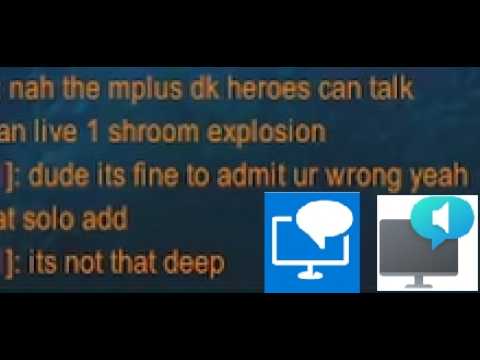
Reads your party and raid chat out loud, and gives every group member a random voice. Your tank might sound like a robot, the healer like a chipmunk, and that one DPS like a movie trailer narrator. Each person keeps the same voice for as long as they're in the group, so you start learning who's who by sound alone.
It's built for the chaos of a 5-man or a raid night. Nobody reads chat mid-pull anyway, so let it talk to you instead.
What it does
- Speaks party, raid, raid warnings, and /yell using the game's built-in text-to-speech and installed Narrator voices on your windows 11 if you install an app for it.
- Gives each group member a random voice from the ones your system has installed. When voices run low it shifts the pitch so two people on the same voice still sound different.
- Keeps voices mapped to people for the session, and hands a voice back to the pool when someone leaves.
- Yells the loud stuff. Raid warnings and ALL-CAPS messages pitch up so they actually sound like yelling, and whoever is leading the group gets pitched to the top.
- Stays out of your way when it should. It mutes itself during boss encounters (where chat is restricted anyway), and there's an option to mute in combat.
Setup
Install it, log in, and it just runs. Type /gct for the full list of commands, or /gct options to open the settings window where most of it lives. A few of the handier ones:
/gct on | off | toggleturn reading on or off/gct configopen the window to manage who sounds like what/gct combatmute while you're in combat/gct selfalso read your own messages/gct rate <-10..10>and/gct vol <0..100>speed and volume/gct langs English, Germanlimit the random pool to certain languages (/gct langs allto clear the filter)/gct voiceslist the TTS voices you have installed/gct resetclear all assignments and reroll
Getting more (and better) voices
Out of the box WoW only sees the handful of voices Blizzard ships, so everyone ends up sounding similar. If you want the full comedic range, you can feed WoW the Windows natural/neural voices and the accessibility narrator voices. It's a bit of one-time setup:
- Install the NaturalVoiceSAPIAdapter: https://github.com/gexgd0419/NaturalVoiceSAPIAdapter This bridges the modern Windows voices into the old SAPI interface that WoW reads from.
- WoW won't load it until the DLL is signed, so you have to self-sign it. Follow the steps in this comment: https://github.com/gexgd0419/NaturalVoiceSAPIAdapter/issues/37#issuecomment-3680384897
- Once that's done, install whatever narrator voices you want from Windows 11 settings (Settings > Accessibility > Narrator > Add voices). Anything you add there shows up in WoW.
After that, run /gct voices in game to confirm WoW can see them, then /gct reset to reroll assignments using the bigger pool.
Notes
- Uses Windows 11's own TTS, so the available voices depend on what you've installed through Windows. More installed voices means more variety.
- Built and tested on retail (12.0.7).
- Found a bug or have an idea? Drop it in the comments or open an issue on the project page.
Addon logo by Delapouite from game-icons.net under CC BY 3.0
Group Chat TTS Team
Owner