Gold Capped
- By
Free gold-making add-on for every WoW version: auction house prices in every tooltip, snipers, one-click posting, crafting profits, farm gold per hour and TSM/Auctionator import.
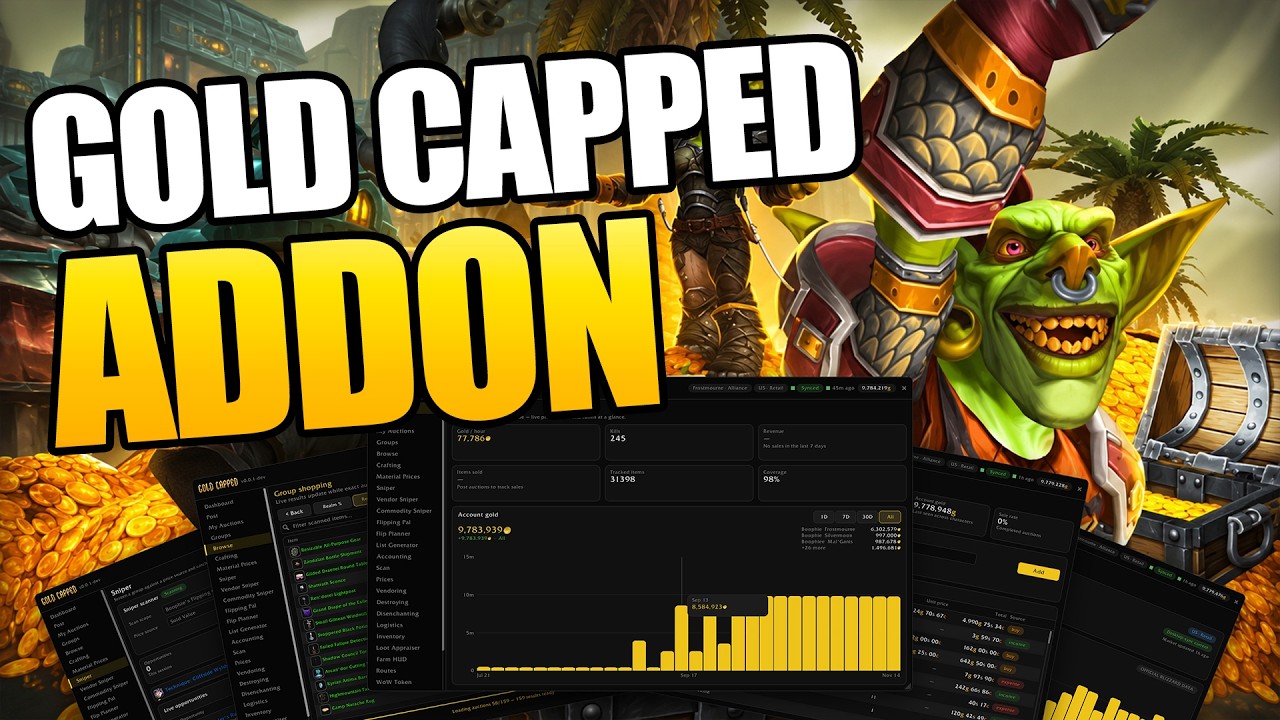
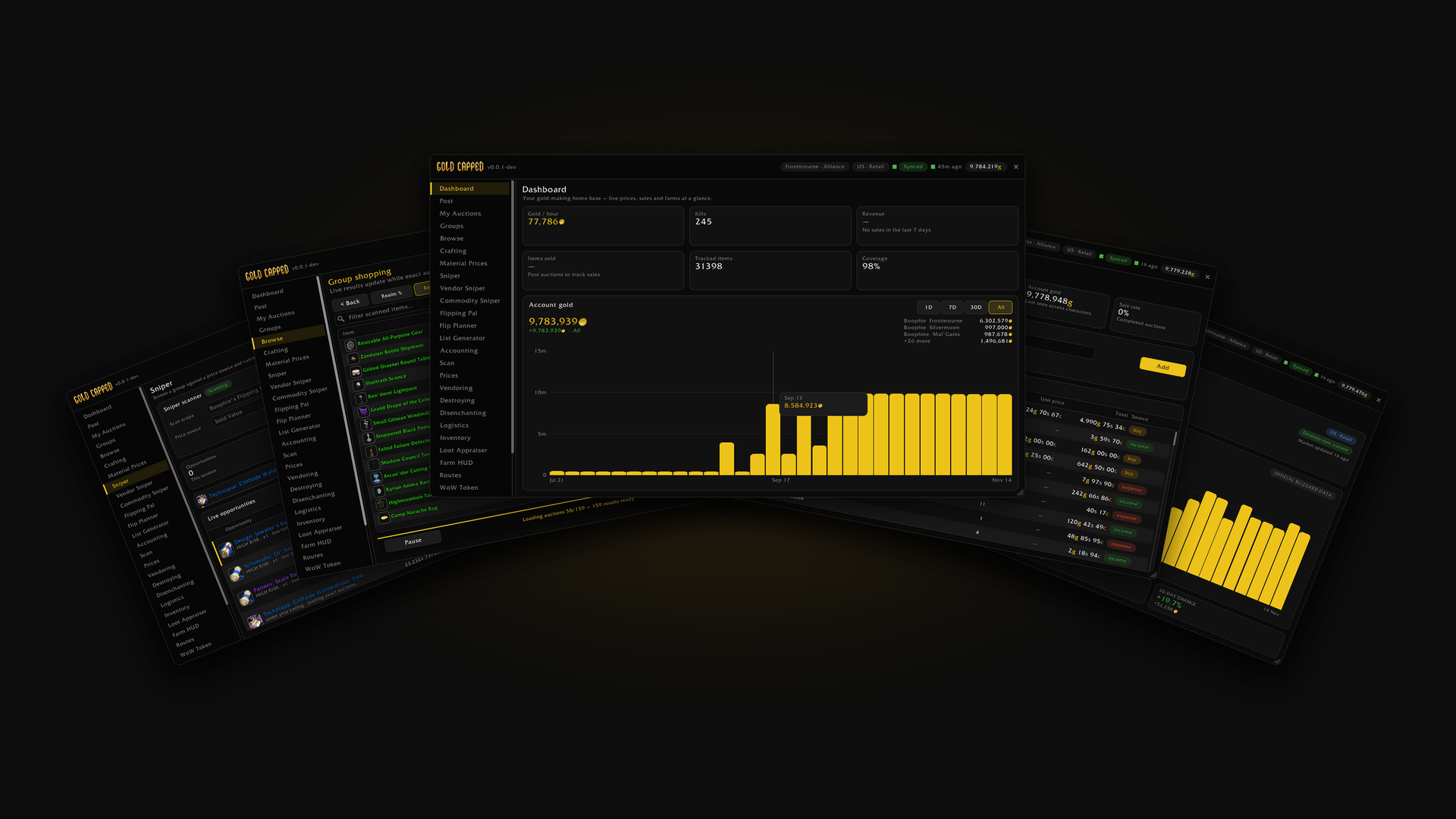
Gold Capped in World of Warcraft: dashboard, snipers, group shopping, accounting and the WoW Token, all in one add-on.
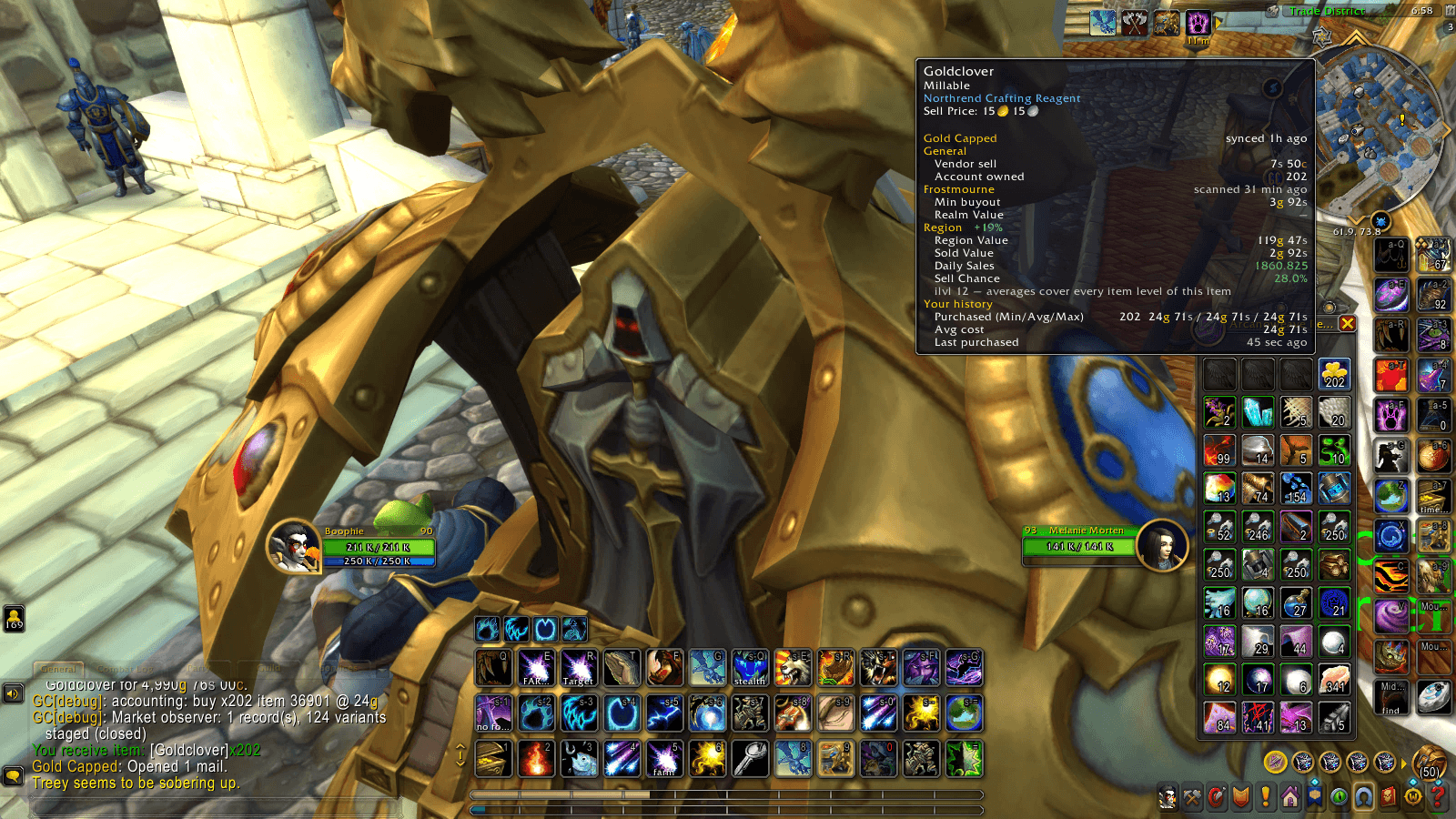
Gold Capped adds prices to every item tooltip: vendor sell, realm and region values, daily sales, sell chance and your own purchase history.
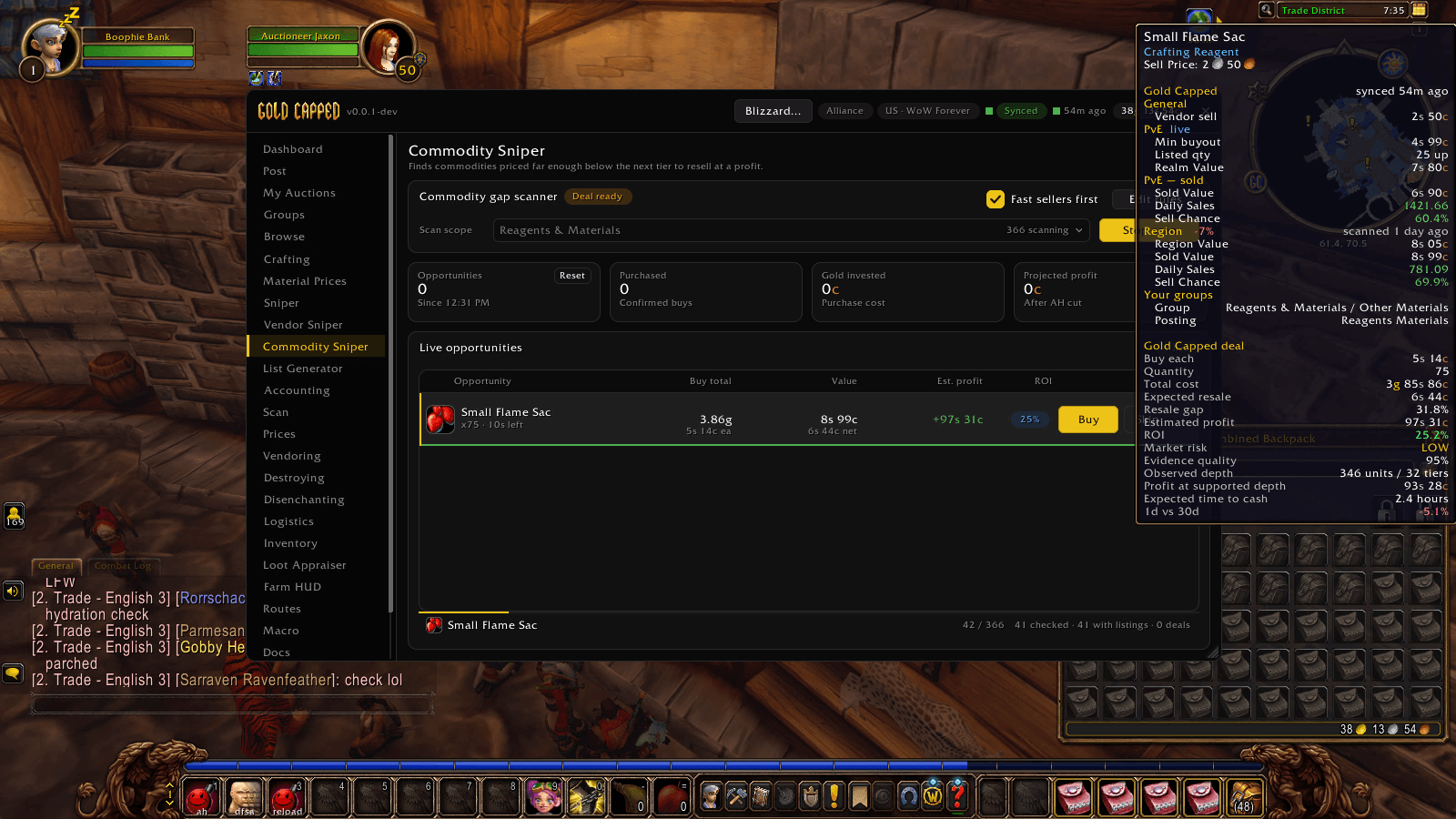
Commodity Sniper finds commodities priced below the next tier, far enough to resell at a profit. Each deal shows cost, expected resale, profit, ROI, market risk and time to cash.
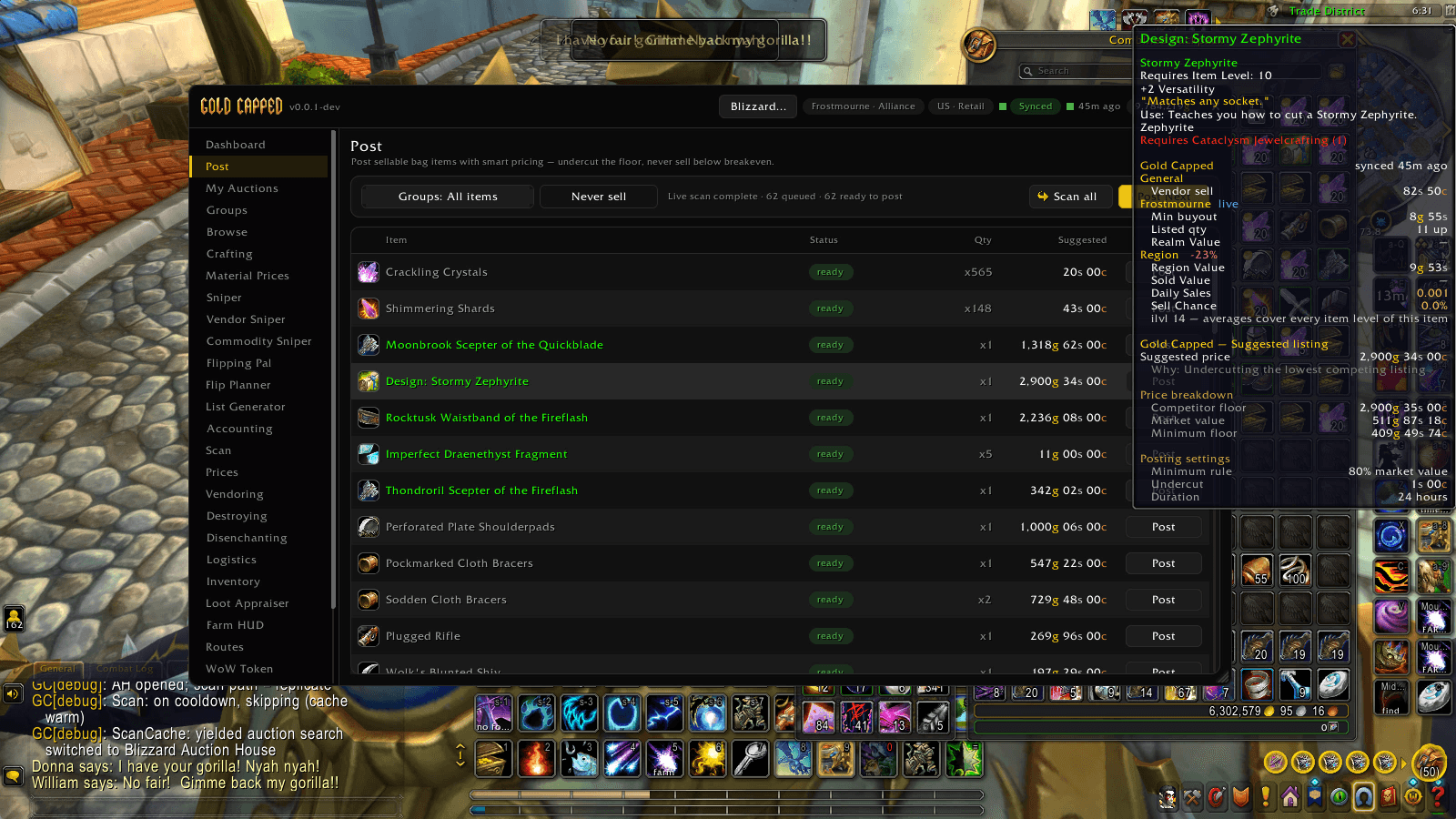
Post scans your bags against live auctions and suggests a price for every item. The tooltip shows why: competitor floor, market value and your minimum floor.
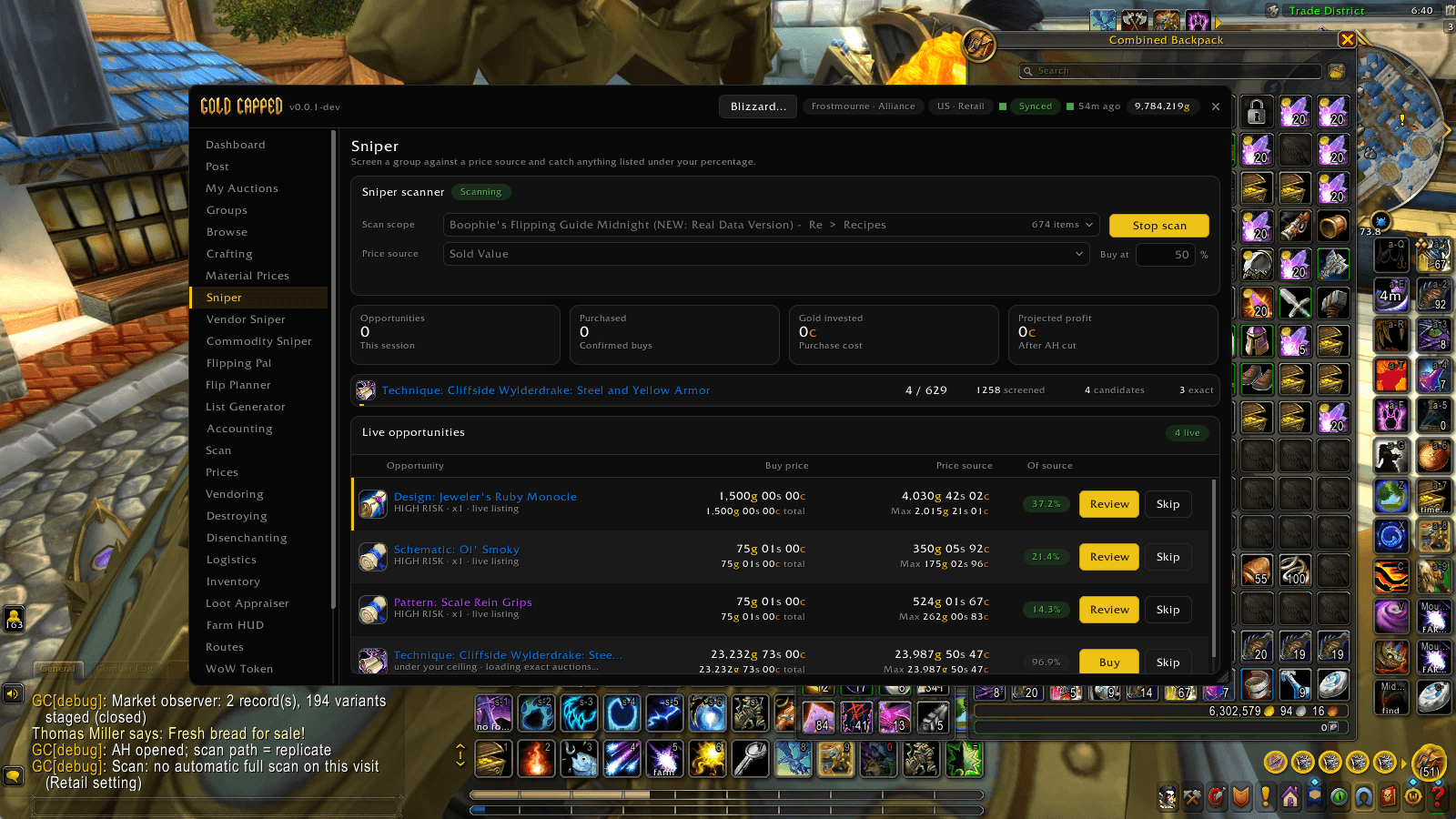
Sniper screens a group against a price source and catches anything listed under your percentage, with Buy and Review on every opportunity.
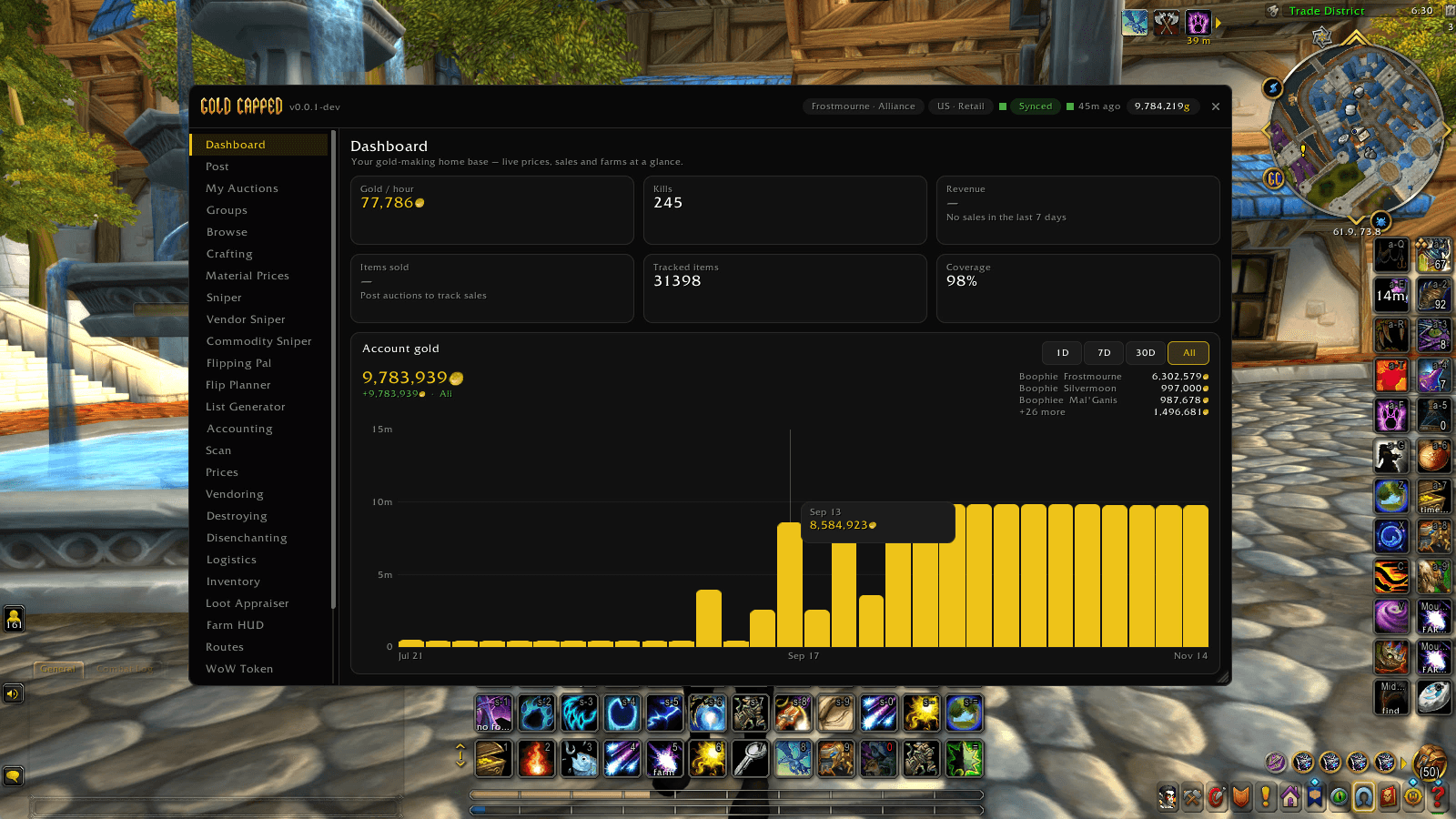
Gold per hour, tracked items and price coverage at a glance, plus a chart of your account gold across every character.
Description
Gold Capped
The gold-making toolkit for every WoW client: tooltip prices, snipers, posting, crafting, farming and mail in one add-on.
▶️ Watch the full add-on guide on YouTube
🛠️ New here? Watch the 3-minute install guide
Gold Capped is the in-game half of goldcapped.com. It puts market prices in your tooltips, finds deals on the Auction House, posts and cancels your auctions, plans your crafts and tracks what your farms really earn. It runs on Retail, Mists of Pandaria Classic, Burning Crusade Anniversary, Classic Era (including Hardcore and Season of Discovery) and WoW Forever. A few tools only appear where the game supports them.
The add-on is free and needs no account. A free Gold Capped account gets you the desktop app, which keeps your prices synced. Four business tools need a membership (see Premium below).
Coming from TradeSkillMaster or Auctionator? Gold Capped imports your TSM groups with their auctioning operations, and your Auctionator shopping lists, in a few clicks. Nothing in TSM is changed.
Features
💰 Prices in every tooltip
- Realm Value, Region Value, Sold Value, Daily Sales and Sell Chance on every item, plus the min buyout from your last scan
- Full Auction House scans on every client, with status, coverage and the cooldown on the Scan page
- Your last scan's min buyout is remembered between sessions, so tooltips aren't blank before you scan again
- Custom price strings anywhere a price is asked for, like
max(80% realmvalue, smartavgbuy) - WoW Token page (Retail and MoP Classic) with the current price, 24-hour and 30-day movement and a chart
🎯 Snipers and shopping
- Sniper: a live deal scanner. Point it at a Gold Capped group, a TSM group, an Auctionator shopping list or every priced item, pick a price source and a buy percentage, and qualifying listings stream into one feed
- Commodity Sniper: buys the cheap end of a commodity's listings when the next price tier up leaves room to resell at a profit. Works on every client (on Classic, each auction counts as a tier)
- Vendor Sniper: finds auctions listed below what a vendor pays for them
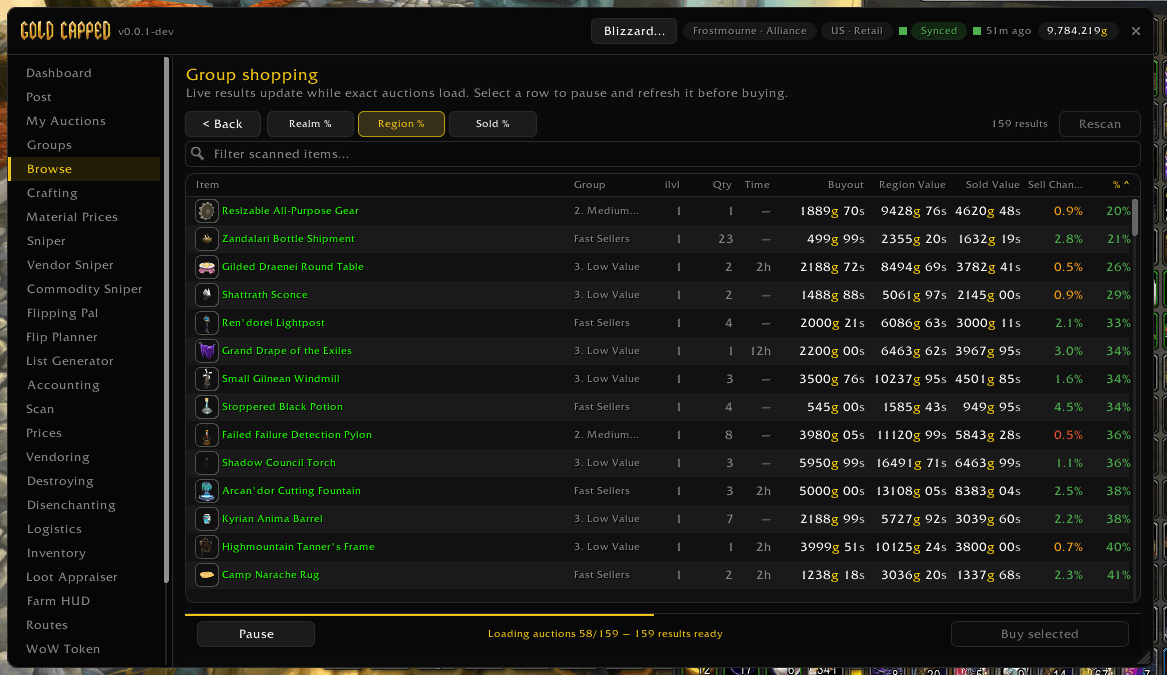
- Browse: group shopping. Scan whole groups at once, compare realm, region and sold value, pick the rows you want and buy (Retail, MoP Classic and WoW Forever)
- Sniper and Commodity Sniper deals show their evidence: depth, freshness, liquidity, trend and time to cash. High-risk rows need an extra review click before you can buy
📦 Posting and My Auctions
- Post checks your bags against live auctions and suggests a price for every item, driven by your group operations. Hover a row to see why: the competitor floor, market value and your minimum
- Power posting: hold Ctrl and scroll the mouse wheel to post the next item, or Ctrl+Shift to skip one. A plain scroll never posts
- Right-click an item in the queue to add it to your never-sell list
- My Auctions checks every listing you own against the live competitor floor, so undercuts stand out, then cancels them one click at a time
- Macro builder: one Gold Capped macro for posting, cancelling, buying, selling and mail steps, bound to the scroll wheel with the modifier you choose
- Nothing buys, posts or cancels on a timer. Every action is your click, and each one waits for the server to confirm
🗂️ Groups, with TSM and Auctionator import
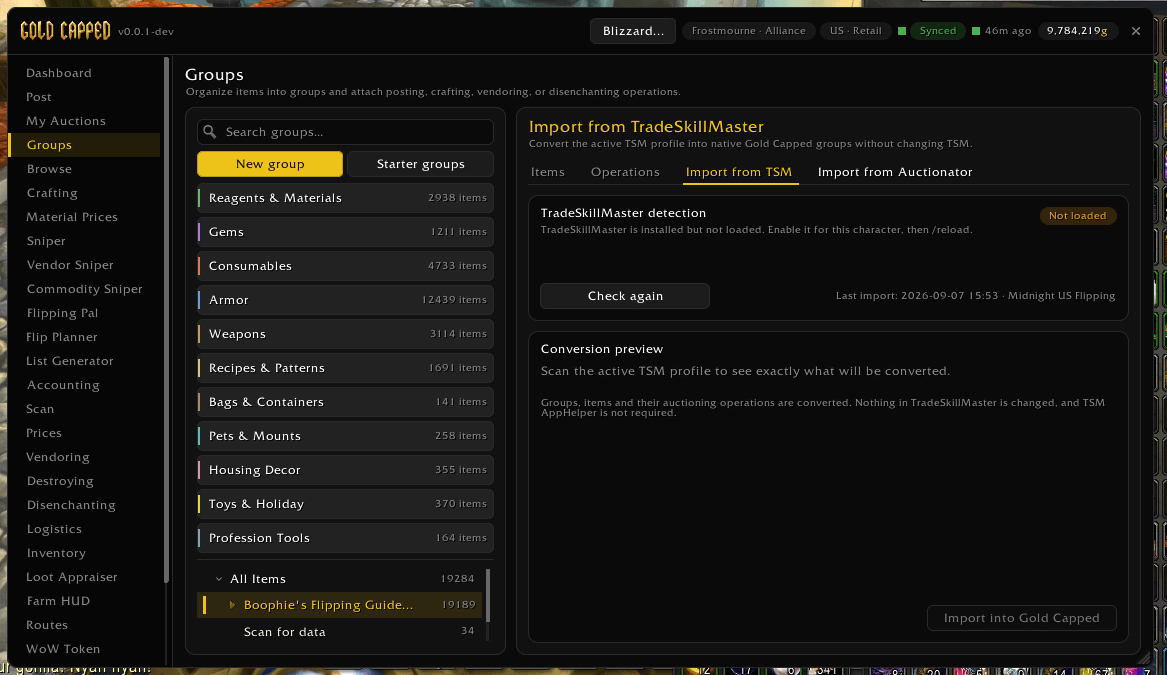
- Organize items into groups and attach posting, crafting, vendoring or disenchanting operations
- Import TSM groups with their auctioning operations, and Auctionator shopping lists, with a preview of exactly what will come across
- Share groups as text strings, start from one-click Starter groups, or use the ready-made Flip and Farm posting templates
- Price gear by its exact item level, each level with its own operation
🛠️ Crafting
- Scans your learned recipes and ranks them by profit. If a reagent or the result has no price, the recipe isn't ranked rather than guessed
- Restock queue, gather list and shopping list, with priced shortfalls handed straight to Sniper
- Material Prices: what a real batch of every material costs at your Auction House (the average of the cheapest 100, 1,000 or 10,000 units), per expansion, ready to copy to goldcapped.com or a spreadsheet
🌾 Farming
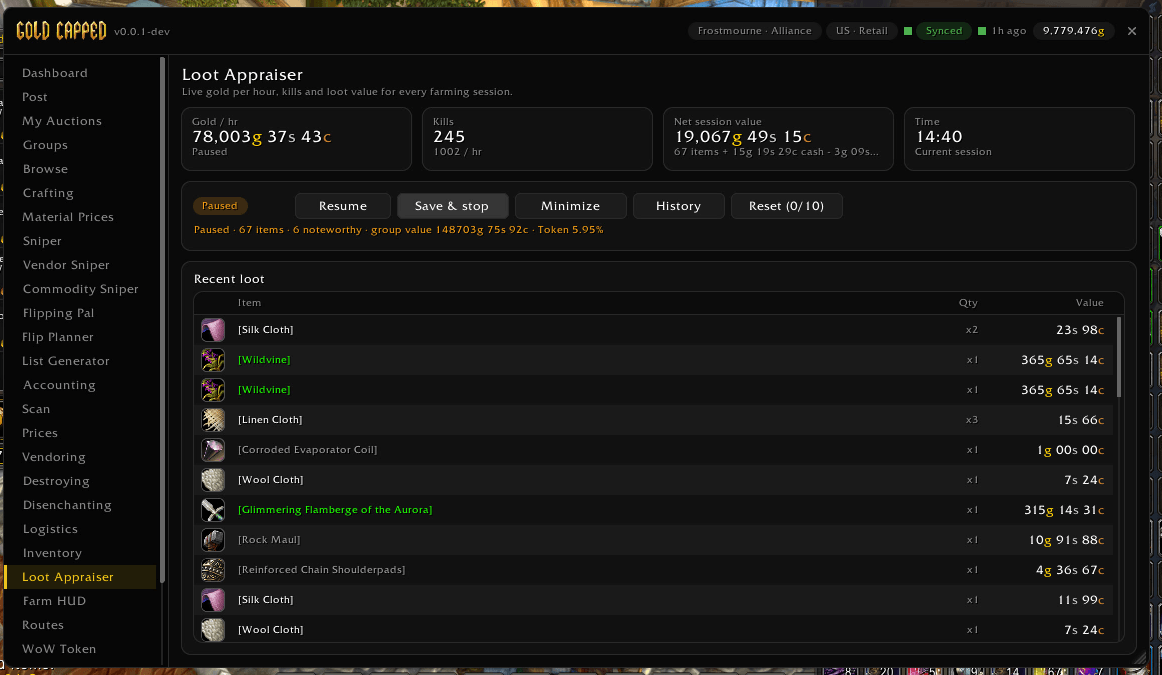
- Loot Appraiser (
/gcfarm): live gold per hour, net session value, kills and the latest drops in a small draggable tracker, with saved session history. Confirmed repair costs come off your gold per hour instead of being hidden - Farm HUD (
/gchud): range rings, a compass and your gathering nodes drawn in the middle of your screen, with no map behind them. It turns as you turn, and clicks pass straight through - Gathering map: herb, ore and other nodes on the world map and minimap
- Routes (
/gcroutes): build, optimize and follow farming loops. Imports from Routes and GatherMate2 when they're installed, and RoutesImportExport strings with nothing else needed - Waypoints:
/gcwayon every client, and/waywhen no other add-on owns it. It never takes/wayfrom TomTom - Fast loot: empties a corpse instantly without opening the loot window (on by default, and you can turn it off)
📬 Mail, bank and bags
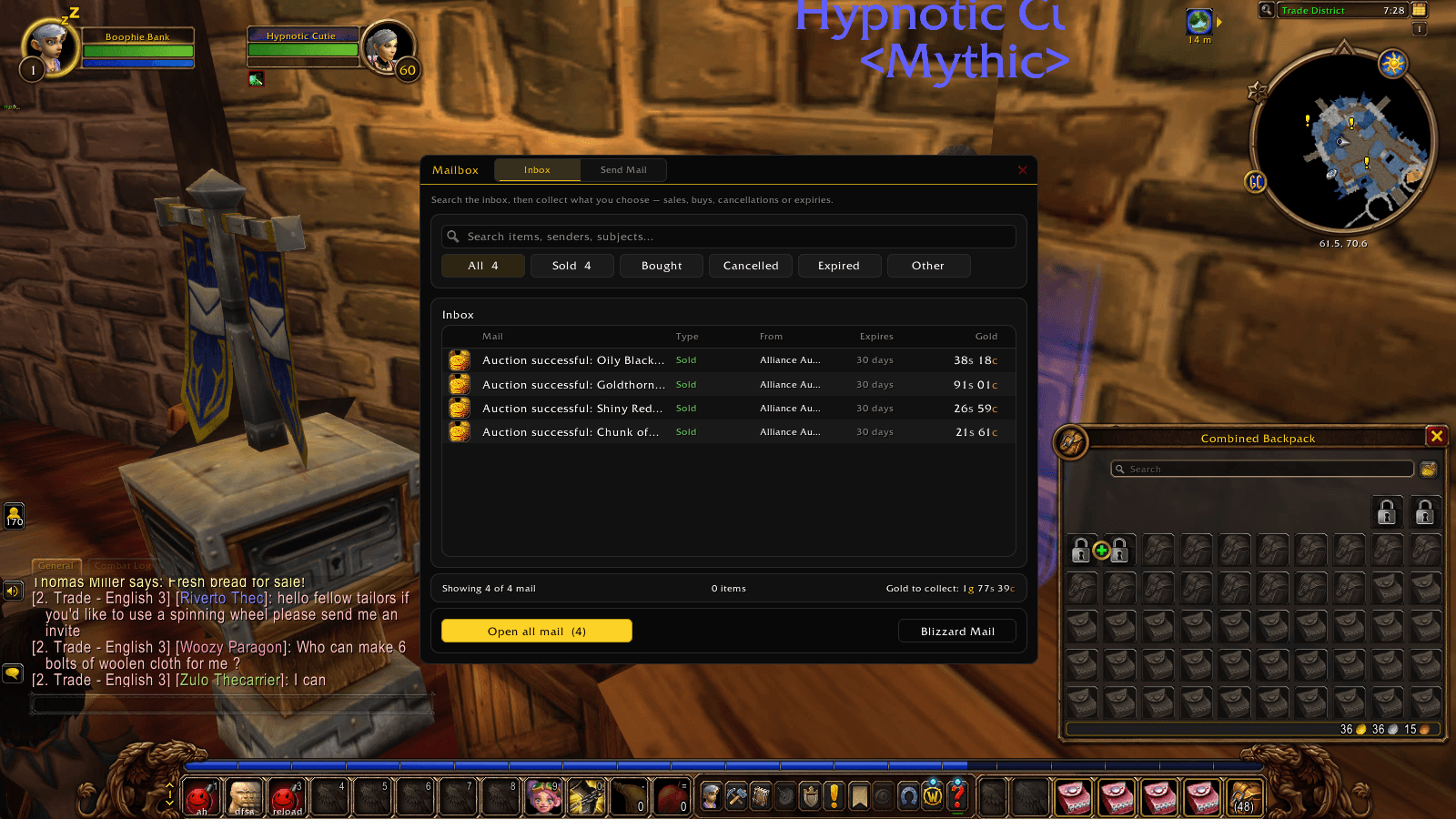
- A cleaner mailbox: search and filter by Sold, Bought, Cancelled or Expired, then Open All in one click. It handles inboxes over 50 letters, never touches COD mail and logs every sale before it's taken
- Mail and bank task queues, including the Warband bank on Retail and the Account bank on WoW Forever
- Inventory: search everything across your characters, with value, supply and age for each item, and flags for slow, unpriced or aged stock
- Vendoring: Alt-click items to mark them as junk, then sell them in one click or automatically when a merchant opens. Protected items never sell
- Destroying (an explicit allowlist, one stack per click) and Disenchanting (every disenchantable item, hide the ones you keep, one cast per click)
📊 Dashboard, docs and support
- Dashboard: gold per hour, kills, revenue, items sold, tracked items and price coverage at a glance, plus your account gold
- In-game Docs for every feature (
/goldcapped docs) - Diagnostics tab with a one-click support report
🔗 Plays well with others
- Reads TradeSkillMaster groups and price sources, and Auctionator shopping lists
- Steps aside at the mailbox when you'd rather TSM or another mail add-on handled it
- Flipping Pal (Retail): measures the live order book for Flipping Pal's Commodity Flipper, and Flip Planner sends your bags and banks to Flipping Pal and brings back a per-realm sell plan
- Read-only
GoldCappedAPIso other add-ons can query prices and inventory
The desktop app
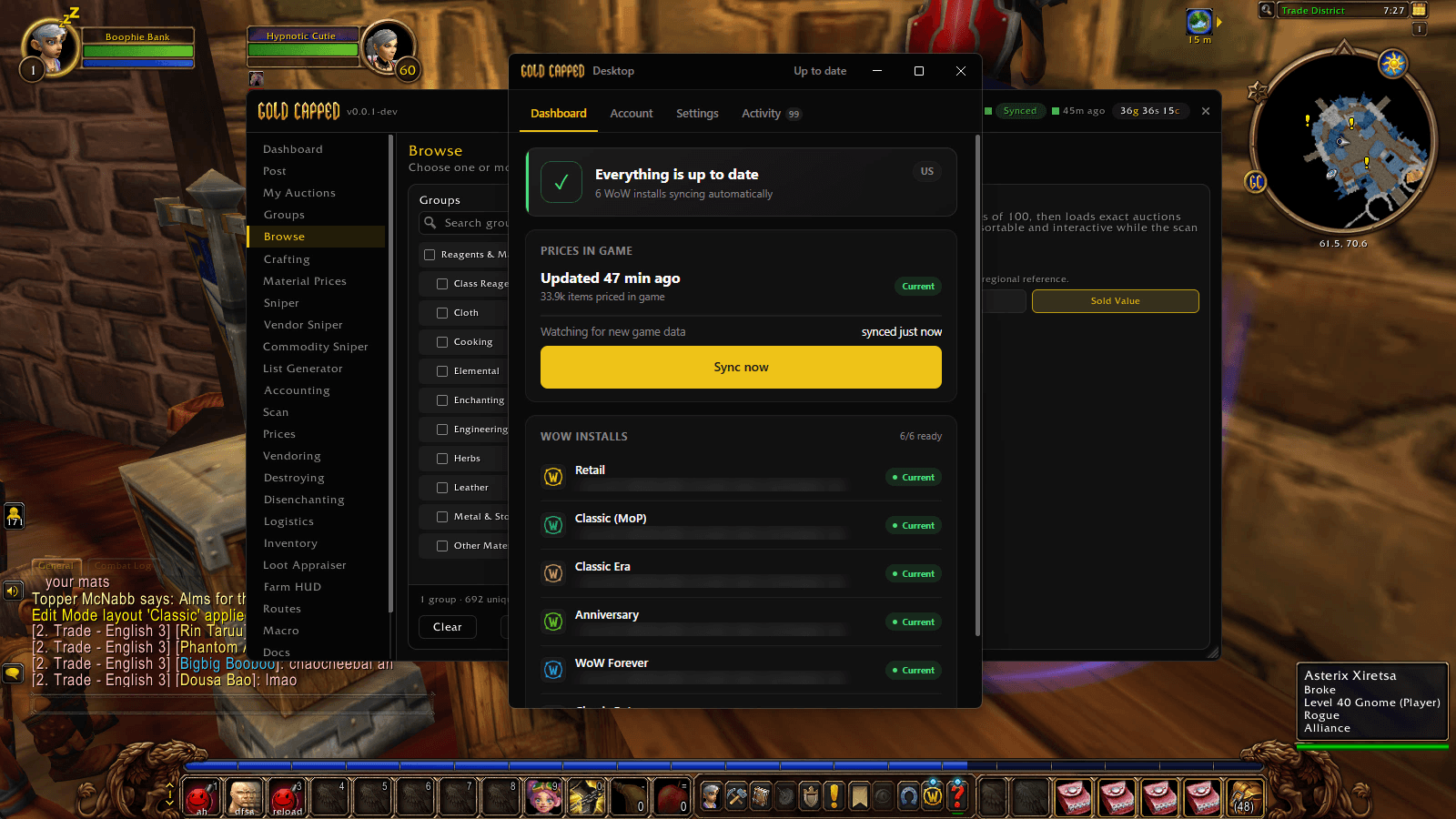
WoW add-ons can't reach the internet, so the Gold Capped desktop app does it for them. It downloads fresh prices for your realm into the bundled GoldCappedData add-on for every WoW install it finds, and new data loads on your next login or /reload. The app is free; downloading it needs a free Gold Capped account.
Without it, the add-on still works with your own scans and every local feature. You just won't have synced market prices.
Privacy: sharing is off by default
There are seven sharing switches, and every one is off until you turn it on:
- Four help community prices, anonymously: auction scans, completed sales, loot and kills, and gathering node locations
- Three are private to you: syncing your accounting to your own account, material prices for your Crafting, and error reports
Downloaded prices and every local feature work with all seven off.
Premium
Four business tools need a Gold Capped membership:
- Accounting: the full ledger of auction sales, purchases, vendor income and repairs
- List Generator
- Gold history graph: the chart over time and the per-character split (your current gold stays free)
- Housing lumber value (Retail)
Everything else in the add-on is free.
Supported clients
| Client | Status |
|---|---|
| Retail (Midnight) | ✅ Full feature set |
| Mists of Pandaria Classic | ✅ |
| WoW Forever | ✅ Synced prices for its own auction houses |
| Burning Crusade Anniversary | ✅ |
| Classic Era, Hardcore, Season of Discovery | ✅ Each ruleset priced separately |
| Titan Reforged | ⚠️ Local features only (no synced prices yet) |
- Synced prices cover US and EU realms
- Browse needs the modern Auction House: Retail, MoP Classic and WoW Forever
- The WoW Token page is Retail and MoP Classic only
- Flipping Pal and Flip Planner are Retail only
Getting started

▶️ Watch the 3-minute install guide on YouTube: the add-on from CurseForge, the desktop app, signing in and your first sync.
- Install Gold Capped. This download includes both
GoldCappedandGoldCappedData - For synced prices, install the desktop app and sign in
- Log in to WoW and type
/goldcapped(or/gcapped)
Slash commands
| Command | What it does |
|---|---|
/goldcapped |
Opens or closes the main window |
/goldcapped config |
Settings |
/goldcapped docs |
In-game manual |
/goldcapped status |
Prints a health and sync report to chat |
/goldcapped logistics |
Mail and bank tasks |
/goldcapped openall |
Empties the mailbox (handy in a macro) |
/goldcapped macro |
Macro builder |
/goldcapped token |
WoW Token chart (Retail, MoP Classic) |
/gcfarm |
Loot Appraiser (/gcfarm mini for the small tracker) |
/gchud |
Farm HUD |
/gcroutes |
Routes |
/gcway <x> <y> |
Sets a waypoint (/way works too if no other add-on owns it) |
/gcflip |
Flipping Pal (Retail) |
Help and feedback
- Guides and docs: goldcapped.com
- Something broken? Open the Diagnostics tab, press Copy report and include it with your bug report.
/goldcapped statusprints the same report to chat
Gold Capped Team

Owner