
Gold Capped
- By



Gold Capped add-on: full guide
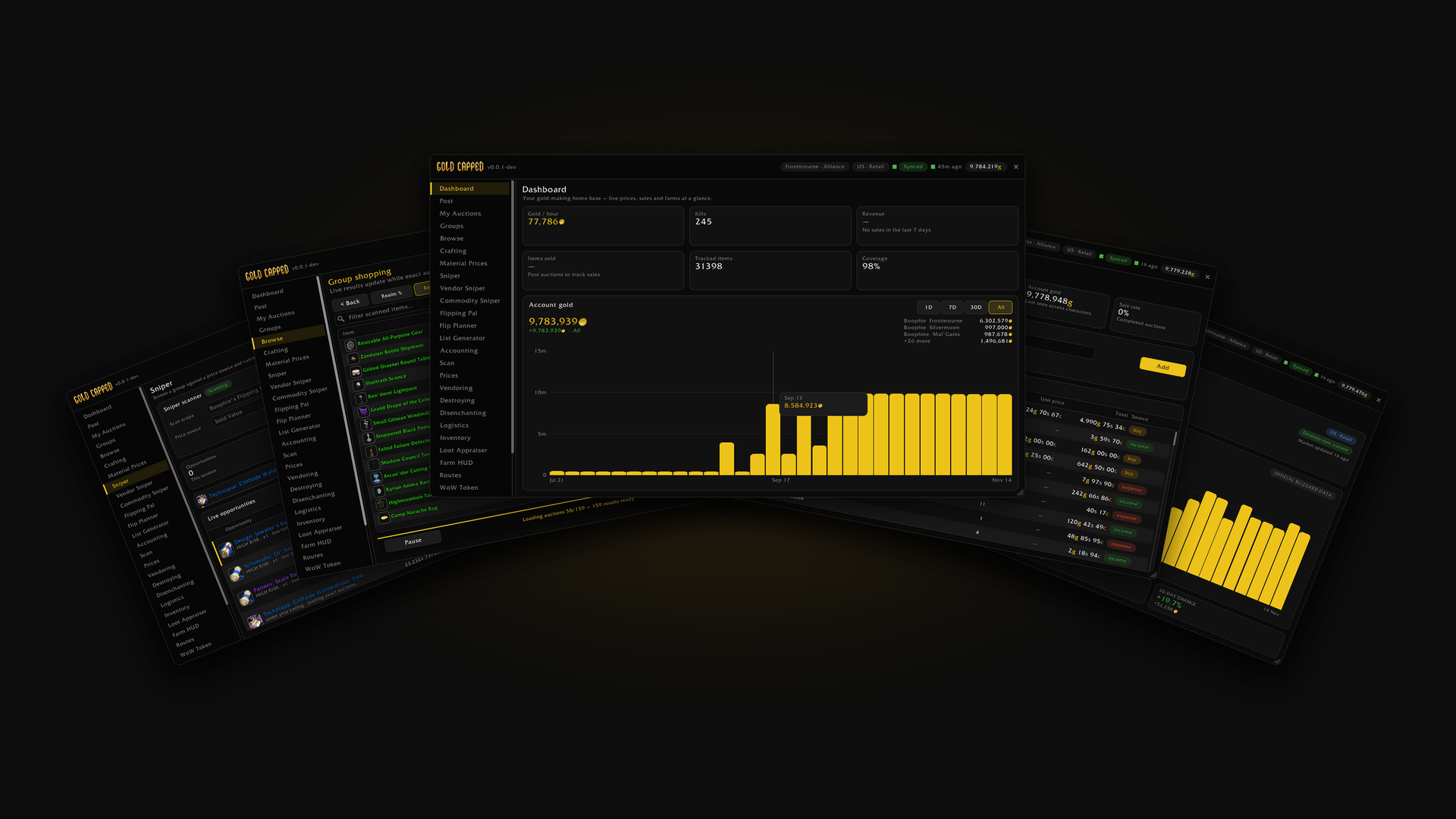
Gold Capped in World of Warcraft: dashboard, snipers, group shopping, accounting and the WoW Token, all in one add-on.

Gold Capped adds prices to every item tooltip: vendor sell, realm and region values, daily sales, sell chance and your own purchase history.
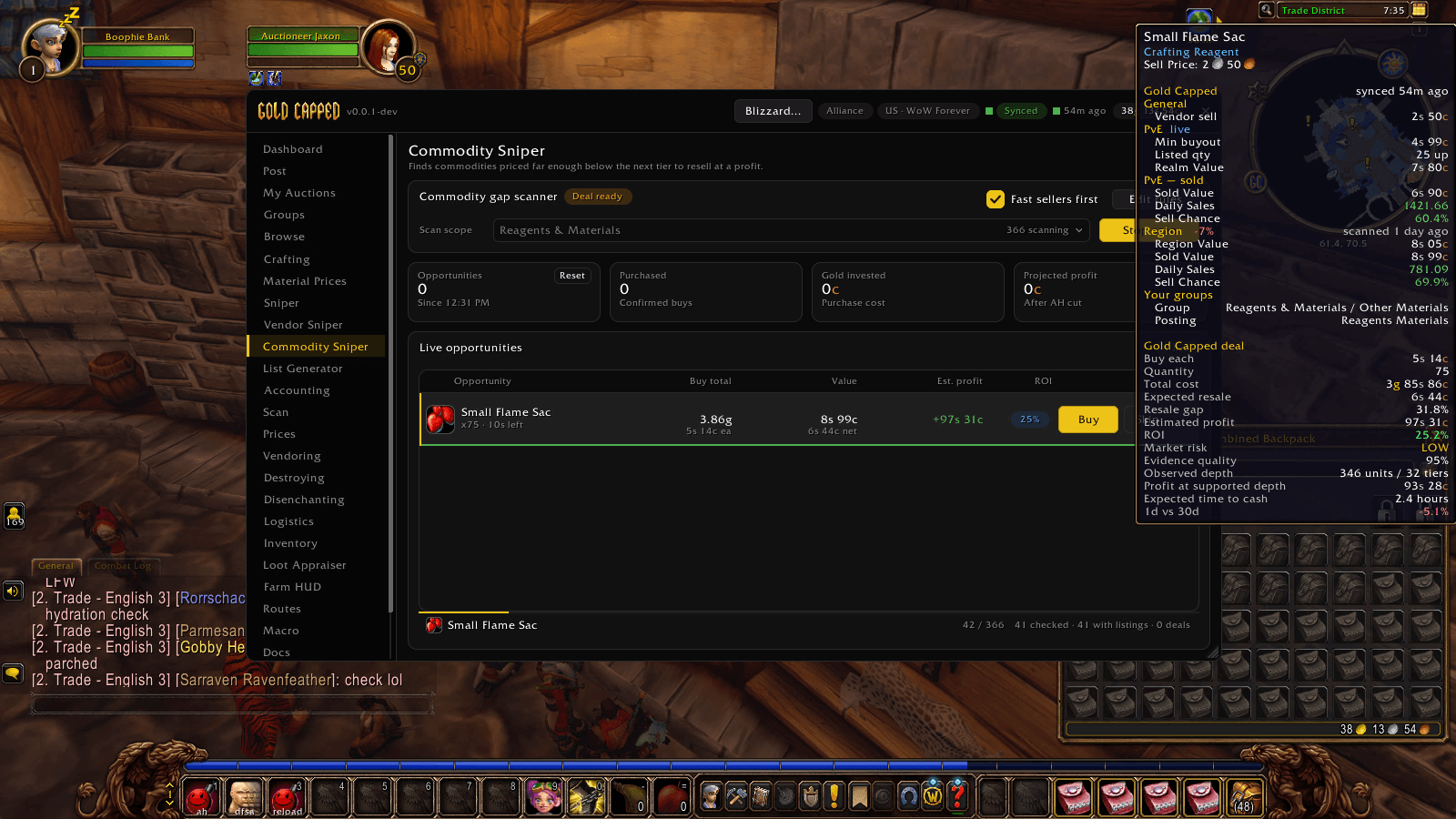
Commodity Sniper finds commodities priced below the next tier, far enough to resell at a profit. Each deal shows cost, expected resale, profit, ROI, market risk and time to cash.
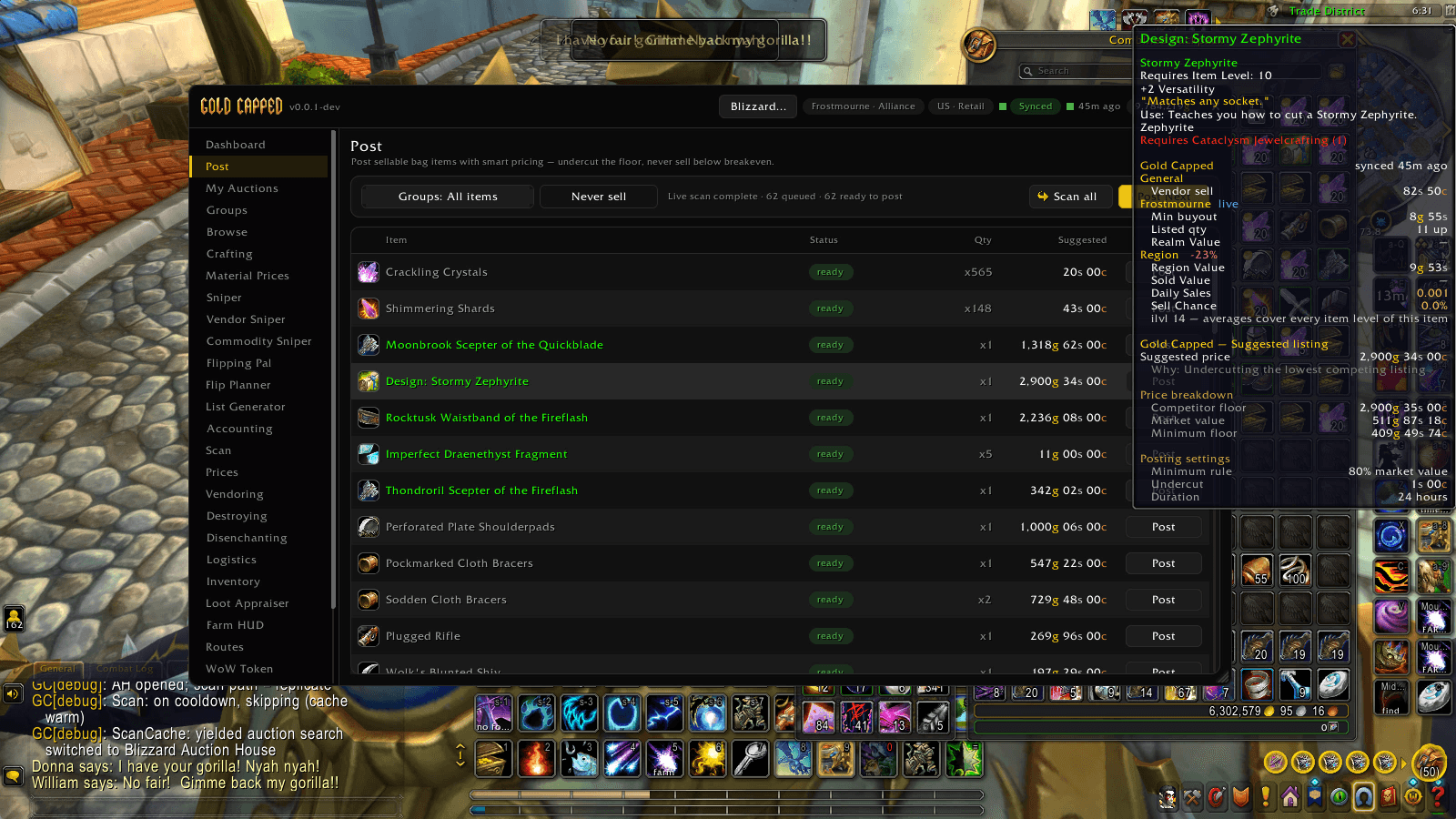
Post scans your bags against live auctions and suggests a price for every item. The tooltip shows why: competitor floor, market value and your minimum floor.
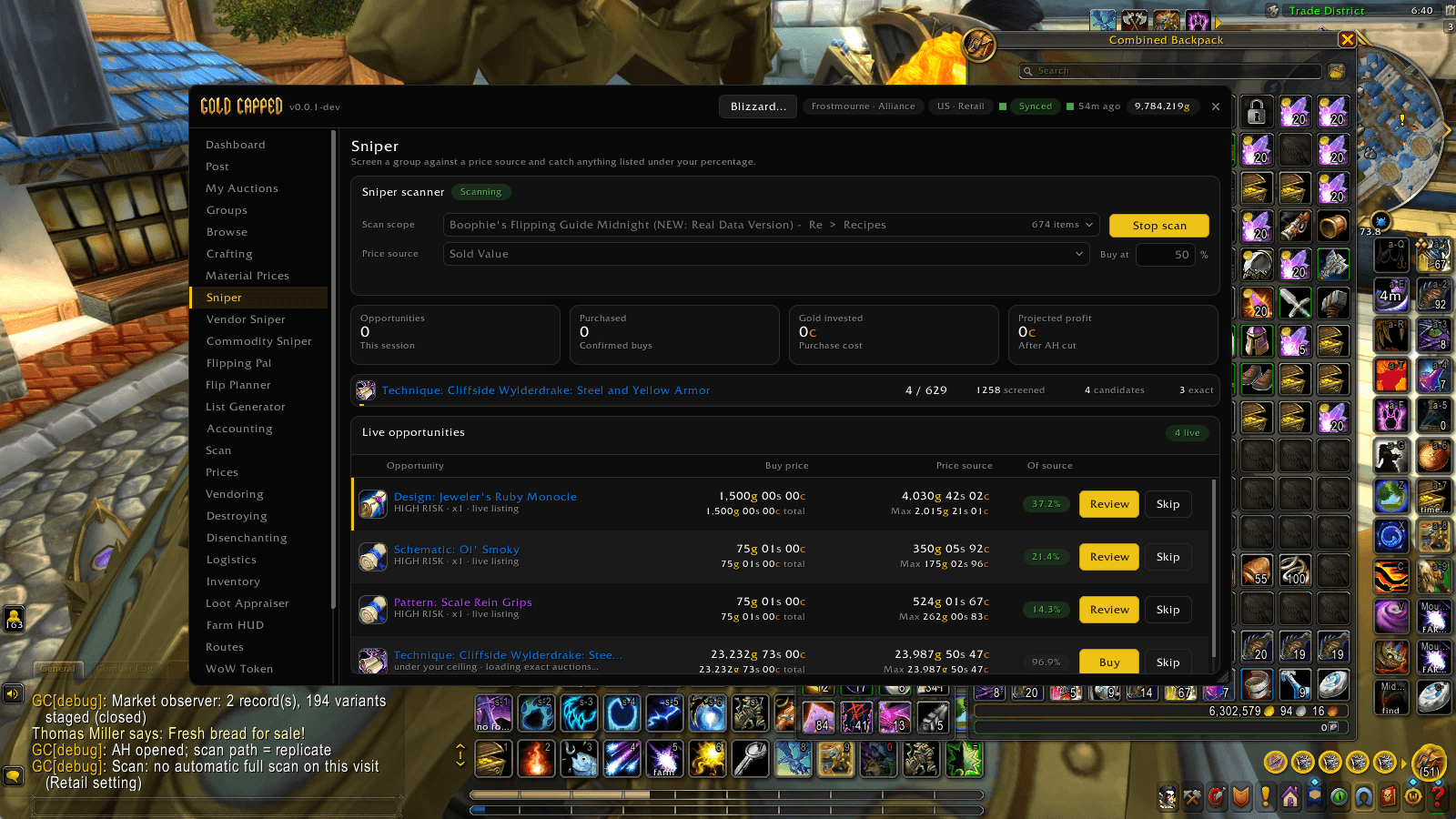
Sniper screens a group against a price source and catches anything listed under your percentage, with Buy and Review on every opportunity.
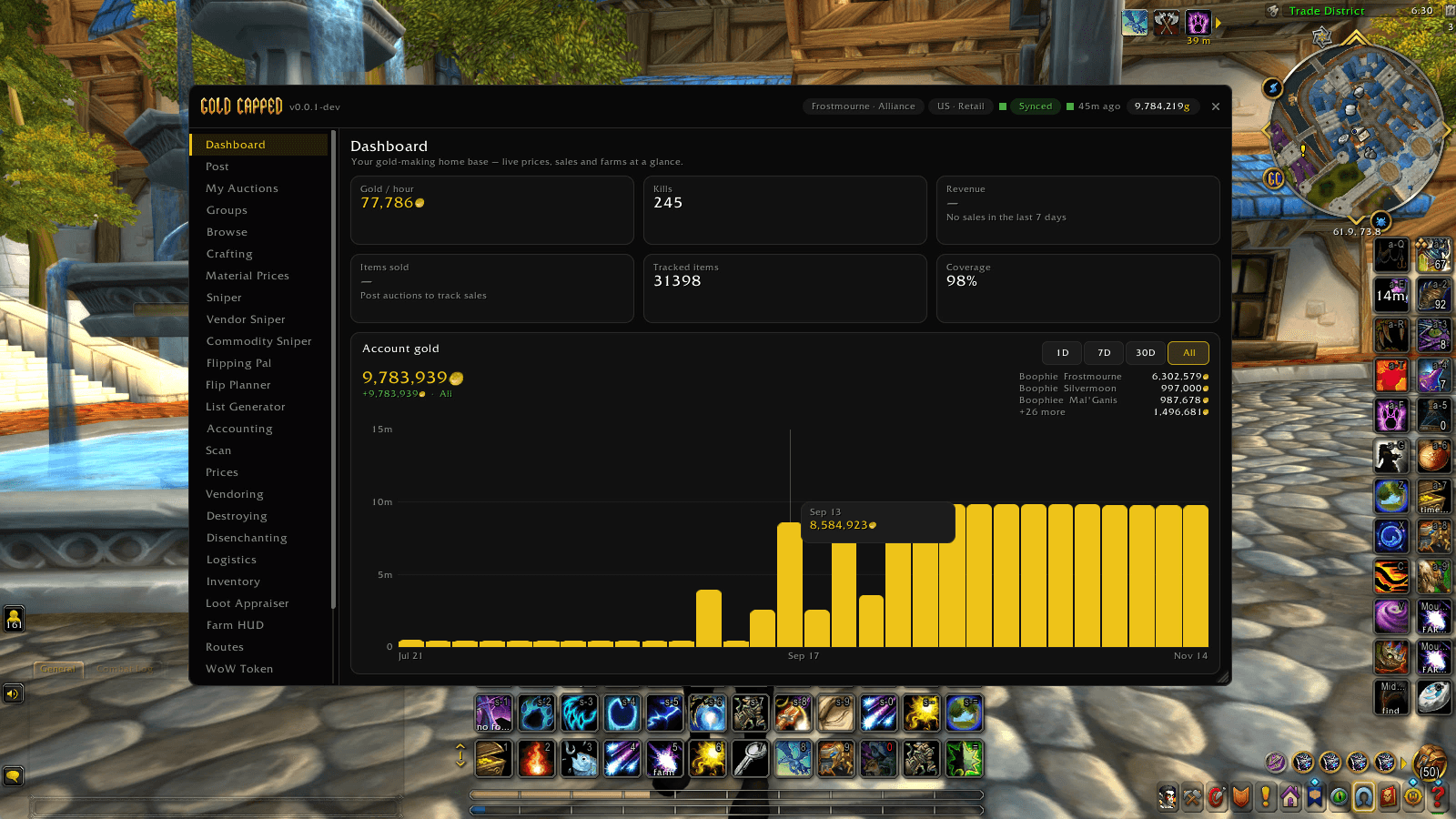
Gold per hour, tracked items and price coverage at a glance, plus a chart of your account gold across every character.
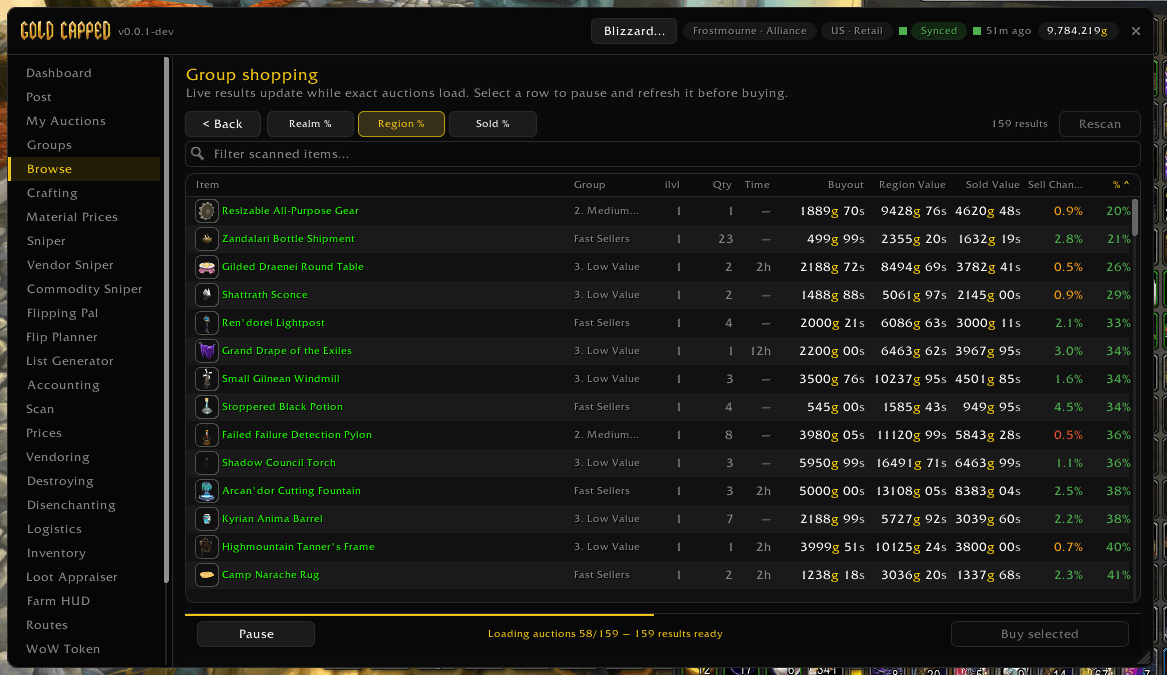
Browse scans whole groups at once. Results load live with realm, region and sold value comparisons, so you can sort, pick the best rows and buy.
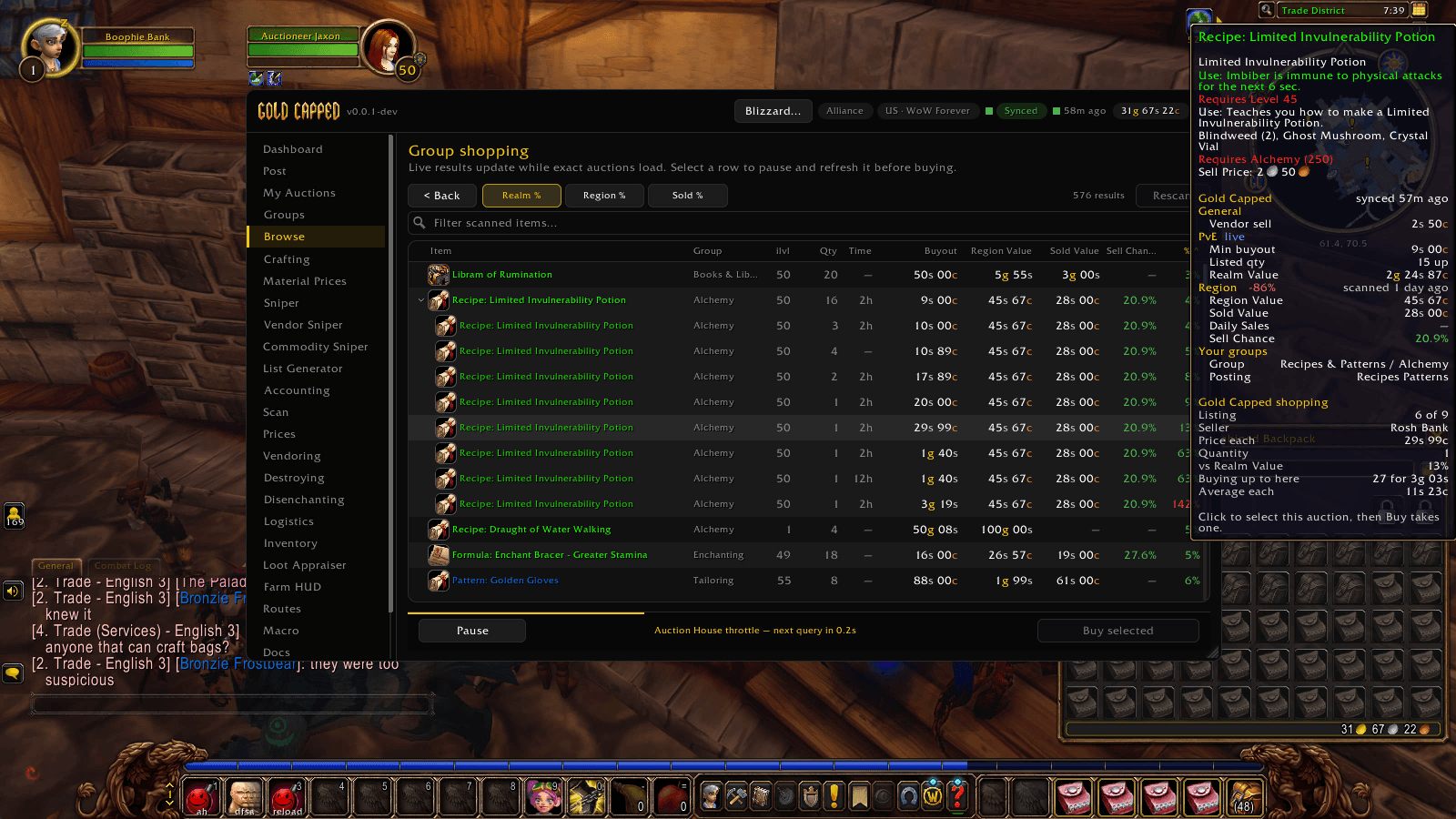
The same group shopping scan on WoW Forever, here sweeping recipes and patterns, with Gold Capped shopping details in the tooltip.
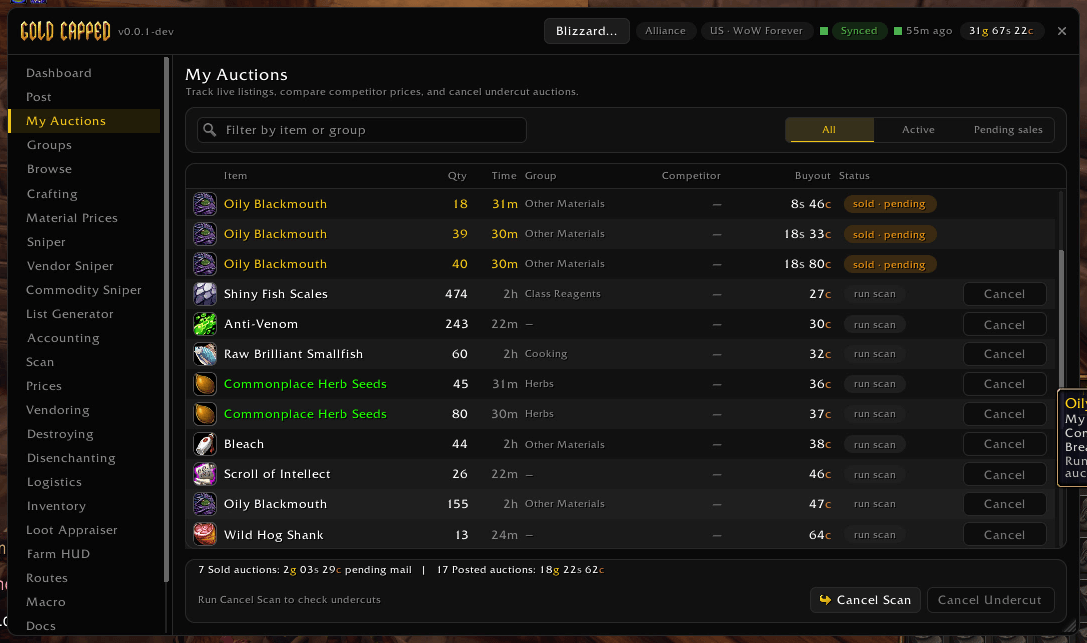
Track your live listings, see what has sold and is waiting in the mail, and check competitors before cancelling undercut auctions.
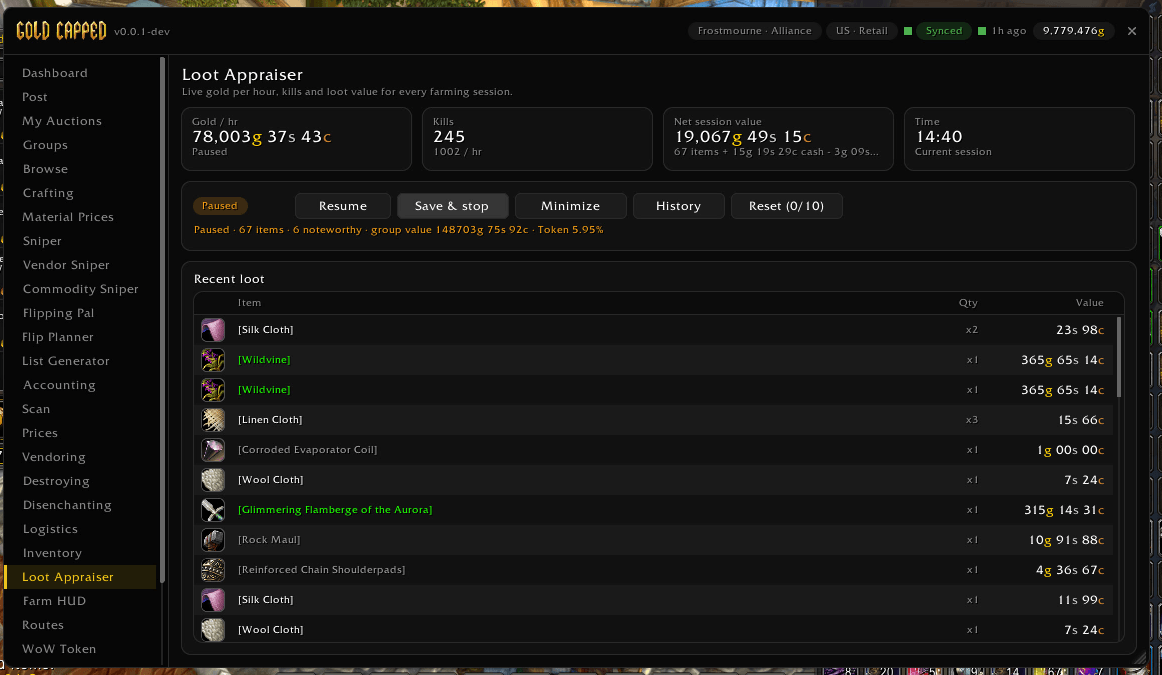
Track gold per hour and the value of everything you loot while farming, with session history you can save and export.
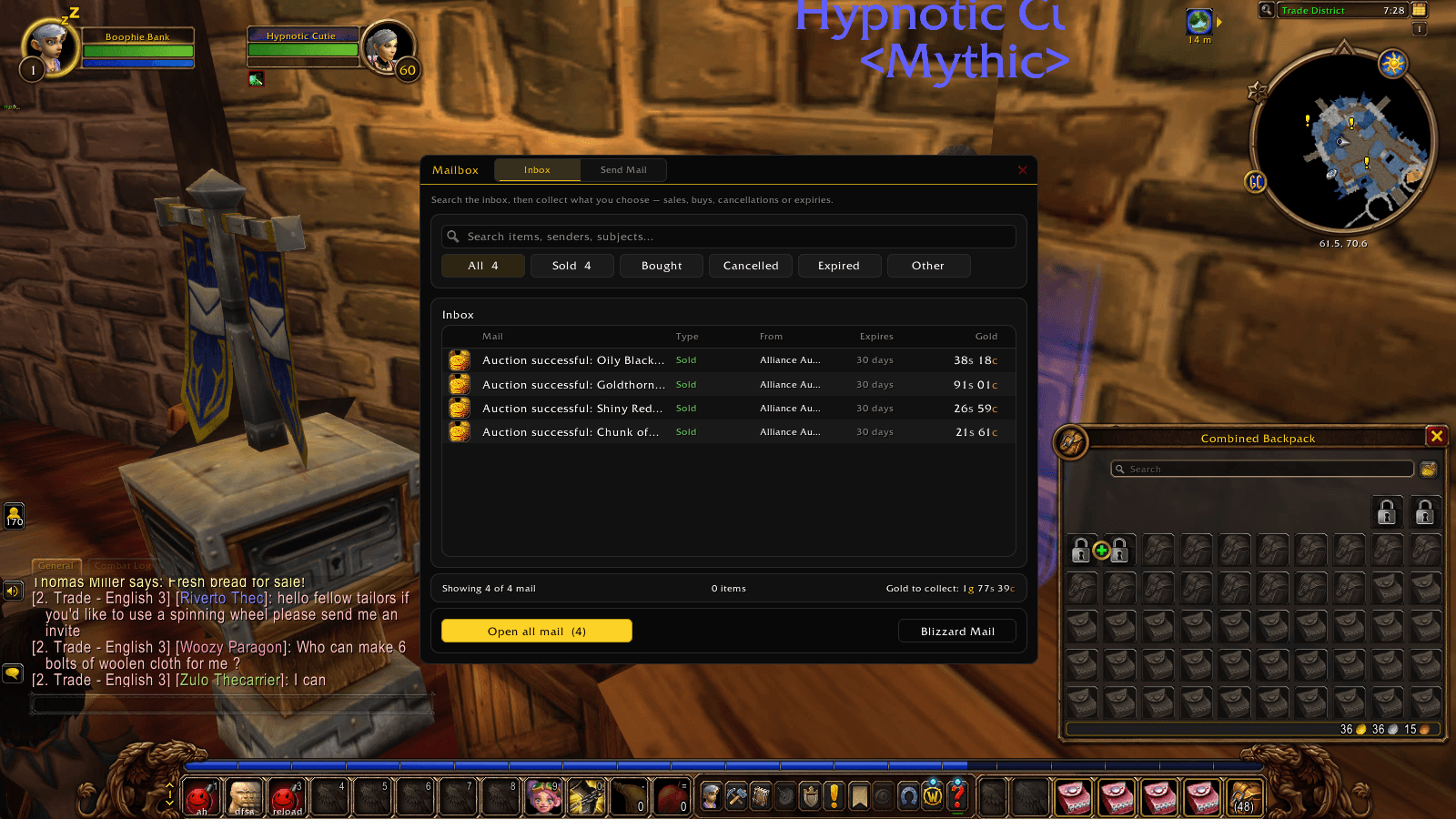
Search and filter your mail by sold, bought, cancelled or expired, see how much gold is waiting, and open it all in one click.
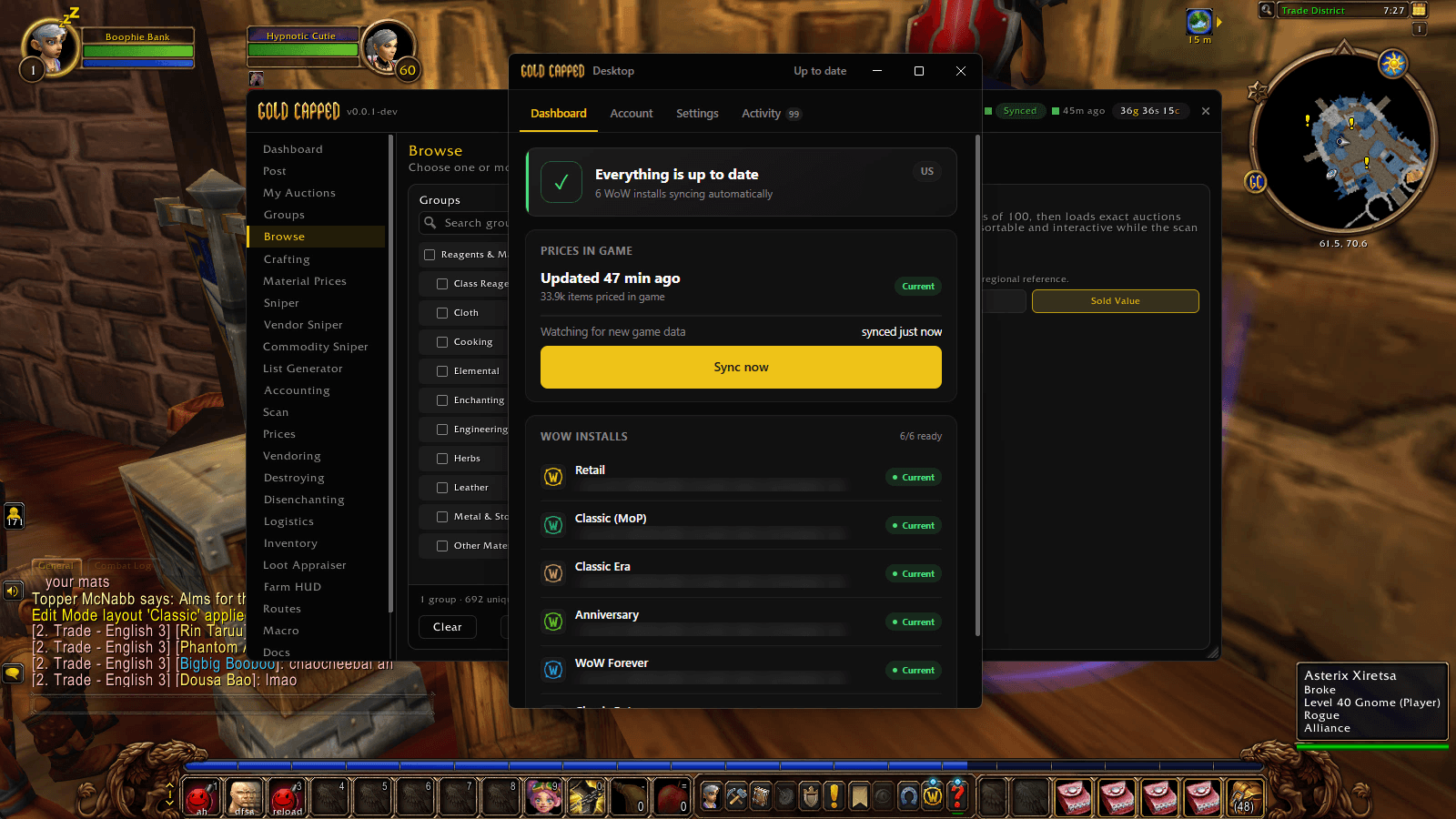
The desktop app keeps prices in game up to date for every WoW install it finds: Retail, MoP Classic, Classic Era, Anniversary and WoW Forever.
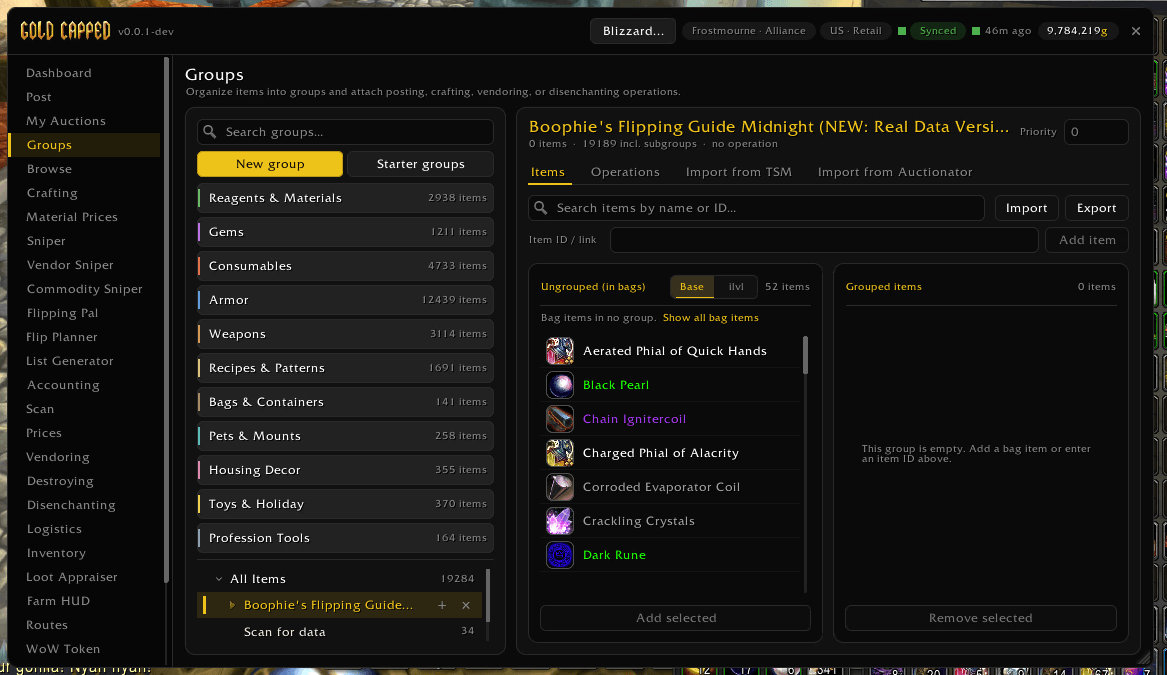
Organize items into groups and attach posting, crafting, vendoring or disenchanting operations. Add items straight from your bags.
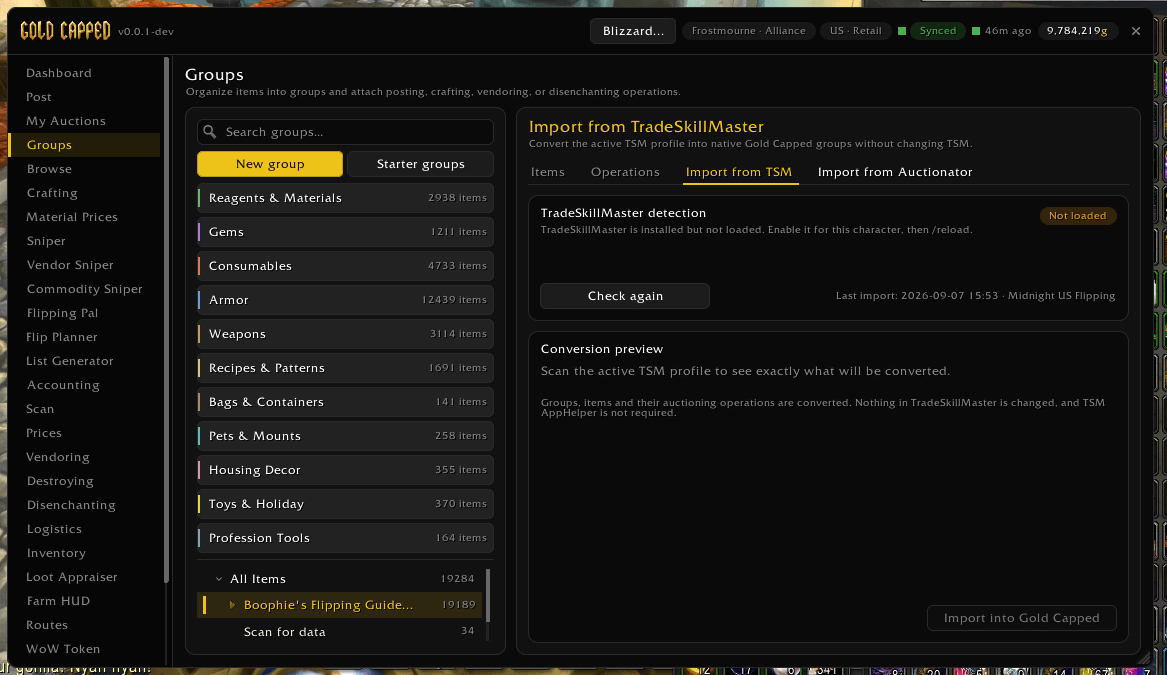
Convert your TSM profile into Gold Capped groups without changing anything in TSM, with a preview of exactly what will come across. Auctionator lists import too.
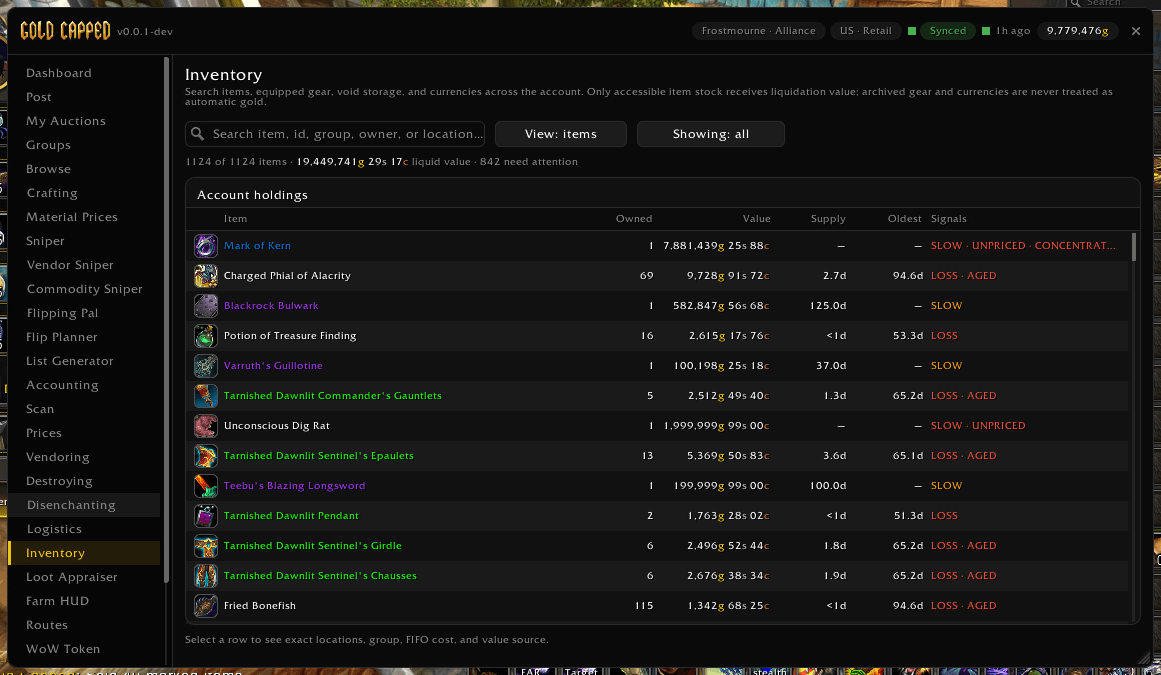
Search bags, bank and gear across your account, with value, supply and age for every item, and flags for slow, unpriced or aged stock.
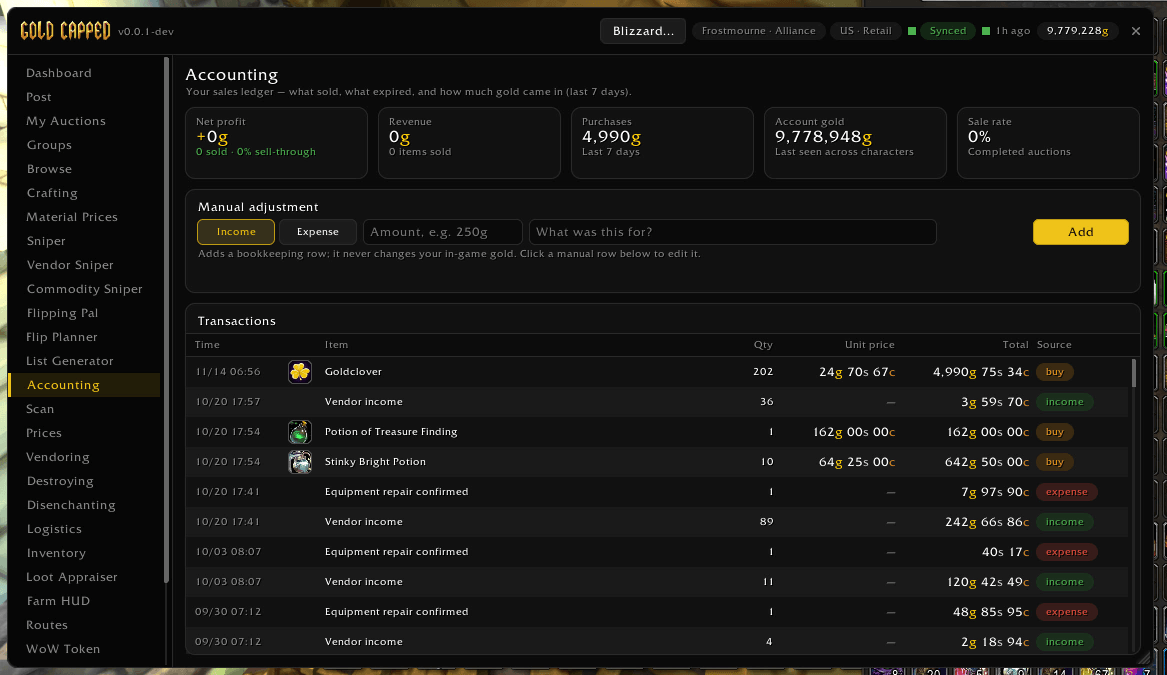
Your sales ledger: what sold, what you spent and your net profit over the last 7 days, with every transaction listed and room for manual adjustments.
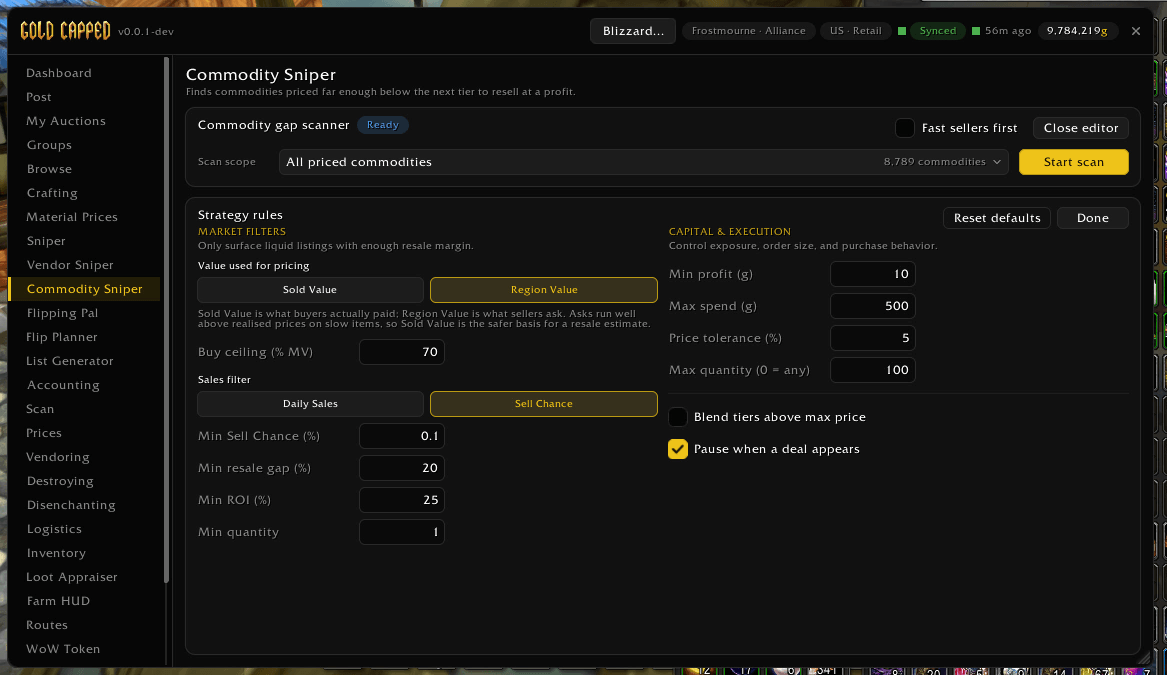
Tune the Commodity Sniper: the value it prices against, minimum sell chance, resale gap and ROI, spending limits, and a pause when a deal appears.
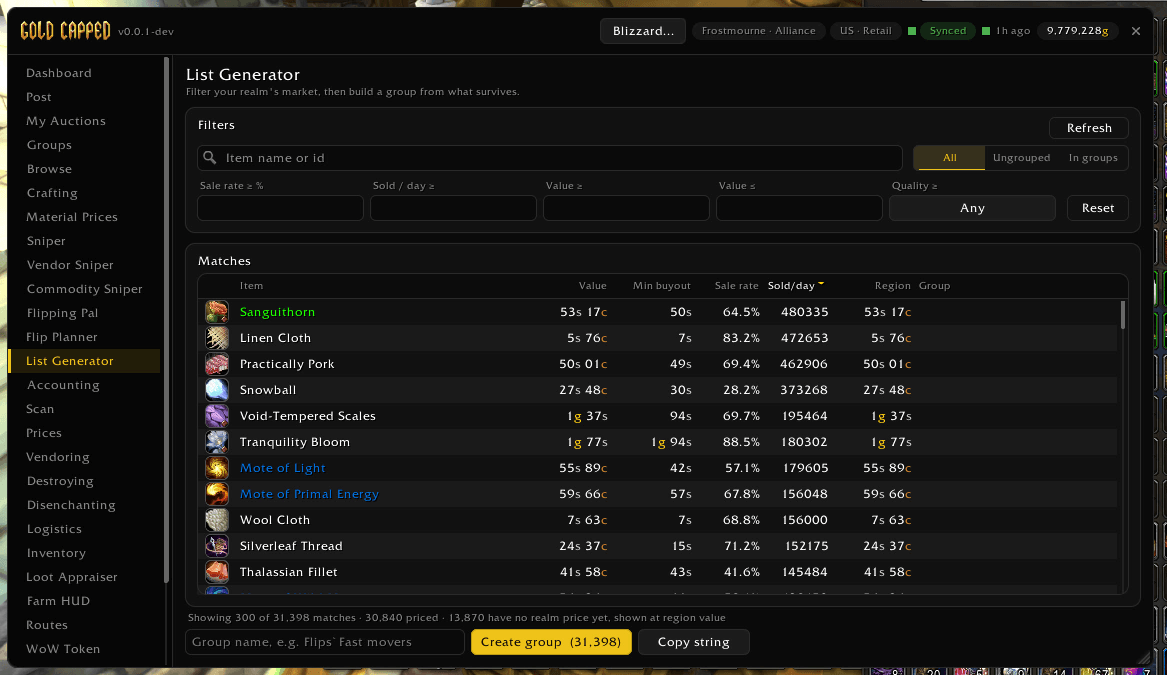
Filter your realm's market by sale rate, sales per day and value, then turn the matches into a group or copy them as a string.
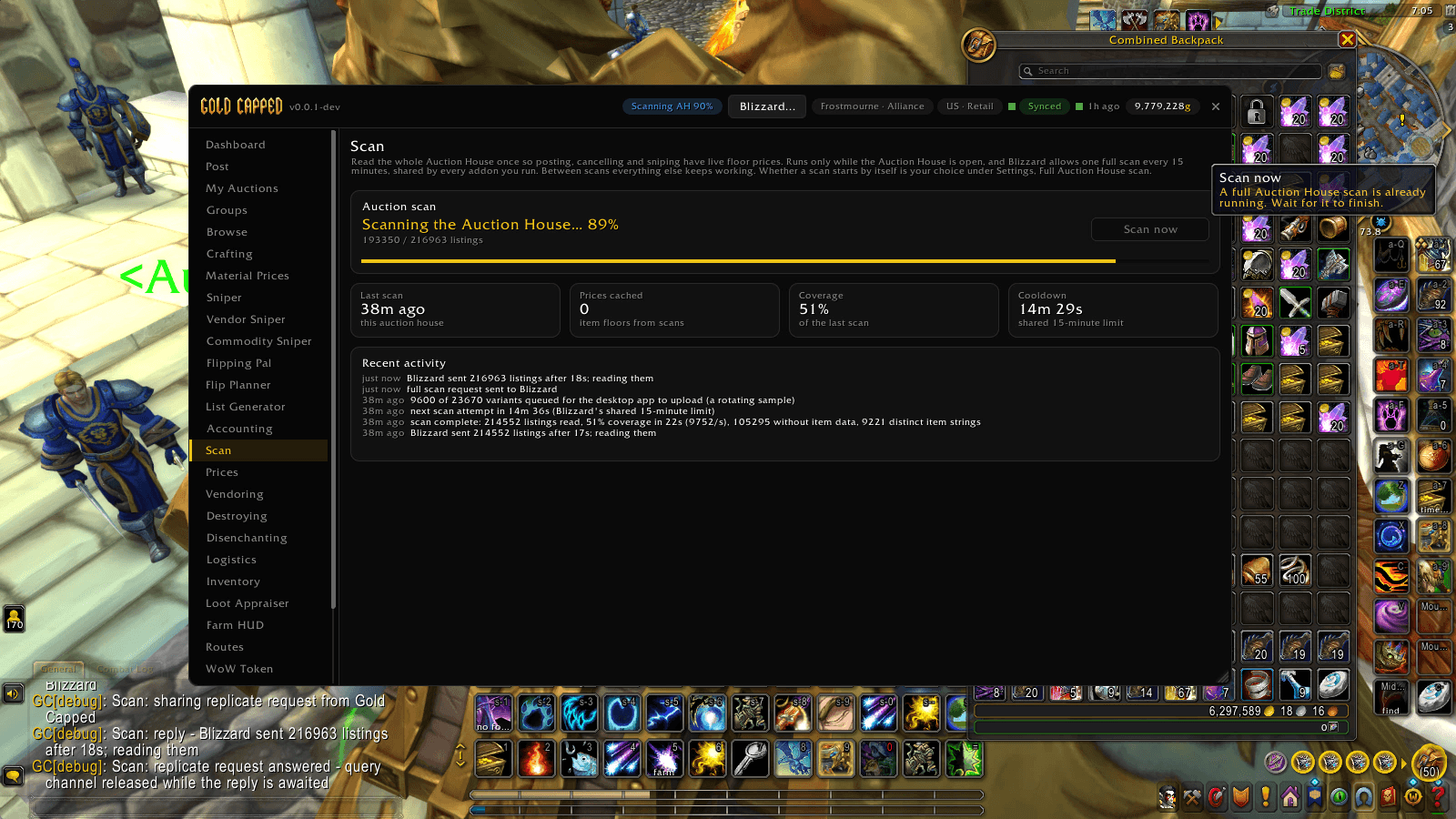
Scan the whole auction house in the background, with live progress, price coverage and a countdown to the next full scan.
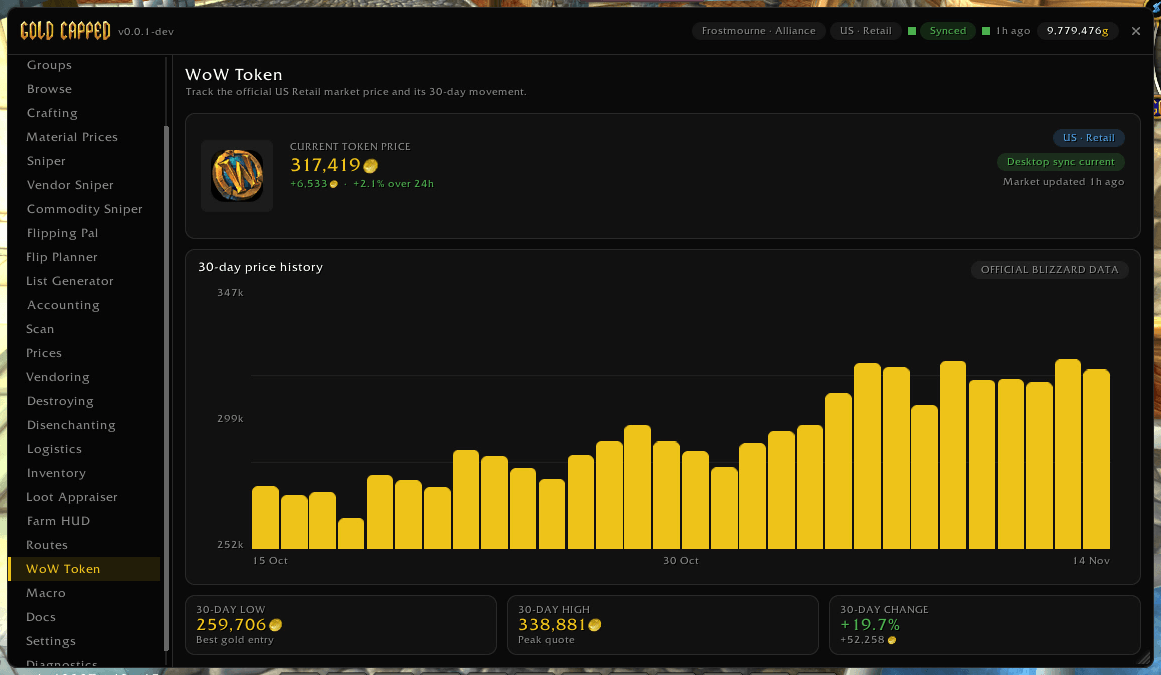
The current WoW Token price and its 30-day history from official Blizzard data, with the 30-day low, high and change.
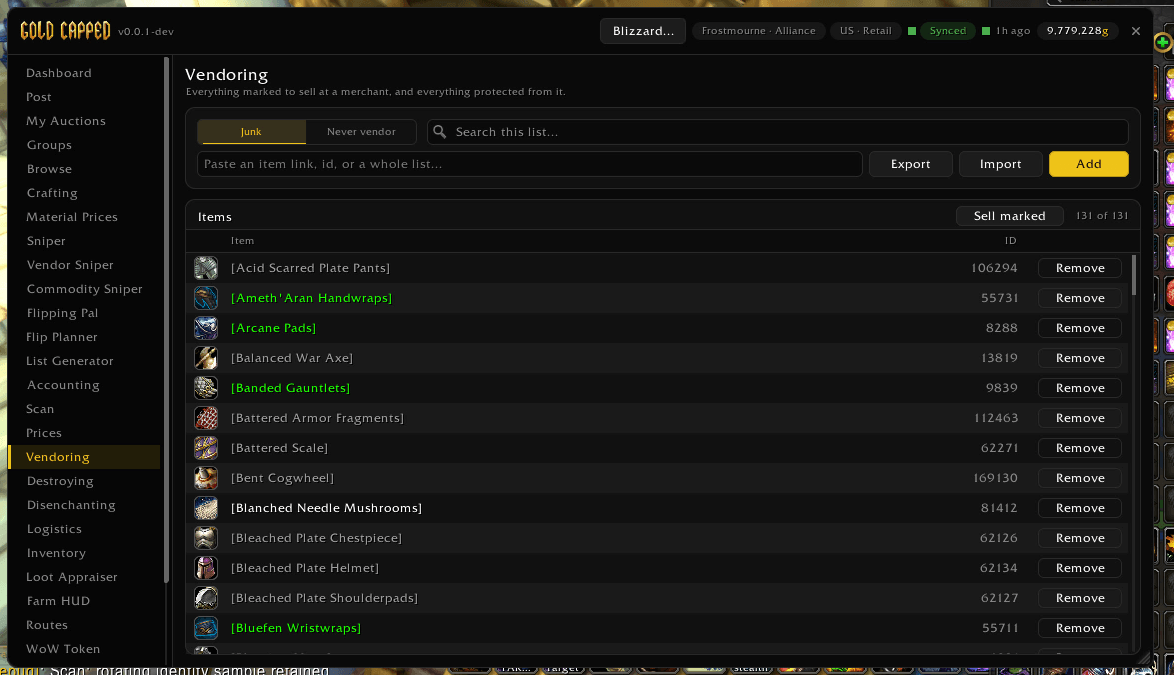
Mark items to sell at a merchant and protect the ones you never want vendored. Import or export the list and sell everything marked in one click.
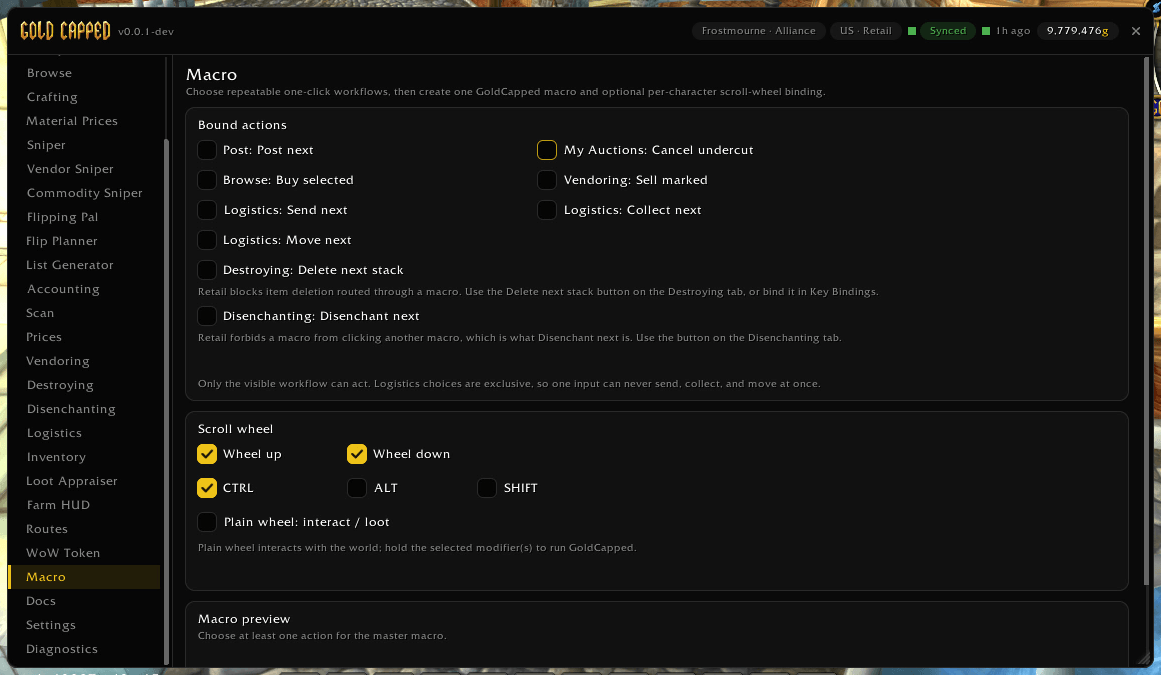
Pick the one-click workflows you repeat (post, buy, cancel, sell, disenchant), build one macro for them and bind it to the scroll wheel.
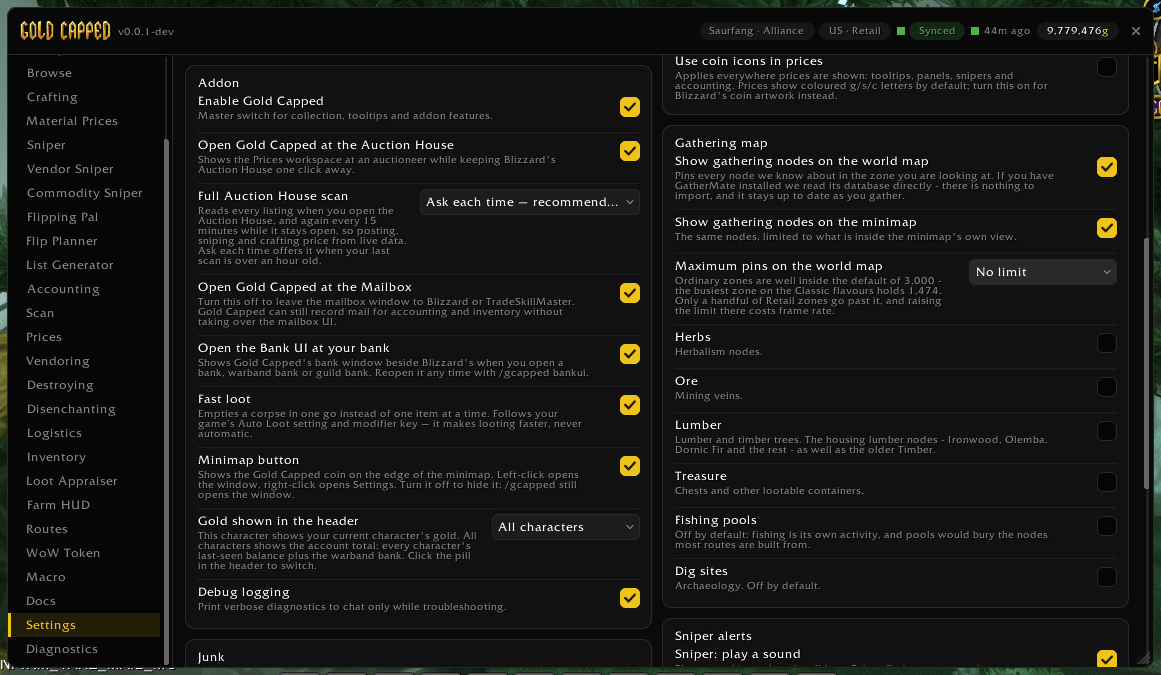
Choose what opens with the auction house, mailbox and bank, how full scans run, which gathering nodes show on your maps, and more.
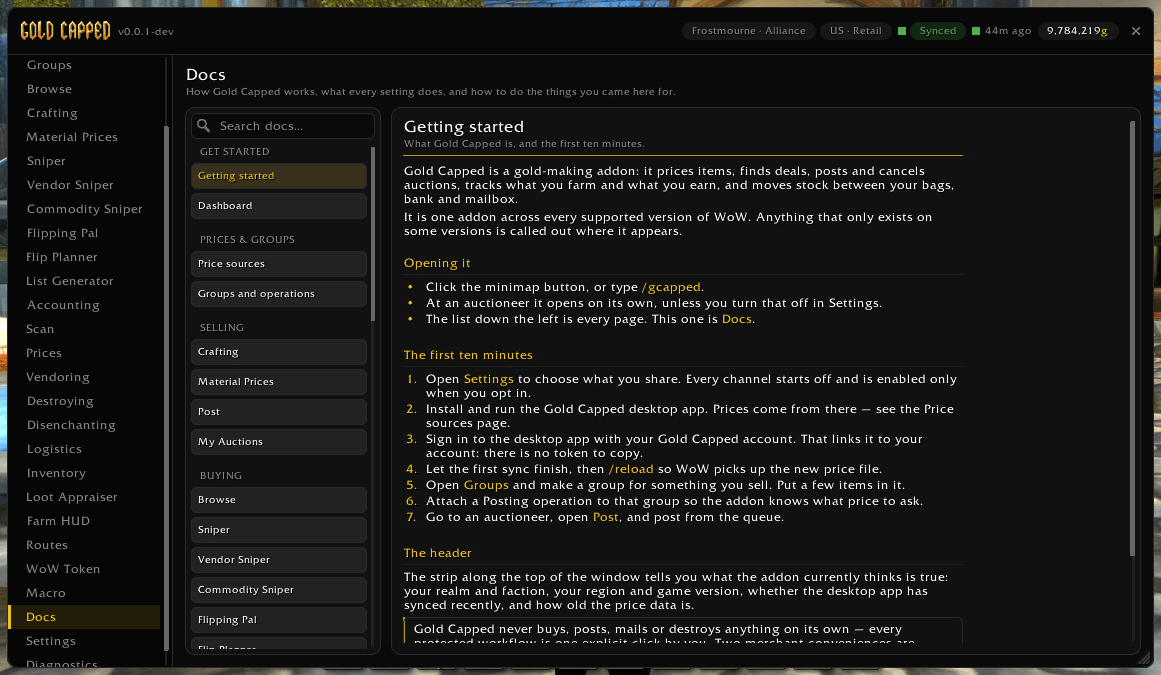
Built-in guides for every feature, starting with Getting started, so help is always one click away in game.
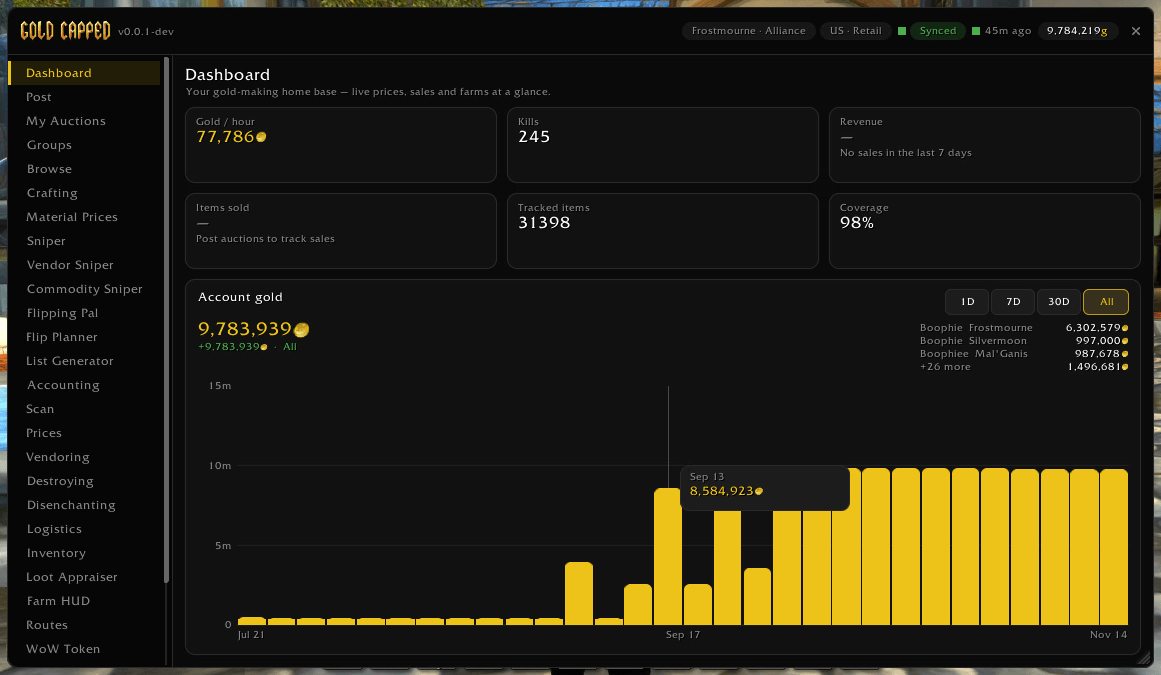
Gold per hour, tracked items and price coverage at a glance, plus a chart of your account gold across every character.
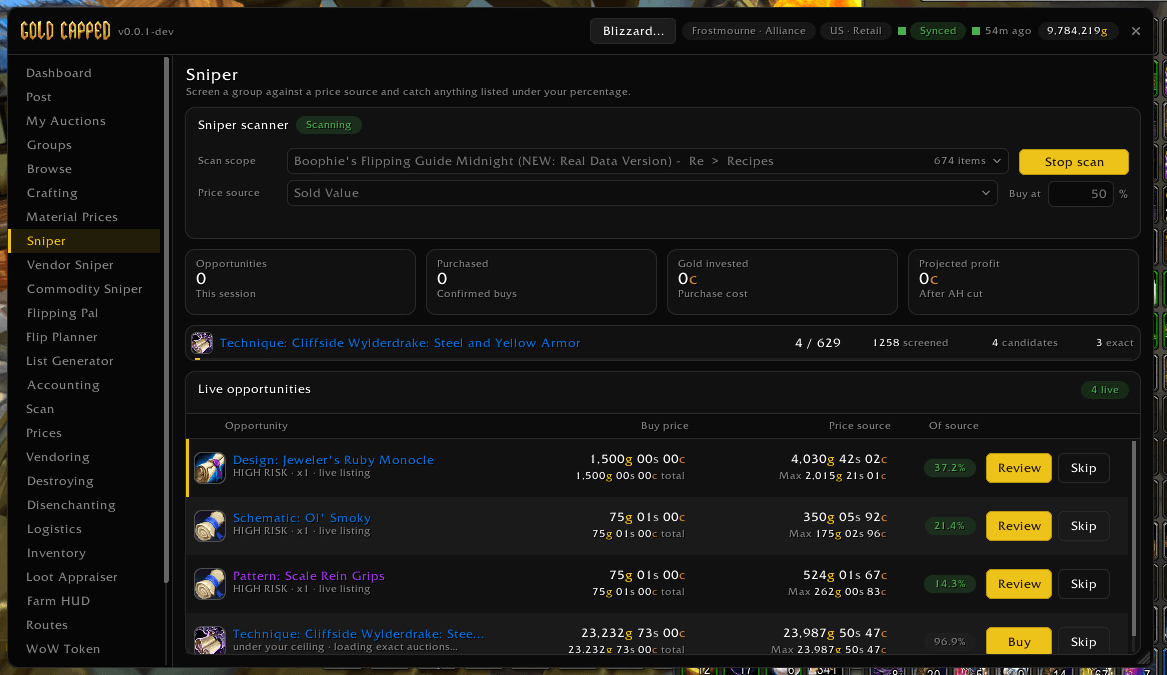
Sniper screens a group against a price source and catches anything listed under your percentage, with Buy and Review on every opportunity.
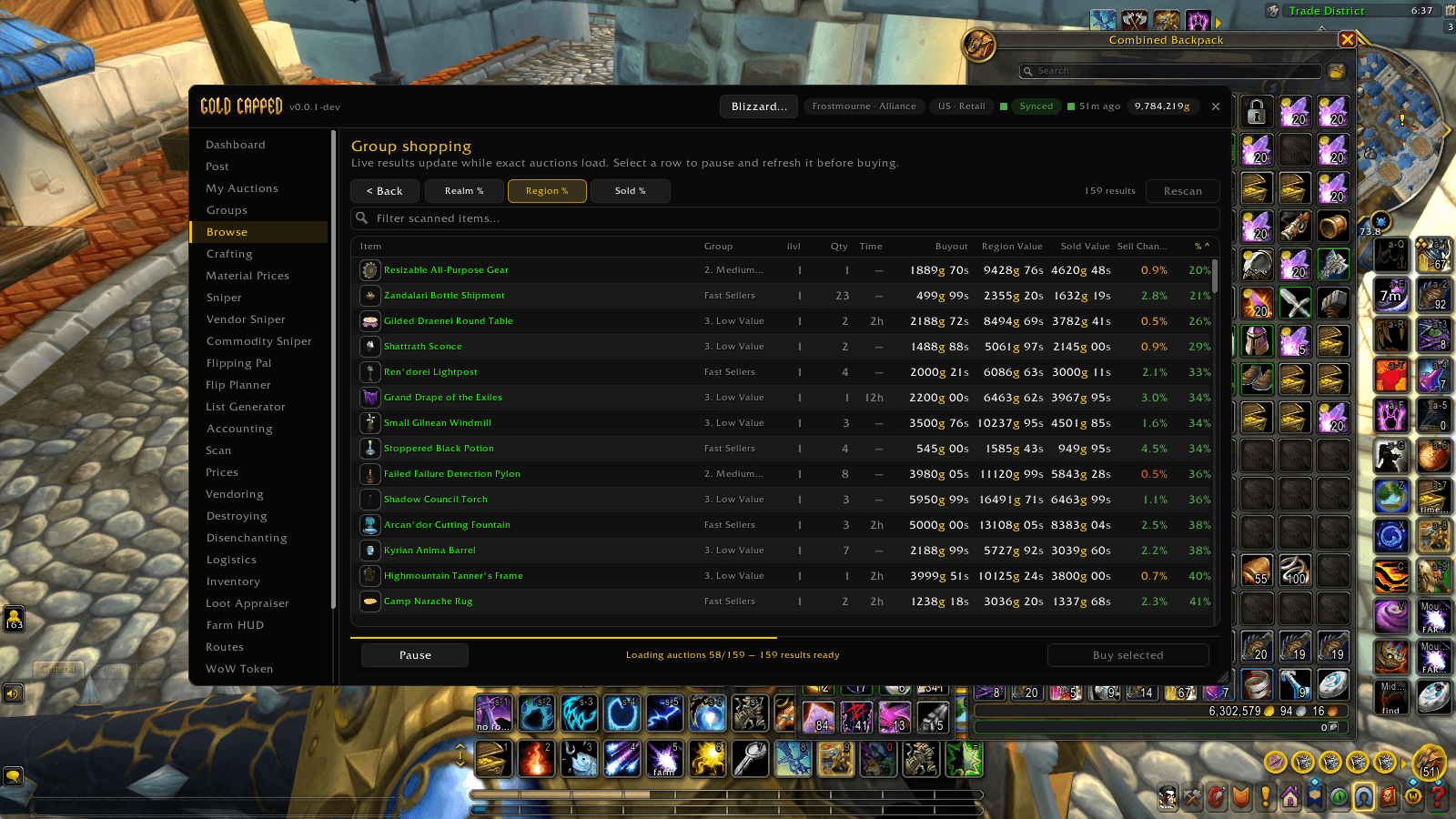
Browse scans whole groups at once. Results load live with realm, region and sold value comparisons, so you can sort, pick the best rows and buy.
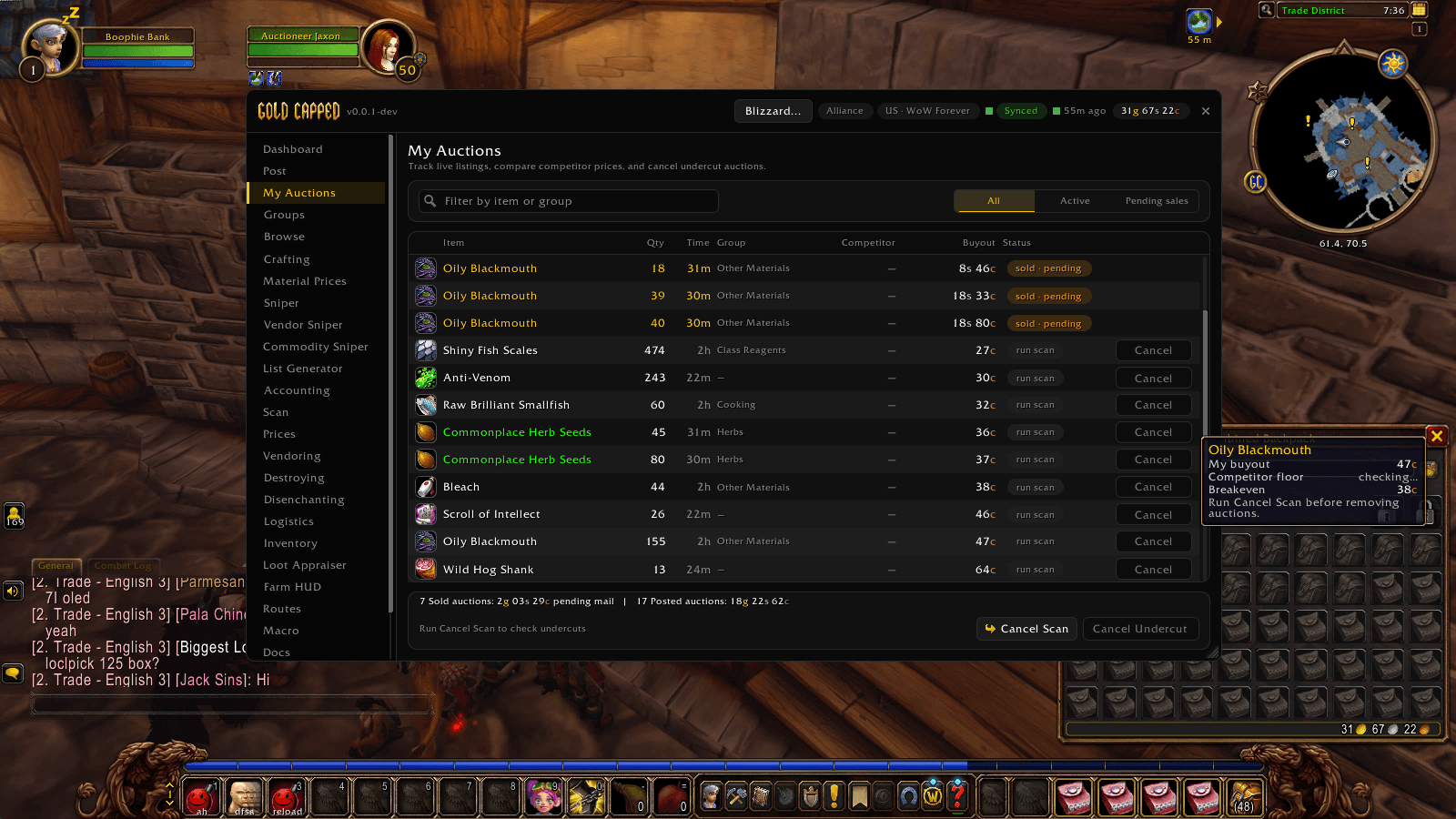
Track your live listings, see what has sold and is waiting in the mail, and check competitors before cancelling undercut auctions.
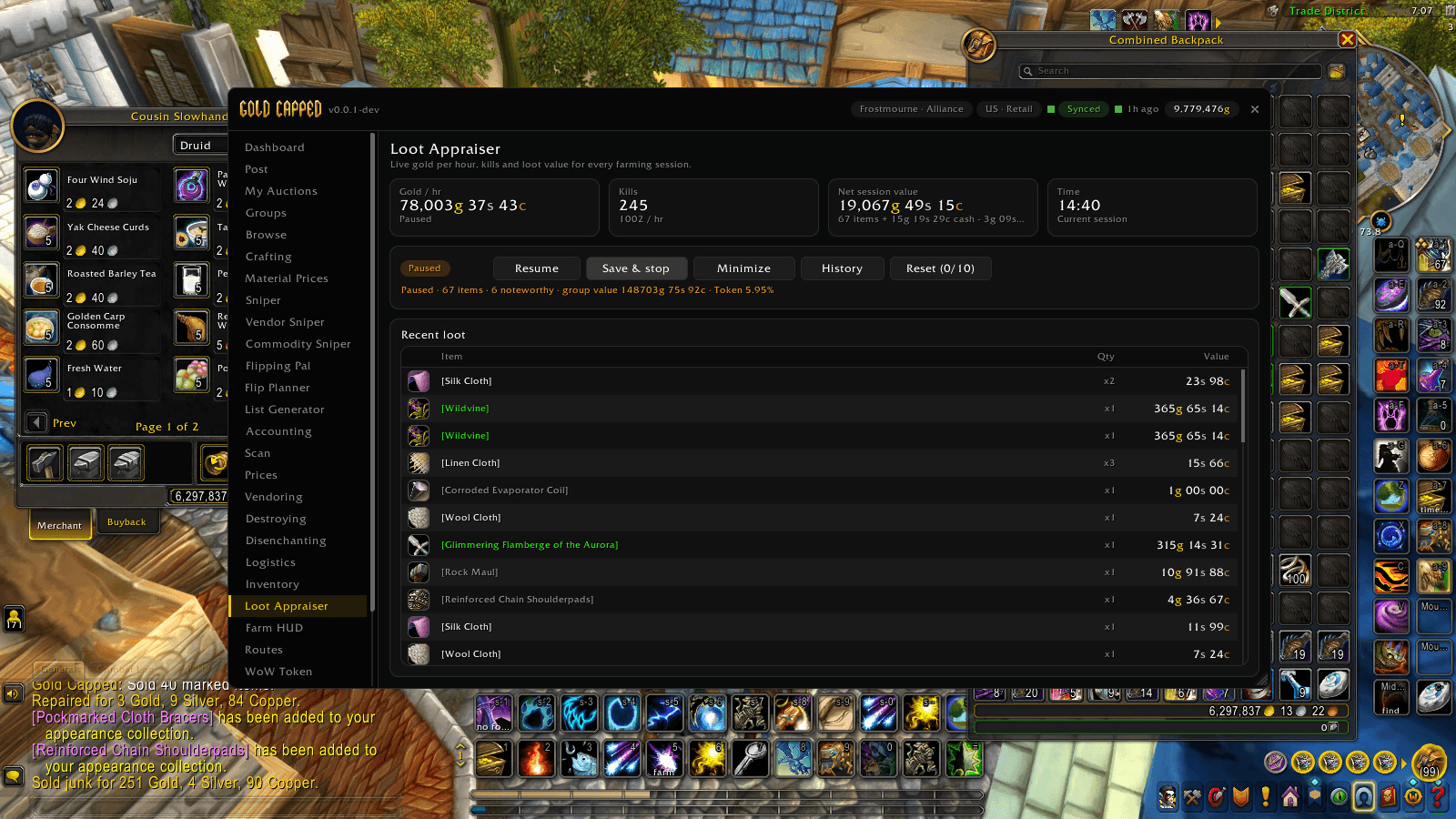
Track gold per hour and the value of everything you loot while farming, with session history you can save and export.
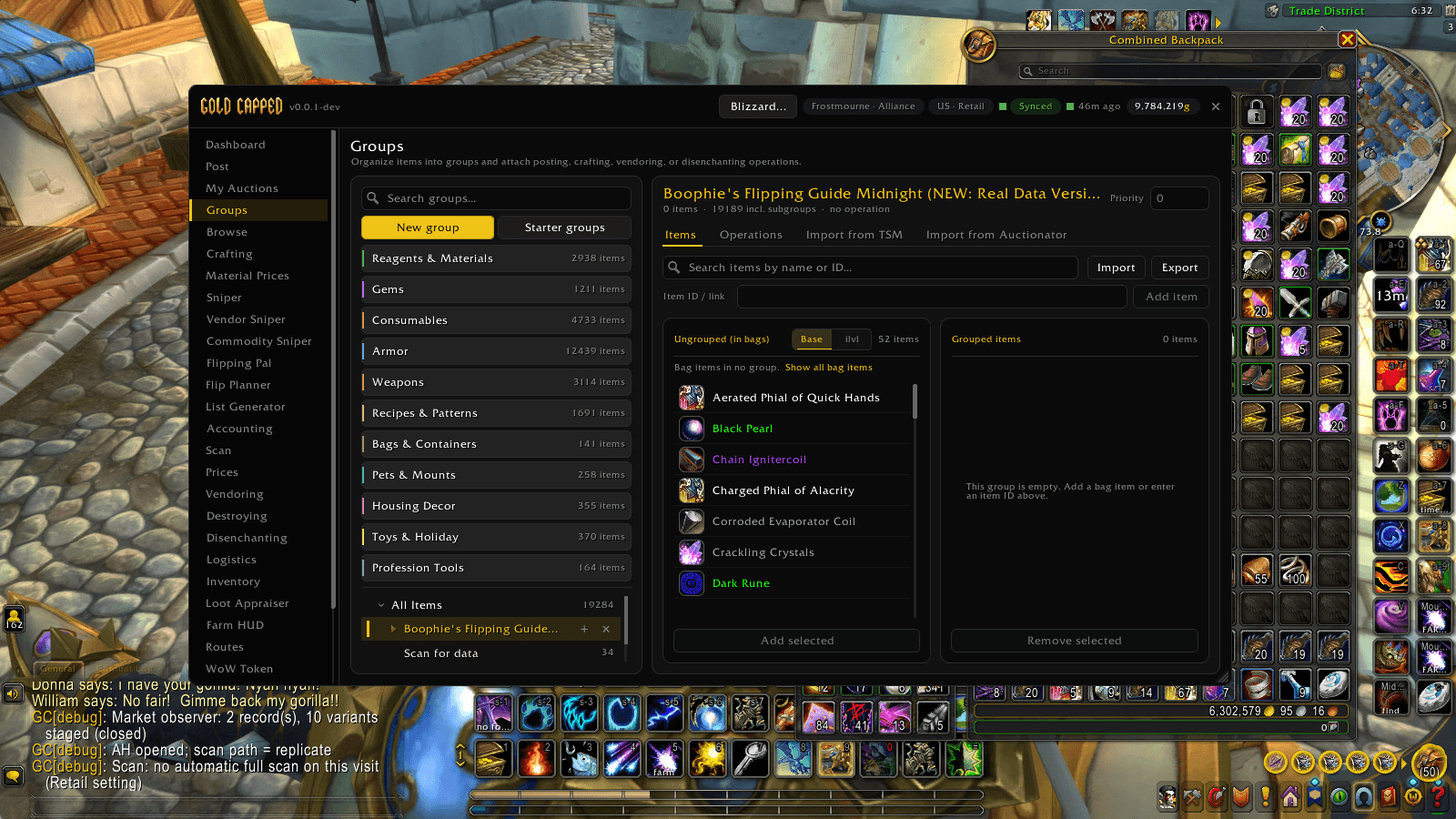
Organize items into groups and attach posting, crafting, vendoring or disenchanting operations. Add items straight from your bags.
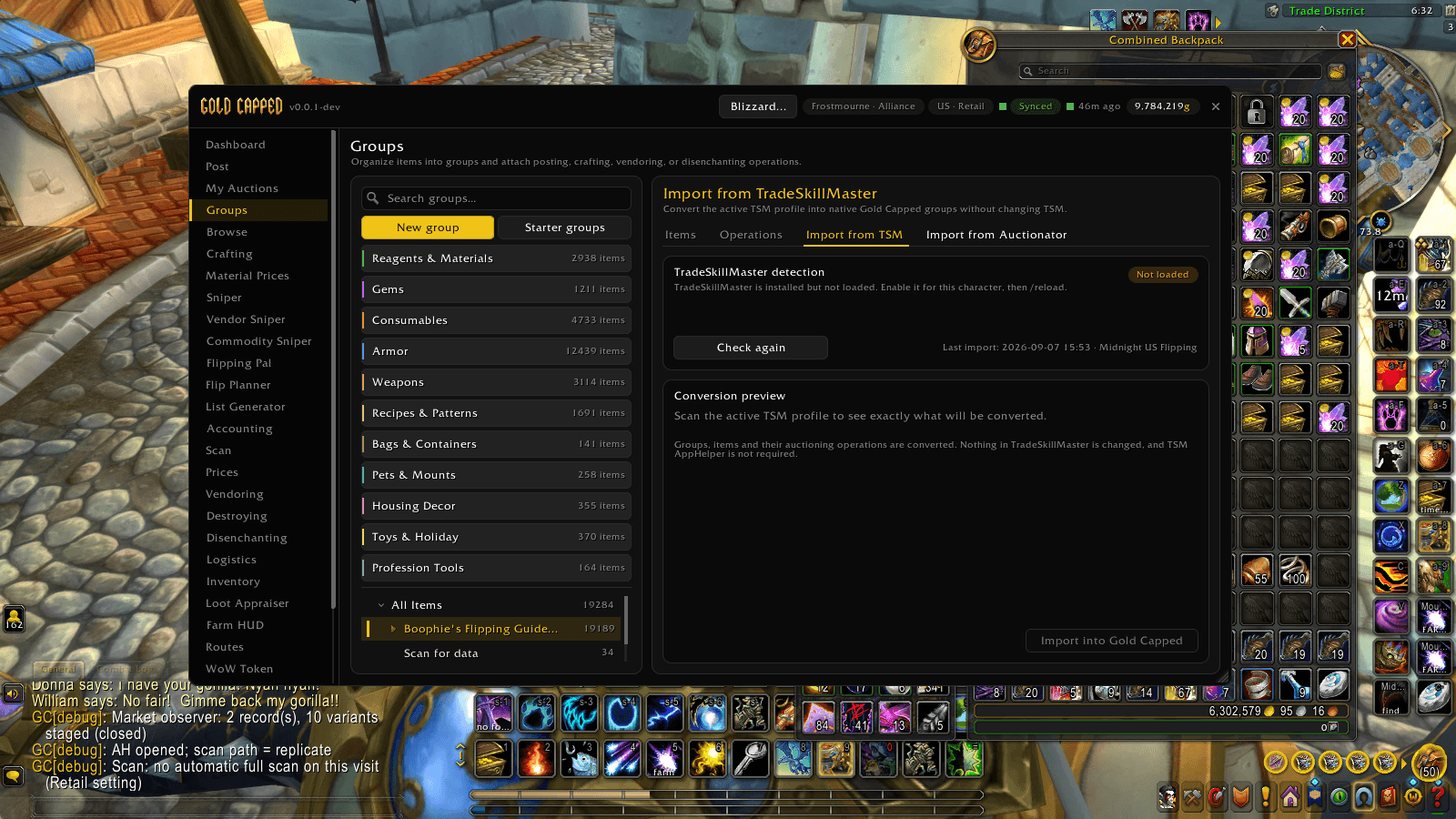
Convert your TSM profile into Gold Capped groups without changing anything in TSM, with a preview of exactly what will come across. Auctionator lists import too.
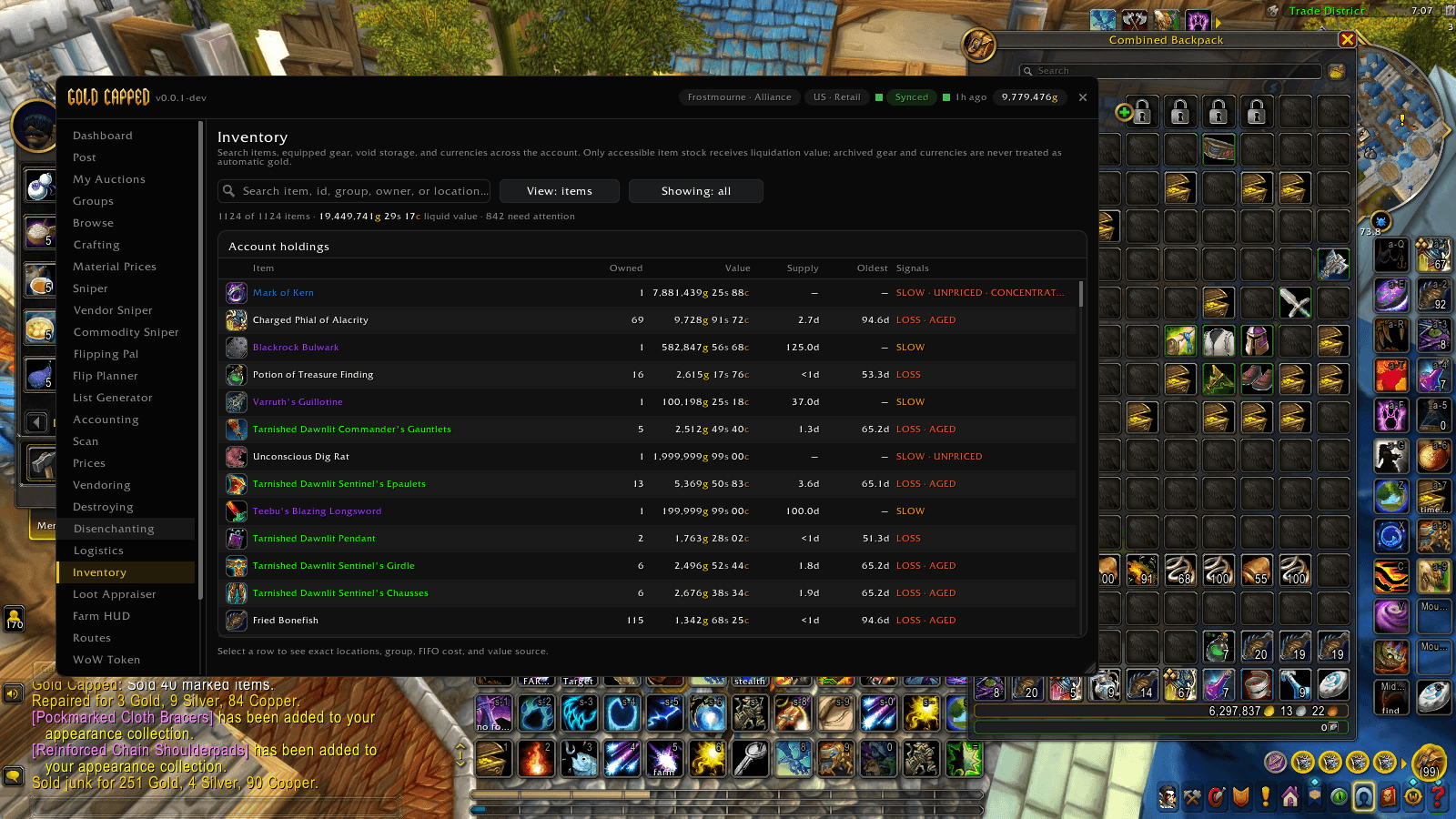
Search bags, bank and gear across your account, with value, supply and age for every item, and flags for slow, unpriced or aged stock.
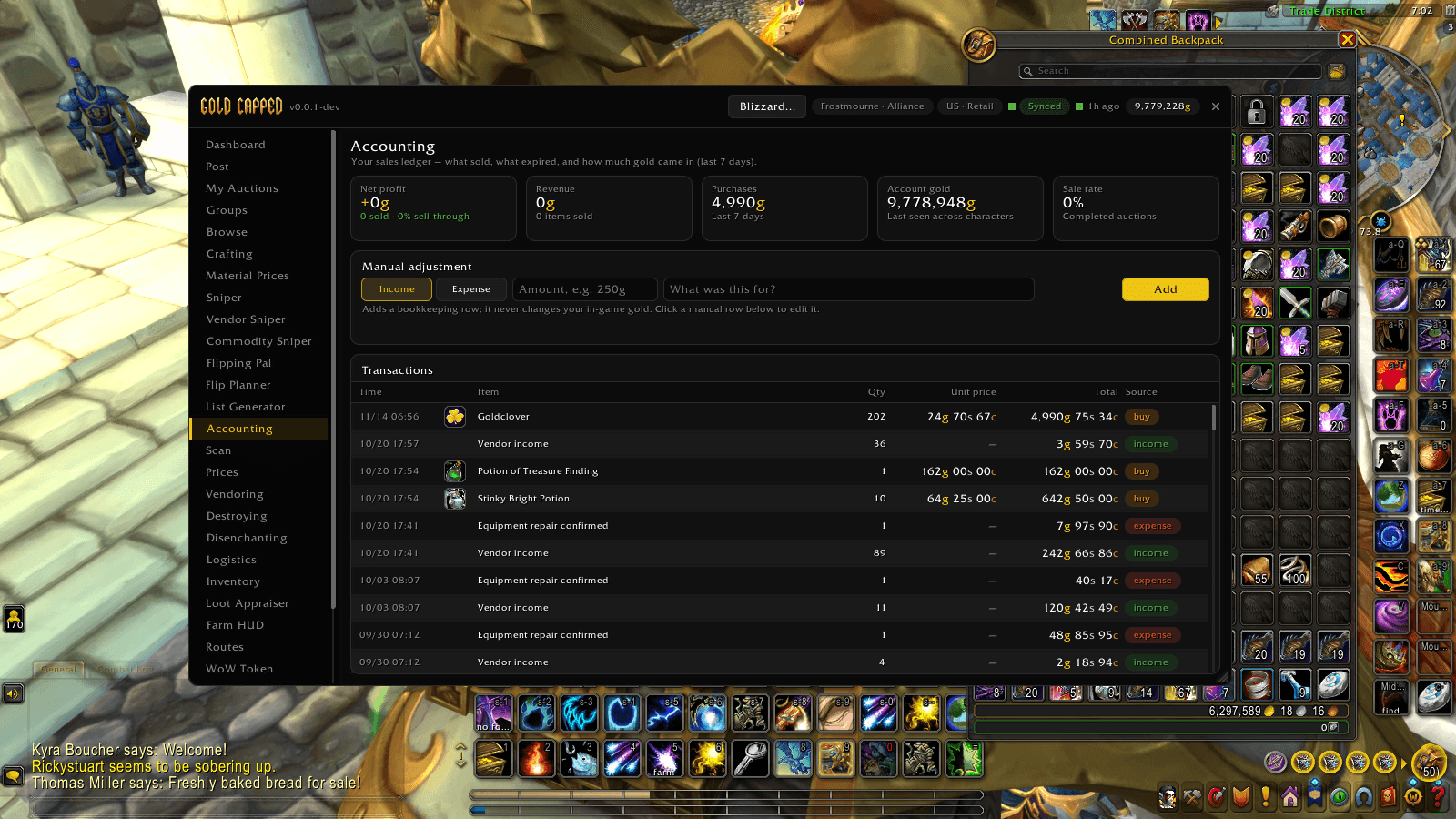
Your sales ledger: what sold, what you spent and your net profit over the last 7 days, with every transaction listed and room for manual adjustments.
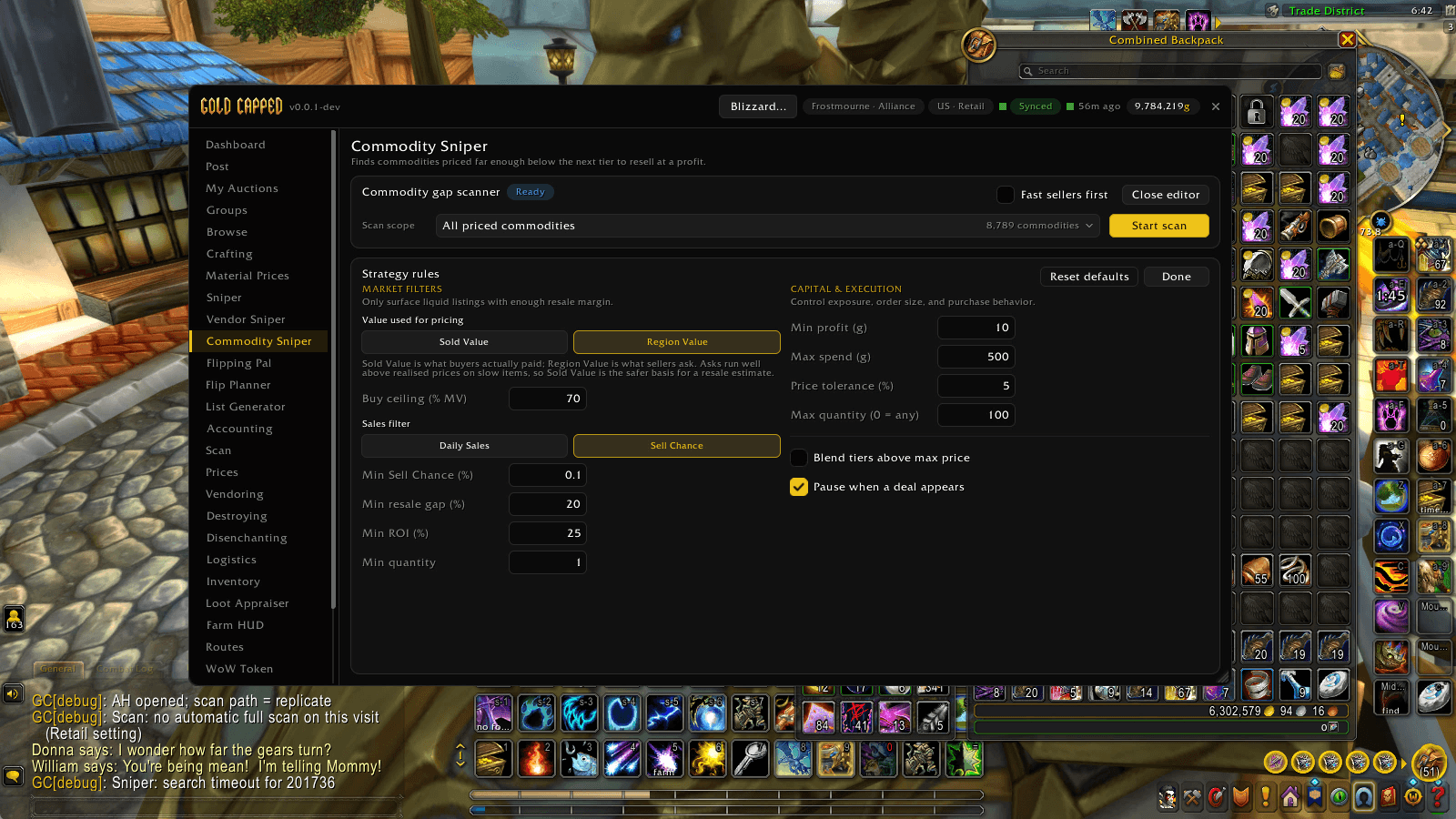
Tune the Commodity Sniper: the value it prices against, minimum sell chance, resale gap and ROI, spending limits, and a pause when a deal appears.
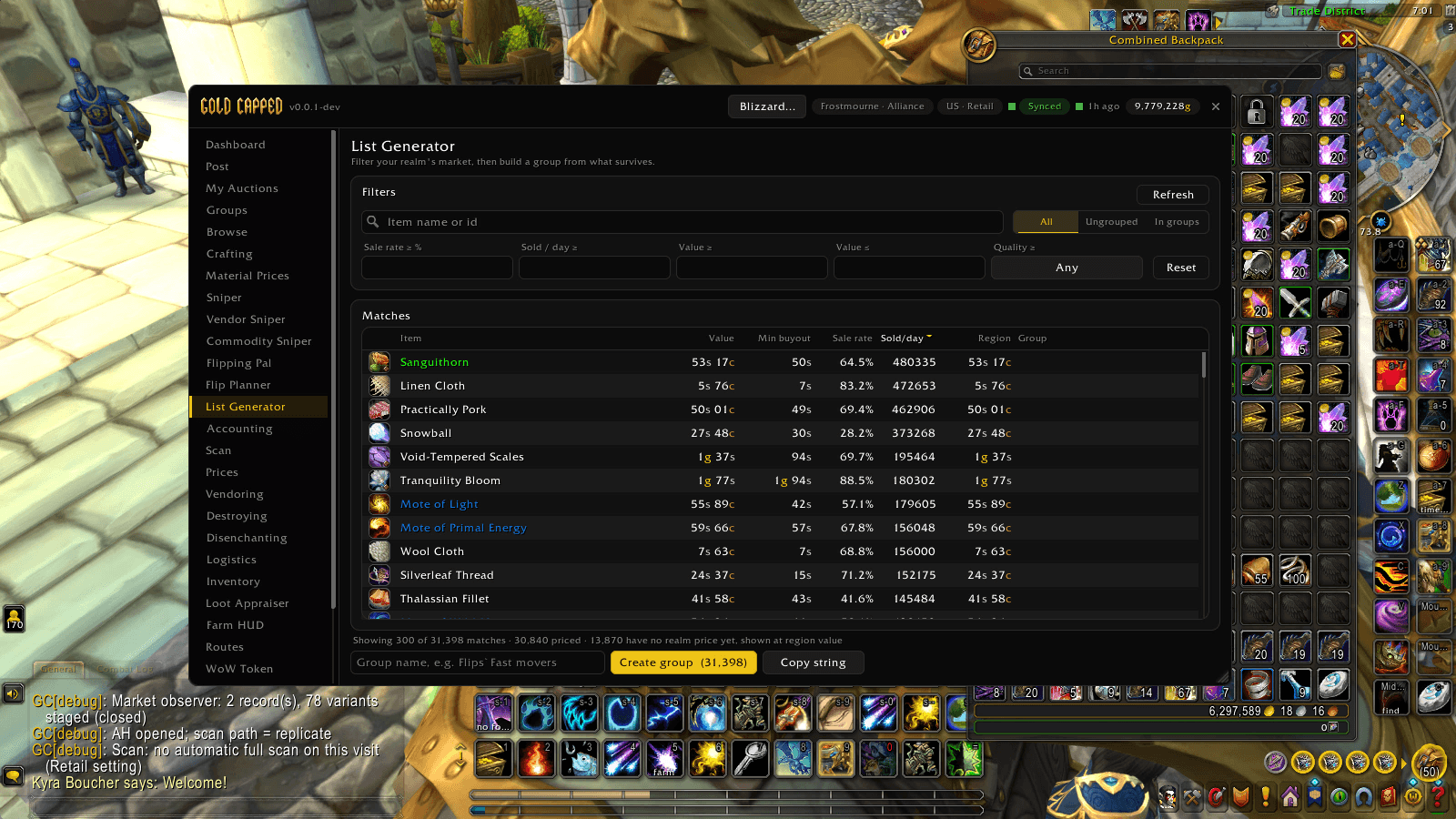
Filter your realm's market by sale rate, sales per day and value, then turn the matches into a group or copy them as a string.
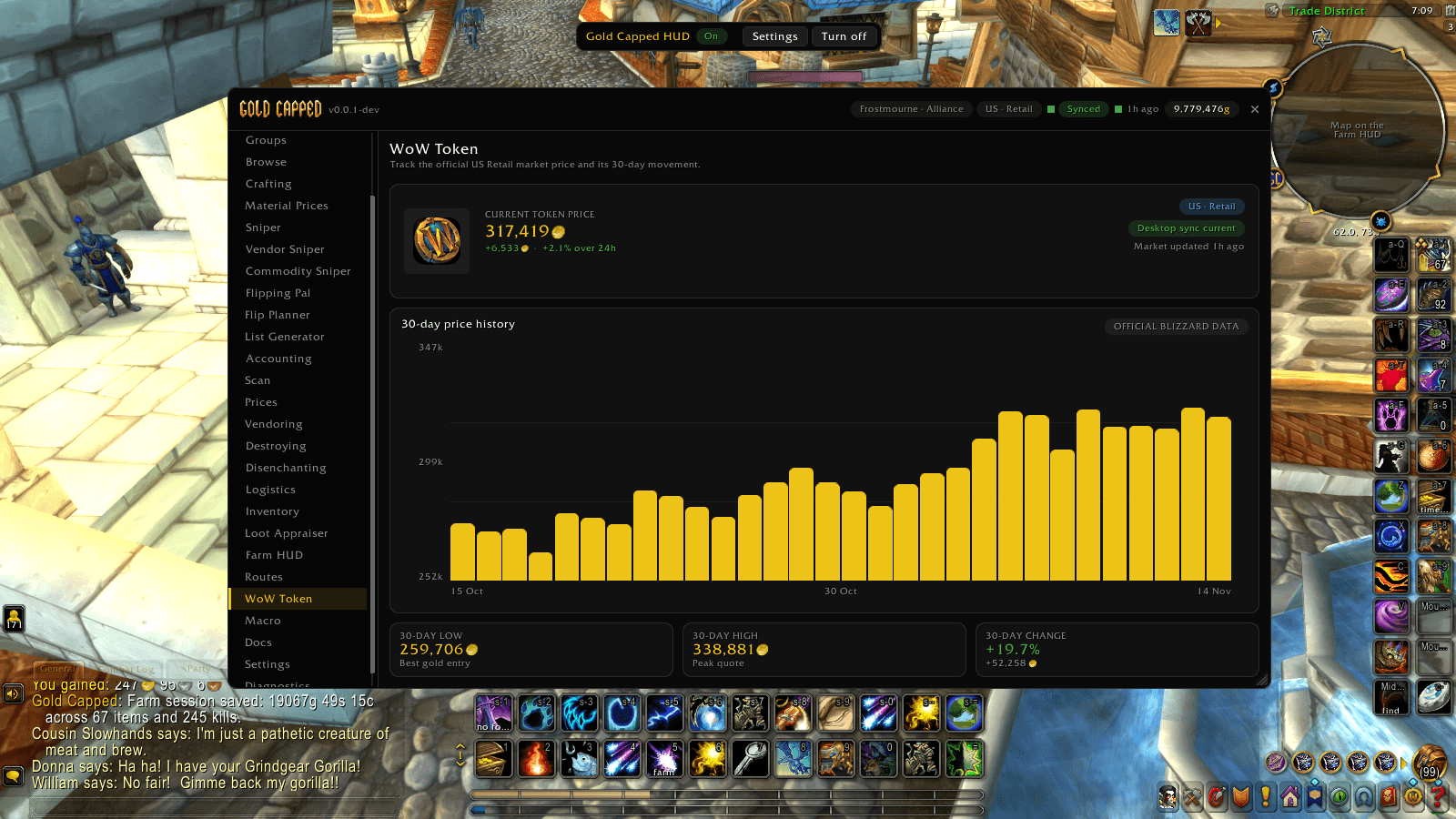
The current WoW Token price and its 30-day history from official Blizzard data, with the 30-day low, high and change.
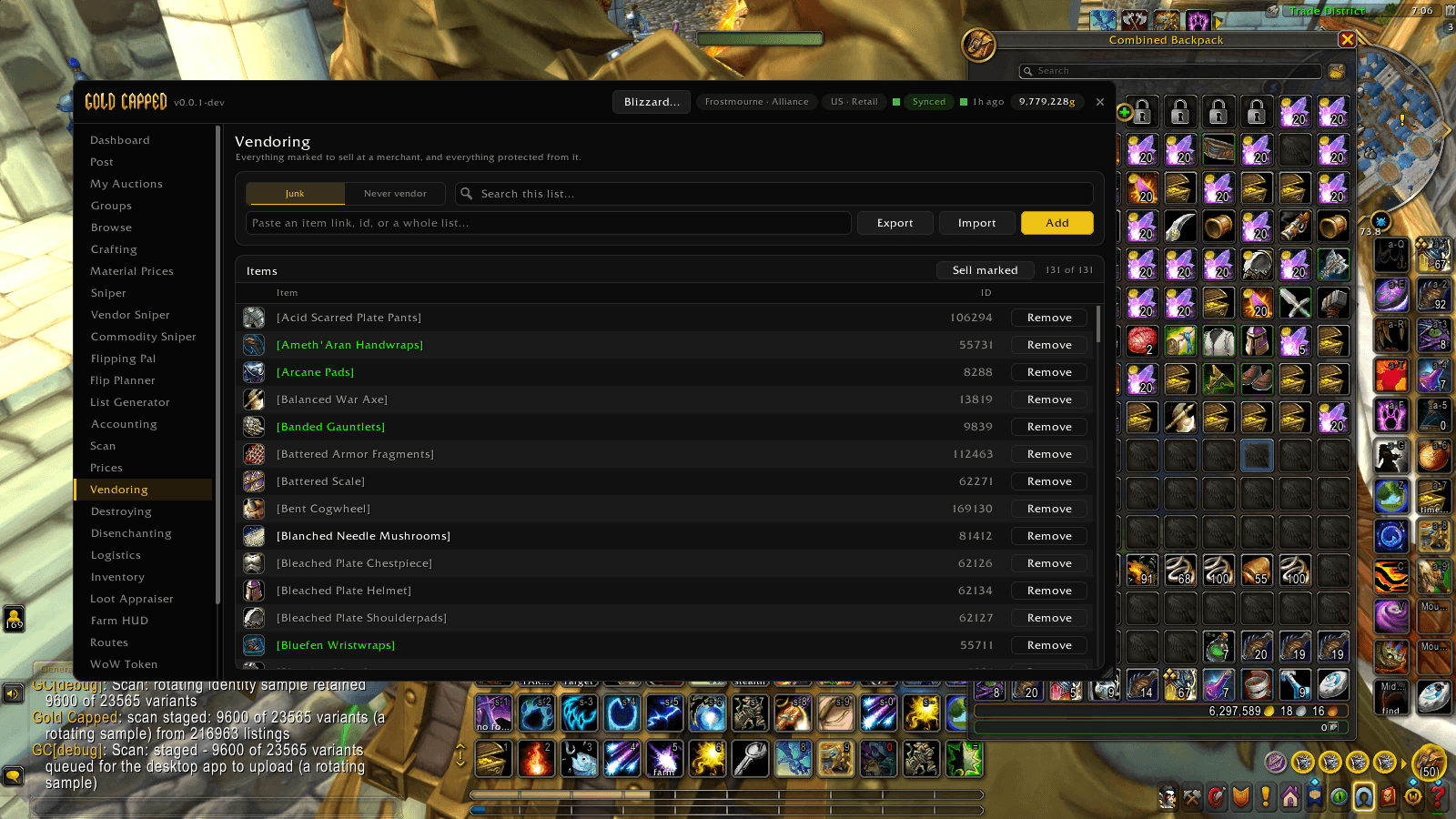
Mark items to sell at a merchant and protect the ones you never want vendored. Import or export the list and sell everything marked in one click.
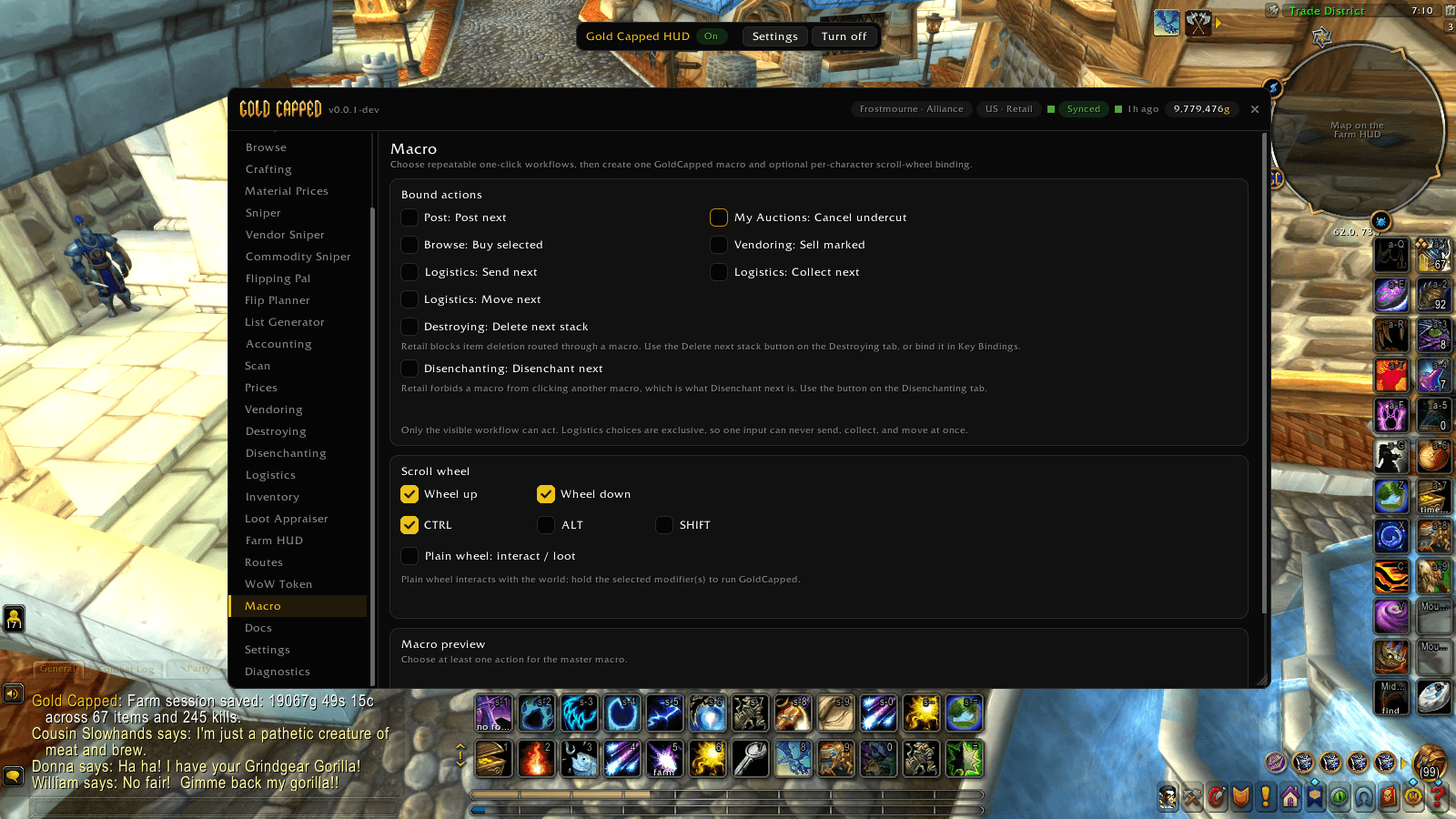
Pick the one-click workflows you repeat (post, buy, cancel, sell, disenchant), build one macro for them and bind it to the scroll wheel.
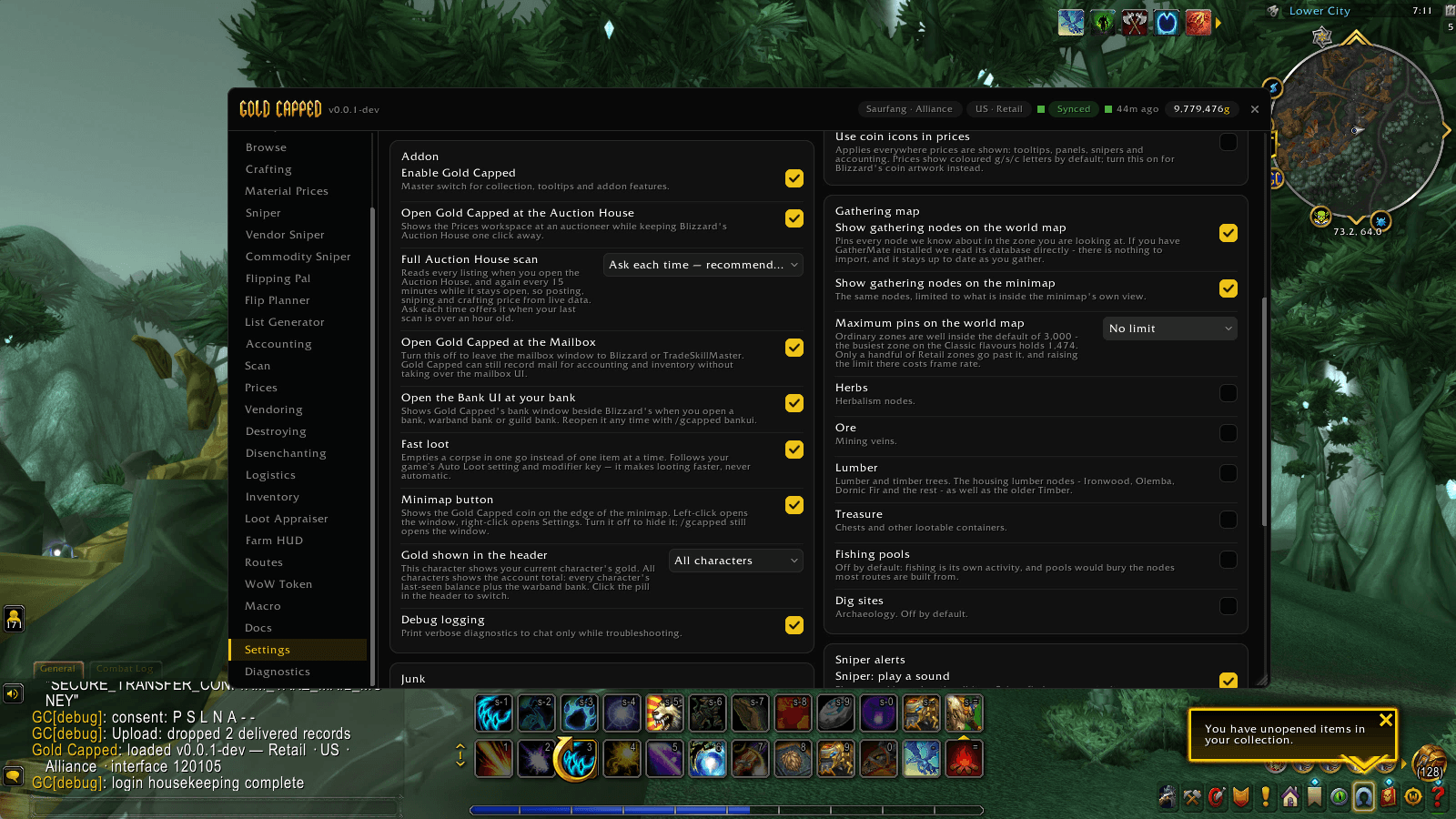
Choose what opens with the auction house, mailbox and bank, how full scans run, which gathering nodes show on your maps, and more.
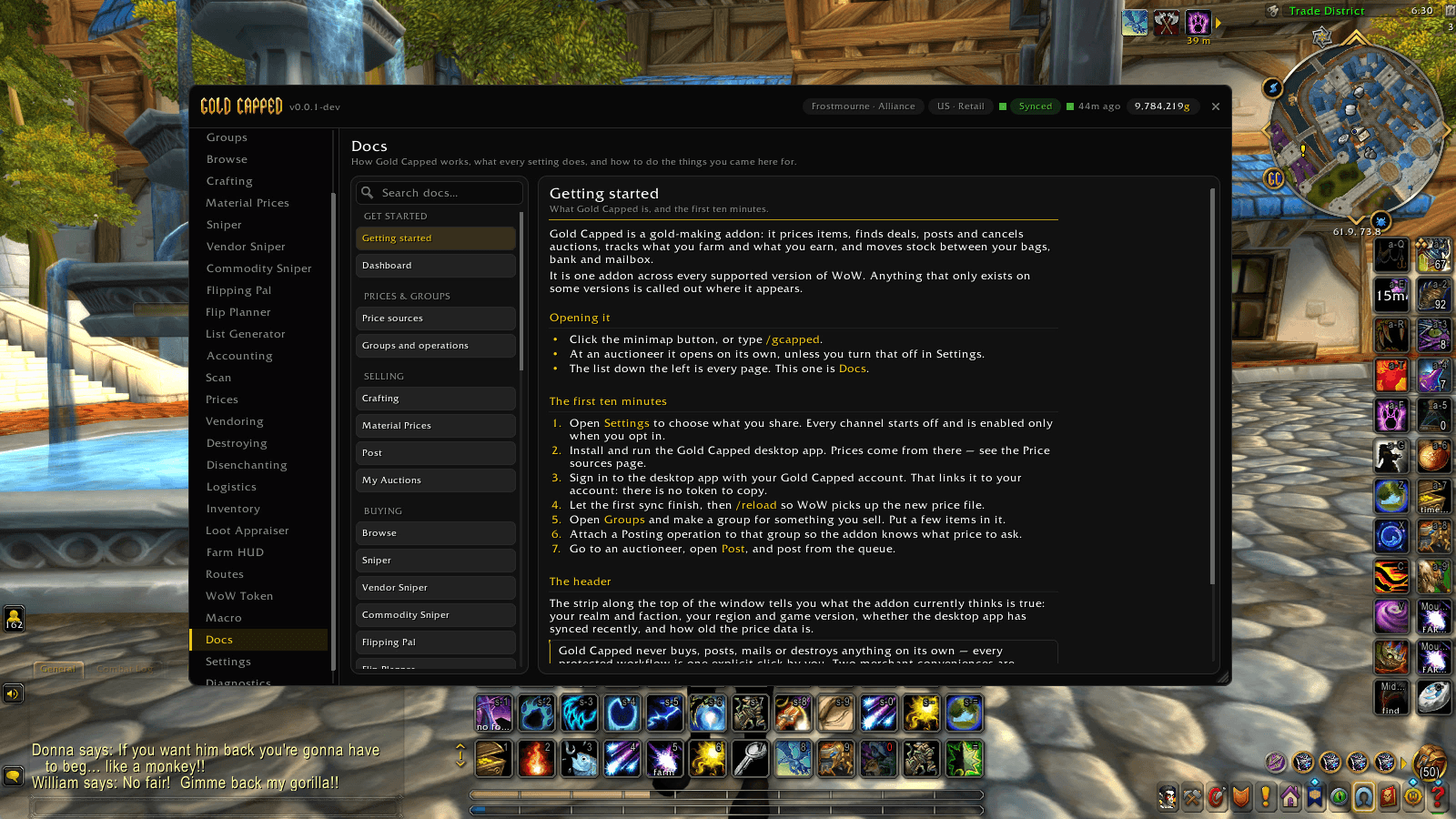
Built-in guides for every feature, starting with Getting started, so help is always one click away in game.

Install guide: add-on + desktop app (3 min)